

Microsoft’s latest course correction on Windows 11’s AI push — a quiet pruning of experimental and low-value AI affordances after a wave of user backlash — is both predictable and instructive: predictable because large platform vendors have repeatedly responded to user revolt by dialing back intrusive features, and instructive because the episode exposes enduring tensions between innovation, trust, and control on the desktop. The story Neowin broke about Microsoft reassessing or removing some AI surfaces in Windows 11 captures that moment of product discipline, and it dovetails with broader community action — from GitHub scripts to popular debloat utilities — that has accelerated the company’s rethink. erview
Windows 11’s evolution into an “AI PC” has involved multiple layers of change: Copilot and its many entry points; contextual AI features such as “Suggested Actions” and AI-powered right-click items; experimental capabilities like Recall (a local activity-indexing feature); and generative features embedded in inbox apps. Microsoft’s ambition is clear: make the OS proactive, assistive, and AI-driven. But execution has been uneven, and several features either underperformed or raised privacy and reliability questions from the outset. That tension explains the recent retrenchment and the surge of community-built countermeasures.
Two parallel dynamics matter here:
-features that are inconsistent, noisy, or provide marginal utility become net negatives. Microsoft appears to be pruning those affordances rather than doubling down on ubiquitous placement.
Neowin framed Microsoft’s steps as a response to “user backlash” and identified several practical signals:
FlyOOBE’s integration with RemoveWindowsAI and the wider media coverage of these tools show the demand for choice and the lengths to which users will go to reclaim control. But vendors and admins must treat these tools as evidence of dissatisfaction, not as production-grade remedies.
Microsoft’s pruning of AI features in Windows 11 is not an indictment of AI in the OS; it’s a reminder that where and how you surface intelligence matters as much as the intelligence itself. The next phase will be defined by clearer defaults, stronger opt‑ins for privacy‑sensitive capabilities, and an implicit bargain: Microsoft will push AI where it demonstrably helps, and users will demand the ability to opt out cleanly and reliably when it doesn’t.
Source: Neowin https://www.neowin.net/amp/microsof...atures-in-windows-11-following-user-backlash/
Windows 11’s evolution into an “AI PC” has involved multiple layers of change: Copilot and its many entry points; contextual AI features such as “Suggested Actions” and AI-powered right-click items; experimental capabilities like Recall (a local activity-indexing feature); and generative features embedded in inbox apps. Microsoft’s ambition is clear: make the OS proactive, assistive, and AI-driven. But execution has been uneven, and several features either underperformed or raised privacy and reliability questions from the outset. That tension explains the recent retrenchment and the surge of community-built countermeasures.
Two parallel dynamics matter here:
-features that are inconsistent, noisy, or provide marginal utility become net negatives. Microsoft appears to be pruning those affordances rather than doubling down on ubiquitous placement.
- Community pushback: technically savvy users have created tools to remove or hide AI surfaces, sending a clear message that default placement and difficult opt-outs will trigger extra‑official remedies. This user-driven “opt-out” activism has amplified the debate about how AI should be integrated into a general-purpose OS.
 What Neowin reported — the essentials
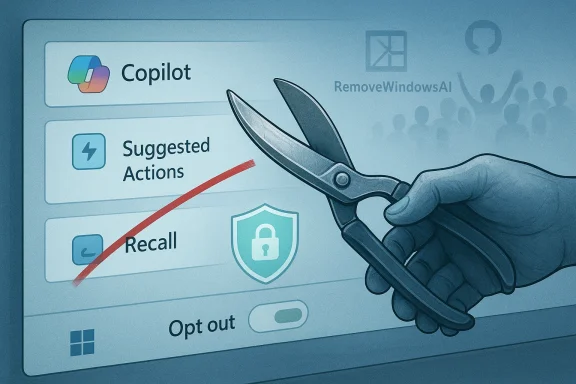
Neowin framed Microsoft’s steps as a response to “user backlash” and identified several practical signals:- Deprecation of low-value features: “Suggested Actions,” the small contextual helper that popped up when users copied phone numbers, dates, or URLs, is being deprecated and slated for removal in a future update.
- Reevaluation of Copilot placements: Microsoft is reassessing how and where Copilot hooks appear — reducing ubiquitous buttons and experimenting behind the Insider channel before broader launches.
- Conservative posture on Recall and other experiments: high-visibility experiments that attracted privacy or security concerns are being slowed, hardened, or tested more heavily inside Insiders.
Timeline and corroboratinghe claims and put them into context, it’s important to cross‑reference public documents and reporting.
- Microsoft deprecated “Suggested Actions” after user feedback and internal evaluation; multiple outlets reported the retirement and Microsoft’s deprecation listing. Tech outlets traced the feature’s history and noted a likely replacement concept called “Click to Do,” which will be targeted at Copilot+ PCs.
- The Recall feature — which indexes local activity snapshots to support “remembering” — was delayed and limited to Insider testing after privacy critiques. Reporting from AP, Ars Technica, and others documents Microsoft’s decision to pause and revisit the design with stronger security and opt‑in controls.
- Community projects such as RemoveWindowsAI (GitHub) provide a one‑click way to disable or remove many of these AI surfaces at the OS level. Coverage by Tom’s Hardware, TechRadar, and hands‑on community writeups confirms the script’s functionality and the risks inherent in using such tools.
Why Microsoft is trimming AI affordances — a practical analysis
Several intertwined factors explain the retrenchment.1) Surface vs. value mismatch
Many AI prompts and affordances were small and ubiquitous — taskbar buttons, persistent Copilot “nudges,” and contextual suggestions. When a surface fails to deliver consistent, measurable utility, it’s perceived as clutter or noise. Microsoft’s decision to deprecate features that didn’t reliably increase user productivity is a product-management response: reduce noise, prioritize demonstrable benefit, and protect the brand equity of “Copilot.” This is the classic user-experience rule: conspicuous does not equal useful.2) Privacy and security risk
Recall crystallized the worst fears: periodic capture of on‑screen content and local indexing can easily include sensitive material. Even features that process data locally can raise legal, security, and user‑trust issues if defaults are aggressive or if access controls are not airtight. The Recall delay and redesigned opt‑in behavior reflect a recognition that how AI records and stores user context is as important as what it delivers.3) Fragmented hardware and update compatibility
Not all PCs are Copilot+ capable. Microsoft’s newer AI features, particularly those requiring local NPU acceleration or tuned system firmware, will only work well on certain hardware. Attempting to deliver the same experience across a heterogeneous installed base risks unpredictable performance and support costs. Deprecating lesser features clears the path for targeted experiences on supported hardware.4) Community backlash and tooling
When users build tools to remove vendor-imposed features — and those tools gain traction — that is a force multiplier. RemoveWindowsAI, FlyOOBE’s new AI cleanup module, and similar projects are signals that the opt‑out story is insufficient. Microsoft must either provide documented, supported, and durable opt-outs or face sustained, unsupported fixes that might break servicing. The existence and popularity of these projects has no small role in shaping Microsoft’s posture.Strengths of Microsoft’s current approach
Microsoft’s shift towards pruning and iteration has several positive aspects for users and IT professionals.- Improved trust posture: Conservative defaults, opt‑in gating for privacy‑sensitive capabilities, and clearer messaging can rebuild confidence among skeptical users and enterprises.
- Usability gains: Decluttering the UI by removing redundant or low-value affordances makes the experience easier to navigate and reduces “alert fatigue.”
- Targeted innovation: By focusing on Copilot+ hardware and reliable AI experiences, Microsoft can deliver higher-quality features where they can actually perform well.
- Acknowledgement of feedback loops: Responding to community and enterprise pushback shows Microsoft is listening and can adapt the product roadmap in response to real-world usage signals.
Risks and downsides — what still worries power users and IT
But the retrenchment is not an unalloyed victory: several risks remain.1) Incomplete or fragile opt‑outs
Community scripts achieve what Microsoft’s native settings sometimes fail to: a durable remove. When Microsoft only hides rather than removes artifacts (or uses UI toggles that revert after feature updates), power users will continue to seek out surgical tools. That drives an adversarial dynamic between users and vendor updates, and can create fragile systems that break under cumulative updates.2) Update and servicing hazards
Scripted removals that alter the Windows servicing store (CBS) or unprovision packages can create upgrade failures or unpredictable interactions with cumulative updates. The deeper an unofficial removal reaches into servicing, the higher the likelihood of an unsupported state that complicates troubleshooting, security patching, and enterprise imagery. Tom’s Hardware and community testing highlight these risks concretely.3) Signal vs. noise tradeoffs
If Microsoft trims useful-but-niche features, some user segments (power users with specific workflows) may lose functionality they relied on. Deprecation decisions must balance overall product simplicity with preserving the edge-cases that many professionals rely on.4) Perception of platform instability
Frequent additions and removals feed a narrative that the OS is experimental. That perception matters in enterprise procurement and for users who prize stability over the latest bells and whistles.The community’s role: tools, tactics, and practical consequences
Open-source projects and debloat tools have matured quickly. Their capabilities fall into layers:- Registry and policy flips — reversible, low-risk, and often aligned with documented Microsoft settings.
- Appx/MSIX removal — uses sanctioned PowerShell cmdlets but can be moderate risk, especially for provisioned packages.
- Servicing store surgery — the highest risk action: installing blocker packages into CBS or editing provisioning manifests can persist changes across updates but may break future servicing scenarios.
FlyOOBE’s integration with RemoveWindowsAI and the wider media coverage of these tools show the demand for choice and the lengths to which users will go to reclaim control. But vendors and admins must treat these tools as evidence of dissatisfaction, not as production-grade remedies.
Practical guidance — what everyday users should do
If you’re a typical Windows 11 user who dislikes intrusive AI features:- Use official settings first: check Settings → Privacy & security and the Windows Copilot/AI components page for toggles that directly address taskbar or contextual AI affordances.
- Prefer reversible steps: disable UI elements and features in Settings rather than uninstalling packages or running third‑party scripts unless you understand the risks.
- Back up before heavy changes: create a full system restore point or image before using aggressive debloat tools.
- Test in a VM: try experimental removal scripts in a virtual machine before touching your daily driver.
- Watch Windows update behavior: after changes, monitor the next cumulative update for unexpected reinstalls or errors.
Practical guidance — what IT admins should do
If you manage fleets of machines:- Plan and test in labs: emulate your production images and apply policy flips and removals there first. Avoid ad hoc scripts in production.
- Use supported management: prefer Group Policy, MDM policies, and Microsoft-provided administrative controls to configure AI components. These are reversible and supported.
- Document your provisioning: if you remove features at image time, maintain clear records and scripts so that you can update or revert them during OS servicing cycles.
- Coordinate with Microsoft support: for enterprise environments, use Microsoft support channels to confirm the supported opt‑out story for features such as Copilot or Recall.
- Treat community scripts as signals: use them to inform your roadmap and policies — they reveal what power users value and what Microsoft might need to document or expose as supported controls.
What to expect next — a reasoned forecast
Based on the pattern of reporting, public statements, and community response, expect the following trajectory:- Deprecation of small, noisy features: expect Microsoft to remove or hide features like Suggested Actions where metrics show low usage and high annoyance.
- Cleaner opt‑out settings and clearer documentation: Microsoft will likely expose more durable toggles for Copilot and AI components in Settings and enterprise policy.
- More targeted AI scenarios: investment will shift toward rich, high‑value Copilot capabilities on Copilot+ hardware rather than ubiquitous, low-value nudges.
- Continued community tooling: until Microsoft provides fully supported, durable opt‑outs for all audiences, projects like RemoveWindowsAI and FlyOOBE will remain active and evolve.
Final assessment — what this means for Winicrosoft’s willingness to prune AI features after user backlash is good product governance — it reflects an adaptive approach to a complex, platform‑level problem. The net effect for Windows users should be a more focused, less noisy experience and clearer control for privacy‑sensitive features. That said, the existence of powerful community removal tools is both a symptom and a risk: it highlights real deficiencies in default opt‑outs, and it creates technical fragility when those tools touch servicing internals.
For users and administrators, the path forward is straightforward but requires discipline:- Prefer supported, reversible settings.
- Treat third‑party debloat tools as last‑resort options and test thoroughly.
- Push for clearer Microsoft documentation and ens if you manage fleets.
Quick reference — the five most important facts to remember
- Microsoft is deprecating and reassessing certain low‑value AI affordances in Windows 11 (e.g., Suggested Actions) rather than abandoning AI wholesale.
- The Recall feature was delayed and redesigned after privacy concerns; Microsoft has shifted it into staged Insider testing with stronger safeguards.
- Community tools like RemoveWindowsAI and updated FlyOOBE modules enable deep removals, but they carry update and servicing risks.
- Microsoft will likely focus AI investments on high-value, hardware‑assisted Copilot experiences (Copilot+), and remove or simplify less useful experiments.
- For most users, use official settings first, back up before making aggressive changes, and treat community removal scripts as signals of broader dissatisfaction rather than recommended production tooling.
Microsoft’s pruning of AI features in Windows 11 is not an indictment of AI in the OS; it’s a reminder that where and how you surface intelligence matters as much as the intelligence itself. The next phase will be defined by clearer defaults, stronger opt‑ins for privacy‑sensitive capabilities, and an implicit bargain: Microsoft will push AI where it demonstrably helps, and users will demand the ability to opt out cleanly and reliably when it doesn’t.
Source: Neowin https://www.neowin.net/amp/microsof...atures-in-windows-11-following-user-backlash/
