
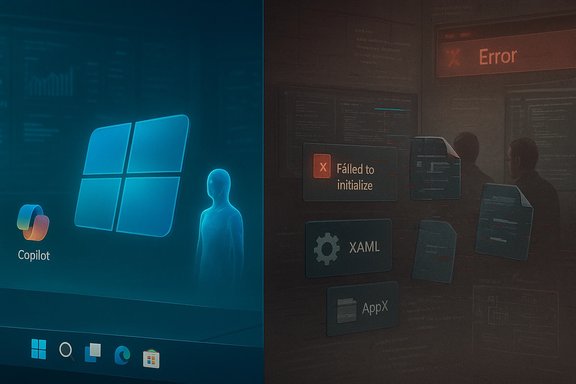
Windows 11’s current public image is a study in contrast: an operating system marketed as the vehicle for PC-level artificial intelligence and modern security, yet visibly struggling with recurring stability regressions, intrusive feature pushes, and a widening trust gap with power users and IT administrators. Over the past 18 months Microsoft has pushed Copilot and other agentic AI features hard into the OS while simultaneously acknowledging a set of servicing and provisioning bugs that, in some environments, leave the Start menu, Taskbar, and core system apps failing to initialize. The contradiction is stark: an AI-first future running on a platform that is still fighting avoidable, high-impact regressions. This article lays out what’s broken, why it matters, how Microsoft has responded, and what realistic options users and organizations have while the vendor repairs the foundations.
Windows 11 was pitched as a modern reboot for the desktop: refreshed UI, tighter security baselines, and, more recently, deep integration of Copilot and AI-driven features. That roadmap accelerated in 2024–2025, with Microsoft positioning Windows as an “agentic OS” capable of hosting persistent, multitask AI agents that can act across apps and services. The ambition is clear: make the OS do more on users’ behalf and make Microsoft’s cloud and Copilot technology central to everyday workflows. Critics argue Microsoft rushed the integration, prioritizing headline AI features over reliability and user control, and the resulting friction has become visible and sustained in recent months. At the same time Microsoft’s own support advisories and community reproductions have shown that a servicing sequence introduced in mid‑2025 created a provisioning-time race condition: updated XAML/AppX UI packages sometimes fail to register in time for first sign-in, leaving shell components such as StartMenuExperienceHost, Explorer, and System Settings unable to initialize. Microsoft acknowledged the issue in a formal support article and provided manual mitigations for administrators while working on a permanent fix.
For users, the immediate path is conservative: stage updates, use available mitigations, exercise opt‑in caution with AI features, and require clearer contractual guarantees for managed fleets. For Microsoft, the roadmap must include stronger QA gates for provisioning and non‑persistent scenarios, explicit enterprise telemetries tied to update risk, and more granular user control over AI features shipped in the OS.
Windows still has the technical muscle and ecosystem reach to be the default platform for work and play. But that advantage is negotiable: it depends entirely on Microsoft restoring dependable behavior at the platform level while advancing AI in ways that earn user trust rather than assume it.
Conclusion
The present moment is a test for Microsoft’s stewardship of the Windows platform. Ambition—especially around AI—is commendable and strategically necessary. Yet ambition without a rock‑solid foundation invites exactly the kind of backlash and migration risk the company is now seeing. The fixes are known, the mitigations are practical, and the broad direction remains sensible. The challenge is execution: restore stability, prove it with measurable telemetry and third‑party validations, and then reintroduce agentic AI features behind clear, user‑centric controls. Until then, cautious staging and conservative rollout remain the pragmatic approach for both home users and IT organizations.
Source: One News Page Windows 11 Is A Broken Mess (And Microsoft Knows)
 Background / Overview
Windows 11 was pitched as a modern reboot for the desktop: refreshed UI, tighter security baselines, and, more recently, deep integration of Copilot and AI-driven features. That roadmap accelerated in 2024–2025, with Microsoft positioning Windows as an “agentic OS” capable of hosting persistent, multitask AI agents that can act across apps and services. The ambition is clear: make the OS do more on users’ behalf and make Microsoft’s cloud and Copilot technology central to everyday workflows. Critics argue Microsoft rushed the integration, prioritizing headline AI features over reliability and user control, and the resulting friction has become visible and sustained in recent months. At the same time Microsoft’s own support advisories and community reproductions have shown that a servicing sequence introduced in mid‑2025 created a provisioning-time race condition: updated XAML/AppX UI packages sometimes fail to register in time for first sign-in, leaving shell components such as StartMenuExperienceHost, Explorer, and System Settings unable to initialize. Microsoft acknowledged the issue in a formal support article and provided manual mitigations for administrators while working on a permanent fix. What’s actually broken: the hard technical failures
The provisioning / XAML registration race
- The core problem Microsoft documented is a timing-dependent failure that occurs when cumulative updates are applied during provisioning or prior to a first interactive sign-in. Updated UI packages (XAML/AppX) must be re‑registered for each user session; if the shell starts before registration completes, activation calls fail and the Start menu, Taskbar, Settings, or even Explorer can crash or render blank. That is not a vague “bug”—it’s a systemic ordering problem caused by modularization of shell components. Microsoft’s advisory KB5072911 spells out the diagnosis, lists the affected binaries and provides PowerShell-based registration workarounds along with guidance for non‑persistent VDI environments.
- Why this matters: a desktop with a missing Taskbar or a Start menu that doesn’t open is functionally unusable for most users. In enterprise and VDI contexts, it breaks provisioning automation and instant-clone workflows that depend on predictable first‑logon behavior. Community reproductions and corporate imaging teams confirmed the symptoms and the power‑user mitigations Microsoft recommends.
Kernel and driver regressions that hit developers and peripherals
- Beyond XAML timing issues, multiple servicing packages introduced other regressions—examples include a kernel-mode HTTP.sys regression that interfered with loopback connections (breaking local web servers and developer toolchains), WinRE USB input failures that left recovery environments unable to accept keyboard input, and driver compatibility problems that caused blue screens or audio/peripheral failures on some systems. These problems have real operational consequences: developers losing local server access, recovery tools becoming unusable, and critical drivers failing after a mandatory security update. Several independent analyses and community logs documented these incidents in the months following the 24H2 servicing cycle.
The cumulative effect: erosion of trust
- Repeated emergency mitigations, Known Issue Rollbacks (KIRs), and ad hoc scripts distribute the burden of stability onto IT teams and savvy users. The result is predictable: slower adoption, more conservative patching policies, and increased exploration of alternatives. Community telemetry and download spikes for Linux distros and recovery tools have been cited as behavioral evidence of that shift, though some adoption numbers in press pieces are overstated and need cautious interpretation.
The AI angle: Copilot, Recall, and “agentic” Windows
Copilot’s bloat, misfires, and an uneasy rollout
- Microsoft’s Copilot integration has become ubiquitous: a Copilot key on keyboards, Copilot buttons across core apps, and repeated feature pushes into Notepad, File Explorer, and even OEM-supplied experiences. But ubiquity has not equaled satisfaction. Users and reviewers have pointed to hallucinations, inconsistent feature sets between marketing demos and the shipped product, and multiple UI reworkings that have left capability gaps. High‑profile incidents—advertisements and demos that reveal Copilot missing obvious steps, and a Patch Tuesday bug that accidentally uninstalled the Copilot app for some users—have amplified the criticism. Microsoft quickly issued fixes and clarified rollout plans, but the perception problem remains: many users feel Copilot has been forced into places they neither asked for nor can fully control.
Windows Recall and privacy friction
- Perhaps the most controversial AI feature is Windows Recall: a capability that can take periodic screenshots of a user’s desktop, index them with OCR, and allow later natural‑language searches across prior activity. Microsoft originally tethered Recall to a new class of Copilot+ PCs—machines with NPUs capable of heavy local inference (40 TOPS or higher)—to ensure on‑device processing and local storage of snapshots, but the feature still raised immediate concerns because it captures everything visible on screen unless explicitly filtered. Security researchers pointed out early design mistakes (e.g., unencrypted indexes), prompting Microsoft to adjust the rollout to make Recall opt‑in, encrypt local indexes, and add exclusion controls. Even after fixes and delays, Recall remains a privacy‑sensitive feature that demands exceptional user trust and clear admin controls before broad adoption. Independent reporting and practical tests confirm both what Recall does and how narrowly-specified the hardware requirements are.
Agentic OS: a strategic bet with risky execution
- Microsoft’s public framing—Windows evolving into an agentic OS that can run autonomous agents to execute multi‑step workflows—reflects a deliberate shift in product priorities. That shift explains the company’s urgency to integrate AI everywhere. The strategic risk: if the platform beneath those AI agents is unreliable, the agents will inherit instability and fragile trust, especially in enterprise contexts where predictability, API stability, and traceability matter. The push for agentic behavior has hardened critiques that Microsoft is trying to sell the future before fixing the present.
Microsoft’s responses and public signals
- Microsoft has not ignored the problems. The company published formal support advisories (for example, KB5072911) that acknowledged the provisioning/XAML issue, provided scripts and mitigations for administrators, and stated it is “working on a resolution.” For the Copilot/uninstall bug, Microsoft issued a fix and guidance for affected users. For Recall, Microsoft delayed and revised the rollout, made the feature opt‑in, and adjusted storage and encryption behavior in response to early security criticism. These actions show responsiveness—but they also reveal reactive governance instead of preemptive design for compatibility, privacy, and enterprise scenarios.
- Leadership signaling is mixed. Executives publicly champion the AI-first roadmap while admitting the company has “a lot of work to do” on reliability and UX polish. That messaging is honest, but for users facing broken shell components or developer‑facing kernel regressions, honesty alone is insufficient without accelerated, measurable remediation and clearer telemetry from Microsoft to help admins triage risk.
Risks for users, IT teams, and enterprises
- Operational risk. Broken shell components in imaging/provisioning scenarios render devices unusable and force costly rollbacks, scripting workarounds, or halting upgrades across fleets. Microsoft’s mitigations are precise but operationally heavy for large environments.
- Security trade-offs. The push for hardware-based security (TPM 2.0, Secure Boot, VBS) is defensible, but it creates upgrade friction for staff and consumers. The result: more unsupported installs, ESU enrollments, or risky bypasses that reduce the security baseline across mixed fleets. Treat marketing security claims and on‑paper reductions in certain exploit classes as context‑dependent gains, not universal guarantees.
- Privacy and compliance. Agentic features and Recall raise compliance concerns in regulated industries. Even when Microsoft asserts that Recall stores data locally, enterprises must evaluate auditability, encryption controls, and the attack surface for local snapshot indexes. The cost of misconfiguration could be high.
- Reputational exposure. Frequent regressions reduce user confidence. The longer the reliability issues persist, the higher the chance that organizations restrict Windows 11 rollouts, delay migrations from Windows 10, or explore alternate platforms for developer workstations and creative endpoints. Community signals show increased interest in alternatives, but migration at scale remains non‑trivial.
Practical mitigation: what users and admins should do now
For end users and home power users
- Pause major feature updates until the first two cumulative patches arrive for a new 24H2 servicing cycle.
- Maintain current backups and create restore points before applying major updates.
- If you care about privacy, treat Recall as opt‑in and verify settings for snapshot storage, exclusions, and Windows Hello protection.
- If Copilot’s presence is unwanted, use official settings and store/uninstall guidance to limit background AI features and remove pinned icons until Microsoft stabilizes integrations.
For IT administrators and enterprise teams
- Treat monthly cumulative updates as staging artifacts. Test them in non‑persistent VDI and staging images before broad deployment.
- Implement the Microsoft recommended logon script or synchronous registration method for non‑persistent image pools until the permanent fix ships (guidance appears in KB5072911).
- Use phased deployment rings and collect telemetry focused on shell initialization, WinRE input, and developer loopback behavior to detect regressions early.
- Reassess the upgrade timeline for workstations that must remain stable for critical operations—consider extending Windows 10 support via ESU or delaying Windows 11 migration until vendor fixes are confirmed.
Critical analysis: strengths, intentions, and where Microsoft misstepped
Notable strengths
- Vision and investment. Microsoft’s bet on making the OS a platform for local and cloud AI is bold and will create genuinely new experiences if executed well. The Copilot investments and hardware partnerships (Copilot+ PCs) signal long‑term commitment to on‑device AI acceleration. That technical ambition is valuable and defensible.
- Iterative fixes and transparency. Microsoft has produced concrete mitigations, KB articles, and follow-up fixes—actions absent in many large vendors under similar pressure. The public KB entries and scripts enable admins to remediate issues immediately rather than waiting months for a patch.
Where Microsoft has fallen short
- Quality vs. feature race. The company appears to have prioritized rapid AI feature deployment over exhaustive QA across real‑world provisioning and non‑persistent scenarios. The modularization of shell components creates an ordering surface area that should have been thoroughly validated for first‑sign‑in and imaging workflows. The result: high‑impact regressions that are visible to ordinary users.
- User control and privacy posture. Early designs for Recall and pervasive Copilot integrations underestimated user sensitivity. Initial implementations exposed data‑handling weaknesses (e.g., unencrypted indexes) and produced backlash that forced Microsoft to pivot. That sequence is a cautionary tale: shipping privacy‑sensitive features before hardened controls invites prolonged trust erosion.
- Communication and timeliness. Microsoft’s public admissions are measured and accurate, but for the high‑visibility regressions many enterprises expected faster, more assertive timelines for permanent fixes and clearer deployment telemetry to help triage risk. Administrators are left to balance security parity versus platform stability—an unsatisfactory choice when updates are mandatory.
The bottom line: where this leaves Windows and its users
Windows 11 today is not “broken beyond repair,” but it is suffering from a series of operational and product‑design missteps that have turned what should be manageable update friction into a sustained crisis for some user groups. Microsoft knows it: formal KB advisories, iterative fixes, and product pivots like making Recall opt‑in show responsive engineering. The bigger question is whether Microsoft will slow down the feature-first cadence long enough to rebuild confidence—especially among enterprise IT and developer communities that value predictability over novelty.For users, the immediate path is conservative: stage updates, use available mitigations, exercise opt‑in caution with AI features, and require clearer contractual guarantees for managed fleets. For Microsoft, the roadmap must include stronger QA gates for provisioning and non‑persistent scenarios, explicit enterprise telemetries tied to update risk, and more granular user control over AI features shipped in the OS.
Windows still has the technical muscle and ecosystem reach to be the default platform for work and play. But that advantage is negotiable: it depends entirely on Microsoft restoring dependable behavior at the platform level while advancing AI in ways that earn user trust rather than assume it.
Conclusion
The present moment is a test for Microsoft’s stewardship of the Windows platform. Ambition—especially around AI—is commendable and strategically necessary. Yet ambition without a rock‑solid foundation invites exactly the kind of backlash and migration risk the company is now seeing. The fixes are known, the mitigations are practical, and the broad direction remains sensible. The challenge is execution: restore stability, prove it with measurable telemetry and third‑party validations, and then reintroduce agentic AI features behind clear, user‑centric controls. Until then, cautious staging and conservative rollout remain the pragmatic approach for both home users and IT organizations.
Source: One News Page Windows 11 Is A Broken Mess (And Microsoft Knows)
