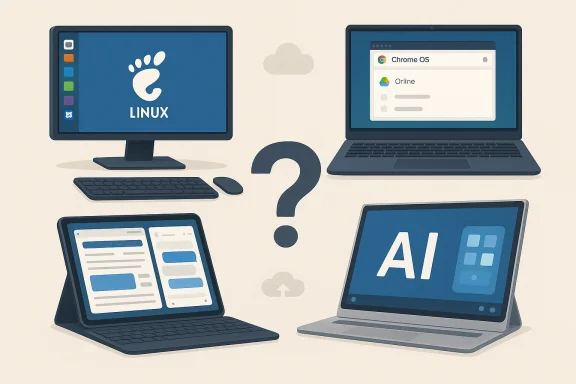
Microsoft’s messy relationship with power, settings, and defaults has pushed a surprising number of technically capable people into thinking seriously about alternatives, and the practical reality is complicated: you can get a useable, modern computing life off of Windows 11 today, but doing so almost always trades one set of problems for another. rview
The discussion that follows grows from a practical, hands‑on meditation on alternatives to Windows 11: Linux distributions, Chrome OS (and Chrome OS Flex), Apple’s iPad/iPadOS ecosystem, and the nascent idea of Android‑on‑laptop efforts (often labeled “Aluminium” or similar). The provocation is simple — should you invest the time to “de‑enshittify” Windows 11, or is it better to move to something else entirely? The answer is rarely binary; it’s a set of tradeoffs shaped by apps, storage habits, peripherals, and the willingness to accept friction.
This article summarndings of experimentation, validates the key technical claims that matter for real workflows, and then offers a critical, actionable guide for readers who want to try one or more of these alternatives without burning time or data.
Windows 11 has become a battleground of user expectations versus vendor decisions. From integrated AI features and Copilot functionality to deeper bundling of certain Microsoft services, many users report annoyance at behaviors that feel intrusive or that consume system resources unpredictably. For technically inclined users, free tooling and settings tweaks can remove many of these annoyances — a process sometimes called “de‑enshittifying.” But the question persists: why do so many people contemplate leaving Windows entirely?
(Practical validation: the Linux experience varies by distribution and hardware; expect to use live USB sessions, check Secure Boot, and be prepared to debug kernel modules or firmware package needs.)
Key strengths:
The broader idea many people watch is Google potentially converging Chrome OS and Android into a single desktop‑capable platform (often discussed under the informal name “Aluminium” or Ae actually ships a polished Android‑first desktop experience with mature app scaling and windowing, it could become a true third pillar alongside Windows and macOS. Right now, that convergence remains speculative, represented by internal projects and industry reporting rather than a finished product.
If you’re tempted, try an incremental experiment: spin up Chrome OS Flex on a spare machine, enable the Linux container, connect to your Google Drive, and test the three or four actions you do most frequently. If those feel comfortable, expand the trial. If not, the work you’ve done learning how Windows behaves and how to tweak it may still be the least costly route.
There’s no magic bullet: the landscape keeps evolving — iPadOS 26 widened the tablet argument, Pixel foldables pushed pocket multitasking forward, and the idea of Android converging toward desktop form factors continues to simmer. Validate claims quickly, test your own workflows, and measure the real day‑to‑day impact before committing. The grass may look greener, but a switch is a decision worth making only after you’ve seen how the grass behaves in the rain.
Source: Thurrott.com Some Thoughts About Alternative (Computing) Lifestyles
The discussion that follows grows from a practical, hands‑on meditation on alternatives to Windows 11: Linux distributions, Chrome OS (and Chrome OS Flex), Apple’s iPad/iPadOS ecosystem, and the nascent idea of Android‑on‑laptop efforts (often labeled “Aluminium” or similar). The provocation is simple — should you invest the time to “de‑enshittify” Windows 11, or is it better to move to something else entirely? The answer is rarely binary; it’s a set of tradeoffs shaped by apps, storage habits, peripherals, and the willingness to accept friction.
This article summarndings of experimentation, validates the key technical claims that matter for real workflows, and then offers a critical, actionable guide for readers who want to try one or more of these alternatives without burning time or data.
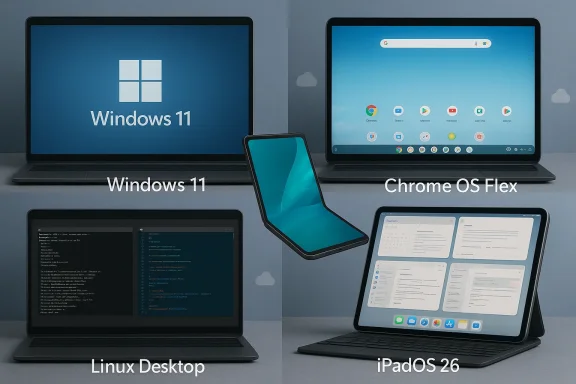 Why users consider alternatives: the Windows 11 pain points
Windows 11 has become a battleground of user expectations versus vendor decisions. From integrated AI features and Copilot functionality to deeper bundling of certain Microsoft services, many users report annoyance at behaviors that feel intrusive or that consume system resources unpredictably. For technically inclined users, free tooling and settings tweaks can remove many of these annoyances — a process sometimes called “de‑enshittifying.” But the question persists: why do so many people contemplate leaving Windows entirely?- Bundled defaults and aggressive prompts push users to Microsoft services.
- UI regressions and prescriptive UX patterns frustrate power users.
- Rising hardware requirements and upgrade prompts drive considerations of platform change.
The alternatives, explained and validated
Linux: freedom with caveats
Linux offers the clearest “you are in control” path: dozens of distributions, almost total freedom to alter behavior, and mature developer tooling. But the reality of desktop Linux in 2026 is mixed.- Hardware compatibility is still a crapshoot on many consumer laptops. Bootable USB installers may or may not start depending on firmware quirks, Secure Boot settings, and port choices.
- Drivers for Wi‑Fi, audio, or GPU features can require manual intervention on some machines — not impossible, but a material barrier for people who need a stable, reliable daily driver quickly.
- Cloud storage clients (Google Drive, OneDrive, Synology Drive) do not behave on Linux in the way they do on Windows or macOS; native, files‑on‑demand integrations are limited or missing, and third‑party sync tools are often half‑measure workarounds.
(Practical validation: the Linux experience varies by distribution and hardware; expect to use live USB sessions, check Secure Boot, and be prepared to debug kernel modules or firmware package needs.)
Chrome OS Flex: a browser‑first compromise that scales
Chrome OS Flex is the lightweight sibling intended to revive older x86 PCs and Macs with a browser‑centric experience. In practice, it occupies a compelling middle ground for many users:- It’s explicitly designed to be installed on a wide variety of PCs and Macs, and it’s intended as a quick way to breathe life into older machines.
- Chrome OS Flex does not support Androidook hardware does, but it does offer a Linux environment (the Crostini model) on many devices — hardware permitting. That Linux environment lets you install graphical Linux apps (VS Code, Typora, desktop editors) in a containerized sandbox on compatible machines.
- Google Drive integrates into the Files app and allows offline availability for selected files and folders on Chrome OS platforms, making cloud‑first workflows feasible without the need for third‑party clients. That makes it significantly easier than stock Linux for people who rely on Drive for documents. User reports and tests show caveats (drag‑and‑drop behavior, some odd file download edge cases), but the core offline sync experience does exist.
- The Linux container’s behavior is hardware dependent — on some PCs the Linux environment initializes cleanly; on others it may not be supported or may be limited.
- Linux apps do not automatically “see” every part of Chrome OS; you typically share folders from the Chrome OS Files app with the Linux container (via “Share with Linux”) so that Linux apps can access them under /mnt/chromeos. That’s workable but requires an extra step and introduces a conceptual separation between Chrome OS file management and Linux apps’ native file view.
Apple: iPadOS 26 and the Mac continuum
Apple’s iPad platform has moved aggressively into the “laptop replacement” conversation. iPadOS 26 introduced large, productivity‑oriented features — better windowing, a more powerful Files app, and deeper Apple Intelligence integrations — which make an iPad (with a proper keyboard) more viable as a daily machine for many people. Apple’s official release notes describe expanded window controls, improved file management, and new creativity tools that push the device toward laptop‑class workflows.Key strengths:
- Tight ecosystem integration between iPad, iPhone, and Mac simplifies continuity and synchronization of data.
- Files and many cloud services behave predictably; third‑party cloud clients from Google and Microsoft are generally well‑supported on Apple platforms.
- The form factor and battery life are outstanding for certain workflows (note taking, web research, light coding with cloud IDEs, creative tasks).
- iPad physical ergonomics can limit comfort for long typing sessions unless you choose larger models and high‑quality keyboards; Apple’s lineup still leaves some users wanting a 14"–16" iPad form that doesn’t exist.
- Traditional desktop apps and many developer tools are still more naturally expressed on macOS or Windows.
Android foldables, the Pixel 10 Pro Fold, and “Androidification” (Aluminium)
Foldable Android devices such as the Pixel 10 Pro Fold continue to blur the line between phone and laptop, with large inner displays and improved multitasking. Google’s Pixel 10 Pro Fold (announced in 2025) pushes durability, offers very large displays, and brings enhanced on‑device AI and multitasking — it’s a strong pocket device that can become a portable workstation in a pinch.The broader idea many people watch is Google potentially converging Chrome OS and Android into a single desktop‑capable platform (often discussed under the informal name “Aluminium” or Ae actually ships a polished Android‑first desktop experience with mature app scaling and windowing, it could become a true third pillar alongside Windows and macOS. Right now, that convergence remains speculative, represented by internal projects and industry reporting rather than a finished product.
The real friction points that will decide whether you switch
When you experiment with an alternative, here are the binding constraints that will determine success or failure for most users:- Cloud storage integration and files‑on‑demand: if you rely on OneDrive/Google Drive/Synology Drive to present a familiar “local file” view with selective sync and perfect offline behavior, many Linux distributions fall short, Chrome OS Flex is largely better, and macOS/iPadOS do the best job with native clients.
- App availability: specialized Windows apps (certain niche productivity or industry tools) won’t run directly on Linux or iPadOS without workarounds. Parallels on macOS and various virtualization strategies can cover some gaps but add complexity.
- Peripheral and driver support: printers, docking stations, fingerprint sensors, and GPU peculiarities often matter more than CPU or RAM. These are the kinds of small, irritating incompatibilities that derail a migration.
- Workflow inertia: your muscle memory, shortcuts, and custom tools — these are underrated costs of switching. If your daily work depends on a handful of Windows utilities, migration is a choreography exercise, not a simple reinstall.
How to evaluate alternatives without burning your main machine — a practical playbook
If you’re curious, here’s a step‑by‑step approach to explore alternatives safely and effectively.- Inventory. List the apps and services you need daily and rate them by importance (must‑have, nice‑to‑have, optional). Note cloud storage providers, required peripherals, and enterprise integrations.
- Test on spare hardware. Use a spare laptop or a USB‑bootable drive to trial a full environment — Linux live USBs, Chrome OS Flex bootable USB, or an iPad test with real work files.
- Verify cloud integration. Confirm that your cloud storage and collaboration tools work the way you need (offline availability, file locking, sharing behavior). For Chrome OS Flex, look for Drive offline and Files app behavior; for Linux, test third‑party sync tools early.
- Trial the Linux container in Chrome OS Flex if you need native Linux apps: enable the Linux developer environment, share the folders you need with Linux via the Files app, and test your editors and dev tooling. Remember the share step — Linux apps access Chrome OS files under /mnt/chromeos when a folder is shared.
- Embrace the rollback plan: make a full disk image or create a Recovery USB before changing anything irreversible on a primary machine.
Strengths and weaknesses — a quick comparative checklist
- Linux
- Strengths: Freedom, performance on older hardware, excellent tooling for developers.
- Weaknesses: Driver unpredictability, cloud client gaps, more support burden.
- Chrome OS Flex
- Strengths: Quick install on older hardware, Drive integration, browser‑first reliability, optional Linux container.
- Weaknesses: Limited Android app support on Flex, Linux depends on hardware support, Files+Linux separation requires sharing workflow steps.
- iPadOS (iPadOS 26)
- Strengths: Polished UX, strong cloud client support, great battery life and portability.
- Weaknesses: Missing some desktop apps, ergonomic limits unless you buy larger hardware.
- Android foldables / Aluminium concept
- Strengths: Pocketable compute, growing multitasking capabilities.
- Weaknesses: Desktop parity is not yet proven; convergence remains aspirational.
Security and long‑term maintenance considerations
Switching platforms is not just a short‑term convenience calculation — it has long‑term security and maintenance implications.- Updates and patching: managed platforms (Chrome OS, iPadOS) push updates centrally and often more securely; Linux depends on your distro and attention to package updates.
- EOL and vendor support: Windows 10’s end of support pushed many users to alternatives; similarly, consider vendor roadmaps for Chromebooks and tablet OSes. Chrome OS Flex receives updates but lacks the Google Titan security chip found in certified Chromebooks, which changes the threat model slightly.
- Enterprise considerations: if your workplace uses domain policies, device management, or conditional access, confirm that the chosen platform supports your org’s controls before migrating.
What to expect if you try to move — realistic timeline and checkpoints
- Day 0–3: Quick trials — create bootable media, try Chrome OS Flex on a spare laptop, or set up an iPad with cloud accounts.
- Week 1: Deep app testing — install the few essential Linux apps in the Flex container or test macOS/iPad equivalents, run file sync stress tests.
- Week 2–4: Peripheral testing and workflow rehearsal — docks, printers, multi‑display behavior, and battery life testing.
- Month 1–3: Real‑world trial — put non‑critical work on the device and evaluate productivity loss/gain. If things break, the rollback plan should restore you quickly.
Risks, limits, and when to wave the white flag
- Unknown hardware corners: old Wi‑Fi chipsets, exotic docking stations, or integrated fingerprint readers may never behave as before on Linux or Flex.
- Enterprise policies and DRM: some corporate VPNs, device‑based DRM for media, or proprietary drivers can lock you to Windows or macOS.
- Time cost: learning, setup, and occasional debugging are the hidden tax of leaving a mainstream platform. If you lose billable hours or critical productivity, the math can quickly favor staying put.
Final analysis and recommendation
There’s no universal answer. The practical reality is this:- If your work is browser‑centric, Drive‑based, and you value lean, predictable updates, Chrome OS Flex is a fast, low‑friction experiment that often “just works” and can be paired with the Linux container for the handful of GUI apps you need. Verify hardware support for Crostini and remember to share folders with Linux.
- If you depend on complex Windows‑only software or require enterprise integrations, Windows 11, carefully tuned, remains the pragmatic choice. De‑enshittifying with targeted tools is often the least disruptive path.
- If you’re entrenched in Apple’s ecosystem or want a very polished tablet‑first experience, a large iPad running iPadOS 26 or a MacBook with Parallels for Windows apps can be liberating — but expect to buy into the hardware and ecosystem.
- If you enjoy tinkering, want absolute control, and are comfortable debugging drivers and package managers, Linux rewards investment — but don’t assume it will be a frictionless “drop‑in” replacement for a Windows desktop unless you accept tradeoffs.
Closing thoughts
Alternatives are attractive precisely because they expose different tradeoffs: aesthetic simplicity (Chrome OS Flex), curated polish (Apple), and technical sovereignty (Linux). Each has the potential to be a “better” everyday environment depending on your workflow and appetite for maintenance. It’s also true that change can fail for mundane reasons — a USB installer that won’t boot, a Wi‑Fi card without drivers, or the one app your team insists on using that refuses to run anywhere else.If you’re tempted, try an incremental experiment: spin up Chrome OS Flex on a spare machine, enable the Linux container, connect to your Google Drive, and test the three or four actions you do most frequently. If those feel comfortable, expand the trial. If not, the work you’ve done learning how Windows behaves and how to tweak it may still be the least costly route.
There’s no magic bullet: the landscape keeps evolving — iPadOS 26 widened the tablet argument, Pixel foldables pushed pocket multitasking forward, and the idea of Android converging toward desktop form factors continues to simmer. Validate claims quickly, test your own workflows, and measure the real day‑to‑day impact before committing. The grass may look greener, but a switch is a decision worth making only after you’ve seen how the grass behaves in the rain.
Source: Thurrott.com Some Thoughts About Alternative (Computing) Lifestyles