

Microsoft’s latest security pivot for Windows 11 is more than a polish—it’s a structural shift: by defaulting the operating system to deny-unless-trusted execution and layering smartphone-style permission controls on top, the company is moving Windows toward being “secure by default” while promising clear, auditable escape hatches for compatibility and management.
For decades, Windows balanced an open, highly compatible platform with a patchwork of optional defenses. Technologies such as Windows Defender Application Control (WDAC), Device Guard, Hypervisor‑Protected Code Integrity (HVCI) and Smart App Control have hardened endpoints when admins chose to deploy them, but they were seldom the default for consumer systems and often complex to manage at scale. Microsoft’s new initiatives—Windows Baseline Security Mode (BSM) and User Transparency and Consent (UTC)—consolidate those primitives into a single OS-level posture and a consent-first UX that together aim to harden systems out of the box.
In plain terms, BSM moves Windows from a permissive default to a runtime posture where only properly signed and attested apps, services, and drivers are allowed to execute unless an explicit, auditable exception is granted. UTC complements this by introducing clear prompts and a centralized permission interface when apps or agentic AI processes request access to sensitive resources (files, camera, microphone) or attempt system-level changes. Microsoft frames this as an evolution toward transparency, consent and auditable control without abandoning the open app ecosystem that defines Windows.
Key characteristics:
UTC aims to:
But the promise comes with operational complexity. Enterprises, IT teams and developers must treat this as a migration project: inventory, simulate, remediate, and govern exceptions. For consumers, the UX challenge is to make prompts informative rather than intrusive. For the ecosystem, signing and attestation will become basic hygiene, and vendors that adapt early will avoid compatibility friction.
Ultimately, BSM and UTC are a recognition that security must be enforced by default and made transparent by design. If Microsoft, developers and organizations get the rollout, tooling and governance right, the net effect will be a measurably safer Windows without abandoning the openness that made the platform ubiquitous. If not, the cost will be in interruptions, administrative overhead and tricky compatibility battles—problems that can be managed, but only with planning, investment and thoughtful UX design.
Source: The Daily Jagran Microsoft Introduces ‘Secure By Default’ Feature For Windows 11, Here's What Its All About
 Background / Overview
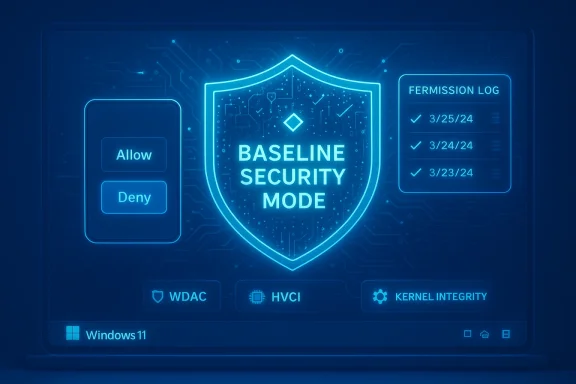
For decades, Windows balanced an open, highly compatible platform with a patchwork of optional defenses. Technologies such as Windows Defender Application Control (WDAC), Device Guard, Hypervisor‑Protected Code Integrity (HVCI) and Smart App Control have hardened endpoints when admins chose to deploy them, but they were seldom the default for consumer systems and often complex to manage at scale. Microsoft’s new initiatives—Windows Baseline Security Mode (BSM) and User Transparency and Consent (UTC)—consolidate those primitives into a single OS-level posture and a consent-first UX that together aim to harden systems out of the box.In plain terms, BSM moves Windows from a permissive default to a runtime posture where only properly signed and attested apps, services, and drivers are allowed to execute unless an explicit, auditable exception is granted. UTC complements this by introducing clear prompts and a centralized permission interface when apps or agentic AI processes request access to sensitive resources (files, camera, microphone) or attempt system-level changes. Microsoft frames this as an evolution toward transparency, consent and auditable control without abandoning the open app ecosystem that defines Windows.
What is Windows Baseline Security Mode (BSM)?
The core idea
Windows Baseline Security Mode is a canonical, default-deny runtime integrity posture built on existing Windows security building blocks. Rather than treating code-signing checks, kernel isolation, and application control as separate, optional features, BSM standardizes them into a single baseline the OS advertises and enforces.Key characteristics:
- By default, the OS will evaluate digital signatures and attestation claims when executables, services, or drivers are loaded.
- Unsigned or improperly signed components are blocked unless an auditable exception exists.
- Exceptions are intended to be discoverable, revocable, and manageable by IT at scale.
- Microsoft will expose developer-facing APIs so installers and apps can detect BSM enforcement state and react gracefully.
How BSM builds on existing tech
BSM is not a brand-new kernel magic box—it consolidates and formalizes protections from:- WDAC (policy-driven application control for allowed binaries),
- Device Guard (hardware-backed code integrity),
- HVCI / KMCI (kernel memory and code integrity enforced via virtualization), and
- Smart App Control (runtime checks and reputation-based blocking).
User Transparency and Consent (UTC): mobile-style permissions for the desktop
What UTC brings
UTC introduces a smartphone-like permissions model to Windows. When an app—or increasingly, an AI agent acting on behalf of a user—requests access to sensitive resources or attempts to install additional software, Windows will surface a clear, actionable prompt: allow, deny, or grant temporary access. All grants are recorded in an auditable UI where users and administrators can review and revoke permissions later.UTC aims to:
- Provide consistent, human-readable prompts across drivers, installers, apps and agentic workloads.
- Treat AI agents as distinct principals with provenance and logged actions.
- Reduce the chance of silent installations, surreptitious background changes, and permission creep.
Why consent-first matters now
As agentic tools and automation become more powerful, actions that used to require explicit human choices can be initiated programmatically. UTC is designed to restore human visibility and consent into that loop—so an AI helper can’t invisibly install a helper driver or exfiltrate files without the user or admin’s explicit approval.How BSM enforcement works (technical sketch)
- Runtime signature and attestation checks. When a binary or driver is loaded, BSM consults signature metadata and attestation claims and evaluates them against the baseline policy.
- Kernel-level enforcement. Decisions occur at a low, OS-protected layer leveraging virtualization and kernel integrity primitives, making tampering by malicious processes more difficult.
- Auditable exceptions. If a component is blocked, a request/exception mechanism allows admins (or users where permitted) to authorize it, with each exception recorded for later review and forensic analysis.
- Developer interfaces. APIs let applications query whether BSM is active and whether exceptions exist for their binaries, enabling graceful install flows and remediation guidance rather than silent failures.
Why Microsoft is doing this: threat landscape and institutional learning
Several forces are pushing Microsoft toward a more opinionated default:- Rising supply‑chain threats and signing abuse have made unsigned or tampered binaries an obvious attack vector.
- Automated and agentic threats can amplify small misconfigurations into widespread compromise.
- Past incident learnings emphasize that optional defense features create gaps—features are only effective if deployed correctly.
- Regulators and enterprise customers increasingly expect auditable security controls and least-privilege defaults.
Benefits: what BSM and UTC promise for users and organizations
- Higher default safety: For brand-new devices and fresh Windows installs, the chance of a drive-by infection or a malicious unsigned driver loading is dramatically lower when execution is restricted to signed, attested artifacts.
- Clearer consent model: UTC’s consistent prompts and centralized permission UI give users—and admins—visibility into which apps access sensitive resources, reducing silent abuse and accidental privacy leaks.
- Stronger supply-chain hygiene: By making signature and attestation requirements meaningful in day‑to‑day operations, vendors and internal dev teams are incentivized to adopt better signing practices.
- Auditable exceptions: If a legacy or internal app needs an exception, that exception is recorded and reversible, enabling security teams to maintain accountability and improve posture over time.
- Developer-friendly transitions: Developer APIs and simulation tooling aim to reduce compatibility shock by letting vendors detect BSM and provide remediation flows or sign their installers.
- Benefits summarized:
- Reduced attack surface by default
- Better visibility and audit trails
- Incentives for secure development and signing
- Enterprise manageability with simulation and exception workflows
Risks and practical challenges
Every strong default comes with tradeoffs. BSM and UTC introduce several nontrivial risks and operational headaches that organizations and users must plan for.Compatibility and legacy software
Many businesses run line-of-business (LOB) applications, older installers, or custom drivers that were never signed or are signed with expired certificates. Converting these to a signing model, repackaging them, or creating and maintaining exceptions is operational overhead—especially for small teams or long-lived, infrequently updated tools.Developer and ecosystem friction
Independent developers and small vendors will face additional friction. Code signing has costs (certificate procurement, maintenance, secure storage of signing keys), and some OSS projects or hobbyist tools may be slow to adopt formal signing. Microsoft’s promises of transition tooling help, but adoption is a multi-month to multi-year process across the ecosystem.Consent fatigue and user experience
Adding more prompts can increase security—but it also risks consent fatigue. Desktop users are accustomed to clicking through warnings without reading. Poorly designed prompts or frequent interruptions could nudge users into approving risky behavior or habitually granting blanket permissions.Enterprise exception sprawl and audit burden
While exceptions are auditable, they can proliferate. Without tight processes, exception lists can balloon, effectively recreating a permissive state with a large, messy allowlist. Security teams must institute lifecycle controls for exceptions so temporary allowances don’t become permanent blind spots.Driver and kernel-mode risk profile
Kernel-mode drivers and low-level services are powerful. Mistakes in driver signing workflows or in exception handling for drivers carry outsized risk compared with user-mode apps. Enterprises with specialized hardware or niche drivers will need careful migration plans.Privacy and telemetry questions
UTC implies expanded logging of app behaviors and permission grants. Organizations and privacy-conscious users will want clarity on what telemetry is transmitted, how long consent logs are retained, and how to control or localize that data. Microsoft’s public guidance promises transparency, but operators should validate retention and telemetry policies before wide deployment.Impact on stakeholders
For consumers
- New PCs and default installs will feel safer out of the box.
- Users will see more prompts when apps attempt significant actions—this could be empowering or annoying depending on prompt design.
- Many popular, well-maintained apps will work without change; obscure or old utilities may require intervention.
For enterprises and IT admins
- BSM is a step toward reducing misconfiguration risk across fleets, but it requires planning:
- Inventory unsigned LOB apps and drivers.
- Use simulation and impact reports to identify problem areas.
- Create formal processes for exception requests, reviews, and revocations.
- Management tooling and role-based control will be critical for scaling exceptions, approvals and audits.
For developers and ISVs
- Signing becomes table stakes for smooth compatibility.
- Developers should integrate BSM-awareness into installers: query enforcement state, provide user-friendly remediation guidance, and offer signed packages or instructions.
- Small vendors should prioritize acquiring and maintaining code-signing certificates, with secure key handling.
For hardware and peripheral vendors
- Driver signing and attestation requirements will require coordination between device vendors, OEMs and enterprise customers to ensure continued compatibility—especially for specialized controllers and legacy hardware.
How organizations should prepare — practical checklist
- Inventory: catalog all installed applications, services, drivers and their signing status.
- Simulate: run BSM simulations and impact reports to see what would be blocked before enforcement.
- Prioritize: classify blocked components by business criticality and plan remediation or replacement.
- Sign and repack: sign installers and drivers where possible; coordinate with vendors for signed updates.
- Exception governance: implement a lifecycle for exceptions—define owners, approvals, and expiration dates.
- Update developer processes: add code-signing into CI/CD pipelines and secure signing key storage.
- Train users and helpdesk staff: prepare support teams for increased prompts and exception requests to reduce time-to-remediation.
- Privacy review: audit telemetry and consent logs to ensure compliance with internal policies and external regulations.
Rollout model: phased, auditable, and developer-aware
Microsoft’s stated approach is deliberately phased:- Visibility and simulation first: tools that show what would be blocked without changing runtime behavior.
- Developer APIs and guidance: to let installers and apps detect BSM and fail gracefully with remediation steps.
- Gradual enforcement: admins and Windows Update channels will receive staged updates so compatibility issues can be addressed.
- Exceptions as a safety valve: both users (where permitted) and admins can create auditable exceptions that are recorded and revocable.
Strategic implications: a new equilibrium for Windows security
If BSM and UTC are adopted widely, they change the economic incentives across the Windows ecosystem:- Code signing, attestation and secure supply-chain practices become more valuable.
- Attackers shift away from unsigned installer vectors and look for signed component abuse or social engineering that convinces users to grant permissions.
- Organizations that invest in signing, inventorying and exception governance will gain an operational security advantage.
- The desktop will increasingly resemble mobile platforms in its approach to resource access and runtime permissions, which could simplify security expectations across multi-device environments.
Open questions and areas to watch
- Exception governance in practice: will centralized admin tooling prevent exception sprawl or merely enable it?
- Consent UI design: will prompts be descriptive, actionable and resistant to habituation, or will they become background noise?
- Small developer support: will certificate costs and key management burden hobbyist and open-source projects disproportionately?
- Telemetry and privacy: how granular are consent logs, who sees them, and how long are they retained?
- Signed-but-malicious binaries: code signing is necessary but not sufficient—how will Microsoft detect compromised signing keys or repackaged signed malware?
- Kernel-mode lifecycle: how will long-lived kernel drivers be managed when original vendors no longer maintain them?
Recommendations for end users, admins and developers
- End users: expect clearer prompts; don’t reflexively approve every request. If a known app asks for broad access, confirm its purpose before granting persistent permissions.
- IT administrators: prioritize an inventory and simulation phase now. Design exception workflows and assign owners to ensure temporary allowances don’t become permanent liabilities.
- Developers and ISVs: integrate code signing into build pipelines and offer signed installers. Use the provided APIs to detect enforcement and present helpful remediation instructions rather than failing silently.
- Security teams: prepare detection and response playbooks for cases where signed components are abused; signing alone is not a silver bullet.
- Privacy officers: review telemetry and logging policies tied to UTC to align with compliance requirements and user expectations.
Conclusion
Microsoft’s Windows Baseline Security Mode and User Transparency and Consent represent a meaningful evolution in the Windows security model: a move from optional, fragmented protections to a default-deny, auditable baseline paired with user-centric permission controls. The technical consolidation of WDAC, HVCI and related primitives under a single posture promises real reductions in runtime attack surface—especially for fresh installs and new hardware.But the promise comes with operational complexity. Enterprises, IT teams and developers must treat this as a migration project: inventory, simulate, remediate, and govern exceptions. For consumers, the UX challenge is to make prompts informative rather than intrusive. For the ecosystem, signing and attestation will become basic hygiene, and vendors that adapt early will avoid compatibility friction.
Ultimately, BSM and UTC are a recognition that security must be enforced by default and made transparent by design. If Microsoft, developers and organizations get the rollout, tooling and governance right, the net effect will be a measurably safer Windows without abandoning the openness that made the platform ubiquitous. If not, the cost will be in interruptions, administrative overhead and tricky compatibility battles—problems that can be managed, but only with planning, investment and thoughtful UX design.
Source: The Daily Jagran Microsoft Introduces ‘Secure By Default’ Feature For Windows 11, Here's What Its All About
