

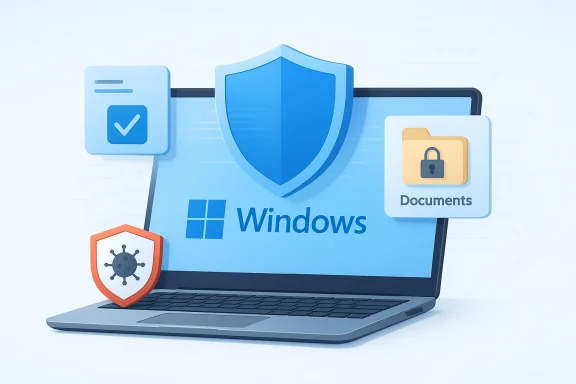
Microsoft’s latest Windows 11 security guidance makes a long-running debate much simpler: for most people, a third-party antivirus is no longer necessary. The company now says the built-in protection stack in Windows 11 is designed to run by default, update automatically, and handle the everyday risks that home users actually face. That does not mean every paid security suite is obsolete, but it does mean the old instinct to install Norton, McAfee, or Kaspersky on a fresh PC is increasingly out of date. The real story is not that antivirus died; it’s that Microsoft quietly folded it into the operating system and made it good enough for mainstream use.
For much of the Windows XP and Windows 7 era, the answer to “Do I need antivirus?” was practically always yes. Windows shipped with limited built-in protection, and the threat environment was chaotic enough that mainstream users were strongly pushed toward third-party tools. Paid security suites became a habit, a default recommendation, and for many OEM laptops, a preinstalled commercial arrangement that was difficult to separate from the hardware purchase itself. The result was a market where “more security software” often felt synonymous with “safer.”
That era was also shaped by a genuine technical gap. Malware was simpler in some ways, but defenses were weaker, updates were less integrated, and the average user had fewer platform-level protections to lean on. Antivirus vendors sold not just a scanner, but a sense of order in a fragmented security landscape. Their bundles often included firewalls, anti-spam filters, parental controls, identity tools, and “PC tune-up” features that made the product feel like a full safety appliance rather than a single detection engine. It was a different computing era, and the security stack reflected that.
Windows 10 marked the real inflection point. Microsoft began treating security as a core platform feature instead of an add-on, and Windows Defender evolved from a basic utility into a much broader protection system. The company paired that with cloud intelligence, reputation-based blocking, exploit mitigation, and tighter OS integration. By the time Windows 11 arrived, Microsoft had moved the goalposts: the built-in stack was not just “good enough,” it was increasingly competitive with many paid options in mainstream consumer testing.
The latest Microsoft guidance, published on April 9, 2026, makes that evolution explicit. In a support article titled “Antivirus protection built into Windows,” Microsoft describes Windows 11 as already containing a complete antivirus stack, with Windows Security as the interface users actually see. That message matters because it is not marketing fluff aimed at enthusiasts; it is Microsoft’s own answer to a simple consumer question that has lingered for more than a decade. For most people, on most modern Windows 11 systems, the company is now saying the quiet part out loud.
What makes this especially notable is the way Microsoft frames the issue. It is not claiming every third-party product is useless. Instead, it is arguing that the average home user, with standard settings, regular updates, and ordinary browsing habits, already has the core protection they need. That is a more nuanced position than “Defender is the best antivirus,” and it is also more defensible. It acknowledges that security is contextual, not universal.
Microsoft’s shift also reflects a broader industry change. Modern attacks often arrive through phishing, malicious downloads, living-off-the-land techniques, and social engineering rather than a single infected executable sitting in a folder waiting to be scanned. That means the best protection is no longer just a file detector; it is an integrated system that can assess reputation, behavior, code signing, and system trust. Windows 11 is built around exactly that idea.
The wording also matters. Microsoft does not say no one should ever use another antivirus. It says most users do not need one. That distinction is crucial because it leaves room for enterprise requirements, specialized workflows, and users who want bundled extras such as VPNs or identity monitoring. The company is narrowing the use case, not erasing it.
That is a reasonable argument because most consumer compromise still comes from a relatively small set of mistakes. Users click unsafe links, approve fake prompts, download questionable installers, or ignore warnings that should have been a stop sign. Windows 11’s integrated protections are designed to interrupt those behaviors before they become infections. The value is not just in detection, but in interruption.
Microsoft is also implicitly acknowledging something security professionals have said for years: too many security products can create more problems than they solve. If you install a second real-time antivirus product on top of the built-in stack, you often increase overhead and raise the chance of conflicts. In that sense, Microsoft’s recommendation is less about brand loyalty and more about reducing complexity.
Key takeaways from Microsoft’s consumer guidance:
Microsoft Defender Antivirus is the core engine, but it is only one piece of the architecture. It performs real-time scanning, behavior monitoring, and cloud-delivered protection. That means it is not just matching known signatures; it is also looking for suspicious activity, unusual execution patterns, and indicators that a file or process behaves like malware. In practice, that is a better model for modern threats than a classic scanner alone.
This is where the OS integration becomes a real advantage. Defender is not a separate product bolted onto Windows after the fact. It is part of the platform, with access to signals that standalone tools do not always have in the same way. That includes relationships between files, downloads, browser activity, and system trust. Integration is not a cosmetic advantage; it changes what the software can observe and block.
At the consumer level, that often translates into less friction. Users are not forced to juggle licenses, scheduled scans, subscription prompts, or multiple update systems. There is no need to wonder whether the antivirus has expired or whether the free trial will degrade into nagware. Windows Security simply exists as part of the operating system, which is exactly what many ordinary users need.
A practical benefit list looks like this:
Microsoft’s documentation makes clear that SmartScreen remains part of the Windows 11 protection story, though the details matter. It is enabled through Windows Security settings, and it is especially valuable for blocking phishing sites, fake download pages, and unsafe executables. That is the kind of prevention that often matters more than post-infection cleanup.
This is also why Microsoft continues to stress phishing prevention. Many compromises begin not with a virus, but with a user being tricked into giving up credentials, downloading a fake installer, or approving a malicious prompt. SmartScreen helps interrupt those scenarios by making the user pause, and in security, a pause is often enough.
Microsoft also notes that SmartScreen continues to function in supported environments even as it is deprecated in Internet Explorer and IE Mode on Windows 11. That distinction is easy to miss but important: the feature has moved with the platform toward modern browser and shell contexts. The security model is evolving, not disappearing.
Important SmartScreen points:
This feature matters because Windows users are often most vulnerable at the moment of installation. People download utilities, scripting tools, games, and drivers from all kinds of sources. Smart App Control tries to reduce the risk that a random executable becomes a foothold for malware. In a world where a lot of malicious payloads arrive disguised as ordinary software, that is a valuable filter.
For families, older users, or anyone who wants a stricter default posture, Smart App Control can be a strong option. It is especially appealing when the goal is to prevent mistakes rather than recover from them. The trade-off is that some legitimate apps may need extra review or may not work cleanly in the first place.
Microsoft also notes that Smart App Control works alongside other security software, including Microsoft Defender or non-Microsoft antivirus tools. That makes it clear the feature is not trying to replace the antivirus engine entirely. Instead, it acts more like a policy layer that narrows what can execute.
Reasons Smart App Control stands out:
This is a fundamentally different approach from classic antivirus thinking. Instead of waiting to identify malware after it launches, the OS intervenes at the point where file damage would occur. That makes Controlled folder access especially relevant for common ransomware scenarios, where the attacker’s goal is not just to infect a machine, but to lock away user data.
The feature can also be tuned to allow trusted apps when needed. Microsoft’s documentation explains that allowed apps can be specified for controlled folders if an application is legitimately being blocked. That gives admins and advanced users some control without abandoning the security model entirely. It is a good example of granular defense rather than all-or-nothing blocking.
For consumers, the practical benefit is that the system is protecting the most important files by default. For enterprises, it creates a policy surface that can be managed through standard tools. That dual use is part of why Windows 11’s security stack is now competitive: it scales down for home users and up for organizations.
Ransomware defense in Windows 11 includes:
Those results do not mean Defender is perfect in every environment. They do mean the old assumption that built-in protection is second-rate no longer fits the evidence. The gap between “preinstalled antivirus” and “best-of-breed consumer protection” has narrowed substantially. For many users, that gap is now small enough that the convenience of staying native outweighs the marginal gains of installing another product.
That said, tests do not capture every user behavior. A security product cannot fully protect someone who ignores warnings, installs pirated software, or disables the very features designed to keep them safe. User behavior still matters, and the best antivirus cannot completely fix bad habits. Microsoft’s broader message reflects that reality by tying its guidance to updates, reputation checks, and trusted sources.
A fair reading of the test landscape is that Defender is now a credible default for home users. Paid suites can still offer extras and some may outperform Defender in specific dimensions, but the old “Windows needs protection from the inside” narrative is no longer convincing. Microsoft built its own moat, and the benchmarks suggest it is holding.
What the independent testing suggests:
Microsoft acknowledges this by saying enterprise environments may need centralized management and advanced threat monitoring. That is a very different requirement from “my family laptop should stay safe.” In the enterprise, antivirus is just one layer in a broader security operations stack. Management matters as much as detection.
Families may also have valid reasons to choose a suite. Some products bundle parental controls, VPNs, password management, and identity monitoring in one subscription. Whether those extras are worth it depends on the household, but the market clearly remains for them. The mistake is assuming those bundles are required simply to get antivirus protection.
There is also a class of power users who may prefer different tools for specific workloads. Developers, test labs, and specialized environments may value custom allowlists, offline scanning, or alternative telemetry. The right answer is not always “install nothing.” It is “choose the least disruptive tool that actually solves the problem.”
Why third-party security still exists:
For many consumers, this is where the friction begins. The preinstalled suite may duplicate Windows Security, nag for upgrades, or consume resources without delivering obvious value. That is why many enthusiasts treat it as bloatware and remove it immediately. The built-in Windows stack already exists; the trial often just adds noise.
That does not mean every bundled security suite is bad. It does mean users should separate the product from the sales arrangement. A paid antivirus can be useful if you actually need what it offers. A trial that simply duplicates Windows Security is another matter entirely. Bundled does not mean beneficial.
The broader consequence is that Microsoft’s own guidance undercuts one of the historical reasons third-party suites thrived: fear of being unprotected by default. As Windows 11 matures, the operating system itself is now the default security vendor for most home users.
OEM realities worth noting:
Microsoft has positioned Defender and its broader security stack as capable of analyzing behavior, infrastructure, and patterns that emerge from modern attacks. That approach matters because AI-generated threats can still leave fingerprints. Malware authors may change the surface details, but they still need delivery channels, execution paths, and post-compromise behaviors. Patterns remain visible, even when the content changes.
That does not make Windows invulnerable, and it certainly does not mean every AI-generated phishing campaign is easy to catch. But it does help explain why Microsoft is confident enough to say the built-in stack is sufficient for most users. The company is not just selling a scanner; it is selling a security ecosystem that learns continuously.
The AI angle strengthens Microsoft’s argument because it makes the old third-party antivirus model look even more limited. A product that lives entirely outside the OS has fewer system-level signals to work with. In contrast, Defender sits inside the platform where modern detection increasingly happens.
AI-era security realities:
We should also expect more tension between convenience and strictness. Features like Smart App Control and Controlled folder access are powerful, but they only help if users leave them on and accept the occasional friction that comes with them. As threats become more automated and more convincing, Microsoft’s best opportunity is to make the secure choice the easy choice.
Things to watch next:
Source: Windows Latest Microsoft quietly reveals whether you need a third-party antivirus software in Windows 11
 Background
For much of the Windows XP and Windows 7 era, the answer to “Do I need antivirus?” was practically always yes. Windows shipped with limited built-in protection, and the threat environment was chaotic enough that mainstream users were strongly pushed toward third-party tools. Paid security suites became a habit, a default recommendation, and for many OEM laptops, a preinstalled commercial arrangement that was difficult to separate from the hardware purchase itself. The result was a market where “more security software” often felt synonymous with “safer.”That era was also shaped by a genuine technical gap. Malware was simpler in some ways, but defenses were weaker, updates were less integrated, and the average user had fewer platform-level protections to lean on. Antivirus vendors sold not just a scanner, but a sense of order in a fragmented security landscape. Their bundles often included firewalls, anti-spam filters, parental controls, identity tools, and “PC tune-up” features that made the product feel like a full safety appliance rather than a single detection engine. It was a different computing era, and the security stack reflected that.
Windows 10 marked the real inflection point. Microsoft began treating security as a core platform feature instead of an add-on, and Windows Defender evolved from a basic utility into a much broader protection system. The company paired that with cloud intelligence, reputation-based blocking, exploit mitigation, and tighter OS integration. By the time Windows 11 arrived, Microsoft had moved the goalposts: the built-in stack was not just “good enough,” it was increasingly competitive with many paid options in mainstream consumer testing.
The latest Microsoft guidance, published on April 9, 2026, makes that evolution explicit. In a support article titled “Antivirus protection built into Windows,” Microsoft describes Windows 11 as already containing a complete antivirus stack, with Windows Security as the interface users actually see. That message matters because it is not marketing fluff aimed at enthusiasts; it is Microsoft’s own answer to a simple consumer question that has lingered for more than a decade. For most people, on most modern Windows 11 systems, the company is now saying the quiet part out loud.
What makes this especially notable is the way Microsoft frames the issue. It is not claiming every third-party product is useless. Instead, it is arguing that the average home user, with standard settings, regular updates, and ordinary browsing habits, already has the core protection they need. That is a more nuanced position than “Defender is the best antivirus,” and it is also more defensible. It acknowledges that security is contextual, not universal.
Microsoft’s shift also reflects a broader industry change. Modern attacks often arrive through phishing, malicious downloads, living-off-the-land techniques, and social engineering rather than a single infected executable sitting in a folder waiting to be scanned. That means the best protection is no longer just a file detector; it is an integrated system that can assess reputation, behavior, code signing, and system trust. Windows 11 is built around exactly that idea.
What Microsoft Actually Said
Microsoft’s new guidance is important because it is not vague. The company says Windows 11 includes built-in protection that runs by default and updates automatically, and it specifically notes that this reduces the need for alternative antivirus software for most users. That is a clear departure from the old “install a third-party suite just to be safe” posture that dominated consumer PC advice for years. The message is simple, but the implications are large.The wording also matters. Microsoft does not say no one should ever use another antivirus. It says most users do not need one. That distinction is crucial because it leaves room for enterprise requirements, specialized workflows, and users who want bundled extras such as VPNs or identity monitoring. The company is narrowing the use case, not erasing it.
The Consumer Security Baseline
For everyday Windows 11 users, Microsoft is describing a baseline that includes regular Defender intelligence updates, monthly Patch Tuesday updates, SmartScreen reputation checks, and safe browsing behavior. In that environment, Defender is meant to do its job quietly in the background. The company’s logic is that if users keep the system current and avoid sketchy downloads, the built-in stack can cover the vast majority of realistic risks.That is a reasonable argument because most consumer compromise still comes from a relatively small set of mistakes. Users click unsafe links, approve fake prompts, download questionable installers, or ignore warnings that should have been a stop sign. Windows 11’s integrated protections are designed to interrupt those behaviors before they become infections. The value is not just in detection, but in interruption.
Microsoft is also implicitly acknowledging something security professionals have said for years: too many security products can create more problems than they solve. If you install a second real-time antivirus product on top of the built-in stack, you often increase overhead and raise the chance of conflicts. In that sense, Microsoft’s recommendation is less about brand loyalty and more about reducing complexity.
Key takeaways from Microsoft’s consumer guidance:
- Windows 11 includes built-in antivirus protection.
- The system updates automatically through Microsoft’s security channels.
- SmartScreen helps block risky websites, downloads, and apps.
- Most home users do not need a separate real-time antivirus.
- Additional tools are still useful in specific scenarios, especially enterprise use cases.
Why the Built-In Stack Is Good Enough for Many Users
The strongest case for Windows Security is that it is no longer a single feature. It is a layered system that combines antivirus, cloud reputation, browser protection, and ransomware mitigation. That layered design is closer to what modern security actually requires. A threat can enter through a browser, a download, a USB drive, or a malicious script, and Windows 11 has multiple points where it can intervene.Microsoft Defender Antivirus is the core engine, but it is only one piece of the architecture. It performs real-time scanning, behavior monitoring, and cloud-delivered protection. That means it is not just matching known signatures; it is also looking for suspicious activity, unusual execution patterns, and indicators that a file or process behaves like malware. In practice, that is a better model for modern threats than a classic scanner alone.
Real-Time Protection and Cloud Intelligence
Microsoft has repeatedly emphasized that Defender updates automatically and draws on cloud intelligence. That matters because the threat environment changes too fast for static, manual updates to be sufficient. New malware families appear constantly, and AI-assisted attacks are making it easier for threat actors to spin up variations that evade simple pattern matching. A security stack that leans on cloud data and behavioral signals is better suited to that pace.This is where the OS integration becomes a real advantage. Defender is not a separate product bolted onto Windows after the fact. It is part of the platform, with access to signals that standalone tools do not always have in the same way. That includes relationships between files, downloads, browser activity, and system trust. Integration is not a cosmetic advantage; it changes what the software can observe and block.
At the consumer level, that often translates into less friction. Users are not forced to juggle licenses, scheduled scans, subscription prompts, or multiple update systems. There is no need to wonder whether the antivirus has expired or whether the free trial will degrade into nagware. Windows Security simply exists as part of the operating system, which is exactly what many ordinary users need.
A practical benefit list looks like this:
- Automatic updates with the rest of Windows.
- No separate subscription to manage.
- Fewer conflicts with other protection layers.
- Lower background overhead than many bundled suites.
- Better alignment with system-level security features.
SmartScreen and Reputation-Based Protection
One of the most underappreciated parts of Windows security is Microsoft Defender SmartScreen. It does not work like a traditional antivirus scanner, and that is precisely why it matters. SmartScreen evaluates reputation for websites, downloads, and apps, which helps stop threats before they are executed. In other words, it tries to prevent the user from launching the bad thing in the first place.Microsoft’s documentation makes clear that SmartScreen remains part of the Windows 11 protection story, though the details matter. It is enabled through Windows Security settings, and it is especially valuable for blocking phishing sites, fake download pages, and unsafe executables. That is the kind of prevention that often matters more than post-infection cleanup.
Why Reputation Matters More Than Ever
The reason reputation-based protection is so important is that many modern attacks are not obviously malicious at first glance. Attackers disguise payloads, use trusted-looking file names, or host malicious downloads on compromised websites. If a file has never been seen before, a signature-only scanner may not know what to do with it. Reputation checks add a valuable layer of decision-making before execution.This is also why Microsoft continues to stress phishing prevention. Many compromises begin not with a virus, but with a user being tricked into giving up credentials, downloading a fake installer, or approving a malicious prompt. SmartScreen helps interrupt those scenarios by making the user pause, and in security, a pause is often enough.
Microsoft also notes that SmartScreen continues to function in supported environments even as it is deprecated in Internet Explorer and IE Mode on Windows 11. That distinction is easy to miss but important: the feature has moved with the platform toward modern browser and shell contexts. The security model is evolving, not disappearing.
Important SmartScreen points:
- It checks websites, downloads, and apps.
- It is designed to reduce phishing and malware risk.
- It works best when users do not override warnings casually.
- It complements, rather than replaces, antivirus scanning.
- It reflects Microsoft’s shift toward reputation-driven defense.
Smart App Control: The More Aggressive Gatekeeper
If SmartScreen is a warning system, Smart App Control is a harder gate. Microsoft describes it as a feature that only allows apps from known publishers or apps predicted to be safe by Microsoft’s app intelligence services. That makes it less forgiving than traditional antivirus, but also more decisive. It is designed to stop unknown or untrusted apps before they ever get a chance to run.This feature matters because Windows users are often most vulnerable at the moment of installation. People download utilities, scripting tools, games, and drivers from all kinds of sources. Smart App Control tries to reduce the risk that a random executable becomes a foothold for malware. In a world where a lot of malicious payloads arrive disguised as ordinary software, that is a valuable filter.
Who Should Use It
Microsoft’s own guidance makes clear that Smart App Control is not universally suitable for every workload. It can block niche developer tools, unsigned utilities, and lesser-known applications that do not have strong reputation data. That makes it a better fit for conservative environments than for power users who frequently test new software. Safety and flexibility do not always sit comfortably together.For families, older users, or anyone who wants a stricter default posture, Smart App Control can be a strong option. It is especially appealing when the goal is to prevent mistakes rather than recover from them. The trade-off is that some legitimate apps may need extra review or may not work cleanly in the first place.
Microsoft also notes that Smart App Control works alongside other security software, including Microsoft Defender or non-Microsoft antivirus tools. That makes it clear the feature is not trying to replace the antivirus engine entirely. Instead, it acts more like a policy layer that narrows what can execute.
Reasons Smart App Control stands out:
- It blocks unknown apps instead of merely warning about them.
- It reduces the chance of accidental malware execution.
- It is strongest in conservative, low-risk environments.
- It may be too restrictive for some developers and enthusiasts.
- It complements Defender rather than duplicating it.
Ransomware Protection and Controlled Folder Access
Ransomware is one of the clearest examples of why modern security cannot be reduced to a single antivirus scan. Once a system is compromised, the real damage often happens when protected files are encrypted or manipulated. Microsoft addresses that threat with Controlled folder access, which restricts which apps can change files in sensitive locations like Documents, Desktop, and OneDrive.This is a fundamentally different approach from classic antivirus thinking. Instead of waiting to identify malware after it launches, the OS intervenes at the point where file damage would occur. That makes Controlled folder access especially relevant for common ransomware scenarios, where the attacker’s goal is not just to infect a machine, but to lock away user data.
File-Level Protection Beats Cleanup
Microsoft says Controlled folder access is part of the Windows 11 security model, and that is significant because ransomware remains one of the most painful forms of consumer compromise. Users can replace a damaged app. They cannot easily replace locked personal photos, family documents, or years of stored work. Preventing unauthorized writes is often more useful than cleaning up after encryption.The feature can also be tuned to allow trusted apps when needed. Microsoft’s documentation explains that allowed apps can be specified for controlled folders if an application is legitimately being blocked. That gives admins and advanced users some control without abandoning the security model entirely. It is a good example of granular defense rather than all-or-nothing blocking.
For consumers, the practical benefit is that the system is protecting the most important files by default. For enterprises, it creates a policy surface that can be managed through standard tools. That dual use is part of why Windows 11’s security stack is now competitive: it scales down for home users and up for organizations.
Ransomware defense in Windows 11 includes:
- Protection of important user folders.
- Blocking of suspicious write attempts.
- Optional allowlisting for trusted applications.
- Better resilience against accidental file encryption.
- A policy-based model instead of a pure detection model.
The Independent Test Picture
Microsoft’s confidence is easier to understand when you look at independent testing. AV-TEST’s latest consumer results for Windows 11 show Microsoft Defender Antivirus scoring a full 6 out of 6 in protection, performance, and usability in its February 2026 test cycle. AV-Comparatives’ recent real-world protection tests also place Defender in the same general conversation as leading consumer products, with high protection rates in realistic scenarios.Those results do not mean Defender is perfect in every environment. They do mean the old assumption that built-in protection is second-rate no longer fits the evidence. The gap between “preinstalled antivirus” and “best-of-breed consumer protection” has narrowed substantially. For many users, that gap is now small enough that the convenience of staying native outweighs the marginal gains of installing another product.
What the Benchmarks Really Tell Us
Security tests should never be treated like a universal truth machine. They evaluate specific configurations, specific threat sets, and specific conditions. Still, they are useful because they show whether a product can perform in the real world rather than just on a vendor slide deck. In that sense, Defender’s strong showing is meaningful because it is no longer the weak link many people remember.That said, tests do not capture every user behavior. A security product cannot fully protect someone who ignores warnings, installs pirated software, or disables the very features designed to keep them safe. User behavior still matters, and the best antivirus cannot completely fix bad habits. Microsoft’s broader message reflects that reality by tying its guidance to updates, reputation checks, and trusted sources.
A fair reading of the test landscape is that Defender is now a credible default for home users. Paid suites can still offer extras and some may outperform Defender in specific dimensions, but the old “Windows needs protection from the inside” narrative is no longer convincing. Microsoft built its own moat, and the benchmarks suggest it is holding.
What the independent testing suggests:
- Defender is no longer a lightweight placeholder.
- It performs strongly in real-world consumer tests.
- The built-in stack has closed much of the historical gap.
- Results still depend on user configuration and behavior.
- Premium suites may still win on extras, not necessarily core protection.
Enterprise Versus Consumer Needs
The most important nuance in Microsoft’s message is that consumer security and enterprise security are not the same problem. For home users, the goal is simple: stop malware, phishing, and ransomware with as little effort as possible. For businesses, the goal includes policy enforcement, centralized reporting, compliance, incident response, and visibility across many endpoints. That is where third-party tools can still make sense.Microsoft acknowledges this by saying enterprise environments may need centralized management and advanced threat monitoring. That is a very different requirement from “my family laptop should stay safe.” In the enterprise, antivirus is just one layer in a broader security operations stack. Management matters as much as detection.
Why Businesses May Still Buy More
Large organizations often want telemetry, endpoint response, threat hunting, risk scoring, and policy orchestration across fleets of devices. Some third-party security platforms package those functions better than a basic consumer-facing antivirus experience. Others integrate deeply with identity systems, cloud dashboards, and compliance workflows. Those capabilities can justify the added cost.Families may also have valid reasons to choose a suite. Some products bundle parental controls, VPNs, password management, and identity monitoring in one subscription. Whether those extras are worth it depends on the household, but the market clearly remains for them. The mistake is assuming those bundles are required simply to get antivirus protection.
There is also a class of power users who may prefer different tools for specific workloads. Developers, test labs, and specialized environments may value custom allowlists, offline scanning, or alternative telemetry. The right answer is not always “install nothing.” It is “choose the least disruptive tool that actually solves the problem.”
Why third-party security still exists:
- Centralized management for business fleets.
- Richer threat monitoring and response tools.
- Bundled identity, VPN, and parental features.
- Specialized workflows for technical users.
- Compliance and reporting demands in regulated environments.
The OEM Bloatware Problem
One reason the antivirus debate persists is that many PCs still arrive with trialware or preinstalled security suites from OEM partnerships. McAfee, Norton, and similar products often come bundled because hardware makers can offset costs or negotiate commercial arrangements. That makes sense from a business perspective, but it also means users encounter security software as part of the purchase process whether they want it or not.For many consumers, this is where the friction begins. The preinstalled suite may duplicate Windows Security, nag for upgrades, or consume resources without delivering obvious value. That is why many enthusiasts treat it as bloatware and remove it immediately. The built-in Windows stack already exists; the trial often just adds noise.
Why Preinstalls Still Survive
OEM deals survive because they help manufacturers monetize thin hardware margins and because some buyers still equate “more software” with “more protection.” The problem is that the security value proposition is no longer as obvious as it once was. When the operating system already includes strong protection, a second consumer antivirus is harder to justify unless it brings real extras.That does not mean every bundled security suite is bad. It does mean users should separate the product from the sales arrangement. A paid antivirus can be useful if you actually need what it offers. A trial that simply duplicates Windows Security is another matter entirely. Bundled does not mean beneficial.
The broader consequence is that Microsoft’s own guidance undercuts one of the historical reasons third-party suites thrived: fear of being unprotected by default. As Windows 11 matures, the operating system itself is now the default security vendor for most home users.
OEM realities worth noting:
- Preinstalled suites often reflect commercial partnerships.
- Trialware can create unnecessary resource usage.
- Many users pay twice for overlapping protection.
- Windows Security reduces the need for that duplication.
- Removal is often the simplest performance win.
The AI Threat Narrative
The article’s larger point becomes even more important in the age of AI-assisted attacks. Attackers can now generate more convincing phishing messages, craft polymorphic payloads, and automate parts of malware development. That does not mean security is hopeless; it means defenders need more context, more behavioral analysis, and more adaptive detection. Traditional signature-only thinking is simply too narrow for this environment.Microsoft has positioned Defender and its broader security stack as capable of analyzing behavior, infrastructure, and patterns that emerge from modern attacks. That approach matters because AI-generated threats can still leave fingerprints. Malware authors may change the surface details, but they still need delivery channels, execution paths, and post-compromise behaviors. Patterns remain visible, even when the content changes.
Why AI Helps Both Sides
It is tempting to treat AI as a one-way advantage for attackers, but that is too simplistic. Defenders can use AI for classification, clustering, anomaly detection, and large-scale correlation. Microsoft, with its enormous signal base, is particularly well positioned to do that. If you see enough telemetry, you can learn what normal looks like and spot the deviations.That does not make Windows invulnerable, and it certainly does not mean every AI-generated phishing campaign is easy to catch. But it does help explain why Microsoft is confident enough to say the built-in stack is sufficient for most users. The company is not just selling a scanner; it is selling a security ecosystem that learns continuously.
The AI angle strengthens Microsoft’s argument because it makes the old third-party antivirus model look even more limited. A product that lives entirely outside the OS has fewer system-level signals to work with. In contrast, Defender sits inside the platform where modern detection increasingly happens.
AI-era security realities:
- Threats are easier to generate and mutate.
- Phishing is becoming more convincing.
- Behavioral and cloud signals matter more than signatures.
- Defender benefits from OS-level telemetry.
- Detection and prevention are becoming more integrated.
Strengths and Opportunities
Microsoft’s position is stronger in 2026 than it would have been even a few years ago because the built-in Windows 11 stack now feels mature, layered, and operationally sensible. The opportunity is not just to replace third-party antivirus, but to simplify the default security experience for hundreds of millions of users while improving trust in the platform. That makes Windows Security both a product feature and a strategic advantage.- Lower friction for consumers who want protection without subscriptions.
- Better OS integration than standalone antivirus products can usually offer.
- Automatic updates reduce the chance of stale protection.
- Layered defense covers phishing, malware, and ransomware.
- Improved performance compared with many multi-component suites.
- Stronger default security posture for new Windows 11 installations.
- More coherent security messaging from Microsoft itself.
Risks and Concerns
Even with strong built-in protection, Microsoft’s approach is not a magic shield. Security still depends on patch hygiene, user judgment, and feature configuration, and some users may incorrectly conclude that because Windows has Defender, they can ignore warnings or take risky shortcuts. That is where most real-world failures begin.- User complacency may rise if “built-in” is mistaken for “invincible.”
- Enterprise needs still exceed what consumer protection can deliver alone.
- Smart App Control restrictions may frustrate advanced users.
- False confidence could lead to unsafe downloading habits.
- Third-party feature overlap may still confuse less technical buyers.
- OEM trialware may continue to muddy the message.
- Attackers adapt quickly, especially with AI-assisted campaigns.
Looking Ahead
The next phase of this story is likely less about whether Windows needs antivirus and more about how far Microsoft can push the idea of security as a platform service. The company has already shown that it can fold protection into the operating system in ways that are harder for standalone vendors to match. The remaining question is whether consumers understand that the default posture is enough, and whether enterprises can get the same simplicity without sacrificing control.We should also expect more tension between convenience and strictness. Features like Smart App Control and Controlled folder access are powerful, but they only help if users leave them on and accept the occasional friction that comes with them. As threats become more automated and more convincing, Microsoft’s best opportunity is to make the secure choice the easy choice.
Things to watch next:
- Whether Microsoft expands Smart App Control availability and flexibility.
- How Defender performs in future independent testing cycles.
- Whether OEMs reduce the push for bundled security trials.
- How Microsoft balances stricter blocking with usability for power users.
- Whether consumer understanding improves around the difference between Windows Security and paid security suites.
Source: Windows Latest Microsoft quietly reveals whether you need a third-party antivirus software in Windows 11
