

Microsoft’s latest Canary and Beta flights show a familiar but important pattern: Windows 11 is getting the kind of iterative polish that often matters more to daily usability than marquee features do. The most relevant fix for many people is a sign-in bug that could make apps believe a PC was offline when it was not, and Microsoft has now addressed that behavior in the latest Insider update for the Beta Channel and in Canary servicing. At the same time, the company is continuing to reshape high-friction areas like Xbox mode, File Explorer, and touchpad behavior, signaling that Windows 11’s next stage is as much about refinement as reinvention. (blogs.windows.com)
The current wave of Insider activity is a useful reminder that Microsoft now runs Windows development like a layered pipeline rather than a single straight line. The Canary Channel is where platform changes can arrive earliest and most experimentally, while Beta and Dev continue to serve as the proving ground for features that are closer to a general release path. That distinction matters because the same underlying bug, interface tweak, or shell change can surface in different channels at different times, often with different levels of detail and confidence. (blogs.windows.com)
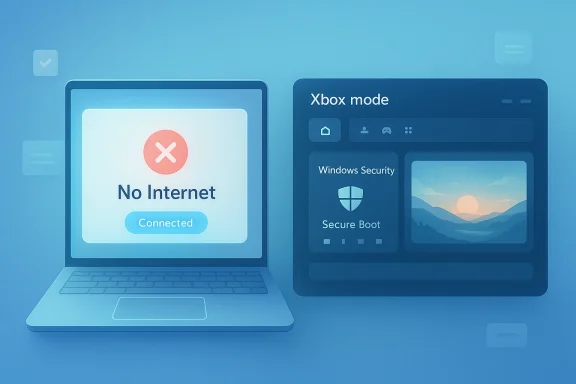
In the latest publicly documented Beta flight, Microsoft said it had improved the performance of startup app launching and fixed an issue where certain apps could not sign in because the system incorrectly reported a connection problem even though the internet was actually connected. The build also included the latest iteration of Xbox mode, which is the new name Microsoft is using for the full-screen gaming experience. That is a small change in wording, but it reflects a larger shift: Microsoft is trying to make Windows more legible, more focused, and less fragmented for both gamers and general users. (blogs.windows.com)
Canary is moving in a similar direction, even if the changes there are smaller and more experimental. The build Microsoft published on April 10, 2026 added a new right-click zone size setting for touchpads, refined the drag tray behavior to reduce accidental invocations, and enhanced the Windows Security app’s Secure Boot status display. Those may sound like niche adjustments, but they fit a pattern that has defined Windows 11 Insider development for months: trim away annoyances, improve diagnostics, and give users a little more control over interactions that happen dozens of times a day. (blogs.windows.com)
What is most interesting is that the sign-in fix sits at the intersection of consumer convenience and enterprise reliability. A false no internet connectivity state can block apps that rely on cloud authentication, modern identity brokers, or token refresh flows. In practice, that can affect anything from collaboration tools to productivity services, and it can do so in a way that looks like a network problem when the real issue is deeper in the Windows stack. Microsoft’s own wording in the Beta build confirms the bug was internal: the connection issue was cited even when internet access was present. (blogs.windows.com)
That kind of fix may not excite people hunting for new UI features, but it is exactly the sort of maintenance that keeps the platform usable. Windows 11’s value proposition for many users is not only visual polish or AI features; it is the idea that the OS will stay stable enough to host a growing number of sign-in-dependent services, layered policies, and hardware-specific capabilities. The more Microsoft adds to the shell, the more important these quiet reliability repairs become. Quiet, in this case, is another word for essential. (blogs.windows.com)
For users, the symptom would likely have felt random and annoying. An app opens, sign-in fails, and the error message suggests local connectivity when the actual network is available. That makes troubleshooting difficult because it sends people down the wrong path, especially if they are checking Wi‑Fi, Ethernet, or DNS before realizing the issue is inside the operating system rather than the router. This is why Microsoft’s wording matters: it was a false report, not a genuine outage. (blogs.windows.com)
There is also a broader platform lesson here. Windows has spent years moving more of the user experience into cloud-connected flows, so the cost of a false offline state keeps rising. In the era of synchronized settings, account-backed apps, and enterprise identity systems, an erroneous network judgment can ripple through more parts of the OS than ever before. In other words, a bug that once would have been a nuisance is now a structural problem. (blogs.windows.com)
Key takeaways:
That may seem cosmetic, but naming matters when a company wants users to understand a feature’s purpose. “Mode” implies a stable, recognizable environment, while “full screen experience” sounds temporary and feature-like. The new branding hints that Microsoft is trying to normalize the idea that Windows can shift into a gaming-first state without becoming an entirely separate operating system. That is strategically important. (blogs.windows.com)
This also reflects a broader Windows 11 trend: Microsoft has increasingly focused on onboarding and guided entry rather than expecting users to hunt through Settings. The same philosophy appears in settings redesigns, File Explorer tweaks, and new control surfaces for touch and pen hardware. Each one chips away at the old reputation that Windows can be powerful but clumsy. (blogs.windows.com)
What to watch:
The touchpad update is especially telling because it acknowledges a very real usability issue: the bottom-right corner of a touchpad can be overly sensitive or behave differently across devices. Giving users a choice between default, small, medium, and large right-click zones is a classic Windows move — not glamorous, but practical. It also shows Microsoft is continuing to invest in personalization at the hardware interaction level rather than only at the software chrome level. (blogs.windows.com)
The Secure Boot enhancements are more strategic. Microsoft is updating Secure Boot certificates on consumer devices and some business PCs, and the new Windows Security experience gives more visible status cues through green, yellow, and red badges. That means Windows is doing two things at once: preparing the platform for future security requirements and trying to make the transition understandable to users. (blogs.windows.com)
Bullet summary:
That matters because Explorer is where Windows often feels either modern or dated in a single glance. If Microsoft can make common actions like opening, renaming, sharing, or context-menu navigation smoother, it improves the perceived quality of the entire operating system. For many people, Explorer performance is Windows performance. That is not exaggeration; it is user reality.
Recent Insider work suggests Microsoft is trying to reduce friction rather than redesign the whole shell again. That is a healthy sign. When an operating system has already been through multiple UI paradigms, the next phase should be coherence, not novelty. Explorer is one of the best places to prove that discipline.
Useful context:
Startup performance is also where Windows exposes its age in little ways. Old launch chains, background services, and third-party utilities can create delays that users attribute to the OS even when the culprit is layered. By smoothing this path, Microsoft can make a machine feel faster without changing the underlying hardware. That is often the cheapest kind of performance win. (blogs.windows.com)
The fact that this landed alongside the sign-in bug fix is notable. Both items sit at the boundary between system state and app readiness, and both affect the moment a user starts doing work. That tells us Microsoft is paying more attention to early-session reliability, not just idle desktop behavior. (blogs.windows.com)
Highlights:
The Secure Boot updates are equally relevant in business contexts. Microsoft is updating Secure Boot certificates on consumer devices and some business PCs, and the Windows Security app now exposes clearer state indicators. That matters because organizations need visibility when a foundational security mechanism changes or approaches renewal milestones. The new UI is not just informational; it is operationally useful. (blogs.windows.com)
There is a second enterprise angle as well. Gradual rollouts in Beta and Canary are useful for organizations that test Insider builds in lab or pilot rings before broader deployment. The feature flags and toggles let administrators observe behavior before a change hits a wider estate. That is why seemingly small fixes can have outsized value: they reduce uncertainty in the validation pipeline. (blogs.windows.com)
Enterprise takeaways:
The touchpad and drag tray changes also matter more to consumers than they might appear to on paper. Many people never change advanced settings, so a default that works better out of the box can be the difference between a smooth experience and a daily irritation. Windows lives or dies on those defaults. (blogs.windows.com)
For the broader consumer base, the larger story is that Microsoft is trying to make Windows 11 less effortful. A better touchpad, a clearer security status, a less confusing gaming flow, and fewer sign-in disruptions all point to the same goal: reduce the amount of thinking the user has to do. Good OS design should disappear into habit. (blogs.windows.com)
Consumer-facing wins:
The current cadence shows the value of separating platform experimentation from near-release quality work. Canary handles system-level and shell-level exploration, while Beta captures more polished refinements and fixes that are already close to practical deployment. That split lets Microsoft both test ideas and stabilize them without pretending every change is equally mature. (blogs.windows.com)
It also means that some fixes are more symbolic than they first appear. A short line about a sign-in bug might represent hours of internal triage across networking, identity, and app compatibility layers. Likewise, a small touchpad setting can indicate renewed attention to hardware diversity in a market where Windows runs on everything from budget laptops to premium Copilot+ PCs. (blogs.windows.com)
Channel lessons:
It will also be worth watching how Microsoft handles the balance between new branding and practical utility. Xbox mode, secure status visuals, touchpad customization, and app sign-in repairs all serve different audiences, but together they reflect the same philosophy: Windows should be easier to understand at a glance and easier to trust over time. If Microsoft sustains that discipline, the product will feel better even when the changelog looks small.
Source: Windows Report https://windowsreport.com/windows-1...-in-issue-improves-overall-system-experience/
 Overview
The current wave of Insider activity is a useful reminder that Microsoft now runs Windows development like a layered pipeline rather than a single straight line. The Canary Channel is where platform changes can arrive earliest and most experimentally, while Beta and Dev continue to serve as the proving ground for features that are closer to a general release path. That distinction matters because the same underlying bug, interface tweak, or shell change can surface in different channels at different times, often with different levels of detail and confidence. (blogs.windows.com)In the latest publicly documented Beta flight, Microsoft said it had improved the performance of startup app launching and fixed an issue where certain apps could not sign in because the system incorrectly reported a connection problem even though the internet was actually connected. The build also included the latest iteration of Xbox mode, which is the new name Microsoft is using for the full-screen gaming experience. That is a small change in wording, but it reflects a larger shift: Microsoft is trying to make Windows more legible, more focused, and less fragmented for both gamers and general users. (blogs.windows.com)
Canary is moving in a similar direction, even if the changes there are smaller and more experimental. The build Microsoft published on April 10, 2026 added a new right-click zone size setting for touchpads, refined the drag tray behavior to reduce accidental invocations, and enhanced the Windows Security app’s Secure Boot status display. Those may sound like niche adjustments, but they fit a pattern that has defined Windows 11 Insider development for months: trim away annoyances, improve diagnostics, and give users a little more control over interactions that happen dozens of times a day. (blogs.windows.com)
What is most interesting is that the sign-in fix sits at the intersection of consumer convenience and enterprise reliability. A false no internet connectivity state can block apps that rely on cloud authentication, modern identity brokers, or token refresh flows. In practice, that can affect anything from collaboration tools to productivity services, and it can do so in a way that looks like a network problem when the real issue is deeper in the Windows stack. Microsoft’s own wording in the Beta build confirms the bug was internal: the connection issue was cited even when internet access was present. (blogs.windows.com)
That kind of fix may not excite people hunting for new UI features, but it is exactly the sort of maintenance that keeps the platform usable. Windows 11’s value proposition for many users is not only visual polish or AI features; it is the idea that the OS will stay stable enough to host a growing number of sign-in-dependent services, layered policies, and hardware-specific capabilities. The more Microsoft adds to the shell, the more important these quiet reliability repairs become. Quiet, in this case, is another word for essential. (blogs.windows.com)
The Sign-In Bug That Finally Got Attention
Microsoft’s fix for the sign-in issue is the headline item in practical terms, even if it arrived buried in a short changelog. The company says it addressed an issue that prevented some apps from signing in after falsely reporting that there was no internet connection. That is a classic Windows problem class: the network may be physically fine, but a higher-layer state machine, API check, or service interaction creates a misleading outcome for apps. (blogs.windows.com)For users, the symptom would likely have felt random and annoying. An app opens, sign-in fails, and the error message suggests local connectivity when the actual network is available. That makes troubleshooting difficult because it sends people down the wrong path, especially if they are checking Wi‑Fi, Ethernet, or DNS before realizing the issue is inside the operating system rather than the router. This is why Microsoft’s wording matters: it was a false report, not a genuine outage. (blogs.windows.com)
Why this bug mattered
The impact of this kind of defect extends beyond a single app. Anything that depends on token-based authentication, embedded web views, or live session validation can be affected, and those apps are now common across both consumer and business workflows. If a sign-in layer fails, the user may not just lose access to a service; they may lose trust in the whole device. Trust is hard to rebuild once a machine starts lying about connectivity. (blogs.windows.com)There is also a broader platform lesson here. Windows has spent years moving more of the user experience into cloud-connected flows, so the cost of a false offline state keeps rising. In the era of synchronized settings, account-backed apps, and enterprise identity systems, an erroneous network judgment can ripple through more parts of the OS than ever before. In other words, a bug that once would have been a nuisance is now a structural problem. (blogs.windows.com)
Key takeaways:
- The bug affected app sign-in, not just general browsing.
- The system could misreport no internet connectivity even when online.
- The fix improves both consumer usability and enterprise login reliability.
- The issue is a reminder that network state detection remains a critical Windows dependency.
Xbox Mode Goes Further Into the Mainstream
The other notable Beta-channel change is Microsoft’s continued work on the Xbox mode experience. In the April 3 beta release, the company explicitly renamed the feature from “Xbox full screen experience” to Xbox mode and said it had improved the first-run flow for users entering it. That suggests Microsoft wants the feature to feel like a deliberate operating mode rather than a one-off shell overlay. (blogs.windows.com)That may seem cosmetic, but naming matters when a company wants users to understand a feature’s purpose. “Mode” implies a stable, recognizable environment, while “full screen experience” sounds temporary and feature-like. The new branding hints that Microsoft is trying to normalize the idea that Windows can shift into a gaming-first state without becoming an entirely separate operating system. That is strategically important. (blogs.windows.com)
The first-run experience is the real story
The improved first-run experience is a subtle but meaningful detail. Microsoft is not just adding a feature; it is trying to make the feature discoverable and intuitive enough that people actually use it. If setup is confusing, the mode becomes a hidden gem instead of a platform differentiator. (blogs.windows.com)This also reflects a broader Windows 11 trend: Microsoft has increasingly focused on onboarding and guided entry rather than expecting users to hunt through Settings. The same philosophy appears in settings redesigns, File Explorer tweaks, and new control surfaces for touch and pen hardware. Each one chips away at the old reputation that Windows can be powerful but clumsy. (blogs.windows.com)
What to watch:
- Whether Xbox mode gets deeper integration with gaming hardware profiles.
- Whether Microsoft promotes it beyond Insiders.
- Whether the first-run changes reduce support friction.
- Whether gaming and productivity controls continue to converge in the shell.
Canary Servicing: Small Fixes, Big Signal
While the user-facing changes in Canary are modest, the channel’s role makes them important. The April 10 Canary build brought a few carefully targeted updates, including a touchpad right-click zone size option, drag tray refinements, and a clearer Secure Boot status presentation in Windows Security. On the surface, that looks like housekeeping. In practice, it is a map of what Microsoft believes still needs work in the Windows 11 shell. (blogs.windows.com)The touchpad update is especially telling because it acknowledges a very real usability issue: the bottom-right corner of a touchpad can be overly sensitive or behave differently across devices. Giving users a choice between default, small, medium, and large right-click zones is a classic Windows move — not glamorous, but practical. It also shows Microsoft is continuing to invest in personalization at the hardware interaction level rather than only at the software chrome level. (blogs.windows.com)
Why micro-adjustments matter
Micro-adjustments tend to be overlooked because they do not generate screenshots that go viral. Yet they often have the biggest impact on daily comfort, particularly on laptops where touchpad errors can quickly become muscle-memory frustrations. A few pixels of extra or reduced trigger area can change whether a device feels refined or annoying. That difference matters more than people admit. (blogs.windows.com)The Secure Boot enhancements are more strategic. Microsoft is updating Secure Boot certificates on consumer devices and some business PCs, and the new Windows Security experience gives more visible status cues through green, yellow, and red badges. That means Windows is doing two things at once: preparing the platform for future security requirements and trying to make the transition understandable to users. (blogs.windows.com)
Bullet summary:
- Touchpad controls are becoming more granular.
- Drag tray interactions are being toned down to reduce accidental triggers.
- Windows Security is getting clearer Secure Boot diagnostics.
- Microsoft is continuing to use Canary for platform and shell experimentation.
File Explorer and Shell Polish Continue
File Explorer remains one of the most consequential parts of Windows because it is where casual users and power users meet the OS on the same terms. Even when Microsoft does not headline Explorer in a specific build, the company’s broader Insider work has consistently shown that it treats the app as a core product surface, not just a file browser. Recent Dev and Beta changes have included Explorer-related improvements, accessibility adjustments, and context-menu refinements.That matters because Explorer is where Windows often feels either modern or dated in a single glance. If Microsoft can make common actions like opening, renaming, sharing, or context-menu navigation smoother, it improves the perceived quality of the entire operating system. For many people, Explorer performance is Windows performance. That is not exaggeration; it is user reality.
A shell that has to do everything
The challenge for Microsoft is that Explorer is expected to serve too many audiences at once. Enterprise users want consistency and policy compatibility. Consumers want quick access and less clutter. Enthusiasts want more power features and fewer modal surprises. Any change that helps one group can irritate another, which is why Microsoft tends to roll these updates out gradually and guard them behind toggles. (blogs.windows.com)Recent Insider work suggests Microsoft is trying to reduce friction rather than redesign the whole shell again. That is a healthy sign. When an operating system has already been through multiple UI paradigms, the next phase should be coherence, not novelty. Explorer is one of the best places to prove that discipline.
Useful context:
- Explorer remains the default work surface for most Windows users.
- Shell changes can influence how polished the OS feels overall.
- Gradual rollout helps Microsoft balance feedback and risk.
- Context-menu and workflow refinements often matter more than visual changes.
Startup Performance and Boot-Time Quality
One of the Beta-channel fixes worth noticing is the improvement in startup app launching after boot. Microsoft said apps listed under Settings > Apps > Startup should now launch more efficiently once the machine comes up. That does not sound dramatic, but boot-time performance is one of those metrics users subconsciously track every day. If startup apps lag, the whole device feels heavier than it should. (blogs.windows.com)Startup performance is also where Windows exposes its age in little ways. Old launch chains, background services, and third-party utilities can create delays that users attribute to the OS even when the culprit is layered. By smoothing this path, Microsoft can make a machine feel faster without changing the underlying hardware. That is often the cheapest kind of performance win. (blogs.windows.com)
Perceived performance is real performance
The distinction between measured performance and perceived performance is central here. A device can be technically responsive once loaded, but if the first 30 seconds after boot are messy, the user experiences the computer as slow. Microsoft understands this, which is why startup and login-path fixes keep appearing in Insider flights. Boot-time polish is product psychology as much as engineering. (blogs.windows.com)The fact that this landed alongside the sign-in bug fix is notable. Both items sit at the boundary between system state and app readiness, and both affect the moment a user starts doing work. That tells us Microsoft is paying more attention to early-session reliability, not just idle desktop behavior. (blogs.windows.com)
Highlights:
- Faster startup app launching improves first-impression speed.
- Boot-related fixes can reduce support complaints about “slow Windows.”
- Login-path reliability is now tightly linked to cloud app usability.
- These changes benefit both personal PCs and managed fleets.
Enterprise Impact: Identity, Security, and Policy
For enterprise administrators, the current build cycle is about much more than cosmetic change. The sign-in fix alone can reduce friction in managed environments where authentication flows are tightly tied to device state, network reachability, and conditional access policies. If Windows briefly misreads connectivity, that can cascade into app access failures that look like account problems or identity platform issues. (blogs.windows.com)The Secure Boot updates are equally relevant in business contexts. Microsoft is updating Secure Boot certificates on consumer devices and some business PCs, and the Windows Security app now exposes clearer state indicators. That matters because organizations need visibility when a foundational security mechanism changes or approaches renewal milestones. The new UI is not just informational; it is operationally useful. (blogs.windows.com)
Why IT admins should care
These changes reinforce a larger trend: Windows 11 is becoming more explicit about system posture. That is good for compliance, but it also raises the bar for transparency. If Microsoft changes behavior behind the scenes, enterprises will expect clearer diagnostics and better documentation. Silent change is no longer acceptable in managed environments where endpoints are measured and audited. (blogs.windows.com)There is a second enterprise angle as well. Gradual rollouts in Beta and Canary are useful for organizations that test Insider builds in lab or pilot rings before broader deployment. The feature flags and toggles let administrators observe behavior before a change hits a wider estate. That is why seemingly small fixes can have outsized value: they reduce uncertainty in the validation pipeline. (blogs.windows.com)
Enterprise takeaways:
- Authentication reliability is a business-critical quality metric.
- Secure Boot visibility supports security governance.
- Gradual rollout aligns with pilot-ring deployment models.
- The OS is leaning further into state transparency and diagnostics.
Consumer Impact: Convenience, Gaming, and Everyday Friction
For consumers, the most immediate value is relief from annoying failures. A sign-in bug that says “no internet” when the network is fine is exactly the sort of issue that feels minor in an engineering lab and major at home when an app refuses to load. Fixing it restores confidence not just in the app, but in the operating system itself. (blogs.windows.com)The touchpad and drag tray changes also matter more to consumers than they might appear to on paper. Many people never change advanced settings, so a default that works better out of the box can be the difference between a smooth experience and a daily irritation. Windows lives or dies on those defaults. (blogs.windows.com)
Gaming is becoming a first-class mode
Xbox mode is perhaps the clearest consumer-facing signal in the current batch. By improving the first-run experience and standardizing the feature’s name, Microsoft is making gaming feel like a native Windows state rather than an add-on. That is important in a market where gaming laptops, handheld PCs, and hybrid devices increasingly overlap. (blogs.windows.com)For the broader consumer base, the larger story is that Microsoft is trying to make Windows 11 less effortful. A better touchpad, a clearer security status, a less confusing gaming flow, and fewer sign-in disruptions all point to the same goal: reduce the amount of thinking the user has to do. Good OS design should disappear into habit. (blogs.windows.com)
Consumer-facing wins:
- Fewer false offline sign-in errors.
- Better laptop touchpad control.
- More understandable gaming mode onboarding.
- Clearer security status in Windows Security.
Microsoft’s Rollout Strategy Is the Real Story
Behind every individual fix is Microsoft’s broader Insider strategy. The company is now normalizing a world where features are announced, renamed, refined, and sometimes re-scoped across channels before they ever become mainstream. That process can be frustrating for observers who want a clean linear roadmap, but it is also how Microsoft manages risk at the scale Windows requires. (blogs.windows.com)The current cadence shows the value of separating platform experimentation from near-release quality work. Canary handles system-level and shell-level exploration, while Beta captures more polished refinements and fixes that are already close to practical deployment. That split lets Microsoft both test ideas and stabilize them without pretending every change is equally mature. (blogs.windows.com)
Why the channel model still matters
The channel system is not just a distribution mechanism; it is a communication tool. By placing different kinds of improvements in different tracks, Microsoft tells users what sort of confidence they should place in each build. That is especially useful when the company is shipping features like Xbox mode or changing core shell behavior. Expectation management is part of product design. (blogs.windows.com)It also means that some fixes are more symbolic than they first appear. A short line about a sign-in bug might represent hours of internal triage across networking, identity, and app compatibility layers. Likewise, a small touchpad setting can indicate renewed attention to hardware diversity in a market where Windows runs on everything from budget laptops to premium Copilot+ PCs. (blogs.windows.com)
Channel lessons:
- Canary is for risk-tolerant experimentation.
- Beta is where Microsoft validates user-facing stability.
- Feature names and onboarding are part of the rollout narrative.
- Small fixes often reveal big architectural priorities.
Strengths and Opportunities
Microsoft’s latest Insider work has several clear strengths. It shows a willingness to keep fixing mundane but consequential issues, while continuing to refine the OS in ways that make sense for both new and long-time Windows users. The combination of reliability patches, better security visibility, and more deliberate gaming integration suggests a coherent product direction rather than a random grab bag of tweaks.- Reliability first: fixing sign-in failures restores trust in app workflows.
- Better diagnostics: Secure Boot status is becoming easier to understand.
- Improved ergonomics: touchpad customization reduces laptop friction.
- Gaming clarity: Xbox mode looks more like a true Windows feature.
- Performance polish: startup improvements make PCs feel faster.
- Gradual rollout discipline: Microsoft can test before broad exposure.
- Platform consistency: small fixes accumulate into a more cohesive OS.
Risks and Concerns
The flip side is that Windows 11 still relies heavily on staged experimentation, and that means users can experience inconsistency across channels, devices, and rollout cohorts. A fix that lands in Beta may not yet behave the same way in Canary, and a feature that sounds finalized may still change shape before broader release. That is normal for Insider software, but it can be confusing and occasionally frustrating.- Fragmented experience across Dev, Beta, and Canary remains likely.
- Feature churn can make naming and behavior feel unstable.
- False confidence is possible when a fix is limited to one build path.
- Hardware variance may blunt the impact of touchpad and Secure Boot changes.
- Gaming mode complexity could still confuse non-technical users.
- Enterprise validation burden remains high for organizations tracking every build.
- Insider expectations may outpace the maturity of experimental features.
Looking Ahead
The next few Insider drops will tell us whether Microsoft is mostly in cleanup mode or whether it is preparing a more visible wave of Windows 11 experience changes. The current evidence points to the former in the short term and the latter in the medium term: stabilize identity, improve shell ergonomics, and keep building around gaming, security, and hardware interaction. That is a sensible sequence if Microsoft wants the next phase of Windows to feel less chaotic than the last.It will also be worth watching how Microsoft handles the balance between new branding and practical utility. Xbox mode, secure status visuals, touchpad customization, and app sign-in repairs all serve different audiences, but together they reflect the same philosophy: Windows should be easier to understand at a glance and easier to trust over time. If Microsoft sustains that discipline, the product will feel better even when the changelog looks small.
- More Canary servicing for shell and input refinements.
- Continued Beta stabilization ahead of broader deployment.
- Additional gaming mode polishing and onboarding work.
- More visibility into security state and certificate transitions.
- Ongoing fixes for identity and connectivity edge cases.
Source: Windows Report https://windowsreport.com/windows-1...-in-issue-improves-overall-system-experience/
Last edited:
