

Microsoft’s Canary-channel preview for Windows 11 has taken a notable step toward parity with the Dev and Beta rings: Build 28020.1362 (the latest Canary flight) brings a cluster of user-facing features and UI polish — many originally seen in the 25H2 previews — while remaining a platform-first release that will underpin upcoming Arm and AI‑centric hardware. The net result is a Canary channel that’s finally catching up in visible features (drag tray, Click to Do redesign, improved Settings search and File Explorer dark‑mode polish), while still preserving the Canary remit as the place Microsoft tunes under‑the‑hood platform plumbing for specific silicon.
For readers who follow Windows Insider channels closely, the recent Canary activity is best understood in two layers: visible features that affect day‑to‑day workflows, and platform changes that prepare Windows for new silicon families.
Key contextual facts:
For enthusiasts, the new Canary build is a chance to sample meaningful UI and productivity refinements (improved drag‑and‑share flows, File Explorer dark‑mode polish, Click to Do improvements). For IT teams and OEMs, it is a clear signal: prepare test plans and procurement language for Bromine/26H1 devices, track device catalog flags and KB mappings, and expect device‑specific imaging and validation to be part of the early 2026 device lifecycle.
Microsoft’s platform play is sensible from an engineering perspective — it reduces launch risk and enables richer local AI experiences — but it raises short‑term complexity for Windows watchers and enterprise planners. Expect continued gradual rollouts, clearer OEM statements as device launches approach, and eventual harmonization of feature sets when the mainstream H2 feature update (26H2) arrives later in the year.
Windows 11’s evolution is now inseparable from silicon roadmaps. Canary’s latest build shows Microsoft actively navigating that intersection — shipping visible improvements while preserving a platform lane that lets next‑gen chips and NPUs reach customers with the OS support they need.
Source: Windows Central https://www.windowscentral.com/micr...-new-features-brought-over-from-version-25h2/
 Background / Overview
For readers who follow Windows Insider channels closely, the recent Canary activity is best understood in two layers: visible features that affect day‑to‑day workflows, and platform changes that prepare Windows for new silicon families.- The Canary Channel traditionally houses early platform and architectural work; features often appear in Dev or Beta before they land in Canary, because Microsoft drives feature development on the current shipping platform (known internally as Germanium). The Canary builds being tested now live on a newer platform branch codenamed Bromine, which is focused on enabling new kernel, driver and NPU runtime requirements for next‑gen devices.
- Microsoft made the platform intent explicit when it updated Canary to show Windows 11, version 26H1: the company’s Canary notes clearly state that “26H1 is not a feature update for version 25H2 and only includes platform changes to support specific silicon.” That phrasing reframes 26H1 as an OEM and silicon enablement baseline rather than a mass consumer feature update.
- Despite that platform focus, the December Canary build (28020.1362) is shipping a range of visible, user‑facing improvements — many of the same experiences Insiders have seen previously in 25H2 — because Microsoft is beginning to enable selected features on Bromine devices as well. The company uses controlled feature rollouts, so these experiences will appear for subsets of Insiders while telemetry confirms stability.
What’s new in Build 28020.1362 (Canary) — Feature by feature
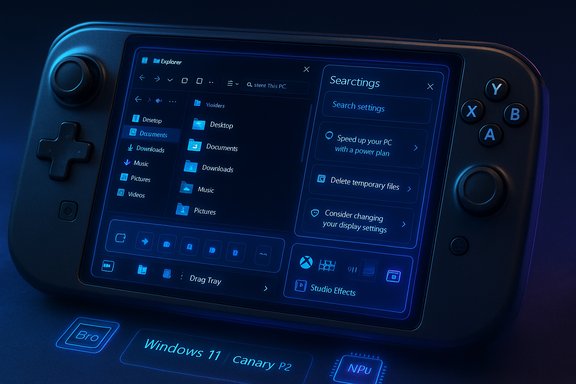
Build 28020.1362 introduces a set of changes that fall into distinct categories: handheld/gaming, file sharing, UI polish, camera/AI features, and Settings/search improvements. Many of these are rolling out via Microsoft’s Control Feature Rollout system and will not be visible to every Insider immediately.Handheld gaming: Xbox Full Screen Experience expands
- The Full Screen Experience (FSE) — a console‑style, distraction‑free Xbox interface first introduced on select handhelds — is now available on more Windows handheld devices. FSE prioritizes game performance by reducing background tasks, providing a game‑first UI, and integrating the Xbox app as a home experience. On supported devices the toggle appears under Settings > Gaming > Full screen experience.
Drag Tray / file share improvements
- The Drag Tray (the small UI that appears when dragging files to share) now supports multi‑file sharing, surfaces better app suggestions, and includes a toggle in Settings to enable/disable the tray for Nearby Sharing flows. This makes cross‑app sharing and moving files into folders easier and faster.
File Explorer: improved dark‑mode coverage and UX polish
- File Explorer’s dark mode has been extended beyond cosmetic tweaks: dialogs for copy/move/delete operations, progress visuals, and many confirmation/error dialogs now render consistently for dark themes. Hover actions and some “home” quick actions (Open file location, Ask Copilot) also received attention.
Settings and search: more actionable results, inline recommended controls
- Settings search and the agent‑driven flows (sometimes branded around Click to Do/Copilot integration) are being updated to show more configurable options inline — and to present inline “recommended” controls that can change settings without navigating away. The Windows Search panel’s sizing is also being tuned to match the redesigned Start menu for smoother transitions.
Windows Studio Effects on external webcams
- On Copilot+‑capable devices, Windows Studio Effects (the on‑device camera/audio AI enhancements) can now be applied to additional cameras beyond the primary built‑in webcam — for example, external USB webcams. The camera selection and Studio Effects toggle appear in Settings > Bluetooth & devices > Cameras. This requires vendor drivers and an appropriate NPU.
Quick Machine Recovery, OneDrive, and miscellaneous
- Quick Machine Recovery now performs a one‑time scan to guide users to recovery options. OneDrive icon placements in Settings were adjusted, Start menu/search sizes were aligned, and display/graphics fixes addressed stutters and incorrect “unsupported GPU” warnings in some games.
Why Microsoft is doing this: Bromine, 26H1 and new silicon
At the technical level, modern PC silicon is changing fast: Arm laptop chips now include large NPUs, heterogeneous CPU clusters, complex ISPs and modem stacks, and power/thermal characteristics that differ from x86 designs. Microsoft’s answer is to create a platform branch — branded in community coverage as Bromine — that can be co‑validated with OEMs and silicon vendors without destabilizing the broader Windows installed base (Germanium).Key contextual facts:
- Microsoft publicly signalled the 26H1 platform intent when Canary was updated to show version 26H1 and clearly noted its platform‑only purpose. That blog announcement is the single most important primary source for this change.
- Industry reporting links Bromine/26H1 to enabling next‑generation Arm PC silicon, most prominently Qualcomm’s Snapdragon X2 family (and in some coverage, Nvidia’s N1X). Qualcomm’s Snapdragon X2 platform — announced at the company’s Snapdragon Summit — brings dramatic NPU and CPU improvements (Adreno GPU refresh, Oryon cores up to 5.0 GHz on certain SKUs, and Hexagon NPUs rated up to ~80 TOPS), and vendors expect device launches in early 2026. That timing creates a real engineering need for a platform branch that can include kernel, driver, runtime and attestation hooks.
Strengths and practical benefits
- Day‑one hardware readiness. OEMs can ship devices with specialized Bromine images that include validated drivers, signed firmware, and NPU runtime stacks — reducing launch‑day issues for new silicon. That avoids the classic problem of shipping hardware that needs a post‑purchase OS update to work properly.
- Better local AI and media experiences. Bromine enables the low‑level plumbing required for on‑device AI features (Copilot+, Studio Effects, local model runtimes) which improves latency, privacy and offline capability for AI features.
- Safer servicing for the installed base. By keeping Bromine device‑targeted instead of forcing it onto all Windows 11 machines, Microsoft protects the broader Windows fleet from unintended regressions caused by sweeping platform changes.
- Feature convergence across channels. The Canary build’s visible feature set shows Microsoft is improving its channel synchronization, bringing features from Dev/Beta to Canary so Insiders across rings can evaluate experiences earlier.
Risks and trade‑offs
- Fragmentation and messaging confusion. The 26H1 label appearing in Settings while Microsoft simultaneously declares it “not a feature update” is an awkward message to convey to less technical users. Consumers and IT teams may misinterpret the version bump as a broad feature release.
- Rollout complexity for enterprises. Device‑specific platform branches increase the work IT teams do to track which images, KBs and device catalogs apply to which endpoints. Canary‑grade builds also carry stability risk; they’re not intended for production workloads.
- Perception of exclusivity. If certain Copilot+ or AI features are first gated to Bromine/26H1 devices, customers may perceive unfair exclusivity even if Microsoft later distributes those experiences more broadly via 26H2 or enablement packages. That can create support burden and complaints.
- Insider churn and recovery friction. Canary builds can require clean installs to revert channels in some scenarios. Microsoft warns Insiders that Canary is a high‑risk ring and to take backups before experimenting. This is not new, but it’s worth reiterating given the platform changes underway.
Practical guidance: what enthusiasts, IT admins and OEMs should do now
- Inventory: Identify any planned purchases of Arm‑based Copilot+ hardware and clarify with OEMs whether those devices will ship with a Bromine/26H1 image. OEM paperwork and specification sheets should include the shipping OS baseline.
- Test in a lab: If you manage fleet devices, reserve a test device for any Bromine/26H1 image. Validate driver compatibility, AD/Entra enrollment, imaging and recovery procedures before approving devices for user rollout.
- Don’t run Canary on production machines: Canary channel builds are intended for early testing and co‑engineering validation. Expect occasional regressions. If you must participate, use secondary hardware and ensure regular backups.
- Track KB and device catalog entries: Microsoft’s targeted updates may include Known Issue Rollbacks (KIR), tailored enablement packages or device catalog flags. Matching KB numbers to device SKUs will be essential when managing updates.
- Plan communications: For procurement teams, prepare clear explanations of the differences between Bromine devices and the broader Windows 11 fleet so end users and helpdesk staff aren’t confused by version numbers or unavailable features.
Cross‑checking the key technical claims
- Microsoft’s Canary change that surfaces Windows 11, version 26H1 and the binary-level platform intent is confirmed directly by the Windows Insider blog announcement for Build 28000 and subsequent Canary posts. Those notes explicitly state that 26H1 is platform‑only and that 25H2 remains the primary feature track.
- The feature list present in Build 28020.1362 (FSE handheld expansion, Drag Tray improvements, File Explorer dark‑mode polish, external camera Studio Effects) is reflected in the Canary build changelog and community repacks (Insider forum posts and Windows Forum threads) documenting KB5073095 and the 28020.1362 flight. These are consistent across Microsoft’s Canary notes and the community record.
- The association of Bromine/26H1 with Qualcomm Snapdragon X2 hardware is supported by independent industry reporting and Qualcomm’s own Snapdragon X2 announcement (Snapdragon Summit) which outlines an 80 TOPS NPU target, Oryon CPU cores up to 5.0 GHz, and device timelines in early 2026. That alignment makes the Bromine/26H1 platform an engineering necessity for day‑one support of X2 devices — but Microsoft did not name Qualcomm directly in the Canary notes, so this remains a well‑supported industry inference rather than an explicit Microsoft statement.
The bottom line
Build 28020.1362 is both a practical and symbolic step: Canary is beginning to inherit visible features from the broader preview pipeline, while Microsoft continues to use Canary as the vehicle for an important platform transition (Bromine / 26H1) that will enable next‑generation Arm and NPU‑heavy devices. That approach balances two competing needs — protecting the installed base from low‑level regressions, and ensuring OEMs can ship modern hardware with the OS plumbing they require.For enthusiasts, the new Canary build is a chance to sample meaningful UI and productivity refinements (improved drag‑and‑share flows, File Explorer dark‑mode polish, Click to Do improvements). For IT teams and OEMs, it is a clear signal: prepare test plans and procurement language for Bromine/26H1 devices, track device catalog flags and KB mappings, and expect device‑specific imaging and validation to be part of the early 2026 device lifecycle.
Microsoft’s platform play is sensible from an engineering perspective — it reduces launch risk and enables richer local AI experiences — but it raises short‑term complexity for Windows watchers and enterprise planners. Expect continued gradual rollouts, clearer OEM statements as device launches approach, and eventual harmonization of feature sets when the mainstream H2 feature update (26H2) arrives later in the year.
Windows 11’s evolution is now inseparable from silicon roadmaps. Canary’s latest build shows Microsoft actively navigating that intersection — shipping visible improvements while preserving a platform lane that lets next‑gen chips and NPUs reach customers with the OS support they need.
Source: Windows Central https://www.windowscentral.com/micr...-new-features-brought-over-from-version-25h2/
