Windows 11 Canary Build 28020.1619 Expands Cross-Device Resume and Peripheral ESS

  • Thread Author
Microsoft released Windows 11 Insider Preview Build 28020.1619 to the Canary Channel today, and while the headline items look familiar—expanded cross‑device continuity, richer accessibility controls, and an update to Windows Hello—the real story is how these incremental pieces fit into Microsoft's broader push to blend security, AI-assisted workflows, and mobile‑to‑PC continuity across a fragmented device ecosystem.

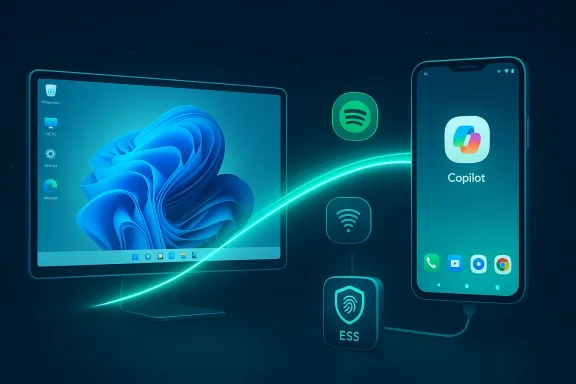
Neon-blue tech setup with a monitor and phone connected by a glowing wireless link.Background​

Canary builds are the most experimental rung in the Windows Insider program. They often contain early platform changes and concepts that may never ship broadly. Build 28020.1619 continues that tradition: several features are being introduced as a controlled feature rollout, meaning only a subset of Insiders will see them initially while Microsoft monitors telemetry and feedback before scaling the exposure.
This particular build is a mix of user-facing quality‑of‑life features and deeper platform enhancements. Some items are clearly intended for general productivity (Cross‑Device Resume, Paint’s freeform rotate), others target accessibility (Narrator customization, Voice Typing and Voice Access improvements), and a key security advancement is the expansion of Windows Hello Enhanced Sign‑in Security (ESS) to peripheral fingerprint readers—an important shift with real deployment implications.

What’s new in Build 28020.1619 — at a glance​

  • Expanded Cross‑Device Resume: more Android phone brands supported and wider app/service coverage (Spotify, Microsoft 365 Copilot files, Vivo Browser, etc.).
  • Narrator personalization: configure which on‑screen control details are announced and in what order.
  • Windows Hello Enhanced Sign‑in Security (ESS) now supports certain peripheral fingerprint sensors, enabling ESS on desktops and Copilot+ PCs using external readers.
  • Voice Typing: a new “Wait time before acting” setting to tune the delay before voice commands execute.
  • Voice Access: streamlined setup flow with language‑appropriate speech model selection and microphone selection guidance.
  • Settings Agent language expansion: adds German and three varieties of Portuguese to the locales supported by the Settings Agent.
  • Paint (v11.2601.391.0): introduces freeform rotate for shapes, text, and selections.
  • A refreshed SCOOBE (Second Chance Out Of Box Experience) screen for recommended settings shown to some Insiders.

Why this matters: a closer look at the practical changes​

Cross‑Device Resume: continuity that’s getting practical​

Cross‑Device Resume is no longer a niche toy. This build expands the feature beyond the initial rollout and now supports a broader set of Android vendors and experiences. In practice you can:
  • Resume Spotify playback from your Android phone on your PC.
  • Continue browser sessions from specific phone browsers (Vivo Browser is explicitly called out).
  • Open online files from the Microsoft 365 Copilot app on eligible Android phones (HONOR, OPPO, Samsung, Vivo, Xiaomi) and continue editing in the desktop Microsoft 365 apps if installed; otherwise, the file opens in the default browser.
The mechanics are straightforward: your phone and PC must be linked (Link to Windows), both online, and the resume action surfaces as a taskbar prompt on the PC. Microsoft also makes clear offline, phone‑only files are not supported—resume is an internet‑assisted continuity feature, not a local file sync.
Why this is useful: it reduces friction when switching form factors mid‑task. For knowledge workers who move between phone and PC, being able to pick up a document or browsing session on a bigger screen without manually transferring files or opening apps can save time and avoid context switching.
Limitations and practical caveats:
  • Device and app support is vendor‑ and app‑specific; it’s not universal across all Android phones or all apps.
  • The desktop behavior depends on whether the corresponding desktop app is installed; otherwise files default to the browser—this inconsistency can be jarring for users expecting native app handling.
  • Privacy-conscious users should note the resume flow uses cloud‑linked activity metadata; although Microsoft’s design aims for secure operation, users should review and, if desired, selectively disable Resume per app under Settings > Apps > Resume.

Narrator customization: accessibility becomes more personal​

Narrator's ability to speak UI details has long been powerful but sometimes too verbose. Build 28020.1619 introduces settings that let users choose which details Narrator announces and reorder them to match personal navigation habits.
Practical impact:
  • Users can reduce redundant verbosity, focusing Narrator on the elements that help them navigate.
  • Adjusting announcement order can help users who rely on consistent reading flows across apps.
This is a welcome refinement. Accessibility features benefit disproportionately from user control, and letting people tune Narrator’s verbosity and order reduces cognitive load for power users who depend on the screen reader.

Windows Hello ESS and peripheral fingerprint sensors: security finally meets desktop flexibility​

Possibly the most consequential platform change in this build is the expansion of Enhanced Sign‑in Security (ESS) to support peripheral fingerprint sensors on Windows 11. ESS leverages virtualization and hardware security principles—match‑on‑chip fingerprint sensors, secure credential handling in Virtualization‑Based Security (VBS), and tight TPM integration—to harden biometric operations.
Key technical points:
  • ESS requires sensors that are match on sensor (the fingerprint matching happens inside the sensor hardware) and carry manufacturer‑burned certificates.
  • When ESS is enabled, biometric templates and matching are isolated in the secure environment and keys are used via VBS and TPM channels, protecting face/fingerprint templates from compromise.
  • Historically ESS was limited to built‑in biometric sensors; this build extends support to some peripheral fingerprint readers so long as they meet ESS hardware/driver/firmware requirements.
Why this is significant:
  • Many desktops and aftermarket setups rely on external fingerprint readers. Allowing peripheral ESS devices to participate in the hardened sign‑in model expands the security model to a wider buyer base.
  • For organizations standardizing on ESS for stronger authentication guarantees, the ability to deploy peripheral ESS sensors helps in mixed hardware environments.
Important caveats and risks:
  • Peripheral ESS support is not universal. Devices must be ESS‑capable at manufacture and have appropriate driver/firmware support. If the peripheral lacks the required certificate or driver, ESS won’t be available.
  • Enabling ESS can change device enumeration behavior: non‑ESS sensors may be hidden when ESS is active, which could break workflows relying on legacy biometric devices.
  • Broad deployment within enterprises demands careful testing — drivers, provisioning workflows, and compatibility with existing identity management tooling will need validation.
From an operations point of view, administrators and advanced users should:
  • Check Device Manager and driver properties for ESS indicators.
  • Verify whether the peripheral vendor explicitly supports ESS and provides signed drivers and firmware updates.
  • Test ESS in controlled environments before mass rollout to avoid unexpected device inaccessibility.
Overall, this is a long‑anticipated move. The shift demonstrates Microsoft’s intent to make strong biometric protections available beyond premium integrated laptops and Copilot+ PCs.

Voice Typing and Voice Access: finer control and smoother setup​

Speech features in Windows are being refined with two pragmatic changes:
  • Voice Typing now includes a “Wait time before acting” setting, letting users set the delay before voice commands execute. This is especially helpful for people with variable speech pacing, reducing accidental command triggers or missed punctuation.
  • Voice Access receives a redesigned setup flow to ensure the correct language model downloads, microphone selection is clear, and users immediately understand what Voice Access can control on their PC.
Why this improves UX:
  • Speech recognition systems must balance responsiveness and false positives; making the wait time configurable lets users tailor the system to their cadence.
  • A simpler setup reduces friction for first‑time users and can improve model accuracy by ensuring the right language pack and microphone are selected up front.
Accessibility teams will appreciate Microsoft’s continued investment here. These are iterative, meaningful improvements that increase predictability and reduce onboarding hurdles.

Paint freeform rotate: small change, big for creators​

The Paint app update (v11.2601.391.0) brings freeform rotate: rotate shapes, text, and selections with a handle, and use a Custom rotate entry for precise angles.
Why this is worth noting:
  • Paint remains a common first stop for quick image edits. Freeform rotate brings a small but frequently requested capability that modernizes the basic editing flow.
  • For users working on diagrams, screenshots, or quick mockups, this removes the need to jump to heavier editors for simple rotations.

Under the hood: platform and security considerations​

Controlled Feature Rollout and Canary semantics​

Microsoft uses Controlled Feature Rollout to gate new features, observing telemetry and feedback before wider distribution. This build explicitly notes that many features are toggled on gradually.
Practical consequences:
  • Not every Insider will see all features immediately—expect staggered availability.
  • Canary builds are not stable releases; they can be buggy, undocumented, or experimental. Insiders should back up data and be prepared for inconsistent behavior.
A particularly important fact: leaving the Canary Channel for a lower channel requires a clean install. That barrier means Insiders should plan carefully before opting into Canary builds.

ESS architecture and enterprise implications​

ESS represents a convergence of hardware, firmware, and virtualization security models:
  • Match‑on‑chip sensors store templates within the sensor silicon; signatures or certificates baked into the module allow Windows to verify sensor authenticity.
  • VBS and the Secure Kernel mediate use of stored keys and templates, limiting lateral movement or exfiltration even if the OS is compromised.
  • Peripheral support expands the threat surface of ESS (drivers and firmware for external devices must be trusted and vetted).
Enterprises must consider:
  • Vendor procurement: insist on ESS‑capable peripherals with documented firmware and driver lifecycle plans.
  • Driver vetting: signed and updated drivers are mandatory; unsigned or legacy drivers may be blocked.
  • Deployment strategy: pilot ESS on mixed hardware to identify compatibility gaps, especially for legacy apps that interact at low levels with hardware.

Privacy and telemetry around Cross‑Device Resume​

Cross‑Device Resume relies on cloud‑coordinated activity metadata and app integration points. While Microsoft’s documentation frames this as an experience feature, privacy‑minded users and admins should evaluate:
  • What metadata is transmitted and stored in Microsoft services for resume signals?
  • How long is activity metadata retained, and how is it protected in transit and at rest?
  • Can resume be selectively disabled per app or entirely for users or organizations? (Yes—Settings > Apps > Resume provides per‑app toggles.)
The practical recommendation is to enable Resume only for apps you trust, and for organizations to evaluate policy controls before allowing cross‑device continuations for work‑related documents.

How to test these features safely (recommended steps for Insiders)​

If you want to try the new capabilities, follow these steps to minimize risk and maximize feedback value:
  • Back up your system or use a test machine: Canary builds can behave unpredictably.
  • Opt into the Canary Channel only if you understand the rollback implications (leaving Canary often requires a clean install).
  • To try Cross‑Device Resume:
  • Ensure your Android phone is running Android 10 or later and has Link to Windows and/or Microsoft 365 Copilot installed as required.
  • Confirm both phone and PC are online and linked in Settings > Bluetooth & devices > Mobile devices.
  • Trigger a supported activity (Spotify playback, Copilot app file) and look for the taskbar resume prompt.
  • To evaluate Windows Hello ESS peripheral support:
  • Confirm the fingerprint reader vendor advertises ESS compatibility.
  • Check Device Manager or Windows settings after plugging in the device; look for ESS indicators or SecureFingerprint registry values.
  • Enroll via Settings > Accounts > Sign‑in options if ESS is available.
  • To tune speech features:
  • Open Voice Typing and adjust the “Wait time before acting” slider.
  • Run Voice Access setup to see the new flow and ensure the correct speech model downloads.
  • File actionable feedback in Feedback Hub using the categories Microsoft lists (e.g., Devices and Drivers > Linked Phone; Accessibility > Narrator; Security and Privacy > Windows Hello Fingerprint).
As a rule, document repro steps and attach logs if a feature fails—this helps engineers triage issues faster.

Risks, unanswered questions, and what to watch next​

  • Peripheral ESS: while peripheral support is now claimed, we must verify which vendors and models qualify. The hardware certificate and driver/firmware requirements mean many existing external fingerprint readers will not suddenly become ESS‑capable without vendor updates.
  • Interoperability: Cross‑Device Resume’s effectiveness depends on app integration and vendor cooperation. Expect fragmentary behavior as Microsoft and phone manufacturers iterate.
  • Privacy controls: the resume flow’s telemetry and storage policies are not exhaustively documented in this release note. Users and admins should expect more detailed privacy guidance to arrive as the feature broadens.
  • Performance and reliability: Canary builds historically reveal regressions; features that rely on cloud services and cross‑device signaling are particularly vulnerable to intermittent failures and latency.
  • Localization gaps: the build notes explicitly note localization is ongoing and partial; expect UI strings and Settings Agent behavior to vary by locale during rollout.
Things to watch for in forthcoming builds:
  • Expanded list of supported apps and vendors for Cross‑Device Resume.
  • Official hardware lists and driver/firmware guidance for ESS peripheral devices.
  • Admin controls and group policy support for resume and peripheral ESS in enterprise environments.
  • More detailed privacy documentation around cross‑device activity signals.

Practical recommendations for users and IT admins​

For everyday Insiders and power users:
  • Use a secondary machine or VM for Canary testing.
  • Keep a current system image so you can restore if a build instability blocks workflow.
  • If you rely on external fingerprint readers for daily sign‑in, test ESS carefully and maintain alternate sign‑in options.
For IT and security teams:
  • Accept that ESS is a step forward but is not a plug‑and‑play fix: vendor coordination and driver validation are essential.
  • Establish a pilot program to test ESS peripherals across representative hardware, driver versions, and enterprise apps.
  • Review group policy and device configuration to control Cross‑Device Resume exposure for sensitive user groups.
  • Incorporate these new features into your threat model and deployment playbooks, paying specific attention to driver signing and VBS compatibility.

Strengths and notable progress​

  • Microsoft’s iterative approach—adding finer control to accessibility tools, and giving end users adjustable delays for speech commands—demonstrates responsiveness to real user needs.
  • Extending ESS to peripherals closes an important security gap for desktop users who want strong biometric guarantees without replacing hardware.
  • Cross‑Device Resume’s broader vendor support makes the continuity promise more practical across a wider swath of Android phones.
  • Small but meaningful app updates (Paint freeform rotate) continue to modernize the ubiquitous built‑in utilities people actually use every day.

Final verdict​

Build 28020.1619 is less a single giant leap and more a composite of important, pragmatic steps. Microsoft is refining accessibility, expanding continuity between mobile and desktop, and strengthening the security model for biometric sign‑ins. Each change by itself is modest; together they signal a platform that aims to be more cohesive across devices, more accessible by design, and more secure at the biometric frontier.
That said, the Canary Channel is the right place for this work—these are controlled experiments that will need vendor cooperation, policy controls, and additional productization before enterprises and mainstream users should count on them. If you’re an Insider who enjoys peeking at new capabilities and can tolerate instability, try the new features and file precise feedback. If you rely on predictable device behavior, treat this release as an important preview of where Windows security and cross‑device experiences are headed—but not yet a change to bet your production identity model or document workflows on.
In the short term: test, report, and prepare. In the medium term: expect Microsoft and hardware partners to flesh out peripheral ESS support, and for Cross‑Device Resume to gain polish or new controls as it scales. The evolution is being driven by real user needs—security, accessibility, and seamless device transitions—and this build ties those threads together in practical, testable ways.

Source: Microsoft - Windows Insiders Blog Announcing Windows 11 Insider Preview Build 28020.1619 (Canary Channel)
 

Microsoft has released Windows 11 Insider Preview Build 28020.1619 to the Canary Channel, a measured but telling update that expands cross‑device continuity, tightens biometric security for external sensors, and introduces a string of accessibility and productivity refinements that together show the platform moving from proof‑of‑concept to practical rollout. ([blogs.windows.com]s.com/windows-insider/2026/02/20/announcing-windows-11-insider-preview-build-28020-1619-canary-channel/)

Neon-blue cloud-connected workstation with desktop, Android device, and floating app icons.Background​

Microsoft’s Canary Channel is the experimental front of the Windows Insider program: it receives early platform changes that are frequently staged behind feature‑toggles and may never reach broad release. Build 28020.1619 (KB5077230) continues that pattern by surfacing a collection of features and platform improvements that Microsoft describes as “gradually rolling out,” meaning some Insiders will see parts of the experience before others. This build expands a set of capabilities first shown in earlier previews—most notably Cross‑Device Resume—while adding accessibility, voice, and security tweaks to round out everyday usability.
The changes in this flight are pragmatic rather than headline‑grabbing: they reduce friction for moving tasks between phone and PC, provide finer control to users who rely on speech and screen‑reading technologies, and extend a more rigorous biometric trust model to external fingerprint readers. Viewed together, these incremental moves reveal Microsoft’s current pricr biometric security, and accessibility improvements that emphasize configurability and reliability. Community reporting and insider threads tracking the rollout provide additional operational context and early user feedback.

What’s new in Build 28020.1619 — the highlights​

  • Cross‑Device Resume: Broader vendor and app support so you can resume Spotify playback, continue browsing sessions from supported phone browsers (Vivo Browser called out), and open Microsoft 365 Copilot files on the PC after starting them on eligible phones. (ttps://blogs.windows.com/windows-insider/2026/02/20/announcing-windows-11-insider-preview-build-28020-1619-canary-channel/)
  • **Windows Hello ESS for peripheral fingerprinSign‑in Security (ESS) support expands to some external fingerprint sensors that meet match‑on‑sensor and vendor certificate requirements.
  • Narrator personalization: New options to select which UI control details Narrator speaks and in what order—reducing verbosity and tailoring flow for users who rely on screen reading.
  • Voice Typing & Voice Access improvements: A new “Wait time before acting” setting for Voice Typing and a streamlined setup flow for Voice Access to ensure correct speech model downloads and microphone selection.
  • Paint update (v11.2601.391.0): Freeform rotate for shapes, text, and selections—a small but highly requested productivity tweak.
  • SCOOBE refresh: A redesigned Second Chance Out Of Box Experience presented to some Insiders for feedback.
These are the most immediately visible items. Under the surface, Microsoft is also continuing platform work around language support (Settings Agent locale expansion), telemetry‑guided controlled rollouts, and assorted bug fixes reported by Insiders.

Cross‑Device Resume: what it does, how it works, and where it could matter​

What Cross‑Device Resume delivers​

Cross‑Device Resume is Microsoft’s long‑running effort to provide handoff‑style continuity between phones and PCs. Where Apple’s Handoff targets the Apple ecosystem, Microsoft’s implementation focuses on Android phones linked to Windows via Phone Link (Link to Windows) and cloud‑assisted activity metadata. Build 28020.1619 expands the scope of resume actions to:
  • Resume Spotify playback started on a paired Android phone directly in the PC’s Spotify app.
  • Continue browsing sessions originatibrowsers (Vivo Browser is explicitly mentioned).
  • Open online Microsoft 365 Copilot files that were active on supported phones (HONOR, OPPO, Samsung, Vivo, Xiaomi), continuing editing in desktop Office apps where installed, or in the browser otherwise.

Mechanics in practice​

The user experience is intentionally light: a taskbar prompt or “Resume from your phone” notification surfaces on the PC when a compatible activity is available. Tapping it resumes the activity on the PC, leveraging deep links, cloud activity metadata, and app‑level handlers to map the phone context to a desktop equivalent. The phone and PC must be linked, online, and running supported app verswork. If the native desktop app isn’t installed, the PC will fall back to opening the content in a browser—useful but inconsistent compared with native app continuity.

Practical benefits​

  • Reduced friction: No manual file transfers or tab hunting when switching to a larger screen mid‑task.
  • Time savings: Quick conrt tasks (messages, music, quick doc edits).
  • Better multitasking: Combine phone apps as a quick capture surface with PC productivity for heavier editing.

Important limitations and caveats​

  • Vendor and app specificity: Resume support depends on cooperation from phone manufacturers and app developers; it’s not universal across all phones or apps. Expect vendor lists and app compatibility to evolve slowly.
  • Cloud metadata dependency: Resume is not an offline sync—it relies on cloud‑coordinated signals and metadata. That improvees questions about telemetry, retention, and server‑side security.
  • Inconsistent desktop handling: Without a corresponding desktop app, users get a browser fallback; the UX differs across scenarios and could be jarring.
  • Staged rollout behavior: Because the feature is toggled and staged, many Insiders may not immediately see it—diagnosing missing behavior can therefore be nontrivial.

Accessibility and voice improvements: smaller changes that matter​

Narrator personalization: less noise, more control​

Narrator has historically favored completeness—announcing many UI details—sometimes overwhelming users who need a consistent, lean reading order. Build 28020.1619 adds controls that let users pick which control details Narrator announces and the order in which they are read. This increases predictability and reduces cognitive load for experienced screen reader users and improves compatibility with complex web components and app‑provided controls. These changes are the kind that accessibility power users have been asking for: more control instead of more automated verbosity.

Voice Typing: wait time before acting​

Speech input lives on a tension between responsiveness and false positives. A new “Wait time before acting” setting for Voice Typing lets users tune the delay before voice commands execute. This becomes especially valuable for people with variable pacing or for users who alternate between dictation and command phrases. Making this parameter user‑configurable reduces accidental command execution while preserving quick interactions for power users.

Voice Access: streamlined setup flow​

Voice Access now guides users through language model selection and microphone choice more clearly. Onboarding is a key barrier for speech systems—ensuring the correct model downloads for the user’s language and that the chosen mic is appropriate will materially improve first‑time accuracy and reduce user frustration. Institndows for assisted users should note the reduced setup friction here.

Windows Hello ESS expands to peripheral fingerprint readers — security implications​

What changed​

Enhanced Sign‑in Security (ESS) was built to provide a hardened biometric path using match‑on‑sensor fingerprint modules plus Virtualization‑Based Security (VBS) and TPM‑backed cryptography. Historically ESS was restricted chiefly to integrated sensors in premium devices; Build 28020.1619 extends support to some external fingerprint readers that meet the match‑on‑sensor requirement and carry manufacturer‑embedded certificates. This is a nota many enterprise and desktop setups use aftermarket fingerprint readers.

Why this matters​

  • Broader deployment of hardened biometrics: Organizations and users who rely on external sensors can now achieve the same isolation guarantees once only available on built‑in sensors.
  • Hardware + firmware requirements: Peripheral ESS requires sensors with match‑on‑sensor capability and vendor‑burned certificates. Not all external readers qualify; many legacy USB readers will remain excluded unless vendors provide firmware/driver updates.
  • Driver and provisioning complexity: Supporting ESS at the peripheral level means drivers, firmware, and provisioning steps must be validated for VBS compatibility and driver signing—introducing operational overhead for IT teams.

Risks and deployment advice​

  • Peripheral ESS support could lead to device enumeration changes: non‑ESS sensors may be hidden when ESS is active, interfering with legacy auth workflows. Thorough pilot testing is essential.
  • Organizations should insist on vendor documentation that certifies ESS capability and commit to signed drivers and a firmware lifecycle policy.
  • Administrators: build a test matrix across OS builds, drivers, and enterprise applications that integrate with biometric inputs (e.g., single‑sign‑on agents) before broad rollout.

Developer and device‑management considerations​

For app and platform developers​

  • Expect to support deep links or handlers so your phone app can map to a native desktop experience or an appropriate browser fallback.
  • If your app handles sensitive data, provit whether context can be resumed on another device and how to opt out programmatically.
  • If you integrate with phone browsers or WebViews, test resume flows across multiple device vendors.

For IT teams and security engineers​

  • Treat Canary builds as experimental—test in isolated environments and avoid production deployment.
  • For ESS adoption, require vendor attestations for ESS support and sign‑off on driver lifecycle support.
  • Set policy guardrails for Cross‑Device Resume where needed: evaluate per‑app resume toggles and consider group policies or conditional access restrictions for sensitive classes of data.

Privacy and telemetry: questions you should ask​

Cross‑ometadata to match phone contexts to PC handlers. That raises practical questions Insiders and administrators should ask Microsoft or verify in telemetry and privacy documentation:
  • What exact metadata is transmitted when a resume signal is generated?
  • Are activity markers persisted server‑side, and for how long?
  • Are resume events visible to tenant admins, and what controls exist for enterprise dapreventing resume for corporate documents)?
  • Can resume be globally disabled or restricted by policy per device group or per app?
Until Micrar telemetry documentation for Cross‑Device Resume, conservative administrators should limit Resume for high‑value or regulated documents and instruct users to disable resume for apps that handle sensitive data.

Early community reaction and real‑world reliability​

Insider threads and community trackers show enthusiasm for the concept but a pragmatic skepticism about the initial experience: many users call the feature “useful but gated,” noting that veverage remain the main blockers. Other threads highlight minor regressions and the usual Canary caveats—unstable drivers, feature toggles, and the requirement for a clean install to leave Canary. Those community observations matter because they reflect the operational reality many users will face when the feature begins a broader rollout.

Strengths, limitations, and where Microsoft should focus next​

Strengths​

  • Practical continuity: The resume model is pragmatic—using cloud metadata and app handlers rather than trying to emulate a phone runtime on the PC.
  • Security maturation: Bringing ESS to peripherals addresses a real security gap for desktop scenarios and aligns biometric security policies across device types.
  • **Accessibility emphas in Narrator and voice features shows Microsoft listening to power users and assistive tech teams.

Limitations and risks​

  • Vendor dependence: Resume’s usefulness is only as broad as manufacturer and app support allow.
  • Operational friction for ESS: Vendor firmware, driver support, and certificate management introduce real acquisition and lifecycle hurdles for enterprises.
  • Cloud dependency and privacy: Resume’s reliance on cloud metadata invites scrutiny from privacy teams and increases the need for clear retention and access controls.

Recommended next focus areas​

  • Publish a verified vendor compatibility list for Cross‑Device Resume and peripheral ESS so admins can plan procurement.
  • Provide detailed telemetry and privacy documentation describing what metadata is transmitted and how resume events are controlled.
  • Offer enterprise group policies to control resume and ESS deployment at scale, including per‑app and per‑OU controls.

How to try Build 28020.1619 safely (for Insiders and IT)​

  • Install the build only on a secondary machinetds can cause regressions.
  • If testing ESS with a peripheral reader, confirm the vendor explicitly supports ESS and provides signed drivers with ESS‑compatible firmware.
  • Link your phone with Phone Link (Link to Windows) and check Settings > Apps > Resume to validate per‑app resume toggles.
  • Test speech features by adjusting Voice Typing’s “Wait time before acting” to determine a comfortable latency for your cadence.
  • File precise repros in Feedback Hub with system logs when somps Microsoft iterate more quickly.

Final analysis — what Build 28020.1619 signals about Windows’ direction​

Build 28020.1619 is not a single, transformational release. Instead, it’s a careful constellation of practical improvements that make Windows 11 feel more cohesive across devices, more attentive to accessibility, and more serious about bringing a hardened biometric model to a broader set of hardware. Microsoft is moving from demos to reliability checks: the Cross‑Device Resume experience is now usable in more real‑world scenarios, ESS is being productized beyond integrated sensors, and speech/screen‑reader controls are becoming more user‑centric.
That said, the value of these changes depends heavily on vendor cooperation, clear documentation, and enterprise tooling—areas where Microsoft must continue to invest. Insiders should test and provide feedback; IT organizations should pilot carefully and demand vendor assurances for ESS peripherals. For everyday users, the build is a preview of a smoother multi‑device future—but one that still needs broader compatibility and clearer privacy controls before it becomes a default expectation.
If you’re curious and tolerant of risk, try the Canary build on non‑critical hardware and report your feedback; if your priority is stability and predictable security behavior, wait for the staged rollout to reach Beta/Release Preview and for vendors to certify ESS peripherals and resume support in their apps.

Build 28020.1619 is a measured, practical step: less about flash and more about building the scaffolding for a future where your phone and PC truly behave like parts of the same workspace—if Microsoft and its partners can get the details right.

Source: Neowin Windows 11 bulid 28020.1619 brings cross-device resume, accessibility improvements, and more
 

Microsoft’s latest Canary‑channel flight — Windows 11 Insider Preview Build 28020.1619 (KB5077230) — expands the company’s cross‑device continuity ambitions while delivering a suite of accessibility and sign‑in improvements that together sketch Microsoft’s near‑term priorities for Windows: seamless mobile‑to‑PC workflows, stronger biometric assurance, and more customizable assistive tools. ([blogs.windows.com].com/windows-insider/2026/02/20/announcing-windows-11-insider-preview-build-28020-1619-canary-channel/)

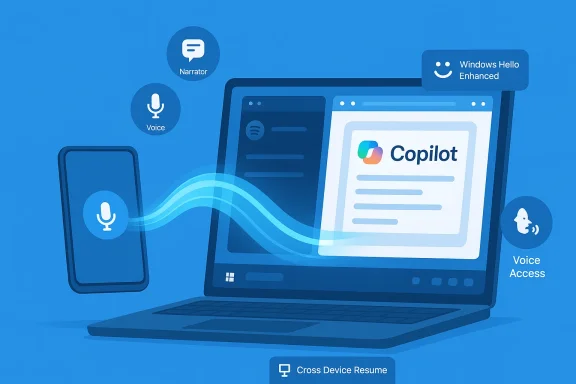
Blue illustration of Copilot on a laptop with voice, narrator icons, and a connected phone.Background​

Windows 11’s evolution over the past two years has been guided by two converging themes: tighter integration with Android phones (after the halting experiment of Android app support), and a sustained push to harden and modernize authentication and accessibility across device form factors. Build 28020.1619 is notable because it threads those themes together: the release surface includes an expanded Cross‑Device Resume experience that reaches new phone vendors and app scenarios, updates to Windows Hello Enhanced Sign‑in Security (ESS) that open the door to certain peripheral fingerprint readers, and refinements to Narrator, Voice Typing, and Voice Access that make assistive workflows more predictable and usable.
This Canary flight is a testbed. Microsoft is rolling features out with controlled toggles and staged rollouts, meaning not every Insider will see every change immediately; some features might never graduate to a public release. It’s also a reminder that Canary builds are inherently experimental — useful for early feedback and developer testing, but not for production machines.

What’s new — quick overview​

  • Cross‑Device Resume expanded to more Android vendors and apps (Spotify, Microsoft 365 Copilot files opened on phone, and selected phone browsers such as vivo Browser).
  • Narrator gains finer customization for what it speaks and the order of announcements.
  • Windows Hello ESS previewed for certain external fingerprint sensors (peripheral ESS support rolling into Windows platform).
  • Voice Typing adds a “Wait time before acting” setting to accommodate different speaking rhythms.
  • Voice Access now presents a simpler setup flow to ensure correct speech model downloads and microphone selection.
  • Agent in Settings (AI‑powered help) is expanding to new languages, broadening the reach of in‑OS assistance.
  • Paint (v11.2601.391.0) receives a long‑requested freeform rotate tool for rotating shapes, text, and selections to arbitrary angles.
Each of these items is small in isolation but, taken together, they illustrate Microsoft’s approach: incremental, telemetry‑driven improvements that connect devices and reduce friction for everyday productivity and accessibility scenarios.

Deep dive: Cross‑Device Resume — how it works and why it matters​

What Cross‑Device Resume is now​

At its core, Cross‑Device Resume surfaces a context‑aware alert on your Windows taskbar when a supported action is happening on a linked Android phone. Click the alert and, if the corresponding Windows app is available (or can be installed with one click), the activity continues on the PC from the same spot — whether that’s a Spotify track, a browsing tab in a phone browser, or a Microsoft 365 document opened in the Copilot app on the phone. The capability requires a PC running Windows 11, an Android device (Android 10+), Link to Windows connection, and internet access.

Expanded device and app support in Build 28020.1619​

This Canary build broadens vendor coverage and app scenarios. Microsoft now lists Vivo, HONOR, OPPO, Samsung, and Xiaomi among the phone makers whose devices can trigger resume scenarios for specific apps and the Copilot experience; Vivo Browser is explicitly called out as a browser that can resume browsing sessions on the PC. Spotify remains a highlighted use case because it already supports cross‑device playback, but the more consequential addition is support for Microsoft 365 files opened in the Copilot app on supported phones — these files can now be continued on the PC in the corresponding desktop apps (Word, Excel, PowerPoint) where installed.

Practical user flows​

  • Link your Android phone to Windows via Link to Windows.
  • Open an eligible file in the Copilot app on your phone, or start playback in Spotify, or browse in a supported phone browser.
  • A taskbar badge appears on the PC. Click it and the session opens on your desktop — the same document in Word/Excel/PowerPoint or the same playback position in Spotify.
This flow is intentionally minimal: Microsoft aims to make handoff as frictionless as Apple’s Handoff, but for Android → Windows contexts.

Why it matters (and its limits)​

  • Benefits:
  • Reduces manual file transfers, email attachments, or searching for a tab across devices.
  • Makes phones and PCs feel like a continuum for everyday productivity tasks.
  • Lowers friction for hybrid workflows where users switch devices frequently.
  • Limitations and caveats:
  • It requires the Link to Windows connection and opt‑in Android apps that expose the necessary hooks. Not every app will implement resume semantics, and many popular apps already deliver cloud sync (e.g., Spotify Connect, OneDrive) that makes resume less transformational for those services.
  • The experience is gated: Microsoft is using controlled feature rollout, so rollout is staged and features may be toggled off / not visible to all Insiders immediately.
  • Offline phone content and locally stored files on phones are not supported today for resume; resume currently targets online files opened via the Copilot app and supported browsing or streaming scenarios.

Developer and ecosystem perspective​

Microsoft has published and seeded the idea of a Continuity SDK and developer resources in past previews; for resume to scale beyond the early partners and built‑in apps, third‑party developers must add resume hooks and handle the UX edge cases (permission/consent, deep linking into the desktop app, and data consistency). The more apps that adopt resume semantics, the more valuable the feature will become, but the early strategy rightly focuses on a few high‑impact scenarios (music, cloud documents, web sessions) to validate the model.

Accessibility and assistive tech updates: Narrator, Voice Typing, Voice Access​

Accessibility updates in this flight are thoughtful and practical. They’re not flashy, but they matter because small changes to speech behavior and timing can dramatically improve daily usability for people who rely on screen readers or dictation.

Narrator: personalized announcement control​

What changed: Narrator now lets users choose which properties are announced and the order in which they are spoken. This is more than a convenience tweak — it reduces cognitive load and improves predictability for screen‑reader users, who often encounter verbose or noisy announcements that interrupt workflow.
Why that matters: predictability is a core requirement for accessible UX. When a screen reader speaks only the information a user needs — in the order they expect — it reduces misdrops, misreads, and the need to hunt for details.

Voice Typing: “Wait time before acting”​

What changed: Voice Typing gains a “Wait time before acting” setting that lets users specify the delay Windows should wait before executing dictated commands. This is oriented at users who speak with deliberate pauses or across multiple short phrases; it reduces accidental actions while dictating.
Practical impact:
  • Users can avoid truncated dictation or premature command execution.
  • It’s particularly helpful for non‑native speakers or those with speech patterns that include natural pauses.

Voice Access: simpler setup flow​

What changed: Voice Access now launches with an easier setup experience: the flow helps users download the correct speech model for their language and quickly choose the preferred microphone. This reduces the common friction of misconfigured language models or microphone selection that degrades recognition quality.
Collectively, these updates show Microsoft iterating on assistive features with real user patterns in mind.

Windows Hello ESS and external fingerprint sensors — technical and security analysis​

What Build 28020.1619 introduces​

The Canary flight expands Windows Hello Enhanced Sign‑in Security (ESS) to some external fingerprint readers under a preview model. Historically, ESS required match‑on‑sensor hardware (a fingerprint sensor with a dedicated secure element and Microsoft‑issued certificate) and was limited to OEM‑embedded sensors; peripheral support was explicitly blocked when ESS was enabled on a device. Build 28020.1619 signals Microsoft’s movement toward supporting peripheral ESS devices when they meet strict attestation and firmware requirements.

How ESS works (brief)​

ESS elevates biometric authentication by placing biometric processing and template storage in a protected environment (Virtualization‑Based Security — VBS) and relying on a sensor’s cryptographic attestation (certificates burned into the device) to ensure matching occurs on trusted hardware. This reduces the attack surface for biometric template theft and replay attacks. ESS‑capable sensors are typically match‑on‑sensor devices with firmware and drivers designed for the ESS model.

What “peripheral ESS” means in practice​

  • Vendor firmware and driver support are essential. A peripheral fingerprint sensor only becomes ESS‑capable if the vendor embeds the required certificate and provides drivers/firmware that integrate with Windows’ VBS‑based biometric path. Microsoft’s own documentation is explicit: peripheral ESS shipped as a platform capability is complex and dependent on manufacturers.
  • Not all external fingerprint readers will work immediately. Customers should expect that only a subset of peripheral products — those that carry the attestation certificate and driver support — will be compatible. Where third‑party vendors have already announced ESS‑capable peripherals, adoption still depends on shipping firmware and driverosoft.com]

Security tradeoffs and operational recommendations​

  • Benefits:
  • Extends high‑assurance biometric sign‑in to desktop and docking scenarios where embedded sensors aren’t available.
  • Allows organizations and power users to use certified external sensors without disabling ESS at the OS level.
  • Risks:
  • Peripheral support increases the diversity of hardware in the trust boundary; validating vendor compliance becomes critical. If vendors ship faulty firmware, the security guarantees of ESS could be undermined. Microsoft’s documentation warns that introducing non‑ESS peripherals may open doors to attacks and emphasizes policy controls.
  • Practical guidance:
  • For enterprises, require vendor attestation and vendor‑provided driver update processes before approving external sensors.
  • Use Endpoint Management and Device Security baselines to monitor whether ESS is enabled and which sensors are enumerated.
  • If you need external sensors today but ESS is enabled and blocks them, Microsoft documents a toggle to disable ESS temporarily — a pragmatic but less secure workaround.
In short, peripheral ESS support is a welcome expansion, but it is conditional: it requires hardware attestation, certified drivers, and careful vendor selection to preserve the cryptographic guarantees ESS was designed to provide.

Paint gets a practical polish: freeform rotate (v11.2601.391.0)​

The Paint app update in this flight is an example of the value of small, visible user‑facing improvements. Freeform rotate introduces a rotate handle and a Custom rotate numeric input, enabling users to rotate shapes, text, and active selections to any angle. The capability is delivered as an app package update (Paint v11.2601.391.0) rather than an OS patch, which means rollout cadence follows app distribution channels and can reach Insiders in Canary and Dev quickly.
Why this matters:
  • Paint remains a go‑to tool for quick edits, annotations, and screenshots; freeform rotate eliminates a repetitive workflow of exporting to another editor for a simple rotation.
  • The combination of on‑canvas handles and exact numeric entry covers both fast, ad‑hoc edits and precision use cases for documentation or simple graphics tasks.
This is a small productivity win, particularly for users who rely on Paint for rapid mockups or teachers preparing materials without access to heavier tooling.

Settings Agent language expansion and SCOOBE refresh​

Build 28020.1619 also broadens the Agent in Settings experience — Microsoft’s AI‑assisted in‑OS help — into additional locales (German, Spanish, Portuguese, Japanese, Korean, Hindi, Italian, and Simplified Chinese). This localization work is pragmatic: in‑OS AI assistance only scales when it supports users in their preferred language. The expansion should help users who previously had only English or French support see more helpful prompts and troubleshooting guidance.
Separately, some Insiders will encounter a refreshed Second Chance Out‑Of‑Box Experience (SCOOBE) screen designed to make reviewing recommended privacy and personalization settings simpler. The SCOOBE refresh appears to be a controlled design experiment, and Microsoft requests feedback when users encounter it — typical for Canary UX experiments.

Canary Channel realities and testing advice​

A few housekeeping points for readers who are considering trying this build:
  • Canary is experimental. Expect instability and possibly feature regressions. Canary is intended for early feedback and developer testing, not for primary workstations.
  • Controlled rollouts. Many features in this build are gated and will appear gradually. If you don’t see a feature immediately, telemetry‑based staging is likely the reason.
  • Leaving Canary requires a clean install. Moving to a more stable Windows Insider channel or back to public releases typically requires a clean OS install; plan accordingly before enrolling a device.
  • Feedback is part of the experience. Microsoft expects Insiders to file Feedback Hub reports, especially for accessibility and cross‑device scenarios where reproducible steps and logs help triage nuanced issues.

Critical analysis — strengths, shortcomings, and risks​

Strengths​

  • Practical continuity model. Cross‑Device Resume represents a pragmatic middle path between running Android apps on PC and naive cloud syncing. By focusing on specific, high‑impact handoff scenarios (music, browsing, Copilot documents), Microsoft provides a useful day‑to‑day experience that improves productivity without requiring deep platform integration for every app. The official rollout approach (Link to Windows + taskbar badge) keeps the UX obvious and discoverable.
  • Security‑first posture for biometrics. ESS continues to prioritize hardware attestation and match‑on‑sensor models. By gating peripheral support on attestation and driver/firmware requirements, Microsoft avoids defaulting to a weaker security posture just to enable convenience. That balance — security with cautious expansion — is the right approach for biometric authentication.
  • Meaningful accessibility iteration. Narrator, Voice Typing, and Voice Access improvements are focused and highly practical. These are the kinds of iterative changes that produce outsized gains for assistive technology users, especially the Narrator customizations that reduce verbosity.
  • Small UX wins matter. Paint’s freeform rotate is a classic example of a minor feature that delivers a disproportionately positive user experience — especially for casual creators and people who use Paint as a quick annotation tool.

Shortcomings and open questions​

  • Fragmented app support limits immediate usefulness. Because resume requires app support or specific hooks (Copilot app, supported browser vendors, Spotify), the immediate benefits will be constrained for many users. Apps that already provide robust cloud sync may see little practical gain, while smaller apps without cloud sync have to opt in. The feature’s long‑term success depends on developer adoption and Microsoft’s ability to make the developer experience straight‑forward.
  • Peripheral ESS adoption uncertainty. Peripheral ESS depends heavily on vendor cooperation. If major peripheral manufacturers do not ship ESS‑capable firmware and drivers, the promise of external high‑assurance biometric authentication will remain theoretical for many users. Enterprises will likely stick to OEM devices or vendor‑approved peripherals until the ecosystem stabilizes.
  • Privacy and telemetry concerns. Cross‑device continuity features require telemetry and coordination between phone and PC services. Microsoft’s documentation and blog posts note prerequisites and consent flows, but enterprise and privacy‑sensitive users should audit these settings closely and use the Resume toggle controls when needed. Microsoft provides Settings toggles for Resume, but the default behavior and telemetry surface should be watched by privacy teams.

Risk matrix (short list)​

  • Operational risk: Canary instability could introduce regressions that affect productivity on machines used for testing.
  • Security risk: Peripheral biometric support increases complexity in the trust boundary; vendor noncompliance could weaken security.
  • Adoption risk: Slow developer uptake could relegate resume to a niche feature for select apps and phone vendors.

How to test and what to watch for (for Insiders and IT pros)​

  • If you test Cross‑Device Resume, do so on a secondary machine and with a secondary phone to avoid workflow disruption.
  • Confirm Link to Windows connectivity and that your phone is listed under Mobile devices in Settings. If you plan to test Copilot file resume, ensure files are opened online in the Copilot app on the phone — local, offline phone files aren’t supported.
  • For ESS peripherals, start with vendor‑certified sensors and insist on driver/firmware release notes referencing ESS attestation. Verify ESS state on the device via Settings > Accounts > Sign‑in options and check the Device Security pane in Windows Security for ESS status.
  • Accessibility testers should try Narrator customization across a range of common apps, and validate that the order and content of announcements is actually more predictable — file precise feedback in Feedback Hub when discrepancies occur.

Conclusion​

Build 28020.1619 is not a watershed update — it won’t rearrange how everyone uses Windows overnight. What it does, however, is reveal Microsoft’s working priorities: tighten the phone‑to‑PC bridge where it improves day‑to‑day productivity, continue hardening biometric sign‑in with principled hardware attestation, and iterate on accessibility in ways that reduce cognitive load for assistive technology users.
The release is a tidy collection of incremental wins: Cross‑Device Resume expanding to more phone vendors and Copilot workflows; ESS taking tentative steps toward peripheral support while preserving the security model; voice and screen‑reader refinements that make assistive interactions more usable; and a small but welcome Paint update that exemplifies how attention to detail improves the user experience. For Insiders and IT pros, this build is worth watching — both for its immediate, testable features and for the signals it sends about where Windows is headed: a more connected, more secure, and more accessible platform.

Source: thewincentral.com Windows 11 Canary Build 28020.1619: Cross-Device Resume
 

Back
Top