

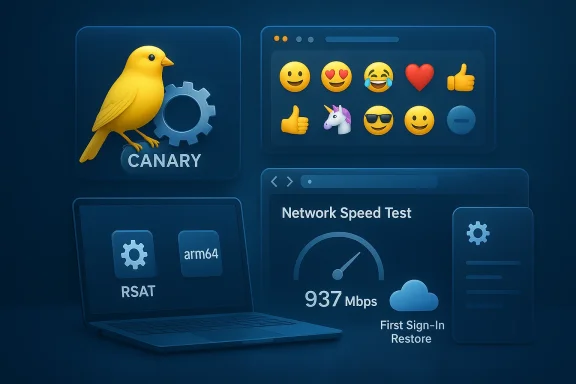
Microsoft’s Canary channel has received another measured drop of small-but-practical improvements today with the release of Windows 11 Insider Preview Build 28020.1673 (KB 5077240), a flight focused on smoothing everyday workflows, filling platform gaps for enterprise administrators, and continuing the long-term refinement of UI polish and recovery tooling for modern device lifecycles. The build’s highlights include a staged deployment of Emoji 16.0 in the emoji panel, an extension of Windows Backup for Organizations to support a first‑sign‑in restore flow, automatic enabling of Quick Machine Recovery (QMR) on certain Pro SKUs, a one‑click network speed test in the taskbar, and long‑requested parity like RSAT support on Windows 11 Arm64. Below I’ll unpack what matters most to end users, IT pros, and security teams; verify the most consequential technical claims; and call out practical caveats and risks to watch for during pilot and roll‑out phases.
Windows Insider Canary builds act as the earliest public staging ground for work-in-progress features. Microsoft uses a combination of in‑build feature toggles and Control Feature Rollout to expose functionality to a subset of devices, monitor telemetry and feedback, then expand the rollout. That means not every Insider will see every item listed right away, and stability can vary; the Canary channel is explicitly for early experimentation. This build follows the same pattern and brings a collection of user-facing refinements while also adding capabilities that matter to IT administrators managing modern hybrid environments. The Windows Insider team’s announcement is the primary source for the feature list; community and press coverage provides independent confirmation of several of the larger items.
Windows 11’s Canary builds continue to show how Microsoft’s “continuous innovation” model produces a steady flow of incremental, targeted improvements rather than monolithic yearly updates. Build 28020.1673 is notable not because it ships a single headline feature, but because it stitches together a set of practical capabilities — recovery improvements, admin parity, small UI wins — that collectively reduce time‑to‑productivity and administration friction. For Insiders and admins, the immediate step is to pilot the relevant features on representative devices, test FoD and update delivery plumbing, and update operational documentation so teams benefit from the improvements while avoiding the classic traps of staged rollouts and feature gating.
Source: Microsoft - Windows Insiders Blog Announcing Windows 11 Insider Preview Build 28020.1673 (Canary Channel)
 Background / Overview
Windows Insider Canary builds act as the earliest public staging ground for work-in-progress features. Microsoft uses a combination of in‑build feature toggles and Control Feature Rollout to expose functionality to a subset of devices, monitor telemetry and feedback, then expand the rollout. That means not every Insider will see every item listed right away, and stability can vary; the Canary channel is explicitly for early experimentation. This build follows the same pattern and brings a collection of user-facing refinements while also adding capabilities that matter to IT administrators managing modern hybrid environments. The Windows Insider team’s announcement is the primary source for the feature list; community and press coverage provides independent confirmation of several of the larger items.What’s new — at a glance
- Emoji 16.0 entries added to the system emoji panel (curated set).
- First‑sign‑in restore added to Windows Backup for Organizations for Entra hybrid‑joined devices, Cloud PCs, and multi‑user scenarios.
- Quick Machine Recovery behavior changed so it turns on automatically for enterprise‑managed Windows Pro devices that are not domain‑joined and for unmanaged Pro devices; domain‑joined devices remain opt‑in for organizations.
- Built‑in network speed test accessible from the taskbar (Wi‑Fi/Cellular quick settings or right‑click system tray).
- Camera pan/tilt (PTZ) controls surfaced in Settings for supported UVC/PTZ cameras.
- RSAT (Remote Server Administration Tools) support extended to Windows 11 Arm64 as optional features.
- Improvements to Widgets, Search on the taskbar (group counts and preview), File Explorer dark‑mode consistency, Nearby Sharing reliability for larger files, and assorted Settings reliability fixes.
Deep dive: Emoji 16.0 — what changed and why it matters
What’s included
Microsoft says a small, thoughtfully curated set of Emoji 16.0 entries has been added to the emoji panel, with one selection from each major category. Unicode 16.0 (the standard behind Emoji 16.0) introduced a small number of new emoji code points (seven new emoji in Unicode 16.0, plus platform‑level variations) when the standard updated in 2024. Platform vendors have staggered rollouts since then; Microsoft’s inclusion in Windows 11 continues that work. Independent coverage of Unicode/Emoji 16.0 confirms the Unicode Consortium’s additions and timing, and Emojipedia documents the new characters and cross‑platform rollout expectations.Practical implications
- Messaging and documentation workflows benefit immediately where both sender and receiver platform render the same code points. However, because web apps and many cross‑platform services use their own emoji fonts (or webfonts), the visual results will still vary across apps and sites.
- Legacy Win32 rendering surfaces and some in‑product components may take longer to display the new emoji correctly because older rendering engines require updates to the system font stack or to the apps themselves. This partly explains why Microsoft staggers the rollout and why some users may see characters appear as fallback glyphs in certain places. Third‑party reporting and testing from Windows‑focused outlets observed similar limitations when Emoji 16.0 first reached Windows feature updates.
Bottom line
Emoji 16.0 in the emoji panel is a welcome polish update for end users and creators, but expect mixed behavior across apps until rendering engines and third‑party services update their emoji font support.First‑sign‑in restore — a useful “second chance” for enterprise deployments
What Microsoft is delivering
The build marks the extension of the first‑sign‑in restore experience into Windows Backup for Organizations. That feature gives eligible users another opportunity to restore user settings and the Microsoft Store app list at first sign‑in (if they missed it during OOBE). Microsoft positioned this as a way to reduce helpdesk churn and speed productivity after device refreshes and migrations; targets include Microsoft Entra hybrid‑joined devices, Cloud PCs, and multi‑user environments. Microsoft’s message center and official IT channels describe the feature rollout timelines and preview sign‑ups for organizations.Why this matters to IT
- Reduces reimaging and support tickets resulting from users skipping OOBE restore prompts by mistake.
- Offers a consistent, admin‑controlled recovery path for hybrid device lifecycles (particularly helpful for organizations standardizing on cloud identity and Autopilot flows).
- Works best when backup policies are enabled prior to enrollment; administrators must plan tenant controls and pilot the experience to verify behavior across Autopilot modes and shared device scenarios. Independent reporting clarifies that the feature is not a full disaster‑recovery replacement — it restores settings, Start pins, and Store app lists, not full disk images.
Caveats and operational considerations
- The flow depends on Entra/device enrollment state and tenant settings; administrators should validate supported provisioning paths before mass enabling the option.
- Organizations must ensure backups are running (and that backup cadence and retention match operational expectations) before relying on first‑sign‑in restore for end‑user productivity SLAs. Community documentation and Microsoft’s admin update notices include guidance and private preview enrollment notes.
Quick Machine Recovery (QMR) — shifting defaults for Pro devices
Microsoft’s QMR feature, which helps devices recover from repeated boot failures by fetching remedial packages from the cloud via Windows RE, is being altered so that it (by default) enables automatically on certain Windows Pro devices (those not domain‑joined and not enrolled in enterprise endpoint management), aligning those devices with the recovery features Home customers already receive. Domain‑joined and enterprise‑managed devices will leave QMR off unless an organization enables it. The mechanics and sequence for QMR are documented in Microsoft’s support article, which explains detection, Windows RE connection, remediation fetch, and the fallback to traditional options if no fix is found.Why Microsoft is doing this
- The change reduces end‑user downtime for common, widespread boot regressions on consumer and small business classes of Windows Pro devices.
- Keeping QMR off by default for domain‑joined devices preserves enterprise control over recovery processes and avoids inadvertently bypassing corporate recovery and diagnostic workflows.
IT impact and risks
- Organizations using domain‑join, Intune, or other endpoint management should verify the QMR policy posture for their golden images and gating lab devices — unexpected automatic recovery attempts may conflict with custom troubleshooting scripts or imaging expectations.
- QMR’s reliance on network connectivity to Microsoft cloud endpoints means organizations with strict egress controls, proxy or WSUS restrictions, or air‑gapped environments must explicitly manage the feature state to avoid unexpected behavior.
Network speed test from the Taskbar — convenience meets diagnostics
Microsoft now exposes a built‑in network speed test reachable from the Wi‑Fi/Cellular quick settings or by right‑clicking the network icon in the system tray; the test launches in the default browser and measures Ethernet, Wi‑Fi, and cellular connections. Press coverage and early hands‑on reports confirm the behavior: the test opens a browser‑based speed measurement (Microsoft leverages an in‑browser tool) so results are visible without third‑party utilities. This small addition is aimed at simplifying quick connectivity checks for troubleshooting or verification.Practical notes for users
- The test requires a browser and network access; it’s handy for quick verification but not a replacement for more detailed diagnostics (packet capture, ISP testing, or endpoint telemetry).
- Because the result originates from a browser tool, it may be influenced by browser‑level proxies, web filters, or CDN routing; use with that context in mind.
RSAT on Arm64 — long‑requested parity for administrators
One of the most consequential items in this build is RSAT availability on Windows 11 Arm64. The update adds RSAT modules as optional features for Arm64 devices, enabling admins to install AD tools, Group Policy Management, Server Manager, DNS/DHCP tools, and more through Settings or Control Panel. Independent reporting (press and community) confirms the arrival of RSAT components for Arm64 and documents early steps for optional feature installation; community threads show that the rollout is staged and visibility of RSAT modules may require a matching build level or optional‑feature download availability on Windows Update.Why this is important
- IT pros who choose Arm64 laptops for battery life and mobility finally gain closer parity with x64 admin tooling, removing a friction point for on‑device administration from modern Arm devices.
- Enables scenarios where administrators can run management consoles locally without remoteing to a server or using a secondary x64 machine.
Deployment notes & pitfalls
- RSAT is delivered as Features on Demand and depends on Windows Update access for downloads. Environments using WSUS or restrictive update sources may not expose RSAT packages unless FoD delivery is allowed.
- RSAT availability can be gated by Windows edition build level — admins should verify that devices are at a supported build and that optional feature delivery is available from their update source. Community reports show that some Insiders saw RSAT entries only after upgrading to newer enablement/feature builds.
Camera pan/tilt controls, Widgets settings, Search previews — small changes that compound
This build also surfaces practical UX changes that reduce reliance on vendor utilities or modal dialogs:- Camera PTZ controls in Settings: For cameras exposing standardized pan/tilt over UVC/PTZ, the basic controls are now in Settings > Bluetooth & devices > Cameras → Basic settings. This eliminates a common friction where webcam vendor utilities were the only avenue for simple adjustments; hardware compatibility remains the gating factor.
- Widget Settings: Now open in a full‑page Widgets experience rather than a modal dialog—helpful for discoverability and for managing dynamic content.
- Search on Taskbar: Group headers show result counts, and hovering over a result exposes a Preview action so users can inspect content without launching the app ortriage and faster navigation.
- File Explorer dark mode: Folder Options dialog receives a consistent dark experience and a rare fix addresses windows/tabs unexpectedly jumping to Desktop or Home.
Reliability & Known issues — what to expect in Canary
Microsoft emphasizes that Canary builds can be unstable, and not every feature will be visible immediately because of toggle‑based rollouts. Some items are staged through Control Feature Rollout and may first appear in Dev or Beta channels before Canary, or vice‑versa. Insiders who want to exit Canary must perform a clean install to move to a channel with a lower build number — a practical constraint for pilot fleets. The Insider announcement also cautions that localization may be incomplete while features are in active development.Security, compliance, and operational risks
- Syslog/log volume & detection tooling: When Microsoft ships deeper platform telemetry or optional security tooling (for example: in other 2026 preview updates Microsoft delivered Sysmon as an in‑box optional feature), enabling those tools without tuned configuration can cause excessive log volume and performance head‑aches in production. Although this particular Canary build focuses on recovery and administration features, the same operational discipline applies: pilot with tuned configs. Community security guidance recommends staged rollouts for logging tools and careful event filtering.
- Feature‑gated rollouts and inconsistent visibility: Because many items use staged rollouts, an administrator running small pilot groups may see inconsistent behavior across border devices. This complicates troubleshooting and template validation . Test groups should use uniform build levels and configuration profiles.
- RSAT and FoD delivery dependencies: RSAT components on Arm64 rely on Features on Demand delivery via Windows Update; WSUS, network proxies, or blocked endpoints can prevent installation. Organizations that rely on internal update services should test FoD delivery and consider preparing offline packages or adjusting WSUS settings to permit FoD downloads.
- QMR network dependencies and enterprise controls: QMR’s cloud‑based remediation requires network egress to Microsoft endpoints during Windows RE. Enterprises with tightly controlled egress, proxies that intercept TLS, or air‑gapped machines need to account for this in policy or disable the feature for affected devices.
Recommended action plan for IT teams and Insiders
- Pilot and baseline
- Create a small pilot cohort of representative devices (Pro unmanaged, domain‑joined, Arm64 devices if you plan RSAT testing).
- Verify baseline imaging, WSUS/Update service access, and backup state before enabling new features.
- Validate backup & restore
- Confirm Windows Backup for Organizations backups are running and retention aligns with expectations.
- Test the first‑sign‑in restore flow in a controlled tenant setting, including Cloud PC and Entra hybrid join scenarios to verify behavior.
- Prepare update and FoD channels
- Ensure Windows Update / WSUS policies permit Features on Demand downloads (for RSAT).
- Validate optional‑feature visibility via Get‑WindowsCapability and Settings > Optional features.
- Document recovery expectations
- Update runbooks to reflect QMR behavior for non‑domain‑joined Pro devices.
- If you restrict inbound/outbound egress, confirm whether QMR will be effective or should remain disabled.
- UX verification and end‑user communication
- Communicate the presence of the new taskbar network test and camera PTZ controls to support desks, as these can reduce routine tickets.
- Remind end users about staged rollouts and the possibility that experience visibility can vary across devices.
Cross‑verification of key claims (what we checked)
- Emoji 16.0 additions: Verified against Unicode/Emojipedia and platform coverage reporting; Unicode 16.0 introduced a small set of emoji code points that major platforms have been rolling out. Coverage and platform timing are independently documented.
- Quick Machine Recovery mechanics and configuration: Confirmed via Microsoft support documentation describing detection, Windows RE connection, and remediation download behavior. This matches the build notes’ description of automated recovery behavior and policy gating for domain‑joined devices.
- First‑sign‑in restore for Windows Backup for Organizations: Confirmed through Microsoft admin messaging and independent IT press reporting; private preview sign‑ups and timelines are documented in Microsoft’s message center and IT Pro blog posts.
- Taskbar network speed test: Multiple outlets independently reported the new right‑click or quick‑settings speed test, which launches in the default browser and measures Ethernet, Wi‑Fi, and cellular links.
- RSAT on Arm64: Reported by mainstream Windows coverage and community forums; the change is part of recent optional FoD availability and is visible to Insiders on newer builds, though staged rollouts and FoD delivery dependencies mean universal availability may lag.
Final assessment — strengths, risks, and what to watch
Strengths- The build focuses on practical quality‑of‑life updates that will reduce friction for both users and admins: emoji polish, easier camera control, a quick network test, and the ability to recover user state at first sign‑in.
- RSAT on Arm64 and first‑sign‑in restore show Microsoft continuing to fill important parity and enterprise gaps for modern Windows management and identity scenarios.
- QMR changes reflect a sensible balance between helping consumer and small business devices recover more easily while preserving enterprise control for domain‑joined devices.
- Canary builds remain unstable by design; do not pilot wide deployments directly from Canary without a rollback plan.
- Optional features (RSAT, FoD) and cloud‑based recovery depend on update delivery and egress that may be restricted in enterprise networks; validate delivery paths.
- New recovery features like QMR and first‑sign‑in restore alter lifecycle behavior; runbooks, imaging practices, and helpdesk scripts may need updates to avoid surprises.
- Flight Hub and the Microsoft Update Catalog for definitive KB entries and deployment guidance on KB 5077240 (or related KB numbers).
- RSAT module parity on Arm64 (confirm which RSAT modules map to your required consoles like ADUC, GPMC).
- Any admin controls for Quick Machine Recovery and first‑sign‑in restore that allow organizations to centrally opt‑out or tailor behavior for managed fleets.
Windows 11’s Canary builds continue to show how Microsoft’s “continuous innovation” model produces a steady flow of incremental, targeted improvements rather than monolithic yearly updates. Build 28020.1673 is notable not because it ships a single headline feature, but because it stitches together a set of practical capabilities — recovery improvements, admin parity, small UI wins — that collectively reduce time‑to‑productivity and administration friction. For Insiders and admins, the immediate step is to pilot the relevant features on representative devices, test FoD and update delivery plumbing, and update operational documentation so teams benefit from the improvements while avoiding the classic traps of staged rollouts and feature gating.
Source: Microsoft - Windows Insiders Blog Announcing Windows 11 Insider Preview Build 28020.1673 (Canary Channel)
