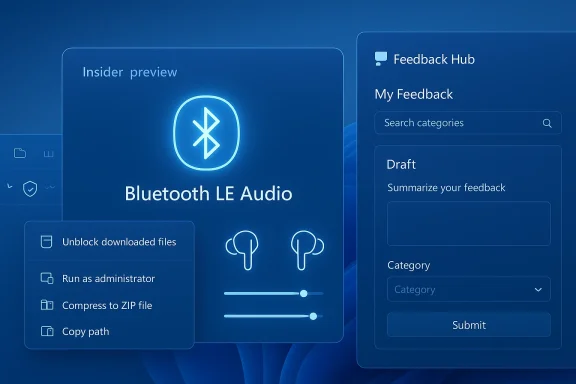
Windows 11 Insider Preview Build 28020.1743 is a classic Canary Channel release: small in visible scope, but strategically important in what it says about where Microsoft is pushing the platform next. The March 20, 2026 flight adds finer-grained controls for shared audio, a subtle but useful update to context menus for executable files, a reliability fix for unblocking downloaded files in File Explorer, and a refreshed Feedback Hub that changes how Insiders are expected to file and review feedback. It is not a blockbuster feature drop, but it does sharpen several ongoing themes in Windows 11 development: Bluetooth LE Audio, file management polish, and a more opinionated feedback loop. (blogs.windows.com)
Microsoft’s Canary Channel is where Windows 11 gets its earliest, least predictable experiments, and that context matters here. The company repeatedly reminds Insiders that these builds can be unstable, that some features arrive through gradual rollout, and that a clean install is required to leave the channel. In other words, the Canary track is not just about new features; it is also a way for Microsoft to test architectural direction, servicing assumptions, and UI behavior under real-world use. (blogs.windows.com)
Build 28020.1743 continues a pattern established across earlier 28020 flights in February and March 2026. Microsoft has used this branch to introduce and refine a mix of user-facing changes such as Cross-Device Resume, Voice Typing tuning, and storage reliability improvements. The cadence suggests that the 28020 line is functioning as a live laboratory for Windows 11’s next wave of interaction details rather than a single feature showcase. (blogs.windows.com)
The most interesting thread in the current release is shared audio (preview). Microsoft first introduced the feature in October 2025 for Dev and Beta channels, describing it as a Bluetooth LE Audio-based experience that can broadcast one Windows audio stream to two capable accessories at once. The concept aligns with broader industry movement toward LE Audio, which promises lower power, better efficiency, and new sharing scenarios beyond the old “one host, one listener” model. (blogs.windows.com)
That earlier preview also established the strategic direction: this was never meant to be a toy feature. Microsoft framed shared audio as a platform capability for headphones, earbuds, speakers, and hearing aids, initially on a subset of devices and then expanded as support broadened. Build 28020.1743 now pushes the idea further by improving control semantics and by explicitly widening the list of compatible accessories. (blogs.windows.com)
The rest of the build is less glamorous but arguably more reflective of Windows engineering priorities. File Explorer reliability fixes remain a staple because the shell is still one of the most visible parts of the OS, and subtle context-menu refinements help with consistency across file types. The rebuilt Feedback Hub is especially telling: Microsoft is not just asking for feedback, it is redesigning the intake mechanism to make the feedback pipeline easier to use, easier to segment, and more actionable. (blogs.windows.com)
The new taskbar indicator is equally important. It gives users a visible reminder that audio is still being shared and provides a shortcut back into sharing settings, where volume can be adjusted or sharing can be stopped. In practical terms, this turns shared audio from an experimental setting hidden in controls into something more continuously visible and easier to manage. (blogs.windows.com)
Microsoft also says the LE Audio accessory ecosystem continues to grow, and the company specifically names Samsung Galaxy Buds 4, Samsung Galaxy Buds 4 Pro, Sony WF‑1000XM6, and the Xbox Wireless Headset as now supporting shared audio. That matters because hardware support has been the gating factor for LE Audio’s real-world usefulness; without a healthy device ecosystem, even a well-designed software feature can feel stranded. (blogs.windows.com)
This also reduces the friction that often kills preview features after the novelty wears off. If users must constantly dive into settings to rebalance sound, they will stop using the feature; if balancing is one click away, the feature becomes sticky. That is the difference between a demo and a habit. That distinction is crucial.
The move is also a sign that Microsoft sees Bluetooth audio less as a commodity transport layer and more as a feature platform. In the old model, Windows had to make Bluetooth connections work reliably. In the new model, Windows is expected to coordinate group listening, device awareness, and on-screen status with something closer to app-level behavior. That is a much more ambitious design philosophy. (blogs.windows.com)
This kind of fix tends to matter most in enterprise and power-user environments. Users who depend on previews and file trust workflows are often the same people who are most sensitive to shell regressions, because they interact with downloaded content, network shares, and protected file states all day long. A small reliability improvement here can prevent a disproportionate amount of friction. (blogs.windows.com)
The context-menu update is more visible and more cosmetic, but it is still meaningful. When you right-click a .exe, .bat, or .cmd file, the “Open” verb now matches the icon associated with the file’s default app. That suggests Microsoft is continuing to smooth out the visual and semantic inconsistencies that have long made shell interactions feel uneven. (blogs.windows.com)
The removal of the Announcements page is also revealing. Microsoft says announcements can still be found on the Windows Insider Blog, which suggests the app is being narrowed to its practical purpose: feedback capture, discovery, and engagement. In effect, Microsoft is stripping away ancillary content to focus the app on its main job. (blogs.windows.com)
The addition of a compliment feedback type is easy to overlook, but it is strategically smart. Negative feedback alone can bias a product team toward bugs and pain points, while compliment pathways can highlight what is actually working and worth preserving. That kind of signal can be especially useful in a fast-moving preview environment where positive patterns are easy to miss. (blogs.windows.com)
The gradual rollout model matters here because Microsoft can compare behavior across a subset of Insiders before expanding. That approach is well-suited to features like shared audio, where the company needs to watch not only whether the plumbing works, but whether the interface communicates status clearly enough. It is also a sensible way to test shell changes that can look harmless in a lab and annoying in the wild. (blogs.windows.com)
For enterprises, the more interesting changes are in the shell and feedback mechanics. File Explorer reliability affects download handling, validation, and document review workflows, while the new Feedback Hub can improve how pilot users and IT-adjacent testers communicate issues back to Microsoft. Those are not glamorous improvements, but they are the kind that influence confidence in wider deployments. (blogs.windows.com)
The redesigned Feedback Hub also has a competitive angle, though it is less obvious. A good feedback pipeline helps Microsoft move faster and with fewer blind spots, which is an advantage in a market where usability perception can matter as much as raw capability. If Windows can surface issues faster and make insiders more likely to report them constructively, the OS becomes easier to improve at speed.
Microsoft will also need to show that these enhancements are portable across devices and languages. Canary can tolerate rough edges, but features that are fundamentally about social sharing and user reporting must eventually work with minimal friction if they are to matter beyond the Insider audience.
Windows 11 Insider Preview Build 28020.1743 does not try to dominate the news cycle, and that is precisely why it is worth noticing. It shows a platform still being shaped in the seams: in what happens when two people share sound, when a downloaded file is unblocked, when a right-click menu feels more consistent, and when feedback becomes easier to give. That kind of work rarely looks dramatic in the moment, but it is often what determines whether a release feels like a step forward or just another flight on the calendar.
Source: Microsoft - Windows Insiders Blog Announcing Windows 11 Insider Preview Build 28020.1743 (Canary Channel)
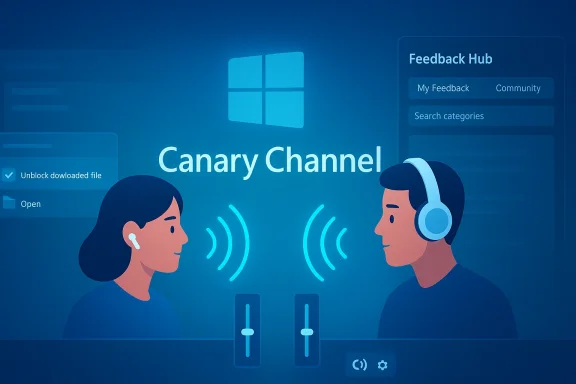 Background
Microsoft’s Canary Channel is where Windows 11 gets its earliest, least predictable experiments, and that context matters here. The company repeatedly reminds Insiders that these builds can be unstable, that some features arrive through gradual rollout, and that a clean install is required to leave the channel. In other words, the Canary track is not just about new features; it is also a way for Microsoft to test architectural direction, servicing assumptions, and UI behavior under real-world use. (blogs.windows.com)Build 28020.1743 continues a pattern established across earlier 28020 flights in February and March 2026. Microsoft has used this branch to introduce and refine a mix of user-facing changes such as Cross-Device Resume, Voice Typing tuning, and storage reliability improvements. The cadence suggests that the 28020 line is functioning as a live laboratory for Windows 11’s next wave of interaction details rather than a single feature showcase. (blogs.windows.com)
The most interesting thread in the current release is shared audio (preview). Microsoft first introduced the feature in October 2025 for Dev and Beta channels, describing it as a Bluetooth LE Audio-based experience that can broadcast one Windows audio stream to two capable accessories at once. The concept aligns with broader industry movement toward LE Audio, which promises lower power, better efficiency, and new sharing scenarios beyond the old “one host, one listener” model. (blogs.windows.com)
That earlier preview also established the strategic direction: this was never meant to be a toy feature. Microsoft framed shared audio as a platform capability for headphones, earbuds, speakers, and hearing aids, initially on a subset of devices and then expanded as support broadened. Build 28020.1743 now pushes the idea further by improving control semantics and by explicitly widening the list of compatible accessories. (blogs.windows.com)
The rest of the build is less glamorous but arguably more reflective of Windows engineering priorities. File Explorer reliability fixes remain a staple because the shell is still one of the most visible parts of the OS, and subtle context-menu refinements help with consistency across file types. The rebuilt Feedback Hub is especially telling: Microsoft is not just asking for feedback, it is redesigning the intake mechanism to make the feedback pipeline easier to use, easier to segment, and more actionable. (blogs.windows.com)
Shared Audio Becomes More Usable
The headline change in Build 28020.1743 is the refinement of shared audio (preview). Microsoft is adding individual volume sliders for each listener, so two people using capable Bluetooth LE Audio headphones, earbuds, speakers, or hearing aids can balance their own listening levels without affecting the other person. That is a small addition on paper, but it is exactly the sort of detail that determines whether a feature feels polished or merely novel. (blogs.windows.com)The new taskbar indicator is equally important. It gives users a visible reminder that audio is still being shared and provides a shortcut back into sharing settings, where volume can be adjusted or sharing can be stopped. In practical terms, this turns shared audio from an experimental setting hidden in controls into something more continuously visible and easier to manage. (blogs.windows.com)
Microsoft also says the LE Audio accessory ecosystem continues to grow, and the company specifically names Samsung Galaxy Buds 4, Samsung Galaxy Buds 4 Pro, Sony WF‑1000XM6, and the Xbox Wireless Headset as now supporting shared audio. That matters because hardware support has been the gating factor for LE Audio’s real-world usefulness; without a healthy device ecosystem, even a well-designed software feature can feel stranded. (blogs.windows.com)
Why the control changes matter
The per-listener slider is the most consumer-friendly part of the update because it acknowledges that shared listening is not always symmetric. One person may want dialogue louder, another may want music softer, and a shared master volume alone cannot handle that elegantly. Microsoft is essentially moving from a “broadcast-only” concept to a personalized co-listening experience. (blogs.windows.com)This also reduces the friction that often kills preview features after the novelty wears off. If users must constantly dive into settings to rebalance sound, they will stop using the feature; if balancing is one click away, the feature becomes sticky. That is the difference between a demo and a habit. That distinction is crucial.
- Separate listener volume control
- A persistent taskbar indicator
- Faster access to sharing settings
- Better fit for mixed preferences
- More confidence that sharing is still active
Bluetooth LE Audio’s Bigger Story
Shared audio sits on top of Bluetooth LE Audio, which is much more than a codec or transport upgrade. LE Audio is meant to support lower-latency, lower-power, more flexible audio experiences, including broadcast-style audio sharing, hearing-aid integration, and better battery efficiency. Windows adopting those ideas matters because the PC is still one of the most important bridges between mobile audio habits and desktop workflows. (blogs.windows.com)The move is also a sign that Microsoft sees Bluetooth audio less as a commodity transport layer and more as a feature platform. In the old model, Windows had to make Bluetooth connections work reliably. In the new model, Windows is expected to coordinate group listening, device awareness, and on-screen status with something closer to app-level behavior. That is a much more ambitious design philosophy. (blogs.windows.com)
Ecosystem implications
The accessory list is not just marketing fluff; it is a signal to the market. When Microsoft names specific headphones and headsets, it is effectively validating those products as part of a new category of Windows-compatible shared-audio hardware. That may encourage OEMs and accessory makers to treat LE Audio support as a differentiator rather than a checkbox.- Stronger incentive for accessory vendors
- More pressure on Bluetooth stack reliability
- Better alignment between hardware and Windows features
- More use cases for accessibility products
- Potentially broader consumer awareness of LE Audio
File Explorer and Shell Consistency
The File Explorer fix in this build is modest but welcome: Microsoft says reliability has been improved for unblocking files downloaded from the internet so they can be previewed in File Explorer. That sort of issue can feel trivial until it breaks a user’s workflow, especially for people who routinely inspect downloaded documents, installers, scripts, or archives before opening them. (blogs.windows.com)This kind of fix tends to matter most in enterprise and power-user environments. Users who depend on previews and file trust workflows are often the same people who are most sensitive to shell regressions, because they interact with downloaded content, network shares, and protected file states all day long. A small reliability improvement here can prevent a disproportionate amount of friction. (blogs.windows.com)
The context-menu update is more visible and more cosmetic, but it is still meaningful. When you right-click a .exe, .bat, or .cmd file, the “Open” verb now matches the icon associated with the file’s default app. That suggests Microsoft is continuing to smooth out the visual and semantic inconsistencies that have long made shell interactions feel uneven. (blogs.windows.com)
Why this is more than visual polish
File actions in Windows carry a lot of inherited complexity. Different verbs, different associations, and decades of compatibility baggage can make the same action appear contradictory depending on file type. Aligning the “Open” command with the icon is a way of reducing cognitive load and making the shell feel more trustworthy.- Better visual consistency
- Fewer mismatches between action and iconography
- Less confusion for novice users
- Cleaner behavior for script and installer files
- A more coherent File Explorer experience
Feedback Hub Gets a New Identity
The biggest structural change in the build may be the new Feedback Hub. Microsoft is simplifying submission through a single unified template, adding category search, modernizing the feedback form, and reworking navigation so that “My Feedback” sits in the pane while “Community feedback” replaces the older “All feedback” concept. That is not merely a UI refresh; it is a redesign of the product’s core data collection workflow. (blogs.windows.com)The removal of the Announcements page is also revealing. Microsoft says announcements can still be found on the Windows Insider Blog, which suggests the app is being narrowed to its practical purpose: feedback capture, discovery, and engagement. In effect, Microsoft is stripping away ancillary content to focus the app on its main job. (blogs.windows.com)
The addition of a compliment feedback type is easy to overlook, but it is strategically smart. Negative feedback alone can bias a product team toward bugs and pain points, while compliment pathways can highlight what is actually working and worth preserving. That kind of signal can be especially useful in a fast-moving preview environment where positive patterns are easy to miss. (blogs.windows.com)
The new feedback model
Microsoft’s redesign suggests an attempt to make feedback more structured, more timely, and more socially visible when appropriate. The ability to choose between private and public feedback is particularly important because it gives Insiders control over whether they are filing something quietly or contributing to a broader community discussion.- Single unified submission flow
- Searchable categories
- My Feedback in the navigation pane
- Community feedback for discovery
- Private or public submission options
- Smaller focused feedback surface for quick reports
- Better screenshot capture and review tooling
Canary Channel as a Product Strategy
Build 28020.1743 also reinforces the role of the Canary Channel as a platform for directional testing. Microsoft is not just testing feature completion; it is testing whether certain categories of interaction make sense to keep investing in. Shared audio, shell refinements, and a redesigned feedback workflow all indicate that Windows 11’s future may be built as much on experience design as on headline AI or OS architecture changes. (blogs.windows.com)The gradual rollout model matters here because Microsoft can compare behavior across a subset of Insiders before expanding. That approach is well-suited to features like shared audio, where the company needs to watch not only whether the plumbing works, but whether the interface communicates status clearly enough. It is also a sensible way to test shell changes that can look harmless in a lab and annoying in the wild. (blogs.windows.com)
What Canary tells us
Canary releases are often read as a list of deltas, but the more important story is what Microsoft chooses to polish. In this build, it is polishing the boring but durable parts of Windows: audio-sharing usability, context menus, file reliability, and feedback collection. That suggests a company trying to reduce rough edges in areas that touch everyday work.- Emphasis on daily-use quality
- Early validation of new UI patterns
- Gradual scaling of hardware-dependent features
- Continuous shell cleanup
- More intentional feedback loops
Enterprise and Consumer Impact
For consumers, the most immediate appeal is shared audio. Couples, roommates, families, and casual users are the obvious audience, especially once compatible earbuds and headsets become more common. The feature also has accessibility potential, because hearing aids and similar devices can participate in the same ecosystem rather than being treated as a separate class of endpoint. (blogs.windows.com)For enterprises, the more interesting changes are in the shell and feedback mechanics. File Explorer reliability affects download handling, validation, and document review workflows, while the new Feedback Hub can improve how pilot users and IT-adjacent testers communicate issues back to Microsoft. Those are not glamorous improvements, but they are the kind that influence confidence in wider deployments. (blogs.windows.com)
Different users, different stakes
Consumer users are likely to judge the build on whether a new feature feels easy and intuitive. Enterprise users are likely to judge it on whether it introduces churn, training overhead, or support complexity. Windows 11 has to satisfy both, which is why even a preview build can be informative about Microsoft’s broader balancing act.- Consumers get new co-listening and UI polish
- Enterprises get incremental shell reliability
- Support teams get better feedback categorization
- Accessibility users get more audio-device relevance
- IT testers can evaluate whether the rollout is manageable
Competitive Implications
Windows is competing not only with macOS and ChromeOS in the general desktop market, but also with the convenience expectations set by mobile ecosystems. Shared audio is the sort of capability users increasingly expect from a modern platform, especially if they have gotten used to seamless device-sharing behaviors on phones and tablets. By bringing that idea to Windows, Microsoft is signaling that the PC should not lag behind in simple social experiences. (blogs.windows.com)The redesigned Feedback Hub also has a competitive angle, though it is less obvious. A good feedback pipeline helps Microsoft move faster and with fewer blind spots, which is an advantage in a market where usability perception can matter as much as raw capability. If Windows can surface issues faster and make insiders more likely to report them constructively, the OS becomes easier to improve at speed.
The broader market signal
Hardware vendors should pay attention to the accessory list because Microsoft is effectively encouraging a richer LE Audio ecosystem around Windows. That can create a virtuous cycle: more supported devices lead to more feature usage, which leads to more pressure for broader compatibility, which can in turn normalize LE Audio as a purchasing criterion.- Stronger Windows differentiation through audio features
- Better incentive for accessory support
- More pressure on competitors to match convenience
- Potential spillover into accessibility hardware
- Greater emphasis on platform-level audio experiences
Strengths and Opportunities
This build’s strengths lie in its restraint. Microsoft is improving a few high-frequency workflows rather than scattering attention across unrelated experiments, and that tends to produce more lasting value. It is also building toward a more coherent platform story around Bluetooth LE Audio, shell consistency, and feedback management.- Shared audio becomes more practical with per-user volume control.
- The taskbar indicator improves visibility and confidence.
- Expanded accessory support widens the feature’s real-world reach.
- File Explorer gets a useful reliability fix for downloaded content.
- The context menu change improves visual consistency for executable files.
- The new Feedback Hub could raise the quality of Insider reports.
- The build reinforces Microsoft’s willingness to refine everyday UX details.
Risks and Concerns
The biggest risk is that Canary users may see uneven behavior because the build is still in heavy preview mode. Features rolled out gradually can create confusion, especially when some Insiders see the new controls and others do not. That can make it harder to judge whether a feature is genuinely strong or simply not yet fully exposed.- Gradual rollout may frustrate users seeking consistency.
- Shared audio still depends on relatively narrow hardware support.
- Canary instability can distort perception of feature quality.
- New Feedback Hub workflows may require relearning habits.
- Shell changes can introduce unexpected edge cases.
- Preview features may feel incomplete in non-English locales.
- Removing familiar navigation elements can alienate some users.
Looking Ahead
The next few Canary flights will tell us whether Microsoft is treating this build as a one-off polish pass or as part of a larger audio-and-feedback initiative. The key question is whether shared audio grows beyond a clever demo into a dependable everyday utility, and whether the new Feedback Hub actually increases report quality instead of just changing its appearance.Microsoft will also need to show that these enhancements are portable across devices and languages. Canary can tolerate rough edges, but features that are fundamentally about social sharing and user reporting must eventually work with minimal friction if they are to matter beyond the Insider audience.
- Watch for broader shared audio hardware support.
- Watch for changes to Feedback Hub navigation or templates.
- Watch for follow-up fixes to File Explorer download handling.
- Watch for additional context-menu consistency updates.
- Watch for whether the taskbar sharing indicator evolves further.
Windows 11 Insider Preview Build 28020.1743 does not try to dominate the news cycle, and that is precisely why it is worth noticing. It shows a platform still being shaped in the seams: in what happens when two people share sound, when a downloaded file is unblocked, when a right-click menu feels more consistent, and when feedback becomes easier to give. That kind of work rarely looks dramatic in the moment, but it is often what determines whether a release feels like a step forward or just another flight on the calendar.
Source: Microsoft - Windows Insiders Blog Announcing Windows 11 Insider Preview Build 28020.1743 (Canary Channel)