

Microsoft is not abandoning Copilot in Windows 11, but it is clearly backing away from the idea that the assistant should be threaded through every corner of the operating system. After a year of aggressive previewing, the company has reportedly shelved some of the most intrusive plans for deeper Copilot integration, while simultaneously keeping a steady stream of AI features flowing into Windows via Settings search, File Explorer, and other surfaces. That shift matters because it suggests Microsoft has heard a louder message from users: helpful AI is welcome, but inescapable AI is not.
The timing is significant. Windows 11 has spent much of the last two years in a push-pull between ambitious AI vision and real-world usability concerns, especially after Recall triggered a privacy backlash and forced Microsoft into a rethink of how it ships new capabilities. At the same time, Microsoft has continued to seed Copilot-style assistance across Insider builds, proving that the company still believes in AI-driven OS interactions even as it becomes more cautious about how forcefully it introduces them. The result is a more nuanced story than a simple retreat: Microsoft is recalibrating the presentation of AI, not walking away from the strategy itself.
Microsoft’s Windows strategy has moved through several distinct phases in recent years. First came the familiar post-ChatGPT scramble, when the company started turning Copilot from a web experience into a system-wide layer across Windows and Microsoft 365. Then came the Copilot+ PC era, which tied AI features to new hardware, on-device NPUs, and a wave of demonstrations intended to make Windows feel like the operating system of the AI age. By 2024 and 2025, that ambition had become visible in Insider builds, where Microsoft previewed everything from Copilot Vision and file search to Settings-based agents and File Explorer actions.
That acceleration, however, also made Windows feel busier and more opinionated. Microsoft kept adding AI touchpoints in places users did not explicitly ask for them, including search, contextual menus, and app surfaces. Some of those changes were genuinely useful, especially for people who wanted natural-language access to system settings or file contents. But for many Windows users, the cumulative effect looked less like assistance and more like feature sprawl, with Copilot increasingly framed as a default answer to every interaction problem.
Recall became the clearest symbol of that tension. Introduced as an AI memory layer, it was initially criticized for its screenshot-based approach and the privacy implications of storing a searchable record of user activity. Microsoft responded with a revised architecture that made Recall opt-in, tied access to Windows Hello, and encrypted data with protections rooted in TPM and VBS enclave design. That overhaul did not erase the controversy, but it did show Microsoft could backtrack, harden, and relaunch a feature after public concern forced the issue.
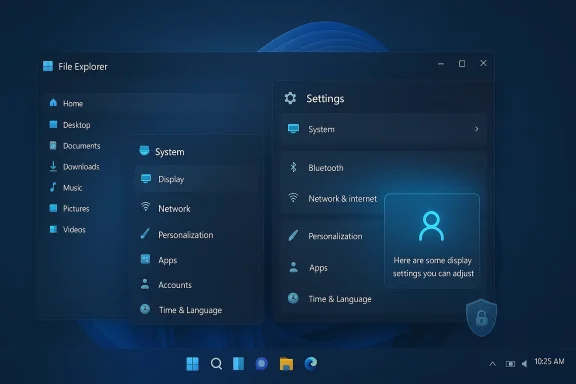
Against that backdrop, the recent pullback from even deeper Copilot integration is not surprising. Microsoft has already demonstrated that it can place Copilot in Settings, File Explorer, and the Windows shell. What appears to have changed is the company’s confidence that users want the assistant embedded everywhere rather than available when needed. That distinction may sound small, but in an operating system, it is the difference between a tool and a takeover.
Microsoft’s own Insider cadence supports that reading. Features like asking Copilot about a file, getting direct Settings links, or using natural language to discover options are all designed to reduce friction. But they also expand the surface area of AI across the OS, which is exactly the behavior critics have been pushing back against. The company is therefore trying to square a circle: deliver AI utility without making the desktop feel like an ad platform for Copilot.
That trust problem has been compounded by a series of visible stumbles across Windows releases and security announcements. Microsoft has responded by talking more openly about transparency, consent, and resilient system design. The company’s February 2026 work on user transparency and consent, for instance, explicitly framed Windows as moving toward a consent-first model where app and AI agent behavior must be more visible and more reversible. That language is a tacit admission that the old “ship first, explain later” rhythm no longer works.
That boundary-setting matters because it gives Microsoft room to keep innovating without burning more user goodwill. If the assistant can be summoned on demand, it feels empowering. If it is always around, always suggesting, and always trying to anticipate your next move, it starts to feel like the software version of someone leaning over your shoulder.
Microsoft’s revised approach addressed many of the technical criticisms. Recall now requires Windows Hello confirmation, uses encryption protections tied to TPM and VBS enclaves, and defaults to opt-in behavior for new users. Those are real improvements, and they show the company learned from the backlash. Still, the feature remains a reminder that AI design choices carry a political dimension, not just a technical one.
That dynamic helps explain why Microsoft’s AI rollout now feels more measured. The company is still shipping AI primitives, but it is increasingly careful about opt-in flows, authentication, and user control. It has learned that secure by design is not merely a compliance phrase; it is a prerequisite for making AI acceptable inside Windows.
That is a smarter design pattern than blanket embedding. A contextual assistant is easier to justify, easier to ignore, and easier to remove from the user’s mental model when it is not needed. The deeper Microsoft pushes Copilot into ambient OS behavior, the more likely it is to generate backlash from people who simply want Windows to remain a dependable tool.
That makes the reported pullback strategically sensible. Microsoft can still pursue agentic workflows without planting a Copilot suggestion engine in every alert tray and pop-up. In other words, the company may have decided that ambient intelligence is more appealing in a slide deck than on a working desktop.
The availability of those controls suggests Microsoft understands a fundamental truth about workplace software: if administrators cannot govern it, they will resist it. Copilot may be a headline feature, but in enterprise environments the more important question is whether it can be curated, suppressed, or reassigned based on business need.
Microsoft has to balance two very different audiences. Enterprises need deterministic behavior, while consumers need simplicity and trust. A Copilot strategy that works for one can fail badly for the other, which is why the company’s recent recalibration looks less like hesitation and more like segmentation.
That creates a marketing paradox. Microsoft wants to make AI a selling point for Windows and PC makers, but the more obvious the AI layer becomes, the more likely users are to push back. A quiet, well-integrated AI capability helps sell the machine; a noisy, constantly surfacing assistant can make the PC feel like it is trying too hard.
Microsoft is therefore competing not only on capability but on vibe. That may sound superficial, but in consumer technology, perceived respectfulness can matter as much as raw power. If Windows is viewed as the OS that listens first and pushes second, Microsoft is in a better position than if it is seen as the company that cannot stop inserting AI into every interaction.
The most promising path is also the most conservative one: keep AI close to intent, make it opt-in where possible, and let users discover the value before being asked to accept the branding. That approach would let Microsoft preserve the productivity case for Copilot while avoiding the impression that Windows is becoming an AI-first operating system at the expense of the basics. In a market where trust is fragile, that may be the smartest product strategy of all.
Source: Gadget Review AI Fatigue: Microsoft Pulls Back on Putting Microsoft Copilot Everywhere in Windows 11
The timing is significant. Windows 11 has spent much of the last two years in a push-pull between ambitious AI vision and real-world usability concerns, especially after Recall triggered a privacy backlash and forced Microsoft into a rethink of how it ships new capabilities. At the same time, Microsoft has continued to seed Copilot-style assistance across Insider builds, proving that the company still believes in AI-driven OS interactions even as it becomes more cautious about how forcefully it introduces them. The result is a more nuanced story than a simple retreat: Microsoft is recalibrating the presentation of AI, not walking away from the strategy itself.
 Background
Microsoft’s Windows strategy has moved through several distinct phases in recent years. First came the familiar post-ChatGPT scramble, when the company started turning Copilot from a web experience into a system-wide layer across Windows and Microsoft 365. Then came the Copilot+ PC era, which tied AI features to new hardware, on-device NPUs, and a wave of demonstrations intended to make Windows feel like the operating system of the AI age. By 2024 and 2025, that ambition had become visible in Insider builds, where Microsoft previewed everything from Copilot Vision and file search to Settings-based agents and File Explorer actions.That acceleration, however, also made Windows feel busier and more opinionated. Microsoft kept adding AI touchpoints in places users did not explicitly ask for them, including search, contextual menus, and app surfaces. Some of those changes were genuinely useful, especially for people who wanted natural-language access to system settings or file contents. But for many Windows users, the cumulative effect looked less like assistance and more like feature sprawl, with Copilot increasingly framed as a default answer to every interaction problem.
Recall became the clearest symbol of that tension. Introduced as an AI memory layer, it was initially criticized for its screenshot-based approach and the privacy implications of storing a searchable record of user activity. Microsoft responded with a revised architecture that made Recall opt-in, tied access to Windows Hello, and encrypted data with protections rooted in TPM and VBS enclave design. That overhaul did not erase the controversy, but it did show Microsoft could backtrack, harden, and relaunch a feature after public concern forced the issue.
Against that backdrop, the recent pullback from even deeper Copilot integration is not surprising. Microsoft has already demonstrated that it can place Copilot in Settings, File Explorer, and the Windows shell. What appears to have changed is the company’s confidence that users want the assistant embedded everywhere rather than available when needed. That distinction may sound small, but in an operating system, it is the difference between a tool and a takeover.
Why Microsoft Is Rethinking Copilot Everywhere
Microsoft’s apparent retreat is best understood as a response to friction, not a rejection of AI. The company has spent years trying to turn Windows into a more conversational, more predictive, and more proactive platform. Yet the more aggressively it injected Copilot into daily workflows, the more users worried that the OS was becoming busy instead of better. That’s a crucial distinction, because Windows succeeds when it gets out of the way.User fatigue became a product signal
There is a practical limit to how many AI prompts, suggestions, and sidebars people will tolerate before they begin to feel interrupted. Windows users are especially sensitive to this because the desktop remains a productivity environment built around direct control, keyboard shortcuts, and muscle memory. If Copilot starts surfacing in notifications, Settings, and File Explorer with too much enthusiasm, it risks behaving like a pushy assistant rather than an invisible aid.Microsoft’s own Insider cadence supports that reading. Features like asking Copilot about a file, getting direct Settings links, or using natural language to discover options are all designed to reduce friction. But they also expand the surface area of AI across the OS, which is exactly the behavior critics have been pushing back against. The company is therefore trying to square a circle: deliver AI utility without making the desktop feel like an ad platform for Copilot.
- Users want control, not constant prompts.
- Windows works best when AI is contextual rather than intrusive.
- Every new Copilot surface increases cognitive load.
- The line between help and nagging is thinner than Microsoft seems to have expected.
The OS needs trust before transformation
Windows is not just another app; it is the layer everything else depends on. That means trust matters more here than in a consumer chatbot or a standalone productivity tool. When Microsoft overreaches, the backlash is amplified because users do not merely uninstall a feature — they feel forced to reconsider the integrity of the platform itself.That trust problem has been compounded by a series of visible stumbles across Windows releases and security announcements. Microsoft has responded by talking more openly about transparency, consent, and resilient system design. The company’s February 2026 work on user transparency and consent, for instance, explicitly framed Windows as moving toward a consent-first model where app and AI agent behavior must be more visible and more reversible. That language is a tacit admission that the old “ship first, explain later” rhythm no longer works.
The company still wants AI, but with boundaries
Microsoft is not reversing course on AI in Windows so much as redefining acceptable boundaries. Features such as Settings agents, improved search, and Copilot-powered file actions remain very much alive in Insider releases. What seems to be fading is the impulse to make Copilot unavoidable in places where users expect a conventional OS interaction.That boundary-setting matters because it gives Microsoft room to keep innovating without burning more user goodwill. If the assistant can be summoned on demand, it feels empowering. If it is always around, always suggesting, and always trying to anticipate your next move, it starts to feel like the software version of someone leaning over your shoulder.
Recall, Privacy, and the Cost of AI Enthusiasm
Recall changed the conversation around AI in Windows more than any marketing campaign ever could. It showed that Microsoft’s AI ambitions were not only a matter of convenience but also of surveillance-like perception. Even if the feature was meant to be useful, the optics of continuously captured snapshots made it an immediate trust test.Why Recall became a cautionary tale
The original Recall controversy was not just about implementation details. It was about the broader question of whether Windows was becoming a place where everything is remembered by default. That hit a nerve because users already live with enough invisible data collection across browsers, apps, and cloud services. A built-in memory layer felt to many people like one step too far.Microsoft’s revised approach addressed many of the technical criticisms. Recall now requires Windows Hello confirmation, uses encryption protections tied to TPM and VBS enclaves, and defaults to opt-in behavior for new users. Those are real improvements, and they show the company learned from the backlash. Still, the feature remains a reminder that AI design choices carry a political dimension, not just a technical one.
Security redesign is not the same as public forgiveness
One of the most important lessons from Recall is that a security fix does not automatically restore trust. Microsoft can harden a feature all it wants, but the original mental model users formed may linger. Once people decide a capability is creepy, the burden of proof becomes much higher.That dynamic helps explain why Microsoft’s AI rollout now feels more measured. The company is still shipping AI primitives, but it is increasingly careful about opt-in flows, authentication, and user control. It has learned that secure by design is not merely a compliance phrase; it is a prerequisite for making AI acceptable inside Windows.
- Opt-in defaults matter more than launch-day demos.
- Authentication gates are now part of the product story.
- Encryption reduces risk, but not the emotional memory of a controversy.
- Privacy optics can undo months of engineering progress.
What Changed in Windows 11 Copilot Integration
The clearest sign of the shift is not that Copilot vanished from Windows, but that some of the bolder integration concepts appear to have stalled. Microsoft has shown prototypes and Insider features that connect Copilot to Settings, File Explorer, and content discovery. But the dream of an assistant that quietly intervenes across notifications and core OS workflows seems to have lost momentum.From core OS presence to selective touchpoints
Microsoft’s recent Windows Insider work shows a preference for targeted integration. In File Explorer, for example, the company has explored hover actions like “Ask Copilot about this file,” while Settings can route users to the right page through natural-language prompts. These are useful because they sit close to user intent rather than forcing Copilot into every moment of the desktop experience.That is a smarter design pattern than blanket embedding. A contextual assistant is easier to justify, easier to ignore, and easier to remove from the user’s mental model when it is not needed. The deeper Microsoft pushes Copilot into ambient OS behavior, the more likely it is to generate backlash from people who simply want Windows to remain a dependable tool.
Notifications were a bridge too far
Notification suggestions in particular would have been a high-risk move. Notifications already compete for attention, and Windows users are often trying to reduce clutter rather than increase it. An AI system that starts recommending actions inside that channel may feel useful in theory but exhausting in practice.That makes the reported pullback strategically sensible. Microsoft can still pursue agentic workflows without planting a Copilot suggestion engine in every alert tray and pop-up. In other words, the company may have decided that ambient intelligence is more appealing in a slide deck than on a working desktop.
The feature list still matters
Even if some plans were shelved, the broader trajectory is still visible in Microsoft’s public previews. Copilot file search, Copilot Vision, the agent in Settings, and related Windows Search enhancements all point to a future where AI is deeply useful but not necessarily omnipresent. That distinction may define the next phase of Windows 11.- Settings is becoming a natural-language destination.
- File Explorer is evolving into an AI-aware workspace.
- Search is shifting toward semantic intent.
- Notifications appear to be the integration point Microsoft is treating with more caution.
Enterprise Control vs Consumer Defaults
The enterprise story is where this Copilot recalibration becomes especially important. Consumer users can tolerate experimentation, but business customers demand predictability, policy control, and the ability to undo unwanted changes. Microsoft has increasingly recognized that a feature that feels convenient in a home PC can feel disruptive at scale across managed fleets.IT admins want governance, not surprise
Microsoft documentation now indicates that enterprise users can uninstall the consumer Copilot app, and Windows management guidance reflects a world where organizations may need more control over AI placement and visibility. That is not the same thing as a full anti-AI stance; it is simply the reality that IT teams need policy levers, not product philosophy.The availability of those controls suggests Microsoft understands a fundamental truth about workplace software: if administrators cannot govern it, they will resist it. Copilot may be a headline feature, but in enterprise environments the more important question is whether it can be curated, suppressed, or reassigned based on business need.
Consumer defaults still drive perception
For home users, defaults matter more than admin policy. If Copilot appears everywhere by default, people will assume Microsoft is forcing AI into the OS. If Copilot appears selectively, with clear opt-in and visible controls, the same feature can feel respectful rather than intrusive. That difference is not cosmetic; it shapes how users judge Windows as a product.Microsoft has to balance two very different audiences. Enterprises need deterministic behavior, while consumers need simplicity and trust. A Copilot strategy that works for one can fail badly for the other, which is why the company’s recent recalibration looks less like hesitation and more like segmentation.
Practical implications for managed environments
The business impact is broader than a single app toggle. If Microsoft continues to spread AI capabilities across core OS surfaces, enterprises will expect standardized controls, auditability, and policy-driven deployment options. The more AI becomes intertwined with file access, settings changes, and workflow suggestions, the more it resembles a privileged system component that needs supervision.- IT teams need uninstall and disable options.
- Policies must be repeatable across large fleets.
- AI features need clear licensing boundaries.
- Admins will reject features that behave like shadow IT.
The Product and Market Logic Behind the Pullback
Microsoft’s move is also a market calculation. The company is trying to defend Windows relevance in a PC industry where users are already skeptical of gimmicks and where AI hardware promises must justify a premium. If Copilot feels forced, it may not expand adoption — it may instead depress enthusiasm for the very category Microsoft wants to grow.Copilot+ PCs need reasons to exist
Copilot+ PCs were introduced as a new class of Windows machines with on-device AI capabilities and hardware designed around neural processing. That is a compelling technical direction, but it only works if users perceive the AI as valuable enough to matter. If Copilot is seen as clutter, then the hardware pitch becomes harder, not easier.That creates a marketing paradox. Microsoft wants to make AI a selling point for Windows and PC makers, but the more obvious the AI layer becomes, the more likely users are to push back. A quiet, well-integrated AI capability helps sell the machine; a noisy, constantly surfacing assistant can make the PC feel like it is trying too hard.
Rivals can use restraint as a differentiator
In a crowded market, restraint is a feature. Competing operating systems, device makers, and software platforms may increasingly position themselves as less intrusive and more respectful of user choice. That does not mean they will avoid AI — far from it — but they may present it as a feature you summon rather than a layer that constantly announces itself.Microsoft is therefore competing not only on capability but on vibe. That may sound superficial, but in consumer technology, perceived respectfulness can matter as much as raw power. If Windows is viewed as the OS that listens first and pushes second, Microsoft is in a better position than if it is seen as the company that cannot stop inserting AI into every interaction.
Windows still needs to feel like Windows
The most important market insight here is that Windows has a brand identity built on familiarity and control. Users expect the shell, Start menu, taskbar, and system settings to behave predictably. When AI starts rewriting those expectations too aggressively, it risks eroding the very continuity that has kept Windows dominant across generations of hardware.- AI features should support the OS, not redefine it.
- Hardware strategy depends on user acceptance.
- Competitive differentiation can come from restraint.
- Windows identity is still rooted in predictability.
Strengths and Opportunities
Microsoft’s adjustment has real upside if it is executed consistently. A smarter Copilot strategy can preserve the benefits of AI while reducing the backlash that comes from overexposure. Done right, it could make Windows feel more mature, less noisy, and more credible in both consumer and enterprise settings.- Less clutter can make AI feel more useful.
- Selective integration is easier for users to understand.
- Opt-in design can rebuild trust after Recall.
- Enterprise controls improve adoption in managed environments.
- Context-aware features can speed up common tasks without overwhelming the UI.
- Security-first framing gives Microsoft a better story than pure novelty.
- A calmer Windows could improve sentiment around future feature drops.
Risks and Concerns
The danger is that Microsoft may be correcting too late or too unevenly. If the company continues shipping AI features in scattered bursts while backtracking on only the most controversial ideas, users may conclude that the platform is still being redesigned in public without a coherent long-term philosophy. That uncertainty can be worse than a single unpopular feature.- Mixed messaging can weaken confidence in Windows.
- Feature fragmentation may confuse users and admins.
- Privacy concerns could return if new AI layers feel invasive.
- Forced defaults would reignite backlash quickly.
- Copilot fatigue may persist even if the most visible integrations are scaled back.
- Enterprise resistance could grow if policy controls lag behind product changes.
- Perception risk remains high because Windows changes affect daily workflows.
Looking Ahead
Microsoft now faces a delicate phase in Windows 11’s evolution. The company still wants Copilot to be central to the Windows experience, but it appears to have accepted that central does not have to mean omnipresent. The next year will likely determine whether this is a genuine philosophical reset or simply a pause while Microsoft searches for a less controversial way to push forward.The most promising path is also the most conservative one: keep AI close to intent, make it opt-in where possible, and let users discover the value before being asked to accept the branding. That approach would let Microsoft preserve the productivity case for Copilot while avoiding the impression that Windows is becoming an AI-first operating system at the expense of the basics. In a market where trust is fragile, that may be the smartest product strategy of all.
- Watch for more selective Copilot placement in Windows surfaces.
- Expect additional privacy and consent controls to accompany AI features.
- Monitor whether File Explorer and Settings remain the main AI entry points.
- Pay attention to enterprise policy options as adoption pressure rises.
- Keep an eye on whether Microsoft frames AI as assistive rather than default.
Source: Gadget Review AI Fatigue: Microsoft Pulls Back on Putting Microsoft Copilot Everywhere in Windows 11
