

Microsoft is quietly recalibrating one of the most visible parts of its Windows 11 AI push, and the change says as much about user backlash as it does about product strategy. In recent Insider builds, the Copilot label is reportedly being softened or removed from some inbox apps, with Microsoft favoring more neutral language such as “Writing tools” in Notepad while keeping the underlying AI capabilities intact. That is not a retreat from AI so much as an admission that branding alone is not enough to make people embrace it.
The clearest signal is that Microsoft appears to be backing away from a Copilot everywhere posture and moving toward a more selective, less intrusive approach. Community reporting in WindowsForum’s recent coverage frames the shift as a correction to an overly aggressive placement strategy that put AI entry points into lightweight everyday tools where users mostly wanted speed, not a sidebar of machine assistance . Whether Microsoft is changing the name, the surface, or the hierarchy of features, the message is the same: Windows 11 is being re-tuned to feel less like an AI showcase and more like a desktop operating system again.
Microsoft’s Copilot strategy in Windows 11 began with a straightforward promise: make AI feel native to the PC experience, not bolted on. In practice, that meant surfacing Copilot across the shell, inbox apps, and supporting services so the assistant would feel like part of the operating system rather than a separate destination. That approach made strategic sense at the time because Microsoft wanted Windows to become the flagship consumer and enterprise client for the AI era .
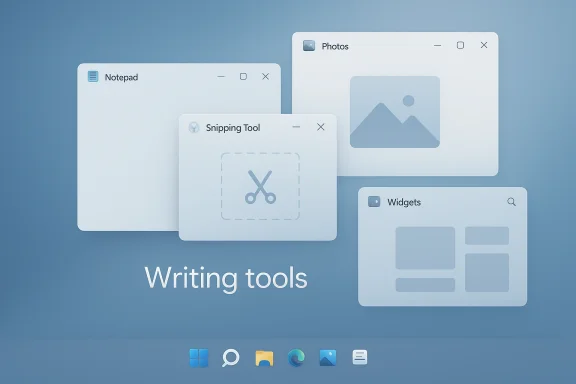
But the way Copilot was introduced created friction almost immediately. Users who opened Notepad, Snipping Tool, Photos, or Widgets often did so for a fast task, not an assistant interaction, and Microsoft’s habit of placing AI prompts in those workflows started to feel like clutter rather than help . The criticism was not that the features were useless; it was that the company kept surfacing them in moments where the product’s job was already obvious.
That tension matters because Windows is not a single-purpose app. It is a general-purpose platform used by consumers, gamers, schools, enterprises, and power users, all of whom have different tolerances for interruption and different expectations for control. A feature that looks elegant in a demo can become a liability when it appears too often, in too many places, with too much branding attached to it .
There is also a broader historical pattern here. Microsoft has a long habit of pushing a platform vision hard, then softening the presentation when the installed base pushes back. The current Copilot adjustments fit that pattern closely: the company is not abandoning the technology, but it seems to be revisiting how aggressively it should be exposed to users. That is a familiar Microsoft arc, only this time the company is navigating it during an AI arms race rather than a traditional UI refresh.
The timing is significant because the Copilot brand had become more than a label; it was Microsoft’s preferred shorthand for a whole family of Windows and Microsoft 365 AI experiences. Once a brand becomes that broad, every small UX decision carries strategic weight. If the company changes the name in one app, users and analysts read it as a signal about the future of the entire platform.
By narrowing the wording, Microsoft can keep shipping AI without forcing every capability into the same marketing frame. That is good product hygiene, even if it is less flashy. It also suggests the company has realized that users are more likely to trust an action-oriented label like “Writing tools” than a branded assistant prompt embedded into a basic app.
The same logic applies to other surfaces where Copilot has been visible. Community reporting indicates that Microsoft is reducing unnecessary entry points in apps like Snipping Tool, Photos, and Widgets rather than stripping the features out entirely . The change is less about removing capability than about reducing the number of times users feel marketed to inside the OS.
That skepticism is especially dangerous in a desktop operating system. Unlike a mobile app or a cloud service, Windows is expected to be stable, familiar, and efficient across a huge range of workflows. If the shell starts feeling crowded by promotional logic, users may not reject AI outright, but they will likely resist its default placement. That is a subtle but important difference.
Microsoft also has to think about enterprises, where IT admins care less about novelty and more about manageability, consistency, and user disruption. In that environment, visible AI branding can create the impression that Microsoft is forcing change from above rather than offering optional assistance. That perception matters, because enterprise trust tends to harden quickly once users think the company is trying to sneak behavior into the OS.
Another likely factor is the shadow of previous AI controversies, including privacy and control concerns around Windows Recall. Even when Recall is not the headline, it shapes how adjacent AI moves are received. Microsoft seems to understand that the more system-level AI it exposes, the more carefully it needs to manage the user’s sense of control.
That bundling can be useful if the app is naturally complex, but these are not complex apps in the way Office or Photoshop are complex. Their value is speed and clarity. If users have to think about AI every time they open a lightweight utility, the product starts to feel heavier than it should.
The new naming direction helps Microsoft preserve the features while lowering the temperature around them. “Writing tools” sounds less like a platform campaign and more like a utility menu. That matters because users tend to accept capabilities more readily when they look like normal software functions instead of branded assistant funnels.
The bigger implication is that Microsoft may now be learning to separate capability from presentation. That is often the difference between a feature that quietly becomes indispensable and one that gets associated with interface noise.
That does not mean Microsoft should hide AI completely. It means the company should be more selective about when it asks users to notice it. The best interface elements often disappear into the background once they become familiar. The more Microsoft gets that balance right, the more likely users are to view AI as a native part of the OS rather than a pushy add-on.
There is also a practical design advantage to this reset. When features are named after their function rather than the umbrella brand, the interface becomes easier to understand. Users can infer what “Writing tools” does faster than they can decode a Copilot-branded entry point with multiple possible behaviors. Clarity is a usability feature, not just an aesthetic one.
It also changes the emotional tone of Windows 11. If users see less AI marketing in everyday workflows, they may be more willing to explore AI when they genuinely need it. That is a classic product strategy lesson: use restraint to make the high-value moments feel more meaningful.
But there is a tradeoff. Some consumer-focused demos implied that Windows could become a more conversational, self-serve environment that helped ordinary users get more done with less menu diving. If Microsoft dials back the branding too far, it risks making the AI story harder to notice. That could slow adoption among users who were interested in a more obvious assistant experience.
Still, the balance probably favors restraint. Consumers tend to accept helpful automation as long as it does not feel forced or loud. If Microsoft can make AI feel available without making it feel inescapable, that is likely to be a net positive.
A more neutral presentation may help Microsoft here. It gives administrators a better argument that Windows AI is becoming more measured and less invasive. That could matter in organizations that have been cautious about Copilot rollout or have already pushed back on aggressive AI deployment patterns.
There is also a governance angle. Feature names matter in documentation, policy templates, support scripts, and user training. A narrower, more functional naming convention is often easier for IT to manage than a brand that gets stretched across multiple product families.
This is especially relevant because Windows users are not just evaluating a feature. They are evaluating the operating system as a daily environment. A competitor can win attention with a flashy assistant; Windows has to win trust across a hundred repetitive tasks. That is a much harder game.
The rebranding also helps Microsoft avoid making Copilot look like a monolith. By reducing the sense that every AI capability must live under the same banner, the company can position Windows as an intelligent platform with modular features rather than a single personality forced into every app. That could be more sustainable over the long run.
If Microsoft gets this right, it can set a precedent for how desktop AI should behave. If it gets it wrong, Windows 11 risks being remembered as the OS that put too much assistant branding in too many places too quickly. That reputational difference will matter as the next wave of AI PCs comes to market.
The forum coverage suggests this messaging shift is part of a broader Windows quality push that includes calmer updates, more user control, and less friction in the shell . That broader package matters because it implies Microsoft sees the Copilot issue as one symptom of a more general product-experience problem.
There is a strategic maturity here. Microsoft is increasingly acting like a company that understands adoption is not won by visibility alone. It is won by usefulness, predictability, and the ability to reduce annoyance before it becomes resentment.
A better approach is to let the function lead and the brand follow. That is what the new labels suggest Microsoft is trying to do. It may not be as exciting as a sweeping AI announcement, but it is often how mature software platforms recover trust after an overreach.
Microsoft also needs to communicate the philosophy behind the change better than it has in the past. Users tend to accept platform changes when the logic is obvious and the payoff is tangible. If the company can make it clear that it is reducing clutter, not reducing capability, the reaction is likely to be much better.
Source: TechJuice Microsoft Changes Copilot Name in Windows 11 Apps
Source: eTeknix Microsoft Removes Copilot Branding From Some Windows 11 Apps
The clearest signal is that Microsoft appears to be backing away from a Copilot everywhere posture and moving toward a more selective, less intrusive approach. Community reporting in WindowsForum’s recent coverage frames the shift as a correction to an overly aggressive placement strategy that put AI entry points into lightweight everyday tools where users mostly wanted speed, not a sidebar of machine assistance . Whether Microsoft is changing the name, the surface, or the hierarchy of features, the message is the same: Windows 11 is being re-tuned to feel less like an AI showcase and more like a desktop operating system again.
 Background
Microsoft’s Copilot strategy in Windows 11 began with a straightforward promise: make AI feel native to the PC experience, not bolted on. In practice, that meant surfacing Copilot across the shell, inbox apps, and supporting services so the assistant would feel like part of the operating system rather than a separate destination. That approach made strategic sense at the time because Microsoft wanted Windows to become the flagship consumer and enterprise client for the AI era .But the way Copilot was introduced created friction almost immediately. Users who opened Notepad, Snipping Tool, Photos, or Widgets often did so for a fast task, not an assistant interaction, and Microsoft’s habit of placing AI prompts in those workflows started to feel like clutter rather than help . The criticism was not that the features were useless; it was that the company kept surfacing them in moments where the product’s job was already obvious.
That tension matters because Windows is not a single-purpose app. It is a general-purpose platform used by consumers, gamers, schools, enterprises, and power users, all of whom have different tolerances for interruption and different expectations for control. A feature that looks elegant in a demo can become a liability when it appears too often, in too many places, with too much branding attached to it .
There is also a broader historical pattern here. Microsoft has a long habit of pushing a platform vision hard, then softening the presentation when the installed base pushes back. The current Copilot adjustments fit that pattern closely: the company is not abandoning the technology, but it seems to be revisiting how aggressively it should be exposed to users. That is a familiar Microsoft arc, only this time the company is navigating it during an AI arms race rather than a traditional UI refresh.
The timing is significant because the Copilot brand had become more than a label; it was Microsoft’s preferred shorthand for a whole family of Windows and Microsoft 365 AI experiences. Once a brand becomes that broad, every small UX decision carries strategic weight. If the company changes the name in one app, users and analysts read it as a signal about the future of the entire platform.
What Changed
The visible change most readers will notice is not a dramatic removal of AI features, but a quiet rewording of how they are presented. In the Windows 11 Notepad preview, the Copilot label has reportedly been replaced with a more neutral “Writing tools” style entry, and the iconography has been softened to match . That sounds cosmetic, but on Windows cosmetic changes often reveal the company’s real priorities.Branding is doing less of the work
Microsoft appears to be moving away from using Copilot as a universal badge for every AI-capable surface in Windows. Instead, the company is leaning more into feature-specific language that explains what the tool actually does rather than what broader AI umbrella it belongs to . That shift is important because “Copilot” was becoming overloaded: it had to mean assistant, platform layer, consumer UI, enterprise offering, and ecosystem story all at once.By narrowing the wording, Microsoft can keep shipping AI without forcing every capability into the same marketing frame. That is good product hygiene, even if it is less flashy. It also suggests the company has realized that users are more likely to trust an action-oriented label like “Writing tools” than a branded assistant prompt embedded into a basic app.
The same logic applies to other surfaces where Copilot has been visible. Community reporting indicates that Microsoft is reducing unnecessary entry points in apps like Snipping Tool, Photos, and Widgets rather than stripping the features out entirely . The change is less about removing capability than about reducing the number of times users feel marketed to inside the OS.
- Fewer branded prompts.
- More feature-specific labels.
- Less visual noise in everyday apps.
- A stronger separation between the tool and the brand.
- A better chance of making AI feel contextual rather than intrusive.
Why Microsoft Is Pulling Back
Microsoft’s decision looks less like a random renaming and more like a response to pressure from users who simply do not want every app to behave like an AI demo. Windows users value predictability, especially in utilities like Notepad and Snipping Tool, where the point is to get something done quickly. The more Microsoft framed these apps as Copilot touchpoints, the more it risked turning useful tools into branding vehicles .The clutter problem became a trust problem
One of the strongest themes in the forum coverage is that “AI clutter” has become a meaningful criticism of Windows 11. That phrase captures the sense that Microsoft was inserting AI where users did not ask for it, creating a feeling of interruption instead of assistance . Once users interpret the OS as a carrier for feature promotion, they become more skeptical of every new enhancement.That skepticism is especially dangerous in a desktop operating system. Unlike a mobile app or a cloud service, Windows is expected to be stable, familiar, and efficient across a huge range of workflows. If the shell starts feeling crowded by promotional logic, users may not reject AI outright, but they will likely resist its default placement. That is a subtle but important difference.
Microsoft also has to think about enterprises, where IT admins care less about novelty and more about manageability, consistency, and user disruption. In that environment, visible AI branding can create the impression that Microsoft is forcing change from above rather than offering optional assistance. That perception matters, because enterprise trust tends to harden quickly once users think the company is trying to sneak behavior into the OS.
Another likely factor is the shadow of previous AI controversies, including privacy and control concerns around Windows Recall. Even when Recall is not the headline, it shapes how adjacent AI moves are received. Microsoft seems to understand that the more system-level AI it exposes, the more carefully it needs to manage the user’s sense of control.
- AI was becoming ambient.
- Ambient features became friction.
- Friction became distrust.
- Distrust made branding feel heavier than functionality.
- Microsoft is now trying to reverse that sequence.
Notepad, Snipping Tool, Photos, and Widgets
The most interesting part of this change is that it affects the kinds of apps people associate with speed and simplicity. Notepad is not where users go for a sales pitch. Snipping Tool is not where they expect an AI conversation. Widgets are supposed to be glanceable. That mismatch is why the branding change lands so strongly, even though the underlying feature set may be largely unchanged .Everyday apps should stay lightweight
Microsoft’s challenge is that every inbox app has a different user expectation. Notepad should remain a low-friction text utility. Photos should help with viewing and light editing. Snipping Tool should capture and annotate with minimal ceremony. When Copilot appears too visibly in those environments, it turns simple tools into feature bundles.That bundling can be useful if the app is naturally complex, but these are not complex apps in the way Office or Photoshop are complex. Their value is speed and clarity. If users have to think about AI every time they open a lightweight utility, the product starts to feel heavier than it should.
The new naming direction helps Microsoft preserve the features while lowering the temperature around them. “Writing tools” sounds less like a platform campaign and more like a utility menu. That matters because users tend to accept capabilities more readily when they look like normal software functions instead of branded assistant funnels.
The bigger implication is that Microsoft may now be learning to separate capability from presentation. That is often the difference between a feature that quietly becomes indispensable and one that gets associated with interface noise.
- Notepad needs clarity more than spectacle.
- Snipping Tool needs speed more than conversation.
- Photos needs lightweight enhancement, not a brand campaign.
- Widgets need glanceability, not AI theater.
- The shell works best when it gets out of the way.
What This Means for Windows 11 UX
The Windows 11 user experience has always lived in a tension between modern polish and user control. Microsoft has pushed rounded corners, new menus, AI surfaces, and richer visuals, but many users still want the old Windows promise: do the job, do it fast, and do not get in the way. The Copilot branding change suggests Microsoft is starting to value that feedback more explicitly .Less branding can mean better usability
This is one of those cases where reducing visible identity may actually improve perceived quality. If a feature works, users do not need to be reminded that it is “Copilot-powered” every time they see it. In fact, repeated branding can make the experience feel less elegant because it signals marketing intent where users were expecting workflow support.That does not mean Microsoft should hide AI completely. It means the company should be more selective about when it asks users to notice it. The best interface elements often disappear into the background once they become familiar. The more Microsoft gets that balance right, the more likely users are to view AI as a native part of the OS rather than a pushy add-on.
There is also a practical design advantage to this reset. When features are named after their function rather than the umbrella brand, the interface becomes easier to understand. Users can infer what “Writing tools” does faster than they can decode a Copilot-branded entry point with multiple possible behaviors. Clarity is a usability feature, not just an aesthetic one.
The OS is becoming more selective
The broader Windows forum analysis suggests Microsoft is trying to become more intentional about where Copilot appears and why . That language implies a new design doctrine: instead of putting AI everywhere, Microsoft wants AI where it clearly fits the task. In theory, that should produce a calmer shell and fewer moments where users feel pressured into optional features.It also changes the emotional tone of Windows 11. If users see less AI marketing in everyday workflows, they may be more willing to explore AI when they genuinely need it. That is a classic product strategy lesson: use restraint to make the high-value moments feel more meaningful.
- Fewer interruptions.
- Better app-specific identity.
- More obvious task-to-tool mapping.
- Less cognitive overhead.
- More room for trust to rebuild.
Enterprise vs Consumer Impact
The impact of this change is likely to differ sharply between home users and corporate IT environments. Consumers may simply notice that Windows feels less cluttered, while enterprises may see the move as a sign that Microsoft is becoming more realistic about deployment, policy, and user control. In both cases, the core issue is the same: how much AI should the OS surface by default?Consumer users want convenience without noise
For consumers, the upside is obvious. A less aggressive Copilot presence should make Windows 11 feel a little cleaner and less opinionated. People who never wanted AI in Notepad or Widgets will likely see the change as a quiet win, even if they never touch the features themselves. It is the sort of improvement that often matters most to users who do not ask for it.But there is a tradeoff. Some consumer-focused demos implied that Windows could become a more conversational, self-serve environment that helped ordinary users get more done with less menu diving. If Microsoft dials back the branding too far, it risks making the AI story harder to notice. That could slow adoption among users who were interested in a more obvious assistant experience.
Still, the balance probably favors restraint. Consumers tend to accept helpful automation as long as it does not feel forced or loud. If Microsoft can make AI feel available without making it feel inescapable, that is likely to be a net positive.
Enterprises need control and consistency
Enterprises are even more sensitive to the change because they operate at scale. IT admins need predictable interfaces, stable policies, and a clear story for what is on by default and what is optional. Branded AI entry points in core apps can complicate that picture, especially if employees interpret them as Microsoft nudging them toward cloud-connected behavior.A more neutral presentation may help Microsoft here. It gives administrators a better argument that Windows AI is becoming more measured and less invasive. That could matter in organizations that have been cautious about Copilot rollout or have already pushed back on aggressive AI deployment patterns.
There is also a governance angle. Feature names matter in documentation, policy templates, support scripts, and user training. A narrower, more functional naming convention is often easier for IT to manage than a brand that gets stretched across multiple product families.
- Consumers get a calmer desktop.
- Enterprises get a more governable platform.
- IT teams get clearer terminology.
- Users get fewer branded interruptions.
- Microsoft gets a better chance to reset expectations.
Competitive Implications
Microsoft’s Copilot adjustment also has competitive significance because it shows how hard the company is finding the desktop-AI problem compared with rivals. Apple has generally been more conservative about system-level AI exposure, while Google can spread AI across services without having to redesign a desktop shell around it. Microsoft sits in the toughest position because Windows must serve everyone, everywhere, all at once .Microsoft is competing on restraint now
That is a subtle but important shift. When a company initially leads with a new technology, it often tries to maximize visibility. But once that visibility starts causing irritation, restraint can become a competitive advantage. If Microsoft can present Windows 11 as an AI-capable platform without making the assistant feel omnipresent, it may win goodwill that louder rivals never have to earn.This is especially relevant because Windows users are not just evaluating a feature. They are evaluating the operating system as a daily environment. A competitor can win attention with a flashy assistant; Windows has to win trust across a hundred repetitive tasks. That is a much harder game.
The rebranding also helps Microsoft avoid making Copilot look like a monolith. By reducing the sense that every AI capability must live under the same banner, the company can position Windows as an intelligent platform with modular features rather than a single personality forced into every app. That could be more sustainable over the long run.
The market is moving toward contextual AI
The broader market trend is clearly away from “AI everywhere” and toward contextual AI that appears only when relevant. The Windows shift fits that pattern. Users increasingly want tools that help only when they fit the task, not features that demand attention just because the vendor wants to signal innovation.If Microsoft gets this right, it can set a precedent for how desktop AI should behave. If it gets it wrong, Windows 11 risks being remembered as the OS that put too much assistant branding in too many places too quickly. That reputational difference will matter as the next wave of AI PCs comes to market.
- Competitors can copy features.
- Competitors cannot easily copy user trust.
- Branding discipline can be a differentiator.
- Context matters more than raw capability.
- Windows must prove AI can be helpful without being noisy.
The Bigger Messaging Shift
The most revealing part of the story may be the way Microsoft is talking about the change. The company is not saying AI is over. It is saying the company wants to be more intentional about where it places AI, which is a very different message . That framing matters because it allows Microsoft to preserve the broader Copilot narrative while conceding that some earlier placements were too aggressive.Intentionality is the new keyword
This is classic Microsoft messaging: when a strategy needs adjusting, the company often reframes it in terms of quality, usefulness, or user choice rather than outright retreat. That gives the change a positive spin while leaving room to continue the larger platform push. It is a way of saying, we heard you, without admitting the original plan was wrong.The forum coverage suggests this messaging shift is part of a broader Windows quality push that includes calmer updates, more user control, and less friction in the shell . That broader package matters because it implies Microsoft sees the Copilot issue as one symptom of a more general product-experience problem.
There is a strategic maturity here. Microsoft is increasingly acting like a company that understands adoption is not won by visibility alone. It is won by usefulness, predictability, and the ability to reduce annoyance before it becomes resentment.
Branding should follow function
In that sense, the Copilot rename debate is less about a word and more about product governance. When branding outruns function, users begin to notice the gap. If the same feature behaves differently in different apps, or appears with unnecessary ceremony, the branding becomes a liability.A better approach is to let the function lead and the brand follow. That is what the new labels suggest Microsoft is trying to do. It may not be as exciting as a sweeping AI announcement, but it is often how mature software platforms recover trust after an overreach.
- Messaging is softer.
- Presentation is narrower.
- Function is more visible than brand.
- Microsoft is protecting the AI story.
- The company is also protecting its UX credibility.
Strengths and Opportunities
Microsoft’s rethink is not just a defensive move. It creates an opportunity to turn Windows 11 into a more mature and credible AI platform, one that feels less like a marketing surface and more like a productivity layer. If the company stays disciplined, this could improve both user satisfaction and long-term adoption.- Cleaner user experience in low-friction apps like Notepad and Snipping Tool.
- Better trust signaling by reducing the sense of forced AI exposure.
- Clearer feature naming that helps users understand what a tool does.
- Improved enterprise acceptability through less intrusive branding.
- More sustainable AI positioning by separating platform capabilities from marketing labels.
- Room for contextual AI that appears only when it is genuinely useful.
- Lower backlash risk compared with an aggressive “AI everywhere” strategy.
Risks and Concerns
The danger is that Microsoft may end up with the worst of both worlds: less visible AI branding, but not enough improvement in the underlying experience to justify the rework. If users still feel interrupted or confused, the company will have traded one kind of irritation for another.- Feature fragmentation if AI is present but not coherently explained.
- User confusion if branding changes faster than documentation and support materials.
- Enterprise skepticism if admins see the move as cosmetic rather than substantive.
- Adoption slowdown if users no longer recognize where AI lives.
- Mixed messaging if Microsoft says “intentional” but keeps surfacing prompts in other areas.
- Perceived backtracking if the company appears to retreat under pressure rather than iterate confidently.
- Design inconsistency if different apps adopt different naming standards.
Looking Ahead
What happens next will depend on whether Microsoft keeps trimming unnecessary Copilot surfaces or stops after the most visible ones. The most important test is consistency: if the company wants Windows 11 to feel less intrusive, that principle needs to apply across inbox apps, shell elements, and any future AI-first UI experiments . Otherwise, the brand shift will feel incomplete.Microsoft also needs to communicate the philosophy behind the change better than it has in the past. Users tend to accept platform changes when the logic is obvious and the payoff is tangible. If the company can make it clear that it is reducing clutter, not reducing capability, the reaction is likely to be much better.
What to watch next
- Whether Copilot branding continues to shrink across more Windows 11 inbox apps.
- Whether Microsoft expands feature-specific labels like “Writing tools” in other areas.
- Whether the company applies the same restraint to Widgets, Photos, and Snipping Tool.
- Whether enterprises respond positively to a more controlled AI presentation.
- Whether Microsoft uses future Insider builds to show a more coherent Windows AI architecture.
- Whether the change is paired with more visible improvements in speed, reliability, and customization.
- Whether users begin to view Windows 11 as less cluttered and more deliberate overall.
Source: TechJuice Microsoft Changes Copilot Name in Windows 11 Apps
Source: eTeknix Microsoft Removes Copilot Branding From Some Windows 11 Apps
Last edited:
