

Microsoft’s latest Windows 11 Insider build finally gives Android-tethered users a genuinely useful handoff: you can now resume certain activities from supported Android phones directly on a Windows PC with a single click — not by streaming your phone screen, but by handing the activity’s context to Windows and letting the desktop open the best native handler.
Since the early Your Phone / Phone Link experiments, Microsoft has been gradually expanding how much of a phone’s active context can be surfaced on Windows. What began as notification mirroring, SMS reply, photo transfer and limited app streaming has moved toward a metadata-driven continuity model that treats the phone as the authoritative runtime while allowing Windows to resume the activity using native apps or the browser. The Continuity SDK and the Cross‑Device Resume (XDR) architecture are the technical centerpieces of that shift. The Windows 11 Insider Preview Build 26220.7271 (delivered as KB5070307) is the most visible step in that direction: Microsoft expanded resume-from-phone targets beyond Spotify to include browser sessions (for specific OEM browsers) and online Microsoft 365 Copilot documents, and it surfaced these resume affordances in the taskbar. The rollout is staged and gated, which explains why many Insiders will see the capability only if their account and device are selected on Microsoft’s server-side gates.
This design has real advantages:
Source: digit.in You can now resume your Android phone activities on your Windows PC
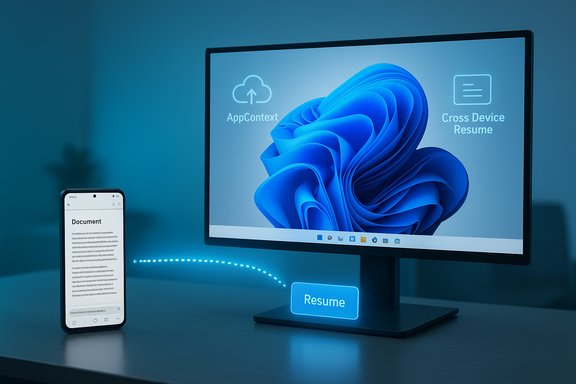 Background
Since the early Your Phone / Phone Link experiments, Microsoft has been gradually expanding how much of a phone’s active context can be surfaced on Windows. What began as notification mirroring, SMS reply, photo transfer and limited app streaming has moved toward a metadata-driven continuity model that treats the phone as the authoritative runtime while allowing Windows to resume the activity using native apps or the browser. The Continuity SDK and the Cross‑Device Resume (XDR) architecture are the technical centerpieces of that shift. The Windows 11 Insider Preview Build 26220.7271 (delivered as KB5070307) is the most visible step in that direction: Microsoft expanded resume-from-phone targets beyond Spotify to include browser sessions (for specific OEM browsers) and online Microsoft 365 Copilot documents, and it surfaced these resume affordances in the taskbar. The rollout is staged and gated, which explains why many Insiders will see the capability only if their account and device are selected on Microsoft’s server-side gates. What changed in Build 26220.7271 (KB5070307)
The practical feature set
- Resume browsing from vivo Browser to your PC’s default browser. If you’re reading a page in vivo Browser on a linked phone, Windows can now show a small taskbar resume alert that opens the same tab in your PC’s default browser.
- Resume M365 Copilot online files (Word, Excel, PowerPoint) from certain OEM phones. If you open an online Office document in the M365 Copilot mobile app on supported devices (Honor, Huawei, Oppo, Samsung and vivo are listed in the Insider notes), Windows can reopen that same online document on the PC — in the desktop Office app if installed or in the browser as a fallback. Local, device‑resident files on the phone are explicitly not supported yet.
- Spotify resume remains an available scenario. Microsoft first tested audio resume with Spotify and has extended the same continuity model to other partners.
Where you enable and pair it
To try the feature you must be on the Windows Insider Dev or Beta channel running Build 26220.7271 (KB5070307), pair your phone using Link to Windows / Phone Link, and ensure the Mobile devices → Resume settings are enabled on Windows. Pairing and Link to Windows setup on the phone (and app permissions) are prerequisites. Availability is gated and may not appear even on identically configured machines because of server-side rollouts.How it works — the Continuity SDK and AppContext
AppContext: the lightweight handoff payload
At the core of resume is a small metadata object called an AppContext. Partner apps integrate the Continuity SDK on Android and publish AppContext payloads to the Link to Windows companion; Link to Windows forwards that descriptor to the Cross Device Experience Host (CDEH) on Windows. AppContext contains fields such as:- contextId (unique identifier)
- type (resume activity flag)
- createTime / lastUpdatedTime
- appId (package name)
- title and optional preview bytes
- intentUri or weblink (the handler Windows should use)
- lifetime (defaulting to 5 minutes for ongoing scenarios)
Limited Access Feature and onboarding
Resume is a Limited Access Feature (LAF). That means application developers and OEMs must request access from Microsoft to interoperate with Link to Windows — vendors submit their scenario and app details for approval. This gate explains why early support is partner‑first (OEM browsers and Microsoft’s own Copilot app) rather than broadly open to every Android app. It’s a pragmatic decision to preserve UX quality, reduce abuse, and coordinate with device makers.Why this design matters (and where it differs from Apple Handoff)
Apple’s Handoff is tightly integrated across a limited range of Apple hardware and services. Microsoft faces a different problem: a fragmented Android ecosystem and an equally varied Windows app landscape. Instead of emulating Android on Windows, this approach maps a compact activity descriptor to whatever the desktop can best handle: a native Win32/UWP app, a Protocol handler, or a web URL.This design has real advantages:
- Native fidelity: Documents open in full desktop Office apps when present, preserving features and performance.
- Lower overhead: The PC doesn’t stream UI from the phone, so battery, latency, and network constraints are minimized.
- Scalability: AppContext is a generic schema that can support many scenarios once the Continuity SDK is more widely available.
- Developer and OEM dependency: Apps must integrate a new SDK and get approved. Support will remain partner-first early on.
- Cloud mediation and privacy questions: For reliability, AppContext transfer may be mediated by Microsoft cloud services, raising questions about what metadata is processed or retained. Microsoft’s docs say data is processed per Microsoft services agreements but admins and privacy-conscious users should ask for precise retention and processing details.
The Edge / Copilot angle: Copilot becomes a shopping assistant
Microsoft is simultaneously folding shopping features into Copilot in Edge, turning the sidebar assistant into a proactive shopping surface with price comparison, price history, cashback and product insights. Copilot Mode can proactively notify you when a better deal exists elsewhere and surface cashback offers while you browse. Those shopping features are currently rolling out to U.S. users as a holiday-season push, and they are tightly integrated into the Copilot UI in Edge. Key Copilot shopping features include:- Price comparison across retailers shown inside Copilot
- Price history charts and price‑tracking alerts
- Built-in Microsoft Cashback where available
- Product insights that summarize reviews and highlight pros/cons
- Proactive deal notifications in Copilot Mode (U.S.-only initially)
What this means for everyday users
Immediate benefits
- Less friction moving between devices. Start reading or editing on your phone, and pick it up on the PC without copying links, sending yourself an email, or manually opening files.
- Desktop power where it counts. When possible, desktop apps (Word/Excel/PPT) open your online Copilot files so you get the full feature set rather than a mobile-limited editor.
- Single-click browser handoff for certain partners. If you use vivo Browser on a supported phone, a single taskbar click can restore that tab in your desktop browser.
How to try it (high-level)
- Join Windows Insider and install Build 26220.7271 (Dev or Beta).
- On your PC go to Settings → Bluetooth & devices → Mobile devices and enable the pairing / Resume toggle.
- Pair your Android phone using Link to Windows and ensure the Link to Windows app is updated and allowed to run in the background on the phone.
- Open a supported activity on the phone (vivo Browser page, M365 Copilot online document, Spotify) and watch for the resume card on the Windows taskbar. Click to continue on the PC.
Enterprise implications and admin controls
This isn’t just a consumer convenience — cross-device resume will attract attention from IT teams because it touches identity, data flow, and device management.- Policy and MDM controls matter. Enterprises should evaluate whether to allow Link to Windows and resume flows on managed endpoints, and plan Group Policy or MDM rules accordingly. Microsoft documentation and Phone Link guidance note that resume is gated and that admins need tooling to manage which devices participate.
- Data residency and processing questions. Microsoft indicates AppContext handling may involve cloud mediation for reliability; enterprises must clarify what metadata is sent, whether it traverses Microsoft datacenters, and the retention policy. Treat any cloud-mediated metadata as business-sensitive until proven otherwise.
- Support and helpdesk complexity. Staged rollouts and OEM partnerships mean users on identical Windows builds may have different experiences; helpdesk documentation will need to cover pairing, toggles, Link to Windows versions, and OEM prerequisites.
Strengths, risks, and practical limitations
Strengths
- Native-first approach preserves desktop app capabilities and minimizes the need for emulation.
- Low-latency, low-bandwidth metadata handoff is resilient and efficient compared with streaming or remote-control models.
- Strategic OEM partnerships help Microsoft achieve consistent UX on diverse Android skins by cooperating directly with phone makers.
Risks and limitations
- Fragmentation and slow rollouts. LAF gating and OEM dependencies mean broad availability will be gradual — users should expect inconsistent visibility during preview.
- Local/offline phone files are not supported. Resume today requires an addressable web endpoint or an intentUri that Windows can resolve; files stored only on the phone won’t hand off yet. That’s a real limitation for users who keep documents offline.
- Privacy and metadata handling. Cloud mediation improves reliability but raises legitimate questions about what metadata is processed and how long it persists. Microsoft’s public docs provide a framework but lack granular, user-facing retention detail in some places — IT admins and privacy-conscious users should press for specifics.
Developer and OEM perspective: what needs to happen next
- Broaden SDK access. For resume to become broadly useful, Microsoft must expand Continuity SDK access beyond limited partners while preserving safeguards against abuse. The LAF model is reasonable for early rollouts but must evolve to a scalable, well-documented program.
- Clearer integration docs and testing tools. Developers will need robust validation suites and simulator tooling to debug AppContext flows — Microsoft’s docs already include guidance, but richer diagnostics will accelerate adoption.
- Stronger privacy controls. Expose per-app controls and clear retention UI so users and admins can see exactly what metadata is transferred and when it’s deleted. This transparency will be essential for trust as resume spreads beyond a few partners.
Real-world scenarios and examples
- A writer opens a draft in M365 Copilot on their Samsung phone while commuting. When they arrive at their desk and unlock their Windows 11 laptop, the resume card appears; clicking it opens the same online Word document in desktop Word with the same content and revision accessibility intact.
- A shopper reads product reviews in vivo Browser on their phone; later at a PC running Build 26220.7271 they click the taskbar resume card to open that same tab in Edge or Chrome on the desktop. If they then use Copilot in Edge, price history and cashback suggestions may appear in the Copilot pane as part of Edge’s holiday shopping push (US-only initial rollout).
Practical tips and security checklist
- Keep Link to Windows and Phone Link updated on your phone and PC.
- Only enable resume for devices you own and controls you trust; disable the Resume toggle in Settings → Bluetooth & devices → Mobile devices if you want no cross-device handoffs.
- For sensitive enterprise scenarios, evaluate MDM policies to block Link to Windows or require approval for pairing.
- Avoid placing credentials, access tokens, or sensitive secrets inside AppContext — Microsoft’s own developer guidance warns against sending sensitive tokens in metadata.
- If privacy is a concern, ask for explicit documentation from Microsoft or your OEM about any cloud mediation steps and metadata retention windows.
Verdict and what to watch next
Build 26220.7271 is a meaningful evolution of Windows’ phone continuity story: the approach is pragmatic, privacy-aware in design (short-lived metadata), and oriented toward native desktop experiences rather than clumsy screen streaming. It’s the sort of under-the-hood architectural choice that scales better across Android’s fragmentation and the Windows app ecosystem — provided Microsoft moves carefully on developer access, privacy transparency, and broad OEM participation. Key things to monitor in the coming months:- Whether Microsoft opens Continuity SDK access beyond Limited Access Feature partners.
- Expansion of supported OEMs and third‑party apps — the feature is partner-first now; broad usefulness requires more apps to participate.
- Detailed privacy and retention disclosures around AppContext cloud mediation.
- Global availability of Copilot in Edge shopping features beyond the U.S. initial rollout.
Conclusion
Windows 11’s resume-from-phone experiment in Build 26220.7271 is a notable step toward the kind of seamless multitasking users have long wanted: quick, native handoffs from phone to PC without cumbersome manual steps. The combination of the Continuity SDK’s AppContext model and the taskbar resume UX is well considered — it delivers native fidelity and efficiency while attempting to limit risk via limited access and short-lived metadata. However, the feature’s early usefulness will depend on how quickly Microsoft broadens SDK access, how transparent it is about cloud mediation, and how extensively OEMs and app developers adopt the model. For now the experience is promising, practical, and worth testing for anyone who frequently bounces between Android phones and Windows laptops.Source: digit.in You can now resume your Android phone activities on your Windows PC
