

Microsoft’s year‑end Windows narrative landed like a weather report that contained both sunshine and sudden storms: a dense December Patch Tuesday that pushes long‑promised UI polish and on‑device AI features into millions of Windows 11 machines, a clear signal that Copilot‑first ambitions are escalating, and a reminder that the costs and legal frictions of AI are now being paid in cash, court filings, and corporate price lists. What the Windows Weekly panel called “Peak Bloat” is really a moment when product ambition, platform complexity, and customer expectations collide — and the results matter for home users, IT pros, and decision makers who must balance features against reliability, privacy, and cost.
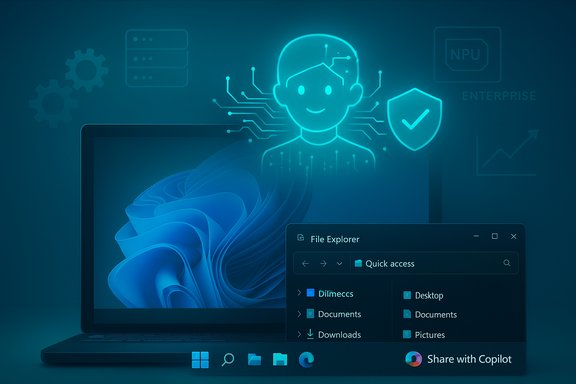
Microsoft closed 2025 by bundling a remarkably broad set of user‑visible changes into its December servicing cycle: visual parity work for Start/Search, deeper File Explorer dark‑mode coverage, new Copilot entry points (taskbar “Share with Copilot,” Click‑to‑Do refinements), agent‑driven Settings, and hardware‑gated Copilot+ features such as expanded Windows Studio Effects and semantic search on Copilot+ PCs. These changes came as a mix of preview flights and a staged Patch Tuesday rollout, meaning binaries can be present on a device but features remain hidden until Microsoft enables them by entitlement.
That same window of product activity overlapped with two larger industry currents: commercial pricing adjustments for Microsoft 365 and a flurry of fast‑moving AI ecosystem developments (open standards for agents, lawsuits over training data, and new “no‑code” agent creators from the major cloud players). The combination of platform change, continuing feature gating, and the hard cost of AI‑enabled services is why “Peak Bloat” is an apt shorthand: more features, more complexity, and — increasingly — more price.
Why this matters: these changes are the kind you notice every day — the way Search looks relative to Start, the consistency of dark dialogs when copying or deleting files, and whether the camera effects you expect on a docked laptop actually work on an external webcam. Taken together they reflect Microsoft’s long term goals: make Windows feel modern and agentic (able to reason and act), surface hidden controls in Settings for discoverability, and route more intelligence to the device when hardware allows it. But these benefits come with variability — features appear only on Copilot+ hardware or after server entitlements — which complicates testing, rollouts, and predictability.
Operationally, gated rollouts force IT to treat monthly cumulatives like multi‑stage releases: install the update binary, then confirm the server entitlement, and finally validate the end‑user experience. For many shops that already tolerate driver variability and firmware permutations, this increases testing overhead and raises the bar on pilot programs.
Two notable items to verify:
The tradeoffs are clear. Users get smarter, more helpful interfaces and new productivity automation — but they also inherit complexity, new security risks, and rising subscription costs. For IT teams the prescription is unchanged: test early, pilot selectively, insist on telemetry and auditability for agentic features, and treat price changes as a procurement and ROI exercise, not an afterthought. The future of Windows will be as much about managing risks and expectations as it is about shipping features.
Source: Thurrott.com Windows Weekly 962: Peak Bloat
 Background
Microsoft closed 2025 by bundling a remarkably broad set of user‑visible changes into its December servicing cycle: visual parity work for Start/Search, deeper File Explorer dark‑mode coverage, new Copilot entry points (taskbar “Share with Copilot,” Click‑to‑Do refinements), agent‑driven Settings, and hardware‑gated Copilot+ features such as expanded Windows Studio Effects and semantic search on Copilot+ PCs. These changes came as a mix of preview flights and a staged Patch Tuesday rollout, meaning binaries can be present on a device but features remain hidden until Microsoft enables them by entitlement.That same window of product activity overlapped with two larger industry currents: commercial pricing adjustments for Microsoft 365 and a flurry of fast‑moving AI ecosystem developments (open standards for agents, lawsuits over training data, and new “no‑code” agent creators from the major cloud players). The combination of platform change, continuing feature gating, and the hard cost of AI‑enabled services is why “Peak Bloat” is an apt shorthand: more features, more complexity, and — increasingly — more price.
What landed in the December Patch Tuesday and why it matters
The practical list: 16 headline changes and quality fixes
The December cumulative was notable not for a single marquee feature but for a cluster of roughly 16 practical changes that add up to a meaningful shell‑level refresh: Start/Search visual alignment, Windows Spotlight desktop actions, a taskbar “Share with Copilot” shortcut, a Device info card in Settings, Virtual Workspaces to manage Hyper‑V and Sandbox, deeper File Explorer dark‑mode coverage, a drag‑tray toggle for Nearby Sharing, keyboard remapping and accessibility moves, Windows Studio Effects extended to secondary cameras on Copilot+ hardware, click‑to‑do improvements, and more. The update also included operational fixes (an LSASS stability patch, Hyper‑V NIC binding fixes, and PowerShell hardening for Invoke‑WebRequest) that matter for enterprise reliability.Why this matters: these changes are the kind you notice every day — the way Search looks relative to Start, the consistency of dark dialogs when copying or deleting files, and whether the camera effects you expect on a docked laptop actually work on an external webcam. Taken together they reflect Microsoft’s long term goals: make Windows feel modern and agentic (able to reason and act), surface hidden controls in Settings for discoverability, and route more intelligence to the device when hardware allows it. But these benefits come with variability — features appear only on Copilot+ hardware or after server entitlements — which complicates testing, rollouts, and predictability.
Copilot+ gating and the controlled feature rollout problem
A recurring structural choice in Microsoft’s 2025 strategy is gating advanced on‑device AI behind validated hardware classes called Copilot+ PCs — machines that typically include NPUs with a certain TOPS capability plus vetted OEM drivers and security settings (BitLocker, Windows Hello). The update model now often ships binaries broadly while enabling features selectively via server flags. That reduces blast radius but increases unpredictability for administrators and power users trying to validate feature availability across a heterogeneous fleet.Operationally, gated rollouts force IT to treat monthly cumulatives like multi‑stage releases: install the update binary, then confirm the server entitlement, and finally validate the end‑user experience. For many shops that already tolerate driver variability and firmware permutations, this increases testing overhead and raises the bar on pilot programs.
Regressions and the cost of polishing the UI
Preview flights exposed at least two visible regressions: a brief white‑flash in File Explorer when dark mode is active, and an invisible password icon on some sign‑in dialogs. Both are highly visible, frequent‑path failures — opening Explorer and signing in — which makes them more painful than rarer bugs. Microsoft acknowledged these in preview guidance and signaled fixes, but the episode is a cautionary note: finishing visual parity between Win32 and WinUI surfaces is fiddly and brittle across drivers and OEM compositors. Enterprises should treat these preview packages cautiously and time broader rollouts after fixes are confirmed.The AI context: standards, tooling, and legal pressure
Agentic AI Foundation and the rush to open standards
One of the most consequential cross‑industry moves in early December was the creation of the Agentic AI Foundation (AAIF) under the Linux Foundation. The foundation was announced by several leading players (OpenAI, Anthropic, Block) and counts support from major cloud and platform firms, including Google, Microsoft, and AWS. AAIF is positioning itself to steward open standards such as AGENTS.md and the Model Context Protocol (MCP) — primitives intended to make agents interoperable and safer across services. This matters because agentic AI (automated assistants that act on users’ behalf) will only be trustworthy at scale if shared governance and protocols exist. Caveat: some public summaries and commentary suggested thousands of participants; that specific “one of 1,000 companies” phrasing cannot be substantiated in the official AAIF materials and looks like an exaggeration. The founding documents and launch communications list major industry participants and invite broad contribution, but do not support a precise 1,000‑company figure as a verified claim. Treat that number as unverified until a formal membership roster is published.No‑code agent builders: Google Workspace Studio goes mainstream
Google launched Google Workspace Studio, a no‑code platform that lets Workspace customers create AI agents to automate workflows across Gmail, Drive, and Chat using Gemini’s reasoning capabilities. Studio promises to let employees design agents in minutes — extracting invoice numbers, triaging email, or automating status reports — without writing code. This is an important move: it places agent creation into the hands of non‑developers and will accelerate practical AI automation inside organizations. Expect a flood of experiments, and with it, a need for governance controls at the admin level. Practical warning: no‑code agents increase the surface area for data exfiltration and compliance drift. Early adopters should pair Studio pilots with strict admin policy guardrails and DLP controls, and treat agent creation as a configuration activity that requires logging and audit trails.Legal and reputational friction: publishers push back
The legal landscape around AI is heating up. The New York Times filed suit against Perplexity AI alleging unlicensed copying of its articles to support the startup’s generative features. That filing follows a string of suits from publishers and highlights a central industry tension: the business case for retrieval‑augmented systems and browsing assistants depends on access to content, but publishers are asserting copyright and trademark claims over that access. Expect continued litigation and commercial licensing negotiations that will shape how AI assistants cite, attribute, and pay for journalism.Microsoft 365 pricing: the arithmetic of AI
A material, verifiable development that came up in Windows Weekly’s discussion was cost: Microsoft announced commercial suite price increases that take effect in July 2026, adding a non‑trivial uplift to Microsoft 365 business SKUs. Reuters and other outlets summarized Microsoft’s announcement: Business Basic, Business Standard, and enterprise E3/E5 plans will see different percentages of increases (for example Business Standard rising by ~12%), with the largest relative increases for frontline worker SKUs. This confirms a broader point: integrating Copilot and other AI capabilities into productivity subscriptions carries real, explicit cost that organizations must budget for. Implications for IT budgets and procurement- Short term: expect renewal conversations to include AI entitlements, Copilot pricing, and usage limits.
- Mid term: organizations will need to model ROI for AI features (time saved, task automation) against incremental subscription cost.
- Negotiation levers: enterprise agreements, multi‑year commitments, and careful SKU selection (targeting which seats truly need Copilot features) will be essential.
Gaming and Xbox: mixed signals
Windows Weekly also circled the console and PC gaming space: Xbox Series X|S had limited presence in some Black Friday promotions, Microsoft and publishers continue to rethink live service and seasonal releases, and new platform ports landed in early December.Two notable items to verify:
- Microsoft Flight Simulator 2024 reached PlayStation 5 on December 8, 2025 — a notable cross‑platform move for a historically Xbox‑centric franchise. This brings the simulator to DualSense features and PS5 audiences.
- Rockstar’s Red Dead Redemption received a mobile release via Netflix Games in December 2025, making a classic open‑world title available to Netflix subscribers on iOS and Android with mobile‑friendly controls and the Undead Nightmare pack. This is one signal that Netflix continues to pursue AAA mobile releases as an engagement play.
Practical guidance — what users and IT teams should do next
For home users and enthusiasts
- Back up before big cumulatives. Create a system image or a full backup before installing major preview or Patch Tuesday packs. The chance of low‑frequency regressions in preview builds is real.
- If you dislike preinstalled software or want a lean install:
- Use Tiny11 for clean installs when you need deterministic, minimal images for low‑spec devices or kiosks. It rebuilds official ISOs into smaller, targeted images but requires time and care.
- Use Win11Debloat for live debloating of existing installs; pair it with MSEdgeDirect and ExplorerPatcher for restoring preferred behavior (default browser redirection, Explorer fixes). These are community tools that solve real pain but require careful testing.
- If you rely on Copilot+ features, confirm hardware and driver support. Many advanced Studio Effects and semantic search features are gated by NPU capability and OEM drivers; a BIOS or driver update from the vendor may be required to see the full experience.
For IT and security teams
- Treat staged feature rollouts as separate validation events:
- Validate the servicing stack (SSU/LSU) and apply the cumulative in a pilot ring.
- Confirm server entitlements and verify feature visibility across hardware profiles.
- Run accessibility and high‑frequency path tests (Explorer, sign‑in, printing).
- Validate virtualized workloads and Hyper‑V network binding if you rely on VMs.
- Reassess browser and agent risk posture. Gartner’s guidance to block agentic AI browsers in corporate fleets is blunt: agentic browsers can see and act on authenticated sessions and thus create new vectors for prompt injection and credential abuse. Security teams should:
- Segregate sensitive tasks to non‑agentic profiles or dedicated browsers.
- Block niche AI browsers at network policy until vendor‑certified enterprise mitigations exist.
- Monitor for agentic browser telemetry and add them to approved/blocked lists as appropriate.
- Update procurement and license forecasting. Budget for Microsoft’s July 2026 price changes and model Copilot seat economics against expected productivity gains and compliance controls. Use negotiation windows to secure transitional pricing on renewals.
Critical analysis — strengths, risks, and what’s missing
Strengths
- Tangible UX wins. Completing dark‑theme coverage in File Explorer, aligning Search with Start, and consolidating virtualization controls are quality‑of‑life improvements that users will notice daily. These are small changes with outsized perceived value.
- On‑device AI where it matters. Extending Windows Studio Effects to external webcams and other cameras closes a long‑standing usability gap for hybrid workers and creators who rely on docks and external devices.
- Operational hardening. Patches addressing LSASS crashes, Hyper‑V network binding, and PowerShell invocation safety are real operational wins for enterprises. They reduce risk in production environments.
Risks
- Rollout variability and complexity. Controlled Feature Rollouts create a two‑tier experience: devices with entitlements and devices without. This frustrates both users and admins who expect deterministic behavior from a monthly cumulative.
- Agentic attack surface. Agent‑enabled browsers and on‑device agents blur the lines between local UI and automated actuation. Gartner and security professionals warn that prompt injection, credential exposure, and unauthorized automation are plausible and require immediate policy attention.
- Cost and commercial friction. The practical cost of embedding Copilot into productivity apps is now visible in subscription price adjustments. Firms must weigh productivity gains against continuing subscription inflation and the administrative work of managing entitlements.
- Legal and content supply-chain risk. Publisher lawsuits against retrieval and RAG front‑ends (e.g., NYT v Perplexity) show that the content pipeline that powers AI assistants is not legally frictionless. Platform designers and businesses using RAG must assume licensing, attribution, and takedown obligations will grow in importance.
What’s missing from Microsoft’s public messaging
- A clear, consolidated feature entitlements dashboard for enterprises would help IT teams predict who gets what and when. Right now, entitlements are opaque and tied to device validation, Microsoft account types, and regional rollouts.
- Hard guarantees around telemetry and data usage for Copilot interactions in commercial vs. consumer SKUs are still opaque in practice; enterprises will demand greater transparency and contractual protections as they buy Copilot seats at higher prices.
Tips and practical toolkit (short checklist)
- Before installing December cumulatives: create a full image backup and test on a small pilot ring (8–20 representative machines).
- If you want a lean install:
- Clean install option: Tiny11 builder to create deterministic, small ISOs for redeployments. Use only when you can reinstall and control provisioning.
- Live debloat: Win11Debloat for existing machines; verify telemetry and Defender behaviors after changes.
- Use Rufus to create media that avoids forced Microsoft Account during OOBE if that is required for your environment.
- For browser behavior: install MSEdgeDirect or similar if you want system surfaces to open your default browser instead of Edge’s forced flows. Test thoroughly.
- Security: block or limit agentic browsers in corporate fleets until you have logging, DLP, and clear user guidance in place. Consider segmentation by use case (work browsing vs. experimental AI browsing).
Conclusion
Windows’ December cycle — as discussed on Windows Weekly — is an inflection point rather than a finish line. Microsoft shipped meaningful polish and delivered the next incremental steps toward an agentic desktop: Copilot entry points in shell surfaces, broader dark‑mode parity, and practical virtualization discoverability. At the same time the industry around Windows is reshaping: AI is moving from lab experiments into everyday work via no‑code tools and open standards, publishers and regulators are pushing back on content practices, and the monetary cost of embedded AI is now concrete in price changes for Microsoft 365.The tradeoffs are clear. Users get smarter, more helpful interfaces and new productivity automation — but they also inherit complexity, new security risks, and rising subscription costs. For IT teams the prescription is unchanged: test early, pilot selectively, insist on telemetry and auditability for agentic features, and treat price changes as a procurement and ROI exercise, not an afterthought. The future of Windows will be as much about managing risks and expectations as it is about shipping features.
Source: Thurrott.com Windows Weekly 962: Peak Bloat
