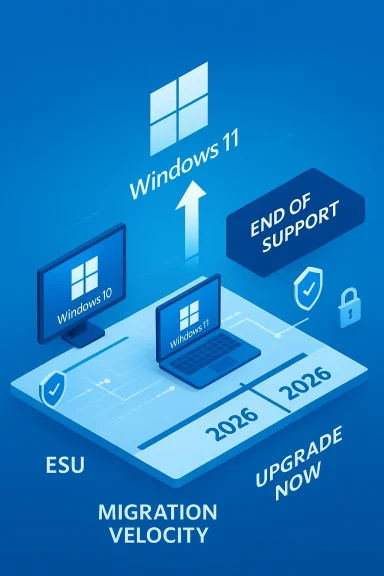
StatCounter’s latest snapshot suggests the long, slow decline of Windows 10 has finally accelerated into a decisive migration: Windows 11 now appears to be the dominant Windows release worldwide, while Windows 10 has fallen into low‑to‑mid‑20s market share. That shift did not happen overnight — it is the product of years of Microsoft pressure, changing hardware requirements, an aggressive messaging campaign to “move to Windows 11,” and a tightly time‑boxed end‑of‑support timetable that created a firm deadline for businesses and consumers alike. The consequence is immediate: organizations and home users must choose between upgrading, paying for temporary patching relief, or accepting growing security and compatibility risk.
Microsoft formally ended mainstream support for Windows 10 on October 14, 2025. That date is the structural pivot for everything that followed: without monthly cumulative security updates and ongoing technical support, Windows 10 moved from being a current platform to a legacy one overnight. Microsoft provided a short transition path — the Consumer Extended Security Updates (ESU) program and commercial ESU for businesses — but those options were deliberately limited in time and scope.
Why this matters: an operating system without regular security patches becomes an increasingly attractive target. Threat actors routinely scan for unpatched software and weaponize flaws, and whole classes of vulnerabilities become easier to exploit once vendors stop fixing them. The practical upshot is simple: continuing to run Windows 10 on internet‑connected devices after the end‑of‑support date means accepting growing systemic risk unless you join an ESU program or isolate the machines.
At the same time, telemetry from market researchers shows user behaviour changing. Windows 11 has moved from an awkward early adoption phase into the majority position on Windows PCs globally. That market shift is both a reflection of Microsoft’s push (prompts, OEM upgrades, PC refresh incentives) and the hardware refresh cycle: new laptops and desktops ship with Windows 11 by default, and many older-but‑upgradeable machines have already taken the free in‑place upgrade.
Important caveats before you read the percentages: web analytics and market‑share tools use sampling and heuristics based on web traffic, user‑agents, and other signals. Those methods are robust over time but can produce anomalies — we’ve seen how User‑Agent changes or bot traffic once produced implausible spikes for very old Windows releases. In short, the trend is reliable; the exact decimal point for market share is less important than the direction and magnitude of the movement.
What to take away:
Key elements of the transition:
Hardware OEMs are pushing Windows 11 systems aggressively; trade‑in and recycling programs are being promoted. Regulators and procurement policies in health, finance and government sectors will enforce patching and supported OS requirements, which makes ESU less tenable as a long‑term compliance strategy.
Finally, regional policy differences (for example, consumer ESU handling in the EEA) show that national and supranational regulations can influence how migration incentives are structured.
The next meaningful milestone to watch is the lifecycle for Windows 10 LTSC/LTSB branches and older Server releases, which have their own end dates into 2026 and 2027. Those schedules will create staggered migration demands in industry verticals.
From a product strategy standpoint, Microsoft’s push toward Windows 11 and Copilot‑centric PCs is consistent with a broader platform play: new hardware + AI features + stricter hardware security = higher margins and a refreshed partner ecosystem. That may be good for forward innovation, but it imposes near‑term disruption costs on the installed base.
For home users: act now. Upgrade if possible; if not, use the consumer ESU route (free where eligible) and treat it as a single‑year breathing space to budget for replacement hardware.
For businesses: take an inventory, classify risk, and execute a phased migration. Consider virtualization or cloud options to reduce ESU cost exposure. Do not assume ESU is a long‑term budgetary substitute for real migration work.
For the wider Windows ecosystem: accept that the landscape has changed. Windows 11’s majority position is a platform inflection point. That does not eliminate the long tail of legacy systems nor the security work required to manage them. Patching, segmentation, and migration planning remain the three pillars of healthy risk reduction.
Treat this moment as a risk‑management exercise. Use the ESU window to buy time for sane planning, not as an excuse to defer action indefinitely. The companies and households that align upgrade budgets, inventory, and testing cycles now will avoid the expensive scramble that always accompanies last‑minute migrations. For everyone else, the consequences will be higher exposure, higher long‑term costs, and the real possibility of being caught unprepared when the next exploit emerges.
Source: Express.co.uk Windows 10 decline continues as Microsoft finally gets its wish | Express.co.uk
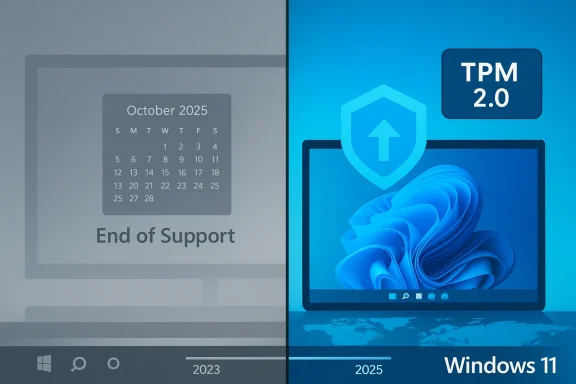 Background: what changed and why it matters
Microsoft formally ended mainstream support for Windows 10 on October 14, 2025. That date is the structural pivot for everything that followed: without monthly cumulative security updates and ongoing technical support, Windows 10 moved from being a current platform to a legacy one overnight. Microsoft provided a short transition path — the Consumer Extended Security Updates (ESU) program and commercial ESU for businesses — but those options were deliberately limited in time and scope.Why this matters: an operating system without regular security patches becomes an increasingly attractive target. Threat actors routinely scan for unpatched software and weaponize flaws, and whole classes of vulnerabilities become easier to exploit once vendors stop fixing them. The practical upshot is simple: continuing to run Windows 10 on internet‑connected devices after the end‑of‑support date means accepting growing systemic risk unless you join an ESU program or isolate the machines.
At the same time, telemetry from market researchers shows user behaviour changing. Windows 11 has moved from an awkward early adoption phase into the majority position on Windows PCs globally. That market shift is both a reflection of Microsoft’s push (prompts, OEM upgrades, PC refresh incentives) and the hardware refresh cycle: new laptops and desktops ship with Windows 11 by default, and many older-but‑upgradeable machines have already taken the free in‑place upgrade.
Overview of the numbers: what the market data says (and its limits)
Multiple industry trackers and aggregated statistics for early 2026 show a clear pattern: Windows 11 holds roughly three‑quarters of Windows installations, and Windows 10 has fallen into the mid‑20s. Those figures represent a substantial month‑to‑month swing compared with the situation a year earlier when Windows 10 still commanded a large plurality of devices.Important caveats before you read the percentages: web analytics and market‑share tools use sampling and heuristics based on web traffic, user‑agents, and other signals. Those methods are robust over time but can produce anomalies — we’ve seen how User‑Agent changes or bot traffic once produced implausible spikes for very old Windows releases. In short, the trend is reliable; the exact decimal point for market share is less important than the direction and magnitude of the movement.
What to take away:
- Windows 11 has clearly become the majority Windows version in 2026.
- Windows 10 declined substantially after Microsoft set and executed an end‑of‑support policy.
- The migration was accelerated not just by free upgrades where possible, but by Microsoft’s promotional and enforcement mechanisms (upgrade prompts, OEM refreshes, and enterprise guidance).
Microsoft’s transition architecture: ESU, Defender, Office and the timeboxes
Microsoft did not simply flip a switch in October 2025 and leave everyone to fend for themselves. The company built a phased exit strategy to reduce immediate chaos while nudging users toward Windows 11.Key elements of the transition:
- Windows 10 end of support (consumer and most SKUs): October 14, 2025. After that date, Microsoft stopped issuing routine cumulative OS patches for Windows 10 except for devices enrolled in ESU or specific LTSC/LTSB channels that follow a different lifecycle.
- Consumer Extended Security Updates (ESU): Microsoft offered a one‑year security‑only bridge for consumer devices through October 13, 2026. Enrollment routes included a free path for users who back up or link device settings to a Microsoft account, payment for a one‑time consumer ESU, or redemption via Microsoft Rewards in some markets. The paid consumer route was modest (around US$30), and a single purchase could be applied in ways Microsoft defined for accounts and devices.
- Commercial ESU: For businesses, Microsoft offered a three‑year commercial ESU program with per‑device pricing that starts at a higher rate in year one and typically doubles each year thereafter. The strategy was clearly aimed at giving enterprise customers time to migrate while making long‑term reliance on ESU expensive.
- Microsoft 365 Apps and Defender timelines: Microsoft committed to continue security updates for Microsoft 365 apps and to provide Security Intelligence (definition) updates for Microsoft Defender Antivirus on Windows 10 for several years beyond core OS support — a pragmatic buffer that keeps antivirus signatures and Office security patches current while the underlying OS loses routine patching. Those component timelines extend into 2028 in Microsoft’s schedule.
Critical analysis: strengths of Microsoft’s approach
Microsoft’s exit strategy contains several defensible strengths.- Clear deadlines create urgency. By communicating a fixed end date (October 14, 2025) and then enforcing it, Microsoft cut through the inertia that often slows major migrations. Deadlines force planning and budgeting in organizations that otherwise procrastinate.
- A graded, pragmatic bridge for consumers. The consumer ESU — with free enrollment mechanics tied to Microsoft account backup and a modest paid option — acknowledges that many households cannot or will not buy new hardware immediately. It reduces immediate exposure and prevents a security cliff.
- Commercial ESU respects enterprise realities. Allowing enterprises to buy additional time for migrations is sensible; large organizations face application compatibility, regulatory, and procurement hurdles that take months or years to resolve.
- Component continuity reduces catastrophic breakage. Keeping Microsoft 365 app security updates and Defender signatures updated into 2028 prevents immediate productivity and anti‑malware collapse on machines that remain on Windows 10.
- Hardware refresh cycle aligns with software migration. Microsoft’s insistence on newer hardware (TPM 2.0, Secure Boot, supported CPU families) accelerates modernization across the PC ecosystem — an effect that benefits security and brings new feature sets tied to Windows 11.
Risks, tradeoffs and blind spots
Microsoft’s plan is not risk‑free. The strategy’s downsides are material and will shape security, costs and access for years.- Security exposure for non‑enrolled devices grows over time. The mere existence of consumer ESU for one year does not protect every user. Devices that are not enrolled, or that are upgrade‑ineligible, will progressively accumulate unpatched vulnerabilities. For some home users this is a nuisance; for organizations it can mean non‑compliance and elevated breach risk.
- Economic and digital‑divide pressures. Requiring hardware features like TPM 2.0 effectively forces many users to buy new PCs. That’s a substantial cost for households and small businesses. The modest consumer ESU fee helps, but it is a one‑year band‑aid, not a long‑term solution. The result is a distributional impact: wealthier users and organizations will upgrade to Windows 11 quickly, while less affluent users either pay for temporary ESU or remain on an increasingly vulnerable platform.
- Operational complexity for enterprises. The commercial ESU pricing model — per‑device fees that escalate year over year — imposes a real cost. Migrations for enterprises are not just about OS upgrades; they involve application compatibility testing, driver validation, peripheral support and regulatory audits. The ESU pricing is effectively a migration tax that penalizes slow or complex environments.
- Privacy and vendor lock‑in concerns. Microsoft’s free consumer ESU route requires tying a device to a Microsoft account and using cloud backup services. That linkage raises questions about vendor tie‑ins and data flows for privacy‑sensitive users, and it may be politically sensitive in some regions. The EU/EEA got carved‑out exceptions in some cases; regional divergences complicate a global strategy.
- Measurement and messaging fragility. Public metrics (like StatCounter) show Windows 11 adoption surging, but analytics artifacts can mislead. Microsoft benefits from the narrative of “Windows 11 is now the majority,” but the company must avoid over‑reliance on snapshot metrics to justify policy shifts. Real‑world device inventories and vertical‑market deployments (medical devices, industrial control systems) will remain fragmented for years.
- Legacy systems and IoT remain a long‑tail problem. Many specialized systems — ATMs, medical devices, industrial controllers, and older corporate endpoints — cannot be upgraded easily. These systems are often connected and present a narrow but significant attack surface that ESU or patching cannot fully remediate.
Practical guidance: what consumers should do now
If you’re a home user still on Windows 10, here’s a pragmatic checklist to reduce risk and decide your path.- Check eligibility for the free upgrade to Windows 11. Run the PC Health Check app or check Settings > Update & Security > Windows Update. If your machine meets requirements and you’re comfortable updating, upgrade now after a full backup.
- If your machine is not upgradeable, enroll in ESU if you need more time. Use the consumer ESU options: link a Microsoft account and enable Windows Backup to qualify for the free path, redeem Microsoft Rewards, or pay the one‑time consumer ESU fee if you must keep a local account.
- Back up everything before you touch the upgrade path. Full disk images and cloud backups protect against migration failures or hardware issues.
- Harden devices immediately. Keep browsers and critical apps up to date; use a modern browser that will continue support on Windows 10 for some time; enable Microsoft Defender and third‑party EDR where possible.
- Segment and isolate legacy machines. If you must keep an unpatched machine online, put it on a separate VLAN, restrict inbound/outbound traffic, and limit user privileges.
- Plan a timeline. Treat ESU as a one‑year grace period, not a permanent safe harbour. Calendar a migration plan now — hardware refresh, data migration, and app compatibility testing take time.
Practical guidance: what IT teams and businesses should do now
For organizations, the decision calculus is more complex and cost‑sensitive. The following sequence covers the immediate priorities.- Inventory every Windows endpoint. Identify OS version, build number, hardware compatibility with Windows 11, and whether each device is covered by a corporate ESU license or eligible for consumer ESU-style options.
- Classify devices by migration complexity. Segment into: quick upgrades (consumer‑like machines), application validation required (line‑of‑business apps), and devices requiring replacement (incompatible hardware).
- Apply a phased migration plan. Prioritize high‑risk and internet‑exposed systems first. Move critical business workflows that rely on legacy hardware into controlled environments or virtual machines where ESU or cloud entitlements offer coverage.
- Use ESU strategically. Pay for commercial ESU only where migration timing is realistically delayed beyond the first year and where risk or compliance requires continued patching. Beware of the compounding cost if ESU is relied upon for more than a short bridge.
- Leverage virtualization and cloud migration. Where practical, move legacy apps into Windows 365 Cloud PCs, Azure VMs, or similar platforms to avoid per‑device ESU cost and to centralize security control.
- Coordinate procurement and depreciation cycles. Align hardware replacement budgets with migration windows to optimize capital expenditure and minimize parallel support burdens.
- Communicate clearly with stakeholders. Security, compliance, legal and procurement teams should be aligned on timelines and risk tolerances.
The wider ecosystem: software vendors, OEMs, and regulators
Windows 10’s retirement ripples beyond Microsoft. Browser vendors, security vendors and independent software vendors (ISVs) will decide how long to support Windows 10 for their products. Many modern browsers pledged continued support through at least 2028, but app vendors with limited QA resources may drop support sooner.Hardware OEMs are pushing Windows 11 systems aggressively; trade‑in and recycling programs are being promoted. Regulators and procurement policies in health, finance and government sectors will enforce patching and supported OS requirements, which makes ESU less tenable as a long‑term compliance strategy.
Finally, regional policy differences (for example, consumer ESU handling in the EEA) show that national and supranational regulations can influence how migration incentives are structured.
Long‑term view: fragmentation, legacy tails, and the next refresh
Even with Windows 11 majority share, the OS ecosystem will remain fragmented for years. The long tail of legacy devices — industrial controllers, kiosks, and special‑purpose PCs — will outlive consumer migration windows. Those devices are not just an annoyance; they are concentrated risk. Attackers tend to weaponize these islands of outdated software because defenses on them are weaker.The next meaningful milestone to watch is the lifecycle for Windows 10 LTSC/LTSB branches and older Server releases, which have their own end dates into 2026 and 2027. Those schedules will create staggered migration demands in industry verticals.
From a product strategy standpoint, Microsoft’s push toward Windows 11 and Copilot‑centric PCs is consistent with a broader platform play: new hardware + AI features + stricter hardware security = higher margins and a refreshed partner ecosystem. That may be good for forward innovation, but it imposes near‑term disruption costs on the installed base.
Final assessment and judgement call
Microsoft executed a deliberate, staged retirement of Windows 10 that combined deadline discipline with pragmatic accommodations. That approach is defensible — it reduces indefinite postponement of security modernization — but it also redistributes costs and choices across the market.For home users: act now. Upgrade if possible; if not, use the consumer ESU route (free where eligible) and treat it as a single‑year breathing space to budget for replacement hardware.
For businesses: take an inventory, classify risk, and execute a phased migration. Consider virtualization or cloud options to reduce ESU cost exposure. Do not assume ESU is a long‑term budgetary substitute for real migration work.
For the wider Windows ecosystem: accept that the landscape has changed. Windows 11’s majority position is a platform inflection point. That does not eliminate the long tail of legacy systems nor the security work required to manage them. Patching, segmentation, and migration planning remain the three pillars of healthy risk reduction.
Quick reference — critical dates and numbers (concise)
- Windows 10 end of support: October 14, 2025.
- Consumer ESU coverage window (if enrolled): through October 13, 2026.
- Commercial ESU: up to three years available with escalating per‑device pricing (year‑one baseline, higher in subsequent years).
- Microsoft 365 Apps security updates on Windows 10: continued through October 10, 2028 (feature updates stop earlier).
- Microsoft Defender Security Intelligence updates: scheduled through 2028.
- Market snapshot (early 2026): Windows 11 majority share, Windows 10 declined into roughly the mid‑20% range; treat exact percentages as noisy but directional.
Closing thoughts: migration as risk management, not punishment
Microsoft’s campaign to move users to Windows 11 can feel like a forced migration — and in practical terms, it is — but the underlying driver is genuine: modern hardware security primitives and a tightened OS attack surface are real improvements. The uncomfortable truth for many users and organizations is that modern security comes with modern hardware expectations and lifecycle discipline.Treat this moment as a risk‑management exercise. Use the ESU window to buy time for sane planning, not as an excuse to defer action indefinitely. The companies and households that align upgrade budgets, inventory, and testing cycles now will avoid the expensive scramble that always accompanies last‑minute migrations. For everyone else, the consequences will be higher exposure, higher long‑term costs, and the real possibility of being caught unprepared when the next exploit emerges.
Source: Express.co.uk Windows 10 decline continues as Microsoft finally gets its wish | Express.co.uk