

Microsoft has once again found itself in the familiar position of issuing an emergency Windows 11 fix only days after a security update introduced a new problem for users. This time, the reported fallout is not a dramatic blue-screen outage or a hard crash, but a quieter and arguably more disruptive failure: online features inside Microsoft 365 apps and services stopped behaving normally. Reports tied the issue to Teams, Outlook, OneDrive, Office, and even Copilot-related functionality, with some users describing broader connectivity problems across Microsoft apps after March’s mandatory patch.
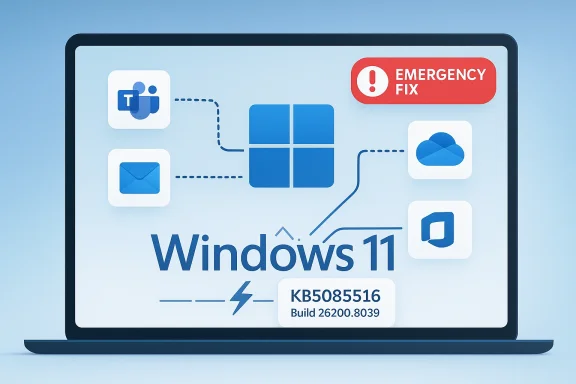
What makes this episode especially notable is not just the bug itself, but the way Microsoft is responding. The company has pushed an optional out-of-band update, KB5085516, rather than a fully automatic fix, meaning affected users may need to take action manually. That approach reflects a balancing act Microsoft now performs almost monthly: protect Windows with security patches, while also insulating customers from regressions that can knock business workflows offline. In practice, it also underscores how tightly Windows and Microsoft 365 are now intertwined, and how quickly one bad update can ripple across productivity, cloud sync, and collaboration.
The current Windows 11 issue sits inside a larger story that has repeated itself throughout the modern Windows servicing era: a patch Tuesday update lands, some systems behave normally, and then a subset of users discover that core services no longer connect properly. Microsoft’s release health pages show that the company has already dealt with multiple recent regressions in Windows 11 24H2 and 25H2, including problems affecting remote connections, cloud-backed storage, and application responsiveness after security updates. In other words, this is not an isolated incident, but part of a pattern that Windows administrators have been forced to monitor closely.
The most relevant historical parallel is January 2026, when Microsoft acknowledged that some applications could become unresponsive when opening or saving files to cloud-backed storage such as OneDrive or Dropbox after a Windows update. Microsoft’s own release-health note specifically called out classic Outlook configurations that store PST files in OneDrive, and said the issue was resolved by an out-of-band update. That earlier case matters because it shows the company is not only willing to ship emergency patches, but increasingly expects to do so when cloud integration breaks in the wake of a cumulative update.
Another reason this story matters is that Windows 11 no longer operates as a standalone desktop OS in the way Windows once did. For many users, especially businesses, the operating system is now the front door to a network of services: Office apps, Teams calls, OneDrive sync, Microsoft account identity, cloud search, and Copilot features. When a Windows patch interferes with connectivity, the impact is broader than “the internet is down.” It can mean lost document sync, failed email workflows, broken meeting join flows, and stalled enterprise collaboration. Microsoft’s own documentation on Windows and Office connectivity emphasizes how closely the two product families are now tied together.
The March 2026 report also fits the recent rhythm of Windows servicing on newer builds. Microsoft’s Windows 11 message center and release-health pages have continued to show a steady stream of fixes, hotfixes, and preview updates for 24H2 and 25H2. That cadence reflects a system designed for continuous innovation, but it also means more moving parts and more chances for a change in networking, authentication, or cloud access to surface in production. Users rarely notice the machinery until something breaks.
This is especially true in managed environments, where IT teams may need to decide whether to push the patch across the fleet, stage it for pilot groups, or wait for broader confirmation. In enterprise Windows management, the word optional often translates to administrator judgment required. That is a very different proposition from a consumer’s casual Windows Update experience.
This is where Windows update governance becomes critical. Many IT departments already stage patches through rings, but stories like this reinforce why those rings exist. Microsoft’s release-health pages and prior OOB examples show that the company often resolves serious issues quickly after they surface, yet there is still a window where pilot devices may break before the fix exists. The lesson is not to avoid updating, but to manage timing more aggressively.
The upside for consumers is that the remedy may be straightforward once identified. If KB5085516 is the right fix, installing it should restore normal behavior for affected systems without requiring a full reset or reinstall. The downside is that manual remediation depends on the user recognizing that their symptoms match the issue in the first place. In the consumer world, that recognition gap can be the biggest problem of all.
The newer the Windows build, the more complex the servicing story becomes. Windows 11 25H2, 24H2, and adjacent Microsoft 365 components all move on related but not identical schedules. That can make a failure appear to be “an Office issue” one day and “a Windows issue” the next. In reality, it is often a boundary problem between the two.
Microsoft’s earlier January 2026 release-health note is a good example: applications using cloud-backed storage became unresponsive after a Windows update, with Outlook being a visible case. That shows how security changes can affect ordinary workflows without “breaking” the app in the traditional sense. The software is technically running, but the environment it depends on is compromised.
One reason this incident is getting attention is that it affects the work layer of Windows, not merely its technical underpinnings. Users care less about kernel-level security than whether Teams joins a call or OneDrive syncs a file. That makes stability every bit as important as security in the customer’s mind, even if the engineering priorities differ.
At the same time, Microsoft still enjoys enormous enterprise inertia. Office, Teams, and OneDrive are deeply embedded in corporate workflows, and switching costs remain high. So the competitive threat is not immediate displacement. It is erosion at the margins: more skepticism, more pilot testing, more delay before rolling out new builds. That slows Microsoft’s velocity and gives rivals room to frame themselves as lower-friction alternatives.
What to watch next is not just whether the patch exists, but whether the ecosystem around it behaves normally. That includes Windows Update availability, enterprise catalog distribution, support guidance, and whether Microsoft continues to update its health pages with precise symptom descriptions. In the Windows world, the quality of the fix is only half the story; the quality of the communication is the rest.
The long-term challenge for Microsoft is not eliminating every bug, because no platform at this scale ever will. The real test is whether it can keep the update engine fast enough to secure the platform while making the user experience feel stable enough that businesses and consumers trust it. This latest connectivity regression suggests that balance remains fragile, but the rapid appearance of a fix also shows the company knows the stakes.
Source: The News International Microsoft Windows 11 emergency update fixes connectivity bug affecting Office, Teams, OneDrive
What makes this episode especially notable is not just the bug itself, but the way Microsoft is responding. The company has pushed an optional out-of-band update, KB5085516, rather than a fully automatic fix, meaning affected users may need to take action manually. That approach reflects a balancing act Microsoft now performs almost monthly: protect Windows with security patches, while also insulating customers from regressions that can knock business workflows offline. In practice, it also underscores how tightly Windows and Microsoft 365 are now intertwined, and how quickly one bad update can ripple across productivity, cloud sync, and collaboration.
 Background
The current Windows 11 issue sits inside a larger story that has repeated itself throughout the modern Windows servicing era: a patch Tuesday update lands, some systems behave normally, and then a subset of users discover that core services no longer connect properly. Microsoft’s release health pages show that the company has already dealt with multiple recent regressions in Windows 11 24H2 and 25H2, including problems affecting remote connections, cloud-backed storage, and application responsiveness after security updates. In other words, this is not an isolated incident, but part of a pattern that Windows administrators have been forced to monitor closely.The most relevant historical parallel is January 2026, when Microsoft acknowledged that some applications could become unresponsive when opening or saving files to cloud-backed storage such as OneDrive or Dropbox after a Windows update. Microsoft’s own release-health note specifically called out classic Outlook configurations that store PST files in OneDrive, and said the issue was resolved by an out-of-band update. That earlier case matters because it shows the company is not only willing to ship emergency patches, but increasingly expects to do so when cloud integration breaks in the wake of a cumulative update.
Another reason this story matters is that Windows 11 no longer operates as a standalone desktop OS in the way Windows once did. For many users, especially businesses, the operating system is now the front door to a network of services: Office apps, Teams calls, OneDrive sync, Microsoft account identity, cloud search, and Copilot features. When a Windows patch interferes with connectivity, the impact is broader than “the internet is down.” It can mean lost document sync, failed email workflows, broken meeting join flows, and stalled enterprise collaboration. Microsoft’s own documentation on Windows and Office connectivity emphasizes how closely the two product families are now tied together.
The March 2026 report also fits the recent rhythm of Windows servicing on newer builds. Microsoft’s Windows 11 message center and release-health pages have continued to show a steady stream of fixes, hotfixes, and preview updates for 24H2 and 25H2. That cadence reflects a system designed for continuous innovation, but it also means more moving parts and more chances for a change in networking, authentication, or cloud access to surface in production. Users rarely notice the machinery until something breaks.
What the Report Says
According to the reporting cited by The News International, March’s mandatory Windows 11 security update caused “major issues affecting internet connectivity in some apps,” with visible impact on services such as Teams, Outlook, OneDrive, and Office. The report says Microsoft responded with an optional patch titled 2026-03 Update (KB5085516) (26200.8039). That update is described as an emergency fix that does not appear to download automatically, which means affected users may need to install it manually through Windows Update or another supported channel. The key detail is that Microsoft is treating the problem as targeted rather than universal.The immediate symptom profile
The user-visible behavior appears to be less about apps refusing to launch and more about apps failing when they try to reach cloud or network services. The report says the issue affects online features such as syncing, cloud access, and communication tools, while applications themselves still open. That distinction is important because it makes the bug harder to diagnose: a user may launch Word or Teams successfully, but then encounter broken sign-in flows, missing file sync, or stalled collaboration features only after the app attempts to interact with Microsoft services. Such partial failures are often the most frustrating class of Windows bug because they look like “a bad network” rather than a specific OS regression.Why this kind of bug is hard to spot
Connectivity regressions inside productivity apps can hide behind many layers: DNS, proxy settings, token refresh, device policy, browser components, and app-specific caching. If one update disrupts a shared subsystem, the visible symptoms may vary widely from device to device. Microsoft’s release-health notes from earlier incidents show that cloud-backed storage issues can present as Outlook becoming unresponsive, downloaded mail being re-fetched, or sent items not appearing correctly. That history suggests that what users describe as “internet problems” may in fact be a narrower Windows servicing issue affecting authentication or cloud file handling.- Teams can fail to complete sign-in or loading steps.
- Outlook may lose access to mail or cloud-linked files.
- OneDrive sync behavior can become unreliable.
- Office apps may still open but lose cloud-linked functions.
- Copilot and web-connected features may appear degraded rather than fully broken.
Why KB5085516 Matters
The central significance of KB5085516 is not merely that it fixes a bug, but that it signals Microsoft recognized the issue as serious enough to warrant an emergency release. Out-of-band updates are generally reserved for problems that affect many users, interfere with core operations, or carry an outsized business impact. When the company steps outside the normal Patch Tuesday cycle, it is essentially admitting that waiting for the next monthly rollup would be too costly.Optional, but not optional in practice
Microsoft reportedly says the update is only necessary for affected users, which is standard language for a targeted hotfix. Yet in practical terms, “optional” can be misleading. If a business depends on Teams for meetings, OneDrive for file access, and Outlook for mail, then a patch that restores those services becomes operationally mandatory very quickly. The real choice is not whether to install the patch, but whether to accept temporary disruption or manually deploy the fix immediately.This is especially true in managed environments, where IT teams may need to decide whether to push the patch across the fleet, stage it for pilot groups, or wait for broader confirmation. In enterprise Windows management, the word optional often translates to administrator judgment required. That is a very different proposition from a consumer’s casual Windows Update experience.
What the build number tells us
The reported build, 26200.8039, places the fix in the Windows 11 25H2 branch. That matters because it indicates the issue is being handled within the latest servicing line rather than via a separate product channel. Microsoft’s release-health and update pages show that Windows 11 24H2 and 25H2 are now receiving closely related cumulative updates, with build tracking that can become important for IT teams correlating symptoms across different device groups.- It reinforces that the problem is tied to the Windows servicing stack, not just Office itself.
- It suggests Microsoft can address the issue without waiting for a new feature release.
- It makes update tracking more important for administrators handling mixed device estates.
- It raises the likelihood that a single fix may be rolled into the next cumulative release.
Enterprise Impact
For enterprise users, this is the most consequential part of the story. When connectivity breaks in Outlook, Teams, or OneDrive, the result is not just annoyance; it can directly interrupt work, slow down collaboration, and create data consistency problems. A broken sync layer can make documents appear missing, duplicate emails, or delay access to shared files. In a workplace built around Microsoft 365, that is not a peripheral inconvenience. It is a productivity event.The hidden cost of “soft” outages
A hard outage is obvious. A soft outage is worse because employees keep trying to work through it. A user may resend an email, re-upload a file, restart an app, or ask colleagues to reconfirm a meeting invitation, not realizing the real problem is a Windows-level connectivity regression. That creates duplicate effort, support load, and confusion about whether the fault lies with the endpoint, the network, or Microsoft’s cloud.This is where Windows update governance becomes critical. Many IT departments already stage patches through rings, but stories like this reinforce why those rings exist. Microsoft’s release-health pages and prior OOB examples show that the company often resolves serious issues quickly after they surface, yet there is still a window where pilot devices may break before the fix exists. The lesson is not to avoid updating, but to manage timing more aggressively.
Deployment strategy in managed environments
The best enterprise response usually follows a disciplined sequence:- Confirm whether the device is on the affected Windows 11 build.
- Test whether the issue is reproducible with Microsoft 365 apps and cloud storage.
- Validate whether KB5085516 is available through Windows Update, catalog distribution, or management tooling.
- Roll the patch to pilot users before broad deployment.
- Monitor authentication, sync, and sign-in logs for residual failures.
Consumer Impact
For home users, the problem will probably feel more mysterious. Most people do not think of Windows as a platform with separate layers for signing into Teams, synchronizing OneDrive, and opening Office documents online. They just know that after updating, a familiar app suddenly stops “connecting” properly. That kind of failure is uniquely frustrating because the UI remains intact while the service logic underneath becomes unreliable.Why consumers may not notice the pattern
A consumer may use Word, Excel, or Outlook only occasionally, and they may not connect a sync failure with a recent Windows update. They are more likely to blame Wi‑Fi, their router, or a Microsoft account issue. Since the bug reportedly does not prevent apps from opening, users may spend a long time troubleshooting the wrong layer of the stack. That makes Microsoft’s decision to keep the fix optional both understandable and risky.The upside for consumers is that the remedy may be straightforward once identified. If KB5085516 is the right fix, installing it should restore normal behavior for affected systems without requiring a full reset or reinstall. The downside is that manual remediation depends on the user recognizing that their symptoms match the issue in the first place. In the consumer world, that recognition gap can be the biggest problem of all.
The Copilot and Microsoft Store angle
The report’s mention of Copilot, the Microsoft Store, and Feedback Hub is particularly interesting. Even if the bug does not literally break every app, the perception that all Microsoft-connected functions are misbehaving can quickly erode trust. For consumers, the experience is not “my network stack has a regression”; it is “Microsoft broke Microsoft stuff.” That is a public-relations problem as much as a technical one.- Users may assume their PC is infected or misconfigured.
- Home troubleshooting often starts with the router, not Windows Update.
- Sync and cloud failures can masquerade as account problems.
- The lack of an automatic fix prolongs the period of confusion.
- A manually installed patch puts more burden on the average user.
Microsoft’s Update Problem
The deeper issue here is not one patch, but the cumulative effect of repeated update regressions. Microsoft has made real progress in moving Windows toward a more modern and secure update model, but the trade-off is an ecosystem in which a quality defect can spread rapidly across productivity services. Every emergency fix reinforces the perception that monthly updates are both essential and precarious.Why cumulative updates are a double-edged sword
Cumulative updates are designed to simplify patching by bundling fixes together, but that also means any bad interaction inside the bundle can affect many users at once. Microsoft’s own release notes for Windows 11 and Microsoft Office continue to show a pipeline of security updates, preview builds, and out-of-band corrections. The system is efficient, but it leaves less room for error.The newer the Windows build, the more complex the servicing story becomes. Windows 11 25H2, 24H2, and adjacent Microsoft 365 components all move on related but not identical schedules. That can make a failure appear to be “an Office issue” one day and “a Windows issue” the next. In reality, it is often a boundary problem between the two.
Trust, not just telemetry
Microsoft can measure error rates, crash reports, and update failures. What it cannot easily measure is trust erosion. Every time users see a mandatory patch followed by a connectivity bug, the instinct to delay updates grows stronger. That is dangerous because delayed patching increases exposure to known vulnerabilities. So the company is trapped in a familiar tension: ship quickly enough to secure devices, but carefully enough not to break the services people depend on.- Faster patching reduces vulnerability windows.
- Hasty patching increases regression risk.
- Optional fixes can leave casual users unprotected from functional issues.
- Manual deployment adds admin overhead.
- Repeated incidents make future updates harder to sell internally.
Security Versus Stability
The March 2026 incident illustrates a persistent tension in Windows engineering: security-first servicing can collide with productivity stability. Microsoft cannot simply stop shipping monthly patches, because the threat environment is too severe and enterprise expectations are too high. But every new layer of protection can interact with networking, authentication, and cloud integration in ways that are hard to simulate fully before release.Why security patches can destabilize apps
A modern Windows security update can change low-level behavior that Office and Teams rely on indirectly. That may include authentication components, web request handling, certificates, policy enforcement, or service connectivity. If a regression lands in one of those layers, app developers may not detect it until the update is in the field. Then suddenly the problem looks like an Office bug, a cloud bug, and a Windows bug all at once.Microsoft’s earlier January 2026 release-health note is a good example: applications using cloud-backed storage became unresponsive after a Windows update, with Outlook being a visible case. That shows how security changes can affect ordinary workflows without “breaking” the app in the traditional sense. The software is technically running, but the environment it depends on is compromised.
The real-world trade-off
There is no perfect answer here. If Microsoft slows updates too much, it leaves customers exposed to known vulnerabilities. If it accelerates delivery without enough validation, it risks breaking the very apps that justify Windows in enterprise environments. The practical solution is a mix of staged deployment, fast rollback capability, and transparent issue reporting. Even then, some regressions will slip through.One reason this incident is getting attention is that it affects the work layer of Windows, not merely its technical underpinnings. Users care less about kernel-level security than whether Teams joins a call or OneDrive syncs a file. That makes stability every bit as important as security in the customer’s mind, even if the engineering priorities differ.
Competitive Implications
Windows update reliability has market consequences far beyond one bug report. Microsoft competes not only with macOS and ChromeOS at the operating-system level, but with a broader ecosystem of productivity platforms that promise simplicity and fewer interruptions. When Windows users repeatedly encounter update-induced issues, rivals gain a subtle but powerful marketing advantage: stability.What rivals can claim
Apple, Google, and even enterprise endpoint vendors can point to the familiar Windows challenge of maintaining compatibility across enormous hardware and software diversity. That argument has been around for years, but each highly visible regression gives it fresh energy. If your operating system is also your productivity gateway, then every update bug becomes a referendum on reliability.At the same time, Microsoft still enjoys enormous enterprise inertia. Office, Teams, and OneDrive are deeply embedded in corporate workflows, and switching costs remain high. So the competitive threat is not immediate displacement. It is erosion at the margins: more skepticism, more pilot testing, more delay before rolling out new builds. That slows Microsoft’s velocity and gives rivals room to frame themselves as lower-friction alternatives.
The platform lock-in paradox
Microsoft’s own success magnifies the fallout. Because so many users depend on Windows plus Microsoft 365, a single bug can disrupt a huge portion of the installed base. That creates a paradox: the tighter the integration, the more valuable the ecosystem, but also the more severe the consequences when integration fails.- Competitors benefit from the perception of simpler update models.
- Enterprises respond by tightening validation before deployment.
- Consumers may become more cautious about automatic updates.
- Microsoft’s cloud strategy becomes both a strength and a risk.
- Reliability becomes a branding issue, not just an engineering metric.
Strengths and Opportunities
Despite the disruption, there are real positives in how this story is unfolding. Microsoft appears to have identified the issue quickly enough to justify an emergency patch, and that is a sign that its telemetry and support channels are catching regressions fast. The company also has an opportunity to turn this into a demonstration of responsive servicing if the fix holds and the documentation is clear.- Rapid remediation shows Microsoft is willing to move outside normal patch cycles.
- Targeted servicing reduces the risk of forcing every user into an unnecessary change.
- Release-health transparency helps administrators make informed decisions.
- Patch bundling discipline can keep the fix aligned with the broader update train.
- Cloud-service integration gives Microsoft a chance to improve diagnostics across Office and Windows.
- Enterprise feedback loops can improve future validation if Microsoft uses the incident well.
- Optional deployment may limit exposure for unaffected devices.
Risks and Concerns
The biggest concern is that this episode reinforces a pattern of update instability at a time when users need Windows to be boring. Productivity platforms work best when they disappear into the background, and connectivity regressions do the opposite: they make the infrastructure visible in the worst possible way. If the March patch really affected a broad range of Microsoft apps, the trust cost could be significant.- Manual installation increases the chance that casual users never receive the fix.
- Enterprise rollout delays can prolong productivity losses.
- Broad symptom overlap makes diagnosis harder for help desks.
- Repeated regressions deepen skepticism about monthly updates.
- Cloud-linked workflows are especially vulnerable because they rely on many layers.
- User confusion can lead to unnecessary support tickets and workarounds.
- Public perception may shift toward viewing Windows updates as risky by default.
Looking Ahead
The next few days and weeks will matter more than the original report itself. If KB5085516 proves effective and Microsoft documents the issue clearly in its release-health pages, this will settle into the category of a painful but contained servicing event. If, however, more users report similar connectivity failures or discover that the patch is hard to obtain, the story could broaden into another confidence problem for Windows 11 25H2.What to watch next is not just whether the patch exists, but whether the ecosystem around it behaves normally. That includes Windows Update availability, enterprise catalog distribution, support guidance, and whether Microsoft continues to update its health pages with precise symptom descriptions. In the Windows world, the quality of the fix is only half the story; the quality of the communication is the rest.
- Confirmation from Microsoft’s release-health dashboard about the affected build.
- Whether KB5085516 appears automatically for impacted devices or remains manual.
- Reports from enterprise admins about Outlook, Teams, and OneDrive recovery.
- Any sign that the issue extends beyond the apps named in early reporting.
- Follow-up fixes folded into the next cumulative Windows 11 update.
The long-term challenge for Microsoft is not eliminating every bug, because no platform at this scale ever will. The real test is whether it can keep the update engine fast enough to secure the platform while making the user experience feel stable enough that businesses and consumers trust it. This latest connectivity regression suggests that balance remains fragile, but the rapid appearance of a fix also shows the company knows the stakes.
Source: The News International Microsoft Windows 11 emergency update fixes connectivity bug affecting Office, Teams, OneDrive
Last edited:
