

Microsoft’s February 2026 Windows 11 cumulative update appears to have rolled back a gaming‑crippling kernel crash that’s haunted some players since the January patches — but the fix comes alongside a messy rollout that continues to remind users and admins that patching Windows is still as much art as it is science.
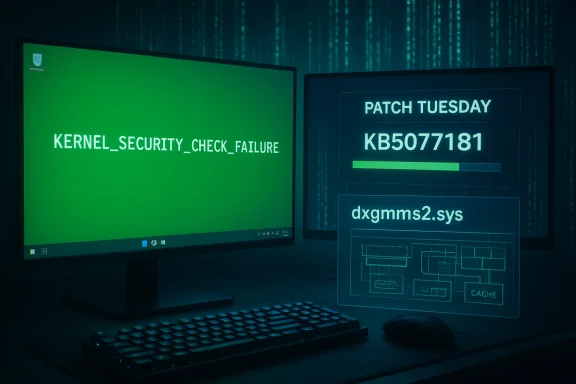
Microsoft released the February 10, 2026 cumulative update for Windows 11 — identified as KB5077181 (OS builds 26200.7840 and 26100.7840) — as part of Patch Tuesday. The official release notes call out a graphics fix that explicitly addresses a recent system error tied to dxgmms2.sys, which Microsoft says could result in the KERNEL_SECURITY_CHECK_FAILURE stop code on “certain GPU configurations.”
Community outlets and hardware press quickly framed this as a major relief for gamers: reports had linked the stop code and black/green screen crashes to titles that use kernel‑level anti‑cheat hooks (examples cited in community threads included Genshin Impact and Marvel Rivals) and to other graphically intensive games like Forza Horizon 5. Multiple independent outlets corroborated that the February update included the dxgmms2.sys repair and that some of the January regressions affecting gaming were alleviated by the new patch.
At the same time, the update has not been universally smooth. Users and technicians on forums and social media reported boot loops, Secure Boot/firmware conflicts, and additional regressions after installing KB5077181 — problems that forced some users to roll back the patch or to perform recovery steps. Industry coverage documented both the improvements and the new headaches, painting a mixed picture for adoption.
Many of these community obbruary fix are also reflected in community‑curated summaries and local reports uploaded to discussion boards and forums. The OC3D brief and related community threads captured the immediate reaction: a long‑running KERNEL_SECURITY_CHECK_FAILURE complaint that became more prominent with recent Windows 11 versions, and a claim that the February cumulative update “appears to have addressed” it.
The same cumulative update also addressed an earlier networking regression that prevented some devices from connecting to certain WPA3‑Personal networks — an unrelated but significant user impact introduced by January preview packages.
For players and administrators this means a few practical points:
That said, the rollout highlights the persistent complexities of modern OS maintenance. Kernel fixes can expose latent issues in third‑party drivers and firmware, and Microsoft’s simultaneous Secure Boot certificate staging adds another layer of risk for particular devices. Gamers and admins should update — but do so cautiously: confirm GPU and anti‑cheat driver compatibility, test in a controlled environment when possible, and keep recovery options at hand. The fix for dxgmms2.sys is important, but it’s not the end of the story; the ecosystem must continue to align to translate the OS‑level repair into stable, universal outcomes for every configuration.
Source: OC3D Microsoft fixes BSOD-causing gaming bug with Windows 11 update - OC3D
 Background / Overview
Microsoft released the February 10, 2026 cumulative update for Windows 11 — identified as KB5077181 (OS builds 26200.7840 and 26100.7840) — as part of Patch Tuesday. The official release notes call out a graphics fix that explicitly addresses a recent system error tied to dxgmms2.sys, which Microsoft says could result in the KERNEL_SECURITY_CHECK_FAILURE stop code on “certain GPU configurations.”Community outlets and hardware press quickly framed this as a major relief for gamers: reports had linked the stop code and black/green screen crashes to titles that use kernel‑level anti‑cheat hooks (examples cited in community threads included Genshin Impact and Marvel Rivals) and to other graphically intensive games like Forza Horizon 5. Multiple independent outlets corroborated that the February update included the dxgmms2.sys repair and that some of the January regressions affecting gaming were alleviated by the new patch.
At the same time, the update has not been universally smooth. Users and technicians on forums and social media reported boot loops, Secure Boot/firmware conflicts, and additional regressions after installing KB5077181 — problems that forced some users to roll back the patch or to perform recovery steps. Industry coverage documented both the improvements and the new headaches, painting a mixed picture for adoption.
Many of these community obbruary fix are also reflected in community‑curated summaries and local reports uploaded to discussion boards and forums. The OC3D brief and related community threads captured the immediate reaction: a long‑running KERNEL_SECURITY_CHECK_FAILURE complaint that became more prominent with recent Windows 11 versions, and a claim that the February cumulative update “appears to have addressed” it.
What broke: the dxgmms2.sys → KERNEL_SECURITY_CHECK_FAILURE scenario
The technical symptom
The visible symptom reported by users was a hard system failure that produced a modern stop screen carrying the KERNEL_SECURITY_CHECK_FAILURE bug check (commonly reported as Bug Check 0x139). In many community posts this presented as a sudden black or green screen crash while launching or playing games, often requiring a hard reboot. The underlying kernel component implicated in Microsoft’s notes is dxgmms2.sys, the Windows kernel module responsible for parts of DirectX graphics memory management.Why dxgmms2.sys can take a system down
dxgmms2.sys sits at the intersection of OS memory management and vendor GPU drivers. When the kernel’s expectations about memory descriptors, pointers, or synchronization are violated — either by an OS change, a vendor driver bug, or a third‑party kernel driver (for example, anti‑cheat) — Windows may trigger a fatal stop to protect system integrity. Because the problem involves kernel invariants, the visible symptom is severe and immediate. The edge‑case nature and hardware/driver permutations explain why Microsoft described the issue as affecting “certain GPU configurations” rather than all GPUs.What Microsoft shipped in KB5077181
The official fixes called out
Microsoft’s KB entry for KB5077181 lists several fixes and quality improvements carried from the January preview releases. Crucially for gamers and GPU‑heavy workloads, the changelog contains the short, explicit line: “[Graphics] Fixed: This update addresses an issue where certain GPU configurations might recently have experienced a system error related to dxgmms2.sys, resulting in the Kernel_Security_Check_Failure error.” That is the formal acknowledgement that a class of kernel crashes tied to the DirectX memory manager has been mitigated.The same cumulative update also addressed an earlier networking regression that prevented some devices from connecting to certain WPA3‑Personal networks — an unrelated but significant user impact introduced by January preview packages.
What the patch does and does not promise
- The patch applies targeted changes intended to stop the specific dxgmms2.sys‑triggered crashes on affected configurations. It does not list an exhaustive, model‑by‑model list of affected GPUs, drivers, or anti‑cheat stacks.
- Microsoft’s phrasing implies a narrow population: certain configurations — a mix of OS build, vendor driver versions, OEM firmware, and possibly third‑party kernel drivers. This distinction is crucial: “fixed” at the KB level means the OS no longer triggers the same fault in the patched code paths, but hardware and third‑party driver permutations can still cause similar or related failures.
Real‑world results: who saw relief, who saw new problems
Gaming fixes observed
Several outlets and community threads reported that the patch reduced occurrences of the KERNEL_SECURITY_CHECK_FAILURE crashes, and that previously afflicted titles showed improved stability after KB5077181 landed. Review coverage and aggregate testing indicated that the worst of the black‑screen and artifact complaints that cropped up after January’s roll contributed to a perceivable improvement for many affected gamers. Publications focused on gaming and hardware reported that games such as Forza Horizon 5 experienced fewer black‑screen or texture corruption incidents after the update reached affected systems.New regressions and installation risks
However, the rollout was not universally successful. Multiple independent reports documented serious side effects after installing KB5077181:- Boot and Secure Boot issues: Some users reported Secure Boot violations and systems failing to boot after the update or after following recovery steps, particularly when system firmware/UEFI Secure Boot DB entries were altered. Microsoft had separately warned about a planned Secure Boot certificate staging and urged admins to follow guidance — a complex interaction that, in rare cases, complicated recovery.
- Installation failures and reboot loops: Numerous forum posts reported Endless reboot loops, SENS errors, and update installation errors (0x800f0983, 0x800f0991). Tech outlets produced step‑by‑step mitigation guidance including uninstalling the KB via Control Panel, using WinRE, or restoring images for affected systems.
- New incompatibilities with specific drivers: Anecdotal but repeated posts suggested conflicts between KB5077181 and certain NVIDIA Studio driver builds, or other vendor drivers, producing audio cracking, black screens, or stuttering. These are still user‑reported and not comprehensively reproduced by vendors at the time of reporting. Treat such claims with caution until vendors or Microsoft publish compatibility notes.
Why anti‑cheat and kernel‑level drivers matter
Many modern multiplayer and competitive titles use kernel‑mode anti‑cheat drivers to monitor and control low‑level system behavior for fairness and protection. Those drivers operate with high privilege and interact with the same kernel surfaces dxgmms2.sys touches. When the OS adjusts validation checks, memory contracts, or synchronization semantics, a previously tolerated but incorrect behavior in an anti‑cheat driver can suddenly violate the kernel’s new expectations — and the result is a stop code like KERNEL_SECURITY_CHECK_FAILURE. Several community threads pointed to anti‑cheat interaction as a plausible contributor to the crash pattern seen in January and after.For players and administrators this means a few practical points:
- Keep both Windows and vendor drivers (GPU, input, anti‑cheat) updated in lockstep where possible.
- If you rely on a specific combination for professional or competitive use, test updates first on a non‑production machine.
- When a kernel‑level crash surfaces after an update, collect a dump and share it with vendor/anti‑cheat support; the data is often essential to tracing the interaction.
Practical guidance for gamers and admins
Immediate steps for affected users
- Check update status: Confirm whether KB5077181 (Build 26100.7840 / 26200.7840) is installed using Settings → Windows Update → Update History.
- Update GPU and anti‑cheat drivers: Install the latest vendor GPU drivers (Game Ready drivers for NVIDIA where appropriate) and apply any anti‑cheat updates pushed by the game publisher. Compatibility is often resolved when both sides update.
- If you experience KERNEL_SECURITY_CHECK_FAILURE crashes: Try applying KB5077181 if you haven’t already; Microsoft’s release notes indicate that the specific dxgmms2.sys issue is addressed there. If the system is unbootable, use WinRE and recovery tools; enterprise admins can deploy the MSU offline package or use WSUS.
- If you experience new boot or Secure Boot errors after installing KB5077181: Follow OEM guidance for Secure Boot recovery (restore UEFI defaults, use recovery media) and, if necessary, consult Microsoft’s instructions for Secure Boot certificate transitions. For some users, rolling back the update temporarily was required.
For IT administrators
- Staging and phased deployment remain essential. Use Windows Update for Business, ringed deployments, or WSUS to limit blast radius and test on representative hardware before wide rollout. KB5077181 contains Secure Boot certificate staging and other platform changes that interact with firmware and boot components.
- Gather telemetry and error dumps. Kernel dumps and WER data are crucial for vendor coordination. If you manage fleets with mixed OEMs and GPU vendors, you may need to coordinate driver updates across multiple supply chains.
- Prepare recovery plans. Keep recovery media and documented rollback steps available. Some admins reported needing to use offline DISM and package removal for stubborn installs.
Strengths, risks, and the larger picture
Notable strengths of Microsoft’s response
- Recognition and targeted patching: Microsoft explicitly named the dxgmms2.sys path and the kernel stop code in the February release notes. That clarity is important for diagnostic triage and gives vendors and admins a concrete issue to address.
- Bundled corrections: The update consolidated fixes from January preview packages and added corrections for both graphics and WPA3 networking regressions — reducing fragmentation of fixes across multiple releases.
Potential risks and lingering concerns
- Rollout fragility: The mix of kernel fixes with Secure Boot and certificate staging creates a fragile surface where firmware state, update history, and driver versions all interact. Some users ran into Secure Boot violations and boot failures. This is not a theoretical risk — ifield.
- Third‑party driver exposure: Fixing kernel checks can expose incorrect behavior in vendor or anti‑cheat drivers. Without prompt vendor coordination, some users will continue to see instability even after Microsoft’s patch. Community reports about specific driver conflicts indicate that careful coordination between Microsoft, GPU vendors, and game publishers remains necessary.
- Communications and trust: Repeated regressions tied to monthly updates have eroded some users’ confidence in immediate installation. The practical consequence is that many will delay or pause updates, which in turn increases exposure to security vulnerabilities. The balance between reliability and patching speed remains precarious.
How to interpret “fixed” in headlines
When outlets say Microsoft “fixed” the BSOD issue, they are correct in describing the KB’s stated intent and the observed improvements for many users. But the term needs nuance:- “Fixed” means Microsoft changed the OS code to prevent the specific dxgmms2.sys crash pattern described in the KB from occurring with the patched code. It does not guarantee that every machine using every vendor driver and anti‑cheat stack will be immune from all kernel crashes. Hardware and third‑party drivers can still trigger different stop codes or related failures.
- The February update’s success therefore should be measured both by the reduction in community reports of the particular KERNEL_SECURITY_CHECK_FAILURE symptom and by the absence of new, widespread regressions. Early signs suggest improvement for many gamers but also show some significant edge‑case failures in the wild.
Conclusion
KB5077181 is a substantive repair in Microsoft’s February 2026 Patch Tuesday: it directly addresses a dxgmms2.sys‑related kernel crash that had been disrupting gamers and other power users, and it folded in fixes for networking regressions introduced in January. For many affected users the update will restore gaming stability and reduce the kernel crash incidents that produced the KERNEL_SECURITY_CHECK_FAILURE stop code.That said, the rollout highlights the persistent complexities of modern OS maintenance. Kernel fixes can expose latent issues in third‑party drivers and firmware, and Microsoft’s simultaneous Secure Boot certificate staging adds another layer of risk for particular devices. Gamers and admins should update — but do so cautiously: confirm GPU and anti‑cheat driver compatibility, test in a controlled environment when possible, and keep recovery options at hand. The fix for dxgmms2.sys is important, but it’s not the end of the story; the ecosystem must continue to align to translate the OS‑level repair into stable, universal outcomes for every configuration.
Source: OC3D Microsoft fixes BSOD-causing gaming bug with Windows 11 update - OC3D
