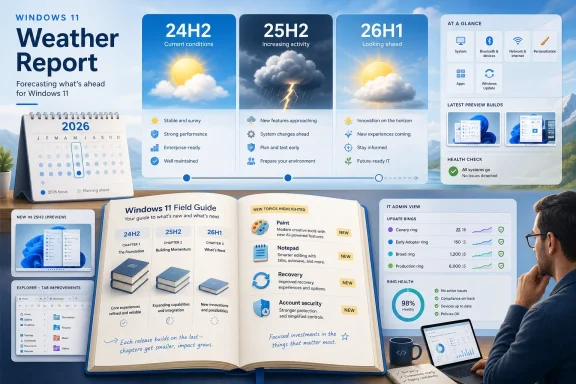
Paul Thurrott has renamed and reworked his long-running Windows 11 Field Guide as the Windows 11 Field Guide 2026 edition, a June 2026 update that reframes the book around today’s supported Windows 11 releases: 24H2, 25H2, and 26H1. The change is more than a cover-page refresh. It is a small but telling sign that Windows 11 has crossed from migration story to maintenance reality. Microsoft’s flagship desktop OS is no longer the newcomer that needs explaining by comparison to Windows 10; it is now the platform most Windows users are expected to live inside, manage, harden, repair, and tolerate.
That shift matters because Windows documentation has always had a strange half-life. The moment a guide is accurate, Microsoft changes the thing it describes. Thurrott’s 2026 edition is therefore not just a book update, but a snapshot of Windows 11’s current condition: more capable, more complicated, more cloud-bound, and increasingly defined by the work required to keep its own instructions from going stale.
The first notable decision in the 2026 Field Guide is the move away from version-based framing. Thurrott says the edition will now be year-based rather than tied to a single Windows 11 feature update, with the current release covering 24H2, 25H2, and 26H1. That sounds like an editorial housekeeping choice, but it reflects a larger truth about modern Windows: version numbers increasingly describe servicing channels and hardware baselines more than they describe a user-visible operating system.
Microsoft has spent years turning Windows into something closer to a continuously serviced platform. Features arrive through cumulative updates, Store app updates, controlled feature rollouts, cloud-backed components, and sometimes Copilot-era experiments that do not wait politely for the annual fall release. The old mental model — install new Windows version, learn new Windows version, wait a year — no longer maps neatly to the machine on a desk.
For a field guide, that creates a painful editorial problem. If the book is branded around 25H2, what happens when 26H1 appears on select new hardware but does not represent the broad feature baseline for everyone else? If it is branded around 24H2, does it look old the moment Microsoft lights up the next wave of UI and recovery features? Thurrott’s answer is pragmatic: make the book an annual living edition, keep updating it through the 2026 cycle, and stop pretending that a single Windows version number is the whole story.
That is also a useful lesson for IT departments. Windows 11 management in 2026 is less about asking “Which version are we on?” and more about asking which enablement package, app version, policy state, silicon platform, account model, and rollout cohort a device belongs to. The Field Guide’s new shape mirrors the OS it documents: one product name, many subtly different realities.
Four years later, the politics have changed. Windows 10 reached end of support for mainstream consumer servicing on October 14, 2025, and Microsoft’s Extended Security Updates program now functions as a temporary safety net rather than a long-term alternative for ordinary users. The practical direction of travel is clear: the Windows ecosystem has moved on, even if a large installed base has not.
That makes the 2026 Field Guide less of a migration manual and more of a survival manual. The reader is no longer presumed to be a Windows 10 user nervously crossing the river. The reader is already on the other side, trying to understand why Windows Backup wants a Microsoft account, why the Settings app keeps absorbing Control Panel territory, why inbox apps come and go, and why some features seem to arrive without the ceremonial clarity of a major release.
This is the right editorial call. Windows 10 still matters historically, emotionally, and operationally, especially for older PCs and organizations stretching hardware budgets. But a Windows 11 guide in 2026 cannot keep treating Windows 10 as the default reference point. Doing so would freeze the book in the anxieties of 2021 while the operating system itself has moved into a different phase.
This is not merely a matter of deleting obsolete pages. It is a reminder that Windows’ “inbox” experience has become less stable as a concept. A chapter that made sense when an app shipped with Windows can become dead weight once Microsoft replaces the app, unbundles it, folds it into a web-backed service, or decides the business model no longer fits.
Mail and Calendar are the clearest examples. For years they were lightweight, familiar, local-feeling Windows apps. Their displacement by the new Outlook for Windows represents Microsoft’s broader preference for service-aligned, account-centered experiences. That may be rational from Microsoft’s side — one client strategy, stronger cloud integration, consistent web technology — but it changes what a Windows guide has to explain. The user is not just learning an app; the user is learning Microsoft’s product strategy.
Movies & TV tells another version of the same story. Windows once carried remnants of Microsoft’s consumer media ambitions: stores, libraries, playback apps, and the hope that the PC could be a retail entertainment hub. The shrinking of that story inside Windows reflects a market reality in which streaming services, browser experiences, and dedicated apps own that terrain. The Windows desktop remains the stage, but Microsoft no longer tries to sell every ticket from the box office.
The guide’s cleanup therefore doubles as an archaeological dig. Each removed chapter marks a place where Windows once promised a more complete first-party experience and now offers either a replacement, a redirect, or silence.
Paint and Notepad are not glamorous in the old Windows sense. They are not Start menu revolutions or new shell metaphors. But Microsoft has spent recent years turning these once-static utilities into active product surfaces, with tabs, autosave-style conveniences, AI-assisted editing experiments, improved text handling, and a general willingness to revisit tools that had gone nearly untouched for decades. The humble app is now a feature delivery vehicle.
That has consequences for documentation. A Notepad chapter in 2015 could be short because Notepad was essentially a monument. A Notepad chapter in 2026 has to account for a living app whose behavior may depend on Store updates and staged rollouts. The same is true of Paint, which has become a surprisingly useful example of Microsoft’s habit of introducing modern features through familiar names.
Quick Machine Recovery is a more serious addition. Microsoft describes it as a way for Windows 11 devices to recover from widespread boot problems by using Windows Recovery Environment to connect to Windows Update and apply remediations. In plain English, it is part of Microsoft’s answer to the nightmare scenario that defined the industry after large-scale endpoint failures: machines that cannot boot, cannot receive normal fixes, and cannot be touched quickly enough by human administrators.
That feature belongs in a field guide because it changes the recovery conversation. The old recovery model assumed a local repair path, a restore image, a technician, or a user who could follow instructions while staring at a blue recovery screen. The new model assumes that the recovery environment itself may need to become connected, policy-aware, and centrally remediable. For sysadmins, that is both promising and unsettling: automation can shorten an outage, but it also adds another dependency to understand before the outage happens.
Account security basics, meanwhile, may be the most revealing new chapter of all. Windows 11 is now inseparable from identity. Microsoft accounts, passkeys, Windows Hello, device encryption, backup, Store entitlements, OneDrive, Edge sync, and enterprise identity all sit close to the core user experience. A modern Windows guide that does not explain account security is no longer complete, because the account is increasingly the control plane for the PC.
His current approach is consolidation. Three upgrade chapters become one. Four install chapters become one. Screenshot quality and placement are being reconsidered. Some content may be moved to smaller companion books or bundles, including possibly separate Microsoft account and Microsoft Edge books that could remove roughly 100 pages from the main guide.
This is not just an author’s production problem. It is a Windows problem. The operating system has become too broad for a single linear book to treat every component with equal weight. Edge alone is practically a platform. Microsoft account behavior touches setup, backup, sync, Store apps, subscriptions, passkeys, family safety, and recovery. Windows security spans consumer defaults, enterprise baselines, hardware roots of trust, Defender, Smart App Control, reputation systems, and identity protections.
A “complete” Windows guide can therefore become less useful as it becomes more complete. Readers do not always need the whole cathedral; they need the right chapel at the moment something breaks. By considering smaller books and bundles, Thurrott is acknowledging that Windows knowledge is modular now. The monolith has to become a library.
That is also how IT pros increasingly consume Windows expertise. The admin troubleshooting a broken deployment does not want a grand tour of Snap Layouts. The enthusiast trying to de-clutter Windows 11 does not want 40 pages on enterprise enrollment. The family tech support volunteer does not want a policy reference; they want to know why the user’s files are tied to OneDrive and which setting caused it. The OS is one product, but its problems arrive as separate genres.
Anyone who has documented Windows knows why this matters. Screenshots are simultaneously essential and perishable. They anchor instructions in reality, especially for less technical readers, but they also go stale the moment Microsoft changes an icon, moves a setting, renames a button, or A/B tests a layout.
Windows 11 makes this worse because the interface is increasingly fluid. Settings pages are reorganized. Inbox apps update independently. Microsoft account prompts evolve. Copilot-related entry points appear, disappear, or move depending on region, edition, policy, and rollout state. A screenshot that was comforting last spring can become misleading by winter.
Cropping screenshots is therefore not just about file size. It is about reducing the surface area of future wrongness. A tightly cropped image of the relevant control survives more UI churn than a full-window screenshot full of incidental details. A smaller screenshot also forces the author to ask whether the image actually teaches anything the text does not.
There is a deeper lesson here for Microsoft. Documentation debt is user experience debt. If an operating system requires constant screenshot churn to explain basic tasks, the problem is not only the book. It is the instability of the surfaces users rely on to build memory.
This cadence has editorial benefits. It gives the author permission to treat the book as a maintained product without pretending every update is a new book. It also gives readers a clearer expectation: buy the 2026 edition, get the 2026 Windows 11 story as it develops. That is more honest than branding around a single Windows version that may not mean the same thing across all devices.
It also mirrors Microsoft’s own ambiguity. Windows 11 26H1, for example, is not a conventional mass-market feature update in the old sense. Microsoft has positioned it around select new devices and underlying platform needs. That makes it relevant, but not necessarily relevant in the same way 24H2 or 25H2 is relevant to the average installed base.
The annual model lets a guide say: here is the year’s Windows landscape, including the versions, features, exceptions, and hardware-dependent wrinkles that matter. It avoids making the version number carry more explanatory weight than it can bear.
For enterprise readers, this is the right frame. The question is not whether 26H1 exists. The question is whether your device fleet will see it, whether your policies account for it, whether recovery and security behavior changes, and whether help desk instructions remain accurate across the population you actually support.
That split is real. Windows 11’s audience includes enthusiasts who enjoy tuning the OS, ordinary users who simply want fewer interruptions, administrators who need predictable controls, and power users who resent cloud nudges and promotional surfaces. A single book can serve all of them only up to a point.
The existence of a “de-enshittification” companion also captures the mood around Windows 11 better than Microsoft’s own marketing does. Many users do not object to Windows 11 because it lacks features. They object because it has too many features with agendas attached. Recommendations, account prompts, Edge defaults, backup nudges, Copilot surfaces, Store promotions, and notification requests create a sense that the PC is never entirely quiet.
A mainline Field Guide has to explain Windows as it is. A companion cleanup guide can explain how to push back. That separation is useful because it preserves the difference between documentation and editorial intervention. One tells you what Microsoft built; the other tells you how to live with it on your own terms.
If Thurrott eventually extracts Microsoft account or Edge content into separate books, the same logic applies. Those areas are large enough, contentious enough, and changeable enough to deserve their own treatment. They are no longer sidebars in the Windows story. They are recurring characters.
That matters more than any exact adoption statistic. Windows 11 no longer has to win the argument in the same way it did at launch. The retail channel, OEM pipeline, support lifecycle, and Microsoft’s feature investments have already shifted the center of gravity. Windows 10 can remain widely used and still be structurally displaced.
This is how platform transitions often work. The older version remains beloved, installed, and operationally important long after the vendor’s attention has moved elsewhere. The new version becomes unavoidable not because every skeptic is persuaded, but because every new device, support article, hardware certification, and feature roadmap assumes it.
A field guide is downstream of that assumption. It cannot spend its energy relitigating whether Windows 11 should have happened. It has to explain the version of Windows users are increasingly likely to have in front of them.
The harder task is preserving useful skepticism inside that reality. A good Windows 11 guide should not become Microsoft’s brochure. It should tell readers when a change is genuinely helpful, when it is merely different, when it is a cloud-service funnel, and when it creates new management work for no obvious user benefit. Thurrott’s planned trimming and refocusing suggests an attempt to keep that balance.
That is why the removed chapters matter. Leaving a Mail chapter in place after the app no longer ships would be worse than having no chapter at all. It would teach the reader that the book is not alive. In technical publishing, a stale page poisons the credibility of the pages around it.
The same applies to install and upgrade guidance. Windows setup has changed repeatedly, especially around hardware requirements, Microsoft account expectations, BitLocker/device encryption behavior, and out-of-box experience flows. A guide that keeps old upgrade-era assumptions intact becomes dangerous in subtle ways. It may tell users what used to be true at precisely the moment they need to know what happens now.
Thurrott’s 2026 work is therefore partly an exercise in subtraction. That is harder than it looks. Tech books often grow because adding new material feels productive, while cutting old material feels risky. But the value of a field guide depends as much on what it refuses to preserve as what it adds.
For WindowsForum readers, that is the editorial significance of this update. The book is not only getting new chapters. It is shedding the old Windows 11 launch-era skin.
That is an honest portrait of Windows 11. It is not the disaster its harshest critics describe, nor the frictionless modern platform Microsoft would prefer to market. It is a large, commercially strategic, security-sensitive, cloud-adjacent operating system serving everyone from gamers to hospitals to grandparents to managed enterprise fleets. No single narrative can fully contain it.
The most useful guides are the ones that accept that messiness. They do not pretend Windows is simple. They make it navigable.
That is why the shift to a year-based guide feels overdue. Windows 11 in 2026 is not defined by one launch event. It is defined by a stream of changes that users experience unevenly and administrators must rationalize after the fact. A living annual edition is a better instrument for that world than a static version manual.
That shift matters because Windows documentation has always had a strange half-life. The moment a guide is accurate, Microsoft changes the thing it describes. Thurrott’s 2026 edition is therefore not just a book update, but a snapshot of Windows 11’s current condition: more capable, more complicated, more cloud-bound, and increasingly defined by the work required to keep its own instructions from going stale.
 The Windows 11 Book Is Now a Moving Target Because Windows 11 Is One
The first notable decision in the 2026 Field Guide is the move away from version-based framing. Thurrott says the edition will now be year-based rather than tied to a single Windows 11 feature update, with the current release covering 24H2, 25H2, and 26H1. That sounds like an editorial housekeeping choice, but it reflects a larger truth about modern Windows: version numbers increasingly describe servicing channels and hardware baselines more than they describe a user-visible operating system.Microsoft has spent years turning Windows into something closer to a continuously serviced platform. Features arrive through cumulative updates, Store app updates, controlled feature rollouts, cloud-backed components, and sometimes Copilot-era experiments that do not wait politely for the annual fall release. The old mental model — install new Windows version, learn new Windows version, wait a year — no longer maps neatly to the machine on a desk.
For a field guide, that creates a painful editorial problem. If the book is branded around 25H2, what happens when 26H1 appears on select new hardware but does not represent the broad feature baseline for everyone else? If it is branded around 24H2, does it look old the moment Microsoft lights up the next wave of UI and recovery features? Thurrott’s answer is pragmatic: make the book an annual living edition, keep updating it through the 2026 cycle, and stop pretending that a single Windows version number is the whole story.
That is also a useful lesson for IT departments. Windows 11 management in 2026 is less about asking “Which version are we on?” and more about asking which enablement package, app version, policy state, silicon platform, account model, and rollout cohort a device belongs to. The Field Guide’s new shape mirrors the OS it documents: one product name, many subtly different realities.
Windows 10 Is No Longer the Center of Gravity
The most symbolic cut is Thurrott’s decision to remove the old “Where did it go?” material aimed at Windows 10 upgraders. When Windows 11 arrived in 2021, that kind of hand-holding was essential. The centered taskbar, redesigned Start menu, new Settings app priorities, hardware requirements, and vanished affordances all made Windows 11 feel like a political argument disguised as a desktop upgrade.Four years later, the politics have changed. Windows 10 reached end of support for mainstream consumer servicing on October 14, 2025, and Microsoft’s Extended Security Updates program now functions as a temporary safety net rather than a long-term alternative for ordinary users. The practical direction of travel is clear: the Windows ecosystem has moved on, even if a large installed base has not.
That makes the 2026 Field Guide less of a migration manual and more of a survival manual. The reader is no longer presumed to be a Windows 10 user nervously crossing the river. The reader is already on the other side, trying to understand why Windows Backup wants a Microsoft account, why the Settings app keeps absorbing Control Panel territory, why inbox apps come and go, and why some features seem to arrive without the ceremonial clarity of a major release.
This is the right editorial call. Windows 10 still matters historically, emotionally, and operationally, especially for older PCs and organizations stretching hardware budgets. But a Windows 11 guide in 2026 cannot keep treating Windows 10 as the default reference point. Doing so would freeze the book in the anxieties of 2021 while the operating system itself has moved into a different phase.
The Removed Chapters Tell the Real Story
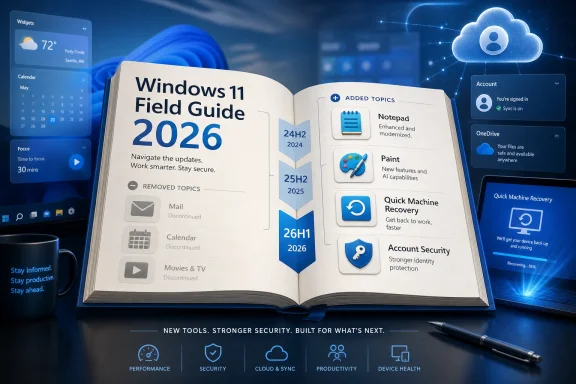
The list of removed chapters is almost as revealing as the list of new ones. Thurrott says he has cut chapters for Mail, Calendar, Microsoft 365, and Movies & TV because the apps they covered are no longer included with Windows 11. He also trimmed Microsoft Store coverage to remove material tied to movies and TV purchases, which the Store no longer sells.This is not merely a matter of deleting obsolete pages. It is a reminder that Windows’ “inbox” experience has become less stable as a concept. A chapter that made sense when an app shipped with Windows can become dead weight once Microsoft replaces the app, unbundles it, folds it into a web-backed service, or decides the business model no longer fits.
Mail and Calendar are the clearest examples. For years they were lightweight, familiar, local-feeling Windows apps. Their displacement by the new Outlook for Windows represents Microsoft’s broader preference for service-aligned, account-centered experiences. That may be rational from Microsoft’s side — one client strategy, stronger cloud integration, consistent web technology — but it changes what a Windows guide has to explain. The user is not just learning an app; the user is learning Microsoft’s product strategy.
Movies & TV tells another version of the same story. Windows once carried remnants of Microsoft’s consumer media ambitions: stores, libraries, playback apps, and the hope that the PC could be a retail entertainment hub. The shrinking of that story inside Windows reflects a market reality in which streaming services, browser experiences, and dedicated apps own that terrain. The Windows desktop remains the stage, but Microsoft no longer tries to sell every ticket from the box office.
The guide’s cleanup therefore doubles as an archaeological dig. Each removed chapter marks a place where Windows once promised a more complete first-party experience and now offers either a replacement, a redirect, or silence.
The New Chapters Show Where Microsoft Thinks the Desktop Still Matters
The new chapters point in the opposite direction. Thurrott has added coverage for Paint, Notepad, Quick Machine Recovery, and account security basics. That selection looks modest, almost quaint, until you notice what it says about the modern Windows agenda.Paint and Notepad are not glamorous in the old Windows sense. They are not Start menu revolutions or new shell metaphors. But Microsoft has spent recent years turning these once-static utilities into active product surfaces, with tabs, autosave-style conveniences, AI-assisted editing experiments, improved text handling, and a general willingness to revisit tools that had gone nearly untouched for decades. The humble app is now a feature delivery vehicle.
That has consequences for documentation. A Notepad chapter in 2015 could be short because Notepad was essentially a monument. A Notepad chapter in 2026 has to account for a living app whose behavior may depend on Store updates and staged rollouts. The same is true of Paint, which has become a surprisingly useful example of Microsoft’s habit of introducing modern features through familiar names.
Quick Machine Recovery is a more serious addition. Microsoft describes it as a way for Windows 11 devices to recover from widespread boot problems by using Windows Recovery Environment to connect to Windows Update and apply remediations. In plain English, it is part of Microsoft’s answer to the nightmare scenario that defined the industry after large-scale endpoint failures: machines that cannot boot, cannot receive normal fixes, and cannot be touched quickly enough by human administrators.
That feature belongs in a field guide because it changes the recovery conversation. The old recovery model assumed a local repair path, a restore image, a technician, or a user who could follow instructions while staring at a blue recovery screen. The new model assumes that the recovery environment itself may need to become connected, policy-aware, and centrally remediable. For sysadmins, that is both promising and unsettling: automation can shorten an outage, but it also adds another dependency to understand before the outage happens.
Account security basics, meanwhile, may be the most revealing new chapter of all. Windows 11 is now inseparable from identity. Microsoft accounts, passkeys, Windows Hello, device encryption, backup, Store entitlements, OneDrive, Edge sync, and enterprise identity all sit close to the core user experience. A modern Windows guide that does not explain account security is no longer complete, because the account is increasingly the control plane for the PC.
The Book Is Shrinking Because Windows Is Bloated in a Different Way
Thurrott describes a contradictory task: he wants to reduce page count and file size while adding new material. That tension will be familiar to anyone who has tried to document Windows professionally. The OS accumulates features, but the book cannot simply accumulate pages forever.His current approach is consolidation. Three upgrade chapters become one. Four install chapters become one. Screenshot quality and placement are being reconsidered. Some content may be moved to smaller companion books or bundles, including possibly separate Microsoft account and Microsoft Edge books that could remove roughly 100 pages from the main guide.
This is not just an author’s production problem. It is a Windows problem. The operating system has become too broad for a single linear book to treat every component with equal weight. Edge alone is practically a platform. Microsoft account behavior touches setup, backup, sync, Store apps, subscriptions, passkeys, family safety, and recovery. Windows security spans consumer defaults, enterprise baselines, hardware roots of trust, Defender, Smart App Control, reputation systems, and identity protections.
A “complete” Windows guide can therefore become less useful as it becomes more complete. Readers do not always need the whole cathedral; they need the right chapel at the moment something breaks. By considering smaller books and bundles, Thurrott is acknowledging that Windows knowledge is modular now. The monolith has to become a library.
That is also how IT pros increasingly consume Windows expertise. The admin troubleshooting a broken deployment does not want a grand tour of Snap Layouts. The enthusiast trying to de-clutter Windows 11 does not want 40 pages on enterprise enrollment. The family tech support volunteer does not want a policy reference; they want to know why the user’s files are tied to OneDrive and which setting caused it. The OS is one product, but its problems arrive as separate genres.
Screenshots Are the Hidden Tax on Every Windows Guide
The discussion of screenshots may sound like production minutiae, but it is one of the most important parts of the update. Thurrott previously reduced screenshot quality to shrink PDF and EPUB downloads. Now he plans to retake and crop screenshots so they consume less vertical space, while removing unnecessary ones.Anyone who has documented Windows knows why this matters. Screenshots are simultaneously essential and perishable. They anchor instructions in reality, especially for less technical readers, but they also go stale the moment Microsoft changes an icon, moves a setting, renames a button, or A/B tests a layout.
Windows 11 makes this worse because the interface is increasingly fluid. Settings pages are reorganized. Inbox apps update independently. Microsoft account prompts evolve. Copilot-related entry points appear, disappear, or move depending on region, edition, policy, and rollout state. A screenshot that was comforting last spring can become misleading by winter.
Cropping screenshots is therefore not just about file size. It is about reducing the surface area of future wrongness. A tightly cropped image of the relevant control survives more UI churn than a full-window screenshot full of incidental details. A smaller screenshot also forces the author to ask whether the image actually teaches anything the text does not.
There is a deeper lesson here for Microsoft. Documentation debt is user experience debt. If an operating system requires constant screenshot churn to explain basic tasks, the problem is not only the book. It is the instability of the surfaces users rely on to build memory.
Annual Editions Fit an Operating System That No Longer Waits for Itself
The annual-edition model is probably the most durable change in the 2026 Field Guide. Thurrott says existing owners will receive free updates through the release of Windows 11 version 26H2 in late 2026, after which it will be time for a new edition. That rhythm matches how many users now experience Windows: not as one dramatic launch, but as a year-long negotiation.This cadence has editorial benefits. It gives the author permission to treat the book as a maintained product without pretending every update is a new book. It also gives readers a clearer expectation: buy the 2026 edition, get the 2026 Windows 11 story as it develops. That is more honest than branding around a single Windows version that may not mean the same thing across all devices.
It also mirrors Microsoft’s own ambiguity. Windows 11 26H1, for example, is not a conventional mass-market feature update in the old sense. Microsoft has positioned it around select new devices and underlying platform needs. That makes it relevant, but not necessarily relevant in the same way 24H2 or 25H2 is relevant to the average installed base.
The annual model lets a guide say: here is the year’s Windows landscape, including the versions, features, exceptions, and hardware-dependent wrinkles that matter. It avoids making the version number carry more explanatory weight than it can bear.
For enterprise readers, this is the right frame. The question is not whether 26H1 exists. The question is whether your device fleet will see it, whether your policies account for it, whether recovery and security behavior changes, and whether help desk instructions remain accurate across the population you actually support.
Thurrott’s Bundle Strategy Reflects the Fragmented Windows Audience
The plan to bundle the Windows 11 Field Guide with De-Enshittify Windows 11 is also worth pausing over. The title of that companion book is deliberately pointed, but the product strategy is sober: some readers want a comprehensive guide, while others want a shorter, cheaper, more opinionated manual for making Windows less annoying.That split is real. Windows 11’s audience includes enthusiasts who enjoy tuning the OS, ordinary users who simply want fewer interruptions, administrators who need predictable controls, and power users who resent cloud nudges and promotional surfaces. A single book can serve all of them only up to a point.
The existence of a “de-enshittification” companion also captures the mood around Windows 11 better than Microsoft’s own marketing does. Many users do not object to Windows 11 because it lacks features. They object because it has too many features with agendas attached. Recommendations, account prompts, Edge defaults, backup nudges, Copilot surfaces, Store promotions, and notification requests create a sense that the PC is never entirely quiet.
A mainline Field Guide has to explain Windows as it is. A companion cleanup guide can explain how to push back. That separation is useful because it preserves the difference between documentation and editorial intervention. One tells you what Microsoft built; the other tells you how to live with it on your own terms.
If Thurrott eventually extracts Microsoft account or Edge content into separate books, the same logic applies. Those areas are large enough, contentious enough, and changeable enough to deserve their own treatment. They are no longer sidebars in the Windows story. They are recurring characters.
The One-Billion-User Claim Is Less Important Than the Default-Platform Reality
Thurrott writes that there are now over one billion people using Windows 11. Whether one treats that as a rounded ecosystem claim or a precise installed-base milestone, the practical point is not hard to accept: Windows 11 is now the default modern Windows experience for new PCs and for most mainstream forward-looking documentation.That matters more than any exact adoption statistic. Windows 11 no longer has to win the argument in the same way it did at launch. The retail channel, OEM pipeline, support lifecycle, and Microsoft’s feature investments have already shifted the center of gravity. Windows 10 can remain widely used and still be structurally displaced.
This is how platform transitions often work. The older version remains beloved, installed, and operationally important long after the vendor’s attention has moved elsewhere. The new version becomes unavoidable not because every skeptic is persuaded, but because every new device, support article, hardware certification, and feature roadmap assumes it.
A field guide is downstream of that assumption. It cannot spend its energy relitigating whether Windows 11 should have happened. It has to explain the version of Windows users are increasingly likely to have in front of them.
The harder task is preserving useful skepticism inside that reality. A good Windows 11 guide should not become Microsoft’s brochure. It should tell readers when a change is genuinely helpful, when it is merely different, when it is a cloud-service funnel, and when it creates new management work for no obvious user benefit. Thurrott’s planned trimming and refocusing suggests an attempt to keep that balance.
The Guide’s Makeover Is Really About Trust
The challenge for any technical book in 2026 is not only accuracy. It is trust. Readers need to believe that the instructions are current, that the author knows what changed, and that obsolete guidance has been removed rather than allowed to linger as sediment.That is why the removed chapters matter. Leaving a Mail chapter in place after the app no longer ships would be worse than having no chapter at all. It would teach the reader that the book is not alive. In technical publishing, a stale page poisons the credibility of the pages around it.
The same applies to install and upgrade guidance. Windows setup has changed repeatedly, especially around hardware requirements, Microsoft account expectations, BitLocker/device encryption behavior, and out-of-box experience flows. A guide that keeps old upgrade-era assumptions intact becomes dangerous in subtle ways. It may tell users what used to be true at precisely the moment they need to know what happens now.
Thurrott’s 2026 work is therefore partly an exercise in subtraction. That is harder than it looks. Tech books often grow because adding new material feels productive, while cutting old material feels risky. But the value of a field guide depends as much on what it refuses to preserve as what it adds.
For WindowsForum readers, that is the editorial significance of this update. The book is not only getting new chapters. It is shedding the old Windows 11 launch-era skin.
The Practical Shape of Windows 11 in 2026 Is Finally Coming Into Focus
The 2026 Field Guide update implies a version of Windows 11 that is mature but not settled. Its installation and upgrade story can be consolidated because the initial migration shock has faded. Its app story must be revised because Microsoft keeps changing what belongs in Windows. Its security and recovery story deserves new chapters because the PC is now part of a broader identity and resilience system. Its screenshots need rethinking because the interface keeps moving beneath the author’s feet.That is an honest portrait of Windows 11. It is not the disaster its harshest critics describe, nor the frictionless modern platform Microsoft would prefer to market. It is a large, commercially strategic, security-sensitive, cloud-adjacent operating system serving everyone from gamers to hospitals to grandparents to managed enterprise fleets. No single narrative can fully contain it.
The most useful guides are the ones that accept that messiness. They do not pretend Windows is simple. They make it navigable.
That is why the shift to a year-based guide feels overdue. Windows 11 in 2026 is not defined by one launch event. It is defined by a stream of changes that users experience unevenly and administrators must rationalize after the fact. A living annual edition is a better instrument for that world than a static version manual.
The 2026 Field Guide Marks the End of Windows 11’s Launch Era
The concrete changes in Thurrott’s update point to a broader set of takeaways for Windows users and administrators. The book is being reorganized because Windows itself has changed from a migration destination into a continuously serviced operating environment.- Windows 11 guidance now has to cover multiple supported releases at once, because version numbers alone no longer describe the full user experience.
- Windows 10 comparison material is becoming less central as the older OS recedes into extended security support and legacy-fleet management.
- Inbox app churn has become a documentation problem, especially when Microsoft replaces local-feeling apps with cloud-aligned successors.
- Recovery, identity, and account security now deserve front-stage treatment because they increasingly shape whether a Windows PC is usable, recoverable, and trustworthy.
- Smaller companion books and bundles make sense because Windows knowledge has become too modular and too audience-specific for one monolithic guide to carry comfortably.
- Screenshot discipline matters because Windows 11’s interface changes often enough that documentation can become obsolete through tiny visual mismatches.
References
- Primary source: thurrott.com
Published: Sun, 07 Jun 2026 18:55:04 GMT

Welcome to the 2026 Edition of the Windows 11 Field Guide!
The Windows 11 Field Guide is being updated with the current edition renamed to the Windows 11 Field Guide 2026 edition. www.thurrott.com
- Official source: support.microsoft.com
Windows 11, version 26H1 - Microsoft Support
 support.microsoft.com
- Related coverage: windowscentral.com

Windows 10 reaches end of support: Discover how to keep your device secure beyond October 2025
Windows 10 support ended on Tuesday, October 14. That means Windows 10 PCs will no longer receive security updates automatically, and you must take action to ensure these devices remain secure when connected to the internet. www.windowscentral.com
- Official source: microsoft.com
End of support for Windows 10, Windows 8.1, and Windows 7 | Microsoft Windows
Make a smooth transition to Windows 11 from your unsupported operating system with help from Microsoft. Enjoy the benefits of upgrading to a Windows 11 PC.www.microsoft.com
- Official source: learn.microsoft.com

Windows 10 reaching end of support - Microsoft Lifecycle
Announcing Windows 10 reaching end of support.learn.microsoft.com - Related coverage: cuit.columbia.edu
- Related coverage: windowslatest.com

Microsoft gives up, extends Windows 10's support for free if you meet the requirements
Windows 10 support is NOT ending on October 14, 2025, if you're ready to link your Microsoft account and sync Settings to the cloud. www.windowslatest.com
- Related coverage: tomsguide.com
- Related coverage: tomshardware.com

Windows 10 support ends today — here's who's affected and what you need to do
Update if you can, upgrade if you can't, or at least get the extended support license.www.tomshardware.com
- Related coverage: techradar.com
- Related coverage: atomicdata.com
- Related coverage: transparity.com
- Related coverage: aha.org