

Microsoft is now promising deeper Windows 11 File Explorer performance work in May 2026, after earlier testing a background preloading trick in Insider builds to make the file manager launch faster on first use. The promise matters because File Explorer is not a side app; it is the front door to local files, cloud storage, removable drives, network shares, archives, and much of the Windows shell itself. If Microsoft can make it feel instant again, Windows 11 gets back some of the everyday trust it has spent years leaking. If it cannot, the company’s new “quality” push risks looking like another round of polished language wrapped around old latency.
For years, the File Explorer complaint has sounded almost too small to carry the weight users put on it. A folder takes a beat too long to open. A right-click menu hesitates. A tab animates before it is ready. A network location freezes the window. Search feels like it belongs to a different era of computing.
But that is exactly why the complaint matters. Operating systems win or lose affection in the tiny actions repeated hundreds of times a week, and File Explorer is one of Windows’ most repeated rituals. Nobody launches it expecting delight; they expect obedience. When it pauses, Windows itself feels heavier.
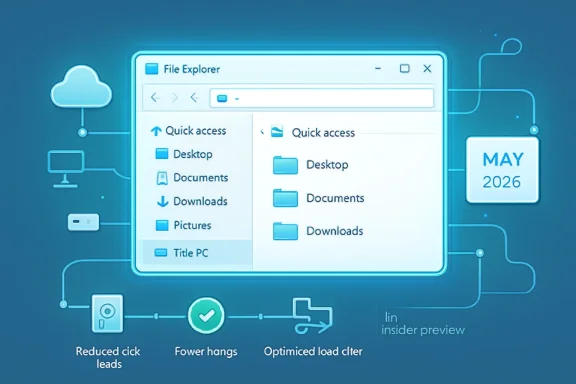
Microsoft’s latest messaging is notable because it moves beyond the familiar “we fixed some bugs” language. Tali Roth, Microsoft’s Head of Product for Windows Shell, reportedly said the company is working on launch-order improvements, critical-path optimization, removal of unnecessary work and visual animations, fewer unnecessary disk reads, fewer hangs, and broader responsiveness improvements. That is not a cosmetic changelog. That is an admission that Explorer’s problem lives in the plumbing.
The timing is also important. Microsoft has spent much of the Windows 11 era trying to sell users on new surfaces: Widgets, Copilot, AI actions, cloud hooks, Start menu recommendations, phone integration, and redesigned shells. The new pitch is different. It says, in effect, that Windows needs to feel better before it can credibly ask users to care about what comes next.
That approach is not inherently scandalous. Modern operating systems are full of predictive work, caches, warm starts, standby memory, indexed metadata, and background services designed to make the foreground feel immediate. A computer that waits until the exact moment of user demand to prepare everything is not necessarily more honest; it is often just slower.
Still, the criticism landed because File Explorer is not a luxury app. Preloading a chat client, a game launcher, or a creative suite is one thing. Preloading the system file manager to hide launch latency is another. It asks users to accept a small permanent resource trade-off for a problem many believe should not exist in the first place.
The sharpest critique was not that preloading wastes RAM, though some users objected on those grounds. It was that preloading can make a benchmark look better without making the underlying code more efficient. If the app is still doing too much work, touching too many files, waiting on too many providers, or blocking the interface on slow operations, shifting the bill to boot time does not cancel the bill. It just moves it to a less visible column.
That is why Roth’s follow-up matters. The company is now trying to separate first-launch acceleration from deeper performance engineering. Preloading may make the first window feel less sluggish, but reducing disk reads and hangs is the work that could make the tenth window, the context menu, the folder navigation path, and the search box feel better too.
Microsoft has layered tabs, a modern command bar, new context menus, cloud storage integrations, Gallery views, Home surfaces, archive support, OneDrive status indicators, phone sharing hooks, and emerging AI-powered file actions onto a tool that still has to browse
Explorer is especially difficult because it is both app and infrastructure. It is a windowed file manager, but
The Windows 11 redesign made those negotiations more visible. The modern context menu was intended to simplify a historically chaotic surface, but many power users experienced it as slower and less capable, especially when they had to click “Show more options” to reach legacy commands. Tabs were welcome, but they also gave Explorer more state to manage. Home and Gallery improved discoverability for some users, but they added more places where cloud content, recent files, thumbnails, and metadata could turn a simple launch into a chain of dependencies.
This is the central tension of Windows 11. Microsoft wants Windows to feel modern, connected, and intelligent. Its most loyal users often want it to feel fast, predictable, and out of the way. File Explorer is where those priorities collide every day.
If Microsoft is truly eliminating unnecessary disk reads, that suggests the company has identified real waste in Explorer’s startup and navigation paths. Disk I/O still matters, even on NVMe systems, because latency is not just about raw storage speed. It is about serialized waits, metadata scans, provider callbacks, shell extensions, security checks, and operations that block the UI thread when they should not.
Reducing hangs is even more meaningful. A slow app irritates users; a hanging shell breaks confidence. Anyone who has opened a folder containing media files, a dead network path, a flaky external drive, or a sync-backed directory knows the particular dread of watching Explorer stop responding while the rest of the desktop remains technically alive. That is not merely bad polish. It is a failure of isolation.
Responsiveness “across the board” implies Microsoft is looking beyond the first window. That is the right target. Explorer’s reputation is not based on one launch event; it is accumulated from navigation, right-clicks, renames, drag-and-drop, copy dialogs, search, preview panes, details panes, compressed folders, and cloud-backed file states. A preload fix can make the first impression better. It cannot make a blocked context menu feel native.
The hard part is that foundational work is difficult to demonstrate in a single release note. Users notice when a new button appears. They are less likely to notice when an unnecessary read no longer happens, unless the result is dramatic. Microsoft will need patience and measurable results, because the audience for this fix has been trained by years of Windows updates to distrust vibes.
The complaint shows up whenever users describe Windows 11 as less “snappy” than Windows 10. Some of that is nostalgia. Some of it is hardware variance. Some of it is the inevitable friction of a more animated, security-hardened, cloud-connected desktop. But some of it is real. When core surfaces hesitate on modern hardware, users reasonably ask what all those additional processes, integrations, and frameworks are buying them.
Microsoft’s 2026 quality push is therefore a political project inside the product. It is trying to tell enthusiasts and IT pros that the company has heard the message: fewer distractions, better defaults, faster common paths, more reliable updates, and core UX improvements that do not require buying into an AI narrative. That message is overdue.
File Explorer is the best place to prove it because it is impossible to hide behind platform strategy there. A user does not need a benchmark suite to know whether Explorer opens quickly. An admin does not need a telemetry dashboard to know whether a right-click menu stalls on managed machines. A developer does not need a keynote to know whether navigating a project folder feels worse than it should.
This is also why Windows enthusiasts react so sharply to “inelegant” fixes. They are not rejecting pragmatic engineering. They are rejecting the sense that Microsoft too often treats symptoms in the shell while continuing to add new dependencies above it. Preloading is acceptable as one tool in the box. It becomes insulting if it is the whole toolbox.
Corporate Windows environments are messier than Microsoft’s clean-room demos. Users have legacy shell extensions, document management systems, endpoint protection, data loss prevention tools, VPN clients, cloud sync providers, roaming profiles, network shares, long paths, permissions edge cases, and years of accumulated folder structures. Explorer sits at the intersection of all of it.
That is why “reduce hangs” is the most enterprise-relevant promise in this story. Launch time is nice, but predictable failure behavior is better. If a network target is slow, Explorer should not make the entire window feel captured. If a third-party extension misbehaves, the shell should degrade gracefully. If thumbnails are expensive, the UI should remain responsive while they arrive. If a cloud provider is unavailable, the file manager should communicate state without turning navigation into a guessing game.
Admins will also care about controllability. The fact that Microsoft exposed a toggle for preloading is a good sign, but enterprise environments need more than a checkbox buried in Folder Options if the feature ships broadly. They need policy, documentation, telemetry clarity, and a way to distinguish “Explorer is faster because it is preloaded” from “Explorer is faster because the code path improved.”
Performance fixes that cannot be managed are still welcome, but they are harder to trust at fleet scale. A background preload that behaves well on a developer laptop may be less attractive on shared devices, low-memory endpoints, VDI sessions, or systems where startup workload is already carefully controlled. Microsoft should assume IT will ask not only whether the feature works, but where the cost was moved.
That context makes every delay more expensive. A slow file manager in a restrained operating system is a bug. A slow file manager in an operating system also pushing cloud prompts, AI affordances, suggested content, and redesigned menus can feel like misplaced priorities. Users start to suspect that the performance budget was spent on everything except the thing they actually opened.
This is why Microsoft’s new emphasis on fundamentals is strategically smart. It changes the conversation from “look at this new capability” to “we are making the old capabilities trustworthy again.” That is the right order. A file manager that cannot feel immediate undermines confidence in every smarter feature attached to it.
The irony is that Microsoft already knows how to make performance a product feature. Windows built much of its dominance on compatibility and practical responsiveness. Even when the OS was inelegant, it was useful. Even when it was visually inconsistent, it usually did what the user asked. The Windows 11 challenge is to modernize without losing that old transactional clarity.
File Explorer does not need to be beautiful first. It needs to be dependable first. Beauty, cloud awareness, AI actions, and modern menus can follow, but only if they do not tax the user’s patience every time a folder opens.
That fragmentation makes Microsoft’s broader wording more reassuring than a narrow launch-time claim. Improving load order and critical paths speaks to startup. Removing unnecessary work and visual animations speaks to perceived responsiveness. Eliminating disk reads and reducing hangs speaks to deeper architectural causes. If the company is serious, it is treating Explorer as a set of user journeys rather than a single executable to be warmed up.
The most important path is probably not the fastest machine in the lab. It is the mediocre business laptop with endpoint security, OneDrive, Teams, Outlook, browser tabs, a VPN, and a user who opens a network share after resume. Windows must feel good there. If it only feels good on high-end Copilot+ hardware with clean profiles, the fix will not change the reputation.
Microsoft should also be careful about declaring victory too early. Explorer performance problems have a way of returning under new names because the shell is an integration surface. Every new provider, archive type, AI action, cloud feature, or context command can reintroduce latency. A one-time optimization pass is useful; a performance culture around Explorer is what users actually need.
That means the company must keep measuring the boring paths. Open Home. Open Downloads. Right-click a file. Rename ten items. Expand a folder tree. Search a large directory. Open a network location that is offline. Browse a folder full of media. Navigate a cloud-backed folder while offline. These are not glamorous scenarios, but they are Windows.
That silence is worth chasing. The highest compliment for a file manager is that it disappears. Explorer should not be a destination, a feed, or a showcase for platform ambition. It should be a reliable instrument between intent and file.
Microsoft’s challenge is to avoid confusing felt speed with actual responsiveness. Animations can make a UI feel polished when the underlying action is ready. They can also make a slow UI feel evasive. Preloading can make a launch feel immediate. It can also hide work that still makes the system heavier elsewhere. Search indexing can make results fast. It can also burn resources at the wrong time. Every optimization has a cost model.
The company’s language now suggests it understands that cost model must be attacked at the source. The real win will come when Explorer does less unnecessary work, waits on fewer slow dependencies, isolates bad actors better, and keeps the UI responsive even when the file system is complicated. That is the difference between a trick and a fix.
For File Explorer specifically, the concrete picture is now clearer.
Source: TechRadar https://www.techradar.com/computing...file-explorer-much-faster-and-its-about-time/
 Microsoft Has Finally Named the Thing Users Have Been Feeling
For years, the File Explorer complaint has sounded almost too small to carry the weight users put on it. A folder takes a beat too long to open. A right-click menu hesitates. A tab animates before it is ready. A network location freezes the window. Search feels like it belongs to a different era of computing.But that is exactly why the complaint matters. Operating systems win or lose affection in the tiny actions repeated hundreds of times a week, and File Explorer is one of Windows’ most repeated rituals. Nobody launches it expecting delight; they expect obedience. When it pauses, Windows itself feels heavier.
Microsoft’s latest messaging is notable because it moves beyond the familiar “we fixed some bugs” language. Tali Roth, Microsoft’s Head of Product for Windows Shell, reportedly said the company is working on launch-order improvements, critical-path optimization, removal of unnecessary work and visual animations, fewer unnecessary disk reads, fewer hangs, and broader responsiveness improvements. That is not a cosmetic changelog. That is an admission that Explorer’s problem lives in the plumbing.
The timing is also important. Microsoft has spent much of the Windows 11 era trying to sell users on new surfaces: Widgets, Copilot, AI actions, cloud hooks, Start menu recommendations, phone integration, and redesigned shells. The new pitch is different. It says, in effect, that Windows needs to feel better before it can credibly ask users to care about what comes next.
The Preload Fix Was Clever, But It Was Also a Confession
The recent controversy began with a simple Insider experiment: preload File Explorer in the background so it appears faster when the user opens it. Microsoft described it as a way to improve launch performance, with a Folder Options toggle to disable “window preloading for faster launch times.” In plain English, Windows would do some of Explorer’s work before you asked for Explorer.That approach is not inherently scandalous. Modern operating systems are full of predictive work, caches, warm starts, standby memory, indexed metadata, and background services designed to make the foreground feel immediate. A computer that waits until the exact moment of user demand to prepare everything is not necessarily more honest; it is often just slower.
Still, the criticism landed because File Explorer is not a luxury app. Preloading a chat client, a game launcher, or a creative suite is one thing. Preloading the system file manager to hide launch latency is another. It asks users to accept a small permanent resource trade-off for a problem many believe should not exist in the first place.
The sharpest critique was not that preloading wastes RAM, though some users objected on those grounds. It was that preloading can make a benchmark look better without making the underlying code more efficient. If the app is still doing too much work, touching too many files, waiting on too many providers, or blocking the interface on slow operations, shifting the bill to boot time does not cancel the bill. It just moves it to a less visible column.
That is why Roth’s follow-up matters. The company is now trying to separate first-launch acceleration from deeper performance engineering. Preloading may make the first window feel less sluggish, but reducing disk reads and hangs is the work that could make the tenth window, the context menu, the folder navigation path, and the search box feel better too.
File Explorer Became a Showcase for Windows 11’s Trade-Offs
The uncomfortable question is how File Explorer got here. Windows 10’s Explorer was never a perfect file manager, but it had a utilitarian snap that many Windows 11 users still miss. Windows 11’s Explorer, by contrast, has often felt like a component caught between generations: modernized enough to inherit new UI complexity, but not re-architected enough to escape old shell obligations.Microsoft has layered tabs, a modern command bar, new context menus, cloud storage integrations, Gallery views, Home surfaces, archive support, OneDrive status indicators, phone sharing hooks, and emerging AI-powered file actions onto a tool that still has to browse
C:\Windows, enumerate a network share, show a USB drive, and not choke when a cloud sync provider misbehaves. This is not an easy engineering problem. It is also not an excuse users are obliged to accept.Explorer is especially difficult because it is both app and infrastructure. It is a windowed file manager, but
explorer.exe is also tied to the desktop, taskbar, notification area, and shell experience. That legacy gives Windows enormous compatibility, but it also turns every modernization into a negotiation with old assumptions. Performance bugs in Explorer are rarely just “the app is slow.” They can involve shell extensions, thumbnail generation, metadata handlers, cloud providers, search indexing, network discovery, antivirus hooks, archive handlers, and UI framework costs.The Windows 11 redesign made those negotiations more visible. The modern context menu was intended to simplify a historically chaotic surface, but many power users experienced it as slower and less capable, especially when they had to click “Show more options” to reach legacy commands. Tabs were welcome, but they also gave Explorer more state to manage. Home and Gallery improved discoverability for some users, but they added more places where cloud content, recent files, thumbnails, and metadata could turn a simple launch into a chain of dependencies.
This is the central tension of Windows 11. Microsoft wants Windows to feel modern, connected, and intelligent. Its most loyal users often want it to feel fast, predictable, and out of the way. File Explorer is where those priorities collide every day.
“Foundational Engineering” Is the Phrase That Raises the Stakes
The phrase that should catch every sysadmin’s eye is foundational engineering. Marketing teams love words like seamless, delightful, intelligent, and productive. Engineers reach for “foundational” when the problem is below the feature layer.If Microsoft is truly eliminating unnecessary disk reads, that suggests the company has identified real waste in Explorer’s startup and navigation paths. Disk I/O still matters, even on NVMe systems, because latency is not just about raw storage speed. It is about serialized waits, metadata scans, provider callbacks, shell extensions, security checks, and operations that block the UI thread when they should not.
Reducing hangs is even more meaningful. A slow app irritates users; a hanging shell breaks confidence. Anyone who has opened a folder containing media files, a dead network path, a flaky external drive, or a sync-backed directory knows the particular dread of watching Explorer stop responding while the rest of the desktop remains technically alive. That is not merely bad polish. It is a failure of isolation.
Responsiveness “across the board” implies Microsoft is looking beyond the first window. That is the right target. Explorer’s reputation is not based on one launch event; it is accumulated from navigation, right-clicks, renames, drag-and-drop, copy dialogs, search, preview panes, details panes, compressed folders, and cloud-backed file states. A preload fix can make the first impression better. It cannot make a blocked context menu feel native.
The hard part is that foundational work is difficult to demonstrate in a single release note. Users notice when a new button appears. They are less likely to notice when an unnecessary read no longer happens, unless the result is dramatic. Microsoft will need patience and measurable results, because the audience for this fix has been trained by years of Windows updates to distrust vibes.
The File Manager Is Now a Performance Test for the Whole OS
File Explorer’s speed problem is not only about file management. It has become a proxy for a broader Windows 11 anxiety: that the operating system has gained layers faster than it has regained discipline.The complaint shows up whenever users describe Windows 11 as less “snappy” than Windows 10. Some of that is nostalgia. Some of it is hardware variance. Some of it is the inevitable friction of a more animated, security-hardened, cloud-connected desktop. But some of it is real. When core surfaces hesitate on modern hardware, users reasonably ask what all those additional processes, integrations, and frameworks are buying them.
Microsoft’s 2026 quality push is therefore a political project inside the product. It is trying to tell enthusiasts and IT pros that the company has heard the message: fewer distractions, better defaults, faster common paths, more reliable updates, and core UX improvements that do not require buying into an AI narrative. That message is overdue.
File Explorer is the best place to prove it because it is impossible to hide behind platform strategy there. A user does not need a benchmark suite to know whether Explorer opens quickly. An admin does not need a telemetry dashboard to know whether a right-click menu stalls on managed machines. A developer does not need a keynote to know whether navigating a project folder feels worse than it should.
This is also why Windows enthusiasts react so sharply to “inelegant” fixes. They are not rejecting pragmatic engineering. They are rejecting the sense that Microsoft too often treats symptoms in the shell while continuing to add new dependencies above it. Preloading is acceptable as one tool in the box. It becomes insulting if it is the whole toolbox.
Enterprise IT Will Judge the Fix by Its Worst Moment
For home users, File Explorer sluggishness is annoying. For enterprise IT, it is operational noise. A file manager that hangs around network paths, sync roots, redirected folders, mapped drives, or security-scanned locations can turn into help desk tickets that are hard to reproduce and harder to close.Corporate Windows environments are messier than Microsoft’s clean-room demos. Users have legacy shell extensions, document management systems, endpoint protection, data loss prevention tools, VPN clients, cloud sync providers, roaming profiles, network shares, long paths, permissions edge cases, and years of accumulated folder structures. Explorer sits at the intersection of all of it.
That is why “reduce hangs” is the most enterprise-relevant promise in this story. Launch time is nice, but predictable failure behavior is better. If a network target is slow, Explorer should not make the entire window feel captured. If a third-party extension misbehaves, the shell should degrade gracefully. If thumbnails are expensive, the UI should remain responsive while they arrive. If a cloud provider is unavailable, the file manager should communicate state without turning navigation into a guessing game.
Admins will also care about controllability. The fact that Microsoft exposed a toggle for preloading is a good sign, but enterprise environments need more than a checkbox buried in Folder Options if the feature ships broadly. They need policy, documentation, telemetry clarity, and a way to distinguish “Explorer is faster because it is preloaded” from “Explorer is faster because the code path improved.”
Performance fixes that cannot be managed are still welcome, but they are harder to trust at fleet scale. A background preload that behaves well on a developer laptop may be less attractive on shared devices, low-memory endpoints, VDI sessions, or systems where startup workload is already carefully controlled. Microsoft should assume IT will ask not only whether the feature works, but where the cost was moved.
The Windows Shell Has to Stop Spending User Patience
The File Explorer performance debate sits inside a broader rebellion against shell clutter. Users have been complaining not only about speed, but about the feeling that Windows has become too eager to interrupt, promote, recommend, sync, animate, and explain itself.That context makes every delay more expensive. A slow file manager in a restrained operating system is a bug. A slow file manager in an operating system also pushing cloud prompts, AI affordances, suggested content, and redesigned menus can feel like misplaced priorities. Users start to suspect that the performance budget was spent on everything except the thing they actually opened.
This is why Microsoft’s new emphasis on fundamentals is strategically smart. It changes the conversation from “look at this new capability” to “we are making the old capabilities trustworthy again.” That is the right order. A file manager that cannot feel immediate undermines confidence in every smarter feature attached to it.
The irony is that Microsoft already knows how to make performance a product feature. Windows built much of its dominance on compatibility and practical responsiveness. Even when the OS was inelegant, it was useful. Even when it was visually inconsistent, it usually did what the user asked. The Windows 11 challenge is to modernize without losing that old transactional clarity.
File Explorer does not need to be beautiful first. It needs to be dependable first. Beauty, cloud awareness, AI actions, and modern menus can follow, but only if they do not tax the user’s patience every time a folder opens.
There Is No Single Explorer, and That Is Part of the Problem
One reason Explorer performance is hard to discuss is that users are often talking about different experiences. One person complains about cold launch. Another complains about right-click latency. Another means slow search. Another means opening Downloads with thousands of files. Another means browsing a NAS. Another means OneDrive placeholders. Another means the new context menu. All of them are “File Explorer is slow,” but they are not the same bug.That fragmentation makes Microsoft’s broader wording more reassuring than a narrow launch-time claim. Improving load order and critical paths speaks to startup. Removing unnecessary work and visual animations speaks to perceived responsiveness. Eliminating disk reads and reducing hangs speaks to deeper architectural causes. If the company is serious, it is treating Explorer as a set of user journeys rather than a single executable to be warmed up.
The most important path is probably not the fastest machine in the lab. It is the mediocre business laptop with endpoint security, OneDrive, Teams, Outlook, browser tabs, a VPN, and a user who opens a network share after resume. Windows must feel good there. If it only feels good on high-end Copilot+ hardware with clean profiles, the fix will not change the reputation.
Microsoft should also be careful about declaring victory too early. Explorer performance problems have a way of returning under new names because the shell is an integration surface. Every new provider, archive type, AI action, cloud feature, or context command can reintroduce latency. A one-time optimization pass is useful; a performance culture around Explorer is what users actually need.
That means the company must keep measuring the boring paths. Open Home. Open Downloads. Right-click a file. Rename ten items. Expand a folder tree. Search a large directory. Open a network location that is offline. Browse a folder full of media. Navigate a cloud-backed folder while offline. These are not glamorous scenarios, but they are Windows.
The Best Fix Would Be the One Users Stop Talking About
There is a trap in covering File Explorer: the better Microsoft does, the less visible the story becomes. Nobody writes a celebratory forum post because a folder opened exactly when expected. The reward for fixing core shell performance is silence.That silence is worth chasing. The highest compliment for a file manager is that it disappears. Explorer should not be a destination, a feed, or a showcase for platform ambition. It should be a reliable instrument between intent and file.
Microsoft’s challenge is to avoid confusing felt speed with actual responsiveness. Animations can make a UI feel polished when the underlying action is ready. They can also make a slow UI feel evasive. Preloading can make a launch feel immediate. It can also hide work that still makes the system heavier elsewhere. Search indexing can make results fast. It can also burn resources at the wrong time. Every optimization has a cost model.
The company’s language now suggests it understands that cost model must be attacked at the source. The real win will come when Explorer does less unnecessary work, waits on fewer slow dependencies, isolates bad actors better, and keeps the UI responsive even when the file system is complicated. That is the difference between a trick and a fix.
The Repair Job Microsoft Cannot Fake
This moment should be read as part of a larger Windows reset. Microsoft is trying to persuade its most demanding users that Windows 11 is entering a course-correction year, one focused on quality, performance, reliability, and the core experiences that were allowed to fray while the company chased shinier narratives.For File Explorer specifically, the concrete picture is now clearer.
- Microsoft has already tested File Explorer background preloading in Windows 11 Insider builds to improve first-launch performance.
- The preload approach may improve perceived launch speed, but it does not by itself solve navigation delays, hangs, context-menu latency, or unnecessary system work.
- Microsoft is now describing deeper work around load order, critical paths, disk reads, hangs, visual animations, and general responsiveness.
- The most meaningful improvements will be the ones that help messy real-world environments, including cloud-backed folders, network shares, endpoint security, and third-party shell extensions.
- IT pros should watch not only whether Explorer feels faster, but whether Microsoft exposes sensible controls and policies for any background behavior that changes startup or memory patterns.
- The credibility test is simple: Explorer must become boringly fast on ordinary PCs, not merely impressive in selected launch scenarios.
Source: TechRadar https://www.techradar.com/computing...file-explorer-much-faster-and-its-about-time/
