

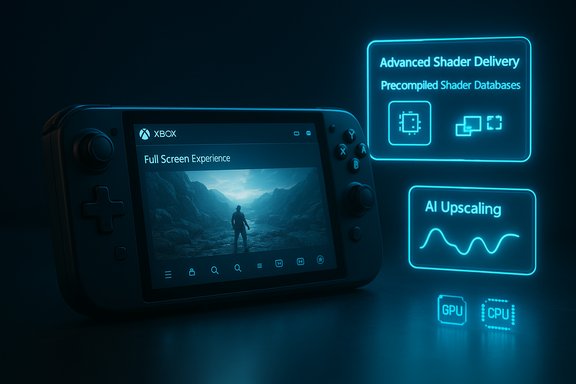
Microsoft’s renewed, cross‑stack push to make Windows 11 “the best place to play” has moved from roadmap promises into concrete features and early previews — and for the first time in years the company is clearly tackling the system‑level sources of stutter, long first‑run delays, and uneven frame pacing that have long frustrated PC and handheld gamers. What shipped in 2025 (and what’s headed to early 2026 previews) reads like a checklist of practical, engineering‑first fixes: a console‑style Full Screen Experience that pares back desktop overhead, Advanced Shader Delivery to move shader compilation off devices, an OS‑level neural upscaler called Automatic Super Resolution (Auto SR), and multiple scheduler, power and driver improvements targeted at handhelds and APU platforms. These changes are already visible in the ROG Xbox Ally family launches and in Insider/preview builds — but the real story is the cross‑vendor coordination required to make the gains repeatable across the fractured Windows ecosystem.
Windows has always been a general‑purpose operating system; that breadth is its strength and its curse for gaming. Modern 3D titles expose a long chain of potential bottlenecks: storage I/O and asset decompression, runtime shader compilation, graphics driver fallbacks, OS scheduler interruptions, and background services that introduce millisecond‑scale spikes. Microsoft’s recent engineering posture reframes the problem: treat gaming performance as a platform outcome rather than a per‑title afterthought. The company has grouped work under four pillars: background workload management, power and scheduling improvements, graphics stack optimizations, and driver/tooling updates — then connected those pillars to visible features like the Xbox Full Screen Experience, Advanced Shader Delivery (ASD), and Auto SR. This is not cosmetics. The aspiration is to make Windows handheld gameplay feel closer to consoles (consistent clocks, predictable startup behavior), and to remove long, player‑facing waits that happen on first run or during heavy shader compilation. But the approach is ecosystem‑heavy: it requires game studios, storefronts, GPU vendors, OEMs and the OS team to cooperate — which raises both promise and real deployment complexity.
The realistic expectation: if you buy a validated handheld (Ally/Ally X family or other OEM‑certified hardware), keep drivers updated with OEM guidance, and run games distributed via the Xbox PC app or other participating stores, you will see clear, repeatable improvements. If you rely on a broader mixed ecosystem of stores, beta drivers and highly customized rigs, the improvements will arrive more gradually and require coordination between you, the game developer and the platform. Treat the vendor numbers as best‑case signals, not universal guarantees — and test on your own hardware to see what actually changes in your playbook. The foundational shift here is important: Microsoft is no longer only adding gaming features at the surface; it is reorganizing parts of Windows and the DirectX pipeline to prioritize responsiveness as a cross‑stack outcome. That’s a change that can pay sustained dividends — but it will only reach its full potential when the ecosystem completes the plumbing.
Source: Club386 Microsoft is finally optimising Windows 11 for games properly, with loads of new features coming soon | Club386
 Background / Overview
Windows has always been a general‑purpose operating system; that breadth is its strength and its curse for gaming. Modern 3D titles expose a long chain of potential bottlenecks: storage I/O and asset decompression, runtime shader compilation, graphics driver fallbacks, OS scheduler interruptions, and background services that introduce millisecond‑scale spikes. Microsoft’s recent engineering posture reframes the problem: treat gaming performance as a platform outcome rather than a per‑title afterthought. The company has grouped work under four pillars: background workload management, power and scheduling improvements, graphics stack optimizations, and driver/tooling updates — then connected those pillars to visible features like the Xbox Full Screen Experience, Advanced Shader Delivery (ASD), and Auto SR. This is not cosmetics. The aspiration is to make Windows handheld gameplay feel closer to consoles (consistent clocks, predictable startup behavior), and to remove long, player‑facing waits that happen on first run or during heavy shader compilation. But the approach is ecosystem‑heavy: it requires game studios, storefronts, GPU vendors, OEMs and the OS team to cooperate — which raises both promise and real deployment complexity.Xbox Full Screen Experience (FSE): what it is and what it delivers
What FSE does
The Xbox Full Screen Experience (FSE) is a controller‑first shell layered over Windows 11 that boots a selected “home” app (typically the Xbox PC app), suppresses the Explorer shell, and defers or limits many non‑essential background processes while a game runs. It’s designed for handhelds and controller‑first sessions but is rolling to broader Windows 11 device previews via the Windows and Xbox Insider programs. The mode is explicitly intended to reduce incidental OS jitter, reclaim memory, and present a console‑style entry point to games.Measured effects (what vendors and reviewers are seeing)
- Memory reclaimed: Microsoft and OEM materials repeatedly cite savings on the order of ~2 GB on some configurations; independent tests and device vendor benchmarks report proportional savings (commonly expressed as 5–9% memory reduction depending on device and workload).
- Frame‑rate improvements: real‑world testing shows frame‑rate uplifts in the 5–10% range for shader‑ or memory‑sensitive titles on thermally constrained handhelds, with isolated examples reporting higher jumps in specific scenarios.
Caveats and limitations
FSE is a UX and process‑isolation feature, not a magical FPS multiplier. Benefits vary significantly by game, device memory configuration, and the specific background processes that were active before enabling FSE. Players who rely on desktop multitasking or heavy overlays may find the tradeoffs awkward. Third‑party launchers, anti‑cheat systems, or cloud‑save daemons can reintroduce overhead unless they are integrated with the FSE flow. Independent testing shows meaningful wins on handhelds and constrained systems; on desktop rigs the impact is usually smaller.Advanced Shader Delivery (ASD): ending the “first‑run tax”
The technical problem
Modern engines compile thousands of shader permutations at runtime to match every supported GPU, driver version, quality level and platform path. That on‑the‑fly compilation creates long initial stalls and the familiar “compiling shaders” bar that can make a first session unpleasant and battery‑expensive — especially on handhelds. Microsoft’s solution is to move that work out of the gameplay path.How ASD works
Advanced Shader Delivery introduces a standardized capture and distribution workflow: studios (or platform tooling) produce a State Object Database (SODB) that describes shader permutations; an offline compilation step (with vendor cooperation) produces a Precompiled Shader Database (PSDB) tailored to common GPU + driver combinations. The Xbox PC app or storefront then delivers the matching PSDB during install or download so the local client already has precompiled shaders when the player first launches the game. The runtime fallback path still exists, but the worst of the first‑run compile burden is removed.Reported impacts and verification
Microsoft and partners have published striking numbers from validated, device‑centric tests: for example, Avowed was reported to see first‑run load times drop by roughly 80–85%, and Call of Duty Black Ops testing in Microsoft’s Ally runs cited figures greater than 95% reductions in first‑run stalls in those specific setups. Independent press coverage and multiple vendor briefs corroborate the presence and scale of the improvement, while also noting that these are vendor‑reported results from controlled tests. In principle ASD can produce up to ~10× faster initial launches in scenarios where shader JIT compile time was the dominant factor.Practical implications and caveats
- Developer and storefront coordination: ASD requires either platform or studio involvement to produce PSDBs and to ship them with installers/distribution packs. Microsoft’s Agility SDK provides tooling, but broad coverage depends on adoption by studios and store pipelines.
- Driver volatility: precompiled shader bundles are tied to driver/compiler combinations. If users update to a new GPU driver, the platform must detect and fetch updated PSDBs or fall back to local compilation — a nontrivial operational surface that requires careful infrastructure.
- Real‑world variance: titles that already bake most shaders, or small indie games with limited permutations, will show less benefit than huge, shader‑heavy AAA engines. The most dramatic wins will be in titles that previously forced long, on‑device shader compilation at first run.
Automatic Super Resolution (Auto SR): OS‑level neural upscaling
What Auto SR is
Auto Super Resolution (Auto SR) is Microsoft’s OS‑integrated neural upscaler that runs on a device’s NPU (neural processing unit). Instead of requiring per‑title integration (like DLSS, FSR, or XeSS), Auto SR intercepts a lower internal render and upscales to the display resolution using an AI model in the OS stack. The key advantages are transparency for developers and offloading upscaling work to an NPU so GPU/CPU cycles are freed for higher frame rates.Where Auto SR runs today and near‑term previews
At initial launch Auto SR shipped on Copilot+ PCs with Snapdragon X Series processors and required the corresponding NPU hardware and drivers. Microsoft has confirmed plans to preview Auto SR on the ROG Xbox Ally X — which uses an AMD Ryzen AI Z2 Extreme with an integrated NPU — in early 2026, expanding support beyond Qualcomm devices. That preview pathway was specifically called out as part of the Ally ecosystem roadmap.Measured tradeoffs and quality
- Latency: the upscaler introduces a small, single‑frame latency in Microsoft’s internal testing; most players in reported tests did not perceive it, and many judged the image quality/frame‑rate trade favorable. Nonetheless, this is an architectural trade — any neural upscaler that processes completed frames adds pipeline delay.
- Compatibility & limitations: Auto SR is currently limited to DirectX 11/12 titles and to systems with a compatible NPU and drivers. HDR content is not supported by Auto SR at present, and certain games with fine HUD/UI text can look worse at very low internal resolutions; Microsoft publishes a compatibility list and allows opt‑in per game.
Why this matters
If widely adopted, Auto SR could deliver cross‑title frame‑rate benefits on AI‑accelerated PCs without studios needing to integrate an SDK. On handhelds and Copilot+ laptops with limited GPU power or tight thermal envelopes, Auto SR’s ability to let the GPU render fewer pixels while preserving perceived fidelity is a practical win. The caveat remains hardware: not every device today has the NPU horsepower required, and results vary by NPU generation and AI model tuning.Graphics stack and low‑level improvements
DXR 1.2, Opacity Micromaps and Shader Execution Reordering
Microsoft’s DirectX roadmap continues to add lower‑level features that increase ray‑tracing efficiency and shader throughput. Notable items include Opacity Micromaps (OMMs), which avoid wasted ray work on thin geometry or masked textures, and Shader Execution Reordering (SER), which helps GPUs group divergent work for better utilization. These additions are important for ray‑tracing performance and for enabling neural rendering hooks (future shader model extensions), but real‑world gains depend heavily on driver implementations and game engine adoption.Scheduler, power and UMA behavior on Ryzen APUs
Handheld devices and APUs reveal a different set of bottlenecks: thermally driven clock oscillations, memory contention when GPU and CPU share unified memory, and small background interruptions that cascade into frame‑time variance. Microsoft’s updates include tuned power profiles for specific hardware (the ROG Ally family being the launch partner), improved UMA memory behaviors for Ryzen APUs, and scheduler tweaks to stabilize clocks. Vendor driver updates from AMD are also shipping to complement these OS adjustments. These are precisely the sort of low‑level wins that produce smoother, repeatable gameplay on portable hardware.Ecosystem realities: adoption, distribution, and update risk
Microsoft’s plan is coherent, but it’s not trivial to execute across the entire Windows ecosystem. Three structural issues stand out:- Store and distribution coverage: ASD and PSDB delivery are only as useful as the storefronts and installers that actually distribute compatible PSDB packages. Microsoft’s Xbox PC app is the initial distribution path for Ally‑targeted devices, but Steam/Epic adoption will be necessary for broad coverage.
- Driver coupling and lifecycle: precompiled shader bundles must match users’ driver/compiler versions; driver updates can invalidate bundles and require synchronized PSDB updates. That creates a maintenance surface and potential rollout hazards, especially for users who prefer beta drivers.
- Hardware dependence: Auto SR needs an NPU of adequate performance, and FSE’s benefits are largest on memory‑constrained devices. That means desktops and GPUs alone won’t fully realize all the features; OEMs shipping Copilot+ silicon or integrated NPUs are essential for the Auto SR story.
Risks, trade‑offs and where vendor claims require careful reading
- Vendor‑reported numbers are persuasive but context‑dependent. Microsoft’s Avowed (~80–85% first‑run time reduction) and Black Ops (>95% figure) come from internal engineering tests on validated hardware and driver stacks. Those are meaningful results, but not guaranteed across the vast space of Windows PC configurations. Treat headline percentages as representative of validated cases, not universal guarantees.
- Driver and update complexity can create regressions. If a PSDB is tied to a specific driver and that driver is updated without a corresponding bundle update, the platform must either recompile locally or fetch a new PSDB; both paths have user‑experience implications. Robust versioning and fallbacks are essential.
- Privacy and telemetry surface: OS‑level features that inspect game behaviour, fetch PSDBs, or route upscaling through system NPUs create additional telemetry/diagnostics surfaces that organizations and privacy‑conscious users should audit. These are manageable but deserve scrutiny in enterprise or tightly governed gaming environments.
- Quality variance for upscalers: Auto SR’s screen‑space approach lacks access to engine internals (motion vectors, depth), so its quality will not always match an engine‑integrated upscaler like DLSS/FSR under all conditions. Expect some artifacts in heavy HUD/text or high‑frequency detail situations; Microsoft provides opt‑out and per‑game controls.
What gamers and IT pros should do now (practical checklist)
- Join Insider channels if you want early access: Windows and Xbox Insider programs are the release path for FSE and many preview features.
- Update drivers from OEM/GPU vendors only after checking compatibility notes for PSDB/Auto SR features; prefer OEM‑verified driver packages for handhelds.
- For Auto SR: verify you have a Copilot+ or NPU‑equipped device (Snapdragon X or Ryzen AI in Ally X) and install the Auto SR package via Microsoft Store per the support guidance (Settings > System > Display > Graphics to toggle).
- If you value first‑run responsiveness: games distributed through the Xbox PC app and included in the ASD list will benefit; look for the “ASD” or “Handheld Optimized” badges and the updated game lists published by Microsoft and partners.
- Test and measure: use in‑game performance overlays and simple power/battery logging to quantify changes on your specific hardware. Don’t assume headline gains will match your system.
- For enterprise/IT admins: audit any in‑house tooling that depends on Explorer/desktop behaviors before enabling FSE on managed handheld fleets; plan update windows around driver/PSDB synchronizations.
The upshot: meaningful platform engineering — but results will vary
Microsoft’s 2025–2026 Windows 11 gaming push is substantive. The company is attacking longstanding, system‑level pain points — shader stutter, startup delays, power/scheduler wobble and the lack of a controller‑first runtime on handhelds — with concrete engineering changes that are already shipping on partner devices (notably the ROG Xbox Ally family) and in preview channels. The headline technologies — Xbox Full Screen Experience, Advanced Shader Delivery, and Automatic Super Resolution — each address a different layer of the pipeline, and together they hint at a genuinely more predictable, console‑like experience on Windows when everything lines up. However, this isn’t a flip of a switch for all Windows gamers. The gains are most visible where Microsoft and an OEM can validate a tight hardware/driver chain (the Ally example), or where a title’s early‑run shader cost dominates startup time. Wider, cross‑store adoption and robust PSDB lifecycle management are necessary to make those headline improvements common across Steam, Epic and other distribution channels. Until that happens, expect good gains in validated scenarios, moderate or no gains elsewhere, and occasional friction from driver or update mismatches.Final verdict: measured optimism
Windows 11’s gaming refinements for 2025–2026 are not vaporware: they are engineering‑heavy, actionable, and backed by hardware partners and early test data. For handheld gamers — who suffer most from shader compilation penalties and thermal‑power instability — the combination of FSE, ASD and Auto SR represents a major step forward. For desktop gamers the wins are more incremental but still valuable: fewer runtime hitches, faster first runs where ASD is deployed, and an OS‑level upscaler option for AI‑equipped systems.The realistic expectation: if you buy a validated handheld (Ally/Ally X family or other OEM‑certified hardware), keep drivers updated with OEM guidance, and run games distributed via the Xbox PC app or other participating stores, you will see clear, repeatable improvements. If you rely on a broader mixed ecosystem of stores, beta drivers and highly customized rigs, the improvements will arrive more gradually and require coordination between you, the game developer and the platform. Treat the vendor numbers as best‑case signals, not universal guarantees — and test on your own hardware to see what actually changes in your playbook. The foundational shift here is important: Microsoft is no longer only adding gaming features at the surface; it is reorganizing parts of Windows and the DirectX pipeline to prioritize responsiveness as a cross‑stack outcome. That’s a change that can pay sustained dividends — but it will only reach its full potential when the ecosystem completes the plumbing.
Source: Club386 Microsoft is finally optimising Windows 11 for games properly, with loads of new features coming soon | Club386
