

Microsoft’s recent roadmap for Windows 11 frames gaming performance not as an accumulation of single features but as a coordinated, cross‑stack engineering effort designed to make PC gameplay feel more like a console experience — smoother frame pacing, fewer shader hitches, and better battery‑aware performance on handhelds and laptops. Early previews and partner devices already show tangible gains, while Microsoft plans wider rollouts through 2026 that combine an OS‑level AI upscaler, precompiled shader delivery, a controller‑first full‑screen session, and deep scheduler/power changes to reduce micro‑stutter and improve first‑run stability.
Windows gaming has long suffered from a handful of recurring pain points: long first‑run shader compilation stalls, unpredictable background wakeups that produce micro‑freezes, and erratic frame pacing on thermally constrained devices. Microsoft’s new initiative addresses these issues at the platform level — touching the OS shell, the DirectX runtime and Agility SDK, driver delivery, and the way Windows schedules and powers hardware during gameplay. The company’s goal is to establish Windows 11 as a consistent, console‑like platform for games across desktops, laptops, and handheld PCs.
This is not a one‑off feature release. Instead, Microsoft bundles several engineering threads under four principal pillars:
Why this matters: by trimming desktop “noise” and prioritizing a single controller‑first session, FSE reduces the chance that unrelated system tasks will preempt the game thread and cause visible stutters.
Early results demonstrated in partner demos show steep reductions in shader‑compile stalls in best‑case scenarios, though benefits are workload‑dependent and require adoption by developers and stores to scale.
Auto SR is explicitly framed as complementary to vendor upscalers (DLSS, XeSS, FSR): it’s a spatial post‑processor implemented at the OS level, trading some of the engine‑level control that proprietary upscalers have for the breadth of automatic applicability.
ASD changes that equation:
Caveats and implementation details:
Key strengths:
Practical benefits:
Important caution: these numbers are workload‑, device‑, and configuration‑dependent. Controlled partner demos are useful for demonstrating potential, but real‑world benefits for any individual user will vary based on game engine, GPU, driver version, and whether a title ships precompiled shader bundles. Treat early percentage gains as indicative rather than guaranteed.
This is also a defensive and opportunistic play. The rise of handheld PCs, Windows on Arm, and powerful on‑device NPUs created both a problem (how to make games run smoothly in constrained environments) and an opportunity (OS‑level AI and scheduler changes can deliver systemic improvements no single game can). If Microsoft succeeds, Windows 11 will feel more consistent across a broader range of devices, increasing its competitiveness as a gaming platform.
Early previews and partner demos show promise: substantial reductions in shader compile stalls and modest FPS and frame‑stability improvements in real‑world testing. But the full benefits depend on ecosystem adoption — developers shipping precompiled shader bundles, GPU vendors aligning drivers, and hardware vendors enabling NPUs — and on validating real‑world gains beyond controlled demos. Gamers should test early features via the Insider programs if they want a first look, but be cautious with expectations: the best results will arrive as the ecosystem converges.
Windows 11’s AI‑first, cross‑stack approach marks a meaningful evolution in platform design: it’s less about one headline feature and more about making the platform itself responsible for the consistency of play. The question now is not whether the technology can improve gaming — demos show it can — but how quickly the industry will coordinate to turn those engineered possibilities into everyday reality for the millions who game on Windows.
Source: Mix Vale Windows 11 will have gaming performance boosted with new AI optimizations revealed by Microsoft
 Background
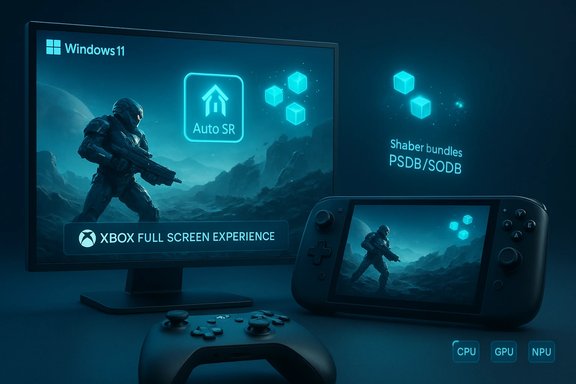
Windows gaming has long suffered from a handful of recurring pain points: long first‑run shader compilation stalls, unpredictable background wakeups that produce micro‑freezes, and erratic frame pacing on thermally constrained devices. Microsoft’s new initiative addresses these issues at the platform level — touching the OS shell, the DirectX runtime and Agility SDK, driver delivery, and the way Windows schedules and powers hardware during gameplay. The company’s goal is to establish Windows 11 as a consistent, console‑like platform for games across desktops, laptops, and handheld PCs.This is not a one‑off feature release. Instead, Microsoft bundles several engineering threads under four principal pillars:
- Xbox Full Screen Experience (FSE) — a controller‑first, full‑screen session posture that reduces desktop noise and defers non‑essential services.
- Advanced Shader Delivery (ASD) — a delivery and runtime model for shipping precompiled shader bundles so runtime shader compilation is minimized.
- Automatic Super Resolution (Auto SR) — an OS‑level, NPU‑accelerated neural upscaler that improves perceived image quality while reducing GPU load.
- Scheduler, power management, and driver coordination — system‑level changes to stabilize clocks and avoid power‑shift stutters, with tighter collaboration between Microsoft and silicon vendors.
What Microsoft is shipping now and in preview
Xbox Full Screen Experience (FSE)
The Xbox Full Screen Experience is a session posture layered on top of Windows 11 that boots a designated “home” app (commonly the Xbox PC app), suppresses many Explorer ornaments, and defers background processes to reclaim RAM and reduce idle CPU wakeups while a game is running. FSE is available on some co‑engineered handhelds and is being previewed more broadly via the Windows Insider and Xbox Insider programs. Early testers report smoother transitions and reduced background noise, and Microsoft surfaces FSE controls under Settings → Gaming → Full screen experience.Why this matters: by trimming desktop “noise” and prioritizing a single controller‑first session, FSE reduces the chance that unrelated system tasks will preempt the game thread and cause visible stutters.
Advanced Shader Delivery (ASD)
ASD is Microsoft’s approach to the stubborn “first‑run tax” problem. Instead of leaving scene‑specific shader compilation to the player’s machine at first run, ASD enables precompiling shader sets (State Object Database / Precompiled Shader Database formats) that can be shipped with a game or downloaded at install time. The Direct3D runtime can then use those precompiled bundles, dramatically reducing on‑device JIT compilation and the resulting pauses. Microsoft’s developer tooling (via the Agility SDK) and store delivery paths are being updated to support this workflow.Early results demonstrated in partner demos show steep reductions in shader‑compile stalls in best‑case scenarios, though benefits are workload‑dependent and require adoption by developers and stores to scale.
Automatic Super Resolution (Auto SR)
Auto SR is an OS‑level, neural upscaling pipeline that runs on a device’s Neural Processing Unit (NPU) or equivalent AI accelerator. The system renders the game at a lower internal resolution (reducing GPU workload) and uses an NPU‑accelerated model to upscale frames with the goal of preserving visual fidelity while improving frame rates or lowering power draw. Because Auto SR sits in the OS rendering path, it can apply to many DirectX 11 and DirectX 12 titles without per‑title integration. Initial deployments have focused on Copilot+ Snapdragon devices, with previews planned for additional NPU‑equipped platforms (including select AMD Ryzen AI hardware) in early 2026.Auto SR is explicitly framed as complementary to vendor upscalers (DLSS, XeSS, FSR): it’s a spatial post‑processor implemented at the OS level, trading some of the engine‑level control that proprietary upscalers have for the breadth of automatic applicability.
Deep dive: how each major piece works and why it helps
How ASD reduces the “first‑run tax”
Modern games ship thousands of shaders that must be specialized for a player’s GPU and driver at runtime. On PCs, Just‑In‑Time (JIT) shader compilation occurs on the end user’s device, producing the familiar long pauses and stutters during first playthroughs or when encountering new content.ASD changes that equation:
- Precompile shader pipelines during build time or in the cloud into standardized precompiled shader bundles.
- Distribute these bundles with the game or fetch them on install.
- The D3D runtime can satisfy pipeline requests from precompiled bundles instead of invoking the JIT compiler.
Caveats and implementation details:
- PSDB/SODB bundles must match GPU driver/compiler versions to be fully effective.
- Bundles increase download and storage size.
- Not all titles or engines will adopt ASD immediately; real‑world benefit depends on ecosystem uptake.
Why an OS‑level upscaler (Auto SR) matters
Upscaling is a proven path to improved frame rates: render smaller, display larger. But engine‑level upscalers typically require game integration or vendor‑specific implementations. By placing an upscaler in the OS rendering pipeline and executing it on dedicated NPUs, Microsoft enables broad coverage across many titles without per‑title work.Key strengths:
- Works with many DirectX 11/12 games without integration.
- Offloads work to NPU, lowering GPU and CPU utilization.
- Dynamic adaptation: Auto SR can scale behavior based on GPU load to prioritize stable frame rates (targeting, where possible, >60 FPS).
- Auto SR currently targets full‑screen DX11/12 games and expects a minimum display resolution (often 1080p or higher) — legacy APIs and Vulkan/OpenGL may be unsupported initially.
- Visual quality is strongly tied to the NPU model and its training; results vary by title and scene complexity.
- The approach cannot replicate temporal reconstruction benefits of advanced temporal upscalers unless future versions support temporal models.
FSE: trimming desktop overhead without breaking the OS
The Xbox Full Screen Experience acts as a session posture that limits which user‑mode components initialize. By adopting a controller‑first UI and deferring or suspending background services and visual ornamentation (wallpaper, explorer services), FSE reduces system wakeups that can cause micro‑stutters.Practical benefits:
- Reclaims RAM and reduces background thread interference.
- Simplifies the input model for controller‑first handheld play.
- Can be entered and exited via Settings or hotkey, and integrates with the Xbox PC app.
- Some users may prefer desktop multitasking; FSE is optional and designer control is exposed in settings.
- The reduction of background services could impact some non‑game workflows if enabled indiscriminately.
Scheduler, power management, and driver coordination
Beyond user‑facing features, the initiative includes low‑level changes:- Tighter thread prioritization for game‑related threads to minimize preemption from non‑critical services.
- Power and scheduler tweaks for thermally constrained devices to reduce “power‑shift” stutters and keep clocks steadier under extended load.
- More frequent, coordinated driver updates from GPU vendors to match new driver‑targeted precompiled shader bundles and DirectX runtime changes.
Real‑world numbers, early testing, and what to expect
Initial previews and partner device demos produce encouraging, but varied, numbers. Microsoft and partners have shown dramatic reductions in shader compile stalls in controlled tests (in some demos, reductions approached best‑case figures), and early insider testers report modest FPS uplifts from features like FSE and OS‑level optimizations. One set of early user reports indicates single‑digit percentage FPS gains on certain configurations; shader compile times in specific titles have dropped far more substantially in targeted demonstrations.Important caution: these numbers are workload‑, device‑, and configuration‑dependent. Controlled partner demos are useful for demonstrating potential, but real‑world benefits for any individual user will vary based on game engine, GPU, driver version, and whether a title ships precompiled shader bundles. Treat early percentage gains as indicative rather than guaranteed.
Platform reach: who benefits most?
- Handheld PCs and thin laptops: Top beneficiaries. These devices suffer the most from thermal constraints and background wakeups; steady clocks and precompiled shaders make the biggest visible difference. FSE and Auto SR are especially targeted at this segment.
- Desktops with multiple monitors: Benefits come mainly from improved driver coordination, reduced driver‑related stalls, and better detection of peripherals. Multi‑monitor and HDR/VRR handling are being improved to lower latency and enhance stability.
- Systems with NPUs (Copilot+, Ryzen AI): These systems can apply Auto SR broadly without taxing the main GPU, giving a measurable efficiency advantage for many titles.
- Older hardware or unsupported NPUs: May see limited benefit; many OS‑level AI features are tied to modern NPUs and driver stacks. Compatibility checks remain important.
Developer and ecosystem considerations
ASD and Auto SR represent shifts in how developers and stores interact with the graphics stack:- Developers must adopt workflows for generating precompiled shader bundles and optionally publish them through stores or installers.
- Stores and installers need to handle the distribution, versioning, and storage of PSDB/SODB bundles.
- GPU vendors must synchronize driver releases to match precompiled shader formats and the DirectX runtime expectations.
Risks, caveats, and what to watch for
- Storage and bandwidth overhead: Precompiled shader bundles increase download size and local storage use. For players with tight storage budgets or metered networks, this is a real consideration.
- Driver/compile mismatches: Bundles are only effective when they match the GPU driver/compiler target. Mismatches either cause fallbacks to JIT compilation or require per‑GPU bundles, complicating distribution.
- Visual artifacts and model variance: Auto SR’s quality depends on the NPU model and tuning; some scenes and titles will show visible reconstruction artifacts compared with engine‑native temporal upscalers. The approach is spatial‑only today in many previews, so it can’t yet match the temporal detail reconstruction of higher‑end upscalers.
- Adoption lag: Real impact hinges on developer adoption and partner coordination. Users should temper expectations until a large share of the ecosystem supports ASD and Auto SR.
- Privacy and telemetry: OS‑level AI systems raise natural questions about telemetry and model updates. Microsoft runs these models on‑device, but users and administrators should monitor enterprise policies around preview features and telemetry. Flagging unverifiable claims: not every public demonstration includes full methodological detail; any company‑provided numbers should be treated as potential best‑case data pending third‑party verification.
How to try the features today (step‑by‑step)
- Join the Windows Insider Program (Dev or Beta channel) and back up your system before installing preview builds. Insider previews expose early versions of FSE and some OS‑level optimizations.
- Join the Xbox Insider Program to test early Xbox PC app features and the Full Screen Experience where available.
- Ensure you have the latest drivers from your GPU vendor and that Windows Update is allowed to install optional driver updates; coordinated driver releases are part of the plan.
- Check hardware compatibility: Auto SR requires an NPU on many early deployments (Copilot+, Snapdragon, and some Ryzen AI platforms). Confirm your device supports the feature before expecting upscaling benefits.
- Test with a variety of titles: benefits are game‑specific. Look for shader‑heavy scenes, initial cold launches, and thermally constrained sessions to see the clearest differences.
Practical advice for gamers and administrators
- Keep drivers and Windows updated, but apply Insider builds only on test systems if you require rock‑solid stability. Preview features can change rapidly.
- For handheld owners, experiment with FSE and power profile controls to find the sweet spot between performance and battery life.
- For competitive players, avoid enabling experimental OS‑level upscalers in tournament or ranked play until the features mature and are fully validated for your titles.
- Developers should plan for bundle sizes and versioning, and test fallbacks for driver mismatches to ensure consistent user experiences.
The strategic picture: why Microsoft is taking this path
Microsoft’s move acknowledges a long‑standing reality of PC gaming: the platform’s flexibility has historically been its strength and its weakness. By elevating gaming performance to a platform responsibility and coordinating across OS shell, runtime, drivers, and hardware partners, Microsoft aims to shrink the gap between the predictable, closed environment of consoles and the fragmented reality of PC hardware.This is also a defensive and opportunistic play. The rise of handheld PCs, Windows on Arm, and powerful on‑device NPUs created both a problem (how to make games run smoothly in constrained environments) and an opportunity (OS‑level AI and scheduler changes can deliver systemic improvements no single game can). If Microsoft succeeds, Windows 11 will feel more consistent across a broader range of devices, increasing its competitiveness as a gaming platform.
Conclusion
Microsoft’s 2026‑era gaming roadmap for Windows 11 is a thoughtful, engineering‑heavy approach to a set of persistent PC gaming problems. By coupling an OS‑level neural upscaler (Auto SR), precompiled shader delivery (ASD), a controller‑first Full Screen Experience, and deep scheduler/power and driver coordination, Microsoft is attacking the root causes of stutter, inconsistent frame pacing, and poor handheld behavior.Early previews and partner demos show promise: substantial reductions in shader compile stalls and modest FPS and frame‑stability improvements in real‑world testing. But the full benefits depend on ecosystem adoption — developers shipping precompiled shader bundles, GPU vendors aligning drivers, and hardware vendors enabling NPUs — and on validating real‑world gains beyond controlled demos. Gamers should test early features via the Insider programs if they want a first look, but be cautious with expectations: the best results will arrive as the ecosystem converges.
Windows 11’s AI‑first, cross‑stack approach marks a meaningful evolution in platform design: it’s less about one headline feature and more about making the platform itself responsible for the consistency of play. The question now is not whether the technology can improve gaming — demos show it can — but how quickly the industry will coordinate to turn those engineered possibilities into everyday reality for the millions who game on Windows.
Source: Mix Vale Windows 11 will have gaming performance boosted with new AI optimizations revealed by Microsoft
