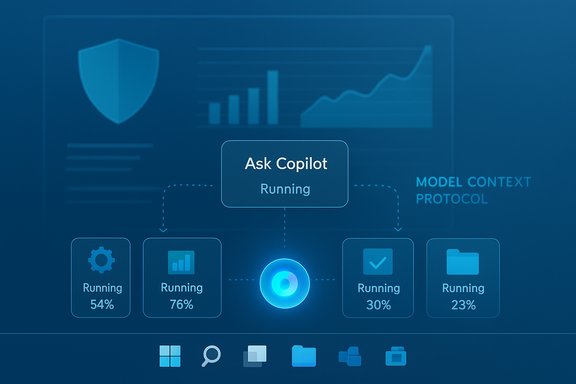
Microsoft’s latest Insider preview, build 26220.7523 (KB5072043), pushes Windows 11 further down the path to an “agentic” desktop by placing Ask Copilot on the taskbar for commercial users, adding system‑level Agent Launchers that let apps register AI agents, and giving Narrator a rare and welcome set of granular speech controls — all while shipping dozens of smaller input, widgets, and File Explorer improvements that matter to daily users and accessibility advocates alike.
Microsoft released Windows 11 Insider Preview Build 26220.7523 (KB5072043) to the Dev and Beta Channels as a 25H2‑based preview update; for a brief period the same build is being offered in both channels, giving Dev users a window to move to Beta without reinstalling. The release continues Microsoft’s current Insider strategy of mixing controlled, staged rollouts (tied to the “get the latest updates as they are available” toggle) with changes that are available to all Insiders in the channels. Why this release is notable:
But the rollout also raises practical questions:
For users, Agent Launchers promise consistency: agents registered by trusted apps will be discoverable in the same way regardless of where the user starts the interaction (taskbar Ask Copilot, the Start menu, or another app). For Microsoft 365 Copilot, Analyst and Researcher agents are early examples of how this registration model can surface powerful, long‑running workflows (like building reports) directly on the taskbar.
Source: gHacks Technology News Windows 11 Insider build 26220.7523 adds Ask Copilot on the taskbar, Agent launchers, and Narrator controls - gHacks Tech News
 Background: what this build is and why it matters
Microsoft released Windows 11 Insider Preview Build 26220.7523 (KB5072043) to the Dev and Beta Channels as a 25H2‑based preview update; for a brief period the same build is being offered in both channels, giving Dev users a window to move to Beta without reinstalling. The release continues Microsoft’s current Insider strategy of mixing controlled, staged rollouts (tied to the “get the latest updates as they are available” toggle) with changes that are available to all Insiders in the channels. Why this release is notable:- It extends the Copilot experience from an app to a persistent taskbar affordance designed for Microsoft 365 business users.
- It introduces Agent Launchers, a documented developer framework that makes AI agents discoverable system‑wide — a technical foundation for applications, third‑party agents, and Microsoft 365 Copilot agents to interoperate.
- It improves accessibility by allowing users to control exactly what Narrator says and in what order, a meaningful step forward for screen‑reader customization.
Ask Copilot on the taskbar: what’s different for business users
A unified entry point for Microsoft 365 Copilot and search
Ask Copilot on the taskbar is an opt‑in box that gives commercial Microsoft 365 Copilot customers one‑click access to Copilot conversations, agent invocation, and a refreshed search UI that returns apps, files, and settings. The experience is explicitly positioned as a complement to — not a replacement for — classic Windows Search, and Microsoft states that local discovery uses existing Windows search APIs and does not grant Copilot additional access to personal files beyond what Windows Search already exposes. The feature is being rolled out initially to commercial Insiders in the United States with Microsoft 365 Copilot licenses, and will expand in stages. From the taskbar you can:- Invoke Copilot via text, voice, or Copilot Vision inputs.
- Call out registered agents directly using the “@” keyboard shortcut or the tools button inside Ask Copilot.
- See local results served by the same Windows APIs that power traditional Windows Search, laying local contextual results next to generative Copilot responses.
Practical implications and early UX tradeoffs
Ask Copilot’s promise is convenience and context: a single surface that blends local file discovery with Copilot’s contextual knowledge of your Microsoft 365 environment. For enterprise workflows — drafting documents informed by corporate files, summarizing email threads, or invoking enterprise‑grade agents like Researcher or Analyst — the taskbar entry reduces friction.But the rollout also raises practical questions:
- Visibility and discoverability versus clutter: adding another persistent box to the taskbar risks visual noise on smaller devices; Microsoft’s opt‑in approach is a pragmatic compromise.
- Context boundaries and data governance: administrators will want clear controls over what Copilot can read, whether agent data stays in tenant boundaries, and how audit logs capture agent actions. Microsoft’s public notes emphasize use of existing search APIs, but enterprise governance will depend on Microsoft 365 policies and tenant configurations.
Agent Launchers: the platform plumbing for system‑level AI agents
What Agent Launchers are and how they work
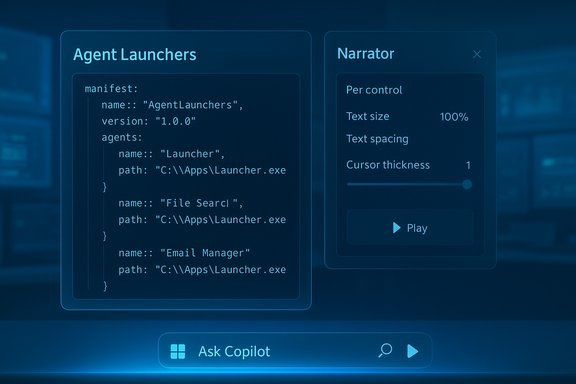
Agent Launchers are a new Windows framework that lets applications register AI agents as first‑class system discoverable entities. An Agent Launcher is essentially metadata plus an App Action that declares how to launch an agent: a manifest with agent name, description, identifiers, and the invocation information is registered to an On‑Device Registry so other experiences (Ask Copilot, Start menu, search) can find and launch it. Agents are designed to be interactive, multi‑turn, and action capable — not passive background tasks. Developers can register agents statically at install time or dynamically at runtime, allowing availability based on authentication or subscription state. Key technical points:- Agents use the App Actions framework and an agent definition JSON schema.
- Registration is discoverable via the On‑Device Registry (ODR) and can be managed with odr.exe for developers.
- Agents open into their own chat or interactive UI and are expected to maintain context, ask clarifying questions, and take actions as permitted by the host app.
Why Agent Launchers matter for developers and users
For developers, Agent Launchers lower the integration cost: register once, and your agent can be invoked from any supporting Windows surface. This is a major shift from bespoke integrations and could accelerate a marketplace of agents tied to popular productivity apps and services.For users, Agent Launchers promise consistency: agents registered by trusted apps will be discoverable in the same way regardless of where the user starts the interaction (taskbar Ask Copilot, the Start menu, or another app). For Microsoft 365 Copilot, Analyst and Researcher agents are early examples of how this registration model can surface powerful, long‑running workflows (like building reports) directly on the taskbar.
Risks and friction points
- Security model: agents that can “take actions” introduce elevated privilege concerns. Windows will need robust consent, sandboxing, and clear prompts for actions that touch files, communications, calendars, or privileged settings. Failure modes — a malicious or compromised agent — would be higher impact than a misbehaving single app.
- Privacy and telemetry: when agents access tenant data or cloud services, administrators will need evidence of where requests go, what processors handle model inference, and how data is logged. Enterprise controls will be essential.
- Developer complexity: while the registration surface simplifies discovery, real agent behavior depends on reliable context sharing (what the user’s current workspace is), consistent UI rules, and strong backward compatibility across Windows updates.
Narrator gets granular: personalization that improves accessibility
What changed
Narrator now allows per‑control customization of the properties it announces — for example, label, role, state, and value — and the order in which those properties are spoken. Users can open the new customization panel with the shortcut Narrator key + Ctrl + P, then select, deselect, and reorder announcement components for control types like buttons, checkboxes, sliders, links, and text fields. A preview function lets users hear the customized announcement before saving, and a Reset option restores defaults. On Copilot+ PCs, Microsoft added a natural‑language input box to let users type commands such as “Don’t announce selection info or position info” to effect changes faster. This change is subtle but significant: it reduces redundancy for users who repeatedly navigate UIs with verbose announcements, and it lets power users tune Narrator to match their workflow. Examples include:- Minimalist profile: announce only labels for quick scanning.
- Role‑first profile: announce role then label for layout‑oriented tasks.
- State‑first profile: announce “checked/unchecked” before label for toggle‑heavy interfaces.
Why this matters for real users
Screen readers have long offered voice and verbosity settings, but control‑type specific ordering is rare. By letting users control the sequence and inclusion of properties on a per‑control basis, Windows reduces cognitive load and repetition for people who navigate dense forms, lists, or dashboards. It’s both an accessibility enhancement and a productivity feature.Caveats and testing advice
- Changes apply across the current app for the selected control type, not system‑wide by default; users should test settings in multiple apps to confirm desired behavior.
- The Copilot+ natural language box is limited to Copilot+ devices and may rely on local models or Copilot integrations; availability may be staged. Insiders should treat this as an experimental convenience, verifying results in the Feedback Hub if anything behaves unexpectedly.
Smaller but practical UX changes: input, widgets, and language support
Build 26220.7523 ships a collection of smaller improvements that improve everyday interactions:- Voice typing via the touch keyboard no longer spawns a full‑screen overlay; instead, dictation state is shown as an animation on the dictation key. The aim here is less visual disruption and faster context retention while dictating.
- A new Discover Windows widget provides bite‑sized tips about features, shortcuts, and security reminders and can be added to the Widgets board or lock screen. This is a low‑friction way Microsoft is pushing feature discovery.
- The Settings Agent now supports a broader list of languages (German, Portuguese, Spanish, Korean, Japanese, Hindi, Italian, and Simplified Chinese) in addition to English and French — important for global rollouts of AI‑driven settings assistants.
- Arabic keyboard layouts receive AltGr support, unlocking access to the Saudi Riyal symbol and other extended characters.
- Voice Access setup is streamlined to simplify model downloads, microphone selection, and feature discovery. This reduces friction for users who rely on voice navigation.
File Explorer: people icons, UX polish, and bug fixes
Build 26220.7523 makes File Explorer more useful and more reliable:- People icons now appear in the Activity column for consumer Microsoft account (MSA) users on File Explorer Home and in Recommended/Recent views. Hovering or clicking the icons opens a Windows People Card showing context about recent file interactions and offering quick actions such as starting a chat or call. This brings the people‑activity affordance that was previously limited to work and school accounts to consumer cloud files.
- Microsoft fixed a white‑flash issue in File Explorer navigation that had been a visual regression for dark‑mode users; fixes were also applied to reduce duplicate file indexing and to improve search reliability across multiple drives. An issue blocking OneDrive files from opening in RemoteApp sessions was resolved.
Known issues and cautions for testers
The Insider notes and early reports list several known issues that testers should be aware of:- Start menu clicks may not open Start; system tray icons might fail to appear; autohide taskbars may trigger too early and block app interactions.
- File Explorer context menu crashes and Bluetooth battery level display issues are under investigation.
- Microsoft has paused a separate taskbar animation rollout while investigating reported stability regressions.
Security, privacy, and manageability: what IT pros should watch
The combination of Ask Copilot, Agent Launchers, and system‑level discovery raises distinct manageability and security questions for IT administrators:- Entitlement gating: Ask Copilot’s initial commercial rollout is limited to users with Microsoft 365 Copilot licenses. Enterprises should confirm how license enforcement and tenant boundary controls are enforced, and whether agent actions are logged for auditing.
- Data residency and flow: When agents call cloud models or services, organizations must understand whether content is processed on‑device, in Microsoft cloud regions, or at third‑party inference providers, and what telemetry is captured. Microsoft’s statement that Ask Copilot uses Windows Search APIs for local content discovery helps, but cloud inference details remain an important follow‑up.
- Delegated actions and consent prompts: Agents designed to “take actions” (rename files, send messages, schedule meetings) need clear, consistent UIs and prompts for consent. Admins should evaluate how privileged actions are authorized and how to block or allow agent workflows via group policy or Intune controls as these features mature.
- Extension surface and third‑party agents: Agent Launchers make it easier for third parties to publish discoverable agents. Organizations should plan app review and allowlist/denylist processes to ensure only trusted agents run in managed environments.
How to test this build safely and what to expect
- Join the Windows Insider Program and choose Dev or Beta as appropriate for your tolerance of instability. Enable the “Get the latest updates as they are available” toggle to receive staged feature rollouts faster.
- If you run business‑critical workloads on a machine, avoid upgrading until the new taskbar/agent features are widely available and documented; use a test device for hands‑on evaluation.
- Test Narrator customization in multiple mainstream apps — browsers, Office, File Explorer, and common third‑party apps — to verify announcement behavior and determine sensible defaults for your users.
- For organizations, pilot Microsoft 365 Copilot and agent workflows within a small tenant, and verify logging, consent prompts, and administrative controls before scaling.
Critical analysis: strengths, concerns, and where this is headed
Strengths
- Platform approach: Agent Launchers provide a clean, documented plumbing layer for making AI agents discoverable system‑wide. This is a major architectural move that simplifies developer integration and user discovery.
- Practical accessibility work: Narrator’s per‑control announcement customization moves the needle for screen‑reader users, offering tangible benefits to navigation efficiency and clarity. This is accessibility that genuinely affects day‑to‑day usability.
- Small, focused UX polish: Voice typing overlay removal and File Explorer fixes address real, practical frustrations that degrade trust in OS updates. Incremental improvements like these matter.
Concerns and open questions
- Security and governance: Agents that “take actions” increase attack surface. The available documentation addresses registration and discovery mechanics, but enterprise controls for blocking or auditing agent actions need to be clearer and more granular.
- Privacy nuance: Microsoft’s assurances about local search APIs are necessary but not sufficient; organizations will demand transparent documentation about where Copilot queries are sent and how tenant data is handled.
- UX stability: Staged features and the known list of taskbar/Start menu issues indicate that Microsoft is still tuning the integration. Users who rely on predictable Start/taskbar behavior should be cautious.
Trajectory
Microsoft is clearly engineering Windows to be an “AI‑native” OS: discoverable agents, taskbar integrations, and conversational accessibility controls all point toward a desktop that expects AI agents to be part of the workflow rather than optional add‑ons. If Microsoft gets the governance, sandboxing, and admin controls right, this could be a major productivity win. If not, the enterprise backlash could be sharp, and admin controls will be required to prevent misuse or accidental data exfiltration.Conclusion
Build 26220.7523 (KB5072043) is a decisive step toward an AI‑centric Windows, combining visible user features like Ask Copilot on the taskbar and practical accessibility improvements in Narrator with deeper platform work in Agent Launchers that will shape how developers expose agents across the system. The release pairs thoughtful small fixes (voice typing, File Explorer polish) with high‑impact platform changes that demand attention from developers, accessibility teams, and IT administrators alike. Testers should approach early access with curiosity and caution: these features are promising, but they raise real governance and stability questions that need answering before broad enterprise deployment.Source: gHacks Technology News Windows 11 Insider build 26220.7523 adds Ask Copilot on the taskbar, Agent launchers, and Narrator controls - gHacks Tech News