

Microsoft’s latest Insider Preview pushes Windows 11’s gaming story in two complementary directions: richer controller-first interaction for handheld and couch play, and a substantive widening of x64 emulation on Arm devices that could finally let a meaningful number of blockbuster games and creative apps run on Windows on Arm machines.
Windows 11 has been positioned by Microsoft as the platform that unifies PC and console experiences while delivering modern subsystem improvements—DirectStorage, Auto HDR, per-app GPU controls and more—that matter for games. The Canary-channel Insider Preview Build 27744 sharpens that strategy with two headline moves: an updated Prism emulator that exposes additional x86 CPU features under emulation (notably AVX and AVX2), and a new Gamepad keyboard layout that treats Xbox controllers as first-class input for text and navigation. These changes were announced in the official Windows Insider post and picked up by major outlets across the tech press. Build 27744 is targeted at Insiders in the Canary Channel and therefore reflects early-stage experimentation rather than a finished consumer release. Still, Microsoft explicitly states the Prism changes are already used in limited capacity on retail Windows 11 (24H2) to enable specific apps like Adobe Premiere Pro 25, and the Insider preview opens those capabilities more broadly for x64 emulation testing. That combination of retail validation and Canary expansion is a notable shift in the company’s approach to Windows on Arm.
For enthusiasts and developers the guidance is straightforward: test now, file feedback, and temper expectations about native performance. For makers of handheld PCs and app developers, the prudent path remains to ship ARM64-native builds where performance matters most—and to use Prism as a bridge that widens the addressable app library while the ecosystem matures. The Windows Insider post explaining the changes is the canonical reference, and a range of independent outlets have corroborated the technical details and community implications.
Source: GAM3S.GG Windows 11 Insider Preview Build Gaming Upgrades | GAM3S.GG
 Background / Overview
Windows 11 has been positioned by Microsoft as the platform that unifies PC and console experiences while delivering modern subsystem improvements—DirectStorage, Auto HDR, per-app GPU controls and more—that matter for games. The Canary-channel Insider Preview Build 27744 sharpens that strategy with two headline moves: an updated Prism emulator that exposes additional x86 CPU features under emulation (notably AVX and AVX2), and a new Gamepad keyboard layout that treats Xbox controllers as first-class input for text and navigation. These changes were announced in the official Windows Insider post and picked up by major outlets across the tech press. Build 27744 is targeted at Insiders in the Canary Channel and therefore reflects early-stage experimentation rather than a finished consumer release. Still, Microsoft explicitly states the Prism changes are already used in limited capacity on retail Windows 11 (24H2) to enable specific apps like Adobe Premiere Pro 25, and the Insider preview opens those capabilities more broadly for x64 emulation testing. That combination of retail validation and Canary expansion is a notable shift in the company’s approach to Windows on Arm. What’s new in Build 27744 — at a glance
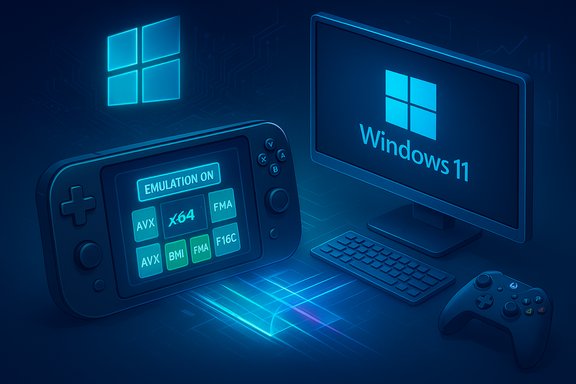
- Prism emulator: expanded x64 instruction support — Prism’s virtual CPU now exposes instruction set extensions such as AVX, AVX2, BMI, FMA, F16C, and others under x64 emulation. This is intended to unblock apps and games that previously refused to run due to CPU feature checks.
- Gamepad keyboard — a controller-optimized on-screen keyboard layout with button accelerators (e.g., X = backspace, Y = space) and vertical key alignment to make typing and navigation via Xbox controllers easier on handhelds or living-room setups.
- UI and Task Manager tweaks — small but useful updates such as renaming “All apps” to “All”, better Task Manager dialogs with dark-mode support and clearer disk-type labels.
- Hardware compatibility fixes — fixes targeting display black screens and device errors on certain older NVIDIA GPUs (examples cited include GTX 970 and Quadro K620).
Deep dive: Prism emulator changes and why AVX/AVX2 matter
What Microsoft changed, technically
Prism is Microsoft’s emulator/translation layer for running x86/x64 applications on Arm64 Windows devices. In Build 27744, Microsoft expanded the set of x86 features that Prism exposes to emulated x64 applications. Practically that means the virtual CPU presented to an x64 executable running under Prism will report support for additional instruction extensions—AVX, AVX2, BMI, FMA, F16C, etc.—so binaries that perform a runtime CPU feature check can proceed instead of aborting with an error or refusing to run. Microsoft documents that this support is now available to x64 applications under emulation in Canary Build 27744.Why those instruction sets matter for games and creative apps
- AVX / AVX2 (Advanced Vector Extensions): Widely used for heavy numeric workloads and media processing. Many modern physics, audio, and graphics middleware libraries (and some game engines) use AVX instructions to accelerate math and SIMD operations.
- FMA (Fused Multiply-Add): Useful in floating‑point heavy calculations common in physics and rendering codepaths.
- BMI (Bit Manipulation Instructions): Employed for optimized data packing/unpacking, hashing and other low-level algorithms.
- F16C: Enables half-precision float conversions used in some ML and rendering optimizations.
Performance expectations and caveats
Emulation exposes functionality, but it’s not native performance. The presence of AVX/AVX2 under emulation does not translate to the same throughput you’d get on an x86 CPU with hardware AVX units. Expect:- Functional compatibility first: Many titles will now run where they previously failed.
- Mixed performance results: Emulated performance will vary — some workloads will be usable, others may still be CPU-bound and slower than native x64 on native silicon.
- 32-bit limitations: The Prism update applies to x64 applications only. 32-bit apps or apps that use a 32-bit helper to probe CPU features will not get these benefits. Microsoft calls this out explicitly.
Gaming implications: which titles benefit and what to realistically expect
Titles most likely to benefit
- Games that previously failed runtime CPU checks because they required AVX/AVX2 could now launch under Prism.
- CPU-heavy workloads—mid-to-high CPU-bound games, physics simulations, or titles using AVX for math—are the primary beneficiaries for compatibility, not necessarily parity performance.
- Microsoft cited Adobe Premiere Pro 25 as a retail example enabled by limited Prism features in 24H2; community speculation and early tests have named heavy AVX2 users (some open-world and AAA titles) as candidates to test on Arm. That said, Microsoft has not published an exhaustive compatibility list; assertions that specific titles like Starfield or Helldivers 2 will run are speculative until tested on a particular Arm configuration. Treat such claims cautiously.
Real-world user expectations
- Handheld Windows-on-Arm devices that pair the Snapdragon X Elite/X Plus family or equivalent may now be able to run a broader set of x64 titles, but expect lower frame rates than on comparable x86 hardware. Emulation costs CPU cycles.
- Titles that are GPU‑heavy with moderate CPU needs may still offer playable experiences if the GPU is strong and driver support is good.
- Anti-cheat and low-level kernel drivers remain a major compatibility factor; some games that require kernel-mode anti-cheat may still fail or require vendor updates to run under Arm emulation.
Controller-first interaction: the Gamepad keyboard and input changes
Microsoft is clearly designing Windows 11 for controller-first scenarios in living-room and handheld contexts. The Gamepad keyboard is a small but impactful UX change: a controller-optimized on-screen keyboard with vertical key alignment and button accelerators for common operations (backspace, space, enter). This reduces friction for text entry on couches and handhelds where a full-sized keyboard isn’t available. The Verge and the Windows Insider post documented this rollout, noting Microsoft’s aim at handheld Windows PCs and integration with Game Bar and Xbox app UX. Practical benefits:- Simplifies login and storefront navigation on handheld devices.
- Improves the experience of using chat overlays, search fields, and store purchases without a keyboard.
- Helps bridge the gap between console-style input and PC-style workflows for casual sessions.
- Device login still expects credentials in many scenarios; controller-only setups may still require initial keyboard interaction or PIN/biometric flows.
- Third-party overlay apps and some legacy games may not integrate cleanly with the new layout until vendors adapt.
How to test and help Microsoft refine the preview (for Insiders and developers)
- Join the Canary Channel via Windows Insider settings if you understand the Canary trade-offs (higher risk, earlier features).
- Install Build 27744 and note that this is early preview software—create a recovery point and back up important data.
- If you want to check exposed CPU features, run Coreinfo64.exe or a similar CPU‑feature inspection utility to see the emulated flags. Microsoft notes Coreinfo’s output will highlight newly exposed features.
- Try launching x64 apps that previously failed with CPU-feature checks and note whether they start and run.
- Use the Feedback Hub (Win + F) to file compatibility issues, tagging the specific app and providing repro steps and logs; Microsoft asked Insiders to focus feedback on compatibility and performance regressions.
- Native ARM64 builds remain the preferred performance path; if you ship an x64 build, consider publishing an ARM64 native build or testing under Prism to identify regressions.
- Avoid relying on 32-bit helpers for CPU feature detection if targeting Arm devices that may run under emulation.
Risks, limitations and what Microsoft hasn’t fixed
- Performance parity is not guaranteed. Emulation exposes features but cannot replicate hardware-level parallelism of native x86 AVX units.
- 32-bit gaps persist. Many legacy apps still include 32-bit components; those will not benefit from this update.
- Anti-cheat and kernel drivers remain wildcard variables. Some multiplayer titles may still be blocked if their anti-cheat stack hasn’t been adapted for Arm/emulated environments.
- Insider Canary instability. Canary builds are experimental and may introduce regressions unrelated to Prism, so careful testing and rollbacks are prudent.
- Unverified game-specific claims. Some community posts and headlines named high-profile games as “now playable”; Microsoft’s official announcement stops short of naming specific game titles as broadly supported, so until independent tests prove otherwise, treat such assertions as unverified.
Practical guidance for gamers and enthusiasts
- If you currently rely on a Windows‑on‑x86 machine for AAA titles, don’t rush to replace it with an Arm handheld expecting the same experience. Use Prism to expand library reach, not as a drop-in performance replacement.
- For handheld makers and developers: prioritize an ARM64 native build where possible, and validate anti-cheat and driver stacks early.
- For casual users with handheld Windows PCs: enable Gamepad keyboard and test common flows (store, chat, account sign-in). Expect a smoother couch experience even if some high-end games remain limited.
- Backup before switching Insider channels. Canary builds change quickly, and recovery discipline saves time and frustration.
The broader strategy: why Microsoft is doing this
Exposing richer x64 emulation features in Prism aligns with Microsoft’s broader goals:- Make Windows on Arm a realistic alternative for more users, especially as energy‑efficient Arm silicon improves.
- Encourage developers to consider native Arm builds while removing a practical adoption barrier in the interim.
- Position Windows 11 as the OS that spans handheld consoles, laptops and desktops by smoothing input and compatibility edges.
What to watch next — roadmap signals and metrics
- Insider feedback and telemetry: Microsoft is explicitly asking for compatibility reports; widespread positive feedback could accelerate wider rollout into Release Preview or retail channels.
- Anti-cheat vendor updates: Vendors like Easy Anti‑Cheat and BattlEye updating for Arm/translation compatibility will be a major unlocking event for multiplayer titles.
- Native ARM64 ports from major engines/publishers: The best long-term outcome for performance is native ARM64 builds from engine providers (Unity, Unreal) and publishers—Prism fills the compatibility gap while the ecosystem moves.
- Power and thermal results on handheld silicon: Real-world battery life and thermals will determine whether Arm handhelds running emulated x64 titles are practical for long sessions.
Conclusion
Build 27744 is not a single headline feature so much as a structural nudge: add the missing instruction‑set bits where they cause hard failures, and make controller-based text entry pleasant enough that handhelds and living‑room PCs stop feeling like compromises. The Prism changes materially reduce hard compatibility blocks for x64 apps on Arm, while the Gamepad keyboard removes a tiny but persistent friction point for controller-first scenarios. Both moves are practical, incremental, and aligned with Microsoft’s multi-form-factor strategy for Windows 11.For enthusiasts and developers the guidance is straightforward: test now, file feedback, and temper expectations about native performance. For makers of handheld PCs and app developers, the prudent path remains to ship ARM64-native builds where performance matters most—and to use Prism as a bridge that widens the addressable app library while the ecosystem matures. The Windows Insider post explaining the changes is the canonical reference, and a range of independent outlets have corroborated the technical details and community implications.
Quick reference: action checklist for testers and gamers
- Switch to the Canary Channel only if you accept the instability trade-offs.
- Back up data and create a system restore point before upgrading.
- Install Build 27744 and confirm exposed CPU features with Coreinfo64.exe.
- Test known problem apps that previously failed on Arm; log details in Feedback Hub.
- Try the Gamepad keyboard and exercise common controller-only scenarios (store walkthrough, chat entry, overlay use).
Source: GAM3S.GG Windows 11 Insider Preview Build Gaming Upgrades | GAM3S.GG
