

Microsoft’s latest Insider releases quietly rewire Windows 11’s security posture: the Dev channel now carries Build 26300.7733 (KB5074178) and the Beta channel Build 26220.7752 (KB5074177), and both preview packages bring a significant operational change — Sysmon is now available as an inbox, optional Windows feature. The arrival of native Sysmon, combined with practical fixes to File Explorer, Outlook, and accessibility enhancements like Netherlands support for Voice Access, signals a deliberate shift: Microsoft appears to be prioritizing stability, reliability, and enterprise-ready tooling over broadening the frontlines of AI-driven features in the operating system.
Windows Insider updates often carry two kinds of payloads: experimental new features and maintenance updates that prepare the platform for wider rollout. These February preview builds are notable because their headline feature — the native Sysmon integration — is not a flashy consumer-facing novelty but a tool aimed squarely at security operations teams and power users.
A few practical cautions for readers:
This release also reflects a broader product-line message: Microsoft is listening. The company appears to be dialing back aggressive UI-level AI expansions where they conflict with reliability or user trust and refocusing engineers on system stability, enterprise tooling, and measured feature rollouts. For security teams, built-in Sysmon is an immediate win — but it’s not free: thoughtful configuration, testing, and cost management are required to avoid overwhelming logging systems or creating new operational risks.
For the Windows ecosystem, the shift toward quality and security-first improvements — while continuing to invest in AI where it delivers clear value — is a welcome course correction. Administrators and security teams should treat the native Sysmon arrival as an invitation to modernize detection pipelines, update response playbooks, and embrace a more standardized, OS-integrated approach to endpoint telemetry.
Source: Technobezz Microsoft releases new Windows 11 builds with native Sysmon security tool
 Background and overview
Windows Insider updates often carry two kinds of payloads: experimental new features and maintenance updates that prepare the platform for wider rollout. These February preview builds are notable because their headline feature — the native Sysmon integration — is not a flashy consumer-facing novelty but a tool aimed squarely at security operations teams and power users.- Both builds target Windows 11 version 25H2 preview branches and are being delivered under Microsoft’s Controlled Feature Rollout model; that means the presence of a toggle in Settings to “Get the latest updates as they are available” influences whether a particular Insider device receives staged functionality.
- The native Sysmon capability is disabled by default and must be manually enabled by an administrator or advanced user.
- Microsoft’s official notice for these builds also lists a set of tangible fixes: File Explorer improvements (keyboard navigation, folder rename fixes, missing icons), stability fixes for apps working with files on OneDrive and Dropbox (which previously could cause hangs), and Outlook fixes for PSTs stored on cloud-sync locations. Voice Access has gained Netherlands locale support as part of accessibility expansion.
What native Sysmon means — a practical security upgrade
Sysmon (System Monitor) has been one of the most widely adopted Sysinternals tools for endpoint detection, threat hunting, and forensic analysis. Until now, organizations had to deploy it as a separate download from the Sysinternals suite and manage it as an independent service and driver across fleets. Embedding Sysmon as an optional Windows feature changes that operational model.What Sysmon does, in plain terms
- Captures detailed system-level events such as process creation, process termination, driver and image loads, network connections, named pipe activity, WMI changes, DNS queries, and other kernel- and user-space events that are valuable for detecting lateral movement and credential theft.
- Writes structured events to the Windows Event Log, typically under Applications and Services Logs → Microsoft → Windows → Sysmon → Operational, which makes logs consumable by SIEMs, EDRs, and other log collection systems.
- Supports XML configuration files that let organizations tune which event types they collect and how they filter noisy or benign activity — a crucial capability to balance visibility with log volume and storage cost.
How the in-box variant will be activated
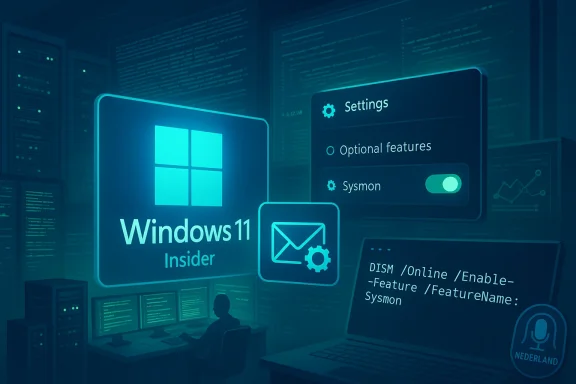
Microsoft’s preview notes make the activation path explicit and deliberately conservative: the built-in Sysmon remains disabled by default. Admins can enable it through Settings, PowerShell/DISM, or the classic Sysmon installation command — and if a standalone Sysmon is already present on the system, it must be uninstalled before enabling the built-in feature. The high-level activation steps are:- Settings > System > Optional features > More Windows features, check Sysmon, or run a DISM/PowerShell command to enable the feature.
- Complete the installation by running the Sysmon installer command (the standard Sysinternals invocation) from an elevated command prompt or PowerShell: run the Sysmon install routine (for example, the familiar
sysmon -iwith optional configuration file). - Configure Sysmon with an XML config or update it later with
sysmon -c <config.xml>to apply filtering rules and event choices.
Why this matters for security teams
- Lowered friction for adoption. Removing the manual download and separate deployment step will make Sysmon easier to roll out across tens of thousands of endpoints, particularly in organizations that standardize on Microsoft update channels and configuration baselines.
- Unified support surface. With Sysmon in-box, Microsoft can ship updates and coordinate compatibility with the OS service stack, which may reduce version skew and driver-install friction that previously complicated enterprise rollouts.
- Better alignment with Windows logging and telemetry. Events written into the Windows Event Log by a native feature align with how many enterprise SIEMs already collect and manage Windows logs, reducing parsing and ingestion overhead.
Activation and migration: recommended steps for IT teams
If you manage Windows endpoints, treat this release as an opportunity to modernize monitoring — but do it deliberately. Here’s a conservative, stepwise approach to testing and deploying the built-in Sysmon:- Lab validation
- Deploy Build 26300.7733 or 26220.7752 to a lab virtual machine that mirrors typical endpoints.
- Confirm controlled feature rollouts (toggle) and verify whether the Sysmon optional feature is visible.
- Uninstall existing Sysmon (if present)
- On test machines that already have the standalone Sysmon, uninstall it cleanly to prevent conflicts with the in-box feature.
- Enable the in-box feature
- Use Settings > System > Optional features > More Windows features, or enable via DISM/PowerShell as part of scripted provisioning.
- Finish install with the Sysmon command-line tool invocation and a baseline XML configuration.
- Apply and tune a config
- Start with a community-tested baseline config, then tighten filters to reduce noise. Test event flows into your SIEM/EDR and tune ingestion rules.
- Pay special attention to image-load and raw-access events: these can generate high volumes of logs if enabled indiscriminately.
- Monitor performance and storage
- Track CPU and disk I/O impact after enabling Sysmon. Tune HashAlgorithms and event types to limit log volume while retaining detection efficacy.
- Roll out gradually
- Use phased rollouts by device group, and include rollback capability (uninstall or disable) in case of unexpected behavior.
Technical specifics and operational notes
- Sysmon as provided in the inbox continues to follow the established Sysinternals command-line model for installation and configuration (install via
sysmon -i [configfile], update viasysmon -c [configfile], uninstall viasysmon -u). This parity preserves existing scripts and automation. - Events are still written to the same Windows Event Log locations used historically, so SIEM ingestion pipelines require minimal changes.
- Sysmon’s XML configuration schema remains the authoritative control for event selection and filtering; admins should prefer white-listing or careful exclusion rules to avoid deluging collectors.
- Because Sysmon captures low-level telemetry about running processes and network activity, organizations must reconcile collection policies with privacy, compliance, and data retention requirements. Log volumes can grow rapidly if you enable detailed image-load or raw-access events across many endpoints.
Benefits — immediate and strategic
- Increased adoption potential: By reducing deployment complexity, more organizations — especially small and medium businesses with limited security staffing — may adopt Sysmon monitoring.
- Better baseline telemetry: Built-in Sysmon can help standardize the telemetry baseline across Windows fleets, improving cross-device correlation for threat hunting.
- Simplified lifecycle: Microsoft can now manage updates to core event collection functionality through the Windows servicing pipeline, potentially improving stability and reducing version fragmentation.
- Improved forensic readiness: For organizations that lack complex EDR tooling, native Sysmon provides advanced forensic signals without additional third-party agents.
Risks, limits, and caveats
- Log volume and cost: Sysmon’s detailed events can create high storage and ingestion costs in central log platforms. Without careful filtering, SIEM bills and storage quotas may spike.
- Compatibility and migration pain: The requirement to uninstall existing standalone Sysmon before enabling the built-in feature creates a migration step that must be coordinated; poorly timed rollouts could interrupt monitoring coverage.
- False sense of security: Sysmon is powerful, but it is not a panacea. Observability must be paired with detection rules, incident response playbooks, and skilled analysts to convert raw events into actionable detections.
- Privacy considerations: The tool records process and network activity that, depending on configuration, can include personally identifiable or sensitive information. Organizations must map collection scopes to compliance policies.
- Controlled rollout caveats: Because Microsoft is staging features behind controlled rollouts and toggles, enabling the Windows feature may not yield identical behavior across all devices at once. Test and verify behavior in your specific environment.
Microsoft’s broader strategic pivot: AI slowdown and quality-first
The timing of this native Sysmon announcement is notable against recent reports that Microsoft is recalibrating how aggressively it embeds AI into Windows 11. Insiders and press coverage indicate internal guidance has emphasized reliability and a return-to-basics user experience after user feedback criticized heavy-handed Copilot integrations and the controversial Recall feature.- Microsoft has reportedly paused or scaled back some planned Copilot integrations in core in-box apps while preserving underlying AI infrastructure work (Windows ML, backend APIs) that benefits developers.
- Recall, the always-on activity recollection feature that raised privacy and performance concerns during its rollout, has been the subject of re-evaluation.
- The company is also consolidating update experiences by centralizing app updates within Settings and working on improved System Restore capabilities with point-in-time recovery to better support rollback scenarios.
Gaming, performance, and the SteamOS factor
The industry conversation around Microsoft’s Windows strategy now includes an important competitor story: Valve’s SteamOS and purpose-built Linux-based stacks have shown measurable advantages on thermally constrained handheld gaming hardware. Independent benchmark testing on identical hardware has repeatedly shown SteamOS can deliver higher frame rates and better battery behavior in several titles compared with Windows on the same device.- The handheld segment highlights software stack efficiency: a lean, gaming-first OS with a tuned graphics stack and optimized drivers can extract more sustained performance from low-power APUs than a general-purpose desktop OS without similar tailors.
- For Microsoft, this underscores a market pressure point where OS-level overhead and background services matter in specialized scenarios such as handheld gaming. Microsoft’s push to expand Xbox full-screen gaming experiences and optimize Windows for handheld thermal and power behavior is a direct response to this competition.
The consumer bundle question: cheap upgrades and licensing nuance
The market has seen aggressive third-party bundles offering Windows 11 Pro plus Office Professional 2021 lifetime licenses at deeply discounted prices. These promotions are run by deal platforms and resellers and can be attractive for users who need a one-time license rather than a subscription service.A few practical cautions for readers:
- These bundles are third-party retail promotions. Buyers should verify license authenticity, activation guarantees, and refund policies with the seller.
- Inclusion of features like Copilot in a particular Windows 11 Pro license can depend on the specific edition, build, and Microsoft’s service entitlements rather than the packaging alone. Buyers should not assume that every Windows 11 Pro key carries the same Copilot experience or the same support guarantees.
- Lifetime Office 2021 licenses do not receive the same ongoing feature updates as subscription Microsoft 365 services; they receive security updates within the lifecycle defined by Microsoft for that product.
What IT teams — and power users — should do next
- Plan a pilot now. Use the Insider preview channel in a test group to validate the in-box Sysmon behavior with your SIEM and ingestion rules.
- Review your existing Sysmon footprint. Inventory endpoints that already run standalone Sysmon and create a migration playbook that includes clean uninstall steps and verification of log continuity.
- Tune configurations before mass rollout. Start with an established community baseline configuration, but proactively disable high-volume event types (image loads, raw access) until you’ve validated storage and ingestion capacity.
- Update monitoring documentation and playbooks. Make sure incident responders know the new event locations and any differences in manifest or schema between standalone and in-box variants.
- Test rollback and lifecycle scenarios. Ensure you can disable the feature or uninstall if a compatibility issue arises with legacy apps.
- Communicate to stakeholders. Explain why this change matters: improved security visibility, standardized tooling, and a path toward more consistent, OS-managed event collection.
Final assessment
The inclusion of Sysmon as a native optional feature in Windows 11 preview builds is a pragmatic, high-impact move that reduces friction for security observability and aligns with long-standing enterprise requirements. It is a textbook example of Microsoft balancing its dual mandate: continue building advanced platform capabilities while addressing reliability and admin tooling that directly affect day-to-day operations.This release also reflects a broader product-line message: Microsoft is listening. The company appears to be dialing back aggressive UI-level AI expansions where they conflict with reliability or user trust and refocusing engineers on system stability, enterprise tooling, and measured feature rollouts. For security teams, built-in Sysmon is an immediate win — but it’s not free: thoughtful configuration, testing, and cost management are required to avoid overwhelming logging systems or creating new operational risks.
For the Windows ecosystem, the shift toward quality and security-first improvements — while continuing to invest in AI where it delivers clear value — is a welcome course correction. Administrators and security teams should treat the native Sysmon arrival as an invitation to modernize detection pipelines, update response playbooks, and embrace a more standardized, OS-integrated approach to endpoint telemetry.
Source: Technobezz Microsoft releases new Windows 11 builds with native Sysmon security tool
