

Friday’s Windows 11 Insider flights are less about headline-grabbing AI and more about refining the everyday mechanics of the desktop, with Microsoft bringing back the Pointer indicator accessibility option, polishing input behavior, and unveiling a redesigned Feedback Hub in the Dev Channel. The company’s current preview cadence also highlights a familiar split: the Dev build is moving faster and receiving more change, while the Beta build is thinner and closer to a maintenance release. For Windows Insiders, that makes this week’s update feel like a small but meaningful reset in the places people actually notice every day—mouse movement, typing, network status, and feedback submission. (blogs.windows.com)
Microsoft’s Windows Insider program has become the company’s main laboratory for testing interface changes, accessibility features, and servicing improvements before they reach the wider Windows 11 audience. That matters because preview builds are no longer just about rough drafts of the operating system; they are increasingly the place where Microsoft tries out the shape of the next release, whether that means a new settings workflow, a modernized feedback surface, or a feature that temporarily disappears and later returns. The latest Dev Channel build, 26300.8085, and Beta Channel build, 26220.8079, continue that pattern, though the two branches are no longer identical in scope.
The Dev Channel’s importance became even more pronounced in late January 2026, when Microsoft advanced the channel to the 26300 series and effectively ended the easy switch window from Dev to Beta. That change gave Microsoft more freedom to diverge the channels, which is exactly what we are seeing now: Dev gets the broader feature set, while Beta receives a shorter list of fixes. For Insiders, that is a reminder that channel choice is not just a matter of risk tolerance; it also determines which experiments you get to see first.
The return of the pointer indicator is especially notable because it has a history. Microsoft introduced a new pointer indicator accessibility setting in early 2024, then temporarily disabled it in Build 26085 while it fixed bugs. In other words, this is not a brand-new idea but a revived one, and that distinction matters. It suggests Microsoft still sees the feature as valuable for low-vision users, but also that the company was willing to pull it back rather than let a shaky implementation linger in the Insider ring.
The Feedback Hub changes are equally interesting, though for a different reason. Microsoft is not merely polishing an app; it is changing the way the company receives product criticism from Insiders. A simpler submission flow, a public-versus-private choice, and a new “compliment” category all point toward a more structured feedback pipeline. That is a subtle but important sign that Microsoft wants higher-quality, more actionable telemetry from humans, not just more bug reports. (blogs.windows.com)
The same build also brings Windows Magnifier support for protected content. That sounds niche, but for users who rely on assistive technology, it is the difference between partial usability and a much more complete reading experience. Microsoft’s broader accessibility work over the last year has increasingly focused on making core workflows more resilient rather than simply adding flashy new options, and this fits that pattern. (blogs.windows.com)
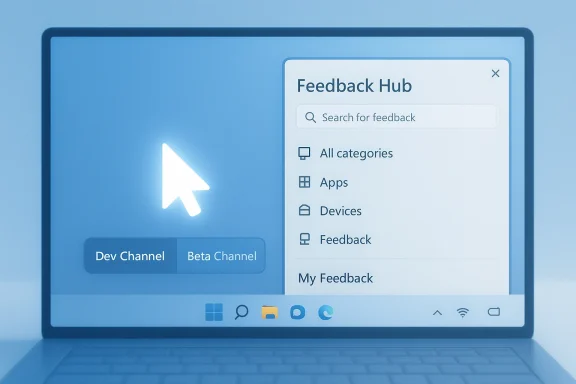
Beyond accessibility, the Dev build includes network and input fixes plus the marquee Feedback Hub redesign. Microsoft says the new Feedback Hub introduces a unified template for feedback submission, category search, a cleaner “My Feedback” area, a renamed “Community feedback” space, and the removal of the Announcements page in favor of directing users to the Windows Insider Blog. It also adds a focused surface for quick, in-the-moment reporting and improved screenshot capture and review tools. (blogs.windows.com)
For low-vision users, a more visible pointer can reduce friction in nearly every task, from navigating Settings to using remote desktops, multi-monitor setups, and dense productivity apps. The fact that Microsoft includes both a settings path and a shortcut suggests a deliberate balance between discoverability and speed. That is exactly what accessibility design should aim for: flexibility without cognitive overload. (blogs.windows.com)
That matters because Insider feedback is only useful if users actually complete the process. The more steps Microsoft removes, the more likely an issue gets documented at the moment it occurs, which is when details are freshest. In that sense, the redesign is not just about visuals; it is about operational efficiency. (blogs.windows.com)
The Beta build includes the same explorer.exe reliability improvement related to closing the input flyout and the same fix for fluid dictation reliability in Voice Typing settings. It also addresses the Network and Sharing Center bug that could show two active Wi-Fi connections after switching networks. These are the kind of quiet quality-of-life fixes that users rarely celebrate, but absolutely notice when they are missing. (blogs.windows.com)
For enterprises and cautious enthusiasts, that should be comforting. The Beta Channel is supposed to be the place where features are still interesting but less volatile, and this week’s update reflects that mission. If you are using Windows Insider builds on a work machine, boring can be a feature, not a flaw. Very much so. (blogs.windows.com)
That broader framing matters because accessibility is not an isolated feature bucket. When the cursor is easier to find, when Magnifier can handle more content, and when voice typing behaves more reliably, users are getting incremental gains across many workflows at once. These additions do not make for flashy demo moments, but they directly affect whether Windows feels supportive or merely functional. (blogs.windows.com)
There is also a strategic benefit here. Accessibility improvements often generalize into usability improvements for everyone, especially on large displays, remote sessions, and touch-first systems. A better pointer indicator for low-vision users can also help a power user who loses track of the cursor on a 4K monitor. That is the kind of multiplier effect good platform design should aim for. (blogs.windows.com)
The addition of private or public feedback is especially thoughtful. Not every issue belongs in front of the community, and not every user wants their report to be visible to others. By adding a privacy choice, Microsoft acknowledges that feedback can be both a diagnostic tool and a personal support channel. (blogs.windows.com)
The removal of the Announcements page is more interesting than it sounds. Microsoft is deliberately narrowing the Feedback Hub’s purpose to two core actions: giving feedback and discovering feedback from others. That is a cleaner product philosophy than trying to make the app a catchall information hub, and it may actually improve engagement. Less clutter, more signal. (blogs.windows.com)
The same is true of the Network and Sharing Center fix. Displaying two active Wi-Fi connections after switching networks was never a catastrophic bug, but it could easily confuse users who were trying to troubleshoot connectivity problems. Windows often succeeds or fails in the user’s mind based on the credibility of its interface, and mismatched status information chips away at that credibility. (blogs.windows.com)
For enterprise users, these fixes matter even more because perceived sloppiness becomes support overhead. When status surfaces lie or input-related UI behaves unpredictably, IT departments inherit the confusion. In that sense, these small corrections reduce both user frustration and administrative noise. (blogs.windows.com)
This structure also gives Microsoft room to stage risk. A change like the Feedback Hub redesign can be tested in Dev before it ever touches Beta, while straightforward fixes can flow to both. That separation helps Microsoft learn faster without forcing every Insider onto the same volatility curve. It is a practical compromise. (blogs.windows.com)
For Microsoft, the upside is obvious: faster iteration and better telemetry. The downside is also obvious: features may mature unevenly, and some useful changes may never escape the preview ring. Insider builds are a funnel, not a guarantee. (blogs.windows.com)
Another concern is that redesigning Feedback Hub without making it truly frictionless would miss the point. If Microsoft adds visual polish but keeps the underlying workflow awkward, it may not materially improve reporting behavior. Similarly, accessibility features only help if they remain stable once reintroduced; temporary improvements are helpful, but dependable improvements are what users remember. (blogs.windows.com)
The next few Dev and Beta flights will also reveal whether Microsoft wants to push more interface work into the Dev Channel alone. If that pattern continues, the 26300 branch will become increasingly important as the place where the future of Windows 11 is sketched out first. That would be consistent with the company’s recent channel behavior, but it would also make the Dev audience even more central to Microsoft’s design feedback loop.
Source: Neowin Windows 11 gets back previously disabled mouse tool and redesigned Feedback Hub in new buid
 Overview
Microsoft’s Windows Insider program has become the company’s main laboratory for testing interface changes, accessibility features, and servicing improvements before they reach the wider Windows 11 audience. That matters because preview builds are no longer just about rough drafts of the operating system; they are increasingly the place where Microsoft tries out the shape of the next release, whether that means a new settings workflow, a modernized feedback surface, or a feature that temporarily disappears and later returns. The latest Dev Channel build, 26300.8085, and Beta Channel build, 26220.8079, continue that pattern, though the two branches are no longer identical in scope.The Dev Channel’s importance became even more pronounced in late January 2026, when Microsoft advanced the channel to the 26300 series and effectively ended the easy switch window from Dev to Beta. That change gave Microsoft more freedom to diverge the channels, which is exactly what we are seeing now: Dev gets the broader feature set, while Beta receives a shorter list of fixes. For Insiders, that is a reminder that channel choice is not just a matter of risk tolerance; it also determines which experiments you get to see first.
The return of the pointer indicator is especially notable because it has a history. Microsoft introduced a new pointer indicator accessibility setting in early 2024, then temporarily disabled it in Build 26085 while it fixed bugs. In other words, this is not a brand-new idea but a revived one, and that distinction matters. It suggests Microsoft still sees the feature as valuable for low-vision users, but also that the company was willing to pull it back rather than let a shaky implementation linger in the Insider ring.
The Feedback Hub changes are equally interesting, though for a different reason. Microsoft is not merely polishing an app; it is changing the way the company receives product criticism from Insiders. A simpler submission flow, a public-versus-private choice, and a new “compliment” category all point toward a more structured feedback pipeline. That is a subtle but important sign that Microsoft wants higher-quality, more actionable telemetry from humans, not just more bug reports. (blogs.windows.com)
What’s New in the Dev Channel
The Dev Channel is where this week’s update is doing the heavy lifting. Microsoft says it is resuming rollout of the Pointer Indicator accessibility setting for low-vision users, allowing them to locate the cursor more easily and toggle the feature through Settings or the shortcut Win + Ctrl + Shift + X. That shortcut alone tells you how Microsoft is thinking about the feature: it is meant to be instantly accessible, not buried in a settings panel and forgotten. (blogs.windows.com)The same build also brings Windows Magnifier support for protected content. That sounds niche, but for users who rely on assistive technology, it is the difference between partial usability and a much more complete reading experience. Microsoft’s broader accessibility work over the last year has increasingly focused on making core workflows more resilient rather than simply adding flashy new options, and this fits that pattern. (blogs.windows.com)
Beyond accessibility, the Dev build includes network and input fixes plus the marquee Feedback Hub redesign. Microsoft says the new Feedback Hub introduces a unified template for feedback submission, category search, a cleaner “My Feedback” area, a renamed “Community feedback” space, and the removal of the Announcements page in favor of directing users to the Windows Insider Blog. It also adds a focused surface for quick, in-the-moment reporting and improved screenshot capture and review tools. (blogs.windows.com)
Why the pointer indicator matters again
The pointer indicator is not a glamorous feature, but that is precisely why it matters. Accessibility features often fail not because users dislike them, but because the experience is too brittle, too obscure, or too inconsistent to become habitual. By restoring the feature after a prior disablement, Microsoft is signaling that it believes the experience is ready for another pass at adoption.For low-vision users, a more visible pointer can reduce friction in nearly every task, from navigating Settings to using remote desktops, multi-monitor setups, and dense productivity apps. The fact that Microsoft includes both a settings path and a shortcut suggests a deliberate balance between discoverability and speed. That is exactly what accessibility design should aim for: flexibility without cognitive overload. (blogs.windows.com)
Feedback as a product surface
The redesigned Feedback Hub may be the most strategically important change in the build. Microsoft is effectively acknowledging that feedback tooling itself is part of the product experience, not an afterthought. A cleaner submission path and a compact “focused” mode reduce the amount of effort required to report an issue, which should, in theory, increase the volume and quality of reports. (blogs.windows.com)That matters because Insider feedback is only useful if users actually complete the process. The more steps Microsoft removes, the more likely an issue gets documented at the moment it occurs, which is when details are freshest. In that sense, the redesign is not just about visuals; it is about operational efficiency. (blogs.windows.com)
- Unified template should make reports faster to file.
- Category search may reduce misfiled feedback.
- My Feedback in the navigation pane improves personal tracking.
- Community feedback should make it easier to compare issue trends.
- Compliment feedback gives Microsoft a way to learn what users want preserved.
- Private or public feedback adds flexibility for sensitive reports. (blogs.windows.com)
What’s New in the Beta Channel
The Beta Channel is much quieter, which is not surprising. Microsoft often uses Beta to keep a more stable branch aligned with the Dev code base, but not every improvement is always mirrored in full. In this flight, Beta receives the input and network fixes only, without the restored pointer indicator or the Feedback Hub redesign. That difference says a lot about where Microsoft believes each feature stands in terms of readiness. (blogs.windows.com)The Beta build includes the same explorer.exe reliability improvement related to closing the input flyout and the same fix for fluid dictation reliability in Voice Typing settings. It also addresses the Network and Sharing Center bug that could show two active Wi-Fi connections after switching networks. These are the kind of quiet quality-of-life fixes that users rarely celebrate, but absolutely notice when they are missing. (blogs.windows.com)
Why the beta list is short
A short Beta changelog is not necessarily a sign of stagnation. In practice, it often means Microsoft is holding the branch closer to a known good state while testing broader changes only in Dev. That is consistent with the company’s recent channel strategy, where Dev has become the more exploratory lane after the January 2026 jump to 26300-series builds.For enterprises and cautious enthusiasts, that should be comforting. The Beta Channel is supposed to be the place where features are still interesting but less volatile, and this week’s update reflects that mission. If you are using Windows Insider builds on a work machine, boring can be a feature, not a flaw. Very much so. (blogs.windows.com)
- Input flyout reliability matters for touch and keyboard-heavy workflows.
- Voice typing stability helps users who rely on dictation.
- Wi-Fi display accuracy reduces confusion in troubleshooting.
- Fewer changes usually means fewer surprises.
- Beta remains a safer test bed than Dev for many users. (blogs.windows.com)
Accessibility and Inclusive Design
Microsoft has been unusually consistent in treating accessibility as a first-class design area in Windows 11 preview builds, and this release continues that trend. The reappearance of the pointer indicator is not just about one tool; it is part of a longer arc of making Windows more usable for people with low vision and other input challenges. In the past year, Microsoft has repeatedly positioned accessibility work alongside productivity and AI improvements, which tells you how central it has become to the platform story.That broader framing matters because accessibility is not an isolated feature bucket. When the cursor is easier to find, when Magnifier can handle more content, and when voice typing behaves more reliably, users are getting incremental gains across many workflows at once. These additions do not make for flashy demo moments, but they directly affect whether Windows feels supportive or merely functional. (blogs.windows.com)
From experimental to dependable
The history of the pointer indicator shows how Microsoft can use Insiders to test, remove, and reintroduce a feature until it reaches a stable enough state for broader rollout. That iterative approach is sensible, though it also means accessibility users sometimes experience delays and reversals that other feature areas do not. Still, if the alternative is shipping half-baked functionality, the caution is justified.There is also a strategic benefit here. Accessibility improvements often generalize into usability improvements for everyone, especially on large displays, remote sessions, and touch-first systems. A better pointer indicator for low-vision users can also help a power user who loses track of the cursor on a 4K monitor. That is the kind of multiplier effect good platform design should aim for. (blogs.windows.com)
- Cursor visibility is a baseline productivity issue, not a niche luxury.
- Magnifier improvements extend the usefulness of built-in assistive tech.
- Voice typing reliability affects accessibility and speed.
- Keyboard shortcuts improve discoverability for advanced users.
- Re-enabling features after bug fixes is a sign of mature preview discipline. (blogs.windows.com)
Feedback Hub Reimagined
The new Feedback Hub is really a statement about how Microsoft wants to manage product discovery and triage. The app has historically been useful but not always elegant, often asking Insiders to navigate a fairly dense interface just to file a report or browse community complaints. The redesign seems aimed at lowering that friction dramatically, which is a sensible move if Microsoft wants feedback to remain a living part of the Windows development process. (blogs.windows.com)The addition of private or public feedback is especially thoughtful. Not every issue belongs in front of the community, and not every user wants their report to be visible to others. By adding a privacy choice, Microsoft acknowledges that feedback can be both a diagnostic tool and a personal support channel. (blogs.windows.com)
A smaller surface, bigger ambition
The new focused feedback experience is also worth calling out. A compact, context-friendly window makes it easier to send feedback without losing the thread of what you were doing, which is exactly when many issues happen. If the workflow is too heavy, users wait until later—and later usually means they forget details. (blogs.windows.com)The removal of the Announcements page is more interesting than it sounds. Microsoft is deliberately narrowing the Feedback Hub’s purpose to two core actions: giving feedback and discovering feedback from others. That is a cleaner product philosophy than trying to make the app a catchall information hub, and it may actually improve engagement. Less clutter, more signal. (blogs.windows.com)
- Single template should reduce decision fatigue.
- Category search should improve report accuracy.
- Community feedback can surface patterns faster.
- Compliments are useful for identifying polished experiences.
- Focused mode reduces context switching.
- Screenshot tooling raises the quality of bug reports. (blogs.windows.com)
Input, Reliability, and Everyday Polishing
Small fixes often have the biggest cumulative impact, and this flight is full of them. Microsoft says it has improved explorer.exe reliability when closing the input flyout and improved the reliability of the fluid dictation option in Voice Typing settings. Those are the sorts of bugs that may not dominate headlines, but they can create an outsized sense that the platform is either sharp or flaky. (blogs.windows.com)The same is true of the Network and Sharing Center fix. Displaying two active Wi-Fi connections after switching networks was never a catastrophic bug, but it could easily confuse users who were trying to troubleshoot connectivity problems. Windows often succeeds or fails in the user’s mind based on the credibility of its interface, and mismatched status information chips away at that credibility. (blogs.windows.com)
Why reliability fixes build trust
Reliability work is hard to market, but it is easy to feel. If closing a flyout no longer causes odd behavior, if dictation settings stop misbehaving, and if the network pane reflects reality, the system starts to feel more coherent. That coherence is a form of product quality that is easy to underestimate from the outside. (blogs.windows.com)For enterprise users, these fixes matter even more because perceived sloppiness becomes support overhead. When status surfaces lie or input-related UI behaves unpredictably, IT departments inherit the confusion. In that sense, these small corrections reduce both user frustration and administrative noise. (blogs.windows.com)
- Flyout stability helps preserve task flow.
- Voice typing improvements support hands-free work.
- Accurate network UI reduces false troubleshooting.
- Explorer reliability is central to Windows credibility.
- Minor fixes often prevent major support incidents. (blogs.windows.com)
Channel Strategy and Release Management
Microsoft’s current Insider channel strategy is a good example of controlled divergence. The Dev Channel, now on the 26300 series, is where the company can ship larger concept changes and more visibly experiment with UI and workflow. The Beta Channel, meanwhile, stays tighter and is better suited to quality improvements and smaller refinements. That split is increasingly clear in the latest flight.This structure also gives Microsoft room to stage risk. A change like the Feedback Hub redesign can be tested in Dev before it ever touches Beta, while straightforward fixes can flow to both. That separation helps Microsoft learn faster without forcing every Insider onto the same volatility curve. It is a practical compromise. (blogs.windows.com)
Why the Dev/Beta gap matters
For power users, the gap between the channels is now more meaningful than it was a year ago. Dev is no longer just “slightly ahead”; it is becoming a more experimental branch with its own rhythm and priorities. That means the most interesting features will often appear there first, but it also means users need to be more deliberate about which channel matches their tolerance for change.For Microsoft, the upside is obvious: faster iteration and better telemetry. The downside is also obvious: features may mature unevenly, and some useful changes may never escape the preview ring. Insider builds are a funnel, not a guarantee. (blogs.windows.com)
- Dev Channel is where Microsoft experiments most aggressively.
- Beta Channel remains closer to a stabilization track.
- Feature divergence lets Microsoft test UI concepts in smaller populations.
- Controlled rollouts reduce the risk of broad regressions.
- Insiders need to choose channels carefully based on risk tolerance.
Strengths and Opportunities
Microsoft’s latest preview release shows that the company still understands a core truth about operating systems: the best improvements are often the ones that remove friction rather than add spectacle. The restored pointer indicator, the Feedback Hub redesign, and the quiet reliability fixes all point toward a Windows 11 that is trying to feel more deliberate, more humane, and more dependable. If Microsoft executes well, these changes could translate into stronger accessibility outcomes, better feedback quality, and fewer day-to-day annoyances for everyone. (blogs.windows.com)- Accessibility momentum could make Windows more inclusive.
- Simpler feedback tools may increase Insider participation.
- Improved dictation reliability supports productivity and accessibility.
- Cleaner network status reporting helps troubleshooting accuracy.
- Channel separation gives Microsoft room to innovate without destabilizing Beta.
- Screenshot and review tools should improve report quality.
- Feature re-enablement shows Microsoft is willing to fix and revisit rather than abandon. (blogs.windows.com)
Risks and Concerns
The biggest risk is that a more complex channel strategy could leave some Insiders uncertain about what they are actually testing. Once Dev and Beta begin to diverge more meaningfully, users may assume a feature exists everywhere when it is only partly rolled out. There is also the perennial Insider problem: features can be removed, delayed, or altered again before public release, which makes long-term expectations difficult to manage. (blogs.windows.com)Another concern is that redesigning Feedback Hub without making it truly frictionless would miss the point. If Microsoft adds visual polish but keeps the underlying workflow awkward, it may not materially improve reporting behavior. Similarly, accessibility features only help if they remain stable once reintroduced; temporary improvements are helpful, but dependable improvements are what users remember. (blogs.windows.com)
- Channel confusion could complicate Insider expectations.
- Feature churn may frustrate users who want consistency.
- Redesigns without simplicity risk becoming cosmetic rather than functional.
- Accessibility regressions would undermine trust quickly.
- Unclear rollout timing can make testing results harder to interpret.
- Small UI bugs can still damage credibility if they recur repeatedly.
- Beta users may feel left out if too much innovation shifts exclusively to Dev. (blogs.windows.com)
Looking Ahead
What happens next will depend less on the novelty of this week’s changes and more on how Microsoft handles rollout discipline. If the pointer indicator returns cleanly, if the Feedback Hub redesign makes reporting genuinely faster, and if the input and network fixes hold steady, then this will have been a strong incremental flight rather than just another preview build. Microsoft is not trying to wow Insiders with one giant feature here; it is trying to make Windows feel more coherent in the small moments that add up to daily trust. (blogs.windows.com)The next few Dev and Beta flights will also reveal whether Microsoft wants to push more interface work into the Dev Channel alone. If that pattern continues, the 26300 branch will become increasingly important as the place where the future of Windows 11 is sketched out first. That would be consistent with the company’s recent channel behavior, but it would also make the Dev audience even more central to Microsoft’s design feedback loop.
- Watch for wider rollout of the pointer indicator in Dev.
- Watch whether Beta gains the Feedback Hub redesign later.
- Watch for additional accessibility refinements in upcoming flights.
- Watch for more input and Explorer polish as Microsoft trims rough edges.
- Watch for channel-specific feature divergence to continue growing. (blogs.windows.com)
Source: Neowin Windows 11 gets back previously disabled mouse tool and redesigned Feedback Hub in new buid
Last edited:
