

Microsoft quietly shipped an experimental “agentic” layer into Windows 11 and, unusually for a vendor, warned up front that those agents may hallucinate and introduce novel security risks — including a new class of attacks Microsoft calls cross‑prompt injection (XPIA).
Microsoft’s recent Insider release (Build 26220.7262) introduces an opt‑in toggle labeled Experimental agentic features that enables a new runtime for AI agents — most visibly used by Copilot Actions — which can operate in a separate Agent Workspace, act on UI elements (click, type, scroll), and request scoped access to common folders on the device. The Insider blog announcing the build documents the toggle and confirms the staged rollout to Dev and Beta channels. The company’s support documentation is unusually candid: it explicitly states agentic features are off by default, that enabling them provisions per‑agent local accounts and an Agent Workspace, and that agents may hallucinate and be vulnerable to XPIA, where adversarial content embedded in documents or UI can override agent instructions and produce harmful side effects. That warning is front‑and‑center in Microsoft’s guidance and is not buried in marketing copy. Independent technical coverage and community discussion have rapidly corroborated Microsoft’s description: the feature is experimental, admin‑gated, and intended to be used initially only by Insiders and controlled pilots, but it changes the endpoint threat model because content and UI surfaces now function as instruction channels for agents.
That said, several mitigations are still architectural promises rather than battle‑tested defenses:
The wider industry faces similar trade‑offs: many major platforms are racing to add agentic capabilities because the productivity upside is substantial. That competitive pressure can accelerate releases before defenders complete hardening work — a pattern we have seen repeatedly in adjacent spaces. The important difference here is that agentic capabilities change what “malicious” looks like, turning content into instructions and making endpoint policy a cross‑discipline problem (security + UX + product policy + legal).
Microsoft is attempting to make an agentic OS a practical reality. That ambition is understandable and potentially transformative. The question now is whether the platform, ecosystem, and defenders can harden the new content‑as‑command surface fast enough to prevent a wave of content‑driven compromises. The preview is the right place to find out — but the line between preview and platform default will be the place to watch most closely.
Source: PC Gamer Microsoft says its new AI agent in Windows 11 hallucinates like every other chatbot
 Background / Overview
Microsoft’s recent Insider release (Build 26220.7262) introduces an opt‑in toggle labeled Experimental agentic features that enables a new runtime for AI agents — most visibly used by Copilot Actions — which can operate in a separate Agent Workspace, act on UI elements (click, type, scroll), and request scoped access to common folders on the device. The Insider blog announcing the build documents the toggle and confirms the staged rollout to Dev and Beta channels. The company’s support documentation is unusually candid: it explicitly states agentic features are off by default, that enabling them provisions per‑agent local accounts and an Agent Workspace, and that agents may hallucinate and be vulnerable to XPIA, where adversarial content embedded in documents or UI can override agent instructions and produce harmful side effects. That warning is front‑and‑center in Microsoft’s guidance and is not buried in marketing copy. Independent technical coverage and community discussion have rapidly corroborated Microsoft’s description: the feature is experimental, admin‑gated, and intended to be used initially only by Insiders and controlled pilots, but it changes the endpoint threat model because content and UI surfaces now function as instruction channels for agents. What Microsoft actually shipped
Agent Workspace and agent accounts
- Agent Workspace: a lightweight, isolated Windows session where an agent runs in parallel to the user’s desktop. Microsoft describes it as more efficient than a VM for common UI‑automation tasks while offering runtime isolation and observable actions.
- Agent accounts: when the toggle is enabled, Windows provisions separate, non‑interactive local accounts for agents so their actions are attributable and can be governed with ACLs, Group Policy, and auditing. Once the experimental setting is toggled on by an administrator, it applies device‑wide.
- Scoped file access: during preview, agents can request read/write access to six “known folders” in the user profile — Documents, Downloads, Desktop, Pictures, Music, Videos — unless further permissions are granted.
Copilot Actions and the Model Context Protocol
- Copilot Actions is the first consumer‑facing agent scenario: natural‑language prompts map to chained UI interactions and tool calls, enabling an agent to assemble reports, manipulate files, or interact with applications that lack robust APIs. Microsoft positions this as a bridge from brittle UI automation toward more resilient, capability‑based integrations.
- Model Context Protocol (MCP): Microsoft is building plumbing so agents and apps can discover and call well‑scoped capabilities (JSON‑RPC–style) rather than blindly driving UI controls. MCP is meant to be a centralized enforcement point for capability declarations, authentication, and logging — an important architectural move toward safer automation if implemented widely.
Administrative controls and logging
Microsoft requires agent binaries and connectors to be cryptographically signed and intends tamper‑evident audit logs and user‑facing plans for sensitive actions. The company also points to Intune, Group Policy, and SIEM integration as the enterprise controls that will govern agent behavior at scale. These are design goals currently being refined in preview.The security warning: hallucinations and cross‑prompt injection (XPIA)
What Microsoft warns about (plain language)
Microsoft’s documentation explicitly calls out two failure modes as first‑order security problems:- Hallucinations: LLMs can generate confident but incorrect outputs. When those outputs turn into actions — clicking the wrong UI element, sending the wrong file, or running an installer — hallucinations become operational failures with real risk.
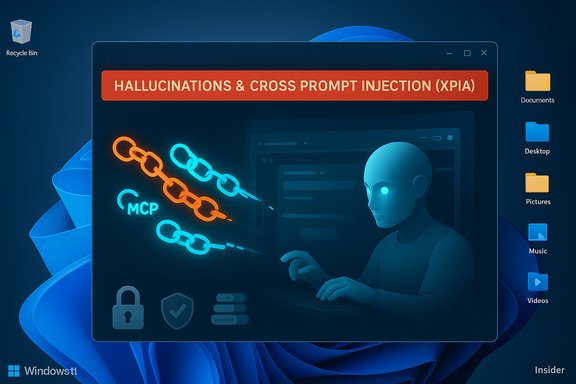
- Cross‑prompt injection (XPIA): adversarial content embedded in documents, images (via OCR), rendered HTML previews, or UI elements could be interpreted as instructions by an agent and thus override the agent’s original plan, leading to unintended actions such as data exfiltration or malware installation. Microsoft names XPIA and frames it as a realistic attack vector.
Why this matters now
Traditional endpoint defenses prioritize executable files, binaries, privilege escalation and network indicators. With agentic AI, content itself becomes the attack surface. Anything the agent reads — a PDF, spreadsheet, or web preview — can carry adversarial instructions. That shift undermines many assumptions about what a “malicious payload” looks like and opens new avenues for social engineering and content‑based exploitation. Security researchers and trade press have already demonstrated how content can be weaponized against hosted LLMs; the difference here is the agentic element: the model’s output can immediately trigger local, side‑effecting operations.Practical attack scenarios (how an adversary could exploit agents)
- Document‑to‑exfiltration
- An attacker crafts a PDF with hidden prompt text or an image carrying embedded instructions. When a user asks the agent to “summarize this file,” the agent follows the embedded instruction to package and upload sensitive documents to an attacker‑controlled endpoint.
- Web preview poisoning
- A malicious web page renders a crafted preview in an application. An agent that ingests previews and translates them into actions may interpret an embedded directive and download and execute a payload.
- Supply‑chain misuse of signed agents
- Signed agent binaries reduce risk but are not a panacea. A compromised publisher or stolen signing keys could yield signed agents that pass superficial checks yet perform malicious automation.
- UI deception and brittle automation
- Agents using visual recognition and UI automation can be fooled by deceptive dialogs, localization differences, or subtle layout changes, causing incorrect or destructive clicks and actions.
What Microsoft is shipping as mitigations — and what remains aspirational
Microsoft’s current mitigation stack includes:- Agent accounts and Agent Workspace isolation to provide runtime separation and attribution.
- An admin‑only, device‑wide toggle (Experimental agentic features) that is off by default; enabling it applies to all users on a device.
- Signed agent binaries and a revocation model for compromised components.
- Tamper‑evident logging and surface user approvals for sensitive actions.
- Scoped access limited by default to six known folders.
That said, several mitigations are still architectural promises rather than battle‑tested defenses:
- The requirement for signing and revocation is useful, but real-world signing ecosystems have been abused before; signing reduces but does not eliminate supply‑chain risk.
- User approval dialogs and human‑in‑the‑loop gates only help if UX design avoids consent fatigue; history shows that repeated prompts degrade into reflexive clicks.
- Auditing is only effective if enterprises integrate agent logs with SIEM/DLP and adapt detection rules for agent‑originated flows; that integration is still being built out in preview.
Benefits and the productivity case (why Microsoft is pushing this)
There are real, defensible productivity gains in making agents “do” rather than just “suggest”:- Automation of repetitive desktop workflows: agents can chain multi‑step tasks — gather files, run data extractions, update documents, send templated emails — saving time for knowledge workers and power users.
- Accessibility: voice‑driven agents that can operate UIs can materially help users with mobility impairments.
- Standardization of app capabilities: MCP and signed connectors create a pathway away from brittle, brittle UI scrapers to capability‑oriented automation that can be audited and constrained.
- On‑device acceleration options: Microsoft is describing a two‑tier world (Copilot+ hardware with NPUs doing more on‑device inference) which could lower latency and allow more private, local operation of agents where appropriate. Early documentation references Copilot+ hardware requirements and reduced dependence on cloud for certain workloads.
Critical analysis: trade‑offs, open gaps, and governance
The central trade‑off
Microsoft is balancing two competing pressures: deliver agentic capabilities that materially improve productivity, and avoid opening attack surfaces that could be weaponized at scale. The current preview leans into staged, admin‑gated rollout and architectural controls — a cautious posture — but it also forces responsibility onto administrators and users to understand and mitigate risk before enablement. That delegation is reasonable for Insiders and controlled pilots, but it is an imperfect solution for consumer devices where users are non‑technical and may be unaware of the nuanced threat model.Where the engineering choices bite back
- Content‑as‑command is a systemic shift: the OS has historically treated content as inert. Agentic AI flips that assumption; even robust AV/EDR systems will need new heuristics to monitor content‑driven instruction flows and agent‑originated network activity. Detection, not just prevention, becomes key.
- Approval fatigue: requiring human approvals is necessary, but not sufficient. Attackers will design flows to appear low‑risk or socially engineered prompts that users will accept. UX and policy must be layered with technical controls like capability tokens, provenance tagging and strict DLP gating for agent connectors.
- Auditability depends on operational integration: tamper‑evident logs are only useful if they are exported, aggregated, and monitored. Many enterprises will need to update incident response playbooks to include agent compromise scenarios, including rapid agent isolation and credential rotation.
What Microsoft must deliver before broad GA
- More granular enablement controls (per‑user and per‑agent policies) rather than a single device‑wide toggle.
- Proven, widely adopted MCP bindings and app capability manifests to reduce UI‑level automation reliance.
- Tight DLP and SIEM integration patterns for agent activity, with clear taxonomy for agent‑originated flows.
- UX that reduces consent fatigue and makes sensitive actions meaningfully explicit to users.
- Public, reproducible threat modelling and abuse case documentation so defenders can prepare detection and response playbooks.
Enterprise implications and recommended controls
For IT teams preparing for agentic Windows rollouts, immediate steps should include:- Keep Experimental agentic features disabled in production images; enable only in pilot groups.
- Establish policy via Intune/GPO to control which agents and connectors are permitted and to enforce least‑privilege file access.
- Integrate agent logs to SIEM and create detection rules for anomalous agent‑originated network activity, especially file uploads and connector calls.
- Update incident response playbooks to handle agent compromise: isolate the agent account, revoke connectors, rotate credentials, and forensically analyze agent logs.
- Treat unknown content (documents, previews) as high‑risk input when agents are operating; enforce DLP policies that prevent automatic upload of sensitive folders without elevated review.
UX, trust, and the wider industry context
Microsoft’s candid warnings are notable: vendors rarely foreground model failure modes in product docs. That candor is responsible — but it also signals the fragility of trust. Users feel ambivalent when platform vendors ship opt‑in features that nevertheless apply system‑wide when toggled, and when the onboarding text tells them the system may hallucinate. For mainstream consumers, the risk calculus is difficult to parse; for enterprises, it is operationally tractable if and only if the governance tools and telemetry are robust and available.The wider industry faces similar trade‑offs: many major platforms are racing to add agentic capabilities because the productivity upside is substantial. That competitive pressure can accelerate releases before defenders complete hardening work — a pattern we have seen repeatedly in adjacent spaces. The important difference here is that agentic capabilities change what “malicious” looks like, turning content into instructions and making endpoint policy a cross‑discipline problem (security + UX + product policy + legal).
Conclusion — what this means for users and admins
Microsoft’s Agent Workspace and Copilot Actions represent a bold product step: giving Windows a native agent runtime can deliver genuine productivity and accessibility gains. The company’s candid documentation — explicitly naming hallucinations and cross‑prompt injection (XPIA) — is a welcome and responsible acknowledgement of the changed threat model. At the same time, shipping experimental agentic features into a mainstream OS, even behind an admin toggle, shifts significant responsibility onto administrators and users. Until the promised mitigations are fully implemented and widely adopted — per‑agent policies, MCP adoption, DLP/SIEM integration, and stronger UX for approvals — the prudent stance is conservative: pilot, instrument, and validate before broad enablement. Enterprises should treat agentic features like the macro era’s lessons taught us: promising productivity exists alongside durable attack vectors unless governance and detection keep pace.Microsoft is attempting to make an agentic OS a practical reality. That ambition is understandable and potentially transformative. The question now is whether the platform, ecosystem, and defenders can harden the new content‑as‑command surface fast enough to prevent a wave of content‑driven compromises. The preview is the right place to find out — but the line between preview and platform default will be the place to watch most closely.
Source: PC Gamer Microsoft says its new AI agent in Windows 11 hallucinates like every other chatbot
