

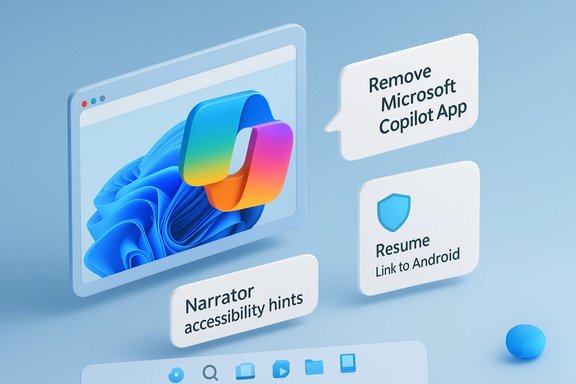
Microsoft opened 2026’s Windows 11 Insider cycle with a focused preview drop that expands Copilot’s role in accessibility, gives IT admins more control over the consumer Copilot app, and offers developers an alternate, notification-based path for resuming Android app activity on Windows — all shipped as Windows 11 Insider Preview Build 26220.7535 rolling to Dev and Beta Insiders.
Microsoft’s 25H2-era Insider deliveries continue the pattern used in late 2025: a single enablement package series (Build 26220.xxxx) is distributed to both Dev and Beta channels while features are staged server-side and ramped to Insiders gradually. That delivery model means installing the build is necessary but not sufficient to see every new capability immediately — Microsoft controls visibility with phased rollouts, entitlements, and toggles. The January preview centers on three related themes:
Windows 11’s direction is clear: AI is becoming a system capability that must be governed at scale, integrated carefully by app developers, and made genuinely useful for people with accessibility needs. Build 26220.7535 is a measured, pragmatic step in that journey — one that expands access while leaving room for enterprises and developers to adopt at their own pace.
Concluding takeaway: Insiders should expect to see richer Narrator descriptions and an evolving resume story between Android and Windows; administrators should plan policy and AppLocker changes now if they want to prevent the Copilot app at scale; and developers should explore both the Continuity SDK and WNS options for cross-device resume scenarios to determine the best fit for their workflows.
Source: Thurrott.com The First Windows 11 Insider Build of 2026 is Out With Copilot Improvements
 Background / Overview
Microsoft’s 25H2-era Insider deliveries continue the pattern used in late 2025: a single enablement package series (Build 26220.xxxx) is distributed to both Dev and Beta channels while features are staged server-side and ramped to Insiders gradually. That delivery model means installing the build is necessary but not sufficient to see every new capability immediately — Microsoft controls visibility with phased rollouts, entitlements, and toggles. The January preview centers on three related themes:- Accessibility and multimodal Copilot integration (Narrator image descriptions that now work across more Windows 11 PCs).
- Enterprise governance (a policy to remove the consumer Copilot app on managed devices).
- Cross-device continuity for developers (a Windows Notification Service option that complements the Link to Windows / Continuity SDK path for resuming Android app activity on Windows).
What’s new in Build 26220.7535 — the essentials
- Copilot-powered image descriptions in Narrator expand beyond Copilot+ PCs and are rolling out to Dev and Beta Insiders on this build. Insiders will be able to ask Copilot to describe a focused image or the full desktop, and then ask follow‑up questions to dive deeper.
- A new Group Policy / admin control (RemoveMicrosoftCopilotApp) enables admins to trigger a one-time uninstall of the consumer Microsoft Copilot app on managed machines that meet specific conditions. Microsoft also documents AppLocker and PowerShell approaches for preventing installation or removing the app at scale.
- Developers now have an additional integration route for Cross Device Resume (XDR): raw notifications through the Windows Notification System (WNS), supplementing the existing Continuity SDK / Link to Windows approach. This is targeted at developers who prefer or already use WNS and want to deliver the same resume experience through Windows’ notification surface.
- Visual polish arrives in small doses: the Windows Spotlight icon has been refreshed with a blue color treatment in this flight, aligning the Spotlight affordance more closely with Windows 11’s visual language.
Narrator + Copilot: deeper image descriptions for more PCs
What changed
Narrator’s image-description capability — first introduced as richer descriptions for Copilot+ PCs (on‑device AI) — is now being made available for all Windows 11 devices in the Insider channels, with a server-side ramp. Users can:- Press Narrator key + Ctrl + D to have Copilot describe the currently focused image; or
- Press Narrator key + Ctrl + S to have Copilot describe the full screen.
Why this matters
- Real accessibility gain: Many websites, documents, and apps still lack meaningful alt text. AI-generated descriptions reduce the immediate access gap for blind and low‑vision users by converting visual content into readable context. This is especially useful for charts, graphs, annotated screenshots, and infographics where manual alt text is often missing or inadequate.
- Multimodal parity: The integration brings Copilot Vision‑style analysis into the screen reader pipeline, allowing the same underlying Copilot capabilities used in other UI surfaces to be repurposed for assistive technology.
- Follow-up interactivity: Being able to ask follow-up questions (for example, “How many people are in this photo?” or “What color is the highlighted section?”) transforms a passive description into an interactive exploration of visual content.
Technical and privacy notes
- Microsoft documents that the description experience was initially scoped to Copilot+ PCs and on-device models, but the availability to “all Windows 11 devices” in the Insider build implies a mixed execution model (some inference on-device when available; cloud processing otherwise). This distinction matters for latency, cost, and privacy. Early Copilot+ experiences emphasized local spotters and on‑device inference where hardware permitted; non‑Copilot+ devices may route visual context to cloud services. Users — and especially enterprise IT teams — should assume that some sessions might involve cloud processing unless the device is Copilot+ and explicitly on-device.
- The feature is not available in the European Economic Area (EEA) in this rollout. This geographic limitation likely reflects legal and compliance considerations around biometric inference, image processing, and data transfers. Insiders in the EEA should not expect this capability until Microsoft resolves applicable regulatory conditions.
Practical guidance for screen reader users and accessibility teams
- Try the shortcuts (Narrator key + Ctrl + D / Narrator key + Ctrl + S) once your Insider device gets the feature and confirm whether the processing is local or cloud-based for your machine.
- Document where AI descriptions are reliable and where they introduce factual errors (e.g., miscounting items, misreading domain‑specific content).
- Advocate for hybrid approaches: AI descriptions are a helpful fallback, but authors and platforms should still provide author-crafted alt text for precision and context.
Enterprise governance: a policy to remove the Copilot app
The new admin control
Build 26220.7535 introduces an administrative control named RemoveMicrosoftCopilotApp (documented as a Group Policy / Administrative Template path). When enabled, the policy attempts a one‑time uninstall of the consumer Microsoft Copilot app under a set of conditions (for example, the app was not user‑installed and has not been used recently). Admins still have other existing methods — AppLocker rules, Intune CSPs, or PowerShell removal — documented by Microsoft as supported alternatives. Microsoft’s enterprise guidance also explicitly shows how to use AppLocker to block the Copilot package by publisher and package name, and it includes the recommended PowerShell snippet for removing the package when necessary. These are now considered the supported operational approaches for organizations that don’t want the consumer Copilot experience on managed endpoints.Why administrators should care
- Manageability: Consumer Copilot installs in mixed environments and can get pushed back by Microsoft updates. A policy-based, one‑time uninstall plus AppLocker prevention provide more deterministic management for fleets concerned about telemetry, user distraction, or compliance.
- Operational clarity: The one‑time uninstall policy is a pragmatic compromise — it removes the app under defined conditions but does not lock out users permanently, which keeps the action reversible for end users who might need Copilot later. That design choice reduces some but not all enterprise friction.
Limits and caveats
- Reinstallation is possible: Users can still reinstall Copilot manually if permitted. AppLocker or other preventive policies are necessary for durable blocking. The one‑time uninstall is not a permanent ban.
- Policy overlaps: Organizations must align AppLocker, Intune, and the new RemoveMicrosoftCopilotApp policy to avoid conflicting controls or unexpected reinstall behavior after future updates.
- Telemetry and legal review: Removing the app doesn’t necessarily remove related cloud service interactions tied to other Copilot components. Security and legal teams should validate telemetry and data flows for compliance-sensitive deployments.
Cross Device Resume: WNS as an alternate developer path
What Microsoft added
Cross Device Resume (XDR) — Windows’ feature set for handing off tasks from Android phones to Windows PCs — has historically relied on Link to Windows and the Continuity SDK integration. Microsoft’s developer documentation now explicitly lists a second integration method: using raw notifications from the Windows Push Notification Service (WNS) to deliver resume alerts to Windows devices. This gives developers who already depend on WNS a lower-friction route to surface resume experiences on Windows. Microsoft’s Cross Device Resume docs also remind developers that resume remains a Limited Access Feature (LAF) for some scenarios: apps may still need partner approvals and onboarding to access certain resume APIs, and the Continuity SDK remains the recommended method for deeper URI and app‑context integration.How the WNS path works (high-level)
- Android app or service signals a resumeable activity (for instance, Spotify playback or an M365 document session).
- The Android side arranges for a small “AppContext” or context packet to be delivered to the user’s paired Windows device (via Link to Windows, Continuity SDK, or now WNS).
- Windows receives the context and surfaces a taskbar resume alert or notification. Clicking the alert opens (or installs) the target Windows app and continues the activity.
Why the WNS option matters
- Developer reach: Many developers already use WNS to drive toast/notification flows. Adding resume semantics into WNS reduces integration friction for apps that don’t want to implement the Continuity SDK end-to-end.
- Broader device support: WNS-based resume can potentially surface resume alerts for a wider array of apps and devices where Link to Windows isn’t available or desired.
- UX parity: The goal is to deliver the same user experience — a taskbar resume alert and one‑click continuation — while giving developers a familiar toolchain.
Adoption barriers and governance
- Limited Access Feature (LAF): For some resume scenarios, Microsoft requires approval to interoperate, limiting superficial adoption. Expect a vetting process for apps that want to show resume alerts.
- Security and identity: Resume relies on correct identity association between the phone and PC and secure handling of URIs and payloads; developers must implement fallback logic and install scenarios for a smooth user journey.
Visual polish and UX tweaks
Windows Spotlight icon refresh
The build ships with a subtle visual change: the Windows Spotlight desktop icon has been refreshed with a blue tint to better fit Windows 11’s system iconography. It’s a small refinement but emblematic of Microsoft’s ongoing UI alignment work across system affordances. Expect staged exposure for this cosmetic change.Other small touches and fixes
The 26220.x series continues to test user-facing Copilot placements (Ask Copilot taskbar entries, taskbar “Share with Copilot” affordances) while shipping reliability and bug fixes across the shell. These are being staged and gated, so individual Insiders will see different combinations of behavior depending on their toggles and entitlements.Strengths: what Microsoft got right
- Accessibility-first direction: Expanding Copilot‑backed image descriptions into Narrator for a broader user base is a concrete accessibility improvement, not just a demo. The ability to ask follow‑ups makes AI assistance genuinely useful for non-visual navigation.
- Clearer admin controls: Providing a documented, policy-driven uninstall path and recommending AppLocker or PowerShell removal helps enterprises operationalize Copilot governance instead of treating it as an unmanageable consumer artifact.
- Developer choice for XDR: Adding WNS as an alternate path for Cross Device Resume recognizes the real-world diversity of developer toolchains and can speed adoption for apps that already use notification infrastructure.
- Phased delivery model: Controlled Feature Rollout reduces blast radius, letting Microsoft iterate quickly while observing telemetry and repairing issues before broad distribution. For Insiders, this means earlier access without a full enterprise push.
Risks, unknowns, and things to watch
- Privacy and cloud processing ambiguity: The rollout blurs the line between on‑device inference (Copilot+) and cloud-assisted processing (non‑Copilot+ devices). Organizations should treat AI-generated image descriptions as potentially cloud-processed unless the device is explicitly Copilot+ and configured to run models locally. This matters for regulated industries and EEA customers.
- EEA exclusion and legal risk: The explicit exclusion of the EEA from this feature in the initial roll signals unresolved legal or regulatory constraints; enterprises with global footprints should plan differentiated policies for EEA users.
- Policy friction and reinstall paths: The new RemoveMicrosoftCopilotApp policy is a useful tool but not a permanent lockout — users can reinstall Copilot unless AppLocker or equivalent is enforced. That partial removal model may frustrate administrators seeking absolute control.
- Developer onboarding complexity for XDR: Although WNS lowers friction for some teams, a Limited Access Feature gating and approval process remains for a subset of resume flows. Developers should budget for Microsoft’s vetting and testing steps.
- AI accuracy and trust: AI-generated descriptions and Copilot-driven edits (seen in prior 26220-series previews) can be helpful but are not guaranteed correct. Organizations must emphasize human review in content-critical scenarios — particularly where legal, scientific, or medical precision is required.
Practical checklist — what to do next
For Windows Insiders and accessibility advocates
- Turn on the “get the latest updates as they are available” toggle in Settings if you want to see features early, then test Narrator + Copilot image descriptions with a representative set of images (screenshots, charts, infographics).
- Log and report accuracy problems via Feedback Hub (category: Accessibility → Narrator) so Microsoft can iterate on model prompts and detection heuristics.
- Note whether processing is local or cloud-driven for your device and log any EEA restrictions you encounter.
For IT administrators
- Review the RemoveMicrosoftCopilotApp policy and consider whether a one-time uninstall meets your governance needs.
- If you need durable prevention, implement AppLocker rules (recommended publisher and package name) and test them before mass deployment. Microsoft’s guidance and PowerShell removal commands are practical starting points.
- Audit telemetry and data flow for Copilot features to ensure compliance with internal privacy rules and external regulations.
- Plan a pilot group to validate that uninstall/reinstall behavior aligns with your governance objectives.
For developers
- Evaluate Cross Device Resume via the Continuity SDK for deep app context integration; consider WNS-based XDR if your app already relies on raw push notifications and you want to deliver resume alerts with minimal new dependencies. Consult Microsoft’s developer docs for schema, limited access process, and onboarding steps.
- Add robust fallback flows: ensure the Windows desktop app can handle URI-based activations, install-from-store fallbacks, and secure identity checks so resume interactions are reliable for end users.
Final analysis: measured progress, not a revolution
Build 26220.7535 is emblematic of Microsoft’s iterative approach to making Copilot a system-level capability in Windows 11. The accessibility gains (Narrator + Copilot descriptions) are meaningful and pragmatic; they demonstrate how multimodal AI can address long‑standing usability gaps when implemented with explicit user consent and follow-up interaction. At the same time, the build shows Microsoft balancing innovation with governance: a one‑time uninstall policy and AppLocker guidance provide practical levers for IT teams, while the WNS integration path for Cross Device Resume gives developers flexibility without abandoning the more feature-rich Continuity SDK. The risks are familiar: model accuracy, cloud vs on‑device processing, geographic restrictions, and the administrative choreography required to keep consumer-facing AI features under enterprise control. For organizations and power users, the prudent posture is to pilot these capabilities deliberately, validate telemetry and DLP behavior, and require human review where correctness matters.Windows 11’s direction is clear: AI is becoming a system capability that must be governed at scale, integrated carefully by app developers, and made genuinely useful for people with accessibility needs. Build 26220.7535 is a measured, pragmatic step in that journey — one that expands access while leaving room for enterprises and developers to adopt at their own pace.
Concluding takeaway: Insiders should expect to see richer Narrator descriptions and an evolving resume story between Android and Windows; administrators should plan policy and AppLocker changes now if they want to prevent the Copilot app at scale; and developers should explore both the Continuity SDK and WNS options for cross-device resume scenarios to determine the best fit for their workflows.
Source: Thurrott.com The First Windows 11 Insider Build of 2026 is Out With Copilot Improvements
