

Microsoft has pushed Windows 11 Insider Preview Build 26220.7961 (KB 5079382) to the Beta Channel, a small but focused enablement-stage update that stitches together security work, File Explorer polish, and incremental UX tweaks — all of which are being gradually rolled out to Insiders who have opted into the "get the latest updates as they’re available" toggle. (blogs.windows.com)
Windows Insider Preview builds in the 26220 series are delivered as part of the Windows 11, version 25H2 enablement package. That means the build family represents a layer-on activation model where feature binaries are often present and an enablement package flips functionality on, rather than performing a full OS rebase. Microsoft continues to use a Controlled Feature Rollout (CFR) approach: features are seeded to a subset of devices, evaluated, and then ramped up if telemetry and feedback look healthy. This is the production pattern for recent 25H2-era builds.
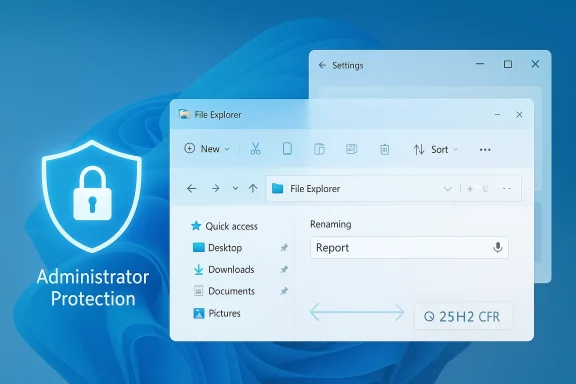
The March 6, 2026 announcement lists a short set of changes being delivered gradually with the opt-in toggle and a few improvements rolling more broadly in the Beta Channel. The release note emphasizes three user-visible areas: Administrator protection (re-enabled), refinements to the sharing drag tray, and several File Explorer improvements including voice typing while renaming, removal of “white flashes,” and more reliable unblocking for downloaded files. (blogs.windows.com)
Risks and enterprise friction:
Why it’s worth noting:
Recommended checklist for admins:
The broader picture remains unchanged: Microsoft is shipping smaller, enablement-package-based releases and using Controlled Feature Rollouts to balance rapid iteration with stability. That approach can deliver security and quality improvements faster — but it also places a premium on careful piloting and strong telemetry awareness for organizations that must preserve uptime and predictable behaviour. Keep an eye on Microsoft’s Tech Community posts and Flight Hub for follow-ups, and treat Administrator protection as a high-value, high-impact capability that should be phased in deliberately. (blogs.windows.com)
Source: Microsoft - Windows Insiders Blog Announcing Windows 11 Insider Preview Build 26220.7961 (Beta Channel)
 Background / Overview
Windows Insider Preview builds in the 26220 series are delivered as part of the Windows 11, version 25H2 enablement package. That means the build family represents a layer-on activation model where feature binaries are often present and an enablement package flips functionality on, rather than performing a full OS rebase. Microsoft continues to use a Controlled Feature Rollout (CFR) approach: features are seeded to a subset of devices, evaluated, and then ramped up if telemetry and feedback look healthy. This is the production pattern for recent 25H2-era builds.The March 6, 2026 announcement lists a short set of changes being delivered gradually with the opt-in toggle and a few improvements rolling more broadly in the Beta Channel. The release note emphasizes three user-visible areas: Administrator protection (re-enabled), refinements to the sharing drag tray, and several File Explorer improvements including voice typing while renaming, removal of “white flashes,” and more reliable unblocking for downloaded files. (blogs.windows.com)
What’s new in Build 26220.7961
Administrator protection: security re-enabled, configurable by IT
- What Microsoft shipped: Administrator protection is being re-enabled in this Beta release. The feature is intended to defend “free floating admin” accounts by forcing just-in-time elevation flows and requiring an interactive verification for admin-level actions. The blog clarifies it is OFF by default and can be turned on via OMA-URI in Microsoft Intune or by Group Policy. (blogs.windows.com)
- The architecture and rationale: Microsoft’s deeper Windows IT Pro write-up explains Administrator protection’s security model: users sign in with a de-privileged token and must explicitly authorize elevation (Windows Hello integration is a design goal). When authorized, Windows issues an isolated, short-lived admin token that is destroyed when the elevated process exits — breaking the persistence model attackers rely on. This is intended to be a stronger, platform-level complement to User Account Control (UAC), not a replacement. (techcommunity.microsoft.com)
Risks and enterprise friction:
- Windows Hello dependency and remote scenarios: the TechCommunity guidance and community feedback make it clear some enterprises — especially those using legacy on-premises accounts, smart cards, or Remote Desktop profiles — may find Administrator protection disruptive if deployments are not planned carefully. Comments from IT pros indicate that gating elevation behind Windows Hello or modern auth flows can complicate fleets still managed on-premises or without Entra/Azure integration. (techcommunity.microsoft.com)
- Application compatibility: applications that rely on implicit elevation or legacy auto-elevation paths may fail or exhibit unexpected behavior until developers and admins update policies or add targeted exceptions.
- Group Policy: the TechCommunity post cites specific Group Policy locations (under Computer Configuration > Windows Settings > Security Settings > Local Policies > Security Options) and mentions policies such as User Account Control: Configure type of Admin Approval Mode and User Account Control: Behavior of the elevation prompt for administrators running with Administrator protection. A restart is required after enabling. (techcommunity.microsoft.com)
- Intune / MDM: enablement via the Intune settings catalog or administrative templates is the path for large-scale management; Microsoft indicates a settings catalog entry and LocalPolicies CSP nodes (for scripted configuration) are available or forthcoming. (techcommunity.microsoft.com)
File Explorer: accessibility, visual polish, and a fix for the preview friction
Build 26220.7961 bundles three distinct File Explorer improvements that aim at usability and security friction.- Voice typing in rename fields — You can now invoke voice typing (Win + H) while renaming files in File Explorer.
- Why it matters: Voice typing (also called dictation), triggered by Windows key + H, is a built-in accessibility feature that lets users dictate text into most text fields. Allowing it during file rename operations makes File Explorer friendlier to users with mobility or dexterity impairments, and speeds up tasks for those who prefer dictation. Microsoft’s voice typing documentation confirms Win + H is the canonical shortcut for voice typing in Windows 11 input fields. (blogs.windows.com)
- Removed white flashes when opening/resizing File Explorer — The update addresses white, jarring flashes that used to appear when opening a new File Explorer window/tab (especially when set to open This PC) or when resizing elements.
- Why it matters: Visual flashes are more than cosmetic; they harm perceived polish and can briefly expose wrong theme rendering or draw attention to legacy Win32 light backgrounds in dark mode. Fixing this improves the continuity between WinUI and legacy Explorer surfaces. The build note explicitly calls out these visual fixes. (blogs.windows.com)
- Improved reliability for unblocking downloaded files to preview — Perhaps the most consequential in practice is a reliability improvement for unblocking files downloaded from the internet so they can be previewed in File Explorer.
- Context and background: In October 2025 Microsoft introduced a security change that disabled previewing content for files tagged as downloaded from the Internet (the Zone.Identifier / Mark-of-the-Web protection). The goal was to block attacks that could weaponize remote content rendered within the preview pane. That change caused a usability hit for many users who relied on quick previews of downloaded documents. Microsoft documented the behavior and provided guidance to unblock files via Properties or PowerShell when appropriate. (support.microsoft.com)
- What this build does: The Beta Channel note claims improved reliability when unblocking such files in order to preview them. In practice this may mean fewer false-positives, smoother unblock propagation in the UI, or corrected inconsistencies where unblocked files still failed to preview. Microsoft’s support documentation remains the definitive explanation for how the preview blocking works, and this build’s change is framed as an incremental reliability fix rather than a full reversal of the October security change. (blogs.windows.com)
Sharing: drag tray refinements and the “peek view”
Microsoft says it is refining the drag tray used by the Share experience by deploying a smaller peek view to reduce accidental invocations and make dismissal near the top of the screen easier. The change is modest but meaningful: accidental activation of share overlays is a common UX complaint, especially on touch or on devices with narrow top-of-screen margins. (blogs.windows.com)Why it’s worth noting:
- A smaller peek reduces visual clutter and lowers the chance of a drag action triggering the share UX unintentionally.
- On multi-monitor or docked setups where apps or content sit near the top edge, reducing accidental overlays improves workflow fluidity.
The Beta Channel rollout model and what Insiders should expect
Microsoft reiterates the Beta Channel’s staged approach:- Builds in the 26220 family are delivered as an enablement package for Windows 11, version 25H2. Many features are controlled feature rollouts (CFRs) that gate features behind a backend flag and the “get the latest updates as they are available” toggle in Settings > Windows Update. (blogs.windows.com)
- The desktop watermark and pre-release artifacts are normal for Insider builds.
- Features previewed with Windows Insiders may change, be removed, or never ship; localization may be incomplete during development. Feedback via Feedback Hub remains the official channel to report problems. (blogs.windows.com)
- If you want the earliest access to CFR features, turn on the toggle under Settings > Windows Update to receive the latest updates as they become available.
- If you prefer a more conservative Beta experience, keep the toggle off: features will arrive more gradually to your device as Microsoft ramps them up.
- Expect some features to appear and disappear as Microsoft tests server-side gating and collects telemetry. The Flight Hub remains the canonical place to check which builds and features are assigned to which channels. (blogs.windows.com)
Enterprise and IT implications — a practical playbook
For IT teams and admins, Build 26220.7961 is a reminder that Windows platform security and user-experience changes are now delivered in smaller, more frequent increments. Administrator protection in particular warrants a careful rollout.Recommended checklist for admins:
- Inventory and test: Identify applications and management flows that rely on implicit elevation, legacy auto-elevation, or remote/local admin accounts. Create a test group that mirrors production-critical roles. (This step is non-negotiable.) (techcommunity.microsoft.com)
- Pilot Administrator protection:
- Use Intune settings catalog or administrative templates to deploy the policy to a scoped pilot security group.
- Alternatively, enable via Group Policy on test devices: Computer Configuration > Windows Settings > Security Settings > Local Policies > Security Options and configure User Account Control: Configure type of Admin Approval Mode and User Account Control: Behavior of the elevation prompt for administrators running with Administrator protection. Restart devices to apply changes. (techcommunity.microsoft.com)
- Monitor and document breakages: Expect some legacy admin flows to require adjustments — Remote Desktop setups, service accounts, scripted installers, and third-party management tools may need updates.
- Update application guidance: Work with application owners to ensure installers and maintenance procedures are compatible with just-in-time elevation and do not assume persistent admin tokens.
- Communicate to users: If pilot goes well and you intend to expand, prepare rollout communications explaining why prompts may appear more often and how to use Windows Hello if available.
- Fallback plan: Maintain a documented rollback path (GPO change or Intune policy reversion) and a schedule for re-enabling old behavior if critical issues arise.
Critical analysis: why this build matters (and where Microsoft still needs to be careful)
Strengths- Focused security gain: Re-enabling Administrator protection is a targeted, meaningful security improvement. The just-in-time isolation model addresses long-standing attack patterns and brings privilege management closer to modern least-privilege practices. (techcommunity.microsoft.com)
- Usability tweaks with accessibility in mind: Voice typing in rename fields is an under-appreciated accessibility improvement. Small gains like this make the platform more inclusive. (blogs.windows.com)
- Measured rollout model: Controlled Feature Rollouts reduce blast radius for regressions and give Microsoft the ability to iterate quickly using telemetry and feedback.
- Enterprise usability vs security friction: Administrator protection’s dependence on interactive auth and Windows Hello can conflict with legacy enterprise deployments (smart cards, RDP, on-premises-only accounts). Microsoft must deliver clear, enterprise-oriented guidance, including OMA-URI names, CSP references, and migration patterns; while the TechCommunity post is comprehensive, some organizations still need enhanced guidance for non-Azure scenarios. (techcommunity.microsoft.com)
- Preview-pane security trade-offs: Microsoft’s October 2025 File Explorer change to block previews for downloaded files was correct from an attacker-model perspective. The ongoing work to make unblocking more reliable must avoid re-introducing the same attack surface. The fix in this build should be judged against both security telemetry and end-user workflows. (support.microsoft.com)
- Rollout opacity and fragmentation: CFRs mean different devices behave differently. For enterprise change management, server-side gating complicates deterministic testing — a device may or may not receive a specific feature even with the same OS build number. Admins should factor this uncertainty into validation plans.
- Publish explicit, machine-readable policy references (OMA-URI paths, CSP nodes, and Group Policy ADMX entries) early and keep them synchronized with blog posts so admins can script and audit rollout safely. The TechCommunity article is a good start, but clearer, centralized docs would help. (techcommunity.microsoft.com)
- Publish a matrix showing which features are gated by CFR so IT can design testing matrices that surface server-side gating anomalies.
- Continue to provide automation-friendly controls (Intune settings catalog entries, CSP examples, PowerShell snippets) so organizations can adopt new protections without manual friction.
How to report problems and what to watch next
- Windows Insiders should continue to use Feedback Hub for reproducible issues (attach repro steps, logs, and system details).
- IT Pros should monitor Microsoft Tech Community and Microsoft Q&A for early signals of compatibility problems, and subscribe to Flight Hub to track builds and feature assignments.
- Expect incremental follow-ups to this build as Microsoft monitors telemetry from pilot cohorts, especially for Administrator protection and the File Explorer unblocking reliability fixes. (blogs.windows.com)
Conclusion
Build 26220.7961 (KB 5079382) is a pragmatic Beta Channel update: it re-introduces a significant platform hardening (Administrator protection), cleans up a handful of File Explorer visual and accessibility annoyances, and attempts to reduce friction introduced by October 2025’s safer-but-more-inconvenient preview-pane policy. For Insiders the changes are welcome and measured; for enterprise IT the update is a clear prompt to test first, communicate early, and automate where possible.The broader picture remains unchanged: Microsoft is shipping smaller, enablement-package-based releases and using Controlled Feature Rollouts to balance rapid iteration with stability. That approach can deliver security and quality improvements faster — but it also places a premium on careful piloting and strong telemetry awareness for organizations that must preserve uptime and predictable behaviour. Keep an eye on Microsoft’s Tech Community posts and Flight Hub for follow-ups, and treat Administrator protection as a high-value, high-impact capability that should be phased in deliberately. (blogs.windows.com)
Source: Microsoft - Windows Insiders Blog Announcing Windows 11 Insider Preview Build 26220.7961 (Beta Channel)
