

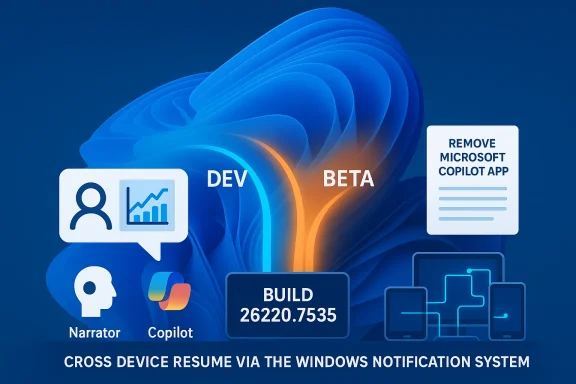
Microsoft has opened the year with a small but consequential reminder for the Windows 11 Insider community: a new Insider Preview — Windows 11 Build 26220.7535 (KB5072046) — is rolling out to the Dev and Beta channels, and the limited window to move from the Dev Channel to the Beta Channel is closing soon. This release brings accessibility and management updates (notably Copilot-powered image descriptions in Narrator and a new RemoveMicrosoftCopilotApp policy for admins), plus developer-facing changes to Cross Device Resume. Insiders who prefer the relative stability of the Beta Channel are being urged to switch now while the Dev and Beta channels share the same build stream.
Microsoft uses the Windows Insider Program to test pre-release features and fixes across multiple channel streams — Canary, Dev, Beta, and Release Preview — each targeted at different audience expectations for stability and innovation. Since mid-2025 Microsoft has been offering some Dev and Beta channel builds on the same 25H2 base via enablement packages; the January 9, 2026 Insider Preview continues that pattern. The Windows Insider team explicitly noted that Insiders in the Dev Channel have a temporary window to switch to the Beta Channel while both channels sit on the same 25H2 build — once Dev advances to a higher build number, the one-time opportunity to move across will close until Microsoft chooses to open a similar window again. This is not the first time Microsoft has temporarily aligned Dev and Beta streams to allow switches. The practical effect for users: if your PC is on a Dev build that later jumps ahead of Beta, switching back can be blocked and may require a clean install to revert to Beta or Release Preview-level builds. Microsoft’s guidance — and the reason for the current warning — is that Insiders evaluate which channel best matches their appetite for instability before the Dev Channel advances.
Source: Neowin https://www.neowin.net/news/microsoft-issues-important-warning-for-windows-11-insiders/
 Background
Microsoft uses the Windows Insider Program to test pre-release features and fixes across multiple channel streams — Canary, Dev, Beta, and Release Preview — each targeted at different audience expectations for stability and innovation. Since mid-2025 Microsoft has been offering some Dev and Beta channel builds on the same 25H2 base via enablement packages; the January 9, 2026 Insider Preview continues that pattern. The Windows Insider team explicitly noted that Insiders in the Dev Channel have a temporary window to switch to the Beta Channel while both channels sit on the same 25H2 build — once Dev advances to a higher build number, the one-time opportunity to move across will close until Microsoft chooses to open a similar window again. This is not the first time Microsoft has temporarily aligned Dev and Beta streams to allow switches. The practical effect for users: if your PC is on a Dev build that later jumps ahead of Beta, switching back can be blocked and may require a clean install to revert to Beta or Release Preview-level builds. Microsoft’s guidance — and the reason for the current warning — is that Insiders evaluate which channel best matches their appetite for instability before the Dev Channel advances. What’s in Build 26220.7535 (KB5072046)
Key changes at a glance
- Narrator expands Copilot-powered image descriptions to all Windows 11 devices in the Insider preview, enabling richer AI-generated descriptions even on systems that aren’t Copilot+ hardware. This extends a feature previously limited to Copilot+ PCs.
- New RemoveMicrosoftCopilotApp group policy allows administrators to uninstall the Microsoft Copilot consumer app on managed devices under specific conditions. The policy is targeted and reversible — users can reinstall if they choose.
- Cross Device Resume gains a second integration path using the Windows Notification System (WNS), broadening developer options for app continuity across devices.
- Bug fixes and stability improvements across Start, File Explorer, printing, and Windows Update settings, plus known issues affecting some Xbox full-screen experiences, taskbar behavior, and Settings app interactions.
Deep dive: Accessibility and privacy trade-offs
Narrator + Copilot: what changed
Narrator’s new capability lets users request AI-generated descriptions from Copilot for a focused image (Narrator key + Ctrl + D) or the full screen (Narrator key + Ctrl + S). On Copilot+ PCs, those descriptions can run locally on-device; on other devices they can route through Copilot’s cloud-based model when the user opts in, with Microsoft stressing that images are only shared after the user chooses to describe them. This expands accessibility to blind and low-vision users by providing richer, contextual explanations of charts, photos, and complex visual content.Privacy and control — strengths and concerns
- Strength: User control is emphasized — Narrator will only share an image with Copilot when the user explicitly requests a description, and Copilot prompts let users refine output. On-device processing for Copilot+ hardware is an important privacy plus, reducing cloud exposure for sensitive images.
- Concern: For many devices without dedicated NPU/edge models, description requests will use cloud processing. That raises typical consent and telemetry questions: what metadata is collected, how long images are retained, and whether any derived transcripts or analysis are stored with identifiable data. Microsoft’s blog repeats the control message but does not publish a full data-retention breakdown in the preview announcement; administrators and privacy-conscious users should seek full Copilot privacy documentation and test the behavior in their environments. Treat claims of full privacy-by-default with caution until formal retention policies are confirmed.
IT management: RemoveMicrosoftCopilotApp explained
What the policy does
The new RemoveMicrosoftCopilotApp Group Policy (and corresponding management controls for Intune/SCCM) enables admins to targetedly uninstall the Microsoft Copilot app when these conditions are met:- Microsoft 365 Copilot and Microsoft Copilot are both installed on the device;
- The Copilot app was not installed by the user; and
- The Copilot app has not been launched in the last 28 days.
Enterprise implications
- Benefit: This is a pragmatic concession to IT teams concerned about Copilot app distribution in managed fleets. It provides a surgical removal option without wholesale blocking of Copilot platform services.
- Caveat: The policy applies only under specific conditions and is described as a one-time uninstall. If an organization needs long-term blocking or wants to control telemetry and data flow comprehensively, additional controls (app-level blocking, conditional access, or network-level filtering) may still be required. Administrators should test the policy in pilot groups before broad rollout.
Developer note: Cross Device Resume via WNS
Microsoft has introduced a second integration route for Cross Device Resume using the Windows Notification System (WNS) in addition to the existing Link to Windows method. The practical effect is that developers can trigger resume experiences across more device types and scenarios where WNS fits the app architecture better. This could accelerate adoption for apps that already use WNS for notifications, lowering engineering friction for cross-device continuity. For developers, the important takeaway is to review the new documentation pathways and test resume scenarios across device pairings; expanding an app’s resume surface area can improve user experience but demands careful handling of authentication, session state, and privacy (what gets resumed, where session keys are stored, etc..The channel-switch warning: what it means and why it matters
The warning in plain language
Microsoft’s blog states: “If you are an Insider in the Dev Channel, you now have a window to switch from the Dev Channel to the Beta Channel if you would like. This window is soon closing. Important: Once we move Dev Channel forward to a higher build number, the opportunity to switch between these channels will close until a future opportunity becomes available.” In practice, that means: while Dev and Beta currently share Build 26220.x, you can switch channels without reinstalling; if Dev receives a new higher build that Beta does not immediately receive, the GUI path to switch back may be blocked and downgrading will require a clean install. Microsoft did not publish an exact cutoff date for when the Dev Channel will advance. This lack of a firm deadline is the core of the warning.Why the block happens
The switchability is constrained by build numbers and update paths. Windows Update and the Insider infrastructure prevent moving a device to a channel whose highest shipped build is lower than the device’s current build. This avoids complex downgrade paths that could lead to system instability. The practical result: if your machine is updated to a build that Beta never receives, the Insider settings may grey out or disallow the change and the only supported path back may be a clean installation of the desired channel image.Practical guidance for Windows 11 Insiders (step-by-step)
If you’re an Insider and want to act on Microsoft’s warning, here’s a clear, tested approach.- Open Settings (Win + I) → Windows Update → Windows Insider Program.
- Under Choose your Insider settings, select Beta Channel to move from Dev to Beta while the window is open. If the option is greyed out, your current build may exceed the Beta channel’s highest build.
- If you need to fall back later and the Insider settings prevent switching, plan for a clean install using the appropriate Windows 11 ISO or your organization's provisioning process. Keep backups of user data and settings.
- Turn on the “Get the latest updates as soon as they’re available” toggle only if you want the earliest feature flights; otherwise, leaving it off reduces exposure to rollouts that are being gradually enabled.
- For IT admins, test the RemoveMicrosoftCopilotApp policy in a controlled pilot group before broad deployment. Ensure your Intune or SCCM runbooks reflect the policy’s one-time uninstall behavior.
Risks and trade-offs: an analyst’s perspective
For everyday Insiders
- Risk of being “stuck” on a later dev build: If you prefer stability and would rather rely on Beta-level testing, act now. Failing to switch before Dev advances could force a time-consuming clean install to revert.
- Benefit of staying: Dev Channel stays closer to Microsoft’s experimental work; staying put means earlier access to innovations but higher bug exposure.
For privacy-focused users
- Narrator + Copilot expands accessibility but increases the attack surface for image data when cloud processing is used. Organizations with strict data governance should validate Copilot’s handling of images and ensure appropriate controls are in place. Microsoft’s blog does not include full retention and telemetry details in the preview post; consult the formal Copilot and Microsoft privacy documentation before deployment.
For enterprise admins
- The RemoveMicrosoftCopilotApp policy is a practical addition but is not a complete governance solution. It targets specific install conditions and performs a one-time uninstall. For deterministic control over Copilot availability and data flows, combine this policy with endpoint configuration, app allow/deny lists, conditional access, and user education.
What Microsoft didn’t say (and what to watch)
- Microsoft used “soon” rather than a specific date for the channel-switch deadline. That wording means Insiders must assume the opportunity could close with little public lead time; there is no published build number or date-stamp attached to the warning in the blog post. This ambiguity is the principal operational risk for Insiders who procrastinate.
- Full privacy and telemetry mechanics for Narrator’s Copilot interactions were summarized, but the post does not include a detailed data lifecycle. Verify retention, storage location, and Microsoft’s deletion policy in the Copilot privacy documentation before rolling this out widely in sensitive environments.
Quick FAQ
- Can I switch from Dev to Beta right now?
Yes — while both channels share Build 26220.x you can switch via Settings. If Dev advances to a higher build later, switching back may be blocked. - What if the option is greyed out?
If a channel is greyed out, it typically means your current build is higher than what the target channel offers; downgrading will likely require a clean install. - Will RemoveMicrosoftCopilotApp stop users reinstalling Copilot?
No — it’s a one-time uninstall for devices meeting the policy conditions; users can reinstall the app afterward. For full blocking, additional controls are needed.
Recommendations
- If you want Beta-level stability, switch now rather than waiting for a vague deadline. The opportunity may close without a precise public date.
- Administrators should pilot the RemoveMicrosoftCopilotApp policy in a test group and combine it with broader app governance if long-term blocking of Copilot is required.
- Privacy-conscious organizations should validate where Narrator-driven images are sent and how long data is retained. Test Copilot image descriptions in a controlled environment before broad deployment.
Final analysis: small update, meaningful consequences
On its surface, KB5072046 (Build 26220.7535) is a routine January maintenance and feature preview: accessibility improvements for Narrator, developer convenience for Cross Device Resume, and an admin-focused removal policy for Copilot. What elevates the importance of the blog post is the procedural warning about channel switching. Microsoft’s reminder — repeated across the Insider announcement and echoed by news outlets covering the release — is a straightforward operational alert for Insiders and IT teams: the ability to move from Dev to Beta without reinstalling is temporary while both channels share the same build stream. Once the Dev Channel advances, that convenience evaporates and the cost to revert rises materially. This is a classic example of how seemingly innocuous infrastructure signals (channel alignment) can produce outsized user impact. For Insiders who value stability, the correct immediate action is unambiguous: switch while the path is open and back up your system before any major channel changes. For IT admins, the new RemoveMicrosoftCopilotApp policy is helpful but not exhaustive — treat it as one tool in a broader governance toolkit. For privacy and accessibility advocates, the expansion of Narrator’s capabilities is a net positive that still requires careful scrutiny of cloud processing, consent UX, and retention policies. Microsoft’s message is practical: the preview is available, the features are incremental but useful, and the channel window is small. That combination should motivate action: test the new features, evaluate administrative controls, and if you want Beta-level stability, make the switch before Dev moves on.Source: Neowin https://www.neowin.net/news/microsoft-issues-important-warning-for-windows-11-insiders/
