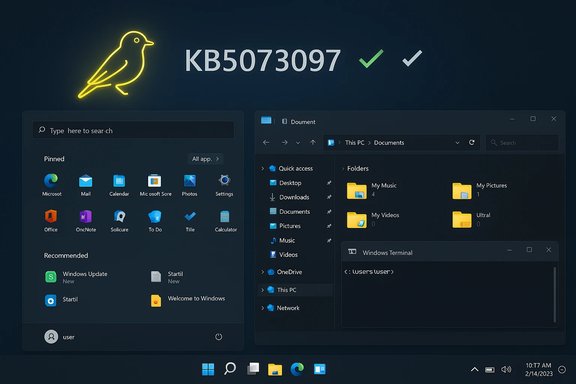
Microsoft has pushed a small maintenance flight to the Windows Insider Canary Channel today — Windows 11 Insider Preview Build 28020.1371 (KB5073097) — delivering a handful of targeted fixes for Start, File Explorer, input settings, and an elevated Windows Terminal hang, while calling out one cosmetic known issue with the desktop watermark.
The Canary Channel is Microsoft’s fastest-moving Insider ring for platform-level experiments and early-stage changes that may never ship to general users. These builds are intentionally light on documentation, frequently gated by server-side feature flags, and can require a clean install to leave the channel once you’ve joined. The flighting model means a change in Canary may appear to a subset of Insiders first and then ramp up, or be abandoned entirely based on telemetry and feedback. Build 28020.1371 is a small cumulative update: it doesn’t surface new user-facing features but focuses on quality-of-life stability fixes for common daily workflows. That pattern — small, surgical fixes in Canary — is consistent with recent Canary releases in the 28000/28020 series.
For Insiders: install on test hardware, verify the specific fixes you care about, and file feedback when behavior is unchanged or new problems appear. For IT and production users: continue to avoid Canary on critical machines, monitor Microsoft’s official KB/Flight Hub updates for formal documentation, and treat this flight as an early signal of stability work that may find its way into later, broader releases.
Appendix — quick checklist
Source: Microsoft - Windows Insiders Blog Announcing Windows 11 Insider Preview Build 28020.1371 (Canary Channel)
 Background / Overview
The Canary Channel is Microsoft’s fastest-moving Insider ring for platform-level experiments and early-stage changes that may never ship to general users. These builds are intentionally light on documentation, frequently gated by server-side feature flags, and can require a clean install to leave the channel once you’ve joined. The flighting model means a change in Canary may appear to a subset of Insiders first and then ramp up, or be abandoned entirely based on telemetry and feedback. Build 28020.1371 is a small cumulative update: it doesn’t surface new user-facing features but focuses on quality-of-life stability fixes for common daily workflows. That pattern — small, surgical fixes in Canary — is consistent with recent Canary releases in the 28000/28020 series. What Microsoft shipped in Build 28020.1371
At a glance, Microsoft lists the following fixes in the flight notes:- Start menu: fixed a bug where selecting an item in a folder of pinned Start items could make the whole folder become invisible.
- File Explorer: addressed a white flash that could appear when navigating between pages for some Insiders after the prior flight.
- Input (Keyboard): corrected an inversion where the keyboard character repeat delay shown in Settings > Bluetooth & devices > Keyboard did not match the backend setting.
- Other:
- Fixed a root cause that could freeze PCs when attempting to run Windows Terminal elevated from a non-admin account.
- Fixed an issue where the Share dialog might incorrectly present an option to share to Shell Experience Host.
- Known issue: desktop watermark displays the wrong build number.
Why these fixes matter (technical and UX analysis)
Each item in this flight ties to real-world pain points. The following subsections break down the probable causes, user impact, and risk profile for each fix.Start menu: pinned-folder invisibility
- What happened: Selecting something inside a pinned-folder could leave the containing folder invisible. The symptom is effectively data loss in the Start layout UI — pins are still present but not visible, causing confusion and repeated re-pinning work.
- Likely cause: UI state-management race or a layout invalidation bug inside Start’s pinned-folder component that occasionally fails to redraw or loses its visibility flag. Race conditions between user input, layout recalculation, and the pinned-data model are typical culprits.
- Impact: High for everyday users who rely on pinned Start items — lost discoverability and unresponsive Start visuals lead to frustration and support reports.
- Risk: Low risk to system stability; the fix is UX-focused and should not change underlying account settings. However, users who already lost visible pins may need to sign out/restart to force UI refresh.
File Explorer: white flash when navigating
- What happened: A brief white flash occurs when moving between pages (likely between Home, Search, or other panes), producing a jarring visual artifact.
- Likely cause: Render-state regression after a recent change — possibly dark-mode repaint issues, animation timing, or a missing background composition step causing a default white draw before the final UI surface paints.
- Impact: Annoying but non-destructive; it affects perceived polish and accessibility (bright flashes can be discomforting for some users).
- Risk: Low; this is a visual fix. Monitor for associated regressions in Explorer rendering after the update.
Input: keyboard character repeat delay inverted in Settings
- What happened: The UI control for character repeat delay in Settings was backwards compared with the actual backend value — e.g., the slider showed “short delay” while the system honored “long delay.”
- Likely cause: Parameter mapping inversion or unit mismatch between the Settings front-end and the kernel/input driver layer. This kind of error is classic when UI enumerations are updated but the value translation (UI → OS API) is reversed.
- Impact: Confusing keyboard behavior and poor discoverability when troubleshooting typing issues.
- Risk: Low on stability, medium on user trust — input settings must be accurate for users who rely on precise typing behavior (gamers, typists, accessibility users). After the fix, test the Settings toggle across expected ranges.
Windows Terminal elevated from non-admin: freeze/hang
- What happened: Attempting to launch Windows Terminal elevated (Run as Administrator) from a non-admin account could cause a system freeze.
- Why it’s important: This is the most severe issue in the notes — a freeze implies the system becomes unresponsive, which can require a hard reset and potential data loss.
- Likely cause: UAC elevation flow interacting poorly with Terminal’s process model, or a deadlock during token creation, session switching, or the communication handshake between a non-elevated parent process and an elevated child. Another vector could be third-party credential providers or enterprise sign-in hooks interfering with the elevation flow.
- Impact: High — any freeze/hang requires careful remediation and a patch. The fix likely adjusts how Terminal requests elevation or guards against problematic states in the elevation handshake.
- Risk: Patches here are sensitive. While the fix reduces a serious stability hazard, it should be validated by Insiders especially on systems with custom credential providers, non-standard sign-in stacks, or security software that hooks process creation.
Share dialog: option to share to Shell Experience Host
- What happened: The share UI unexpectedly offered “Shell Experience Host” as a share target — a system component not intended for general content sharing.
- Likely cause: A mis-registered share target, incorrect filtering of share-capable apps, or a bug in the share-provider discovery pipeline that surfaced system-only components.
- Impact: Low functional risk, but confusing and potentially alarming to users seeing system processes appear in a share list.
- Risk: Minimal; this is cosmetic/product confusion and the fix improves the Share dialog’s target filtering.
Verification and sourcing — what we confirmed and what remains unverified
- The build announcement and the short change list are available through community mirrors and Insider forums; a copy of the announced notes has been posted to community channels that track Insider releases.
- The broader Canary channel behavior (staged rollouts, experimental features, and the requirement for a clean install to leave the channel) is stated in Microsoft’s Flight Hub and past Insider posts and remains consistent with current Canary guidance.
- One item that could not be independently verified at publication time was a formal Microsoft Support KB page for KB5073097. Searches of Microsoft Update/Support catalog and the common KB index did not produce a canonical support article for KB5073097 (small Canary KBs are sometimes only referenced inside the Insider blog post or the update's metadata and don’t always get a separate Support page immediately). Treat the KB number as the update’s package identifier for the Insider flight rather than as a fully documented public servicing KB until Microsoft publishes a support article. This is a cautionary observation and not a contradiction of the release notes, but it’s worth noting for sysadmins who track KB pages for change logs and inventory.
Practical guidance: who should install and how to validate
This build is aimed at Windows Insiders who tolerate instability and want to test platform-level fixes. The short checklist below explains who should consider it and how to validate it.- Recommended for:
- Windows Insiders with spare test devices who want to help validate the fixes.
- Enthusiasts who previously encountered one of the listed bugs and want to confirm remediation.
- Not recommended for:
- Production laptops, work-critical desktops, or devices lacking a recent backup.
- Machines that must remain on a supported channel for business-critical workflows.
- Ensure your PC is enrolled in the Windows Insider Program and set to the Canary Channel.
- Open Settings > Windows Update and check for updates. Install the offered update (listed under the package identifier shown in your Update history).
- After updating, confirm the build via winver (Win + R → winver) to display the OS build string.
- Validate fixes:
- Start menu: open pinned folders and perform selection actions that previously caused the invisibility bug.
- File Explorer: navigate between pages and observe whether the white flash remains.
- Keyboard repeat: Settings > Bluetooth & devices > Keyboard — set a delay and confirm actual key-repeat behavior in a text field.
- Windows Terminal: attempt to run Terminal elevated from a non-admin account (do this in a controlled environment; save work beforehand).
- Report any new or persisting issues using the Feedback Hub (Apps > Windows Terminal / File Explorer / Start menu) with precise reproduction steps and attach diagnostic traces when possible.
Troubleshooting and rollback notes
- If you hit regressions after installing the Canary flight, standard troubleshooting applies: uninstall the update from Update history, reboot, and if that doesn’t resolve the issue, roll back to a system backup or recover from a system image.
- Important: leaving the Canary Channel and moving to a channel with a lower build number generally requires a clean installation of Windows 11. The Windows Insider process enforces this due to differences in flight-signed builds and feature enablement. Back up your data before experimenting in Canary.
- Use the Feedback Hub to send detailed diagnostic reports: a clear repro, steps to reproduce, and logs will increase the chance the engineering team can triage and validate fixes rapidly.
Enterprise perspective and risk assessment
Although Canary Channel flights are not intended for enterprise deployment, the kinds of fixes in 28020.1371 are relevant to IT teams tracking user-reported issues:- The Windows Terminal elevation freeze is the only fix that carries enterprise-grade risk if present — a system freeze can lead to data loss or interrupted services. IT teams should track any reports of Terminal elevation hangs from internal testers and keep Canary installs isolated.
- Visual and small input-setting fixes (Start menu, File Explorer flash, keyboard repeat) are primarily usability improvements and low risk. They’re worth validating in pilot groups if they were previously observed in your environment.
- Because Canary builds can be gated server-side and rely on feature flags, presence of the build on a device does not guarantee exposure to every experimental change — test plans should focus on symptoms and behaviors rather than build numbers alone.
What to watch next
- Keep an eye on Flight Hub for any updates or retractions to the change log and for when the KB5073097 entry (if any) appears in the Microsoft Update Catalog.
- Watch Feedback Hub reports and Windows Insider community threads for any regressions introduced by this flight — particularly issues related to elevation flows and input behavior.
- Expect Microsoft to roll similar stable fixes into broader channels eventually, but remember that Canary is experimental: not every fix or concept here will propagate beyond the Insider rings.
Bottom line
Build 28020.1371 is a small, focused Canary update that cleans up a handful of user-facing rough edges — from a disappearing pinned Start folder to a worrying freeze when running Windows Terminal elevated from a non-admin account. These fixes improve day-to-day reliability for Insiders and demonstrate Microsoft’s continued iterative approach to hardening Windows 11 at the platform level.For Insiders: install on test hardware, verify the specific fixes you care about, and file feedback when behavior is unchanged or new problems appear. For IT and production users: continue to avoid Canary on critical machines, monitor Microsoft’s official KB/Flight Hub updates for formal documentation, and treat this flight as an early signal of stability work that may find its way into later, broader releases.
Appendix — quick checklist
- Use winver to confirm build after update.
- Test the four targeted areas (Start, Explorer, Keyboard, Terminal).
- Report via Feedback Hub with repro steps.
- Back up important data before experimenting; leaving Canary requires a clean install.
Source: Microsoft - Windows Insiders Blog Announcing Windows 11 Insider Preview Build 28020.1371 (Canary Channel)