

Microsoft’s latest Insider preview builds thread a practical line between convenience and control: Windows 11’s Shared Audio preview now gives each listener their own volume slider and a persistent taskbar indicator, while a separate security-focused change introduces an administrative “lock” for batch-file processing to reduce runtime tampering and improve performance under code‑integrity policies. These seemingly small touches matter — they solve real, long-standing usability annoyances and harden a class of scripted workflows that enterprises still rely on — and they arrive in the Beta and Dev channels via controlled rollouts that Microsoft continues to gate behind toggles and staged enables.
Windows Insider builds are the laboratory where Microsoft tests both flashy features and subtle refinements. Over the past year Microsoft has leaned heavily on controlled feature rollouts: new behaviors arrive first to a subset of Insiders who opt into faster updates, and then gradually expand as telemetry and feedback justify a wider release. That model matters here because both the Shared Audio refinements and the batch‑file hardening are being distributed as staged features inside preview builds rather than immediate general‑release changes.
The two changes sit on very different technical stacks and user stories:
Device compatibility for the Shared Audio preview has also expanded. Microsoft and observers report that recent firmware and driver updates have brought support for newer consumer headsets into the mix, with the Samsung Galaxy Buds 4 and Buds 4 Pro, Sony WF‑1000XM6, and Microsoft’s Xbox Wireless Headset explicitly listed as supported in this rollout. As always with new Bluetooth stacks, the hardware side (firmware and vendor drivers) matters as much as the OS.
These Shared Audio refinements appear in the preview builds being flighted to Insiders — specifically the Beta Channel build tokens reported in public hubs for this roll (Dev and Beta builds in the 26200/26300 series are carrying the updates). Expect the experience to be gated: Insiders who have turned on the “get the latest updates as they’re available” toggle are more likely to see the feature sooner.
Microsoft frames this as a feature for environments where scripted workflows are common and where administrators need deterministic behavior from batch execution — think join/upgrade scripts, provisioning tasks, or multi‑step administrative automation run under elevated policy. The core idea is to trade runtime mutability (the capacity for a running script to be altered) for predictability and reduced performance overhead in hardened environments.
Independent per‑listener volume control is an essential complement to multi‑stream audio. When two streams share a single source timeline (same track, same timeline), tying both outputs to a single master volume produces the classic awkwardness (one friend asks you to turn the music down for a call; both volumes drop). Independent sliders decouple loudness control from the timeline, improving the social and accessibility experience in shared listening scenarios. The taskbar indicator addresses another UX failure mode — it reduces accidental or persistent sharing by making the state visible and easily reversible.
Practical caveat: LE Audio support is only as good as the device firmware and the Bluetooth stack on a PC. Many headsets require firmware updates from the vendor, and Windows vendors/OEM drivers need to present correct capabilities to the OS. Users should expect a period of staggered compatibility as hardware vendors update firmware and vendors push drivers.
LockBatchFilesInUse is a pragmatic mitigation: by instructing the command processor to treat the script as immutable while executing, the system reduces both the chance of a mid‑flight tamper and the repeated validation cost. The option is explicitly administrative — it’s something you enable when you control the script repository and can test for compatibility. It also integrates with manifest-based application control; policy authors can bake the behavior into packaging and deployment workflows so that controlled environments behave predictably.
Tradeoffs exist: some legitimate scripts intentionally modify themselves (or generate auxiliary scripts) as part of their flow. Locking a script’s content could break those patterns or force authors to adopt alternative design patterns (generate transient child scripts, use signed helper binaries, or wrap missions in immutable packaging). Organizations will need to inventory script behavior before enabling the mode at scale.
Neither change is revolutionary on its own. Both are nonetheless important: one because it addresses a daily friction long requested by users, the other because it tightens the security posture of an area that remains a real-world attack surface in enterprise environments. As with all preview features, the practical result will hinge on vendor firmware updates, driver ecosystems, and how meticulously organizations test the new script behavior before broad deployment. For Insiders and admins who prioritize stability and security, the sensible approach remains the same: test, validate, and roll changes forward in measured stages.
Windows 11’s preview cadence continues to blur the line between prototyping and production readiness. Small, focused changes — like independent volume sliders and a registry‑level lock for batch processing — are how the platform moves forward pragmatically: by solving one immediate friction point while simultaneously hardening an existing risk. If you manage endpoints, update your testing matrix; if you’re a user with new LE Audio hardware, check firmware and enjoy the quieter, more polite shared‑audio experience. Either way, the update cycle today rewards methodical validation as much as it rewards curiosity.
Source: Windows Report https://windowsreport.com/windows-1...volume-controls-and-enhanced-script-security/
 Background / Overview
Windows Insider builds are the laboratory where Microsoft tests both flashy features and subtle refinements. Over the past year Microsoft has leaned heavily on controlled feature rollouts: new behaviors arrive first to a subset of Insiders who opt into faster updates, and then gradually expand as telemetry and feedback justify a wider release. That model matters here because both the Shared Audio refinements and the batch‑file hardening are being distributed as staged features inside preview builds rather than immediate general‑release changes.The two changes sit on very different technical stacks and user stories:
- Shared Audio / LE Audio — a consumer- and base‑user facing feature that leverages Bluetooth LE Audio’s multi‑stream/broadcast capabilities to let a PC stream the same audio to two listeners, now with per‑listener control.
- Batch‑file security — an administrative policy surface that targets a long‑running gap in script integrity and performance when Windows executes CMD/batch scripts under code‑integrity and application‑control regimes.
What shipped in this preview wave
Shared Audio: independent sliders, taskbar indicator, broader accessory support
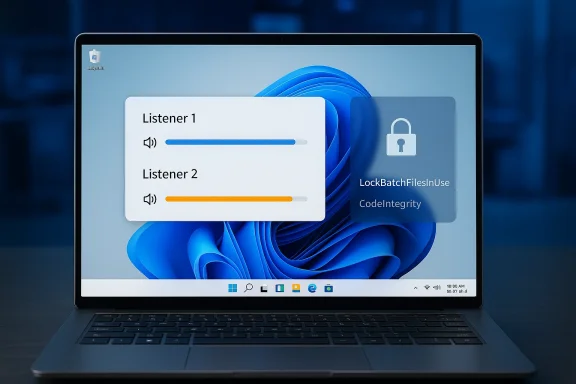
The headline for everyday users is a practical one: when two Bluetooth LE Audio devices are connected to the same PC for Shared Audio, each listener now gets an independent volume slider. That means one person can raise their level without making the other listener louder — a real improvement for co‑watching videos or sharing a playlist. Microsoft also adds a persistent taskbar indicator to make it obvious when audio is being shared and to provide a quick path to the sharing controls.Device compatibility for the Shared Audio preview has also expanded. Microsoft and observers report that recent firmware and driver updates have brought support for newer consumer headsets into the mix, with the Samsung Galaxy Buds 4 and Buds 4 Pro, Sony WF‑1000XM6, and Microsoft’s Xbox Wireless Headset explicitly listed as supported in this rollout. As always with new Bluetooth stacks, the hardware side (firmware and vendor drivers) matters as much as the OS.
These Shared Audio refinements appear in the preview builds being flighted to Insiders — specifically the Beta Channel build tokens reported in public hubs for this roll (Dev and Beta builds in the 26200/26300 series are carrying the updates). Expect the experience to be gated: Insiders who have turned on the “get the latest updates as they’re available” toggle are more likely to see the feature sooner.
Batch files: LockBatchFilesInUse and safer processing under code integrity
On the security side, Microsoft is offering administrators a new control that changes how batch files and CMD scripts are processed while they run. The new registry toggle — a DWORD value named LockBatchFilesInUse under HKEY_LOCAL_MACHINE\Software\Microsoft\Command Processor — and a corresponding AppControl manifest option allow an administrator to require that batch files are treated as immutable during execution. Under this mode, Windows will validate a batch file’s signature once at start and avoid re‑validating or re‑reading the file statement‑by‑statement, which both reduces attack surface (preventing an attacker from modifying a script mid‑execution) and eliminates repeated signature checks that can slow script‑heavy automation when code integrity policies are enforced.Microsoft frames this as a feature for environments where scripted workflows are common and where administrators need deterministic behavior from batch execution — think join/upgrade scripts, provisioning tasks, or multi‑step administrative automation run under elevated policy. The core idea is to trade runtime mutability (the capacity for a running script to be altered) for predictability and reduced performance overhead in hardened environments.
Technical deep dive: why these changes matter
LE Audio, LC3 and why per‑listener control is more than cosmetic
Bluetooth LE Audio is not simply another incremental Bluetooth update; it changes the geometry of audio transport. Built around the Low Complexity Communication Codec (LC3) and a new LE radio profile, LE Audio enables more efficient streaming, multi‑stream support, and broadcast-style audio sharing that was impractical with classic A2DP stacks. On the PC side, those capabilities open new UX scenarios — simultaneous audio streams to two headsets, hearing‑aid integration, and lower‑power connections that favor wearable experiences.Independent per‑listener volume control is an essential complement to multi‑stream audio. When two streams share a single source timeline (same track, same timeline), tying both outputs to a single master volume produces the classic awkwardness (one friend asks you to turn the music down for a call; both volumes drop). Independent sliders decouple loudness control from the timeline, improving the social and accessibility experience in shared listening scenarios. The taskbar indicator addresses another UX failure mode — it reduces accidental or persistent sharing by making the state visible and easily reversible.
Practical caveat: LE Audio support is only as good as the device firmware and the Bluetooth stack on a PC. Many headsets require firmware updates from the vendor, and Windows vendors/OEM drivers need to present correct capabilities to the OS. Users should expect a period of staggered compatibility as hardware vendors update firmware and vendors push drivers.
Batch files and code integrity: the attack surface and the mitigation
Scripts remain a workhorse for automation across the enterprise. Yet they are a fragile security surface: unsigned or mutable scripts can be altered on disk between the time a scheduler queues them and the time they execute, or even while they run. Under code integrity policies (for example, Microsoft’s Device Guard / App Control models), Windows may perform signature validation repeatedly or apply finer-grained checks that protect against tampering — but repeated checks can introduce runtime overhead and, more importantly, leave windows of opportunity if the file can be changed mid‑execution.LockBatchFilesInUse is a pragmatic mitigation: by instructing the command processor to treat the script as immutable while executing, the system reduces both the chance of a mid‑flight tamper and the repeated validation cost. The option is explicitly administrative — it’s something you enable when you control the script repository and can test for compatibility. It also integrates with manifest-based application control; policy authors can bake the behavior into packaging and deployment workflows so that controlled environments behave predictably.
Tradeoffs exist: some legitimate scripts intentionally modify themselves (or generate auxiliary scripts) as part of their flow. Locking a script’s content could break those patterns or force authors to adopt alternative design patterns (generate transient child scripts, use signed helper binaries, or wrap missions in immutable packaging). Organizations will need to inventory script behavior before enabling the mode at scale.
Hands‑on: what users and admins should know and do
For consumers and everyday Insiders
- If you’re running an Insider preview build and you use Bluetooth LE Audio accessories, test Shared Audio with friends or household members to ensure both ends see independent volume sliders. Check the taskbar area for the active sharing indicator when the feature is in use. Remember: the feature is still preview‑gated and may not appear for every Insider immediately.
- Firmware matters: update headset firmware using the vendor apps (Samsung, Sony, Microsoft, etc.) and keep Bluetooth drivers current. If you hit a bug, use the Feedback Hub (Devices and Drivers > Bluetooth) so Microsoft and OEMs get telemetry on the scenario.
For administrators and IT teams
- Treat LockBatchFilesInUse as a policy toggle that requires testing. Don’t flip it in production without a controlled validation window. Back up any scripts and run them in a lab with the exact OS and driver stack you use in production.
- To sample the behavior in a test environment:
- Create an isolated test VM or lab machine with the same Windows 11 preview build.
- Set HKEY_LOCAL_MACHINE\Software\Microsoft\Command Processor\LockBatchFilesInUse = 1 (DWORD).
- Run representative scripts (signed and unsigned, self‑modifying and atomic) and watch for failures or performance differences.
- Use file integrity and process monitoring to ensure the expected immutability behavior.
- Consider manifest-based App Control policy if you centrally distribute scripts. The App Control manifest option offers a way to document and enforce the immutability expectation in packaging and enrollment workflows.
- Update runbooks and incident playbooks: if a script fails after enabling the lock, ensure your support teams know to check for intentional self‑modification patterns before rolling the toggle back.
Risk analysis: strengths, limitations, and attack vectors
Strengths
- Usability and social UX: Independent volume sliders solve a real social friction point. The taskbar indicator is an important usability guardrail that reduces the risk of accidental, persistent sharing. These are straightforward wins for accessibility and convenience.
- Deterministic script execution: Locking a batch file during execution reduces a class of live‑tampering attacks and eliminates repeated signature validations that can create performance bottlenecks under strict code‑integrity policies. For many enterprise provisioning tasks, that determinism is valuable.
Limitations and potential drawbacks
- Compatibility risk: Self‑modifying scripts or designs that intentionally append or rewrite script content during runtime will fail under the locked mode. This requires inventory and refactoring in environments that depend on such patterns. Breakage can show up in subtle ways, not just outright errors.
- False sense of security: Locking the file in memory reduces the window for tampering on disk, but it is not a silver bullet. Attackers who can replace or intercept other parts of the execution chain (malicious DLL side‑loading, compromised scheduled tasks, or altered interpreters) can still interfere. LockBatchFilesInUse improves one attack surface; it doesn’t eliminate the need for layered controls.
- Hardware and driver fragmentation for LE Audio: The LE Audio ecosystem is still maturing. A “supported” headset may still require vendor firmware updates or Windows driver updates to work flawlessly. Expect intermittent issues — audio glitches, connection drops, or misreported capabilities — during this transition period.
Enterprise‑grade considerations
- Policy lifecycle: Batch‑file locking should be rolled into the lifecycle for your automation policies. Include it in change control, testing, and release notes, and treat it like any other systemic change that could impact provisioning or disaster recovery scripts.
- Monitoring and detection: When you make scripts immutable at runtime, enhance monitoring for alternate attack paths: unusual parent/child processes, file creation in temp directories, or unsigned binaries called by signed scripts. Locking the script doesn’t remove the need for observability.
Broader context: why Microsoft is pushing these changes now
Microsoft’s development cadence for Windows 11 has been steadily moving features into preview channels while applying cautious rollouts. Two forces explain the timing:- The consumer audio experience is being reshaped by the hardware ecosystem (LE Audio and LC3). Microsoft is catching up with hardware capability and user expectations by adding the per‑listener sliders and visibility affordances that social listening demands. That’s a small UX change but a critical one for adoption.
- On the enterprise side, the push toward stricter endpoint integrity and application control in recent Windows releases (Device Guard, Smart App Control, on‑device attestation) amplifies the need for predictable script behavior. Administrators have asked for ways to reduce execution variability and avoid performance regression under stricter policies. Locking scripts in use is a pragmatic, incremental answer.
Practical examples and scenarios
- Co‑watching scenario: Two housemates stream a movie on the same PC using two pairs of LE Audio earbuds. With independent sliders, each sets a comfortable level without disturbing the other, and the persistent taskbar icon prevents accidental overshares (for example, a headphone left connected to a public PC).
- Provisioning script in a controlled lab: An organization runs a multi‑step imaging script that pulls patches and writes logs. In environments that use strict code integrity, the repeated per‑statement validation increased execution time and created race conditions when deployment tooling touched files. By enabling LockBatchFilesInUse while validating functionality, administrators reduce execution time and close a mid‑flight modification window. But they must first confirm no step legitimately rewrites the master script.
Testing checklist (concise)
- Confirm preview build version and whether your device is eligible (Dev vs Beta, toggle on/off for faster features).
- Update Bluetooth headset firmware and Windows drivers.
- Test Shared Audio with two supported devices; validate independent sliders and the taskbar indicator.
- For script locking: test critical scripts in an isolated VM with registry key LockBatchFilesInUse set to 1, capture logs, and verify behavior.
- If using managed packaging, incorporate App Control manifest options to formalize the enforcement.
Final assessment: incremental fixes, meaningful outcomes
On the surface these are incremental updates — a volume slider here, a registry flag there — but they represent the kind of iterative engineering that moves an operating system from “useable” to “refined.” The Shared Audio improvements deliver obvious user-facing benefits: better social listening, clearer state visibility, and an expanding list of compatible devices. The batch‑file security option is targeted but consequential: it gives administrators a pragmatic lever to make scripted workflows more deterministic and resilient in hardened environments.Neither change is revolutionary on its own. Both are nonetheless important: one because it addresses a daily friction long requested by users, the other because it tightens the security posture of an area that remains a real-world attack surface in enterprise environments. As with all preview features, the practical result will hinge on vendor firmware updates, driver ecosystems, and how meticulously organizations test the new script behavior before broad deployment. For Insiders and admins who prioritize stability and security, the sensible approach remains the same: test, validate, and roll changes forward in measured stages.
What to watch next
- Rollout breadth: watch Microsoft’s flight hubs and the Windows Insider blog for the expansion from controlled preview to general release — and for the official documentation pages that document exact behaviors and prerequisites.
- Vendor support: monitor firmware updates from headset vendors and driver updates from OEMs to see how quickly the LE Audio ecosystem reaches parity across popular devices.
- Enterprise adoption signals: look for guidance from Microsoft’s security and enterprise teams about recommended policies, Group Policy templates, or Intune CSPs that formalize LockBatchFilesInUse and implement logging and detection around scripted workflows.
Windows 11’s preview cadence continues to blur the line between prototyping and production readiness. Small, focused changes — like independent volume sliders and a registry‑level lock for batch processing — are how the platform moves forward pragmatically: by solving one immediate friction point while simultaneously hardening an existing risk. If you manage endpoints, update your testing matrix; if you’re a user with new LE Audio hardware, check firmware and enjoy the quieter, more polite shared‑audio experience. Either way, the update cycle today rewards methodical validation as much as it rewards curiosity.
Source: Windows Report https://windowsreport.com/windows-1...volume-controls-and-enhanced-script-security/
