

Microsoft has shipped a pair of new Windows 11 Insider pre-release updates today — a Release Preview channel cumulative (KB5077241) that covers both 24H2 and 25H2 builds, and a Beta channel enablement package (KB5077223) for 25H2 — and the notes reveal a mix of small but practical polish, resiliency improvements, and one eyebrow‑raising consumer upsell baked into Settings. (blogs.windows.com)
Microsoft manages its pre‑release cadence across several Insider channels: Dev for long‑term experimental work, Beta for features closer to ship but still under test, and Release Preview for final validation before features land broadly. The two updates released on February 17, 2026 follow that model: the Release Preview flight (KB5077241) delivers features to both Windows 11 version 24H2 and 25H2 because those branches are functionally aligned, while the Beta flight (build 26220.7859, KB5077223) pushes targeted changes to 25H2 via an enablement package. (blogs.windows.com)
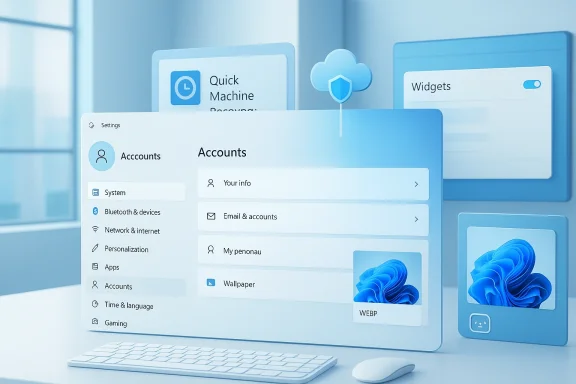
These releases are worth attention because they combine device resiliency work (notably Quick Machine Recovery), UI and platform improvements (Widgets, camera controls, desktop background formats), and a notable pivot in how Microsoft surfaces consumer commerce inside core OS surfaces (an in‑Settings Microsoft 365 upgrade prompt). I’ll summarize the changes, verify the claims against Microsoft’s published notes and independent reports, then analyze what these updates mean for users, IT pros, and the broader Windows ecosystem.
Why it matters:
For everyday users and small businesses the resilience wins and media improvements are unambiguously positive; for IT and privacy advocates the telemetry and UI‑commerce elements require careful review and clear administrative controls. As always with Insider releases, features will continue to be rolled out, toggled, and refined — keep an eye on Microsoft’s Windows Insider posts and the support documentation for the final behavior as these features move toward broad availability. (blogs.windows.com)
Source: Thurrott.com Microsoft Releases New Beta and Release Preview Channel Builds
 Background
Microsoft manages its pre‑release cadence across several Insider channels: Dev for long‑term experimental work, Beta for features closer to ship but still under test, and Release Preview for final validation before features land broadly. The two updates released on February 17, 2026 follow that model: the Release Preview flight (KB5077241) delivers features to both Windows 11 version 24H2 and 25H2 because those branches are functionally aligned, while the Beta flight (build 26220.7859, KB5077223) pushes targeted changes to 25H2 via an enablement package. (blogs.windows.com)These releases are worth attention because they combine device resiliency work (notably Quick Machine Recovery), UI and platform improvements (Widgets, camera controls, desktop background formats), and a notable pivot in how Microsoft surfaces consumer commerce inside core OS surfaces (an in‑Settings Microsoft 365 upgrade prompt). I’ll summarize the changes, verify the claims against Microsoft’s published notes and independent reports, then analyze what these updates mean for users, IT pros, and the broader Windows ecosystem.
What shipped (summary of key items)
Release Preview update: KB5077241 (Builds 26100.7918 / 26200.7918)
The Release Preview post from the Windows Insider team lists a set of features and improvements that are rolling out either gradually (Controlled Feature Rollout) or broadly. The highlights include: (blogs.windows.com)- Emoji 16.0 — Microsoft says the emoji panel now includes the curated additions from Unicode 16.0. (blogs.windows.com)
- Windows Backup — sign‑in restore for organizations — a first sign‑in restore experience added to Windows Backup for Organizations, restoring user settings and Store apps automatically for supported device types. (blogs.windows.com)
- Quick Machine Recovery (QMR) — will automatically turn on for Windows 11 Professional devices that are not domain‑joined and not enrolled in enterprise endpoint management; domain‑joined/managed devices remain under organizational control. (blogs.windows.com)
- Taskbar network speed test — a built‑in speed test accessible from Wi‑Fi/Cellular Quick Settings or by right‑clicking the network tray icon; it opens the default browser and measures Ethernet/Wi‑Fi/Cellular performance. (blogs.windows.com)
- Microsoft account benefits page in Settings — an entry point in the account menu points to the Microsoft account benefits page to surface entitlements and offers. (blogs.windows.com)
- Pan & tilt camera controls — basic pan/tilt options for supported cameras added to Settings. (blogs.windows.com)
- Built‑in Sysmon — Windows adds Sysmon‑style functionality as an optional feature that can be enabled, with events written to the Windows Event Log (disabled by default). (blogs.windows.com)
- Widgets settings full‑page — the Widgets app now exposes settings in a full‑page experience rather than a dialog. (blogs.windows.com)
- WEBP images as desktop wallpaper — you can set .webp images as the desktop background from Settings or File Explorer. (blogs.windows.com)
Beta update: KB5077223 (Build 26220.7859)
The Beta channel announcement is much shorter in scope and explicitly calls out a Microsoft 365 Family upsell on the Accounts page in Settings: Microsoft 365 subscribers will see an option to upgrade to a different (more expensive) plan in Settings, with an option to suppress the prompt by turning off suggested content. The Beta notes otherwise list reliability and bug‑fix improvements in File Explorer, Nearby Sharing, Taskbar autohide behavior, and Settings reliability. (blogs.windows.com)Verifying the big claims
I cross‑checked Microsoft’s Insider posts with Microsoft support pages and independent Windows coverage to ensure accuracy and to capture broader context and reactions.- The Release Preview feature list and build numbers are published by the Windows Insider team; those notes are the authoritative source for what Microsoft says it shipped today. (blogs.windows.com)
- Quick Machine Recovery (QMR) is documented by Microsoft as a cloud‑backed recovery capability that runs from Windows Recovery Environment to fetch remediations; the public support doc explains behavior and configuration options. The Release Preview announcement specifically states QMR will now be turned on automatically for non‑domain‑joined Pro devices (leaving enterprise‑managed endpoints unchanged). That combination (support doc + Release Preview note) confirms both the feature’s operation and the policy decision to enable it on unmanaged Pro devices by default.
- WEBP wallpaper support appears in the Release Preview notes and has been independently observed and reported by Windows‑facing outlets (Windows Central, Windows Latest, PCWorld), which tested and confirmed that Settings > Personalization > Background accepts .webp files in Insider builds. That independent reporting corroborates Microsoft’s claim and demonstrates real‑world behavior on preview devices. (blogs.windows.com)
- Emoji 16.0: Microsoft’s Release Preview post explicitly lists Emoji 16.0 additions appearing in the emoji panel. However, independent reporting shows some channel‑level variance: recent Beta/Dev notes and community tracking pointed out that Emoji 16.0 was temporarily turned off in some Beta builds, apparently as a controlled rollback. That explains why some Insiders saw emoji disappear from Beta builds even while Release Preview documents their inclusion — Microsoft uses both build changes and server‑side feature flags, and features can be enabled/disabled differently across channels and rollouts. In short: Microsoft documents Emoji 16.0 in Release Preview, but behavior on Beta or Dev may vary while Microsoft manages rollout. (blogs.windows.com)
- Microsoft 365 upsell in Settings: the Beta notes show the explicit UI change to present an upgrade option for Microsoft 365 subscribers under Accounts in Settings. Independent community discussion and quick screenshots shared by Insiders mirror that behavior. That tells us this is a deliberate UI flow experiment, not a bug. (blogs.windows.com)
Deep dive: What matters most and why
1) Quick Machine Recovery — resilience vs telemetry/automation tradeoffs
Quick Machine Recovery is the most consequential change for consumer and small business devices because it alters default recovery behavior on Pro devices that are unmanaged.- What it does: QMR connects to Microsoft cloud recovery services from WinRE, searches for a remediation (distributed via Windows Update), downloads, and applies it automatically when widespread boot failures are detected. If no fix is found, WinRE falls back to manual repair options. The Microsoft support page describes the sequence and configuration points.
- What changed: Microsoft will enable QMR automatically for Windows 11 Professional devices that are not domain‑joined or enrolled in enterprise endpoint management; Home devices already receive QMR features. Domain‑joined or enterprise managed devices remain governed by organizational policy. This change closes a resilience gap for unmanaged Pro devices and makes the recovery experience uniform across Home/Pro in consumer and SMB scenarios. (blogs.windows.com)
- Benefits:
- Faster recovery from known, widespread boot regressions — fewer repair trips to the shop or reinstall cycles.
- Lower support costs for small businesses and families when remediation can be applied automatically.
- Better end‑user experience with cloud‑delivered fixes integrated into WinRE.
- Risks and concerns:
- Privacy and telemetry: QMR uploads diagnostics to Microsoft to find matching remediations. Although Microsoft frames this as necessary to identify fixes, organizations and privacy‑sensitive users will want clarity on what is sent, how long it’s retained, and opt‑out mechanisms. Microsoft’s support page and enterprise docs explain configuration options, but this is an area that will attract scrutiny.
- Automation surprises: automatic remediation is powerful but can also lead to unexpected changes if a remediation misdiagnoses a unique configuration. Microsoft already builds safeguards (reverting if remediation fails) but the risk profile is different for unmanaged Pro devices that automatically receive QMR.
- Connectivity dependency: QMR depends on a network connection from WinRE; offline scenarios or misconfigured Wi‑Fi may prevent cloud remediation. The support page documents Wi‑Fi caveats.
2) WEBP wallpapers and media handling — incremental but practical
Supporting .webp as a first‑class wallpaper format fixes a long‑standing friction point for users who curate web‑sourced backgrounds. WebP offers smaller files at equivalent quality and supports advanced features such as transparency and animation (when used as animated WebP), so native support simplifies workflows and reduces conversion steps. Windows Central, Windows Latest, and PCWorld confirmed behavior in Insider builds in parallel with Microsoft’s notes. (blogs.windows.com)Why it matters:
- Small wins for UX: this is a quality‑of‑life change that removes a minor but repetitive annoyance.
- Sign of modernization: treating web‑centric formats as first‑class citizens signals Windows is modernizing the media pipeline.
- Side effects: it may also reduce third‑party tool reliance for conversions and improve disk use when users choose WebP wallpapers.
3) Widgets, Sysmon, camera controls — platform maturity
These updates reflect two simultaneous goals: make Windows more customizable and improve its diagnosability and observability.- Widgets settings as a full page removes micro‑UI friction and enables richer personalization control without modal dialogs. (blogs.windows.com)
- Built‑in Sysmon (disabled by default but installable) is a noteworthy evolution for security: shipping Sysmon‑style telemetry natively makes advanced event capture available to organizations and enthusiasts without external installers. However, Microsoft’s note that it must be explicitly enabled and that previously installed Sysmon must be removed shows Microsoft is thinking through migration constraints. Security teams will welcome the capability but should plan configuration and integration into SIEM tooling. (blogs.windows.com)
- Pan & tilt camera controls are a small but meaningful add for hybrid meetings and creative workflows, letting the OS expose physical camera features in Settings rather than forcing vendor‑specific apps. (blogs.windows.com)
4) The Microsoft 365 upsell in Settings — design, ethics, and UX signals
The Beta channel’s explicit upgrade prompt under Settings > Accounts is the most controversial change in these notes from a user and IT perspective. Microsoft’s Beta post reveals the experiment: a prompt to upgrade Microsoft 365 Family subscribers to a different (more expensive) tier appears in Settings, with a switch to turn off suggested content. (blogs.windows.com)- Why this matters:
- Monetization inside core OS flows: nudging users to upgrade subscriptions inside essential OS surfaces (Accounts in Settings) changes expectations about the role of Settings: from being purely a device control center into a commerce surface that surfaces subscription upsells.
- User perception: some users view Settings as sacred system territory; embedding consumer enticements there risks backlash if the prompts are intrusive or hard to disable.
- Admin controls: organizations deploying managed images will need guidance on how (or whether) to suppress such prompts on corporate devices; Microsoft’s controlled rollout suggests configurable opt‑outs exist, but documentation and group policy coverage will be necessary.
- The mitigation path: Microsoft explicitly allows turning off suggested content to hide the prompt. That helps, but enterprise imaging, OEM setups, and managed deployments will want explicit guidance and Group Policy/Intune settings to ensure consistent user experience.
Channel dynamics and the reality of controlled rollouts
Two important realities emerge from comparing Microsoft’s notes and community reporting:- Features are often gated server‑side and distributed via Controlled Feature Rollouts (CFR). That means a listed capability may not be visible on every device immediately, and behavior can vary even within the same channel while Microsoft monitors feedback and telemetry. We see that with Emoji 16.0: Release Preview notes list the emoji additions, but Beta builds briefly rolled back Emoji 16.0 in some flights. This is a practical but confusing outcome of CFR and rapid telemetry‑driven iteration. (blogs.windows.com)
- Channel divergence is real. Not every channel receives the same mix of features at the same time. Microsoft’s posts make this explicit: some features are rolled out gradually with a toggle for those who want to get the latest updates early, while others land broadly. IT pros and enthusiasts should treat Insider notes as directional and check Flight Hub or the Windows Insider Blog for per‑build details. (blogs.windows.com)
Practical guidance
- For consumers and small business owners:
- If you run an unmanaged Pro device, expect Quick Machine Recovery to be enabled by default; review the Quick Machine Recovery configuration in Settings > System > Recovery and read Microsoft’s support guidance on what data is transmitted and how automatic remediation behaves. If you have stringent privacy needs, review telemetry and cloud recovery options before you rely on automatic remediation.
- If you maintain curated wallpaper collections from web sources, try the webp wallpaper support in the latest Beta/Release Preview builds — it simplifies the workflow and reduces conversion steps. (blogs.windows.com)
- For IT admins and security teams:
- Understand that unmanaged Pro devices will get QMR enabled; if you manage devices via domain join or endpoint management, your policies take precedence and QMR remains off unless enabled. Test QMR behavior in lab images and document network and Wi‑Fi constraints for recovery scenarios. (blogs.windows.com)
- Evaluate the new built‑in Sysmon capability in a controlled manner; plan configuration files, event filters, and SIEM integration before enabling on production fleets. The feature is disabled by default, so administrators control rollout cadence. (blogs.windows.com)
- Look for Group Policy or Intune controls to suppress in‑Settings commerce prompts if you want to avoid surfacing Microsoft 365 upsell banners in your managed environment. The Beta note indicates the UI experiment can be disabled by toggling suggested content, but enterprises will want policy‑level control for broad deployments. (blogs.windows.com)
- For power users and privacy advocates:
- Scrutinize QMR telemetry semantics. Microsoft publishes support documentation that explains the flow, but independent audits or detailed telemetry breakdowns would be helpful. Until then, users who want zero cloud‑assisted recovery should confirm how to disable QMR on their device.
Strengths, weaknesses, and what to watch next
Strengths
- Practical polish: WebP wallpaper support, Widgets improvements, and camera pan/tilt represent a pragmatic attention to everyday usability.
- Resilience improvements: QMR as a cloud‑delivered remediation model is a leap forward in recovery ergonomics for consumers and SMBs; reducing reinstall and repair cycles is tangible value.
- Security observability: Natively shipping Sysmon functionality (opt‑in) simplifies logging and incident response setup for organizations that want detailed event capture without extra installers.
Weaknesses / Risks
- Surface area for in‑OS commerce: embedding subscription upgrade prompts in Settings blurs commerce and system UI. Even with an opt‑out, repeated or poorly placed prompts risk user frustration and erosion of trust in core OS surfaces.
- Telemetry and automation tradeoffs: QMR’s reliance on cloud diagnostics and automated remediation will prompt legitimate privacy and governance questions. Microsoft documentation exists, but more granular telemetry transparency and per‑device opt‑out mechanics will be expected by privacy‑conscious users and regulators.
- Rollout complexity and communication: CFR plus channel divergence creates an environment where features can appear, disappear, or behave differently across devices. That’s necessary for iterative development, but confusing for end users who expect consistent behavior from named Insider channels.
What to watch
- Enterprise guidance from Microsoft on controlling QMR and in‑Settings commerce prompts via Group Policy/Intune.
- Telemetry disclosures or privacy whitepapers clarifying exactly what QMR sends and how long Microsoft retains diagnostics used to match remediations.
- User reaction to the Microsoft 365 upsell in Settings — will Microsoft expand, tone down, or provide stricter controls in response to feedback?
- Rollout fidelity: whether Emoji 16.0 remains enabled consistently across channels or continues to be toggled as Microsoft refines assets and localization.
Quick checklist: actions for different audiences
- For individual Insiders:
- Turn on the toggle in Settings > Windows Update if you want to receive gradual feature rollouts early.
- Check Settings > System > Recovery to view QMR settings and adjust if needed. (blogs.windows.com)
- For IT admins:
- Test QMR in a controlled environment and document how it interacts with imaging and autopilot workflows.
- Verify whether your managed devices are considered “enrolled in enterprise endpoint management” (and therefore unaffected) or not.
- Search for and apply policy to suppress suggested content if you want to avoid Microsoft 365 prompts on managed devices. (blogs.windows.com)
- For security teams:
- Evaluate built‑in Sysmon for deployment. Start with staging and tune configurations before enabling fleet‑wide. (blogs.windows.com)
Conclusion
Today’s Insider updates (Release Preview KB5077241 and Beta KB5077223) are a classic example of how Microsoft mixes incremental refinement, platform hardening, and commercial experimentation into pre‑release channels. The net result is a meaningful boost in device resiliency (Quick Machine Recovery), practical modernizations (WebP wallpaper support, Widgets and camera controls), and a flashpoint for debate about in‑OS commerce (Microsoft 365 upsell in Settings).For everyday users and small businesses the resilience wins and media improvements are unambiguously positive; for IT and privacy advocates the telemetry and UI‑commerce elements require careful review and clear administrative controls. As always with Insider releases, features will continue to be rolled out, toggled, and refined — keep an eye on Microsoft’s Windows Insider posts and the support documentation for the final behavior as these features move toward broad availability. (blogs.windows.com)
Source: Thurrott.com Microsoft Releases New Beta and Release Preview Channel Builds
