

Microsoft is quietly making one of its most meaningful Windows 11 changes in years: the Windows Insider Program is being reorganized to give testers more direct control over what they see, while also reducing the confusion that has plagued feature rollouts for far too long. The shift brings Feature flags, a cleaner separation of preview paths, and a more flexible upgrade model that should make it easier to move between builds without wiping a PC. At the same time, Microsoft is reviving the old-school, human side of Windows development with in-person meetups in five cities, a move that feels both nostalgic and strategically overdue.
For much of the Windows 10 era, the Insider Program felt like a genuine conversation between Microsoft and the people willing to live on the edge of the operating system. The company shipped rough builds, users tested them, and feedback flowed back through forums, telemetry, and public discussions. That arrangement was never perfect, but it created a sense that Windows was still being shaped with enthusiasts rather than merely delivered to them.
Windows 11 changed that dynamic in subtle but important ways. As Microsoft layered in more experimentation, it also layered in more complexity, especially around how features appeared, disappeared, or remained hidden behind controlled rollouts. If you installed a preview build and a promised feature did not show up, that was not necessarily a bug; often, it was simply the result of Controlled Feature Rollout logic deciding you were not in the test group yet.
That approach made sense from Microsoft’s perspective. Staged rollouts reduce risk, contain bad code, and let the company compare feedback across cohorts before a feature reaches everyone. But for power users and testers, it was maddening. The point of joining Insider builds is to see what is new, not to play feature lottery. In practice, the system often forced users to hunt through undocumented toggles, experiment with tools like ViveTool, or simply wait and hope.
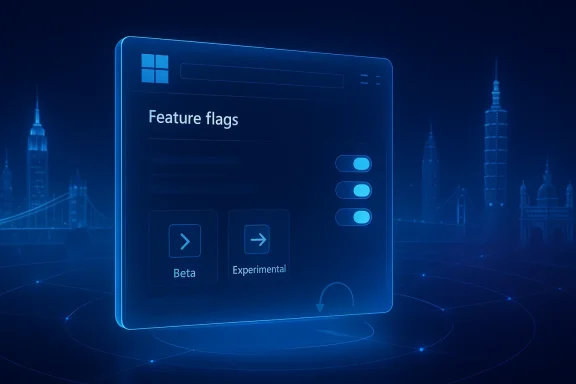
The new Insider redesign is Microsoft’s answer to that frustration. According to the company’s April 10, 2026 explanation, the program is being reorganized around clearer build paths and a dedicated Feature flags page, with the broader goal of making preview behavior more predictable and the feedback loop more useful. In plain English, Microsoft wants testers to spend less time deciphering the machinery and more time actually testing Windows.
The new model also introduces an Advanced Options area for version selection, including choices such as Windows 11 25H2 and Windows 11 26H1. That matters because version naming in Insider land has become increasingly opaque, especially as Microsoft has split feature development from platform experimentation. The company has already said that 26H1 is tied to platform changes, which means not every Insider will necessarily see or need the same version choices.
Microsoft’s update suggests a desire to make that process more deliberate. If the company promises a feature in a build, testers should now have a better path to actually turn it on, when it exists, instead of waiting for the company’s own rollout logic to catch up. That makes the test environment more honest, even if it also raises the risk that users will enable unfinished or fragile features more often.
This is important because the old approach created a strange contradiction. Microsoft wanted feedback on features before broad release, but many testers could not actually access those features without external help. That meant feedback quality was uneven, and the people most willing to test were often the ones who had to do the most work just to reach the test surface. That was never a healthy equilibrium.
The new Feature flags page should make the system more transparent. If a feature is present in the build and accessible, users can enable it directly in Settings instead of relying on third-party hacks. That helps Microsoft collect cleaner feedback because testers can reproduce and describe the same experience more consistently.
It is also not clear that every hidden feature should be user-toggleable, especially when a feature affects system stability or policy behavior. Microsoft’s own language leaves room for some UI changes and background experiments to remain invisible. That is sensible, but it means the program still depends on judgment calls that users may not always understand.
That is more than a convenience feature. It lowers the psychological barrier to testing, especially for enthusiasts who are cautious about breaking a daily driver. If you know you can test a build and then return to a usable state without a full wipe, you are more likely to participate. That could broaden the feedback pool and improve the quality of the data Microsoft gets back.
At the same time, an in-place upgrade system is only as good as its reliability. If the transition fails, corrupts settings, or leaves behind compatibility issues, the promised ease turns into another support headache. So while this sounds like a quality-of-life improvement, Microsoft will need to prove that it is robust across real-world hardware and not just in internal lab conditions.
There is also a broader servicing message here. Microsoft has already been refining how it stages releases across Dev and Beta, and the move toward smoother transitions suggests it wants a less fragmented preview pipeline. That can help support teams, documentation writers, and internal pilot groups all speak the same language about what a build is and how far along it is.
That distinction matters because Windows development has increasingly been pulled in two directions. On one side are visible product features such as AI integration, UI refinements, and taskbar behavior. On the other side is platform work that supports new silicon, power management, and system-level readiness. Microsoft’s build structure now seems to reflect that split much more explicitly.
For users, this could mean a more honest labeling system. Instead of assuming every Windows version number implies a big consumer feature wave, Insiders may need to think in terms of what kind of work a build is meant to validate. That is harder to explain, but better aligned with how modern Windows actually ships.
This is where Windows often struggles: the company builds for multiple audiences at once, then expects the UI to communicate nuance cleanly. That works only if the language is extremely clear. If not, users can misread a platform label as a feature promise, and disappointment follows. Microsoft will need careful copywriting, not just good engineering.
The company also had a habit of layering new AI-focused experiences on top of that already complicated rollout logic. In recent months, Microsoft has talked more openly about “resetting” Windows, reducing some of the noise, and responding to user frustration around the taskbar and other core controls. The Insider changes fit that broader narrative: less surprise, more agency, and hopefully less clutter in both the code and the conversation.
That said, there is a reason Microsoft leaned on staged rollouts in the first place. Shipping experimental features broadly can create support incidents, regression storms, and reputational damage if something goes wrong. The new plan does not eliminate those risks. It simply shifts some of the complexity from hidden server-side logic into visible user choices.
The new Insider design looks like an attempt to recover some of that earlier goodwill. It does not reverse the company’s direction on managed rollouts, but it does acknowledge that too much abstraction can become alienating. If Microsoft can make experimentation feel coherent again, it may win back some of the loyalty that was lost to confusion.
That geographic spread is telling. Microsoft is not treating Insider feedback as a purely U.S.-centric or Silicon Valley-only activity. It is acknowledging that Windows is a global operating system with very different usage patterns, hardware mixes, and cultural expectations from region to region. A feedback strategy that ignores that reality is automatically incomplete.
The return of meetups also suggests Microsoft understands the emotional side of product development. Users are more forgiving when they feel heard, and they are more constructive when they can ask follow-up questions in real time. That does not guarantee better software, but it certainly improves the odds of building it with fewer blind spots.
The meetups also serve a branding function, of course. Microsoft wants users to associate Windows 11 with responsiveness, openness, and a willingness to revisit decisions. But even if the motive is partly reputational, the result can still be productive. Good community rituals often start as company strategy and end as product advantage.
Source: PCWorld Windows 11 testing is going back to the future with new Insider plans
 Overview
For much of the Windows 10 era, the Insider Program felt like a genuine conversation between Microsoft and the people willing to live on the edge of the operating system. The company shipped rough builds, users tested them, and feedback flowed back through forums, telemetry, and public discussions. That arrangement was never perfect, but it created a sense that Windows was still being shaped with enthusiasts rather than merely delivered to them.Windows 11 changed that dynamic in subtle but important ways. As Microsoft layered in more experimentation, it also layered in more complexity, especially around how features appeared, disappeared, or remained hidden behind controlled rollouts. If you installed a preview build and a promised feature did not show up, that was not necessarily a bug; often, it was simply the result of Controlled Feature Rollout logic deciding you were not in the test group yet.
That approach made sense from Microsoft’s perspective. Staged rollouts reduce risk, contain bad code, and let the company compare feedback across cohorts before a feature reaches everyone. But for power users and testers, it was maddening. The point of joining Insider builds is to see what is new, not to play feature lottery. In practice, the system often forced users to hunt through undocumented toggles, experiment with tools like ViveTool, or simply wait and hope.
The new Insider redesign is Microsoft’s answer to that frustration. According to the company’s April 10, 2026 explanation, the program is being reorganized around clearer build paths and a dedicated Feature flags page, with the broader goal of making preview behavior more predictable and the feedback loop more useful. In plain English, Microsoft wants testers to spend less time deciphering the machinery and more time actually testing Windows.
What Microsoft Is Changing
The most visible part of the revamp is the new structure inside Windows Insider settings. Microsoft says users will have a simpler way to choose between near-term preview code and more experimental platform work, with Beta serving as the more stable track and Experimental aimed at more adventurous testing. The goal is to reduce the current sprawl of build behavior without pretending that all preview users want the same thing.A cleaner path through preview chaos
Today’s Windows Insider ecosystem still includes Release Preview, Beta, Dev, and Canary, each representing a different level of risk and distance from shipping code. Microsoft is not deleting that reality, but it is trying to make the experience more understandable at the Settings level. The official language emphasizes fewer surprises and more consistency, which is exactly what the program has lacked when features silently arrived for some users and not others.The new model also introduces an Advanced Options area for version selection, including choices such as Windows 11 25H2 and Windows 11 26H1. That matters because version naming in Insider land has become increasingly opaque, especially as Microsoft has split feature development from platform experimentation. The company has already said that 26H1 is tied to platform changes, which means not every Insider will necessarily see or need the same version choices.
Why this matters to testers
This is not just cosmetic cleanup. The current Insider flow often leaves testers uncertain about whether a feature is missing because Microsoft removed it, because the feature is hidden, or because they simply were not selected for the staged rollout. That ambiguity undermines the value of the Insider Program, especially for enthusiasts who file detailed feedback and expect to work with the same tools developers are discussing in blog posts.Microsoft’s update suggests a desire to make that process more deliberate. If the company promises a feature in a build, testers should now have a better path to actually turn it on, when it exists, instead of waiting for the company’s own rollout logic to catch up. That makes the test environment more honest, even if it also raises the risk that users will enable unfinished or fragile features more often.
- Beta is becoming the cleaner option for near-term testing.
- Experimental is meant for users who want earlier, riskier code.
- Feature flags are intended to replace some of the confusion around hidden features.
- Advanced Options introduces more build and version control than many users have had before.
- Microsoft is trying to make the Insider experience feel intentional rather than arbitrary.
Feature Flags and User Control
The headline feature in this overhaul is the new Feature flags page, which gives Insiders a more direct way to switch certain experiments on or off. Microsoft is effectively acknowledging that hidden features have become part of the culture around preview builds, and it is deciding to formalize that behavior instead of leaving users to reverse-engineer it. That is a meaningful philosophical shift.From ViveTool culture to built-in control
For years, power users have relied on unofficial tools to surface undocumented features buried in preview builds. That tradition became almost a sport, with blogs and X accounts dissecting build changes and revealing what Microsoft had not yet exposed. The new system does not necessarily kill that ecosystem, but it does reduce the need for it in the most straightforward cases.This is important because the old approach created a strange contradiction. Microsoft wanted feedback on features before broad release, but many testers could not actually access those features without external help. That meant feedback quality was uneven, and the people most willing to test were often the ones who had to do the most work just to reach the test surface. That was never a healthy equilibrium.
The new Feature flags page should make the system more transparent. If a feature is present in the build and accessible, users can enable it directly in Settings instead of relying on third-party hacks. That helps Microsoft collect cleaner feedback because testers can reproduce and describe the same experience more consistently.
What this does not solve
There is still a tension here. A more accessible feature toggle system may improve clarity, but it also blurs the line between experimentation and unfinished product behavior. Microsoft will need to keep explaining which flags are safe for broad testing, which are low-risk UI adjustments, and which are only meant to probe deep platform behavior. Otherwise, the new control surface could become a new source of confusion.It is also not clear that every hidden feature should be user-toggleable, especially when a feature affects system stability or policy behavior. Microsoft’s own language leaves room for some UI changes and background experiments to remain invisible. That is sensible, but it means the program still depends on judgment calls that users may not always understand.
- Feature flags make hidden functionality more approachable.
- The change reduces dependence on unofficial tooling.
- Better visibility should improve feedback quality.
- Some features will still remain undisclosed or partially hidden.
- Microsoft is balancing openness with the need to protect unfinished code.
In-Place Upgrades and Build Mobility
Another significant change is Microsoft’s push toward in-place upgrades between Insider versions. That is a technical detail with major practical consequences, because it means testers should be able to move between build tracks more easily without resorting to a clean reinstall in many cases. For anyone who has spent time in the Windows preview world, that is a very big deal.Why hopping builds has been painful
Historically, Insider users often got stuck waiting for the stable branch to catch up before they could return to something closer to normal. That created a one-way feeling in parts of the preview program: once you moved far enough ahead, you could be trapped until Microsoft’s release cadence aligned again. Microsoft says the new system is designed so that more of these transitions can happen with an IPU while preserving apps, settings, and data.That is more than a convenience feature. It lowers the psychological barrier to testing, especially for enthusiasts who are cautious about breaking a daily driver. If you know you can test a build and then return to a usable state without a full wipe, you are more likely to participate. That could broaden the feedback pool and improve the quality of the data Microsoft gets back.
At the same time, an in-place upgrade system is only as good as its reliability. If the transition fails, corrupts settings, or leaves behind compatibility issues, the promised ease turns into another support headache. So while this sounds like a quality-of-life improvement, Microsoft will need to prove that it is robust across real-world hardware and not just in internal lab conditions.
The enterprise angle
For businesses using Insider builds for validation, the implications are especially significant. IT teams care deeply about predictability, rollback options, and whether a preview path can be used to evaluate policy behavior without destabilizing corporate images. A cleaner IPU story could make it easier for admins to experiment with upcoming Windows changes before they reach broad deployment.There is also a broader servicing message here. Microsoft has already been refining how it stages releases across Dev and Beta, and the move toward smoother transitions suggests it wants a less fragmented preview pipeline. That can help support teams, documentation writers, and internal pilot groups all speak the same language about what a build is and how far along it is.
- IPUs should reduce the need for clean reinstalls.
- Preserving apps, settings, and data lowers the cost of testing.
- Easier rollback encourages more user participation.
- Enterprises gain a better validation workflow.
- Microsoft still has to prove the transition model is stable in practice.
Version Strategy: 25H2, 26H1, and the Silicon Question
The introduction of version choices like 25H2 and 26H1 is one of the more confusing parts of the announcement, but it is also one of the most revealing. Microsoft appears to be separating mainstream feature development from platform-specific work, and that split may be especially important for the next generation of Windows on Arm devices.What 26H1 likely means
Microsoft previously said that 26H1 was specifically tied to support for the new Snapdragon X2 Elite platform, which means it is not being framed as a general feature release in the way 25H2 is. In other words, 26H1 may be less about new consumer-facing Windows features and more about enabling the operating system to match emerging hardware capabilities.That distinction matters because Windows development has increasingly been pulled in two directions. On one side are visible product features such as AI integration, UI refinements, and taskbar behavior. On the other side is platform work that supports new silicon, power management, and system-level readiness. Microsoft’s build structure now seems to reflect that split much more explicitly.
For users, this could mean a more honest labeling system. Instead of assuming every Windows version number implies a big consumer feature wave, Insiders may need to think in terms of what kind of work a build is meant to validate. That is harder to explain, but better aligned with how modern Windows actually ships.
The messaging challenge
The risk is that Microsoft is adding structure without necessarily making the structure intuitive. If ordinary Insiders see 26H1 as a selectable path but do not understand whether it applies to their hardware, the settings page may become more intimidating, not less. That is especially true if Microsoft keeps some of the options visible but effectively irrelevant for large parts of the audience.This is where Windows often struggles: the company builds for multiple audiences at once, then expects the UI to communicate nuance cleanly. That works only if the language is extremely clear. If not, users can misread a platform label as a feature promise, and disappointment follows. Microsoft will need careful copywriting, not just good engineering.
- 25H2 appears to remain the mainstream feature track.
- 26H1 is associated with platform readiness and silicon support.
- The split suggests Microsoft is decoupling consumer features from hardware enablement.
- Arm-based systems may be the biggest beneficiaries.
- The naming scheme could confuse casual testers if not explained well.
Why the Old Insider Experience Became Frustrating
The Windows Insider Program was always supposed to be a feedback machine, but over time it drifted toward being a distribution mechanism with too much indirection. Users saw announcements about new capabilities, updated their PCs, and then discovered that those capabilities were either missing, hidden, or only visible to a fraction of the channel. That kind of inconsistency erodes trust fast.A/B testing and the problem of uncertainty
Microsoft’s A/B testing model is defensible from a product research standpoint. You need control groups, staged exposure, and telemetry to understand how a feature behaves in the wild. But the problem is that Insiders often felt like they were being asked to react to a moving target they could not reliably see. That is not the same thing as collaborative development.The company also had a habit of layering new AI-focused experiences on top of that already complicated rollout logic. In recent months, Microsoft has talked more openly about “resetting” Windows, reducing some of the noise, and responding to user frustration around the taskbar and other core controls. The Insider changes fit that broader narrative: less surprise, more agency, and hopefully less clutter in both the code and the conversation.
That said, there is a reason Microsoft leaned on staged rollouts in the first place. Shipping experimental features broadly can create support incidents, regression storms, and reputational damage if something goes wrong. The new plan does not eliminate those risks. It simply shifts some of the complexity from hidden server-side logic into visible user choices.
What changed from Windows 10 to Windows 11
Windows 10 had its own annoyances, but for many enthusiasts it felt more open-ended. Microsoft seemed more willing to show its work, and the relationship between users and developers often felt more personal. Windows 11, by contrast, became associated with more centralized decisions, more AI ambition, and a somewhat less forgiving path for people who wanted to stay close to the bleeding edge without being trapped there.The new Insider design looks like an attempt to recover some of that earlier goodwill. It does not reverse the company’s direction on managed rollouts, but it does acknowledge that too much abstraction can become alienating. If Microsoft can make experimentation feel coherent again, it may win back some of the loyalty that was lost to confusion.
- A/B testing made technical sense but human sense only sometimes.
- Users want to test features, not decipher hidden rollout logic.
- Windows 10 felt more conversational to many enthusiasts.
- Windows 11 has often felt more managed and less transparent.
- The new model tries to restore trust without abandoning control.
The Return of In-Person Meetups
Microsoft’s decision to bring back in-person Insider meetups is more than a nice community gesture. It is a tacit admission that feedback works better when developers and users can read each other’s reactions in the same room. In an era dominated by telemetry dashboards, livestreams, and social posts, that kind of direct conversation has become rare enough to feel almost radical.The city list and what it signals
The first wave of events includes New York City, Hyderabad, Taipei, San Francisco, and London. Microsoft says there will be more to come, and the company’s own blog makes clear that these meetups are intended to connect Insiders with product makers, researchers, and the people shaping the next phase of Windows.That geographic spread is telling. Microsoft is not treating Insider feedback as a purely U.S.-centric or Silicon Valley-only activity. It is acknowledging that Windows is a global operating system with very different usage patterns, hardware mixes, and cultural expectations from region to region. A feedback strategy that ignores that reality is automatically incomplete.
The return of meetups also suggests Microsoft understands the emotional side of product development. Users are more forgiving when they feel heard, and they are more constructive when they can ask follow-up questions in real time. That does not guarantee better software, but it certainly improves the odds of building it with fewer blind spots.
Why this matters for Windows culture
Windows has always thrived when the community feels like part of the process rather than an audience waiting on release notes. The most useful details often come from informal conversations: why a setting exists, why a UI change was delayed, or what tradeoff forced a particular design choice. Those insights are hard to extract from telemetry alone.The meetups also serve a branding function, of course. Microsoft wants users to associate Windows 11 with responsiveness, openness, and a willingness to revisit decisions. But even if the motive is partly reputational, the result can still be productive. Good community rituals often start as company strategy and end as product advantage.
- New York, Hyderabad, Taipei, San Francisco, and London are the first meetup stops.
- Microsoft says more events are planned.
- The meetups are meant to connect Insiders directly with product teams.
- Geographic diversity signals a more global feedback approach.
- Human conversation can surface issues telemetry never fully explains.
Strengths and Opportunities
Microsoft’s new Insider direction has several clear advantages. It promises better transparency, easier testing, and fewer cases where users feel like they are waiting for invisible servers to decide whether a feature is “real” for them. If executed well, it could make Windows 11 previews more useful to enthusiasts, enterprises, and Microsoft itself.- More direct control over feature exposure
- Less dependence on unofficial tools
- Better rollback options through in-place upgrades
- Clearer build selection between stable and experimental paths
- Improved feedback quality from users who can actually see the feature being discussed
- Stronger community ties through in-person meetups
- Better enterprise validation for preview deployments
Risks and Concerns
The danger is that Microsoft may be simplifying the labels while leaving the underlying complexity only partially solved. If the new feature flags, version choices, and experimental paths are not explained very clearly, Insiders could end up more confused than before, only now with more control surfaces to misinterpret. That would undermine the whole project.- Version labels could confuse less technical testers
- Feature flags may expose unfinished functionality too early
- IPU reliability will be critical for trust
- Hardware-specific paths like 26H1 could fragment the experience
- Expanded control may produce more user error, not less
- Expectation gaps could widen if features are still hidden after users opt in
- Community enthusiasm could fade if the process feels performative rather than meaningful
Looking Ahead
The next few months should reveal whether Microsoft’s changes are merely administrative or genuinely transformative. The company has already published the new Insider guidance and scheduled meetups, so the rollout is no longer theoretical. What matters now is how the updated channels behave in practice, especially when Insiders start moving between them, toggling features, and reporting whether the process is actually easier.What to watch
- Whether Feature flags appear broadly across experimental builds
- Whether Beta becomes meaningfully easier to understand and use
- Whether IPU transitions truly preserve apps, settings, and data
- Whether 26H1 remains tightly tied to Arm-specific platform work
- Whether the scheduled meetups produce visible changes in Windows policy and UI decisions
- Whether Microsoft reduces its reliance on hidden rollout behavior over time
Source: PCWorld Windows 11 testing is going back to the future with new Insider plans
