

Microsoft’s latest Windows 11 Insider activity is less about a single flashy feature and more about a broader hardening of the platform: administrator protection, tighter driver trust rules, and a growing layer of voice-first usability features are all being tested at once. That combination matters because it pushes Windows toward a model where security is built in by default, while convenience features become more ambient and hands-free. The result is not just a nicer Insider build; it is a clear signal of where Windows 11 is heading next. m]
Windows has spent the better part of a decade trying to reconcile two very different identities. On one hand, it is the most flexible consumer desktop platform in wide use; on the other, it is the default enterprise endpoint for millions of organizations that expect strong policy control, reliable patching, and increasingly aggressive security boundaries. Microsoft has been moving steadily toward least privilege, hardware-backed trust, and more controlled system behavior, even when that means making some power-user workflows a little less frictionless.
That shift is easy to miss if you only watch the surface of Windows 11. The company has been layering changes through Insider channels, Release Preview, and monthly cumulative updates, with many of the most important security improvements appearing as quiet platform adjustments rather than headline-friendly UI features. In March 2026, for example, Microsoft shipped a major Windows 11 update that added Sysmon as an optional in-box component, underscoring that the company is serious about giving defenders better native telemetry and detection tools.
At the same time, Microsoft has been tightening how Windows handles drivers and kernel trust. That matters because the driver layer remains one of the most attractive targets for attackers seeking persistence, privilege escalation, or stealth. Microsoft’s hardware certification and signing ecosystem already treats driver signing as a serious gate, and its documentation makes clear that production systems are expected to trust only properly signed drivers, with more recent WHCP rules also pushing toward stronger isolation requirements.
The Insider builds referenced in the article circulatininto that broader arc, even if the original write-up framed them as a dramatic “massive security upgrade.” The likely reality is more nuanced: Microsoft is stitching together several smaller changes that, taken together, reduce attack surface, constrain admin abuse, and make Windows feel more secure by design rather than secure only after manual hardening. That is a meaningful evolution, but it is still an evolution, not a reboot.
Another important background detail is that Microsoft has already signaled that some of these features are being staged carefully. The company’s own documentation says Administrator protection is available in the Windows Insider Program as a preview, and its developer blog notes that a reliability issue led Microsoft to disable the feature temporarily from retail and Insider channels in early 2026. That is a reminder that platform security is not just about ambition; it is about finding the balance between stronger controls and dependable day-to-day behavior.
That matters because the classic Windows admin model has always been a tradeoff. The system gives administrators broad power for legitimate maintenance, but that same power becomes a gift to malware if a malicious process can piggyback on an already-elevated context. Administrator protection tries to break that pattern by making elevation short-lived and intentional, which is a familiar security principle in enterprise identity and privilege management, but one that Windows has not always enforced this cleanly at the desktop layer.
For enterprises, that distinction is huge. If Microsoft can normalize just-in-time elevation on endpoints, it becomes easier to align the desktop with privileged access management models already used in cloud and server administration. For consumers, the change is subtler but still important: it reduces the chance that a one-click mistake or a malicious installer can immediately turn a normal session into a fully compromised machine.
A practical way to think about this is that the operating system is becoming less trusting of even “trusted” users. That may feel inconvenient at first, especially to enthusiasts who are used to admin accounts behaving as a universal escape hatch. But in the age of credential theft, signed-malware abuse, and privilege-escalation chains, inconvenient by default is often another way of saying safer by default.
Key implications:
The user-facing shorthand in the article — “stricter rules for installing drivers” and “better verification before they run” — is directionally plausible, but the more exact picture is that Microsoft has been moving toward tighter certification and trust logic for kernel-mode software. In Insider and developer-facing documentation, we see evidence of more detailed catalog attributes, attestation distinctions, and validation rules that are meant to make it harder for unvetted code to reach privileged layers.
The hardware ecosystem also explains why this is hard. Windows has to support enormous device diversity, legacy peripherals, and a global vendor base that does not always move at the same speed. So while Microsoft can tighten the bar, it cannot simply slam the door on every less-than-perfect driver without creating collaters, specialty hardware, and niche enterprise equipment. That tension is visible in Microsoft’s own guidance on third-party printer drivers, where the company has already begun limiting new approvals for Windows 11 and Server 2025 targets.
In other words, the driver story is not just “more security.” It is a negotiation between security, compatibility, and ecosystem inertia. Microsoft appears to be choosing a more opinionated future, but it is doing so through phased rollouts and certification pressure rather than a sudden shutdown. That is the only realistic way to modernize a platform with Windows’ installed base.
Useful takeaways:
This is not just a convenience play. Voice control reduces friction in high-mobility environments, helps users with accessibility needs, and gives Microsoft a more natural interface layer for future AI-assisted workflows. The operating system is gradually shifting from a place where users always have to hunt through menus to one where they can ask for an action more directly. That matters because it changes the interaction model, not just the feature count.
File renaming is another deceptively important example. It is a low-level task that nearly every user performs, and giving it a voice path is a sign that Microsoft sees voice not as a niche accessibility aid, but as a general-purpose workflow layer. Once voice can reliably execute simple system actions, it becomes much easier to imagine a broader role for speech in file management, settings changes, and guided automation.
The strategic point is that accessibility and AI are converging. Microsoft has been investing in Voice Access, Narrator improvements, and Copilot-adjacent system navigation for months, and the result is a Windows that increasingly expects users to mix keyboard, mouse, touch, and speech depending on context. That is a modern operating-system direction, but it also raises the bar for reliability because every new modality must work as well as the old ones.
Highlights:
This matters because Microsoft has a history of using Insider channels to stage foundational changes long before they appear in retail Windows. Administrator protection itself has moved through preview, removal, and reintroduction cycles, which suggests Microsoft is still fine-tuning the implementation details. That kind of iteration is normal for a feature that sits this close to the OS trust model.
That is why the article’s tone is useful but slightly overstated. Yes, the direction is real. No, users should not expect an overnight transformation that suddenly makes Windows invulnerable. What they should expect is a steady accumulation of guardrails that make common attack paths more expensive and less reliable. That is how platform security actually improves in practice.
The Insider model also changes the competitive conversation. Apple and Google have long marketed more opinionated security boundaries, while Linux desktops often lean on flexibility and user control. Microsoft’s move is to keep Windows broad and compatible while pushing it toward a more managed-security posture, which is an especially hard balance to strike on the world’s most widely used PC platform.
Points worth noting:
Driver tightening is just as relevant, if not more so. Enterprises live with a long tail of hardware and peripherals, which means they often tolerate more driver complexity than consumer users ever see. The upside of stricter trust rules is better resilience; the downside is more testing, more procurement discipline, and a stronger need to keep device inventory current.
The upside is that these changes align well with modern identity governance. If an organization already uses Intune, Entra, or other managed policy controls, stronger system defaults can complement the existing control plane instead of fighting it. That makes Windows a better citizen in zero-trust environments and reduces the need to bolt on compensating controls later.
The enterprise angle is therefore not simply “more secure Windows.” It is more governable Windows, which is a subtle but important difference. Security teams generally prefer platforms that default to constrained behavior because constrained behavior is easier to audit, easier to explain, and easier to support at scale.
Enterprise benefits:
Voice improvements are more immediately visible to ordinary users. File operations, camera settings, and quick-access commands are exactly the kinds of tasks where a hands-free shortcut can save time or reduce friction. Microsoft’s broader trend toward richer voice access and voice typing makes Windows feel more modern, and for many households, that matters more than deeply technical trust changes they will never see directly.
There is also the trust question. Microsoft has spent years turning Windows into a more managed platform, and not every consumer appreciates that direction because it can feel like the OS is becoming more opinionated and less flexible. Still, from a security standpoint, opinionated defaults are often exactly what prevents a careless click from becoming a full-system compromise.
For average households, the real upside is simple: fewer opportunities for silent privilege abuse, and more ways to interact with the PC without diving through settings panes. That is not flashy, but it is the kind of change that slowly makes a platform feel calmer, safer, and more accessible.
Consumer effects:
That is important in a market where endpoint buyers compare ecosystems, not just features. Businesses evaluating Windows against macOS, managed Chromebooks, or Linux desktops want to know which platform makes secure operation the easiest path. If Microsoft can make its strongest security controls feel native rather than bolted on, it gains a meaningful advantage in the enterprise conversation.
The challenge is that AI-driven UX and security hardening can pull in different directions if they are not designed carefully. More automation can reduce friction, but it can also increase the risk of confusing behavior or unexpected privilege changes. Microsoft’s success will depend on whether it can make the new controls feel invisible when they should be invisible and obvious when users need to understand them.
In competitive terms, this is a reminder that Windows is no longer just a legacy desktop platform defending its turf. It is a platform trying to redefine itself for a post-password, post-permissive, AI-enhanced world without losing the flexibility that made it dominant in the first place. That is a tougher challenge than it sounds.
Competitive takeaway:
The more interesting question is whether Microsoft can make these features feel normal. The best security upgrades are the ones users barely notice until they save them from a bad day, and the best usability upgrades are the ones that disappear into daily habit. If Windows 11 can get both right, it will have taken a serious step toward a smarter, safer desktop future.
What to watch:
Source: thewincentral.com Windows 11 Just Got a Massive Security Upgrade in Insider Builds
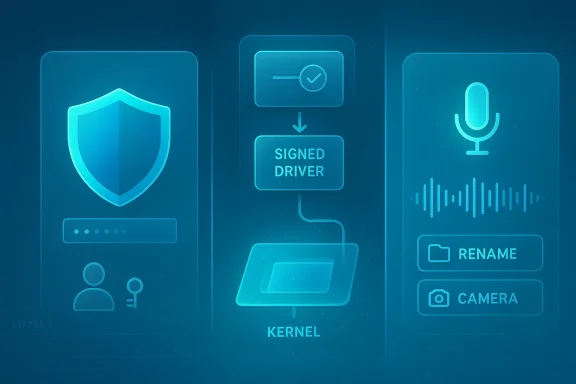 Background
Windows has spent the better part of a decade trying to reconcile two very different identities. On one hand, it is the most flexible consumer desktop platform in wide use; on the other, it is the default enterprise endpoint for millions of organizations that expect strong policy control, reliable patching, and increasingly aggressive security boundaries. Microsoft has been moving steadily toward least privilege, hardware-backed trust, and more controlled system behavior, even when that means making some power-user workflows a little less frictionless.That shift is easy to miss if you only watch the surface of Windows 11. The company has been layering changes through Insider channels, Release Preview, and monthly cumulative updates, with many of the most important security improvements appearing as quiet platform adjustments rather than headline-friendly UI features. In March 2026, for example, Microsoft shipped a major Windows 11 update that added Sysmon as an optional in-box component, underscoring that the company is serious about giving defenders better native telemetry and detection tools.
At the same time, Microsoft has been tightening how Windows handles drivers and kernel trust. That matters because the driver layer remains one of the most attractive targets for attackers seeking persistence, privilege escalation, or stealth. Microsoft’s hardware certification and signing ecosystem already treats driver signing as a serious gate, and its documentation makes clear that production systems are expected to trust only properly signed drivers, with more recent WHCP rules also pushing toward stronger isolation requirements.
The Insider builds referenced in the article circulatininto that broader arc, even if the original write-up framed them as a dramatic “massive security upgrade.” The likely reality is more nuanced: Microsoft is stitching together several smaller changes that, taken together, reduce attack surface, constrain admin abuse, and make Windows feel more secure by design rather than secure only after manual hardening. That is a meaningful evolution, but it is still an evolution, not a reboot.
Another important background detail is that Microsoft has already signaled that some of these features are being staged carefully. The company’s own documentation says Administrator protection is available in the Windows Insider Program as a preview, and its developer blog notes that a reliability issue led Microsoft to disable the feature temporarily from retail and Insider channels in early 2026. That is a reminder that platform security is not just about ambition; it is about finding the balance between stronger controls and dependable day-to-day behavior.
Administrator Protection: The Biggest Security Story Here
The most significant part of this wave is Administrator protection, because it changes the meaning of having admin rights on Windows. Microsoft describes the feature as a least-privilege model in which users receive a deprivileged token at sign-in and only get elevated rights when they explicitly authorize an action. Crucially, the elevated token is isolated and destroyed after use, which is intended to prevent long-lived admin privileges from sitting around waiting to be abused.That matters because the classic Windows admin model has always been a tradeoff. The system gives administrators broad power for legitimate maintenance, but that same power becomes a gift to malware if a malicious process can piggyback on an already-elevated context. Administrator protection tries to break that pattern by making elevation short-lived and intentional, which is a familiar security principle in enterprise identity and privilege management, but one that Windows has not always enforced this cleanly at the desktop layer.
Why this is different from UAC
Users may think this sounds like User Account Control with a fresh coat of paint, but it is more ambitious than that. UAC prompts for confirmation, yet in many configurations an admin account still behaves like a broadly privileged account most of the time. Administrator protection is designed to narrow that ambient trust, which means the account itself is less “always on” and more just in time in the sense security teams already recognize.For enterprises, that distinction is huge. If Microsoft can normalize just-in-time elevation on endpoints, it becomes easier to align the desktop with privileged access management models already used in cloud and server administration. For consumers, the change is subtler but still important: it reduces the chance that a one-click mistake or a malicious installer can immediately turn a normal session into a fully compromised machine.
A practical way to think about this is that the operating system is becoming less trusting of even “trusted” users. That may feel inconvenient at first, especially to enthusiasts who are used to admin accounts behaving as a universal escape hatch. But in the age of credential theft, signed-malware abuse, and privilege-escalation chains, inconvenient by default is often another way of saying safer by default.
Key implications:
- Elevation becomes more deliberate and less ambient.
- Malware has fewer chances to piggyback on persistent admin context.
- IT policy alignment improves with zero-trust and PAM models.
- Users may notice more prompts or more constrained behavior.
- Security wins are strongest on shared or enterprise-managed devices.
Driver Security Tightening: Closing One of Windows’ Oldest Weak Spots
The second major thread is driver security, and that should not be underestimated. Historically, drivers have been one of Windows’ most delicate trust boundaries because they run close to the kernel, interact with hardware directly, and can destabilize or subvert the system if they are malicious or simply badly written. Microsoft’s driver documentation makes clear that production Windows systems rely on WHCP/WHQL-style signing expectations, and more recent guidance pushes toward stronger verification and isolation requirements.The user-facing shorthand in the article — “stricter rules for installing drivers” and “better verification before they run” — is directionally plausible, but the more exact picture is that Microsoft has been moving toward tighter certification and trust logic for kernel-mode software. In Insider and developer-facing documentation, we see evidence of more detailed catalog attributes, attestation distinctions, and validation rules that are meant to make it harder for unvetted code to reach privileged layers.
Why drivers remain a top attack path
Attackers like drivers because they offer leverage. A malicious kernel component can hide processes, intercept security controls, or manipulate the operating system below the level where many endpoint tools are strongest. That is why Microsoft’s insistence on a tighter trust model is not a cosmetic hardening exercise; it is a direct response to a threat category that has long been high-value and high-impact.The hardware ecosystem also explains why this is hard. Windows has to support enormous device diversity, legacy peripherals, and a global vendor base that does not always move at the same speed. So while Microsoft can tighten the bar, it cannot simply slam the door on every less-than-perfect driver without creating collaters, specialty hardware, and niche enterprise equipment. That tension is visible in Microsoft’s own guidance on third-party printer drivers, where the company has already begun limiting new approvals for Windows 11 and Server 2025 targets.
In other words, the driver story is not just “more security.” It is a negotiation between security, compatibility, and ecosystem inertia. Microsoft appears to be choosing a more opinionated future, but it is doing so through phased rollouts and certification pressure rather than a sudden shutdown. That is the only realistic way to modernize a platform with Windows’ installed base.
Useful takeaways:
- Kernel trust is being narrowed, not abolished.
- Signing and catalog verification matter more than ever.
- Legacy hardware may feel the pressure first.
- Enterprise deployment teams will need to test more carefully.
- Security benefits are strongest against stealthy persistence and privilege abuse.
Voice Control and Accessibility Are Moving Up the Stack
The feature set reported in the Insider build coverage also points to a quieter but important trend: voice interaction is becoming more deeply embedded in Windows. The article claims voice-based file renaming and voice-controlled camera settings are under test, and even if specific phrasing varies by build and channel, the larger pattern is unmistakable. Microsoft has been expanding Voice Access and voice typing across Windows 11, including new languages, quicker discoverability, and accessibility flyout placement.This is not just a convenience play. Voice control reduces friction in high-mobility environments, helps users with accessibility needs, and gives Microsoft a more natural interface layer for future AI-assisted workflows. The operating system is gradually shifting from a place where users always have to hunt through menus to one where they can ask for an action more directly. That matters because it changes the interaction model, not just the feature count.
Why camera and rename controls matter
Camera settings might sound trivial, but they are a useful example of Microsoft’s design strategy. Camera options have become more complex as Windows supports HDR, Windows Studio Effects, privacy toggles, and multiple hardware classes, so reducing setup friction through voice or quick access can make the system feel much more approachable. Microsoft has already been iterating on camera-related settings in recent builds, including advanced camera behavior and preview adjustments.File renaming is another deceptively important example. It is a low-level task that nearly every user performs, and giving it a voice path is a sign that Microsoft sees voice not as a niche accessibility aid, but as a general-purpose workflow layer. Once voice can reliably execute simple system actions, it becomes much easier to imagine a broader role for speech in file management, settings changes, and guided automation.
The strategic point is that accessibility and AI are converging. Microsoft has been investing in Voice Access, Narrator improvements, and Copilot-adjacent system navigation for months, and the result is a Windows that increasingly expects users to mix keyboard, mouse, touch, and speech depending on context. That is a modern operating-system direction, but it also raises the bar for reliability because every new modality must work as well as the old ones.
Highlights:
- Voice Access is becoming easier to discover.
- Voice typing is gaining more practical system use.
- Camera controls are being simplified for real-world workflows.
- Accessibility and AI are increasingly intertwined.
- Reliability is the real test, not novelty.
Insider Builds as Microsoft’s Security Laboratory
Insider builds are more than early access software; they are Microsoft’s public laboratory. The company can validate new policy assumptions, measure how enterprise and consumer users react, and catch reliability problems before a change reaches broad release. That is why an article about a “massive security upgrade” is best read as a snapshot of a controlled experiment, not a finished shipping product.This matters because Microsoft has a history of using Insider channels to stage foundational changes long before they appear in retail Windows. Administrator protection itself has moved through preview, removal, and reintroduction cycles, which suggests Microsoft is still fine-tuning the implementation details. That kind of iteration is normal for a feature that sits this close to the OS trust model.
What staged rollout really means
When Microsoft says a feature is gradually rolling out, it is doing more than holding back a download. It is collecting telemetry, watching compatibility reports, and deciding whether the ecosystem can absorb the change without breaking too many workflows. For security features, staged rollout is doubly important because the strongest hardening in the world is not useful if it destabilizes enterprise imaging, device management, or driver installs.That is why the article’s tone is useful but slightly overstated. Yes, the direction is real. No, users should not expect an overnight transformation that suddenly makes Windows invulnerable. What they should expect is a steady accumulation of guardrails that make common attack paths more expensive and less reliable. That is how platform security actually improves in practice.
The Insider model also changes the competitive conversation. Apple and Google have long marketed more opinionated security boundaries, while Linux desktops often lean on flexibility and user control. Microsoft’s move is to keep Windows broad and compatible while pushing it toward a more managed-security posture, which is an especially hard balance to strike on the world’s most widely used PC platform.
Points worth noting:
- Insiders are the proving ground for platform trust changes.
- Telemetry and compatibility decide rollout speed.
- Security features can be reversed or delayed if reliability slips.
- Microsoft is balancing control with compatibility.
- This is a long game, not a one-build event.
Enterprise Impact: Less Admin Sprawl, More Policy Discipline
For enterprise IT, the changes are more important than they may look at first glance. A feature like Administrator protection can reduce the amount of unmanaged privilege on endpoints, which in turn shrinks the blast radius of phishing, malicious installers, and accidental admin misuse. In practical terms, it supports a cleaner separation between everyday user activity and the rare moments when elevated action is truly required.Driver tightening is just as relevant, if not more so. Enterprises live with a long tail of hardware and peripherals, which means they often tolerate more driver complexity than consumer users ever see. The upside of stricter trust rules is better resilience; the downside is more testing, more procurement discipline, and a stronger need to keep device inventory current.
Policy, imaging, and support implications
If Microsoft eventually pushes these features from preview to broader availability, IT teams will likely need to revisit endpoint baselines and deployment documentation. This is especially true for organizations that still rely on scripts, local admin workflows, or older utilities that assume persistent elevation. The earlier teams adapt, the less painful the transition will be.The upside is that these changes align well with modern identity governance. If an organization already uses Intune, Entra, or other managed policy controls, stronger system defaults can complement the existing control plane instead of fighting it. That makes Windows a better citizen in zero-trust environments and reduces the need to bolt on compensating controls later.
The enterprise angle is therefore not simply “more secure Windows.” It is more governable Windows, which is a subtle but important difference. Security teams generally prefer platforms that default to constrained behavior because constrained behavior is easier to audit, easier to explain, and easier to support at scale.
Enterprise benefits:
- Lower privilege exposure on endpoints.
- Better alignment with zero-trust policies.
- Cleaner separation of admin and user roles.
- Stronger protection against driver-based attacks.
- Potentially fewer incident-response headaches.
Consumer Impact: Safer by Default, But More Opinionated
For consumers, the practical effects will likely be mixed but mostly positive. Most people will not notice the technical architecture behind Administrator protection or driver certification changes. What they will notice is that Windows feels a little less permissive in places where bad actors used to take advantage of ambiguity, especially around installs, prompts, and system-level changes.Voice improvements are more immediately visible to ordinary users. File operations, camera settings, and quick-access commands are exactly the kinds of tasks where a hands-free shortcut can save time or reduce friction. Microsoft’s broader trend toward richer voice access and voice typing makes Windows feel more modern, and for many households, that matters more than deeply technical trust changes they will never see directly.
What everyday users may actually feel
Some users will welcome tighter defaults; others will find them annoying. Power users, especially, tend to resent friction that looks like “the computer telling me what I can do,” even when the intention is defense. That tension has always existed in Windows, and it will become more visible as Microsoft continues moving privileged actions behind more explicit authorization.There is also the trust question. Microsoft has spent years turning Windows into a more managed platform, and not every consumer appreciates that direction because it can feel like the OS is becoming more opinionated and less flexible. Still, from a security standpoint, opinionated defaults are often exactly what prevents a careless click from becoming a full-system compromise.
For average households, the real upside is simple: fewer opportunities for silent privilege abuse, and more ways to interact with the PC without diving through settings panes. That is not flashy, but it is the kind of change that slowly makes a platform feel calmer, safer, and more accessible.
Consumer effects:
- Safer default behavior in admin scenarios.
- Less accidental exposure to driver-related risk.
- More usable voice controls for common tasks.
- A slightly more opinionated Windows experience.
- Better long-term stability if rollout goes well.
Competitive Implications: Microsoft Is Narrowing the Gap on Security Storytelling
Microsoft’s security narrative has often lagged behind its engineering ambitions. Competitors have sometimes been better at presenting security as a simple, memorable product virtue, while Windows has had to explain a sprawling set of features, policies, and exceptions. Administrator protection and driver tightening help Microsoft tell a cleaner story: Windows is no longer just flexible; it is increasingly secure by default.That is important in a market where endpoint buyers compare ecosystems, not just features. Businesses evaluating Windows against macOS, managed Chromebooks, or Linux desktops want to know which platform makes secure operation the easiest path. If Microsoft can make its strongest security controls feel native rather than bolted on, it gains a meaningful advantage in the enterprise conversation.
The AI angle is part of the competition too
The voice-control additions should also be read in the context of the broader AI PC race. Microsoft wants Windows to feel not only safer but also smarter, more assistive, and more adaptive to how people actually work. That means the company is trying to win on both trust and usability at once, which is a difficult but strategically valuable combination.The challenge is that AI-driven UX and security hardening can pull in different directions if they are not designed carefully. More automation can reduce friction, but it can also increase the risk of confusing behavior or unexpected privilege changes. Microsoft’s success will depend on whether it can make the new controls feel invisible when they should be invisible and obvious when users need to understand them.
In competitive terms, this is a reminder that Windows is no longer just a legacy desktop platform defending its turf. It is a platform trying to redefine itself for a post-password, post-permissive, AI-enhanced world without losing the flexibility that made it dominant in the first place. That is a tougher challenge than it sounds.
Competitive takeaway:
- Windows is sharpening its security message.
- Enterprise buyers get a clearer least-privilege story.
- Voice and AI are part of platform differentiation.
- Apple and others still have a simpler narrative.
- Microsoft’s scale makes execution harder, but more consequential.
Strengths and Opportunities
Microsoft’s current direction has several obvious strengths. It combines real defensive value with practical usability improvements, and that mix is often what gets platform changes adopted instead of merely admired. The fact that these features are emerging through Insider channels also gives Microsoft room to refine them before broad release, which is essential when you are changing privilege behavior at the OS level.- Administrator protection could dramatically reduce always-on admin risk.
- Driver trust hardening addresses one of Windows’ most dangerous attack surfaces.
- Voice access improvements make Windows more usable for more people.
- Staged rollout lowers the chance of catastrophic ecosystem breakage.
- Enterprise policy alignment is getting better, not worse.
- Security-by-default messaging is finally becoming more coherent.
- Accessibility gains improve the platform beyond pure security wins.
Risks and Concerns
The biggest risk is that security features like Administrator protection create friction without enough clarity. If users and admins do not understand when and why elevation is changing, they may work around the controls instead of embracing them. Microsoft has to make the new behavior intelligible, or else some of the protective value will be lost in frustration and confusion.- Compatibility regressions could hit niche hardware and older drivers.
- Enterprise workflow disruption is possible if elevation becomes too strict.
- User confusion may lead to unsafe workarounds.
- Voice features must be reliable to avoid becoming gimmicks.
- Temporary disables or reversals could undermine confidence.
- Legacy devices may struggle most with stricter driver rules.
- Overreach concerns will remain among power users and enthusiasts.
Looking Ahead
The next few Insider cycles will tell us whether Microsoft is turning this into a durable platform shift or simply another round of preview-only experimentation. Watch especially for whether Administrator protection stays enabled, how quickly driver-policy changes spread, and whether voice-controlled actions expand beyond the current pilot surface. If these moves survive the usual reliability testing, they may become some of the most consequential Windows 11 changes of the year.The more interesting question is whether Microsoft can make these features feel normal. The best security upgrades are the ones users barely notice until they save them from a bad day, and the best usability upgrades are the ones that disappear into daily habit. If Windows 11 can get both right, it will have taken a serious step toward a smarter, safer desktop future.
What to watch:
- Whether Administrator protection remains in active preview.
- How WHCP and driver-signing requirements evolve in later builds.
- Whether voice-based actions expand to more File Explorer and Settings tasks.
- How enterprise admins respond in managed environments.
- Whether Microsoft pairs security hardening with clearer user guidance.
Source: thewincentral.com Windows 11 Just Got a Massive Security Upgrade in Insider Builds
Last edited:
