• Thread Author
Microsoft’s public concession that Windows 11 has slid past “annoying” into a systemic quality problem is the most consequential signal yet: engineers are being redirected into tactical “swarming” teams to triage a wave of regressions that culminated in emergency out‑of‑band patches and, for a minority of machines, total boot failures in January 2026.

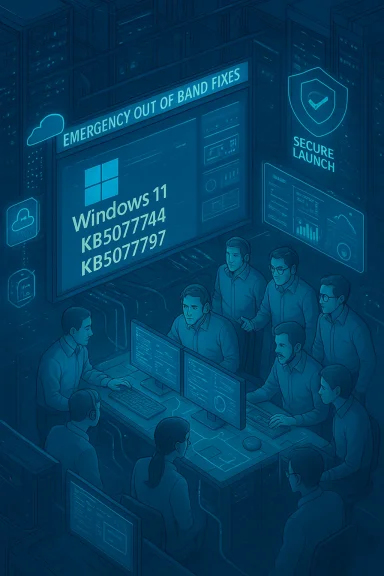
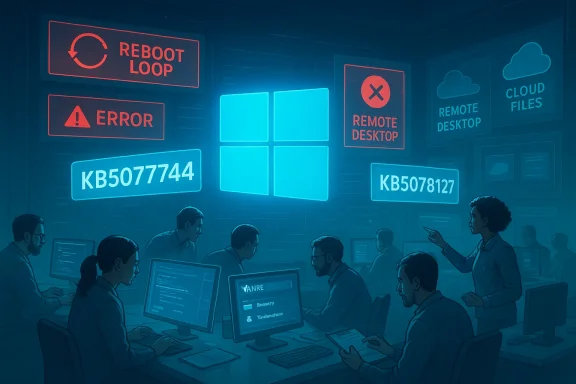
IT team in a high-tech control room, screens show Windows logo, errors, and cloud icons.Overview​

For months the Windows community has catalogued a steady drumbeat of frustrating experiences: flaky updates, intrusive in‑OS promotions, and AI features that felt premature for general release. That chorus became impossible to ignore after Microsoft’s January Patch Tuesday (released January 13, 2026) introduced a cluster of high‑impact regressions—shutdown/hibernate failures on Secure Launch systems, Remote Desktop sign‑in breaks, and cloud‑file I/O crashes that left apps such as OneDrive, Dropbox and Outlook hanging. Microsoft issued multiple emergency fixes (out‑of‑band updates) and publicly acknowledged both the scale of the problem and a corporate pivot to prioritize reliabilility over new surface features.
This article synthesizes the timeline, verifies the technical facts, analyzes root causes, and offers practical guidance for IT teams and recommendations Microsoft should adopt to restore confidence in Windows as a dependable platform.

Background: how we arrived here​

Windows 11 launched with a grand ambition: modern UI, tighter cloud integration, and deep AI hooks through Copilot and related features. Those choices changed priorities inside Redmond—engineering attention shifted toward new experiences and platform SDKs at the same time as the codebase grew ever more modular and device‑gated. That modularity and velocity raised the surface area for regressions: more moving pieces, more package re‑registration at first sign‑in, more interactions with OEM firmware and virtualization‑based security like System Guard Secure Launch. The result: a meaningful uptick in regressions that made even minor updates risky for some configurations.
Two structural tensions accelerated the problem:
  • Feature velocity vs. realistic test coverage: shipping experimental or complex features while test matrices remain incomplete creates regressions that only surface in the wild.
  • Cumulative servicing model: bundling many changes into monthly rollups makes it harder to isolate a single faulty change and increases the chance that interaction effects produce systemic failures.
Microsoft’s senior Windows leadership has acknowledged the severity of user feedback and signaled a change of course. Pavan Davuluri, president of Windows and Devices, told reporters the feedback is “crystal clear” and that engineering will prioritize meaningful improvements to reliability and performance—an admission echoed by coverage in major technology outlets.

Timeline: January 2026, in plain terms​

  • January 13, 2026 — Microsoft published its regular January Patch Tuesday cumulative updates (the January LCUs, including KB5074109 for several Windows 11 servicing branches). Shortly after distribution, telemetry and community reports flagged a set of regressions.
  • January 14–16, 2026 — Reports proliferated that affected machines were either restarting instead of shutting down (notably on systems with System Guard Secure Launch enabled) or failing Remote Desktop authentication during credential prompts. Administrators and managed service providers began triaging user‑facing outages.
  • January 17, 2026 — Microsoft shipped an out‑of‑band (OOB) cumulative update (KB5077744 for 24H2/25H2 and KB5077797 for 23H2) to address the most critical regressions: Remote Desktop sign‑in failures and the Secure Launch shutdown/hybernate regression. These updates were explicitly labeled OOB because the issues materially disrupted productivity. Microsoft documented workarounds and Known Issue Rollback (KIR) guidance for enterprise admins.
  • January 24, 2026 — After issues persisted—developers and admins reported additional app hangs when saving/opening files from cloud storage—Microsoft shipped a second OOB rollup (KB5078127) consolidating January fixes and addressing cloud‑file I/O failures for OneDrive and Dropbox scenarios (including Outlook PSTs stored on cloud folders).
  • Late January 2026 — Microsoft acknowledged a limited number of devices failing to boot with UNMOUNTABLE_BOOT_VOLUME after installing January updates (a small but severe outcome). In many of these cases, investigation pointed to devices stuck in an incomplete state from earlier servicing interactions; affected systems required WinRE or external media recovery. Microsoft continued triage and promised a future resolution.
Multiple independent outlets and Microsoft’s own KB pages align on the above sequence and the KB identifiers cited, making this timeline verifiable beyond a single source.

What actually broke — symptom by symptom​

Shutdown / Hibernate regression on Secure Launch systems​

Some Windows 11 devices configured with *System Guarrtualization‑based early‑boot hardening feature commonly enabled on enterprise/IoT images—would restart instead of powering off* when users chose Shut down or attempted to hibernate. The behavior was configuration‑dependent and therefore limited in scope but extremely disruptive where it occurred (imagine imaging labs, kiosk fleets, or overnight battery management on laptops). Microsoft’s OOB KB explicitly lists this as a fixed symptom in the January 17 releases.
Technical note: the root cause described publicly points to an orchestration interaction between the servicing commit path (which often works across a shutdown/reboot boundary) and Secure Launch’s early‑boot semantics. When the servicing state was not preserved correctly across the shutdown, the system defaulted to a restart. That interaction explains why the regression only appears on devices with specific early‑boot hardening enabled.

Remote Desktop / Cloud PC authentication failures​

After the January LCU, some Remote Desktop clients—including the modern Windows RDP App used for Azure Virtual Desktop and Windows 365 Cloud PCs—began failing during the credential prompt, blocking session creation. Microsoft’s OOB updates and Release Health notes list fixes for this exact symptom and recommend KIR or installing the OOB packages to remediate. This regression impacted hybrid work scenarios in ways that were immediately visible to end users and IT teams.

Cloud‑file I/O hangs (OneDrive, Dropbox, Outlook PSTs)​

A second wave of reports described apps becoming unresponsive when saving or opening files stored in cloud‑backed folders. Outlook profiles that held PST files in OneDrive were particularly affected, with hangs, missing items, or re‑downloads reported. Microsoft’s January 24 OOB update (KB5078127) specifically names this problem and provides fixes and guidance, including moving PST files out of cloud folders as an interim mitigation for affected users.

UNMOUNTABLE_BOOT_VOLUME / boot failures​

The most severe symptom is a small set of devices failing to boot with the UNMOUNTABLE_BOOT_VOLUME stop code after the January update sequence. The error indicates Windows could not mount the system/boot volume during the earliest startup and typically requires recovery via WinRE or offline servicing. Microsoft described the problem as limited but acknowledged it publicly and advised manual recovery while engineering continued to investigate. Multiple outlets independently reported and reproduced boot‑failure cases.

Verifying the claims: what’s confirmed and what remains murky​

The following claims are corroborated by multiple independent sources and Microsoft documentation:
  • Microsoft shipped the January cumulative updates on January 13, 2others).
  • Microsoft issued emergency OOB fixes on January 17 (KB5077744 / KB5077797) and January 24 (KB5078127) to remediate high‑impact regressions.
  • The primary, widely reported symptoms included Secure Launch shutdown failures, Remote Desktop credential failures, and cloud‑file I/O hangs; Microsoft’s KBs list these as known issues and identify the OOB KBs that address them.
Claims that are less precisely verifiable and should be treated cautiously:
  • The assertion that the January update “left machines in an improper state from December’s botched rollout” is partially supported by community analyses that point to interactions between prior servicing attempts and the January commit path, but Microsoft has not published a single, comprehensive root‑cause postmortem detailing every causal link. Until Microsoft releases an explicit root‑cause analysis, any sweeping attribution to December media or a single preceding change should be flagged as an inference from field patterns rather than a verifiable single cause.
  • Some community phrases in the original report are fragmented or garbled (for example, statements like “released patches that , and created a .”); these segments are unverifiable as written and likely represent editing artifacts. I flag them here as unverifiable textual fragments and do not rely on them.

Root‑cause analysis: system complexity, testing gaps, and organizational incentives​

From the available evidence—Microsoft KB notes, telemetry summaries reported by outlets, and repeated community reproductions—several recurring factors surface as the most plausible contributors.

1) Servicing complexity + early‑boot hardening interactions​

Windows updates, especially cumulative rollups, frequently require multi‑phase servicing that may commit changes across reboots. Features like System Guard Secure Launch alter the early‑boot ordering and can make the commit semantics more fragile. Where servicing assumes an unmodified early‑boot baseline, devices with additional hardening can behave differently—and a mismatch during a critical state transition can force a safe fallback (restart) or even leave the boot volume unmountable. Microsoft’s KB descriptions emphasize the interaction nature of these faults, which matches the field observations.

2) Insufficient coverage in pre‑release validation matrices​

Windows runs on millions of hardware and firmware combinations. The more device‑gated or hardware‑specific a feature is (NPUs, Secure Launch, OEM firmware peculiarities), the more essential it becomes to expand validation to include those configurations in staging rings and automated pipelines. The emergent pattern suggests gaps in which important early‑boot and enterprise‑style configurations were underrepresented in canary or Insider validation cohorts.

3) Cumulative update bundling and rollback friction​

Monthly rollups bundle many fixes and updates into a single LCU. That increases the blast radius when something interacts badly with device state. Known Issue Rollback (KIR) and OOB updates mitigate the problem, but the structural reality remains: bundling creates harder-to-isolate breakages and slows remediation until vendors can produce a consolidated fix or targeted rollback. Microsoft’s own deployment of KIR and OOBs during January reflects this constraint.

4) Organizational focus and incentive mismatch​

Multiple reporting threads and internal accounts indicate Microsoft was pursuing ambitious AI‑first features and an aggressive feature cadence. Those priorities, when run concurrently with a sprawling validation surface, create a higher regression risk. Pavan Davuluri’s recent pledge to reprioritize fundamentals suggests leadership recognizes this incentive misalignment and is redirecting resources into reliability work.

Strengths in Microsoft’s response​

Microsoft’s incident handling during January demonstrates several positive capabilities:
  • Rapid detection and emergency response: within four days of the January rollout, Microsoft sixes—an operationally difficult but necessary move that limited broader escalation.
  • Transparency through KB and Release Health pages: Microsoft documented affected builds, symptoms, known issue ronds in its KB articles, enabling IT admins to triage at scale instead of speculating in private channels. Those pages (KB5077744, KB5078127, KB5077797, KB5074109) provide concrete remediation paths and were updated as investigations progressed.
  • Tactical use of Known Issue Rollback and group‑policy mitigations: enterprise tooling allowed managed environments to disable problematic changes without uninstalling whole security updates—an important safety valve for organizations balancing security and stability.
These are meaningful process strengths that matter when a platform of Windows’ scale must remediate at operational pace.

Risks and unresolved problems​

Deriage, the episode highlights material risks that Microsoft must address to rebuild trust:
  • Residual boot failure risk: even if limited, UNMOUNTABLE_BOOT_VOLUME outcomes are catastrophic for end users and administrators. Until Microsoft publishes a full root‑cause report and a definitive remediation, that risk remains a scar on confidence.
  • Perception erosion from feature bloat: layered AI features and in‑OS promotions contributed to a narrative that Microsoft prioritized surface innovations over platform health. Restoring trust requires measurable, sustained improvements, not a single PR push.
  • Test matrix blind spots: the episode indicates not just an en systems problem—validation pipelines need better coverage across real‑world enterprise configurations, especially when security hardening changes pre‑boot behavior.
  • Communication cadence: Microsoft’s KBs are thorough, but enterprises want clearer quantitative telemetry summaries (how many devices impacted, which OEMs are disproportionately affected) to make informed risk decisions. Without those numbers, admins must guess at prevalence and exposure.

Practical guidance for IT administrators anr environment is running Windows 11 or you manage fleets, follow this pragmatic checklist.​

  • Inventory risk surface now:
  • Identify devices with System Guard Secure Launch or other early‑boot hardening enabled.
  • Locate Outlook PSTs, project files, or other critical data inside OneDrive or Dropbox folders.
  • Pause broad deployment of January‑2026 cumulative updates in risky rings:
  • Use pilot rings to validate the OOB updates (KB5077744 / KB5077797 / KB5078127) before enterprise‑wide roll‑out.
  • Apply Known Issue Rollback Group Policies where available if you see the listed regressions.
  • Prepare recovery playbooks:
  • Document BitLocker key retrieval and validate access to recovery media and WinRE procedures.
  • Automate uninstall steps for problematic updates via deployment tools, and test recovery on representative hardware.
  • For users experiencing app hangs with cloud files:
  • Move PSTs and other frequently accessed data out of OneDrive/Dropbox until the patch is validated, or use webmail for immediate access. Microsoft lists this mitigation in its KB notes.
  • Monitor vendor advisories:
  • Track Microsoft Release Health and the specific KB pages (January KBs) for updates and final remediation guidance.

Recommendations for Microsoft: rebuilding stability and trust​

The technical fixes already rolled out are necessary but insufficient for long‑term trust repair. These are practical steps Microsoft should adopt and publicly commit to:
  • Expand pre‑release validation to include a broader, representative set of enterprise and OEM firmware configurations—specifically, test matrices that include Secure Launch, diverse VBS settings, OEM boot firmware permutations, and common peripheral drivers (modems, niche controllers) that remain in use.
  • Break large cumulative updates into more targetable delivery units when changes affect early‑boot, boot‑driver, or filesystem semantics. Smaller, targeted patches reduce blast radius and simplify rollbacks.
  • Publish a transparent, data‑backed postmortem for the January incident: quantify impacted device counts, outline root causes, and explain the corrective engineering and QA changes being implemented. Enterprises need numbers to make deployment decisions; transparency accelerates trust restoration.
  • Introduce an enterprise‑grade “stability score” or Release Health metrics dashboard for each LCU that provides admins with exposure estimates by SKU, OEM, and configuration so they can opt out or defer updates with confidence.
  • Rebalance product roadmaps: prioritize user‑visible performance and reliability KPIs for a sustained window (not just a tactical fix sprint). Publicly commit to measurable SLAs around regressions and mean time to remediation for high‑impact production incidents.

The big picture: why this matters beyond January​

Windows is platform software: its value accrues from consistent, predictable behavior across millions of machines used for work, education, healthcare and critical infrastructure. Repeated surprises—unexpected restarts, lost data visibility, or worse, unbootable devices—erode the implicit promise of "it just works" that built Windows' vast installed base.
Microsoft retains the engineering talent and operational capability to fix these problems quickly, as evidenced by the OOB cadence in January. But technical competence alone won’t repair reputational damage. The company needs tangible, sustained process changes and transparent communication that prioritizes everyday reliability over headline innovations. Restoring trust will require months of consistent delivery and clearer, data‑driven signals to IT admins and users.

Conclusion​

The January 2026 Windows 11 episode is a wake‑up call: shipping at high velocity without sufficient coverage of real‑world, hardened configurations creates fragility that manifests in highly visible—and highly damaging—ways. Microsoft’s rapid emergency updates and public commitment to “swarming” engineers toward core reliability issues are the right immediate moves, but they are only the beginning.
For enterprises and informed users, the practical path forward is clear: inventory your exposure, stage updates conservatively, and prepare recovery playbooks. For Microsoft, the path is organizational: expand validation matrices, reduce the blast radius of rollouts, and publish the transparent telemetry and postmortems that enterprises need to trust the next update cycle.
The company can, and largely has the capacity to, turn this around. Doing so will demand both technical fixes and a cultural recommitment to the fundamentals of platform stewardship—stability, predictability, and clear communication—before the next set of glossy features can credibly be added again.

Source: The Tech Buzz https://www.techbuzz.ai/articles/microsoft-scrambles-engineers-to-fix-windows-11-crisis/
 

IT team analyzes Windows Patch Tuesday bugs amid blue-tinted screens showing boot failure and bug icons.
Microsoft’s top Windows executive has admitted what long-suffering users already know: Windows 11’s update process and overall quality have eroded trust, and the company is redirecting engineers and resources to fix the platform’s most persistent failures. The admission follows a string of high-profile January 2026 update problems — from systems that will not boot to Outlook and File Explorer crashes, display color glitches, and peripheral breakages — that together turned a routine Patch Tuesday into a crisis of confidence for many users and administrators.

Overview​

Windows 11 began 2026 under the weight of a serious Patch Tuesday rollout (the January 13, 2026 cumulative update, KB5074109) that triggered multiple regressions affecting both consumer and enterprise environments. Microsoft acknowledged several issues, shipped multiple out-of-band (OOB) fixes (including KB5077744 and KB5078127), and confirmed that some problems — notably an Outlook workflow bug tied to PST files stored on cloud-backed storage — were resolved in an emergency release. Despite those patches, a still-unresolved boot/drive error affecting a subset of devices sparked broad anxiety.
This article explains what went wrong, what Microsoft has promised to do about it, the practical steps users and IT teams should take now, and what the situation reveals about platform engineering at scale. Where possible, I verify the technical claims with Microsoft’s own release notes and corroborating independent reporting, and I flag where prevalence or root causes remain imperfectly documented.

Background: a year of “death by a thousand cuts”​

Windows 11’s quality issues are not new. Throughout 2025 and into 2026 Microsoft repeatedly released updates that produced visible regressions — USB input failure in the Windows Recovery Environment (WinRE), display and dark-mode inconsistencies in File Explorer, remote desktop authentication problems, and performance regressions in gaming or driver stacks. Many of these incidents required emergency hotfixes or Known Issue Rollback (KIR) mitigations to protect users while permanent fixes were developed.
Two trends make these failures particularly painful:
  • The Windows ecosystem’s sheer hardware and driver diversity means a single patch can interact unexpectedly with many third-party drivers.
  • Security-driven changes (for example removing legacy, unmaintained kernel-mode drivers) improve long-term safety but can simultaneously break niche but real customer scenarios when chips vendors or ISVs have no modern replacements.
Microsoft has mechanisms — notably Known Issue Rollback (KIR) and phased, telemetry-driven rollouts — intended to temper the damage, but they are imperfect shields. KIR can quickly disable a single change without removing the entire security rollup, but it primarily helps nonsecurity code-path regressions and requires careful activation and communication. Microsoft documents KIR as a core mitigation tool; how and when KIR is applied affects how widely and quickly users will notice and recover from regressions.

What the January 2026 updates actually did​

The headline KB and the chain reaction​

On January 13, 2026 Microsoft released the January 2026 cumulative updates (KB5074109 for consumer Windows 11 builds and related KBs for other channels). The roll contained dozens of changes and security fixes, but several defects were triggered or surfaced after broad deployment:
  • A boot/volume failure manifesting as UNMOUNTABLE_BOOT_VOLUME or similar errors that left some PCs unbootable without manual WinRE intervention or, in the worst cases, a full OS reinstall. Independent reporting and forum threads documented user systems that required recovery efforts.
  • Applications acting up when saving to or opening from cloud-backed storage (OneDrive, Dropbox). In particular, classic Outlook configurations with PST files hosted on OneDrive could become unresponsive or lose “Sent Items” behavior. Microsoft documented the symptom and rolled an OOB update (KB5078127) on January 24, 2026 to resolve the problem.
  • Remote Desktop and Azure Virtual Desktop / Windows 365 authentication and credential prompts failing in certain builds, which Microsoft addressed with a follow-up OOB patch (KB5077744).
  • Visual glitches and abrupt color or white flashes in File Explorer and other UI surfaces when themes or dark mode were active, producing UI flicker or blank/white windows that disrupt workflows. These were widely reported and acknowledged.
  • Peripheral fallout: October 2025’s USB input failure in WinRE (a precedent) reopened concerns about USB and recovery reliability when updates touch low-level device stacks. The October problem was patched with emergency releases, highlighting that such regressions can persist across months of servicing cycles.
  • Compatibility choices with security implications: the January update intentionally removed several legacy modem drivers (agrsm64.sys, agrsm.sys, smserl64.sys, smserial.sys). That removal was documented in the KB notes and not classified as a bug; nonetheless, users who still depended on these drivers lost modem functionality. This illustrates the tension between hardening and backward compatibility.
Microsoft’s release-health channels and KB articles list these items and the corresponding mitigations; independent outlets and community forums reported symptoms from real-world users, producing multiple corroborating narratives.

The emergency fixes and timing​

Microsoft deployed multiple OOB fixes in short succession:
  • KB5077744 (Jan 17, 2026) — addressed a set of remote connection and sign-in issues impacting AVD and Windows App connections.
  • KB5078127 (Jan 24, 2026) — a cumulative OOB addressing cloud-backed storage app unresponsiveness (Outlook PST-on-OneDrive issues) and rolling earlier January changes into a corrected package; Microsoft recommends installing this OOB instead of the original January security update for devices that have not yet deployed the problematic patch.
The reactive cadence — a problematic monthly cumulative update followed by emergency OOB patches — is not unusual, but repeated reliance on out-of-band fixes signals that either regression detection failed pre-release or the complexity of interactions exceeded testing coverage. Both are governance failures at scale.

Microsoft's public response: “swarming” and rebuilding trust​

Pavan Davuluri, President of Windows and Devices, told The Verge the company hears the feedback loud and clear and will concentrate Windows engineering on performance, reliability, and the overall experience in 2026. Internally, the team has invoked an approach called “swarming” — massing engineers to attack high-priority bugs and regressions — and committed to rebuilding user trust through measurable improvements rather than marketing.
Those comments are significant because they come from the Windows leadership team and reflect a strategic shift: de-prioritize some outward-facing feature pushes and direct energy toward stability engineering. Multiple outlets reported the pledge and explained the swarming concept, which is effectively triage at scale.
But words alone will not rebuild trust. Past cycles have seen similar commitments after major incidents; the difference this time will be whether Microsoft publishes clear metrics and adheres to explicit SLAs for update quality, regression rates, and time-to-fix.

The technical root causes (what the evidence suggests)​

No single root cause explains every regression, but the pattern is consistent with a few systemic factors:
  • Low-level driver removals and security hardening inevitably break corner-case hardware. The modem driver removals in KB5074109 were intentional: Microsoft removed in-box legacy modem binaries because they introduced a kernel-mode attack surface and had no upstream maintainers. The company documented the change; users reliant on that legacy hardware were left without a supported path.
  • Complex interactions across update layers. Monthly cumulative updates bundle security and nonsecurity fixes together. When a nonsecurity change regresses, it may still be deployed because security fixes are critical — making rollback options complex. This is part of why KIR exists: to roll back specific nonsecurity changes while leaving security updates in place.
  • Incomplete pre-release coverage for atypical configurations. Insufficient hardware sampling or missed test cases allow regressions to survive into broad releases. Community-driven bug reports and telemetry can detect these post-deployment, but the damage is already done.
  • Telemetry vs. privacy tradeoffs. Telemetry helps Microsoft detect regressions early, but tighter privacy settings reduce the signal available for diagnosing rare regressions in the field. Balancing that tradeoff is operationally and politically fraught.
Taken together, these forces make it easy to understand how a well-intentioned security hardening or UI tweak can cascade into customer-visible breakage.

What Microsoft has that helps — and what it lacks​

Strengths Microsoft can and should capitalize on:
  • Global deployment and telemetry — Microsoft can instrument update rollouts to throttle or block at-risk devices and roll back changes using KIR or targeted controls. KIR is a key emergency lever for limiting damage without removing security fixes.
  • Engineering scale — “Swarming” concentrates developer attention and can accelerate fixes faster than routine release cycles.
  • Rapid OOB patch capability — Microsoft can ship out-of-band cumulative patches for severe regressions, as it did in January 2026.
Gaps that make users nervous:
  • Communication clarity — update KBs and release-health pages often document the change but don’t always quantify how many devices are affected or give clear remediation timelines.
  • Testing coverage transparency — customers and admins want to know what telemetry and test coverage captures their use cases; currently that information is institutionally opaque.
  • Backward-compatibility stewardship — when Microsoft removes legacy components for good reason, customers using older hardware must get clearer migration guidance or vendor-assisted driver updates.

Practical guidance: what users and IT teams should do now​

If you run Windows 11 on personal devices or manage fleets, here’s a prioritized checklist:
  1. Assess exposure
    • Check whether you installed January 2026 updates (look for KB5074109 or the build numbers). If you manage enterprise devices, consult your update management console and Microsoft release health announcements.
  2. Install the out-of-band fixes where relevant
    • If you are affected by the Outlook or cloud-storage PS T issue, install KB5078127 (released Jan 24, 2026). Microsoft recommends the OOB for devices that had not yet taken the original January update.
  3. Use Known Issue Rollback (KIR) where appropriate
    • For enterprise-managed devices, consider KIR group policy templates to isolate regressions without rolling back security protections. Microsoft documents KIR procedures and provides MSI templates for admins.
  4. Maintain recovery options
    • Create current system images and bootable recovery media before applying major updates. If you rely on niche hardware (legacy modems, specialized telephony, industrial automation), test updates on a staging device first.
  5. Pause updates for high-risk endpoints
    • For mission-critical systems, defer nonemergency cumulative installs for a short window while you validate with vendor guidance; install security fixes selectively if the environment demands it.
  6. Inventory and vendor engagement
    • If any hardware stopped working due to driver removals (for example legacy modems), inventory the devices and contact hardware vendors for signed replacement drivers or supported migration paths. The January modem-driver removals were explicit; vendor follow-up may be required.
  7. Monitor Microsoft’s Windows release health dashboard
    • Microsoft updates the release-health and resolved-issues pages as fixes are shipped; use those pages to track workarounds and patches for specific KBs.
Follow these steps in sequence for the best chance of minimizing downtime and maintaining compliance.

What Microsoft should publish and measure (my recommendations)​

To rebuild trust, Microsoft should do more than “swarm.” The Windows engineering organization must show measurable progress:
  • Public Quality KPIs: publish monthly metrics that include regression counts by severity, median time-to-fix for severity-1 and severity-2 issues, and the percentage of devices that saw no regressions after key rollouts.
  • Transparent KIR usage: when KIR is activated, publish the criteria and the devices targeted so admins can see how Microsoft scoped the mitigation.
  • Improved pre-release coverage: expand hardware test labs and partner with OEMs and driver vendors to ensure critical device types (audio, networking, storage controllers, GPU drivers) are included in pre-release cycles.
  • Clear migration guidance for removed legacy components: if drivers or in-box binaries are removed for security reasons, publish a migration roadmap and help vendors supply replacement drivers.
These moves would be concrete evidence Microsoft is prioritizing reliability over feature churn.

Risks and remaining unknowns​

  • The boot/volume errors reported after the Jan 13 update are severe; while many users recovered with WinRE or system restores, some reported data loss or required reinstall — the final prevalence and root cause analysis remain partially opaque. Microsoft’s release notes and third-party reports confirm instances and remediation work, but an exhaustive public RCA (root-cause analysis) would improve confidence.
  • Removing legacy drivers (modems) is defensible from a security stance, but it increases operational risk for organizations that rely on specialized systems. Microsoft documented the removal, but the burden of remediation falls onto hardware vendors and customers.
  • Short-term confidence risk: if swarming clears the backlog but Microsoft continues to ship large, complex cumulative updates with insufficient end-to-end testing, we’ll see similar cycles of emergency patches and rolling trust erosion.
Where claims cannot be independently quantified (for example the total number of devices impacted by UNMOUNTABLE_BOOT_VOLUME), treat anecdotal counts from forums as indicators of severity, not definitive prevalence metrics. Microsoft’s telemetry and controlled rollouts are the authoritative source; broader publication of that telemetry would reduce speculation.

Final analysis: words plus program — can Microsoft actually fix Windows 11's trust deficit?​

Microsoft’s public shift — reallocating engineering resources, invoking swarming, and emphasizing reliability — is the right strategic move. The company has the tools and scale to make Windows 11 measurably better: massive internal testing resources, telemetry-fed rollouts, KIR and OOB patching capability, and an enormous installed base that provides rapid feedback.
But promises only matter if they translate into visible outcomes for users. That means fewer emergency hotfixes, shorter mean time to resolution for critical regressions, clearer communication about the scope and impact of changes, and explicit remediation paths for customers broken by compatibility pivots (e.g., driver removals). If Microsoft publishes measurable progress and adjusts its release discipline — including slowing feature rollouts when stability is at risk — the company can rebuild credibility over 2026. If not, words will join a long list of apologies and the trust gap the company now acknowledges will widen.
For Windows users and admins the pragmatic play remains the same: inventory critical hardware, test updates in staging, keep recovery media current, and apply Microsoft’s OOB fixes and KIR guidance where necessary. Microsoft’s pledge to “focus on addressing pain points” is a welcome start — but outcomes will be the only metric that matters to a community exhausted by repeated regressions.

Quick checklist: What to do right now​

  • Check whether your systems installed KB5074109 (Jan 13, 2026). If you see boot or app problems, consult Microsoft’s Windows release health notes and install KB5078127 if recommended.
  • For enterprise fleets, evaluate and deploy KIR policies where Microsoft has published them; engage Microsoft Support for targeted KIR templates if you’re seeing a production-impacting regression.
  • Back up systems and create recovery media before applying major cumulative updates. Test vendor drivers and ensure key peripherals (especially older modems or industrial devices) have vendor-supported replacements if in-box drivers were removed.
  • Monitor Microsoft’s Windows Release Health dashboard and official KB articles for updates and remedial patches.

Microsoft has acknowledged the problem and allocated resources to fix it. That’s necessary but not sufficient. The coming months will test whether a renewed focus on engineering discipline and transparent remediation can restore the reliability users expect from their primary computing platform. Until Microsoft demonstrates measurable improvements — fewer severe regressions, faster fixes, and clearer communication — many Windows 11 customers will remain skeptical.

Source: eTeknix Microsoft Acknowledges Windows 11 Issues and Pledges to Improve the OS
 

Two professionals review translation on dual monitors in a high-tech workspace.
OpenAI’s quiet roll‑out of ChatGPT Translate and a cluster of language‑AI moves across labs, hyperscalers, and tooling vendors mark a new inflection point for machine translation and voice AI: the technology is moving from experimental wizardry into everyday workflows, but the business and product choices now being made show the industry is evolving toward augmentation, not wholesale automation. This week’s language‑industry pulse — senior revenue and operations hires at DeepL, Anthropic’s usage data about how people actually use assistants, Microsoft Copilot telemetry that ranks translation and language learning among top consumer tasks, Adobe’s new “Translate this PDF” in Acrobat/Express, and NVIDIA’s open‑source play in real‑time voice — together sketch a pragmatic, messy picture: quality and trust matter more than raw novelty, formatting and UX are now first‑order problems, and the race for infrastructure is as strategic as model quality. //slator.com/translation-language-learning-top-copilot-use-cases/)

Background​

Language AI is no longer a single‑product story. Over the past 18 months the field has split into distinct battlegrounds: consumer translation (fast, ubiquitous, offline), enterprise language platforms (secure, auditable, tenant‑grounded), and real‑time voice/agent ecosystems (low‑latency streaming, voice cloning, orchestration). Each is evolving on different timelines and with different risk profiles. Vendors that once competed on model size now compete on tooling — document workflows, tone control, privacy guarantees, local inference — and on where they sit in the stack: model author, inference provider, or infrastructure enabler. Recent signals from DeepL, Anthropic, Microsoft, Adobe, NVIDIA and others confirm that pivot.

What Slator reported — the quick read​

  • DeepL made senior hires ions, signaling a shift from rapid product development to large‑scale enterprise execution and global go‑to‑market expansion.
  • Anthropic’s usage research shows AI is being used predominantly as a support tool — concentrated on review, validation, and augmentation — rather than complete hands‑off automation. Humans remain central to the loop.
  • Microsoft Copilot telemetry demonstrates that translation and language learning are among the most frequent consumer why language features show up across Office and Windows.
  • Adobe’s “Translate this PDF” shipped as a practical Acrobat → Adobe Express workflow; early tests found formatting and layout preservation were the main friction points, not raw translation accuracy.
  • NVIDIA is seeding the open‑source voice stack (low‑latency ASR/TTS models and datasets) while simultaneously pushing hardware that becomes more valuable as voice agents scale. That combination of openness and platform leverage is a deliberate strategic posture.
These are the load‑bearing claims that matter to Windows users, localization teams, and IT decision‑makers. Below I unpack each in more detail, validate technical specifics where public evidence exists, and assess the strengths, limitations, and operational risks.

ChatGPT Translate: strategy over perfection​

What it is (and isn’t)​

OpenAI’s ChatGPT Translate launched quietly as a standalone web tool offering text translation with tone‑control (business‑formal, casual, child‑friendly, etc.), automatic source detection, and a dual‑box UI reminiscent of Google Translate. At first glance the product is an obvious strategic move: OpenAI aims to convert ChatGPT’s flexible, context‑aware generation strengths into a translation product that differentiates on adaptability rather than raw language coverage. Early hands‑on reporting notes feature gaps — limited language list on some interfaces, lack of document/image upload on desktop, and missing offline modes — suggesting this is an early‑stage deployment rather than a finished competitor to Google Translate.

Why this matters​

Two reasons make the launch important beyond immediate utility. First, ChatGPT Translate reframes translation as conversation‑aware language conversion — a model that can rewrite for audience, register, and tone rather than only literal equivalence. That is a practical differentiator for content creators and business users who need a translation that “lands” with a specific reader. Second, putting a dedicated translation interface out into the world signals OpenAI’s intention to own a broader slice of end‑user productivity, not just general chat. This is strategic positioning that matters for Edge/Windows integrations and enterprise contracts.

Caveats and immediate UX problems​

Real‑world testing and third‑party reviews converge on two problems:
  • Missing features: image/document uploads, robust voice handling, offline modes and wide language coverage are important for parity with existing mobile translation tools. Early versions appear partial on several of these counts.
  • Interface semantics: OpenAI’s default prompt encouraging the model to make text “more fluent” generated debate. Experts warn that fluency‑seeking defaults can trade precision for naturalness in sensitive contexts — a dangerous outcome for legal, medical, or compliance documents where fidelity must trump cosmetic style changes. Approach with caution where fidelity matters.
Bottom line: ChatGPT Translate is strategically important and promising for context‑aware rewrites, but it’s not yet a drop‑in replacement for specialized document translation workflows or offline mobile use.

Anthropic’s usage data: augmentation, not replacement​

Anthropic’s Economic Index and related usage reports — which analyze millions of Claude sessions — show a nuanced reality: AI adoption is fast, but concentrated. A relatively small set of tasks (coding, document triage, summarization) account for a large share of interactions, and a meaningful portion of usage looks augmentative rather than fully automated. In Anthropic’s public reporting and coverage, metrics like “directive automation” vs “augmentative” share provide evidence that humans remain in the loop for high‑stakes or complex tasks.

Key findings worth noting​

  • Task concentration: the top 10 tasks represent a large fraction of total traffic, implying narrow, high‑value use cases dominate.
  • Augmentation vs automation: consumer interactions show more augmentation (humans reviewing, editing, validating outputs), while enterprise API traffic is more automation‑oriented — but even there reliability metrics temper expectations.
  • Human skill matters: Anthropic’s reports correlate better outcomes with more sophisticated prompting and user skill, reinforcing that adoption is as much about process and training as model performance.

What this means for localization and Windows users​

  • Expect AI to accelerate translators’ workflows rather than replace them. Smart translation workflows will use LLMs for first drafts, terminology application, or variant generation, with human linguists remaining responsible for quality assurance and cultural adaptation.
  • Governance matters: usage patterns differ by account type. Enterprises must treat API automation with stricter testing, logging, and monitoring than consumer tooling.

Microsoft Copilot: translation and language learning as everyday AI​

Microsoft’s telemetry shows translation and language learning are among Copilot’s most frequent consumer intents across Word, Outlook, Teams, and OS‑level features. The Microsoft Copilot Usage Report 2025 — a de‑identified sample of tens of millions of conversations — places language learning and translation in the top usage clusters, alongside technology, work and career, and health topics. This explains why Microsoft is embedding Live Captions, translated subtitles, and tenant‑aware language features across Windows and Office.

Practical implications​

  • For Windows IT teams, language features are high‑value, low‑friction productivity gains: live captions, on‑device inference for privacy, and tenant‑grounded translation are practical win areas. Copilot’s architecture — model routing for speed vs depth, tenant grounding via Microsoft Graph — aligns with enterprise needs for security and auditability.
  • For localization teams, Copilot is a distribution channel: small translation tasks, quick glossary checks, and language tutoring can be handled in‑app, shifting some low‑complexity volume away from human linguists.

Adobe’s “Translate this PDF”: a usability win with layout hazards​

Adobe added a Translate this PDF workflow that routes documents from Acrobat into Adobe Express for translation and back. Adobe’s own documentation admits the main limitations are formatting, unsupported fonts, scanned/secured files and complex layouts — not necessarily the core translation quality. In practice, reviewers found that the translations themselves were generally serviceable, while preserving tables, columns, and page layout reliably remains the hard engineering problem. That matches long‑standing translation industry experience: PDFs are primarily a layout/formatting challenge, not (only) a linguistic one.

What to watch​

  • OCR quality for scanned PDFs remains the dominant failure mode; for legal or regulatory documents, rely on certified human translation workflows.
  • Vendors increasingly expose tone controls (formal/informal) in document translation UX; use these judiciously and always preserve source‑of‑truth checks.

NVIDIA: open models, closed loop strategy, and the voice stack​

NVIDIA’s recent model releases and datasets — from Nemotron Speech ASR to Magpie TTS and the Granary dataset — show a deliberate play: open‑source the building blocks for real‑time multilingual voice agents while selling the infrastructure that makes them practical at scale. This two‑pronged approach drives developer adoption (open weights, datasets, inference code) and fuels demand for NVIDIA inference hardware (Vera Rubin/Blackwell families). In short, NVIDIA wants to own both the software primitives and the hardware economics of real‑time voice AI.

Why it matters for real‑time multilingual voice​

  • Open ASR/TTS models with very low end‑to‑end latency make distributed, real‑time voice agents feasible on premise or in the cloud. That unlocks new use cases — contact centers, live translation earbuds, and voice‑first assistants.
  • Vendors building voice agents now must think about latency budgets, model quantization, and inference caches; NVIDIA’s stack is explicitly tuned to those engineering tradeoffs.

DeepL’s senior hires: from product sprint to global execution​

DeepL’s appointments of senior leaders in revenue and operations signal a common progression for high‑quality language‑AI companies: after a phase of model and product innovation, the next growth task is enterprise go‑to‑market scaling and operational discipline. Recent reporting documents new C‑suite hires that bring enterprise sales, scaling, and operational expertise to DeepL — a logical move as customers shift from pilots to broad rollouts.

Strategic reading​

  • DeepL’s strength (translation quality and domain focus) positions it to capture enterprise clients who demand accuracy, compliance, and on‑prem options. The hires indicate DeepL expects the revenue motion to be enterprise‑led rather than purely consumer.
  • For buyers: expect standardized contracts around data usage, non‑training guarantees, and integration playbooks as DeepL matures as a vendor.

Funding, M&A andesia, Deepgram, ElevenLabs and the voice/video arms race​

Capital flows show investors are doubling down on audio/video generative AI and voice infrastructure:
  • Synthesia: continued large rounds and a recent Series E pushed valuation higher as the company targets enterprise video and learning scenarios. Synthesia’s trajectory demonstrates that multilingual video and avatar services are marketable at scale.
  • Deepgram: raised a $130M Series C at unicorn valuation to scale real‑time voice APIs, acquisitions and enterprise offerings — a bet that voice orchestration and enterprise grade STT/TTS are foundational infrastructure.
  • ElevenLabs: a high‑growth voice company with several headline raises; recent reporting includes multiple valuation rounds and rumors/coverage of larger secondary/primary deals — treat speculative valuation reports cautiously. Some coverage reports extremely large valuations in late‑stage discussions; these should be treated as market rumor until official filings or press releases confirm.

What the funding picture implies​

  • The ecosystem is bifurcating: a core set of platform providers (cloud, NVIDIA, Deepgram), a content‑centric set of creatoLabs), and specialized language AI vendors (DeepL, translation providers). Expect more vertical consolidation and platform partnerships as companies try to own both model/data locks and distribution channels.

Strengths, risks, and the middle ground​

Strengths to celebrate​

  • Practicality: vendors are shipping product features that users actually need — PDF translation, tone controls, live captions — not only bench results. This increases real‑world utility.
  • Specialization: teams that focus on language quality (terminology, legal accuracy, style variants) are differentiating from generic LLM vendors. DeepL’s enterprise focus is a case in point.
  • Infrastructure realism: NVIDIA’s open model plays paired with hardware offerings create predictable paths to low‑latency voice agents that can be deployed at scale.

Risks and open questions​

  • Hallucination and fidelity: the push for fluency risks introducing subtle errors. Defaulting to “more fluent” rewrites without user consent can be harmful in legal, medical, or regulated content. Always surface confidence or provenance for high‑stakes outputs.
  • Governance gap: consumer UIs concentrate risk (copy/paste into ChatGPT/Copilot) unless enterprises enforce SSO, logging, and DLP for AI interactions. Anthropic’s reports show very different automation vs augmentation patterns between consumer and API usage — governance must match the channel.
  • UX and layout: file formats like PDF will remain a practical barrier. Translation vendors who ignore layout and OCR robustness will see high friction among professional buyers. Adobe’s messaging is explicit: format quality, is the common failure.
  • Economic concentration: the infrastructure layer (GPUs, specialized inference stacks) concentrates value with a few players; watch for oligopolistic dynamics as vendors tie models to proprietary accelerators. NVIDIA’s combined open‑and‑platform strategy is a test case.

Practical guidance for Windows users and IT teams​

  1. Treat language AI outputs as drafts, not final deliverables. Use human review for legal, financial, and safety‑critical content.
  2. Enforce account controls: require corporate SSO, manage personal/free account usage on managed devices, and integrate semantic DLP where possible. Anthropic and enterprise audits show most leakage comes from unmanaged endpoints.
  3. Pilot productivity wins first: run constrained pilots for high ROI tasks (PDF‑to‑deck, weekly KPI briefs). Build short verification checklists for each Copilot output that enters a report.
  4. For document translation: prioritize OCR quality, font support, and layout preservation. Test with representative PDFs — scanned legal forms, tables, and multi‑column pages — before relying on automated outputs. Adobe’s guidance flags these exact issues.
  5. If you deploy voice agents, budget for latency testing, edge inference options, and consent/legal guardrails for voice cloning. NVIDIA‑optimized stacks are fast, but privacy and consent frameworks must be operationalized.

Looking ahead — three bets to watch​

  • Human‑in‑the‑loop as the default product design: vendors that bake easy verification, provenance, and multi‑round editing into translation and voice products will win enterprise budgets. Anthropic’s usage data supports this.
  • Real‑time voice ecosystems will scale quickly if developers get low‑latency open primitives plus affordable inference hardware. NVIDIA’s play here accelerates that outcome.
  • Translation will split into two markets: consumer fast‑translation (mobile/offline, direction‑specific) and enterprise document/creative translation (quality, domain adaptation, compliance). Vendors must choose which they optimize for; DeepL’s recent hires indicate they chose the latter.

Conclusion​

The language industry is maturing out of an experiment phase into production. The week’s news — ChatGPT Translate’s soft launch, Anthropic’s usage analysis, Copilot’s translation traffic, Adobe’s PDF tool, NVIDIA’s open voice stack, and strategic hires at DeepL — collectively show a market where trust, governance, integration, and UX are now the competitive front lines. Models are good enough for useful work; the next decade’s winners will be those who make that work reliable, auditable, and respectful of context, layout, and consent. For Windows users and IT teams, that means piloting with clear verification checkpoints, managing account surface area, and treating AI outputs as collaborative drafts that require human judgment before they touch customers, regulators, or the public record.

Source: Slator https://slator.com/chatgpt-translate/
 

The Department of Homeland Security has quietly added commercial generative‑video tools from Google and Adobe to its public‑facing communications toolkit — a disclosure that sharpens urgent questions about provenance, accountability, and how modern AI‑generated video is reshaping government messaging.

A government public affairs team reviews a cityscape video dashboard in a high-tech briefing room.Background / Overview​

DHS publishes an annual, public AI Use Case Inventory that lists non‑sensitive, unclassified AI deployments across the department. The inventory is intended to provide transparency about the kinds of AI technologies DHS authorizes and how those systems are being used inside components such as CBP, ICE, FEMA, CISA and others. The department hosts both a simplified web view and a downloadable full inventory spreadsheet for independent review.
Independent reporting based on the newly posted inventory names Google’s Veo/Flow family and Adobe Firefly among the creative tools DHS has procured for “editing images, videos or other public affairs materials using AI.” Those reports also cite an inventory‑derived estimate that DHS holds somewhere in the order of *100 to 1,000 lreative suites — a wide bracket that should be treated as indicative, not definitive.
Why this matters: DHS components — particularly immigration and customs enforcement agencies — have produced high volumes of short videos and social posts in recent months. Some of that content has a style or texture that observers describe as
synthetic or AI‑generated*. The inventory disclosure provides a concrete, public mechanism that explains how those capabilities could be available to produce and scale such content. However, the inventory documents procurement and authorized use cases — it does not provide forensic evidence tying any single social post or clip to a specific model or vendor. That distinction is central to responsible analysis.

What the DHS inventory actually shows​

The inventory’s structure and limits​

DHS’s public inventory is organized by component and use case, and it differentiates between full, downloadable entries and a simplified, web‑friendly view. It is explicitly a disclosure of unclassified and non‑sensitive AI use cases; items that involve classified systems, national security systems, or internal R&D are omitted or redacted under existing rules. The inventory also identifies whether a use case is deemed safety‑ or rights‑impacting under Office of Management and Budget guidance.
Important operational caveat: the inventory records the presence and authorized uses of tools — it is not an audit log of content creation. That means the presence of a license or a listed use case does not, by itself, prove that a particular piece of published media was generated with a named model. This is a crucial, commonly misunderstood boundary between procurement transparency and content attribution.

Named vendors and the reported license bracket​

The recent reporting highlights two production‑grade vendors in the creative stack:
  • Google Veo / Flow — described as a filmmaking suite that couples Veo text/image‑to‑video generators with editing and assembly tools. Flow is positioned as an end‑to‑end workflow that can generate short cinematic clips — including synchronized audio and basic dialogue — and assemble those clips into finished videos.
  • Adobe Firefly — Adobe’s creative model offering that includes text‑to‑image and text‑to‑video, plus an editing timeline in the Firefly video editor. Adobe explicitly exposes partner models (including Google Veo variants) as selectable generation engines inside Firefly’s video workflow. Documentation shows selectable Veo model options and configuration settings for resolution, aspect ratio, and audio generation.
Reporting about 100–1,000 total licenses in the department is drawn from the inventory snapshot; treat that range as an administrative estimate rather than a precise seat count. DHS’s inventory spreadsheets and procurement systems could indicate exact numbers, but the public summary presents aggregated bands that aim to balance transparency with administrative simplicity.

Verifying the vendor and technical claims​

Adobe Firefly’s interoperability with Veo​

Adobe’s Firefly video editor documentation demonstrates explicit interoperability: Firefly can call partner models such as Veo 2, Veo 3.1, and Veo 3.1 Fast within its generation panel. The docs list selectable models, offer parameters for output resolution (720p/1080p), frame lengths, and show that some Veo model variants offer audio generation. Those vendor docs corroborate the headline claim that Firefly and Veo are functionally linked in modern creative pipelines.

Google Flow / Veo capabilities​

Separately, Google markets a creative workflow (Flow) that integrates Veo generation models with editing and sequencing tools. Independent hands‑on reviews and vendor pages indicate Veo’s strengths are short‑form cinematic realism, audio/soundscape generation, and rapid iteration — while identifying known weaknesses (text rendering, occasional artefacts, and constrained shot duration) typical of generative video models today. Combined, Firefly + Veo/Flow form plausible production paths for short public‑affairs videos.

What these product docs do — and don’t — prove​

  • The vendor documentation verifies that these tools exist at enterprise scale and can produce hyperreal short clips with audio and dialogue features. That supports the inference that agencies can procure and deploy these capabilities for public communication.
  • The documentation does not prove that any specific DHS social post or video was created with a named model. Attribution of a particular clip requires preserved provenance metadata or vendor logs correlated to the content’s export — items not published in the inventory. Treat procurement evidence and content forensic evidence as separate categories.

The ethical, legal and operational stakes​

Speed, scale and the erosion of natural friction​

Generative video tools collapse many traditional production barriers: you don’t need a camera crew, actors, location releases, or licensed music to draft a persuasive 15–30 second clip. For a government communications shop, that means far faster iteration and broader reach — and the capacity to produce repeated messaging at scale. That capability is powerful for public‑safety alerts, multilingual outreach, and accessibility assets, but it also raises the risk that authoritative sources will be able to flood attention channels with polished, persuasive material that looks indistinguishably real at a glance.

Provenance is fragile​

Vendors offer content‑credential features — Adobe and Microsoft are leading adopters of the C2PA/Content Credentials standard — but practical provenance is brittle. When a credentialed asset is exported, transcoded by a platform, or re‑posted, visible metadata or watermarking can be stripped or degraded. That means the technical mechanisms that could prove how a video was created are only useful if they survive the full lifecycle of sharing and archiving. Platforms and publishing workflows therefore play a decisive enforcement role.

Legal, copyright and civil‑liberties exposure​

  • Music and stock assets: Short social videos often include music and stock clips. Using generative tools doesn’t eliminate licensing obligations; agencies must ensure they have the right to distribute any included assets. Prior DHS posts have already triggered takedowns and complaints over music usage.
  • Training‑data claims: Vendors’ contractual assurances about training data (e.g., “trained only on licensed or public‑domain material”) matter for legal risk. Enterprise‑grade contracts can include non‑training guarantees, but these are contractually bounded and from litigation or reputational harm. Procurement teams must insist on explicit training‑use terms and indemnities.
  • Civil‑liberties concerns: Videos that depict operations, or include images of detained people, raise privacy and due‑process questions. Automated or mass‑produced imagery can amplify perceived coercion or misrepresentation. Agencies must apply extra scrutiny when content touches on vulnerable individuals or sensitive operations.

What remains uncertain — and how to treat unverifiable claims​

  • Can we attribute a specific DHS video to Veo or Firefly? No — the inventory indicates procurement and authorized uses, not per‑asset provenance. Independent attribution requires preserved content credentials or vendor logs.
  • Are the license counts precise? The reported “100–1,000” band is an inventory‑derived estimate; it is a useful signal of scale but not a precise seat count. Treat it as an administrative range until procurement records are produced.
  • Do vendor watermarks prove AI origin? Not reliably. Watermarks and metadata can be stripped during re‑encoding, cropping, or platform transcoding — a practical weakness of many current provenance schemes unless platforms preserve the credentials end‑to‑end.
When reporting or advising, call out these uncertainties explicitly and avoid conflating procurement with content forensic attribution.

Practical guidance for Windows admins and public‑sector IT teams​

DHS’s disclosure is a case study in how generative media migrates into public operations. For IT leads responsible for endpoints, creative suites, and compliance on Windows devices, here are practical steps you can take now.

Immediate technical checklist (1–2 weeks)​

  • Inventory installed and permitted creative AI tools on managed machines — include Adobe Firefly, Flow/Gemini/Google plugins, Copilot Chat and any vendor‑specific apps.
  • Map license keys and admin accounts to a single procurement registry and record tenant scoping (enterprise vs. consumer).
  • Enforce *and Microsoft Purview policies to block uploads of PII, case files, or unredacted images to consumer generative services.
  • Apply Conditional Access and device‑compliance policies so only approved, managed devices can access enterprise‑licensed AI creative services.
  • Ensure endpoint AV and EDR solutions are updated to monitor unauthorized bundling of third‑party creative apps.

Governance and procurement (30–90 days)​

  • Require non‑training contractual clauses where sensitive inputs may be used by the model, or insist on tenant‑grounded, enterprise deployments that keep prompts and assets inside a government‑controlled environment.
  • Insist on content‑credential exportability (C2PA/Content Credentials) and vendor commitments to preserve provenance in exported video and audio metadata.
  • Build an internal content registry that records: creation date, tool name and version, export hash, prompt/asset provenance, and editorial approvals. Make this registry searchable and tamper‑evident.
  • Mandate human sign‑offs for all public releases that include images of people, operational details, or law‑enforcement activity. Create a multidisciplinary review panel (communications, legal, privacy, technicuditability and retention
  • Configure creative workflows to produce immutable logs (who generated what, with which prompt, and when). Archive original generation outputs alongside exported renders.
  • Preserve content credentials as part of the official release package; require social‑media account managers to upload and store credentialed originals in a secure archive.
  • If feasible, require vendors to provide audit logs that map tenant exports to model invocations for a defined retention window (e.g., 1–5 years) to support later forensic review.

Public transparency and interoperability​

  • Adopt C2PA/Content Credentials for all AI‑assisted creative exports and include a human‑readable notice on official channels wheibuted to a public piece. Industry standards exist to attach tamper‑resident metadata; the policy question is how to ensure that metadata survives platform workflows.

Recommended policy changes for agencies using generative media​

  • Require machine‑readable provenance ledgers for every public asset in which AI was materially used. This ledger should include the tool name and version, a cryptographic export hash, the tenant account that exported the media, and the human approver.
  • Make non‑training/de‑identified data use and prompt‑handling terms mandatory for creative AI procurements where sensitive inputs are possible. Treat vendor training guarantees as a contractual minimum, not a replacement for operational controls.
  • Launch a cross‑agency playbook for credible disclosure labels and platform partnerships that preserve content credentials when official content is posted or re‑posted. Coordination with major platforms is essea preservation depends on post‑upload encoding and storage flows.
  • Require editorial review panels for any content that could influence public attitudes about sensitive policy areas (immigration enforcement being a very clear example). Human judgment must remain the final arbiter for high‑impact messaging.

Strengths and potential benefits​

  • Faster outreach and accessibility: Generative tools can rapidly produce subtitles, multilingual variants, and accessibility alternatives (audio description tracks, sign language overlays) at a fraction of legacy production cost. When used responsibly, this can improve public safety communications.
  • Repeatable, brand‑consistent creative: Enterprise Firefly/Flow deployments can enforce brand kits, templates, and style guides to keep official messaging consistent across vast output volumes. That’s operationally useful for large agencies with dozens of social accounts.
  • Vendor tools for provenance: Industry standards for content credentials (C2PA) exist and are being implemented by major vendors; these mechanisms can, in theory, help rebuild trust around AI‑assisted media. But adoption and platform integration remain the open problems.

Risks and unresolved concerns​

  • Erosion of the natural friction that once limited mass persuasion. Rapid generation enables scale and repetitiveness that can overwhelm public discourse.
  • Provenance fragility. Even where content credentials are applied, real‑world sharing workflows often break or strip metadata — undermining the value of provenance unless platforms and post‑publish processes preserve the credentials end‑to‑end.
  • Legal and reputational exposure. Vendor training claims, music licensing, and the use of identifiable images create layers of legal risk that procurement contracts alone do not fully eliminate. Agencies must apply both technical and editorial controls.
  • Attribution gaps. Public disclosure of procurement choices does not equate to per‑asset accountability. Without preserved metadata or vendor logs, independent forensic attribution is often impossible. That gap should shape how jo and oversight bodies interpret the inventory.

Final assessment and next steps​

The DHS AI Use Case Inventory’s naming of Google Veo/Flow and Adobe Firefly confirms what industry observers had suspected: production‑grade generative video tools are now part of the modern public‑affairs toolkit and are accessible to large government customers. That change brings both operational benefits and a set of non‑trivial governance problems.
Three immediate priorities for any public‑sector IT lead or communications director:
  • Treat AI outputs as first drafts — require institutional human review, legal clearance, and editorial sign‑off before public release.
  • Harden procurement and tenant settings — insist on non‑training guarantees or tenant‑grounded enterprise options for sensitive use cases.
  • Adopt content credentials and demand platform preservation — implement C2PA‑compatible export flows and negotiate platform commitments to preserve provenance metadata in uploads and re‑posts.
DHS’s disclosure should be the start of a broader public conversation, not the end. The presence of these tools inside a government department is neither categorically harmful nor inherently beneficial — it’s the governance, transparency, and operational choices around their use that will determine whether public trust is preserved or eroded. The technical tools for provenance exist; the challenge now is to make them actually work in the messy real world of social platforms, rapid sharing, and political debate.

Conclusion: generative video is no longer an experimental novelty — it is enterprise software. For Windows admins, communications officers, and policy teams, the work ahead is concrete: inventory the tools, lock down endpoints, require human oversight, and make provenance a non‑negotiable part of any public release workflow. Only then can agencies enjoy the benefits of rapid content creation without relinquishing accountability or public trust.

Source: GovTech DHS Using Google and Adobe AI to Make Videos
 

Microsoft’s leaders no longer dispute that Windows 11 has serious, real-world reliability problems — the company has publicly acknowledged the fallout from January’s updates, called engineers back from feature work to “swarm” on fixes, and has begun shipping emergency out‑of‑band patches to stem the tide of breakages.

IT specialists coordinate emergency out-of-band Windows 11 fixes in a high-tech data center.Background / Overview​

Microsoft shipped its routine January 2026 Patch Tuesday cumulative updates on January 13, 2026. Within days, telemetry and customer reports converged on several high‑impact regressions: systems with System Guard Secure Launch enabled that would restart instead of shutting down or hibernating; Remote Desktop and Azure Virtual Desktop credential‑prompt and sign‑in failures; applications that hung or crashed when interacting with cloud‑backed files (OneDrive/Dropbox); and, in a ls, early boot failures that required manual recovery. Microsoft documented the incidents in its Release Health notices and began issuing out‑of‑band (OOB) fixes on January 17 and consolidated follow‑ups later in the month.
The public response from Windows leadership — distilled in comments attributed to Pavan Davuluri, President of Windows and Devices ack has been loud and consistent, and the team will prioritize improving performance, reliability, and the overall Windows experience over feature velocity in 2026. That refrain has been echoed in coverage across technical outlets and community reporting.

What actually broke in January: a technical timeline​

January 13, 2026 p (baseline)​

Microsoft’s monthly security rollup (tracked in community reporting as KB5074109 for later servicing branches and KB5073455 for 23H2 variants) bundled a large number of fixes and servicing‑stack changes. In many environments the patch behaved as expected. In a smaller but consequential subset of configurations, the rollup interacted with platform hardening features and client authentication flows in ways that produced visible regressions.

January 13–16, 2026 — Field reports and telemetry​

Within 48–96 hours, field telemetry and community channels produced repeatable reports of:
  • Shutdown/hibernate commands that triggered immediate reboot on some Windows 11 23H2 machines with System Guard Secure Launch enabled.
  • Credential prompt failures and during Remote Desktop and Azure Virtual Desktop sign‑ins across certain branches.
  • App hangs and crashes when opening or saving files that live in cloud‑backed folders; specific Outlook configurations storing PST files on cloud storage produced persistent hangs.
  • A limited number of early boot failures leaving machines at the UNMOUNTABLE_BOOT_VOLUME stop code, requiring WinRE‑level recovery.

January 17, 2026 — First out‑of‑band fixes​

Microsoft issued targeted out‑of‑band cumulative updates to mitigate the most urgent issues:
  • KB5077797 — Windows 11 version 23H2 OOB (addresses Secure Launch restart‑on‑shutdown and Remote Desktop authentication issues).
  • KB5077744 — Windows 11 versions 24H2 and 25H2 OOB (addresses Remote Desktop credential prompt failures and includes Known Issue Rollback Group Policy artifacts for managed deployments).
Those OOB packages combined the latest servicing stack updates (SSUs) with LCUs, restoring credential flows and preventing some restart regressions, but they did not immediately resolve every report — notably a small number of boot‑failure cases required manual recovery and remained under investigation.

January 24, 2026 — Consolidation and follow‑ups​

Microsoft released further consolidated OOB packages (for example KB5078127) that included fixes for cloud file‑I/O problems — a nod to the full scope of downsngle servicing change interacts with cloud sync and storage providers.

Why this matters: scale, trust, and operational risk​

Two calendar facts make the January incident particularly consequential.
  • Windows 11 now runs on a very large installed base; Microsoft reported milestone adoption figures that underscore the scale of potential impact. Even a low‑probability bug at scale affects many thousands — if not millions — of devices and enterprise endpoints.
  • Windows 10 mainstream support ended in October 2025, making Windows 11 the enforced platform for many organizations and increasing the pressure to apply security updates. That creates a painful tradeoff: install security rollups and risk operational regressions, or delay and expose systems to known vulnerabilities. The January sequence made that compromise starkly visible.
Beyond the immediate technical symptoms, the larger danger is reputational: repeated update‑induced regressions erode IT trust — precisely the trust Microsoft depends on when pushing platform‑wide features like Copilot integrations, new AI tooling, or devirosoft’s admission that it “needs to improve Windows in ways that are meaningful to people” is therefore a strategic response to a perceptual and operational crisis, not merely a technical triage.

What Microsoft did right — and why those moves matter​

Microsoft’s response shows several strengths worth acknowledging.
  • Rapid emergency patches: Shipping OOB cumulative updates (KB5077744, KB5077797) within four days of Patch Tuerational responsiveness. Those packages mitigated the most disruptive regressions and were paired with Known Issue Rollback (KIR) and Group Policy artifacts for managed deployments. That combination reduced blast radius for managed fleets and gave IT teams concrete remediation steps.
  • Use of telemetry and staged fixes: Microsoft relied on telemetry to triage high‑frequency failures and used the Insider and Release Preview channels to validate subsequent fixes. Reinforced telemetry‑driven decision‑making is exactly the discipline required at this scale — assuming privacy governance and opt‑out controls are respected.
  • Transparent, documented KB guidance: The OOB KB pages clearly list symptoms, affected branches, workarounds (for example temporary KIR Group Policy details), and next steps. Clear KB documentation helps enterprises make faster, safer rollout decisions and reduces helpdesk churn.
  • Organizational pivot to “swarming”: Devoting cross‑discipducible, high‑impact regressions — the so‑called swarming approach — can shorten time‑to‑fix for core failures and focuses senior engineering attention where it most affects customers. If executed consistently, swarming is a pragmatic crisis management tool.

The gaps Microsoft must close: structural risks and process problems​

Despite the right tactical moves, the incident exposes deeper engineering and process gaps that must be addressed to restore trust.

1) Release gating and validation matrices​

The January regressions indicate insufficient coverage of real‑world, hardened configurations in pre‑release testing. Features and low‑level servicing changes must be validated against a broader matrix that includes virtualization‑based security (Secure Launch), common cloud sync integrations, and enterprise imaging scenarios. Without that, regression risk remains high.

2) Third‑party driver and firmware coordination​

Windows’ enormous hardwty is a force multiplier for risk — a single kernel or scheduler change can interact with dozens of OEM drivers. Microsoft needs tighter partner validation and better vendor telemetry to catch class‑specific regressions earlier in the pipeline.

3) Telemetry transparency and actionable opt‑outs​

Users and administrators have repeatedly complained about opaque telemetry and default opt‑ins for experimental AI features. Restoring trust requires clearer telemetry schemas, user‑accessible logs, and enterprise‑grade opt‑outs for new data collection tied to trse, “we read your feedback” risks sounding hollow.

4) AI feature rollout vs. platform fundamentals​

Aggressive AI integration into the shell and in‑box apps produced visible friction for some users. Microsoft must separate platform‑level investments (APIs, ML runtimes, security) from intrusive UI experiments, ensuring that user‑facing AI remains optional, stable, and clearly beneficial before broad deployment. Some outlets report Microsoft is already rethinking highly visible Copilot placements; that’s a pragmatic step if followed by rigorous validation.

Practical guidance for users, IT admins, and OEMs​

For administrators and power users navigating the immediate aftermath, the following playbrom January and Microsoft’s KB guidance.
  • Pause non‑essential updates temporarily for broad fleets until Microsoft confirms consolidated fixes are in place and pilot groups validate behavior. Staged rollouts still beat a one‑size‑fits‑all “apply now” policy.
  • For affected systems: apply the targeted OOB KBs appropriate to your branch (KB5077744 for 24H2/25H2, KB5077797 for 23H2) after testing in a pilot ring. Use WSUS, Intune, or your patch orchestration tool to control deployment windows.
  • Maintain and test recovery playbooks. If a device becomes unbootable with UNMOUNTABLE_BOOT_VOLUME, WinRE uninstallation of the mond preserving a tested image-based recovery plan are essential. Document the steps for helpdesk teams now to reduce mean time to repair.
  • Use Known Issue Rollback (KIR) Group Policy where Microsoft provides it — this can temporarily neutralize the change causing the regression without pulling the entire update from endpoints. KIR is an important enterprise escape hatch when used correctly.
  • For cloud‑file and Outlook PST scenarios: Microsoft’s KBs recommend moving PST files out of cloud‑backed folders as a temporary mitigation and applying the consolidated OOB package. Evaluate cloud‑sync vendor configurations and defer risky PST‑in‑cloud designs until behavior is validated.
  • Inventory Secure Launch and virtualization‑based security usage across your fleet. These features are mission‑critical for some security postures but also introduce unique testing vectors. If you rely on Secure Launch and can tolerate temporary risk reduction, consider targeted policy windows while fixes land.

Assessing Microsoft’s “repair year” pledge: realism and benchmarks​

Microsoft’s public commitment to prioritize performance, reliability, and user satisfaction is credible in one sense: the company has the engineering depth and tooling to pivot quickly. But credibility will be judged by measurable outcomes, not promises.
Here are the concrete benchmarks that should determine whether the pledge becomes a program that restores trust:
  • Reduction in emergency OOB frequency: fewer out‑of‑band patches required after Patch Tuesday would indicate improved pre‑release validation.
  • Transparent telemetry and post‑incident diagnostics: publish wing KIR usage, rollback rates, and the percentage of devices impacted by high‑severity regressions. Transparency builds trust.
  • Clear opt‑outs for intrusive UI experiments: make Copilot placements and Recall‑style agents optional by default and provide enterprise policy controls for disabling new agentic features.
  • Faster mean time to root cause (MTTR) for high‑impact regressions: if swarming reduces time‑to‑fix from weeks to days for top‑tier defects, the model is working. Track and publish MTTR for top incident classes.
If Microsoft meets or exceeds these benchmarks, the “repair year” will have served its purpose; if not, the company risks protracted erosion of goodwill among power users, admins, and OEM partners.

Strategic recommendations for Microsoft (what success looks like)​

  • Expand the pre‑release validation matrix to include common enterprise hardenings (Secure Launch, Device Guard, common cloud sync stacks) and OEM driver collections. This is operationally expensive, but far cheaper than repeated emergency fixes.
  • Institutionalize swarming as a repeatable operational pattern with well‑defined entry and exit criteria: when a regression passes a severity/impact threshold, a cross‑functional swarm must be created with a documented timeline and telemetry targets.
  • Improve partner pipelines: make driver/firmware testing more accessible to OEMs and provide pre‑signed validation channels for risky low‑level changes.
  • Publish regular, short postmortems for high‑impact incidents. Even redacted or anonymized postmortems will rebuild trust by showing Microsoft is learning from mistakes.
  • Separate platform APIs and runtime investments (which enterprises depend on) from intrusive consumer UI experiments. Prioritize stability for the former; productize opt‑in experiments for the latter.

What’s likely to change in the months ahead​

  • More conservative monthly rollups: expect Microsoft to push fewer platform‑level changes in routine LCUs and to favor targeted servicing for complex work. That reduces the probability of incidental regressions hitting the broad install base.
  • Device‑gated releases: reporting indicates Microsoft may run platform‑first device‑gated channels for new silicon (internal codenames reported in community coverage). This lowers risk for the mass market but increases lifecycle cotions that must manage mixed fleets. Enterprises should prepare for variant behavior across device classes.
  • Greater emphasis on rollback tooling: KIR and Group Policy artifacts will remain critical as temporary mitigations. Administrators should ensure they understand and can apply these controls quickly.
  • Ongoing user scrutiny of AI integrations: Microsoft has already signaled a rebalancing of Copilot and Recall placements; expect a period of careful reprioritization as the company attempts to demonstrate that AI additions won’t come at the cost of day‑to‑day reliability.

Closing analysis: repair, not reinvention​

Labeling Windows 11 a “failure” is tempting editorial shorthand, but it misstates the technical reality and the business calculus. Microsoft’s platform is vast and complex; systemic regressions happen to every major OS vendor at scale. What matters now is how Microsoft responds and whether that response delivers measurable, sustained improvements.
The January incident revealed a fraught truth: in a world of rapid feature rollout, quality can become optional at great cost. Microsoft’s immediate technical response — OOB fixes, KIR guidance, and a “swarm” operational model — were the right short‑term moves. The harder work is structural: expanding validation, improving partner coordination, and setting product incentives that reward reliability as much as novelty.
For users and IT teams, the practical takeaway is simple and actionable: assume the next Patch Tuesday may carry risk, stage updates conservatively, defend recovery playbooks, and demand clearer telemetry and post‑incident disclosures from vendors. For Microsoft, the bar is equally straightforward: translate words into measurable decline in emergency fixes, transparent telemetry reporting, and a demonstrable improvement in the day‑to‑day experiences that define what most people mean when they say “Windows works.”
The coming months will show whether the “repair year” is a one‑off public relations pivot or the start of a disciplined, quality‑first engineering culture that rebuilds the trust Microsoft needs if Windows 11 is to be the stable foundation for PCs, businesses, and the next wave of AI‑enabled features.

Source: Inbox.lv Microsoft Acknowledges the Failure of Windows 11
 

Microsofts jüngste Quartalszahlen haben eine klare Diskrepanz aufgezeigt: Während das Unternehmen eindrucksvolle AI‑Investitionen und Nutzungswachstum hervorhebt, steht dem nur eine vergleichsweise kleine Anzahl tatsächlich zahlender Copilot‑Kunden gegenüber — eine Rechnung, die in der Branche aktuell mit der oft zitierten Zahl von rund 3,3 Prozent kommentiert wird.

Dim high-tech boardroom with a glowing wall display showing $37.5B, 450M users, and 15M Copilot seats.Hintergrund / Überblick​

In der Telefonsitzung zu den Q2‑Ergebnissen für das Fiskaljahr 2026 nannte Microsoft mehrere Kernkennzahlen: 15 Millionen bezahlte Microsoft 365 Copilot‑Seats, ein Anstieg von mehr als 160 Prozent gegenüber dem Vorjahr, sowie ein installiertes Basisvolumen von über 450 Millionen kommerziellen Microsoft 365 Seats. Zeitgleich meldete das Unternehmen für das Quartal außergewöhnlich hohe Kapitalausgaben im Bereich Infrastruktur und KI‑Support in Höhe von etwa 37,5 Milliarden US‑Dollar. Aus dem Verhältnis der 15 Millionen zahlenden Copilot‑Seats zu den >450 Millionen kommerziellen Seats ergibt sich die einfache Division, die die 3,3‑Prozent‑Angabe erzeugt: 15 Mio. / 450 Mio. ≈ 3,33 %.
Wichtig ist: Microsoft selbst hat nicht ausdrücklich erklärt, dass „nur 3,3 %“ der Nutzer zahlten — diese Prozentzahl ist eine Ableitung von Analysten und Journalisten, die die veröffentlichten Zahlen ins Verhältnis setzen. Die Rohdaten (15 Mio. Paid Seats; >450 Mio. kommerzielle Seats; Quartals‑CapEx) stammen aus der Unternehmenskommunikation und der Telefonkonferenz, die Microsoft gegenüber Investoren geführt hat.

Warum diese Zahl auffällt: Ökonomie hinter Copilot​

Ein kurzer Blick auf das Geschäftsmodell​

Microsoft positioniert Microsoft 365 Copilot als kostenpflichtige Zusatzfunktion für Unternehmenskunden, typischerweise als monatlicher Aufpreis pro Seat (historisch mit etwa 30 US‑Dollar pro User/Monat beworben, wobei Rabatte und Volumenvereinbarungen üblich sind). Parallel existiert ein kostenloses oder „im Rahmen vorhandener Lizenzen verfügbares“ Copilot Chat‑Erlebnis, das in vielen Microsoft 365‑Installationen ohne zusätzliche Copilot‑Lizenz verfügbar ist — ein Unterschied, der bei der Interpretation der Zahlen zentral ist.
  • Paid Seats = direkte Einnahmequelle, oft verbunden mit SLAs, Support und Enterprise‑Features.
  • Gratis‑Chat / Bundled Chat = Reichweite, aber mit unsicherer Monetarisierung.
Die Brücke zwischen dem hohen Investitionsniveau (CapEx, GPU/CPU‑Flotten, Rechenzentren) und den heute sichtbaren, direkt monetarisierten Erträgen ist der Kern der Debatte: Microsoft baut Infrastruktur und Funktionalität im Glauben an langfristige, kumulative Wertschöpfung, aber kurzfristig erzeugt das nur begrenzte direkte Lizenzumsätze.

Skalierungskosten versus ARPU​

KI‑Inference ist teuer: große Modelle bedeuten massive GPU‑Betriebskosten, Netzwerk, Speicher, Monitoring und Engineering. Selbst bei einem angenommenen Monatspreis von 30 USD pro bezahltem Seat entspricht eine Basis‑Jahresumsatzrechnung für 15 Millionen Seats grob (vereinfachend) 5,4 Milliarden USD ARR — signifikant, aber verglichen mit Microsofts gesamtwirtschaftlicher Größenordnung und den Quartals‑CapEx‑Summen moderat. Die Herausforderung ist, Nutzen und Kosten zu balancieren: viel Nutzung erzeugt inferenzgetriebene Azure‑Umsätze, aber auch höhere operative Aufwände.

Was die 3,3 Prozent wirklich bedeuten — und was nicht​

Was die Zahl sagt​

  • Sie macht die Ausbreitung des bezahlten Angebots gegenüber der installierten Basis sichtbar: Copilot hat Reichweite, aber die Bereitschaft zu zahlen ist limitiert.
  • Sie ist ein Indikator für die aktuelle Monetarisierungsstärke der Copilot‑Strategie im kommerziellen Segment.

Was die Zahl nicht sagt (wichtige Einschränkungen)​

  • Sie umfasst nur kommerziellen Microsoft 365‑Seats und nicht notwendigerweise alle Endnutzer (Consumer‑Abonnenten, Bildungslizenzen oder separaten GitHub‑/Consumer‑Copilot‑Abos).
  • Sie zählt bezahlte Seats, nicht aktive Nutzer oder Nutzungstiefe. Ein Unternehmen kann viele Mitarbeiter mit einem Seat lizenziert haben, ohne dass alle regelmäßig mit Copilot arbeiten.
  • Sie berücksichtigt nicht die unmittelbaren Cross‑Sell‑Effekte: Copilot‑Nutzung kann Azure‑Inference‑Umsätze, Support‑Vertragsverlängerungen oder Upgrades in höherwertige SKUs fördern.
  • Rabatte, Rahmenverträge und Volumenpreise verzerren die Annahme „30 USD pro Seat“ stark — reale ARPU‑Berechnungen sind heterogen.
Deshalb ist die 3,3‑Prozent‑Zahl eher eine Schnappschuss‑Metrik mit aufrüttelnder Wirkung als ein vollständiges Urteil zur Wirtschaftlichkeit von Microsofts KI‑Investition.

Stärken von Microsofts Copilot‑Strategie​

1) Enorme Distribution und Kundenbindung​

Microsofts Ecosystem ist außergewöhnlich: Office, Teams, Outlook, Windows und Azure bieten multiple Integrationspunkte. Copilot in Office‑Applikationen hat das Potenzial, produktivitätskritische Wege des Unternehmensalltags zu beeinflussen — ein Vorteil, den neue Marktteilnehmer nur schwer replizieren können.

2) Vertikale Verankerung und Enterprise‑Deals​

Große Kunden haben Copilot‑Rollouts in Zehntausender‑Größenordnungen gekauft. Solche Großabschlüsse (z. B. Kunden mit >35.000 Seats) validieren die Plattform auf Unternehmensebene und liefern planbare Umsätze.

3) Infrastruktur und technologische Tiefe​

Microsoft besitzt die Cloud‑Skalierungskapazität (Azure), Partnerschaften mit Modellentwicklern (z. B. OpenAI) und umfangreiche Datenintegrationsmöglichkeiten (Graph, OneDrive, Exchange), die Copilot produktrelevant und datengestützt machen.

4) Produktvielfalt​

Neben Microsoft 365 Copilot gibt es GitHub Copilot, Consumer‑Copilot‑Angebote und spezialisierte Agenten in Dynamics 365 — mehrere potenzielle Monetarisierungspfade reduzieren Abhängigkeitsrisiken.

Risiken und offene Fragen​

A) Monetarisierungsrisiko​

Ein niedriger Paid‑Conversion‑Rate bedeutet, dass viele Nutzer zwar mit KI interagieren, aber nicht bereit sind, direkt zu zahlen. Die Frage ist, ob Microsoft genügend Zusatznutzen schafft, damit Entscheider in Unternehmen das Zusatzbudget freigeben.

B) Kapitalkosten und Margendruck​

Hohe CapEx‑Ausgaben für GPUs und Rechenzentren drücken die kurzfristigen Margen. Selbst mit steigenden Azure‑Umsätzen kann die Profitabilität leiden, wenn die inferenzgetriebenen Kosten pro genutzter Einheit nicht sinken.

C) Wettbewerbsdruck und Preiswettbewerb​

OpenAI, Google Cloud, AWS, Anthropic und spezialisierte Startups bieten alternative Modelle und Preismodelle — einschließlich hochoptimierter, kosteneffizienter Inferenzpipelines. Wettbewerb kann die Preissetzungsmacht schwächen.

D) Nutzwert‑Messung und ROI​

Entscheider in Unternehmen verlangen harte Nachweise: Wie viel Produktivitätsgewinn entsteht durch Copilot? Messbare KPIs (Zeitersparnis, geringere Fehlerquoten, Umsatzsteigerungen) sind heute noch in vielen Organisationen nicht flächendeckend verankert.

E) Datenschutz, Compliance, Haftungsfragen​

Unternehmens‑IT ist vorsichtig: Datensouveränität, mögliche Datenexfiltration durch Modelle, rechtliche Haftung für „halluzinierte“ Antworten und regulatorische Anforderungen (z. B. sektorale Compliance) sind für viele CIOs zentrale Bedenken.

Technische Grenzen und ökonomische Hebel​

Token‑/Inference‑Kosten vs. Lizenzmodell​

Copilot monetarisiert heute primär über Seat‑Lizenzen. Das ist ein stabiles Erlösmodell, funktioniert aber nicht zwingend optimal für Szenarien mit ungleich verteilter Nutzung. Ein mögliches mittelfristiges Modell wäre die Kombination aus:
  • Basis‑Seat‑Lizenz (stabile Grundgebühr)
  • Nutzungsabhängiger Inferenz‑Tarif (Token/Anfragen) für Spitzenlasten
  • Premium‑Agenten/Vertikale Features als Add‑ons
Solche hybriden Modelle könnten die Hürde senken, für Gelegenheitsnutzer und hohe Volumennutzer angemessen abzurechnen.

Effizienzsteigerung durch Optimierung​

Microsoft investiert nicht nur in Hardware, sondern auch in Software‑Optimierungen: Quantisierung, sparse models, distillation, Edge‑Offload und regionale Optimierung können die Kosten pro Anfrage deutlich senken. Solche Hebel sind entscheidend, um langfristig profitable KI‑Produkte zu betreiben.

Strategische Empfehlungen: Was Microsoft tun könnte (und was Kunden beachten sollten)​

Für Microsoft (Handlungsempfehlungen)​

  • Messbare Business‑Value‑Kits liefern: Vorlagen, Benchmarks und Tools, die den ROI von Copilot‑Rollouts in Monaten messen (z. B. Zeitersparnis‑Dashboards für Customer Support).
  • Flexible Preisgestaltung: Einführung von usage‑basierten Tarifen, niedrigschwelligen Einstiegspreisen für SMBs und branchenspezifischen Paketen.
  • Bessere Funnel‑Konversion: Strukturierte Pilot‑Programme mit Erfolgsgarantien (z. B. „Pilot zahlt nur bei messbarem Produktivitätsgewinn“).
  • Vertikale Lösungen: Branchenagenten (Healthcare, Finanzen, Einzelhandel) mit Compliance‑Assurance als Premiumprodukt.
  • Transparenz zu Daten‑Governance: Klare SLAs, Audit‑Logs und lokale Datenverarbeitungsoptionen, um Adoption in regulierten Branchen zu beschleunigen.

Für Unternehmenskunden (Praktische Hinweise)​

  • Fordern Sie Proof‑of‑Value‑Konzepte, bevor Sie großflächig lizenzieren.
  • Verhandeln Sie nutzerorientierte Metriken in Verträgen: Messgrößen für akzeptable Fehlerquoten, Response‑Latencies und Datenschutzgarantien.
  • Prüfen Sie hybride Betriebsmodelle: On‑prem/Private‑cloud‑Optionen für sensible Workloads.
  • Beachten Sie Total Cost of Ownership: Lizenzkosten plus erwartete Azure‑Inference‑Kosten und Integrationsaufwände.

Wettbewerbsvergleich: Copilot in einem breiteren Markt​

Microsofts Stärke ist die Integration in Produktivitäts‑Workflows; andere Anbieter punkten an anderen Stellen:
  • OpenAI/ChatGPT: Breite Entwickler‑ und Consumer‑Adoption, starke Forschung, aber weniger tief integrierte Office‑Workflows.
  • Google: Tiefe Such‑ und Kontextintegration; Workspace‑Integration wird aggressiv vorangetrieben.
  • AWS: Fokus auf skalierbare Inferenzdienste und interoperable ML‑Plattformen; bedient Unternehmen mit starkem Cloud‑Infrastrukturfokus.
  • Anthropic & spezialisierte Anbieter: Fokus auf Sicherheit, interpretierbare Modelle und branchenspezifische Anpassungen.
Für Unternehmen ist die Frage nicht nur „wer hat das beste Modell?“, sondern „wer liefert die zuverlässigste, skalierbarste und compliance‑konforme Lösung, die sich in bestehende Prozesse einfügt?“

Szenarien: Wie kann sich die Conversion‑Rate entwickeln?​

  • Optimistisches Szenario (2–3 Jahre): Microsoft verbessert ROI‑Messung, bietet hybride Preismodelle und rollt vertikale Copilots aus. Die Paid‑Conversion steigt deutlich über 10 %, da Unternehmen bewährte Produktivitätsgewinne monetarisieren.
  • Basisszenario: Langsamer, inkrementeller Anstieg — Conversion bleibt im einstelligen Prozentbereich, aber Azure‑Inference‑Umsätze und verkettete Produktverkäufe kompensieren teilweise.
  • Pessimistisches Szenario: Konkurrenz und Preisdruck beschleunigen Margenkompression; Microsoft erhöht Bundling und Rabatte, was zwar die Seat‑Zahlen erhöht, aber den ARPU senkt.
Welche Version eintreten wird, hängt von Messbarkeit, Preisflexibilität und regulatorischer Entwicklung ab.

Fazit und Bewertung​

Die Schlagzeile „Nur 3,3 Prozent zahlen für Copilot“ ist ein prägnanter Weckruf, aber kein vollständiges Urteil. Die Zahl ist korrekt als arithmetische Ableitung aus den kommunizierten Größenordnungen — 15 Millionen bezahlte Copilot‑Seats gegenüber >450 Millionen kommerziellen Microsoft 365 Seats — doch sie greift zu kurz, wenn man Produktnutzungsintensität, Rabattmechaniken, konzerninterne Verrechnung, Cross‑Sell‑Effekte und langfristige Infrastrukturinvestitionen außen vorlässt.
Aus journalistischer und analytischer Sicht lässt sich festhalten:
  • Microsoft hat eine beeindruckende Distribution und technologischen Vorsprung, doch die unmittelbare Monetisierung von Copilot bleibt hinter den enormen Investitionen zurück.
  • Kurzfristig erzeugt das ein Interesse der Investoren und eine Diskussion über Kapitalallokation; mittelfristig hängt der Erfolg von Microsofts Fähigkeit ab, nachweisbaren Geschäftsnutzen zu liefern, Preismodelle zu flexibilisieren und regulatorische sowie datenschutzrechtliche Barrieren zu adressieren.
  • Für Unternehmenskunden gilt: genau messen, verhandeln und pilotieren — und nicht nur dem Hype folgen.
Die 3,3‑Prozent‑Zahl ist damit kein finale Verurteilung, sondern ein Indikator — ein Hinweis darauf, dass der Übergang von Reichweite zu gesicherter Monetarisierung die entscheidende Herausforderung der nächsten Jahre bleibt.

Source: BornCity Microsoft Copilot: Nur 3,3 Prozent der Tester zahlen für KI-Assistent - BornCity
 

Microsoft’s security organization is getting a leadership reboot: Charlie Bell, the executive who has overseen Microsoft’s security business since 2021, is moving out of the top security role and will transition to an individual‑contributor engineering position while Hayete Gallot — a Windows, Azure and Office veteran who most recently led customer experience at Google Cloud — returns to Microsoft to take over the security portfolio.

Two suited professionals in a high-tech control room discuss security beside a glowing 'SECURITY' hologram.Background​

Microsoft’s security business has been one of the company’s fastest‑growing lines over the last several years, expanding from a roughly $10 billion annual business in 2021 to a reported $20 billion milestone in 2023 — figures Microsoft itself has highlighted as it built out suites spanning identity, endpoint protection, cloud workload defense, compliance and threat intelligence.
That growth came alongside scrutiny. A high‑profile federal review and subsequent public criticism over incidents in 2023 and 2024 prompted Microsoft to announce the Secure Future Initiative (SFI) and to reorganize how security governance, deputy CISOs and engineering teams collaborate. The company also began tying elements of senior executive compensation and routine employee performance reviews to security outcomes — a notable tightening of accountability for a company that supplies software, servers and cloud services to governments and enterprises worldwide.
This leadership handoff occurs against that backdrop: a rapidly scaling security business, heightened external scrutiny about Microsoft’s incident responses and internal programmatic changes intended to harden the company’s posture.

Who’s leaving, who’s arriving​

Charlie Bell: the steward who scaled security revenue​

Charlie Bell joined Microsoft in 2021 to run the company’s growing security organization after a long executive career at AWS and other cloud firms. During his tenure, Microsoft consolidated multiple security disciplines — identity, compliance, endpoint and cloud security — under a single business view and drove significant commercial growth. Microsoft and analyst commentary point to a materially larger security revenue base at the end of his run than at the beginning.
Bell’s time at the helm was not without challenge. The company faced several operational and product vulnerabilities that drew public, regulatory and government attention, including incidents that triggered an independent review of certain cloud‑security practices. Those events accelerated internal reforms such as expanded governance, Deputy CISO roles embedded in product groups, and changes to executive performance metrics tied to security outcomes. Microsoft says Bell and the CEO had planned a transition for some time; Microsoft characterized Bell’s new role as a move to focus more on engineering quality as an individual contributor.

Hayete Gallot: a Windows veteran returns​

Hayete Gallot returns to Microsoft after a stint at Google Cloud where she served as President of Customer Experience. Gallot previously spent more than 15 years at Microsoft in leadership roles across Windows, Azure and Office 365, giving her a combination of product, platform and customer operations experience that Microsoft’s leadership judged relevant for the security role. Multiple outlets report that CEO Satya Nadella named Gallot as the incoming Executive Vice President of Security.
Gallot’s profile — product engineering experience combined with customer engineering and operations — is notable because Microsoft’s current security strategy emphasizes both deep engineering fixes and the operational integration of security controls across cloud and productivity services. The hire signals an emphasis on cross‑product coordination and customer trust engineering as much as on go‑to‑market execution.

Why this matters: strategy, optics and engineering​

Strategic signal: reunifying product discipline and security​

Bringing a leader seasoned in Windows and cloud engineering into the security role underscores a larger Microsoft emphasis: security must be an engineering‑first discipline embedded across product teams. Recent reorganizations across Windows and Azure show Microsoft moving toward centralized ownership for platform work and tighter alignment with security — a context that makes Gallot’s Windows/Azure experience relevant beyond personnel optics.
For customers and partners, the practical implication is straightforward: Microsoft is trying to make security decisions closer to where code is written and shipped, not just in a centralized “policy” group. That means more product design effort on secure defaults, better integration of telemetry into detection and higher expectations for built‑in defenses delivered as part of Windows, Microsoft 365 and Azure services.

Optics: restoring trust after high‑profile incidents​

External reviews and critical coverage raised questions about whether a company the scale of Microsoft could consistently deliver secure operations — and whether it had the cultural incentives to prioritize security over feature velocity. The leadership change and the SFI measures were squarely framed as remedial steps to restore trust with regulators, enterprise customers and government customers that rely on Microsoft software for sensitive workloads. The hire of a broadly respected Windows veteran is intended in part to project credibility and execution capability.

Engineering focus: quality, telemetry and accountability​

Bell’s movement to an individual contributor role focused on “engineering quality” suggests Microsoft believes there is more value in his hands‑on technical leadership than in managing the day‑to‑day of a sprawling security business. Meanwhile, Gallot’s remit will likely include continuing to operationalize the SFI’s goals: embed deputy CISOs, link product teams to security KPIs, and strengthen telemetry and automation pipelines across the stack. These are technical and organizational fixes — not quick PR patches — and will require multi‑year discipline.

The Secure Future Initiative: what’s already changed​

Microsoft’s Secure Future Initiative (SFI) emerged after the 2023–2024 incidents as a comprehensive program to close gaps across engineering, governance and accountability. Key elements that are already public include:
  • Creation of a security governance framework that partners engineering EVPs with Deputy CISOs embedded in product groups.
  • Weekly executive forums to review SFI progress and quarterly briefings to the Board on security posture.
  • Changes to performance and compensation gates so senior leaders’ pay includes cybersecurity performance considerations.
  • Centralization of threat intelligence and incident response capabilities within the CISO organization.
These are structural changes designed to move security from a compliance or advisory function into one with concrete levers in product development and reward systems. While such governance changes are necessary, they are not sufficient on their own — execution and cultural adoption across thousands of engineers will be the true test.

Assessing the strengths and risks of the leadership change​

Strengths​

  • Product and engineering lineage: Gallot’s background in Windows, Azure and Office aligns with Microsoft’s requirement that security be built into platforms, not bolted on later. That familiarity can accelerate coordination with core teams and shorten the feedback loop between threat findings and product fixes.
  • Commercial credibility: Security is a substantial revenue engine for Microsoft. A leader who understands both product and enterprise customer needs can help sustain growth while addressing risk management concerns. Public revenue milestones underscore how materially important security is to Microsoft’s overall business.
  • Engineered accountability: The combination of SFI, deputy CISOs embedded in product groups, and changes to compensation creates a clearer set of incentives for engineers and leaders to prioritize secure design and maintenance. This is a meaningful governance improvement if consistently enforced.

Risks and open questions​

  • Execution complexity at scale: Embedding security across millions of lines of code, hundreds of cloud services and thousands of engineering teams is a logistical and cultural challenge. Governance documents don’t automatically translate into secure product releases. Execution depends on tooling, measurable SLAs, and persistent enforcement.
  • Perception vs. reality: Leadership swaps can improve perceptions quickly, but customers and regulators will judge Microsoft on operational improvements and repeatability. If incidents recur despite the new leadership and governance, the credibility benefit may evaporate.
  • Insider transitions and institutional memory: Moving Bell to an individual contributor role may preserve his technical skill, but shifting institutional accountability away from a single senior executive raises coordination risks if reporting lines are ambiguous during the handoff. Microsoft’s claim that the transition was planned helps, but customers will understandably ask for clarity on who now owns cross‑product security escalation paths.
  • Regulatory scrutiny remains: Government and independent reviewers will continue to examine Microsoft’s posture. Microsoft’s scale and role in national infrastructure make it uniquely exposed to regulatory scrutiny; leadership changes are necessary but not sufficient to reduce that exposure.

Practical implications for enterprise IT teams​

For the enterprise IT and security professionals who run fleets of Windows devices and Azure workloads, the leadership change should be read as a reminder and an opportunity.
  • Expect continued emphasis on secure defaults: Microsoft will keep folding security features into Windows and Microsoft 365. Admins should allocate time to review new default settings and evaluate compatibility testing in staging before broad rollouts.
  • Re‑examine cloud shared‑responsibility assumptions: Microsoft’s public messaging emphasizes platform responsibility but also reiterates customer obligations under the shared‑responsibility model. Teams should audit configurations for identity, network and workload isolation particularly for high‑risk data.
  • Use deputy CISO signals to engage product owners: Organizations that partner with Microsoft on incident response or product feedback should identify points of contact aligned with the Deputy CISO model and ensure escalation paths are documented. Microsoft’s governance changes create clearer internal chains of responsibility that external partners should map to their operational processes.
  • Prioritize telemetry and detection tuning: As Microsoft integrates richer telemetry into Defender and Azure monitoring, defenders should invest in tuning alerts and building playbooks that use both local host signals and cloud telemetry to reduce alert fatigue and speed response.

What to watch next​

  • Will Microsoft publish measurable SFI outcomes? The community should look for quantifiable indicators: mean time to patch for critical vulnerabilities, average time to contain incidents, and a public dashboard of security program metrics would materially aid trust rebuilding. So far the company has described governance changes and revenue milestones, but operational KPIs will be the long‑term proof.
  • Will the Deputy CISO model scale? Embedding security responsibility in product teams is correct in theory; the practical test is whether these deputies have real authority (budgetary and prioritization) and whether their reviews meaningfully delay or protect feature launches when warranted. External stakeholders should watch for cross‑product post‑mortems and evidence that deputies are empowered.
  • How will Microsoft’s product roadmaps (Windows, Azure, Office) balance feature velocity with hardened rollout practices? The reorganization of Windows engineering and the stated aim of an “Agentic OS” introduce new attack surfaces. The security leader’s job will include ensuring these new capabilities do not become new systemic vulnerabilities.

Critical reading: what the press reports do and don’t confirm​

Multiple independent outlets reported the leadership change and the basic facts: Charlie Bell is moving out of the top security role and Hayete Gallot is returning to Microsoft to lead security. The Information first published a briefing on the move and noted revenue context; Business Insider and The Verge corroborated the appointment and provided additional internal memo details. Microsoft’s own security blog and posts about SFI provide the company’s framing of the governance changes. These sources align on core facts but differ in emphasis: independent outlets stress the leadership optics and prior incidents, while Microsoft’s messaging emphasizes structural fixes and forward momentum.
A cautionary note: some specifics reported in briefings — such as the internal timing of transition planning or the precise distribution of responsibilities across overlapping teams — are matters internal to Microsoft and only partially visible to reporters. Those points are plausibly accurate but remain institutional claims until independently confirmed by Microsoft’s public filings, detailed OSS statements, or repeated operational evidence. Treat single‑source operational claims with caution until corroborated.

Recommendations for security leaders and IT decision‑makers​

  • Revalidate incident response playbooks against Microsoft’s announced governance changes; confirm contact points and escalation paths with your Microsoft account team.
  • Test the impact of recent and upcoming Windows feature gates in lab environments before mass deployment — particularly any AI or agentic features that surface new network or telemetry flows.
  • Demand transparent KPIs from suppliers and cloud providers. Where possible, pressure for concrete SLAs tied to security outcomes rather than promises about future improvements.
  • Make zero‑trust and identity posture a high‑priority remediation lane; identity continues to be the dominant attack vector in modern breaches, and Microsoft’s product strategy centers on identity and device posture as primary controls.

Conclusion​

Microsoft’s leadership shift in security — moving Charlie Bell into a technical engineering role and bringing Hayete Gallot back as the head of security — is a consequential, multi‑dimensional change. It reflects a company trying to mature at scale: commercializing security while simultaneously tightening governance, embedding accountability into product groups, and repairing public trust after notable incidents.
The technical and organizational fixes Microsoft has promised — Deputy CISOs in product teams, compensation tied to security outcomes, and an engineering focus on security baked into Windows and cloud services — are necessary steps. Yet the real test will be execution: whether these changes reduce incident frequency and severity, improve mean time to detect and respond, and create transparent, auditable KPIs that customers and governments can rely on.
For enterprise security teams and IT leaders, the practical moment is now. Use this transition as a prompt to validate your own detection posture, test assumptions about shared responsibilities in the cloud, and insist on measurable improvements from suppliers. Leadership changes can jump‑start culture and focus, but they do not replace disciplined engineering, rigorous threat modeling, and relentless operational testing. Microsoft has signaled it intends to do that work — the industry will soon judge whether the results match the rhetoric.

Source: The Information Microsoft Replaces Security Leader with Windows Veteran
 

Back
Top