Microsoft’s public concession that Windows 11 has slid past “annoying” into a systemic quality problem is the most consequential signal yet: engineers are being redirected into tactical “swarming” teams to triage a wave of regressions that culminated in emergency out‑of‑band patches and, for a minority of machines, total boot failures in January 2026.
For months the Windows community has catalogued a steady drumbeat of frustrating experiences: flaky updates, intrusive in‑OS promotions, and AI features that felt premature for general release. That chorus became impossible to ignore after Microsoft’s January Patch Tuesday (released January 13, 2026) introduced a cluster of high‑impact regressions—shutdown/hibernate failures on Secure Launch systems, Remote Desktop sign‑in breaks, and cloud‑file I/O crashes that left apps such as OneDrive, Dropbox and Outlook hanging. Microsoft issued multiple emergency fixes (out‑of‑band updates) and publicly acknowledged both the scale of the problem and a corporate pivot to prioritize reliabilility over new surface features.
This article synthesizes the timeline, verifies the technical facts, analyzes root causes, and offers practical guidance for IT teams and recommendations Microsoft should adopt to restore confidence in Windows as a dependable platform.
Two structural tensions accelerated the problem:
Technical note: the root cause described publicly points to an orchestration interaction between the servicing commit path (which often works across a shutdown/reboot boundary) and Secure Launch’s early‑boot semantics. When the servicing state was not preserved correctly across the shutdown, the system defaulted to a restart. That interaction explains why the regression only appears on devices with specific early‑boot hardening enabled.
Microsoft retains the engineering talent and operational capability to fix these problems quickly, as evidenced by the OOB cadence in January. But technical competence alone won’t repair reputational damage. The company needs tangible, sustained process changes and transparent communication that prioritizes everyday reliability over headline innovations. Restoring trust will require months of consistent delivery and clearer, data‑driven signals to IT admins and users.
For enterprises and informed users, the practical path forward is clear: inventory your exposure, stage updates conservatively, and prepare recovery playbooks. For Microsoft, the path is organizational: expand validation matrices, reduce the blast radius of rollouts, and publish the transparent telemetry and postmortems that enterprises need to trust the next update cycle.
The company can, and largely has the capacity to, turn this around. Doing so will demand both technical fixes and a cultural recommitment to the fundamentals of platform stewardship—stability, predictability, and clear communication—before the next set of glossy features can credibly be added again.
Source: The Tech Buzz https://www.techbuzz.ai/articles/microsoft-scrambles-engineers-to-fix-windows-11-crisis/
 Overview
For months the Windows community has catalogued a steady drumbeat of frustrating experiences: flaky updates, intrusive in‑OS promotions, and AI features that felt premature for general release. That chorus became impossible to ignore after Microsoft’s January Patch Tuesday (released January 13, 2026) introduced a cluster of high‑impact regressions—shutdown/hibernate failures on Secure Launch systems, Remote Desktop sign‑in breaks, and cloud‑file I/O crashes that left apps such as OneDrive, Dropbox and Outlook hanging. Microsoft issued multiple emergency fixes (out‑of‑band updates) and publicly acknowledged both the scale of the problem and a corporate pivot to prioritize reliabilility over new surface features. This article synthesizes the timeline, verifies the technical facts, analyzes root causes, and offers practical guidance for IT teams and recommendations Microsoft should adopt to restore confidence in Windows as a dependable platform.
Background: how we arrived here
Windows 11 launched with a grand ambition: modern UI, tighter cloud integration, and deep AI hooks through Copilot and related features. Those choices changed priorities inside Redmond—engineering attention shifted toward new experiences and platform SDKs at the same time as the codebase grew ever more modular and device‑gated. That modularity and velocity raised the surface area for regressions: more moving pieces, more package re‑registration at first sign‑in, more interactions with OEM firmware and virtualization‑based security like System Guard Secure Launch. The result: a meaningful uptick in regressions that made even minor updates risky for some configurations.Two structural tensions accelerated the problem:
- Feature velocity vs. realistic test coverage: shipping experimental or complex features while test matrices remain incomplete creates regressions that only surface in the wild.
- Cumulative servicing model: bundling many changes into monthly rollups makes it harder to isolate a single faulty change and increases the chance that interaction effects produce systemic failures.
Timeline: January 2026, in plain terms
- January 13, 2026 — Microsoft published its regular January Patch Tuesday cumulative updates (the January LCUs, including KB5074109 for several Windows 11 servicing branches). Shortly after distribution, telemetry and community reports flagged a set of regressions.
- January 14–16, 2026 — Reports proliferated that affected machines were either restarting instead of shutting down (notably on systems with System Guard Secure Launch enabled) or failing Remote Desktop authentication during credential prompts. Administrators and managed service providers began triaging user‑facing outages.
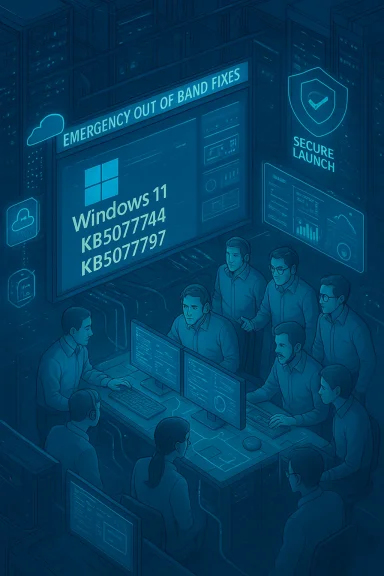
- January 17, 2026 — Microsoft shipped an out‑of‑band (OOB) cumulative update (KB5077744 for 24H2/25H2 and KB5077797 for 23H2) to address the most critical regressions: Remote Desktop sign‑in failures and the Secure Launch shutdown/hybernate regression. These updates were explicitly labeled OOB because the issues materially disrupted productivity. Microsoft documented workarounds and Known Issue Rollback (KIR) guidance for enterprise admins.
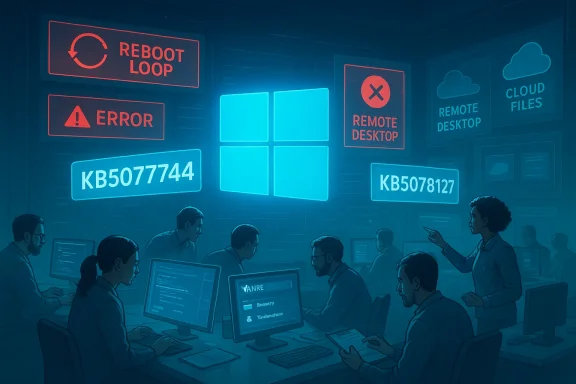
- January 24, 2026 — After issues persisted—developers and admins reported additional app hangs when saving/opening files from cloud storage—Microsoft shipped a second OOB rollup (KB5078127) consolidating January fixes and addressing cloud‑file I/O failures for OneDrive and Dropbox scenarios (including Outlook PSTs stored on cloud folders).
- Late January 2026 — Microsoft acknowledged a limited number of devices failing to boot with UNMOUNTABLE_BOOT_VOLUME after installing January updates (a small but severe outcome). In many of these cases, investigation pointed to devices stuck in an incomplete state from earlier servicing interactions; affected systems required WinRE or external media recovery. Microsoft continued triage and promised a future resolution.
What actually broke — symptom by symptom
Shutdown / Hibernate regression on Secure Launch systems
Some Windows 11 devices configured with *System Guarrtualization‑based early‑boot hardening feature commonly enabled on enterprise/IoT images—would restart instead of powering off* when users chose Shut down or attempted to hibernate. The behavior was configuration‑dependent and therefore limited in scope but extremely disruptive where it occurred (imagine imaging labs, kiosk fleets, or overnight battery management on laptops). Microsoft’s OOB KB explicitly lists this as a fixed symptom in the January 17 releases.Technical note: the root cause described publicly points to an orchestration interaction between the servicing commit path (which often works across a shutdown/reboot boundary) and Secure Launch’s early‑boot semantics. When the servicing state was not preserved correctly across the shutdown, the system defaulted to a restart. That interaction explains why the regression only appears on devices with specific early‑boot hardening enabled.
Remote Desktop / Cloud PC authentication failures
After the January LCU, some Remote Desktop clients—including the modern Windows RDP App used for Azure Virtual Desktop and Windows 365 Cloud PCs—began failing during the credential prompt, blocking session creation. Microsoft’s OOB updates and Release Health notes list fixes for this exact symptom and recommend KIR or installing the OOB packages to remediate. This regression impacted hybrid work scenarios in ways that were immediately visible to end users and IT teams.Cloud‑file I/O hangs (OneDrive, Dropbox, Outlook PSTs)
A second wave of reports described apps becoming unresponsive when saving or opening files stored in cloud‑backed folders. Outlook profiles that held PST files in OneDrive were particularly affected, with hangs, missing items, or re‑downloads reported. Microsoft’s January 24 OOB update (KB5078127) specifically names this problem and provides fixes and guidance, including moving PST files out of cloud folders as an interim mitigation for affected users.UNMOUNTABLE_BOOT_VOLUME / boot failures
The most severe symptom is a small set of devices failing to boot with the UNMOUNTABLE_BOOT_VOLUME stop code after the January update sequence. The error indicates Windows could not mount the system/boot volume during the earliest startup and typically requires recovery via WinRE or offline servicing. Microsoft described the problem as limited but acknowledged it publicly and advised manual recovery while engineering continued to investigate. Multiple outlets independently reported and reproduced boot‑failure cases.Verifying the claims: what’s confirmed and what remains murky
The following claims are corroborated by multiple independent sources and Microsoft documentation:- Microsoft shipped the January cumulative updates on January 13, 2others).
- Microsoft issued emergency OOB fixes on January 17 (KB5077744 / KB5077797) and January 24 (KB5078127) to remediate high‑impact regressions.
- The primary, widely reported symptoms included Secure Launch shutdown failures, Remote Desktop credential failures, and cloud‑file I/O hangs; Microsoft’s KBs list these as known issues and identify the OOB KBs that address them.
- The assertion that the January update “left machines in an improper state from December’s botched rollout” is partially supported by community analyses that point to interactions between prior servicing attempts and the January commit path, but Microsoft has not published a single, comprehensive root‑cause postmortem detailing every causal link. Until Microsoft releases an explicit root‑cause analysis, any sweeping attribution to December media or a single preceding change should be flagged as an inference from field patterns rather than a verifiable single cause.
- Some community phrases in the original report are fragmented or garbled (for example, statements like “released patches that , and created a .”); these segments are unverifiable as written and likely represent editing artifacts. I flag them here as unverifiable textual fragments and do not rely on them.
Root‑cause analysis: system complexity, testing gaps, and organizational incentives
From the available evidence—Microsoft KB notes, telemetry summaries reported by outlets, and repeated community reproductions—several recurring factors surface as the most plausible contributors.1) Servicing complexity + early‑boot hardening interactions
Windows updates, especially cumulative rollups, frequently require multi‑phase servicing that may commit changes across reboots. Features like System Guard Secure Launch alter the early‑boot ordering and can make the commit semantics more fragile. Where servicing assumes an unmodified early‑boot baseline, devices with additional hardening can behave differently—and a mismatch during a critical state transition can force a safe fallback (restart) or even leave the boot volume unmountable. Microsoft’s KB descriptions emphasize the interaction nature of these faults, which matches the field observations.2) Insufficient coverage in pre‑release validation matrices
Windows runs on millions of hardware and firmware combinations. The more device‑gated or hardware‑specific a feature is (NPUs, Secure Launch, OEM firmware peculiarities), the more essential it becomes to expand validation to include those configurations in staging rings and automated pipelines. The emergent pattern suggests gaps in which important early‑boot and enterprise‑style configurations were underrepresented in canary or Insider validation cohorts.3) Cumulative update bundling and rollback friction
Monthly rollups bundle many fixes and updates into a single LCU. That increases the blast radius when something interacts badly with device state. Known Issue Rollback (KIR) and OOB updates mitigate the problem, but the structural reality remains: bundling creates harder-to-isolate breakages and slows remediation until vendors can produce a consolidated fix or targeted rollback. Microsoft’s own deployment of KIR and OOBs during January reflects this constraint.4) Organizational focus and incentive mismatch
Multiple reporting threads and internal accounts indicate Microsoft was pursuing ambitious AI‑first features and an aggressive feature cadence. Those priorities, when run concurrently with a sprawling validation surface, create a higher regression risk. Pavan Davuluri’s recent pledge to reprioritize fundamentals suggests leadership recognizes this incentive misalignment and is redirecting resources into reliability work.Strengths in Microsoft’s response
Microsoft’s incident handling during January demonstrates several positive capabilities:- Rapid detection and emergency response: within four days of the January rollout, Microsoft sixes—an operationally difficult but necessary move that limited broader escalation.
- Transparency through KB and Release Health pages: Microsoft documented affected builds, symptoms, known issue ronds in its KB articles, enabling IT admins to triage at scale instead of speculating in private channels. Those pages (KB5077744, KB5078127, KB5077797, KB5074109) provide concrete remediation paths and were updated as investigations progressed.
- Tactical use of Known Issue Rollback and group‑policy mitigations: enterprise tooling allowed managed environments to disable problematic changes without uninstalling whole security updates—an important safety valve for organizations balancing security and stability.
Risks and unresolved problems
Deriage, the episode highlights material risks that Microsoft must address to rebuild trust:- Residual boot failure risk: even if limited, UNMOUNTABLE_BOOT_VOLUME outcomes are catastrophic for end users and administrators. Until Microsoft publishes a full root‑cause report and a definitive remediation, that risk remains a scar on confidence.
- Perception erosion from feature bloat: layered AI features and in‑OS promotions contributed to a narrative that Microsoft prioritized surface innovations over platform health. Restoring trust requires measurable, sustained improvements, not a single PR push.
- Test matrix blind spots: the episode indicates not just an en systems problem—validation pipelines need better coverage across real‑world enterprise configurations, especially when security hardening changes pre‑boot behavior.
- Communication cadence: Microsoft’s KBs are thorough, but enterprises want clearer quantitative telemetry summaries (how many devices impacted, which OEMs are disproportionately affected) to make informed risk decisions. Without those numbers, admins must guess at prevalence and exposure.
Practical guidance for IT administrators anr environment is running Windows 11 or you manage fleets, follow this pragmatic checklist.
- Inventory risk surface now:
- Identify devices with System Guard Secure Launch or other early‑boot hardening enabled.
- Locate Outlook PSTs, project files, or other critical data inside OneDrive or Dropbox folders.
- Pause broad deployment of January‑2026 cumulative updates in risky rings:
- Use pilot rings to validate the OOB updates (KB5077744 / KB5077797 / KB5078127) before enterprise‑wide roll‑out.
- Apply Known Issue Rollback Group Policies where available if you see the listed regressions.
- Prepare recovery playbooks:
- Document BitLocker key retrieval and validate access to recovery media and WinRE procedures.
- Automate uninstall steps for problematic updates via deployment tools, and test recovery on representative hardware.
- For users experiencing app hangs with cloud files:
- Move PSTs and other frequently accessed data out of OneDrive/Dropbox until the patch is validated, or use webmail for immediate access. Microsoft lists this mitigation in its KB notes.
- Monitor vendor advisories:
- Track Microsoft Release Health and the specific KB pages (January KBs) for updates and final remediation guidance.
Recommendations for Microsoft: rebuilding stability and trust
The technical fixes already rolled out are necessary but insufficient for long‑term trust repair. These are practical steps Microsoft should adopt and publicly commit to:- Expand pre‑release validation to include a broader, representative set of enterprise and OEM firmware configurations—specifically, test matrices that include Secure Launch, diverse VBS settings, OEM boot firmware permutations, and common peripheral drivers (modems, niche controllers) that remain in use.
- Break large cumulative updates into more targetable delivery units when changes affect early‑boot, boot‑driver, or filesystem semantics. Smaller, targeted patches reduce blast radius and simplify rollbacks.
- Publish a transparent, data‑backed postmortem for the January incident: quantify impacted device counts, outline root causes, and explain the corrective engineering and QA changes being implemented. Enterprises need numbers to make deployment decisions; transparency accelerates trust restoration.
- Introduce an enterprise‑grade “stability score” or Release Health metrics dashboard for each LCU that provides admins with exposure estimates by SKU, OEM, and configuration so they can opt out or defer updates with confidence.
- Rebalance product roadmaps: prioritize user‑visible performance and reliability KPIs for a sustained window (not just a tactical fix sprint). Publicly commit to measurable SLAs around regressions and mean time to remediation for high‑impact production incidents.
The big picture: why this matters beyond January
Windows is platform software: its value accrues from consistent, predictable behavior across millions of machines used for work, education, healthcare and critical infrastructure. Repeated surprises—unexpected restarts, lost data visibility, or worse, unbootable devices—erode the implicit promise of "it just works" that built Windows' vast installed base.Microsoft retains the engineering talent and operational capability to fix these problems quickly, as evidenced by the OOB cadence in January. But technical competence alone won’t repair reputational damage. The company needs tangible, sustained process changes and transparent communication that prioritizes everyday reliability over headline innovations. Restoring trust will require months of consistent delivery and clearer, data‑driven signals to IT admins and users.
Conclusion
The January 2026 Windows 11 episode is a wake‑up call: shipping at high velocity without sufficient coverage of real‑world, hardened configurations creates fragility that manifests in highly visible—and highly damaging—ways. Microsoft’s rapid emergency updates and public commitment to “swarming” engineers toward core reliability issues are the right immediate moves, but they are only the beginning.For enterprises and informed users, the practical path forward is clear: inventory your exposure, stage updates conservatively, and prepare recovery playbooks. For Microsoft, the path is organizational: expand validation matrices, reduce the blast radius of rollouts, and publish the transparent telemetry and postmortems that enterprises need to trust the next update cycle.
The company can, and largely has the capacity to, turn this around. Doing so will demand both technical fixes and a cultural recommitment to the fundamentals of platform stewardship—stability, predictability, and clear communication—before the next set of glossy features can credibly be added again.
Source: The Tech Buzz https://www.techbuzz.ai/articles/microsoft-scrambles-engineers-to-fix-windows-11-crisis/