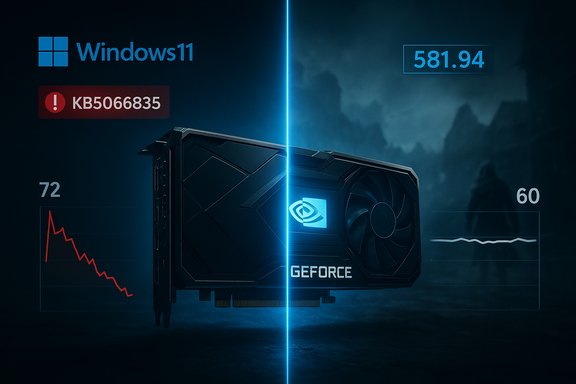
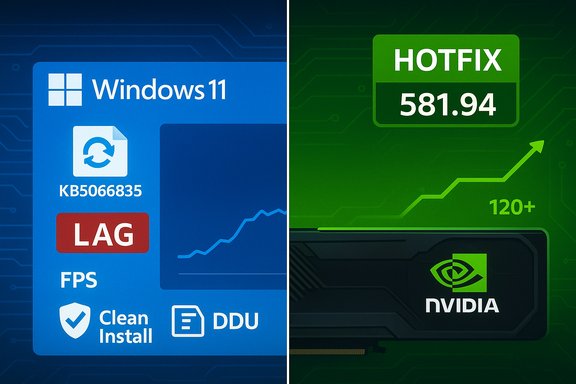
Ubisoft’s Assassin’s Creed Shadows has begun exhibiting severe stuttering and dramatic FPS drops on Windows 11 systems after Microsoft’s October cumulative update KB5066835, with independent testing and community telemetry reporting declines as large as 33–50% in demanding scenes — a regression NVIDIA attempted to mitigate with an out‑of‑cycle GeForce Hotfix Display Driver, version 581.94.
Microsoft shipped the October 14, 2025 cumulative update for Windows 11 (catalogued as KB5066835, associated with builds such as 26100.6899 and 26200.6899), a rollup intended to deliver security and quality fixes. Within days of widespread deployment, multiple unrelated regressions were reported across the Windows ecosystem — from WinRE input problems to networking regressions — and, crucially for gamers, a set of performance degradations in modern titles. By mid‑November community posts and hands‑on benchmarking converged on a consistent story: some systems that had installed KB5066835 saw markedly reduced GPU performance in certain games, with Assassin’s Creed Shadows emerging as a high‑visibility example. Independent testers and forum telemetry showed identical benchmark scenes plunging from comfortable frame rates into substantially lower ranges after the Windows update. Those measurements prompted NVIDIA to publish an emergency hotfix driver on November 19, 2025 — GeForce Hotfix Display Driver 581.94 — citing the precise symptom: “Lower performance may be observed in some games after updating to Windows 11 October 2025 KB5066835.”
Two practical consequences make Shadows an effective canary:
What is not yet public or proven:
For gamers: verify your build, quantify your problem, back up, and if you are affected consider NVIDIA’s hotfix while awaiting the next full Game Ready driver. For system administrators and power users: treat this as a case study in why staged updates, Known Issue Rollback controls, and vendor coordination are indispensable in maintaining a stable, high‑performance PC environment.
Source: SE7EN.ws https://se7en.ws/assassins-creed-sh...on-pc-after-recent-windows-11-update/?lang=en
 Background / Overview
Microsoft shipped the October 14, 2025 cumulative update for Windows 11 (catalogued as KB5066835, associated with builds such as 26100.6899 and 26200.6899), a rollup intended to deliver security and quality fixes. Within days of widespread deployment, multiple unrelated regressions were reported across the Windows ecosystem — from WinRE input problems to networking regressions — and, crucially for gamers, a set of performance degradations in modern titles. By mid‑November community posts and hands‑on benchmarking converged on a consistent story: some systems that had installed KB5066835 saw markedly reduced GPU performance in certain games, with Assassin’s Creed Shadows emerging as a high‑visibility example. Independent testers and forum telemetry showed identical benchmark scenes plunging from comfortable frame rates into substantially lower ranges after the Windows update. Those measurements prompted NVIDIA to publish an emergency hotfix driver on November 19, 2025 — GeForce Hotfix Display Driver 581.94 — citing the precise symptom: “Lower performance may be observed in some games after updating to Windows 11 October 2025 KB5066835.” Why Assassin’s Creed Shadows surfaced first
Assassin’s Creed Shadows is a modern, GPU‑heavy title that uses advanced rendering pipelines and upscaling technologies (such as DLSS), and therefore exercises many layers of the graphics stack: the game engine, the graphics API, the GPU driver, and the OS composition/display stack. That complexity makes Shadows both more likely to reveal timing‑ and composition‑sensitive regressions and more sensitive to changes in how Windows schedules frame submission or handles overlays and multi‑plane composition. Community and lab reports show that those timing/interaction effects produced both throughput loss (fewer frames per second) and frame‑pacing instability (micro‑stutter) in affected scenes.Two practical consequences make Shadows an effective canary:
- It stresses GPU/driver interactions through frequent present calls and high draw complexity.
- It is widely played and benchmarked, so anomalies show up and propagate through communities quickly.
The numbers: what the testing shows
Independent hands‑on testing reproduced substantial slowdowns in critical scenarios. A commonly circulated benchmark snapshot — captured on a system built around a Ryzen 7 9800X3D CPU paired with an NVIDIA GeForce RTX 5090 — showed identical scene metrics falling from roughly the low‑70s FPS down to the mid‑30s after KB5066835, representing a ~50% decline in that test point. Broader comparisons and additional test points produced a range of slowdown figures; the most consistent aggregate window was ~33% to ~50% in worst‑case scenes. A few important caveats to those numbers:- The largest drops are scene‑ and configuration‑dependent. Synthetic averages hide the fact that some scenes were affected far more than others.
- Results vary by resolution, in‑game settings (e.g., DLSS mode), background software, and firmware settings such as ReBAR.
- The largest publicized figures come from a small number of high‑end test configurations and community submissions; they are accurate for those configurations but not necessarily universal.
What NVIDIA changed — the hotfix explanation
NVIDIA framed 581.94 as an emergency, narrowly scoped hotfix built on the Game Ready 581.80 baseline, with a single stated purpose: mitigate the post‑KB5066835 performance regression in some games. The company’s support note is intentionally terse, describing the package as a rapid corrective layer that will be merged into the next full WHQL Game Ready release after broader testing. This is a standard vendor approach for urgent, cross‑stack regressions where the safest immediate path is a limited change set. Key points about the hotfix:- It is a hotfix (accelerated QA) — designed for rapid distribution to affected users.
- The advisory explicitly ties the fix to Windows 11 October 2025 KB5066835.
- The hotfix does not claim to fix every post‑update symptom (for example, some users continued to report flicker or brief black screens that may have separate causes).
- NVIDIA will fold the fix into a full WHQL Game Ready driver later, after more comprehensive validation.
Technical analysis — what likely went wrong (and what remains unproven)
Modern PC gaming rests on a tightly coupled stack from OS to game engine. When a cumulative OS update changes low‑level behavior (scheduler timing, interrupt handling, DWM/MPO composition, or frame‑present semantics), drivers that were validated against previous OS behavior can encounter unexpected interactions that reduce GPU utilization or disrupt frame submission timing. The symptom set observed here — lower average FPS, worse 1% lows, and micro‑stutter — is consistent with two broad vectors:- Changes to how Windows composes frames (DWM / Multi‑Plane Overlay handling) that increase CPU/DWM work or reorder the pipeline, delaying submission to the GPU and reducing overall throughput.
- Altered timing or interrupt behavior that shifts how drivers and the GPU synchronize, potentially throttling GPU HV/boost behavior or fragmenting frame work in a way that produces micro‑stutters.
What is not yet public or proven:
- A definitive, line‑by‑line root‑cause analysis from Microsoft or NVIDIA that describes the exact code paths and timing changes responsible for the symptoms. Public materials so far stop short of a forensic postmortem.
- Broad, cross‑vendor confirmation that AMD and Intel GPUs exhibit the same pattern and magnitude of regressions — community reports exist but a coordinated vendor confirmation is not yet available. Claims of universal cross‑vendor impact should therefore be treated as provisional and tested on a case‑by‑case basis.
Vendor and community responses
- NVIDIA: Released GeForce Hotfix Display Driver 581.94 on November 19, 2025 explicitly targeting the KB5066835‑linked performance regression and noting the hotfix will be consolidated into the next full driver release. Practical guidance from NVIDIA: hotfix drivers are optional and aimed at users experiencing the issue; create a system restore point and test carefully.
- Microsoft: The KB article for KB5066835 lists the update’s scope and known issues for the October servicing wave and has been actively updated with mitigations and subsequent emergency patches for some of the higher‑impact regressions (for example WinRE input and other out‑of‑band fixes). Microsoft’s public messaging has not included a detailed admission of the game performance regression as a named issue in the KB entry beyond the general rollups and known issue guidance; enterprises were advised to use Known Issue Rollback (KIR) controls where appropriate.
- Ubisoft: Continued to ship content updates for Assassin’s Creed Shadows (for example Title Update 1.1.6 and a time‑limited Attack on Titan collaboration), but publisher‑side fixes do not appear to be the root solution for an OS‑level regression; fixes must come from the OS or GPU driver stacks. Community reporting to Ubisoft helped highlight the problem but the core remediation path ran through the driver vendor.
- Community / independent testers: Enthusiast sites, benchers, and forum users posted reproducible before/after data showing large gains after installing NVIDIA’s hotfix in the affected scenarios, providing the external validation necessary to push a vendor hotfix. However, community reports were heterogeneous; some users saw little change and a minority reported separate display flicker that the hotfix did not address.
Practical guidance for affected users
If you suspect you are affected (noticeable FPS loss, new micro‑stutter, or poor frame‑time behavior after mid‑October updates), follow a conservative, reversible approach:- Confirm your Windows build: Press Windows key + R → type winver → press Enter. If your OS build aligns with the October KB5066835 builds (for example 26100.6899 or similar), you are potentially in scope.
- Record a baseline: Run a repeatable in‑game benchmark or capture frame times with CapFrameX / RTSS to quantify the regression.
- Create a restore point and back up critical data before making system‑level changes.
- Install NVIDIA GeForce Hotfix Display Driver 581.94 ONLY if you have an NVIDIA GPU and are experiencing the specific post‑KB performance regression. Prefer NVIDIA’s official download page or GeForce Experience for installation. After installation, rerun your benchmarks to compare results.
- If the hotfix introduces new problems, use Device Manager or DDU (in Safe Mode) to roll back drivers and restore your previous known‑good configuration.
- As a last resort, and only if necessary, you can uninstall KB5066835 via Settings → Windows Update → Update history → Uninstall updates — but be aware uninstalling security rollups reduces your system’s protection and should be a troubleshooting step only. Microsoft’s Known Issue Rollback and enterprise controls may provide safer alternatives for managed environments.
- Disable overlays (Discord, Steam, RTX Overlay) while testing, as overlays can change driver interaction and confound measurements.
- Toggle firmware features (Resizable BAR) only if you understand the implications; some community reports suggested ReBAR could influence the regression surface.
- If you manage fleets or need absolute stability (competitive play, production machines), delay non‑essential updates until the next full WHQL driver that incorporates the hotfix is released.
Risk assessment and long‑term implications
This incident illustrates several systemic risks in modern PC ecosystems:- OS rollups are large and complex; a change intended for broad improvement can create narrow but severe cross‑stack regressions that only appear under specific workloads.
- The dependency graph among OS, graphics drivers, firmware, anti‑cheat software, overlays, and game engines means regression surface area is large and coordination is difficult.
- Hotfix drivers are a practical mitigation but come with reduced QA compared with full WHQL Game Ready releases; while they are effective rapid options, they are not substitutes for root‑cause fixes in the OS or driver mainline.
- Enterprises must avoid blind automatic rollouts of cumulative OS updates to workstations performing critical tasks until vendor validation is complete. Microsoft’s KIR and staging controls are essential tools for managing this risk.
- Enthusiast and competitive gamers should keep tested driver and OS baselines and be prepared to roll back if an update changes critical behavior.
What remains unresolved and verifiable unknowns
- Full technical postmortem: Neither Microsoft nor NVIDIA has published a detailed code‑level explanation that names the exact OS change and the driver behavior that produced the regression. Until such a postmortem is released, the precise chain of failure remains partially inferred from symptoms and vendor actions. Treat root‑cause statements as provisional in the absence of vendor postmortems.
- Cross‑vendor scope: While community reports suggest some AMD/Intel systems saw anomalies after the same Windows update, NVIDIA’s advisory focuses on GeForce users and the marketed hotfix targets NVIDIA GPUs. Broad cross‑vendor confirmation and lab testing are still required before asserting a vendor‑agnostic failure mode. Flagging that as unverified is important.
- Residual symptoms: Some users reported continued flicker, brief black screens, or unrelated instability after the hotfix; those appear separate from the core performance regression and may require additional vendor fixes.
Conclusion — the practical takeaway for Windows gamers
The Windows 11 October cumulative update KB5066835 produced an observable and, in some configurations, severe performance regression in gaming workloads, with Assassin’s Creed Shadows serving as the clearest public demonstration. NVIDIA’s rapid hotfix (GeForce 581.94) restored performance for many affected users and is the appropriate short‑term mitigation for NVIDIA GPU owners experiencing the issue. But the episode is a reminder that update rollouts and driver validation are tightly coupled problems: keeping a tested baseline, performing cautious rollouts, and using vendor mitigations prudently are the best defenses.For gamers: verify your build, quantify your problem, back up, and if you are affected consider NVIDIA’s hotfix while awaiting the next full Game Ready driver. For system administrators and power users: treat this as a case study in why staged updates, Known Issue Rollback controls, and vendor coordination are indispensable in maintaining a stable, high‑performance PC environment.
Source: SE7EN.ws https://se7en.ws/assassins-creed-sh...on-pc-after-recent-windows-11-update/?lang=en