

Microsoft’s latest Windows 11 preview — delivered as KB5074105 to the Release Preview channel at the end of January 2026 — reads like a focused quality-of-life and platform-enablement bundle rather than a headline-grabbing overhaul: broader cross‑device continuity, a modernized MIDI stack for creators, meaningful manageability changes around app reputation controls, and a tranche of shell and accessibility fixes that target long-standing daily annoyances. This update is staged as a preview (Builds 26200.7705 / 26100.7705) and uses phased, server‑gated rollout controls, so installing the package is the first step — seeing every capability depends on vendor and cloud-side enablement.
Microsoft has used optional, monthly “C‑release” previews and Release Preview channel builds for years to trial functional changes and fixes before broader distribution. KB5074105 continues that practice: it’s a non‑security, preview cumulative intended to improve reliability and to surface incremental features so Microsoft can monitor telemetry and user feedback prior to general availability. The Release Preview ring is the final staging grounibution, and Microsoft explicitly describes KB5074105 as a mix of immediate fixes and staged feature rollouts.
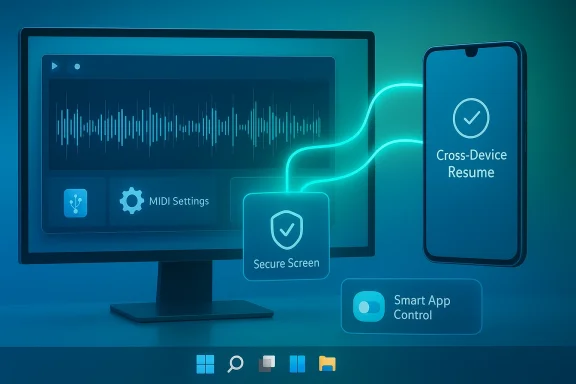
Two themes drive this preview: cross‑device continuity (what Microsoft calls Cross‑Device Resume) and platform modernization/manageability (notably Windows MIDI Services and changes to Smart App Control). Interwoven are smaller but user‑visible shell fixes — File Explorer, lock screen freezes, and a stubborn desktop icon shuffle bug — plus accessibility and input refinements for Narrator, Voice Access, and Voice Typing. Independent coverage and Microsoft’s official notes align on these headings, but availability is deliberately phased.
This is an important practical improvement: it reduces escalations to reinstalls, accelerates troubleshooting, and lessens fallout when a high‑value developer or line‑of‑business app is misclassified. However, reversible toggles introduce policy complexity: enterprise configuration should ensure that disabling SAC is audited and governed by endpoint security policy. Relying on a simple user toggle without administrative oversight could undermine centralized protection postures.
Operational caveat: peripheral sensor support increases the diversity of authentication hardware in play — ensure drivers and firmware are validated against vendor guidance, and include external sensor test cases in zero‑trust and identity pilots.
But the update does not claim universal solutions for every shell pain point. Notably absent from the preview notes are blanket claims to fix intermittent Start menu search hiccups, certain taskbar oddities, and broader context menu sluggishness that users report under heavy OneDrive sync or with very large folder operations. Those issues are still tracked separately on Microsoft’s Release Health dashboard and may appear as “known issues” in later servicing updates.
Momentum matters: when Microsoft ships incremental fixes in coherent clusters, the platform feels faster and less fussy. KB5074105 has the right ingredients. The responsibility now shifts to Microsoft to land the rollout cleanly and to users and IT teams to test, report, and iterate — the classic feedback loop that has defined the Windows servicing model for years.
Source: FindArticles Microsoft Previews Major Windows 11 Update
 Background / Overview
Microsoft has used optional, monthly “C‑release” previews and Release Preview channel builds for years to trial functional changes and fixes before broader distribution. KB5074105 continues that practice: it’s a non‑security, preview cumulative intended to improve reliability and to surface incremental features so Microsoft can monitor telemetry and user feedback prior to general availability. The Release Preview ring is the final staging grounibution, and Microsoft explicitly describes KB5074105 as a mix of immediate fixes and staged feature rollouts. Two themes drive this preview: cross‑device continuity (what Microsoft calls Cross‑Device Resume) and platform modernization/manageability (notably Windows MIDI Services and changes to Smart App Control). Interwoven are smaller but user‑visible shell fixes — File Explorer, lock screen freezes, and a stubborn desktop icon shuffle bug — plus accessibility and input refinements for Narrator, Voice Access, and Voice Typing. Independent coverage and Microsoft’s official notes align on these headings, but availability is deliberately phased.
Cross‑Device Resume: bridging phone and PC in practice
What’s new, simply explained
Cross‑Device Resume has moved from a OneDrive‑centric capability into a metadata-driven continuity model that can resume specific activities from supported Android devices on a linked Windows 11 PC. KB5074105 explicitly lists first‑wave scenarios:yback that was started on a linked Android phone, continuing on the PC.- Continue working on Word, Excel, or PowerPoint files opened in the Microsoft 365 Copilot mobile app on supported OEM phones; files open in the desktop Office app if installed, or in the browser as a fallback.
- Restore browsing sessions from certain Android browsers — Vivo Browser is cited in the preview notes.
Why this matters for users and IT
Continuity that actually reduces friction — music, documents, or browsing handed off to the PC with one click from the taskbar — is a clear productivity win. For many users, Resume will feel like Apple’s Handoff but realized through a cross‑vendor, cloud‑assisted approach that doesn’t require running Android apps inside Windows. For organizations, this is a usability improvement with a couple of operational notes:- Feature availability is OEM/app dependent and server‑gated, so test plans must include vendor and region checks.
- Resume’s reliance on cloud‑resolvable contexts means privacy, telemetry, and consent flows should be reviewed against corporate policies.
- Where offline, locally stored phone files are business‑critical, Resume will not replace existing file transfer workflows.
Practical limits and expectations
Resume’s utility will depend on developer and OEM uptake. Many modern apps already offer in‑service sync (Spotify Connect, OneDrive, Microsoft 365), s feels like incremental integration rather than revolutionary functionality. Microsoft’s staged rollout history also means that simply installing KB5074105 does not guarantee immediate feature exposure — expect controlled feature rollout (CFR) behavior. Independent coverage underscores both the promise and the initial limits.Windows MIDI Services: a quiet technical milestone for creators
What changed
KB5074105 brings substantive improvements to Windows’ MIDI handling: unified support for MIDI 1.0 and MIDI 2.0, shared ports across applications, custom port names, loopback and app‑to‑app routing, performance improvements, and bug fixes. Microsoft ships an App SDK and Tools package — separate downloads that enable inbox MIDI 2.0 features such as MIDI Console and a MIDI Settings app — positioning Windows more closely with modern pro‑audio expectations.Why professional and hobby musicians should care
MIDI 2.0 is the most significant upgrade to the MIDI specification since the original MIDI 1.0: higher resolution controllers, property exchange, improved timing, and new expressive controls. Bringing MIDI 2.0 support into Windows with shared ports reduces the need for middleware workarounds and virtual routing tools that have long been a source of latency and fragility in home and studio setups. For plugin developers and DAW workflows, the new Windows MIDI Services mean fewer compatibility hurdles and cleaner routing between apps and hardware.Developer and deployment considerations
- The App SDK and Tools are separate downloads and may be updated independently of Windows servicing channels; audio developers must plan to install and test those packages.
- Legacy WinMM-based applications will continue to work at a MIDI 1.0 compatibility level, but projects that want MIDI 2.0 features should migrate to the new APIs and test across both x64 and Arm64.
- Expect vendor firmware/driver interplay for USB class drivers; some MIDI 1.0 devices may require manual assignment to new combined class drivers for full benefits.
Security and manageability: Smart App Control and Windows Hello
Smart App Control becomes reversible
Smart App Control (SAC), Microsoft’s reputation‑ and AI‑driven app blocking mechanism, is getting a major management change: users can now toggle SAC off without a reinstallation. This addresses a frequent operational pain point — false positives and blocks of legitimate tooling that previously required a reinstall to recover from. Microsoft’s guidance now points admins to the App & Browser Control settings to manage SAC.This is an important practical improvement: it reduces escalations to reinstalls, accelerates troubleshooting, and lessens fallout when a high‑value developer or line‑of‑business app is misclassified. However, reversible toggles introduce policy complexity: enterprise configuration should ensure that disabling SAC is audited and governed by endpoint security policy. Relying on a simple user toggle without administrative oversight could undermine centralized protection postures.
Windows Hello Enhanced Sign‑in Security expands hardware support
KB5074105 expands Windows Hello Enhanced Sign‑in Security (ESS) to support peripheral fingerprint readers, not just built‑in sensors. This is welcome for desktops, thin clients, and dedicated kiosks that rely on USB fingerprint hardware and for enterprises aiming to align sign‑in with FIDO2 or zero‑trust baseline controls. ESS support for external sensors reduces hardware churn and can accelerate secure sign‑in rollouts without requiring a fleet refresh.Operational caveat: peripheral sensor support increases the diversity of authentication hardware in play — ensure drivers and firmware are validated against vendor guidance, and include external sensor test cases in zero‑trust and identity pilots.
Shell, accessibility, and input improvements
File Explorer and desktop reliability
KB5074105 includes targeted fixes for File Explorer responsiveness and navigation, resolves a lock screen freeze, and eliminates a long-standing bug that shuffled desktop icons when renaming or opening files. Those are the kinds of fixes that impact daily confidence in the desktop. Microsoft’s own release notes list these as discrete reliability fixes, and Windows insiders have been testing the improvements.But the update does not claim universal solutions for every shell pain point. Notably absent from the preview notes are blanket claims to fix intermittent Start menu search hiccups, certain taskbar oddities, and broader context menu sluggishness that users report under heavy OneDrive sync or with very large folder operations. Those issues are still tracked separately on Microsoft’s Release Health dashboard and may appear as “known issues” in later servicing updates.
Accessibility: Narrator, Voice Access, Voice Typing
Accessibility received meaningful attention in this preview:- Narrator: more granular verbosity and announcement order controls to make screen reading predictable and reduce cognitive load for users relying on speech output.
- Voice Access: a clearer onboarding wizard that helps download language models, connect microphones, and explain core commands — reducing friction for first‑time users.
- Voice Typing: a new Wait time before acting setting that delays command execution to suit different speech patterns, improving recognition accuracy and lowering accidental activations.
Critical analysis: strengths, tradeoffs, and risks
Notable strengths
- Targeted fixes that impact daily workflows. Addressing file‑shuffle, lock screen hangs, and Explorer responsiveness responds directly to items users repeatedly file in Feedback Hub and support channels. Those small reliability wins have outsized ergonomics impact.
- Meaningful platform modernization for creators. MIDI 2.0 support with shared ports and an SDK/toolchain is a technical milestone that will reduce routing complexity and performance issues in music production workflows. It’s a rare infrastructure change that removes whole layers of third‑party middleware for some setups.
- Reduced security friction. Making SAC reversible and supporting external Windows Hello sensors both lower support burdens and make secure sign‑in more practical for heterogeneous environments.
- Clearer accessibility onboarding. Smaller refinements — Narrator voice controls and Voice Access onboarding — directly improve out‑of‑box accessibility experiences.
Key tradeoffs and operational risks
- Feature availability is phased and vendor-gated. Cross‑Device Resume depends on OEM and app participation and Microsoft’s CFR flags; your mileage may vary based on phone brand, region, and cloud enablement. Don’t assume parity across all devices immediately after installing KB5074105.
- New toggles increase administrative surface area. The SAC toggle simplifies recovery from false positives but can be misused; enterprises need policy controls, logging, and endpoint configuration guardrails to avoid security drift.
- MIDI modernization needs careful vendor testing. While Windows MIDI Services are a step forward, driver assignments, firmware versions, and DAW compatibility must be validated; some legacy drivers and workflows may require manual adjustments or vendor updates. Developers must adopt the new SDK for full MIDI 2.0 functionality.
- Metrics and perception diverge. Adoption numbers for Windows 11 vary significantly by tracker and date. Public reporting oscillates; some trackers reported Windows 11 majority share in mid‑2025, while other analyses in late 2025/early 2026 show churn and mixed sentiment. When evaluating rollout impact or baselining support, use dated, source‑explicit metrics rather than generic percentages.
Unverifiable or cautiously worded claims
- The user prompt cited “roughly 30% of Windows desktops by StatCounter’s estimates” — StatCounter’s public snapshots have varied considerably month‑to‑month. As of January 2026, StatCounter’s published views show different figures depending on how you filter the dataset (desktop vs. all devices), so avoid repeating a single static percentage without citing the date and dataset. Use the most current StatCounter snapshot available when you make a claim, and note the measurement method (pageviews vs. installed base).
How to test and deploy KB5074105 safely (recommended steps)
- Back up critical systems and create a restore point before installing the preview; optional previews can introduce regressions.
- Pilot: install KB5074105 on a representative subset of machines (a mix of Copilot+ and standard Windows 11 devices, and with both x64 and Arm64 hardware where relevant).
- Validate continuity scenarios: pair supported Android devices (HONOR, OPPO, Samsung, vivo, Xiaomi) and verify Cross‑Device Resume flows for Spotify, Copilot mobile documents, and vendor browser sessions. Confirm controlled feature rollout behavior and note which devices see the AppContext banners.
- Test SAC behavior: exercise App & Browser Control settings, provoke known false positives in a controlled lab, and verify the toggle’s impact and audit trail. Ensure endpoint policies reflect whether SAC should be user-toggleable in your environment.
- Validate Windows Hello with peripheral fingerprint sensors: confirm driver compatibility and enrollment flows for external USB readers. Include end‑user training materials and enrollment support for overseen deployments.
- For audio teams: install the Windows MIDI Services App SDK and Tools on test workstations, validate MIDI device enumeration, check shared port behavior with multiple apps, and run DAW latency and routing tests. Coordinate with hardware vendors for any driver updates.
What end users should do now
- If you’re an enthusiast or tester: enroll a non‑critical machine in the Release Preview ring or install KB5074105 manually to preview features early — but only after backing up. Expect some features to be gated server‑side.
- If you’re a typical consumer: wait for the normal rollout unless a specific fix here directly resolves a daily blocker for you (Explorer lag, lock screen freeze, or persistent desktop icon shuffle). Monitor Microsoft’s Windows Release Health page for known issues.
- If you’re IT: run the short pilot above, test SAC and Hello ESS changes against policy baselines, and coordinate with desktop support teams on how to log and escalate any feature‑gate anomalies.
The verdict: incremental but meaningful — if Microsoft lands it cleanly
KB5074105 is not a cure‑all for Windows 11 frustrations, but it’s a well‑composed set of fixes and platform work that, if delivered without regressions, will materially improve several everyday pain points while enabling a few strategic scenarios.- For productivity-focused users, Cross‑Device Resume is useful the moment OEMs and apps enable it for your devices — it reduces friction for music, documents, and browsing continuity.
- For creative professionals, Windows MIDI Services is a sleeper win that modernizes the MIDI story on Windows and reduces the need for brittle third‑party routing tools.
- For administrators, the SAC toggle and external Hello support lower the operational cost of security and identity management — but only if organizations revise policy and log workflows accordingly.
Momentum matters: when Microsoft ships incremental fixes in coherent clusters, the platform feels faster and less fussy. KB5074105 has the right ingredients. The responsibility now shifts to Microsoft to land the rollout cleanly and to users and IT teams to test, report, and iterate — the classic feedback loop that has defined the Windows servicing model for years.
Quick reference — where the key claims appear
- Official KB5074105 Release Preview notes (January 29, 2026) — full change log and rollout guidance.
- Cross‑Device Resume feature documentation and supported apps list (Spotify, vivo Browser, Copilot files).
- Windows MIDI Services technical overview and developer guidance (Windows Music Dev blog + GitHub tools/SDK).
- Independent coverage and analysis of the preview (Windows Central, The Verge).
- Uploaded preview discussion and community testing notes summarizing insider findings and practical observations.
Source: FindArticles Microsoft Previews Major Windows 11 Update
