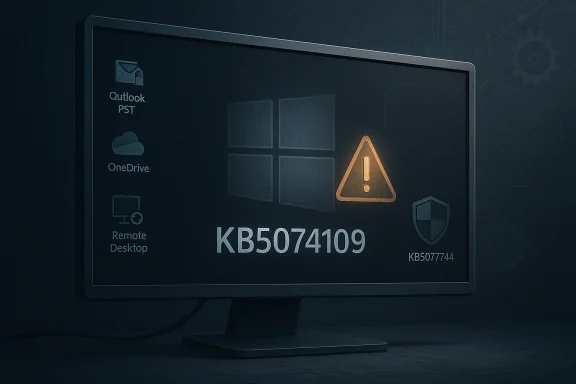
A routine January Patch Tuesday update left a significant slice of Windows users temporarily unable to rely on core productivity workflows after the January 13, 2026 cumulative update (KB5074109) introduced regressions that broke parts of classic Outlook and disrupted remote access for some Cloud PC and AVD customers. Microsoft acknowledged the Outlook failures—particularly affecting classic Outlook profiles using POP—and marked the issue as investigating, while issuing out‑of‑band mitigations and follow‑up updates to limit user impact.
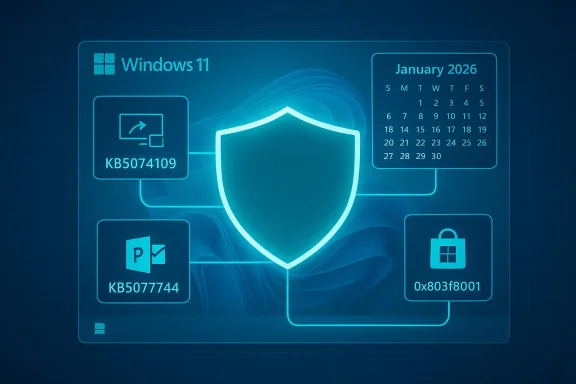
Classic Outlook—meaning the Win32 Outlook client bundled with Microsoft 365/Office and still widely used for POP and PST‑based mailboxes—remains a core tool for millions of users, especially in small businesses and ISP‑hosted mail environments. Windows cumulative updates are intended to deliver security fixes and quality improvements in a single package, but because modern rollups touch deep servicing and early‑boot components, a single change can ripple into unexpected places. KB5074109 was issued on January 13, 2026 as the January cumulative for Windows 623 and 26100.7623) and included fixes such as an NPU idle power drain correction and Secure Boot certificate handling improvements. Microsoft’s public advisories and community reports show that KB5074109 coincided with multiple, configuration‑dependent regressions: classic Outlook POP profiles hanging e Desktop and Cloud PC credential/auth failures, Secure Launch interaction causing restart-on-shutdown on specific builds, and other edge anomalies. Microsoft flagged the Outlook POP problem on January 15 and labeled it an active investigation by the Outlook and Windows teams.
For Microsoft, the tradeoff is also clear. Bundled servicing reduces fragmentary patching and simplifies security delivery, but it heightens the cost of a single mistake. Public trust is built not only by rapid fixes, but by transparent post‑mortems and improved testing coverage for legacy scenarios. For the ecosystem, this is a reminder that long‑standing protocols like POP and file‑based PST stores still matter in the real world—and breaking them causes immediate user pain.
Source: Inbox.lv Windows Update Accidentally Broke Microsoft Program
 Background
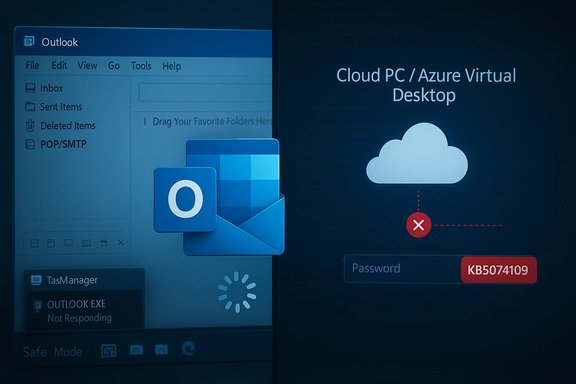
Classic Outlook—meaning the Win32 Outlook client bundled with Microsoft 365/Office and still widely used for POP and PST‑based mailboxes—remains a core tool for millions of users, especially in small businesses and ISP‑hosted mail environments. Windows cumulative updates are intended to deliver security fixes and quality improvements in a single package, but because modern rollups touch deep servicing and early‑boot components, a single change can ripple into unexpected places. KB5074109 was issued on January 13, 2026 as the January cumulative for Windows 623 and 26100.7623) and included fixes such as an NPU idle power drain correction and Secure Boot certificate handling improvements. Microsoft’s public advisories and community reports show that KB5074109 coincided with multiple, configuration‑dependent regressions: classic Outlook POP profiles hanging e Desktop and Cloud PC credential/auth failures, Secure Launch interaction causing restart-on-shutdown on specific builds, and other edge anomalies. Microsoft flagged the Outlook POP problem on January 15 and labeled it an active investigation by the Outlook and Windows teams. What broke, exactly
Outlook: POP profiles hang, sent items missing, processes persist
- Symptom sung KB5074109, many users reported that closing Outlook left background processes (OUTLOOK.EXE) running, preventing a clean restart; users also described freezes during send/receive and sent items not being recorded reliably. For affected users the client became effectively unusable until the process was killed or the machine rebooted. Microsofbehaviors in an Outlook support advisory and marked them as an investigating issue.
- Scope: The behavior appears concentrated in classic Outlook profiles that use POP/SMTP and local PST stores, not modern Exchange/Outlook‑on‑Microsoft‑365 account types, although reports show variability depending, AV hooks, and profile size. Enterprises and home users with legacy POP setups reported the same symptoms.
Outlook: “Encrypt Only” regression (separate client build issue)
- Separate but concurrent, an Outlook Current Channel client update (Version 2511, Build 19426.20218) caused recipients to see only a message_v2.rpmsg attachment when sent with File → Encrypt, rendering Encrypt‑Only messages unreadable in the reading pane. Microsoft posted a support topic for that Outlook client regression and suggested workarounds including saving after applying encryption or reverting sender crosoft.
Remote Desktop / Cloud PC credential failures and Secure Launch power regression
- KB5074109 also introduced credential prompt failures in the Windows App used for Azure Virtual Desktop (AVD) and Windows 365, preventing some Cloud PC logins; Microsoft mitigated this with an out‑of‑band update and provided Known Issue Rollback guidance for enterprises. Separately, a Secure sed some devices to restart instead of shutting down on particular configurations. These were fixed in emergency updates released days after KB5074109 shipped.
How widespread and who was affected
- Configuration‑dependent, not universal: The regressions were not a blanket failure across all installs. Impact cular configurations—classic POP profiles, older PSTs, specific third‑party add‑ins or AV email‑scanning hooks, Secure Launch enabled on certain SKUs, and the Windows App’s Remote Desktop flows. For many users the update installed without issue; for those affected the result could be a c Outlook desktop functionality or inability to connect to Cloud PCs.
- Enterprise risk is higher: Organizations that still rely on POP or use Click‑to‑Run Current Channel Outlook builds encountered spikes in helpdesk tickets and production impact. Managed fleets with automatic rollout policies saw rapid propagation, underscoring the operational risk of insufficient pilot rings. Microsoft’s guidance to use Known Issue Rollback (KIR) and targeted Group Policy mitigations reflects the enterprise‑scale mechanisms available to address such regressions.
- Real user impact: Community threads and support logs show real prowriting that Outlook was “completely unusable” until they uninstalled the KB or applied a workaround. Those descriptions are accurate for affected endpoints even if the problem was not universal.
Technical anatomy: why an OS update can break Outlook
Modern cumulative updates change low‑level libraries, thehow Windows manages process lifecycle and file locks. Outlook’s desktop client (Win32) depends on a set of OS behaviors for mailbox I/O, MAPI interactions, add‑in hooks, and graceful shutdown. Small semantic changes—timing, COM activation, file handle flushes, or security/privilege check changes—can expose latent assumptions in long‑lived client code patessure points include:- MAPI/service load and shutdown sequencing: If an OS change alters the order or timing of service unloads, Outlook can be left with locked resources or partial shutdown state. That can manifest as background processes that won’t exit or failure to write Sent Items.
- AV / mail‑scanning hooks: Email security scanners dd‑ins or kernel filters. When those components interact with changed OS semantics, they can escalate a timing or resource contention bug into a hard hang. Community troubleshooting frequently pointed at ESET‑like hooks as amplifying factors.
- Third‑party sync clients and integrations: Separately, interactions with third‑party sync clients—such as older Googlds—have previously blocked upgrades or left Outlook non‑functional until vendor clients were updated. This demonstrates that update safety is not solely a Microsoft responsibility: ecosystem compatibility matters.
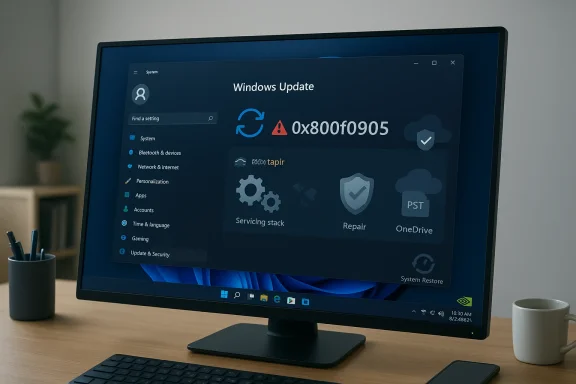
- Servicing‑stack coupling: Microsoft’s modern practice of bundling Servicing Stack Updates (SSU) with the LCU makes rollbacks trickier andal for unexpected side effects because core servicing behavior can change in ways that persist even after uninstalling just the LCU. That complicates enterprise rollback strategies.
Immediate mitigations and recommended steps
Every mitigation is a trade‑off between restoring productivity and preserving security posture. The practical playbook below groups actions by audienc and small offices- Confirm whether the device installed KB5074109: Run winver and check OS build (26100.7623 / 26200.7623).
- If Outlook hangs, try these least‑invasive stepstlook in Safe Mode (outlook.exe /safe) to test if add‑ins are the culprit.
- Kill lingering OUTLOOK.EXE processes via Task Manager → Details or via taskkill /f /im outlook.exe. This is a temporary recovery step.
- Use Outlook on the web (OWA) or an alternate mail client as a stopgap for sending/receiving.
- If you must restore desktop Outlook functionality immediately and other mitigations fail, uninstall KB5074109 through Settings → Windows Update → Update history → Uninstall updates. Caveat: Uninstalling a security rollup reduces device protections. Pause updates for a short window and watch Microsoft guidance.
For IT administrators and MSPs
- Prioritize inventory and evices that installed KB5074109 and catalog which users have POP profiles or older PST stores.
- Detect clients with problematic Outlook Current Channel builds (for the Encrypt Only regression).
- Use Known Issue Rollback (KIR) and Group Policy paths when possible:
- Microsoft published KIR artifacts and group policy guidance to mitigate credential failures and some KB5074109 regressions; apply KIR selectively to affected rings rather than blindly uninstalling the LCU. ([support.microsoft.com](January 13, 2026—KB5074109 (OS Builds 26200.7623 and 26100.7623) - Microsoft Support is necessary, do so with an audit trail:
- Use WSUS/ConfigMgr to stage and roll back the cumulative update for affected devices; coordinate with security teams before removing a security rollup. Prepare to remediate any downstream effects of SSU changes.
- Communicate and provide alternative ad users to use OWA or alternate remote access methods while fixes are deployed. Keep users informed about acceptable temporary behaviors (e.g., using web clients) to reduce panic and support load.
Microsoft’s response and timeline
Microsoft acknowledged the Outlook POP hang in a dedicated support advisory on January 15 and labeled it as investigating; the KB page for KB5074109 lists Known Issue Rollback artifacts and provides enterprise deployment guidance. Microsoft also shipped out‑of‑band updates on January 17 that addressed some of the most disruptive regressions—such as Remote Desktop credential failures and the Secure Launch restart behavior—while continuing to investigate Outlook shutdown behaviors.That timeline—Patch Tuesday on January 13, advisory and public acknowledgement within 48 hours, and emergency OOB packages days later—reflects a rapid triage process but also highlights the cost of regressions: affected users still experienced downtime and elevated support traffic
What this incident exposes about modern Windows servicing
Strengths revealed
- Speed of detection and response: Microsoft’s telemetry and community signals allowed a fast acknowledgement and rapid issuance of OOB fixes and KIR mechanisms, limiting the window of widespread disruption.
- Enterprise tooling: Known Issue Rollback and Group Policy artifacts provide targeted, surgical mitigations that avoid full uninstalls and let IT teams keep devices broadly patched while disabling only the change causing the regressionc
Persistenes
- Update complexity: Bundling SSU with LCUs and the broad scope of modern cumulative packages mean that a single rollup can touch components across boot, servicing, and runtime stacks—raising the odds of unforeseen side effects. Uninstalling rollups is not always straightforward.
- Ecosystem coupling: Compatibility depends on third‑party integrations (AV, sync clients, add‑ins). When those external comp assume legacy OS behaviors, an OS update can produce large-scale compatibility failures that affect vendor ecosystems as well as Microsoft code.
- Testing gaps for edge cases: Legacy protocols like POP and rare UI flows (Encr) are still widely used; test coverage that focuses primarily on modern authentication and cloud‑first flows may miss these scenarios. The result: real users who depend on older workflows can be disproportionately impacted.
Practical recommendations for administrators and power users
- Reinstate or strengthen ring‑based rollouts: Deploy to representative pilot rings that include legacy configurations—POP profiles, older PSTs, popular AV/endpoint agents, and Real‑World OEM firmware variations—before broad rollout.
- Maintain golden WinRE and image backups: Because SSU changes complicate rollbacks, keep recovery images current and validate WinRE functionality before injecting major rollups.
- Track Outlook client builds: For managed environments, pin Current Channel builds for a brief period and validate encryption and mail flows before updating sender clients at scale.
- Audit third‑party dependencies: Inventory email security clients, sync agents, and Outlook add‑ins. Require vendor compatibility statements and test updates to those agents before pushing Windows rollups.
- Establish a fast‑path escalation: For production‑impacting outages, have contact paths to Microsoft support with reproducible steps and collected telemetry; escalate when KIR, hotfixes, or emergency OOB packages are needed.
Longer‑term implications
This incident is another data point in a pattern: the modern cadence of cumulative rollups plus deep coupling of system and application code increases both the chance of regressions and the operational cost when they occur. Vendors and administrators must treat update governance as a continuous operational discipline: staged deployments, robust telemetry, vendor coordination, and clear rollback paths are no longer optional add‑ons but necessary controls.For Microsoft, the tradeoff is also clear. Bundled servicing reduces fragmentary patching and simplifies security delivery, but it heightens the cost of a single mistake. Public trust is built not only by rapid fixes, but by transparent post‑mortems and improved testing coverage for legacy scenarios. For the ecosystem, this is a reminder that long‑standing protocols like POP and file‑based PST stores still matter in the real world—and breaking them causes immediate user pain.
Conclusion
The January 13, 2026 KB5074109 cumulative update demonstrates that even well‑tested, routine Windows servicing can produce highly visible regressions when complex components and legacy workloads intersect. Microsoft acknowledged the Outlook POP hangs and related failures promptly and provided mitigations including Known Issue Rollback and out‑of‑band fixes, but the incident left many users and administrators facing uneasy tradeoffs between productivity and security. Moving forward, organizations must harden update governance, prioritize compatibility testing that includes legacy scenarios, and maintain contingency plans—because updates that are good for security are only effective if they don't break essential workflows in the process.Source: Inbox.lv Windows Update Accidentally Broke Microsoft Program

 ACKAGE_ID