Microsoft’s March 10, 2026 cumulative update for Windows 11 (KB5078883, OS Build 22631.6783) is deceptively simple in its changelog but consequential in practice: alongside routine security hardening and reliability fixes, Microsoft has accelerated and expanded a coordinated rollout that refreshes the Secure Boot certificate chain ahead of staggered expirations that begin in June 2026. That certificate effort — coupled with new PowerShell diagnostics and device-targeting controls in the update — turns a typical Patch Tuesday release into a critical operational milestone for every IT pro, OEM, and advanced home user who cares about pre‑boot security and future platform updates. ([support.microsoft.microsoft.com/en-us/topic/march-10-2026-kb5078883-os-build-22631-6783-7019f7bc-a58f-40dc-b1b0-ab187f433675)
Secure Boot is the UEFI firmware mechanism that enforces a cryptographic chain of trust during early boot: firmware checks signatures on bootloaders, shims, option ROMs and other pre‑OS components, and only permits execution of binaries signed by trusted certificate authorities stored in the platform’s Secure Boot databases. The original Microsoft Secure Boot certificates were issued around 2011 and were designed with a finite lifecycle; those certificates begin to expire starting June 2026. If devices do not receive the replacement certificates before that date, they will not immediately “brick,” but they will enter a degraded security state where future boot‑level patches, new boot components, and updates to trusted signing material may no longer be accepted without manual intervention or firmware updates. Microsoft’s KB and guidance pages explain the timeline and the planned update mechanisms.
This isn’t a theoretical exercise. Multiple vendors and independent observers have documented the operational risks: from anti‑cheat subsystems and GPU GOP option ROMs that rely on older signing chains, to imaging workflows and devices held in storage that might never boot with the expected secure configuration if left unattended. The ecosystem response has been widespread: Microsoft’s phased, signal‑driven rollout; OEM firmware updates adding the new CA entries to platform NVRAM; server guidance for managed fleets; and community analysis tracking corner cases.
The good news is Microsoft has planned a controlled rollout and provided tooling; the harder truth is that hardware lifecycles, OEM responsiveness, and organizational inertia will determine whether individual devices remain fully protected when the 2011 certificates start expiring in June 2026. Start your verification and remediation work now — not because your PCs will stop booting tomorrow, but because the ability to receive and trust future boot‑level protections depends on it.
Source: Microsoft Support March 10, 2026—KB5078883 (OS Build 22631.6783) - Microsoft Support
 Background
Secure Boot is the UEFI firmware mechanism that enforces a cryptographic chain of trust during early boot: firmware checks signatures on bootloaders, shims, option ROMs and other pre‑OS components, and only permits execution of binaries signed by trusted certificate authorities stored in the platform’s Secure Boot databases. The original Microsoft Secure Boot certificates were issued around 2011 and were designed with a finite lifecycle; those certificates begin to expire starting June 2026. If devices do not receive the replacement certificates before that date, they will not immediately “brick,” but they will enter a degraded security state where future boot‑level patches, new boot components, and updates to trusted signing material may no longer be accepted without manual intervention or firmware updates. Microsoft’s KB and guidance pages explain the timeline and the planned update mechanisms.This isn’t a theoretical exercise. Multiple vendors and independent observers have documented the operational risks: from anti‑cheat subsystems and GPU GOP option ROMs that rely on older signing chains, to imaging workflows and devices held in storage that might never boot with the expected secure configuration if left unattended. The ecosystem response has been widespread: Microsoft’s phased, signal‑driven rollout; OEM firmware updates adding the new CA entries to platform NVRAM; server guidance for managed fleets; and community analysis tracking corner cases.
What KB5078883 actually delivers (summary and verification)
KB5078883 is a cumulative security update for Windows 11, version 23H2, and it packages the following high‑value items relevant to Secure Boot and overall platform reliability:- A broadened device targeting dataset so more eligible devices can automatically receive updated Secure Boot certificates via Windows Update, while maintaining a controlled, phased rollout keyed to device success signals.
- Two new PowerShell capabilities to help administrators and technicians inspect and validate a device’s Secure Boot trust state:
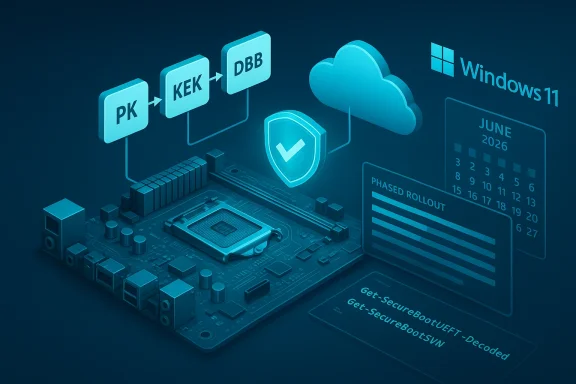
- Get‑SecureBootUEFI now supports a new -Decoded option to present Secure Boot keys and certificates in a human‑readable format.
- Get‑SecureBootSVN is introduced to check the Secure Boot Security Version Number (SVN) of a device’s UEFI firmware and bootloader and to report whether the device follows the latest Secure Boot policy.
- Reliability improvements to File History (specifically naming edge cases with Chinese and Private Use Area characters), GPU stability fixes for intensive graphics use and shutdown reliability, a new Saudi Riyal currency symbol in Windows fonts, and a safer catalog‑selection dialog in Windows System Image Manager.
- A related servicing stack update (SSU KB5079275 for 22621.6773) intended to keep the update installation mechanism resilient and ready for the certificate rollout and other patches.
Why this matters: the technical and operational stakes
- Pre‑boot trust is foundational to platform security. Secure Boot is the first line of defense against pre‑OS threats such as bootkits and tampered bootloaders; when the signing authorities that underpin that trust expire, the platform loses its ability to accept new trusted signatures from the old CA and — unless updated — will no longer trust new components signed under a replacement CA. Over time that erodes the platform’s ability to receive mitigations and to validate newer boot code.
- Devices don’t all behave the same way. Microsoft’s approach is deliberately phased and telemetry‑aware: the update adds “high confidence device targeting data” so Windows Update can apply the new Secure Boot certificates only to devices that have demonstrated successful update signals. That reduces risk but creates periods where some devices receive certificates earlier and others later; administrators must track progress and exceptions.
- Not all hardware can accept the update without help. A small but significant subset of systems will require OEM firmware (BIOS/UEFI) updates because not all firmware implementations expose Secure Boot variable operations uniformly. For these machines, Microsoft’s certificate payload delivered by Windows Update cannot be applied until the firmware is capable of persisting the new CA entries. OEM guidance pages and vendor advisories underscore that older devices may need BIOS updates — if the OEM does not provide them, those devices may remain unpatched.
- Windows 10 and unsupported machines are at higher risk. Devices that no longer receive monthly Windows updates — such as Windows 10 consumer editions that fell out of support in October 2025 unless enrolled in Extended Security Updates (ESU) — will not receive the replacement certificates through Windows Update by default. Microsoft’s guidance and platform reporting make that explicit: staying on an unsupported release risks landing in a degraded secure‑boot state unless you obtain the updates via ESU or OEM firmware.
- Reimaging, storage, and distribution workflows are fragile. Systems kept in long‑term storage (for sale, inventory, or reuse) could miss the window entirely; mass‑imaging or provisioning processes must be updated to include the new CA entries or the firmware versions that already ship with them. Numerous sysadmin and security community threads highlight real cases where devices in storage or devices imaged from old media fail to accept the certificate rollout cleanly.
The new PowerShell tools explained (how to use them)
Microsoft added two command‑line capabilities to make validation and triage practical. These will be essential for admins validating large fleets and for power users troubleshooting individual machines. The commands are new additions to the SecureBoot PowerShell module; use them from an elevated (admin) PowerShell session.- Get‑SecureBootUEFI -Decoded
- Purpose: dumps the platform’s Secure Boot databases (DB, DBX, KEK, PK) and decodes certificate blobs so you can read issuer names, validity dates, and thumbprints in a human‑friendly format.
- Why it matters: it lets you inspect whether the new “Windows UEFI CA 2023” entries (or OEM equivalents) are present in NVRAM without pulling firmware logs or using vendor tools.
- Basic check: run the cmdlet and scan for certificate subject fields that reference the 2023 CA names described in Microsoft’s guidance. If you only see 2011 CA entries, the device likely still needs the update.
- Get‑SecureBootSVN
- Purpose: reports the Secure Boot Security Version Number (SVN) as exposed by UEFI firmware and by the Windows bootloader. The SVN is a numeric policy marker used to coordinate boot policy updates.
- Why it matters: mismatched or low SVN values can indicate firmware that cannot enforce newer Secure Boot policies, or a bootloader that is behind the policy used by Microsoft’s rollout. This helps triage which devices need firmware or bootloader updates before the certificate rotation.
- Open PowerShell as Administrator.
- Run: Get‑SecureBootUEFI -Decoded. Look for certificate subjects named or described as Windows UEFI CA 2023 or similar.
- Run: Get‑SecureBootSVN. Note the SVN output and compare to OEM or Microsoft guidance for your model (some OEM docs list minimum firmware SVN values).
- Verify Windows Update state and check Windows Security notifications for any Secure Boot messages.
What administrators should do now — step by step
This is a triage‑and‑remediation playbook for IT teams managing thousands of endpoints, and for advanced home users with mixed fleets.- Inventory and classify (first 24–72 hours)
- Identify all devices running Windows 11 23H2, Windows 10 (including ESU subscriptions), and Windows Server editions in scope.
- Mark devices in storage, imaging pools, or staging that may not check Windows Update regularly.
- Collect firmware versions and vendor model identifiers so you can map devices to OEM guidance. Microsoft and many OEMs publish model‑specific instructions; prioritize units with older firmware.
- Automate health checks (days 1–7)
- Deploy a script that runs Get‑SecureBootUEFI -Decoded and Get‑SecureBootSVN on endpoints, collects results centrally, and flags devices that lack the 2023 CA entries or report low SVN. Microsoft and community scripts for bulk collection are circulating; validate any third‑party scripts before running.
- For managed environments, ensure telemetry/diagnostic data settings required for automatic rollout are enabled where appropriate and allowed by policy; Microsoft’s targeting relies in part on successful update signals.
- Coordinate firmware updates (weeks 1–6)
- Contact OEMs for confirmed firmware images that add the new 2023 CA entries. Build testing plans for representative hardware families.
- Use standard firmware‑update pipelines (SCCM/WSUS/Intune/MDM) where possible; have fallback USB‑based firmware update processes for isolated devices.
- Protect imaging and provisioning pipelines
- Update golden images and provisioning media to include the 2023 CA certificates (or to use firmware versions that already ship with them) to prevent newly imaged machines from starting life without the updated trust anchors.
- For devices in long‑term storage that won’t boot before June 2026, add a process to apply firmware updates the first time they’re powered on.
- Plan for Windows 10 and unsupported systems
- Inventory Windows 10 machines and decide whether ESU enrollment is in scope. If not, decommission or migrate those systems; they will not receive the certificate refresh via standard updates and will be at higher risk of losing future boot‑level protections.
- Test anti‑cheat, GPU, and specialty hardware
- Validate gaming and professional workstations against vendor updates (NVIDIA/AMD/Intel) and anti‑cheat providers that may rely on signed pre‑OS components. Some GPU GOPs and anti‑cheat shims were historically signed by the 2011 CA; those will need re‑signing or replacement.
- Communicate clearly
- Craft end‑user and stakeholder communications that explain the modest but real risks and the expected operational changes. Avoid alarmist phrasing: devices will mostly continue to boot, but future boot‑level updates and new protections may be blocked without the refreshed trust anchors.
Real‑world examples and vendor behavior
- OEMs: Many OEMs (Dell, Lenovo, HP) have published BIOS update guidance and timelines for specific models and have partnered with Microsoft to ensure new devices ship with the 2023 certificates. Check vendor advisories for required firmware builds and any vendor‑specific steps to activate new certificate variables.
- Cloud / Virtual PCs: Microsoft has a separate guidance page for Windows 365 and Cloud PCs, noting that images and provisioned systems must have the 2023 CA before expiration to remain protected. Cloud images that contain the older CAs may need reissue or updates before June.
- Linux and multi‑boot systems: The certificate change can impact Linux distributions that rely on shim signatures. Red Hat and other Linux vendors have published guidance explaining the need to ensure their signed shims and bootloaders are compatible with the new CAs and how to prepare servers. Admins who maintain dual‑boot machines should validate firmware DB contents before June.
Risks, caveats, and potential gotchas
- False sense of urgency vs. complacency: Microsoft stresses devices won’t stop working overnight, but delayed remediation creates a broad‑surface risk: inability to accept future bootloader fixes, DB/DBX updates, or new mitigations. Complacency in a widely distributed fleet can amplify exposure.
- Firmware variance: Some firmware implementations are poorly documented or inconsistent; not all devices accept Windows Update‑delivered certificate updates. Those devices rely on OEM firmware updates, and if the OEM doesn’t supply them, operators may face manual workarounds or retirement decisions.
- Imaging and supply chain: Devices that are imaged from old “golden” images or kept in supply chain storage can be forgotten and later discovered with no means to bootstrap the new certificates without a vendor image or manual firmware update. Inventory accuracy is crucial.
- Anti‑cheat and legacy signed code: Games and anti‑cheat components that rely on old signing assertions may malfunction unless vendors re‑sign or provide updated binaries. Expect vendor patches and coordinate testing windows.
- Unsupported OSes: Windows 10 devices without ESU will generally be excluded from the automated certificate rollout. Organizations running legacy systems must plan for migration, ESU enrollment, or strict isolation.
- Script trust: Community scripts that enumerate Secure Boot state can be helpful, but run only vetted versions or those from trusted sources. Misuse of low‑privilege or poorly formed scripts can produce false negatives or confuse incident triage.
Critical analysis: Microsoft’s rollout strategy — strengths and weaknesses
Strengths- Coordinated, phased approach: Microsoft’s plan to use telemetry signals and staged targeting reduces the risk of mass‑bricking firmware operations and lets the company escalate the rollout as confidence grows. That controlled methodology is prudent for a global, heterogeneous installed base.
- Tooling for admins: The introduction of readable, OS‑level PowerShell diagnostics (Get‑SecureBootUEFI -Decoded and Get‑SecureBootSVN) is a major win for triage and automation. Those tools make large‑scale verification realistic without special vendor SDKs.
- Vendor coordination: OEM and Linux vendor guidance, plus Microsoft‑published scripts and server‑focused posts, indicate a broad industry response rather than a Microsoft‑only patch. That improves the chance of success across device classes.
- Dependence on OEM firmware cadence: The plan’s success hinges on OEMs providing timely firmware updates for older boards. History shows some vendors deprioritize legacy models; devices left behind will be operational but risk losing future boot protections. This dependency creates a policy and procurement issue: hardware lifecycles matter for security.
- Windows 10/unsupported systems gap: The reality that many Windows 10 consumer PCs will not receive the certificate update without ESU or vendor intervention means a significant population is vulnerable to “degraded security states.” Microsoft’s approach favors current, supported platforms — which is correct for security hygiene, but politically awkward for owners of older hardware.
- Complexity for heterogeneous fleets: Organizations with mixed OEMs, custom servers, storage arrays, and niche devices (IoT, edge) will face non‑uniform remediation paths. That complexity increases operational cost during a narrow window of time.
Practical mitigation and fallback options
If you discover devices that cannot receive the Windows Update‑delivered certificates and an OEM firmware update isn’t available, there are a few limited paths — each with tradeoffs:- Temporary disablement of Secure Boot (not recommended unless as controlled, short‑term recovery): Disabling Secure Boot allows a device to boot and accept an update, but it removes a key protection and should only be done under strict change control, followed immediately by re‑enabling Secure Boot after remediation.
- Use OEM management tools or vendor utilities to inject certificates manually: Some vendors provide signed tooling to add CA entries into firmware NVRAM. This is vendor‑specific and must be tested carefully.
- Migrate or retire unsupportable hardware: For devices with no vendor firmware path, plan decommissioning or migration to supported hardware — particularly for endpoints in sensitive roles.
- For servers and cloud images: Rebuild images with updated boot components and re‑provision so the resulting instances have the 2023 CAs baked into their firmware images or virtual firmware configurations. Cloud vendors and virtualization stacks will have separate procedures.
Monitoring, reporting, and post‑remediation checks
- Central reporting: Collect cmdlet outputs and create dashboards for percentage compliance, number of devices requiring firmware, and devices in storage that have not checked in.
- Windows Security notifications: Microsoft indicated Windows Security will present messages about Secure Boot certificate status for some devices. Use those alerts as an additional signal but do not rely on them exclusively.
- Periodic rechecks: The rollout is phased; continue automated checks until your fleet shows sustained compliance and any imaging pipelines have been updated.
Conclusion
KB5078883 is more than a routine cumulative update: it operationalizes Microsoft’s phased refresh of Secure Boot certificates and equips administrators with the first robust OS‑level tools to inspect and validate pre‑boot trust across a fleet. The technical mechanics are straightforward — new CA entries, a measured Windows Update delivery and new PowerShell introspection — but the operational consequences are broad and immediate. Organizations should treat this as a high‑priority maintenance task: inventory devices, run automated health checks with the new cmdlets, coordinate firmware updates with OEMs, update images and provisioning pipelines, and pay special attention to Windows 10 and older hardware that may not receive automated fixes.The good news is Microsoft has planned a controlled rollout and provided tooling; the harder truth is that hardware lifecycles, OEM responsiveness, and organizational inertia will determine whether individual devices remain fully protected when the 2011 certificates start expiring in June 2026. Start your verification and remediation work now — not because your PCs will stop booting tomorrow, but because the ability to receive and trust future boot‑level protections depends on it.
Source: Microsoft Support March 10, 2026—KB5078883 (OS Build 22631.6783) - Microsoft Support