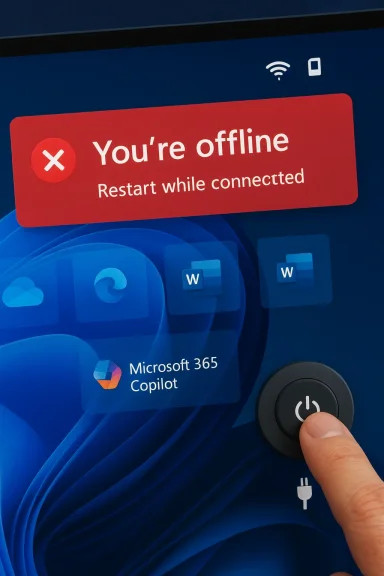
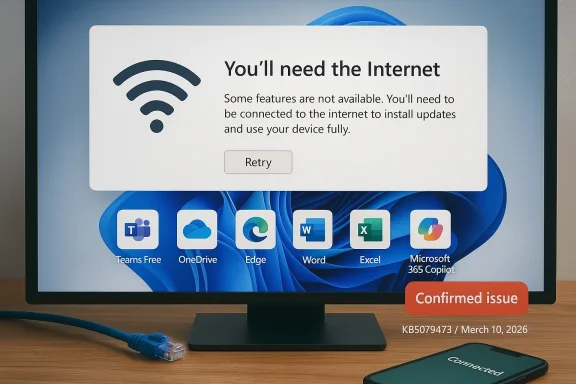
Microsoft’s latest Windows 11 update appears to have broken one of the operating system’s most fundamental consumer workflows: signing in to Microsoft accounts inside first-party apps such as OneDrive, Word, Excel, and Microsoft 365 Copilot. The problem is showing up on Windows 11 24H2 and 25H2, and the error message is especially maddening because it can claim the PC is offline even when the internet connection is working normally. Businesses using Entra ID for application authentication are not affected, which keeps the blast radius away from many corporate environments, but home users and small teams are feeling the pain. Microsoft says a fix is coming “in the next few days,” which strongly suggests another out-of-band patch may be needed.
Windows updates have had a rocky run across 2025 and into 2026, and this latest sign-in failure lands in that context. Microsoft’s own release-health pages for Windows 11 24H2 and 25H2 show a steady stream of mitigations, rollbacks, and out-of-band fixes for issues that range from sign-in prompts to Remote Desktop and cloud app access problems. That matters because the current bug is not just another nuisance; it is part of a pattern in which cumulative updates can upset authentication, networking, and account-state logic in ways that are hard for users to diagnose quickly.
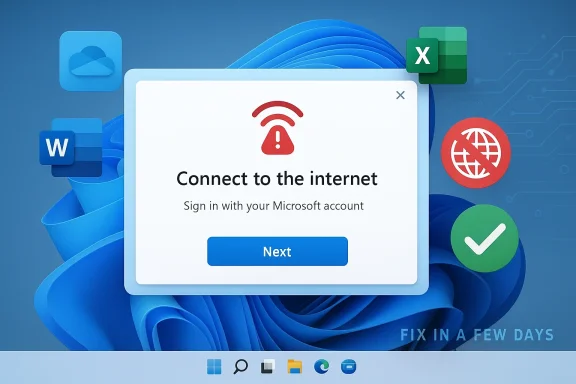
The immediate symptom being reported is deceptively simple: Microsoft account sign-ins fail in apps that depend on the Windows identity stack, and users are told to connect to the internet. The problem is that the message can appear even when the device is already online, which makes it look like a networking issue when it may actually be a state-machine or token-refresh failure in the sign-in flow. Microsoft’s description that the issue occurs when the device enters “a specific network connectivity state” is telling, because it suggests the operating system is misclassifying the machine’s connectivity rather than losing network access outright.
That distinction matters because Windows now ties so much of the consumer experience to cloud identity. OneDrive, Microsoft 365, Copilot, and Teams Free all rely on a Microsoft account for sign-in, licensing, or sync state, while some enterprise scenarios are routed through Entra ID instead. When that identity layer stumbles, the damage extends well beyond a single app and starts to look like an OS-level failure.
It is also worth noting that Microsoft has spent the last year tightening the relationship between Windows setup, account sign-in, and online connectivity. The company has steadily removed local-account workarounds from new Windows 11 setup paths and reinforced the assumption that a Microsoft account and active internet connection are normal parts of the experience. That makes an update-driven sign-in regression especially awkward: the same ecosystem that increasingly insists on cloud identity can still be undone by a connectivity-state bug.
That interpretation also fits the observed behavior in apps like OneDrive and Office. Those apps often piggyback on Windows account state and web authentication components, so if the OS thinks the device cannot reach the internet, the app may never even reach the stage where it asks for credentials properly. In other words, the error may be a symptom of the broken state, not the root cause.
Small businesses are in a more awkward position. Some use personal Microsoft accounts for lightweight collaboration or as ad hoc credentials on unmanaged devices, and those are the workflows most likely to be tripped up. If the device is not part of a properly managed Entra ID environment, the user may have little recourse beyond restart, sign-out, or waiting for Microsoft’s patch.
That cascade is especially frustrating because the error message points users in the wrong direction. Telling someone “you’ll need the internet for this” when the network is working creates a debugging dead end, and many users will waste time checking Wi-Fi routers, VPNs, or firewall rules when the real issue is inside Windows. This kind of misleading failure mode is worse than a clean crash, because it consumes time and confidence.
There is also a trust problem. Windows users have already lived through a long sequence of update regressions involving RDP, cloud file saving, and app sign-in quirks, and each recurrence reinforces the perception that Patch Tuesday can break the very features it is supposed to secure. For a product as ubiquitous as Windows, that perception carries real support costs for Microsoft and real downtime for customers.
The challenge is that each OOB patch has a cost. It can complicate testing, create version fragmentation, and force administrators to choose between installing a hotfix quickly or waiting for more confidence. Yet when a bug breaks Microsoft account sign-in across consumer apps, delaying the fix is not really an option.
Historically, Windows users tolerated occasional patch-related drama because the operating system was comparatively self-contained. That model no longer applies. Today, a single update can affect local sign-in, cloud authentication, app licensing, remote work, and sync services all at once, which means Microsoft must move faster and be more transparent than it was in the old desktop era.
Microsoft 365 Copilot adds another layer of fragility. AI features are already dependent on account-based entitlements and online connectivity, so a false “no internet” condition can shut down not just sign-in but the very experience Microsoft is trying to upsell. That makes the bug strategically awkward because it undercuts the value proposition of Microsoft’s newest premium cloud features.
Teams Free is an especially telling inclusion because it bridges consumer and semi-professional use. It is not a heavy enterprise workload, but it is still a communication tool where sign-in failures immediately become visible and frustrating. In practice, that means the bug can interrupt both work and personal collaboration on the same machine.
That does not mean IT teams can ignore it. If employees use personal Microsoft accounts on corporate-managed devices for side workflows, or if they rely on Teams Free or consumer OneDrive alongside corporate services, the issue can still create confusion and help-desk noise. But compared with a global enterprise identity outage, this looks contained.
Consumers have far less insulation. They do not have an admin center, a tenant-level policy rollback, or a formal support escalation path in most cases. If restarting the device is the only prescribed remedy until Microsoft ships a patch, then the entire burden of remediation falls on the end user.
There is a reason Microsoft often prefers a fresh update over a manual registry tweak or hidden policy flag: the sign-in stack is too central to leave half-patched. A bad workaround can create new support problems, especially when the issue involves Microsoft account auth, OneDrive sync, or Office activation. In this area, simplicity usually beats cleverness.
The longer-term story is more interesting. Windows 11 is becoming more cloud-bound, more identity-driven, and more dependent on service coordination across apps that used to be separate. That can be a strength when it works, but each update failure now has a much larger blast radius than a traditional desktop bug ever did. The next few days will show whether Microsoft can keep that complexity under control.
Source: theregister.com MS update kills Microsoft account sign-ins in Windows 11
 Background
Windows updates have had a rocky run across 2025 and into 2026, and this latest sign-in failure lands in that context. Microsoft’s own release-health pages for Windows 11 24H2 and 25H2 show a steady stream of mitigations, rollbacks, and out-of-band fixes for issues that range from sign-in prompts to Remote Desktop and cloud app access problems. That matters because the current bug is not just another nuisance; it is part of a pattern in which cumulative updates can upset authentication, networking, and account-state logic in ways that are hard for users to diagnose quickly.The immediate symptom being reported is deceptively simple: Microsoft account sign-ins fail in apps that depend on the Windows identity stack, and users are told to connect to the internet. The problem is that the message can appear even when the device is already online, which makes it look like a networking issue when it may actually be a state-machine or token-refresh failure in the sign-in flow. Microsoft’s description that the issue occurs when the device enters “a specific network connectivity state” is telling, because it suggests the operating system is misclassifying the machine’s connectivity rather than losing network access outright.
That distinction matters because Windows now ties so much of the consumer experience to cloud identity. OneDrive, Microsoft 365, Copilot, and Teams Free all rely on a Microsoft account for sign-in, licensing, or sync state, while some enterprise scenarios are routed through Entra ID instead. When that identity layer stumbles, the damage extends well beyond a single app and starts to look like an OS-level failure.
It is also worth noting that Microsoft has spent the last year tightening the relationship between Windows setup, account sign-in, and online connectivity. The company has steadily removed local-account workarounds from new Windows 11 setup paths and reinforced the assumption that a Microsoft account and active internet connection are normal parts of the experience. That makes an update-driven sign-in regression especially awkward: the same ecosystem that increasingly insists on cloud identity can still be undone by a connectivity-state bug.
What Microsoft Says Is Happening
Microsoft’s own guidance is unusual in how specific yet unsatisfying it is. The company says the issue happens when the device enters a certain network connectivity state and may clear on its own, and that restarting the device while it is online should also resolve the problem. If the machine is restarted while offline, Microsoft warns that it could return to the same bad state, which implies the fault is not simply cached credentials but something deeper in session initialization or network detection.The key clue: state, not just connectivity
The most important phrase in Microsoft’s description is specific network connectivity state. That is a strong hint that Windows is not merely checking “internet available: yes/no,” but is instead evaluating a richer set of signals before allowing Microsoft account authentication to proceed. A bug in that decision path could easily make an online device look offline to the sign-in broker, especially if captive portal detection, proxy logic, DNS reachability, or a stale network profile is involved.That interpretation also fits the observed behavior in apps like OneDrive and Office. Those apps often piggyback on Windows account state and web authentication components, so if the OS thinks the device cannot reach the internet, the app may never even reach the stage where it asks for credentials properly. In other words, the error may be a symptom of the broken state, not the root cause.
- The issue affects Microsoft account sign-ins rather than all Windows logons.
- The failure can appear even on devices that are demonstrably online.
- A restart may help, but only if the machine is online during reboot.
- Restarting offline can return the device to the same broken state.
- Microsoft says a fix is coming soon, implying the company has a known repro.
Who Is Affected
The good news is that this is not a universal Windows authentication collapse. Microsoft says business users relying on Entra ID for application authentication are not impacted, which means many managed enterprise environments should remain stable. That is an important qualifier because it points to consumer Microsoft-account pathways, not the broader enterprise identity stack, as the damaged layer.Consumer identity is the weak point
The affected population is likely to include home users who sign in to Word, Excel, OneDrive, Teams Free, or Microsoft 365 Copilot with a personal Microsoft account. These are exactly the apps that increasingly blur the line between installed software and cloud services, so one bad OS update can effectively disable core productivity features. For casual users, the error looks like a network hiccup; for regular Microsoft 365 subscribers, it can feel like a licensing failure.Small businesses are in a more awkward position. Some use personal Microsoft accounts for lightweight collaboration or as ad hoc credentials on unmanaged devices, and those are the workflows most likely to be tripped up. If the device is not part of a properly managed Entra ID environment, the user may have little recourse beyond restart, sign-out, or waiting for Microsoft’s patch.
- Home users are the most visible victims.
- Small offices that mix consumer and business identities may see confusing symptoms.
- Enterprise Entra ID authentication appears to be spared.
- Devices that are routinely restarted offline may be more prone to recurrence.
- Apps with deeper integration into Windows identity plumbing are the most exposed.
Why This Bug Matters More Than It First Appears
At first glance, this seems like a limited sign-in glitch. In practice, though, it hits one of Windows 11’s central design assumptions: that identity, sync, and service access are now part of the operating system’s basic plumbing. When that assumption fails, users do not just lose a single feature; they lose the connective tissue that makes the whole software stack feel coherent.Identity failures cascade quickly
A Microsoft account is no longer just a login for a website. It is often the authorization key for app licensing, OneDrive sync, shared notebook access, Copilot features, and device-specific personalization. If that identity channel breaks, users can end up unable to sign in to the apps they use every day, even though the machine itself remains operational.That cascade is especially frustrating because the error message points users in the wrong direction. Telling someone “you’ll need the internet for this” when the network is working creates a debugging dead end, and many users will waste time checking Wi-Fi routers, VPNs, or firewall rules when the real issue is inside Windows. This kind of misleading failure mode is worse than a clean crash, because it consumes time and confidence.
There is also a trust problem. Windows users have already lived through a long sequence of update regressions involving RDP, cloud file saving, and app sign-in quirks, and each recurrence reinforces the perception that Patch Tuesday can break the very features it is supposed to secure. For a product as ubiquitous as Windows, that perception carries real support costs for Microsoft and real downtime for customers.
- The bug damages confidence in Windows Update itself.
- It creates expensive support noise for IT admins and consumers.
- It pushes users toward workarounds instead of normal remediation.
- It can interrupt licensing and sync in addition to authentication.
- It reinforces the sense that cloud identity is a fragile dependency.
The March 10 Update and the Out-of-Band Pattern
The timing is notable. The problem is being associated with the March 10 update for Windows 11 24H2 and 25H2, and Microsoft’s language that a fix is coming in a few days strongly suggests the company may need to publish an out-of-band update rather than waiting for the normal servicing cadence. That would fit the pattern Microsoft has already used repeatedly in recent months when a Patch Tuesday release causes widespread pain.Why out-of-band patches keep showing up
Out-of-band updates exist for exactly this kind of scenario: an issue is serious enough that the normal monthly rhythm is too slow. Microsoft has already used that playbook in 2025 and 2026 for issues including credential prompts, cloud access failures, and other Windows 11 regressions. In that sense, the current bug is less an isolated incident than another example of the modern Windows servicing model under strain.The challenge is that each OOB patch has a cost. It can complicate testing, create version fragmentation, and force administrators to choose between installing a hotfix quickly or waiting for more confidence. Yet when a bug breaks Microsoft account sign-in across consumer apps, delaying the fix is not really an option.
Historically, Windows users tolerated occasional patch-related drama because the operating system was comparatively self-contained. That model no longer applies. Today, a single update can affect local sign-in, cloud authentication, app licensing, remote work, and sync services all at once, which means Microsoft must move faster and be more transparent than it was in the old desktop era.
- The March 10 update appears to be the trigger.
- Microsoft is already signaling a fast follow-up fix.
- An out-of-band release would be consistent with prior recent remediation.
- The servicing model is increasingly built around emergency corrections.
- Speed matters because identity bugs freeze core workflows.
Impact on OneDrive, Office, and Copilot
The apps called out in the current reports are the ones that make Microsoft’s cloud story feel tangible to ordinary users. OneDrive is the obvious one because it is tightly tied to sync state and account identity, but Office apps and Copilot matter just as much because they turn sign-in problems into licensing and feature-access problems.Why the app list is important
OneDrive failures are disruptive because they can interrupt file access, sync status, and collaborative workflows. Word and Excel failures are even more awkward, because users expect those desktop apps to work offline and only occasionally check in with Microsoft’s servers for activation or account-linked features. When those sign-ins fail, the user is left wondering whether the issue is internet access, subscription status, or corruption in the Windows account broker.Microsoft 365 Copilot adds another layer of fragility. AI features are already dependent on account-based entitlements and online connectivity, so a false “no internet” condition can shut down not just sign-in but the very experience Microsoft is trying to upsell. That makes the bug strategically awkward because it undercuts the value proposition of Microsoft’s newest premium cloud features.
Teams Free is an especially telling inclusion because it bridges consumer and semi-professional use. It is not a heavy enterprise workload, but it is still a communication tool where sign-in failures immediately become visible and frustrating. In practice, that means the bug can interrupt both work and personal collaboration on the same machine.
- OneDrive users may lose sign-in and sync continuity.
- Word and Excel users may hit activation or account prompts.
- Microsoft 365 Copilot access can be blocked outright.
- Teams Free may fail to authenticate normally.
- The same bug can therefore hit files, subscriptions, and AI features together.
Enterprise vs Consumer: A Useful Divide
Microsoft’s claim that Entra ID application authentication is not affected is more than a technical footnote; it is a business shield. It tells enterprises that domain- and tenant-based identity flows are likely insulated from the Microsoft account issue, which lowers the risk of broad corporate disruption. But it also leaves consumer and lightweight business users carrying the burden.Why enterprises may be less exposed
Enterprise Windows environments usually have more layers between the user and cloud authentication. Devices may be managed through Intune, joined to Entra ID, and configured with policy controls that can help sidestep consumer-account quirks. Even if users still open Office apps, the actual sign-in path is often different enough to dodge the defect Microsoft is describing.That does not mean IT teams can ignore it. If employees use personal Microsoft accounts on corporate-managed devices for side workflows, or if they rely on Teams Free or consumer OneDrive alongside corporate services, the issue can still create confusion and help-desk noise. But compared with a global enterprise identity outage, this looks contained.
Consumers have far less insulation. They do not have an admin center, a tenant-level policy rollback, or a formal support escalation path in most cases. If restarting the device is the only prescribed remedy until Microsoft ships a patch, then the entire burden of remediation falls on the end user.
- Entra ID lowers corporate exposure.
- Consumer Microsoft accounts are the primary weak link.
- IT-managed devices may still see side effects in mixed-account scenarios.
- Home users have the least practical remediation options.
- The bug highlights how fragmented identity has become across Windows.
What Microsoft Can Do Now
The immediate fix is likely to be straightforward from a user perspective and complicated from an engineering one. Microsoft needs to correct whatever state-detection or token-handling logic is mislabeling connected devices as offline, then push that repair quickly through the Windows servicing pipeline. If the root cause is narrow enough, an out-of-band cumulative update should be enough.Short-term remediation steps
For users already affected, Microsoft’s guidance implies the quickest path is to get the device online, reboot it, and try again. That is not elegant, but it is consistent with how many Windows sign-in and network-state problems clear when cached state is refreshed on a live connection. If that fails, waiting for the next patch may be the only realistic route.There is a reason Microsoft often prefers a fresh update over a manual registry tweak or hidden policy flag: the sign-in stack is too central to leave half-patched. A bad workaround can create new support problems, especially when the issue involves Microsoft account auth, OneDrive sync, or Office activation. In this area, simplicity usually beats cleverness.
- Reboot while the device is online.
- Avoid rebooting offline if the issue is already present.
- Watch for a Microsoft out-of-band fix.
- Test Microsoft account sign-in after any patch is installed.
- Escalate persistent failures through Microsoft support channels.
Strengths and Opportunities
Microsoft still has a few advantages here, despite the embarrassment of another update-related sign-in bug. The company has a mature release-health system, it can ship out-of-band fixes quickly, and it can contain the worst of the damage by separating consumer Microsoft account flows from enterprise Entra ID authentication. If it moves promptly, it can limit the incident to a short-lived annoyance rather than a long-running trust problem.- Microsoft has already acknowledged the issue publicly.
- The company appears to understand the trigger condition.
- An OOB patch could resolve the bug without waiting for the next monthly cycle.
- Enterprise customers may be insulated by Entra ID.
- The incident could motivate better regression testing in identity flows.
- Microsoft can use release-health channels to reduce confusion.
- A fast fix would demonstrate operational maturity under pressure.
Risks and Concerns
The biggest risk is that users will lose patience before the fix lands. When a Microsoft account sign-in bug breaks OneDrive or Office, people do not just lose an app; they lose access to files, subscriptions, and features they pay for. That can quickly turn a servicing issue into a customer-relations problem.- Users may misdiagnose the issue as a router, VPN, or firewall failure.
- Reboot-based workarounds are fragile and easy to forget.
- Offline restarts may reintroduce the bad state.
- The bug can hit multiple high-value apps at once.
- Support teams may face a surge of redundant tickets.
- Repeated update regressions further erode trust in Windows servicing.
- The problem could recur if the underlying state logic is not fully corrected.
Looking Ahead
The most likely short-term outcome is a Microsoft out-of-band update that corrects the broken sign-in path for 24H2 and 25H2 users. If Microsoft already has a reproducible trigger, the company should be able to narrow the fix to the relevant authentication or network-state code and push it quickly through Windows Update. The real question is not whether Microsoft can patch the problem, but how many users will be affected before that happens.The longer-term story is more interesting. Windows 11 is becoming more cloud-bound, more identity-driven, and more dependent on service coordination across apps that used to be separate. That can be a strength when it works, but each update failure now has a much larger blast radius than a traditional desktop bug ever did. The next few days will show whether Microsoft can keep that complexity under control.
- Watch for an out-of-band update from Microsoft.
- Monitor whether the fix targets 24H2 and 25H2 only.
- Check if Microsoft expands guidance beyond a reboot workaround.
- Pay attention to any related OneDrive or Office activation advisories.
- See whether further identity bugs appear in the March servicing train.
Source: theregister.com MS update kills Microsoft account sign-ins in Windows 11