After Microsoft’s March 10, 2026 Windows 11 cumulative update, KB5079473, some users found themselves locked out of Microsoft account sign-ins inside apps that normally feel woven into the operating system itself. The failure is especially frustrating because the affected PCs are still online, yet Windows and apps like Teams Free, OneDrive, Microsoft Edge, Word, Excel, and Microsoft 365 Copilot may insist otherwise. Microsoft has now documented the issue, tied it to a specific network connectivity state, and suggested a temporary workaround while a proper fix is prepared. That combination — a broad consumer-facing bug, a misleading error message, and a patch that was supposed to improve security — is exactly the kind of story that shakes confidence in Windows servicing. ws has always lived with a tension between security and stability, but that tension becomes much more visible when the operating system is tightly bound to cloud identity. The old model of “install the monthly patch and move on” has been replaced by a far more interconnected reality in which a login error can affect not just Windows itself, but the browser profile, file sync, collaboration tools, and Office apps. That is what makes KB5079473 so notable: it is not merely another cumulative update, but a reminder that the modern Windows desktop is now a network of identity dependencies.
Microsoft’s March 10473, applies to Windows 11 versions 24H2 and 25H2 and includes security fixes plus non-security changes from the prior preview cycle. In other words, this was the mainstream monthly update most users would expect to be safe, boring, and broadly routine. Instead, Microsoft later added a known issue describing Microsoft account sign-in failures that can surface even when the device remains connected to the internet.
The affected surface is broad enough to mumers and small businesses alike. Microsoft names Teams Free and OneDrive explicitly, then extends the problem to Edge, Word, Excel, and Microsoft 365 Copilot when those apps rely on Microsoft account sign-in. That scope matters because it shows the bug is not limited to one product team or one app shell; it appears to sit in the authentication layer that several services depend on.
Microsoft also makes an important distinction between personal Entra ID-based enterprise authentication. According to the company’s release-health notes, organizations using Entra ID are not affected in the same way, which narrows the blast radius in managed business environments. Even so, the issue lands hardest where most readers actually live: home PCs, mixed-use family machines, and small-business systems that rely on consumer or prosumer sign-ins for everyday work.
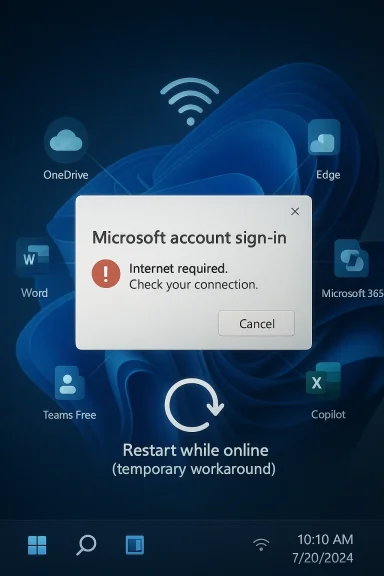
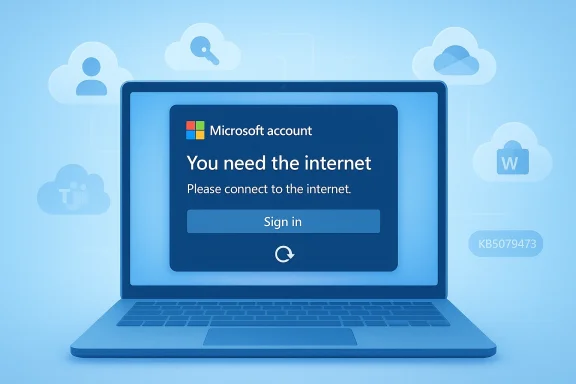
The error message itself is part of what makes the issue feel worse than it technicalthey need the internet even when they already have working connectivity, which points support efforts in the wrong direction and invites unnecessary troubleshooting of Wi-Fi, DNS, VPNs, and routers. That kind of misleading diagnosis is not just annoying; it turns a servicing bug into a time sink.
Microsoft’s wording is unusually direct for a Windows servicing issue. Thter installing KB5079473, sign-ins with a Microsoft account may fail in affected apps, even when the device has a working internet connection. It also identifies the update as the trigger, which is important because it separates the problem from vague user-side networking issues and ties it to a specific build and release date.
Microsoft also indicates that the bug is connected to a specific network connectivity state, which suggests a state-machine or session-handling defect rvice outage. That is a subtle but important distinction. A server-side outage usually affects many users at once and resolves centrally, while a state-based defect can linger locally on individual devices, creating a frustratingly inconsistent experience.
The wording of the prompt also matters psychologically. People trust network warnings because they are simple and familiar, so the message immediately shifts attention to the router, the modem, or the ISP. Microsoft’s own description implies the problem is actually local and statefuor text actively misleading rather than merely incomplete.
That is why this issue lands differently from a traditional application regression. A broken photo app is annoying; a broken identity layer is existential for the user session. Once the account stack is implicated, every downstream service becomes suspect, and that is a far more damaging kind of uncertainty.
This also creates a practical problem for travelers and remote workers. A laptop that is on a poor hotel Wi‑Fi network, or one that is restarted on ting, is precisely the kind of machine that may be most vulnerable to a stateful reconnect bug. The workaround is easy to write down and harder to rely on in real life.
The March 2026 cycle was also already large enough to create plenty of operational complexity. Microsoft’s servicing model now has to manage multiple active Windows 11 branches whnd quality updates into the same cumulative package. The more mainstream the release, the greater the risk that a subtle account-state issue will reach a lot of devices very quickly.
Source: Computing UK Microsoft issues emergence update to fix sign-in problems
Source: International Business Times Microsoft Windows 11 Emergency Update: Windows 11 to Fix Microsoft Account Sign-In Issues
Source: theregister.com Microsoft releases emergency fix for account internet error
Microsoft’s March 10473, applies to Windows 11 versions 24H2 and 25H2 and includes security fixes plus non-security changes from the prior preview cycle. In other words, this was the mainstream monthly update most users would expect to be safe, boring, and broadly routine. Instead, Microsoft later added a known issue describing Microsoft account sign-in failures that can surface even when the device remains connected to the internet.
The affected surface is broad enough to mumers and small businesses alike. Microsoft names Teams Free and OneDrive explicitly, then extends the problem to Edge, Word, Excel, and Microsoft 365 Copilot when those apps rely on Microsoft account sign-in. That scope matters because it shows the bug is not limited to one product team or one app shell; it appears to sit in the authentication layer that several services depend on.
Microsoft also makes an important distinction between personal Entra ID-based enterprise authentication. According to the company’s release-health notes, organizations using Entra ID are not affected in the same way, which narrows the blast radius in managed business environments. Even so, the issue lands hardest where most readers actually live: home PCs, mixed-use family machines, and small-business systems that rely on consumer or prosumer sign-ins for everyday work.
The error message itself is part of what makes the issue feel worse than it technicalthey need the internet even when they already have working connectivity, which points support efforts in the wrong direction and invites unnecessary troubleshooting of Wi-Fi, DNS, VPNs, and routers. That kind of misleading diagnosis is not just annoying; it turns a servicing bug into a time sink.
 What Microsoft Confirmed
Microsoft’s wording is unusually direct for a Windows servicing issue. Thter installing KB5079473, sign-ins with a Microsoft account may fail in affected apps, even when the device has a working internet connection. It also identifies the update as the trigger, which is important because it separates the problem from vague user-side networking issues and ties it to a specific build and release date.The symptom pattern
The core complaint is not a crash, an installer failure, or a broken driver. It is an authentication faias a connectivity problem, and that matters because it changes how users and IT teams diagnose the issue. When a system says it is offline, people naturally look outward; when the real fault is in account-state handling, that first instinct wastes time.Microsoft also indicates that the bug is connected to a specific network connectivity state, which suggests a state-machine or session-handling defect rvice outage. That is a subtle but important distinction. A server-side outage usually affects many users at once and resolves centrally, while a state-based defect can linger locally on individual devices, creating a frustratingly inconsistent experience.
Affected apps and workflows
The list of impacted apps is what turns this from a nuisance into a platform problem. Microsoft cites Teams Free and OneDrive directly, thenExcel, and Microsoft 365 Copilot when those apps need Microsoft account sign-in. In practical terms, that means the bug can disrupt collaboration, document access, browser continuity, and cloud storage in one stroke.- Teams Free can fail at the account-authentication step.
- OneDrive can refuse to complete sign-in.
- Edge can hit a sign-in wall for profile sync and identity-backed features.
- **Wn be affected when Microsoft account access is required.
- Microsoft 365 Copilot can also be blocked when the sign-in flow is needed.
Why the Bug Feels So Disruptive
The reason this issue is drawing such strong reaction is not that it affects every Windows 11 machine. It is that it hits the exact layer users least want to think about: the invisible machinery thadevice is allowed to act like it is online. When that layer breaks, the experience becomes confusing, sticky, and time-consuming in a way that ordinary app bugs usually are not.Misleading errors are worse than hard failures
A clean failure is often easier to debug than a misleading one. If an app crashes, users know where the problem is; if a login prompt says “you need the internet” while the connection is actually fine, the usehe wrong problem first. That can mean wasted minutes for a consumer, but it can mean wasted support time across an entire help desk queue.The wording of the prompt also matters psychologically. People trust network warnings because they are simple and familiar, so the message immediately shifts attention to the router, the modem, or the ISP. Microsoft’s own description implies the problem is actually local and statefuor text actively misleading rather than merely incomplete.
Identity is now part of the Windows shell
This bug is especially revealing because it shows how much of Windows now depends on account identity. Microsoft accounts are no longer just for purchases or optional cloud features; they are intertwined with sync, storage, browser sign-in, app licensing, ansted features. When that chain breaks, it can feel as though the entire desktop has become unreliable.That is why this issue lands differently from a traditional application regression. A broken photo app is annoying; a broken identity layer is existential for the user session. Once the account stack is implicated, every downstream service becomes suspect, and that is a far more damaging kind of uncertainty.
- It affects y, not a niche feature.
- It encourages users to troubleshoot the wrong subsystem.
- It hits services people use every day, not rarely.
- It makes Windows feel unstable at the identity layer.
- It undermines trust in the update cadence itself.
Consumer Impact Versus Enterprise Impact
Microsoft’s diosoft accounts and Entra ID is more than a technical footnote. It effectively splits the story into two lanes: the consumer and prosumer world, where the problem is painful and visible, and the enterprise lane, where managed identity paths appear to remain intact. That separation helpe narrative, but it does not reduce the day-to-day pain for home users.Home users are most exposed
Home users are the most likely to rely on Microsoft accounts for everything from OneDrive syncing to app continuity. They also tend to have the least patience for update-related regressions because they expect a security patch to be invisible. If the patch instead breaks sign-in, the user sees it immediately and often without the vocabulary to describe what sinesses occupy an awkward middle ground. Even when they are not using full enterprise identity infrastructure, they may still depend on Microsoft accounts for convenience, legacy reasons, or a mixed device fleet. That means the issue can ripple through a business environment even if it is formally “consumer-only” in Microsoft’s terminology.Enterprise environments are not untouched by the news
It conclude that enterprises can ignore this story completely. Even if Entra ID sign-ins are not impacted, IT teams still have to field user reports, diagnose confusion, and explain why some services fail while others remain fine. The support burden can still grow simply because employees often do not know whether their sign-in flow is personal or work-breaks.- Consumer devices are likely to hit the bug first.
- Mixed environments may still generate help-desk noise.
- Entra ID reduces direct impact, but not support overhead.
- Personal OneDrive and Office usage remain vulnerable.
- The bug reinforces the value of identity separation in managed fleets.
The Workaround and Its Limits
Microsoft’s current workaround is simple: restart the device while it remains connected to the internet. That is a very old-school answer to a very modern bug, and it te may be tied to how the machine records or validates connection status after the update. It may help in the short term, but it is plainly not a real repair.Why the workaround is fragile
A workaround that depends on a live connection is inherently brittle. If the dene, or if the state recurs after a later restart, the user can fall right back into the same loop. Microsoft’s own guidance suggests exactly that possibility, which is why the fix feels more like a temporary nudge than a lasting solution.This also creates a practical problem for travelers and remote workers. A laptop that is on a poor hotel Wi‑Fi network, or one that is restarted on ting, is precisely the kind of machine that may be most vulnerable to a stateful reconnect bug. The workaround is easy to write down and harder to rely on in real life.
What a real fix will need to address
A proper remedy needs to do more than hide the symptom. It must address the state transition that causes Windows to believe the device is disconnected when it is noithout breaking account flows across multiple apps. That is a high bar, which is why these fixes often take longer than users expect.- Microsoft must correct the faulty connectivity state.
- The fix has to preserve account-session integrity.
- The update should not destabilize unrelated sign-in paths.
- The misleading error text shooot behavior must remain consistent across online and offline restarts.
Broader Servicing Lessons for Windows reminder that Windows 11 is no longer just an operating system in the classic sense. It is a platform where identity, sync, browser state, and productivity are tightly coupled, which means a defect in one layer can look like a failure of the whole stack. That complexity is manageable when servicing eadline-worthy when a monthly update disturbs the sign-in path.
Patch Tuesday now carries trust risk
Monthly updates are supposed to be routine, but routine is exactly what the user demands and what Microsoft struggles to preserve at scahat introduces a misleading authentication problem does not merely create a bug; it creates doubt about the next patch. That is the real cost of regressions in a world where most people install updates because they are told to, not because they have spare time to audit them.The March 2026 cycle was also already large enough to create plenty of operational complexity. Microsoft’s servicing model now has to manage multiple active Windows 11 branches whnd quality updates into the same cumulative package. The more mainstream the release, the greater the risk that a subtle account-state issue will reach a lot of devices very quickly.
Modern Windows faults are often diagnostic failures
One of the more interesting aspects of this bug is that it does not just break sign-in; it breaks the user’s ability to interpret the failure. A misleading offline warning sends troubleshooting in the wrong direction and hides the real of confusion. That makes the defect feel larger than its technical footprint because it attacks diagnosis itself.- The bug is a reminder that identity is now core infrastructure.
- It shows how fragile stateful connectivity logic can be.
- It highlights the cost of misleading UI messages.
- It reinforces the importance of release-health transparency.
- It demonstraes must be tested across more real-world account scenarios.
Strengths and Opportunities
There is a useful upside to Microsoft’s resy has already documented the issue, identified the triggering update, and separated consumer impact from enterprise identity paths. That transparency helps reduce guesswork and gives IT teams a concrete place to start. More importantly, it also creates an opportunity for Microsoft to prove that its servicing process can still respond quickly when the pe identity stack.- Microsoft has confirmed the bug rather than leaving users to speculate.
- The company has identified the affected update with precision.
- The issue is narrower than a full identity outage because Entra ID is not affected.
- A temporary workaround exists ot while online.
- The release-health entry improves visibility for support teams.
- The bug may help Microsoft refine testing around connectivity-state transitions.
- A clean fix could restore confidence in monthly Windows servicing.
Risks and Concerns
The downside is that this kind of defect hits exactly the layer of Windows that users are least tolerant of seeing fail. Even if Microsoft resolves it quickly, the visual symptom — “you need the internet” when you clearly have it — iople remember. The risk is not only immediate disruption, but lingering distrust in future patches and in the reliability of Microsoft account-based workflows.- Users may continue to misdiagnose the problem as Wi‑Fi or ISP trouble.
- Offline or traveling users may retrigger the bad state.
- Mixed home-and-work setups can confuse support and end users alike.
- The bug may increase skepticism about Patch Tuesday quality.
- Misleading prompts can generate avoidable support tickets.
- Repeated regressions could talling security updates.
- The account layer’s importance means even a narrow bug can feel systemic.
Looking Ahead
The next few days will tell us whether KB5079473 becomes a short-lived inconvenience or another remembered Windows servicing blemish. Microsoft says a resolution is coming, but the real test is whether that fix removes the faulty connectivity state without introducing new side effects elsewhere in the account stack. is right, the issue will fade into the background of March 2026 Patch Tuesday history. If it does not, the story will linger because it strikes at a part of Windows users encounter every single day.What to watch next
- A follow-up cumulative update or out-of-band fix from Microsoft.
- Clarification of the specific connectivity state that triggers the bug.
- Reports of whether the workaround remains stable across repeated restarts.
- Any signs that additional Microsoft 365 apps ar that non-Microsoft-account sign-ins are impacted after all.
Source: Computing UK Microsoft issues emergence update to fix sign-in problems
Source: International Business Times Microsoft Windows 11 Emergency Update: Windows 11 to Fix Microsoft Account Sign-In Issues
Source: theregister.com Microsoft releases emergency fix for account internet error
Last edited: