

Microsoft’s April 14, 2026 recovery updates for Windows 11 are a reminder that the company’s servicing story is now as much about resilience as it is about features. The newly released KB5083826 and its sibling packages do not add flashy new UI changes, but they matter because they improve the Windows Recovery Environment (WinRE), the part of Windows that users and administrators rely on when the normal boot path fails. In a month already marked by broader Patch Tuesday changes and a few headline bugs, Microsoft is quietly reinforcing the layer that can make the difference between a repairable system and a costly outage.
The release is a textbook example of how dynamic updates fit into Microsoft’s modern Windows lifecycle. These packages are designed to be applied to Windows images before deployment or delivered through Windows Update to refine the setup and recovery experience. In practical terms, they help Windows install more cleanly, preserve content such as Language Packs and Features on Demand, and keep the recovery stack current without forcing a traditional feature update. The latest batch leans entirely toward recovery, which suggests Microsoft is prioritizing the safest possible foundation as it moves into a period of platform transition.
This matters because WinRE is not a cosmetic feature. It is the environment used for troubleshooting, reset operations, startup repair, and many enterprise recovery workflows. If WinRE is broken or too old, the user often discovers the problem only when disaster has already struck. That makes these packages disproportionately important compared with their size or their fairly modest release notes.
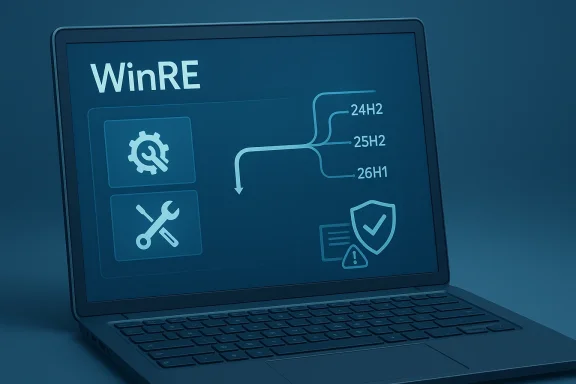
The specific Windows 11 update that has drawn attention is KB5083826, which applies to Windows 11 version 24H2 and 25H2 and improves WinRE. Microsoft also published KB5083817 for Windows 11 version 26H1, again targeting WinRE. The pattern is consistent: one update family per branch, all focused on the same recovery foundation. That consistency is a sign that Microsoft is keeping the recovery stack aligned across active Windows 11 lines rather than leaving older branches to drift.
There is also a broader backdrop worth noting. Microsoft’s release notes around this cycle mention issues such as a BitLocker recovery bug and problems involving repeated restarts on some Windows Server systems. When paired with those kinds of incidents, the release of recovery-focused dynamic updates looks less like housekeeping and more like risk management. In other words, Microsoft is not just fixing things after the fact; it is also trying to reduce the odds that the recovery path itself becomes a point of failure.
Dynamic updates emerged to solve that exact problem. Instead of waiting for the next full Windows release to refresh setup or recovery binaries, Microsoft can push smaller packages that update the installation and recovery workflow. That approach is especially useful in enterprise imaging, in-place upgrades, and deployment pipelines where compatibility can fail for mundane but painful reasons. A single stale recovery component can make an otherwise healthy deployment look unreliable.
These packages also help preserve content that organizations care about but consumers often never notice. Language Packs and Features on Demand can be lost or altered during updates if the setup process is not careful. Dynamic updates reduce that risk, which makes them important in multilingual and feature-rich enterprise deployments. That is one reason Microsoft keeps shipping them even when the changelog sounds almost comically short.
For IT administrators, the implication is straightforward. Recovery infrastructure is part of system reliability, not a separate topic. In an era of encrypted devices, secure boot dependencies, and managed endpoints, a broken recovery path can be just as damaging as a broken login screen. It is not glamorous work, but it is foundational work.
The second Windows 11 package, KB5083817, applies to Windows 11 version 26H1 and carries the same recovery-oriented purpose. That is interesting because it shows Microsoft is preparing the newest branch with the same recovery assumptions as the current mainstream releases. In practice, this helps unify recovery behavior across the family of Windows 11 builds.
It also suggests that Microsoft is preparing for a platform cadence in which version labels matter less than servicing consistency. Recovery environments need to be stable across versions because administrators often maintain multiple images at once. A recovery mismatch between branches can complicate both deployment and support.
Microsoft also specifies a WinRE version target for verification after installation. That kind of detail is useful for administrators who need to confirm that recovery images have been refreshed in a controlled environment. It is also a reminder that the package is more about infrastructure correctness than consumer-facing polish.
That is why even a modest WinRE update can have outsized importance. The recovery environment has to understand the system it is trying to repair, and that system now includes newer encryption paths, secure boot considerations, and a more modular Windows feature set. The more complex the OS becomes, the more the recovery layer needs careful maintenance.
This is especially true in environments that standardize on autopilot-style provisioning, imaging, or zero-touch deployment. The recovery stack is part of the on-ramp for those workflows. If the on-ramp is cracked, the whole road becomes less trustworthy.
There is also a psychological effect for administrators. Knowing that the recovery layer is kept current can make patching feel safer, even when the main OS update cycle is noisy. That confidence matters in organizations where uptime and recoverability are measured metrics, not vague aspirations.
This is especially important for businesses that have not yet finished their transition. Many organizations still run mixed fleets, and recovery infrastructure must remain functional across those systems. A workstation that cannot enter a usable recovery environment creates support overhead regardless of whether it is on Windows 10 or Windows 11.
There is also the reality of Windows deployment cycles. Large enterprises cannot flip a switch and replace every machine at once. They need a transition period, and Microsoft has to keep the old and new worlds interoperable during that window. That means WinRE updates remain relevant even when the product line itself is aging.
That transition pressure makes recovery updates especially interesting. They can be read as a bridge technology. Microsoft is maintaining enough infrastructure to keep old devices stable, but not investing in a long-term future for them. The result is a careful balancing act between support reality and product strategy.
This is where Microsoft’s recovery servicing story starts to overlap with hardware trust and platform security. WinRE does not exist in isolation; it depends on boot integrity, certificate validity, and firmware cooperation. Recovery maintenance is therefore part of the same ecosystem that protects Windows from tampering and unauthorized boot paths.
That is an important shift in perspective. The old model treated recovery as something separate from security. The modern model treats them as intertwined. That is the right mental model for 2026 Windows management.
This is also where Microsoft’s guidance becomes operationally useful. The company is clearly trying to get organizations to prepare ahead of the certificate changes rather than react after devices begin failing secure boot checks. That is a smart move, because recovery incidents are always more expensive when they arrive as surprises.
This is the side of Windows servicing that users rarely see. IT departments apply these packages to images, test them in staging, and build them into deployment pipelines. The aim is not to make Windows prettier. It is to make Windows install and repair more predictably across large fleets.
This is one reason Microsoft keeps publishing standalone packages and file lists. The company knows the audience is not just consumers clicking “update now.” It is also deployment engineers who care about reproducibility, offline servicing, and reference-image integrity. Those people need clarity, not marketing language.
The tension, of course, is that more automation can hide what changed. That is why Microsoft’s ability to provide file information and version verification is so important. Administrators need proof, not just confidence. They need to know that the update made it into the recovery partition and that the right WinRE version is present.
For enterprises, the implications are broader and more immediate. The recovery environment is a managed asset that affects deployment, help desk operations, and incident response. A current WinRE image can save time during troubleshooting and reduce the odds of escalations that end in reimaging. In large fleets, those savings add up quickly.
That can make the update feel unimportant, but it is not. The absence of drama is itself the benefit. Quiet reliability is still a product feature, even when it does not show up on a spec sheet.
There is also a strategic angle. By keeping recovery current, Microsoft lowers the risk that device failure turns into a prolonged support event. That supports workplace productivity, but it also strengthens the case for continued Windows servicing as a platform capability rather than a one-off patching exercise.
The bigger opportunity is strategic: Microsoft can use dynamic updates to make Windows feel more dependable even as the platform becomes more modular and more complex. If the company keeps recovery sharp, it can reduce one of the most stressful parts of the Windows experience.
Another risk is complexity. More specialized update types mean more moving parts, more documentation to track, and more possibilities for confusion in mixed fleets. That is manageable for well-run IT teams, but it can be messy in organizations with inconsistent patch discipline.
It will also be worth watching how Windows 11 26H1 develops. If KB5083817 is an early signal, Microsoft wants the new branch to inherit the same recovery stability as the mature releases. That would be a healthy sign for administrators who need predictable servicing across multiple build families.
Source: Neowin Microsoft released Windows 11 KB5083826 update for OS recovery
 Overview
The release is a textbook example of how dynamic updates fit into Microsoft’s modern Windows lifecycle. These packages are designed to be applied to Windows images before deployment or delivered through Windows Update to refine the setup and recovery experience. In practical terms, they help Windows install more cleanly, preserve content such as Language Packs and Features on Demand, and keep the recovery stack current without forcing a traditional feature update. The latest batch leans entirely toward recovery, which suggests Microsoft is prioritizing the safest possible foundation as it moves into a period of platform transition.This matters because WinRE is not a cosmetic feature. It is the environment used for troubleshooting, reset operations, startup repair, and many enterprise recovery workflows. If WinRE is broken or too old, the user often discovers the problem only when disaster has already struck. That makes these packages disproportionately important compared with their size or their fairly modest release notes.
The specific Windows 11 update that has drawn attention is KB5083826, which applies to Windows 11 version 24H2 and 25H2 and improves WinRE. Microsoft also published KB5083817 for Windows 11 version 26H1, again targeting WinRE. The pattern is consistent: one update family per branch, all focused on the same recovery foundation. That consistency is a sign that Microsoft is keeping the recovery stack aligned across active Windows 11 lines rather than leaving older branches to drift.
There is also a broader backdrop worth noting. Microsoft’s release notes around this cycle mention issues such as a BitLocker recovery bug and problems involving repeated restarts on some Windows Server systems. When paired with those kinds of incidents, the release of recovery-focused dynamic updates looks less like housekeeping and more like risk management. In other words, Microsoft is not just fixing things after the fact; it is also trying to reduce the odds that the recovery path itself becomes a point of failure.
Background
Windows has long treated recovery as a separate operating layer, but in recent years Microsoft has sharpened the distinction between the installed OS and the recovery environment. That distinction became especially important as Windows adopted faster update cadences, more aggressive feature deployment, and a greater dependence on offline repair tools. When the operating system changes quickly, the recovery layer has to keep up, or else the repair tools become misaligned with the platform they are supposed to rescue.Dynamic updates emerged to solve that exact problem. Instead of waiting for the next full Windows release to refresh setup or recovery binaries, Microsoft can push smaller packages that update the installation and recovery workflow. That approach is especially useful in enterprise imaging, in-place upgrades, and deployment pipelines where compatibility can fail for mundane but painful reasons. A single stale recovery component can make an otherwise healthy deployment look unreliable.
What dynamic updates actually do
At a high level, dynamic updates come in two flavors: setup updates and recovery updates. Setup updates modify the files used during Windows installation or upgrade. Recovery updates modify WinRE, also known as the Safe OS environment. The setup side matters when Windows is being deployed or upgraded, while the recovery side matters when Windows has already failed and needs repair.These packages also help preserve content that organizations care about but consumers often never notice. Language Packs and Features on Demand can be lost or altered during updates if the setup process is not careful. Dynamic updates reduce that risk, which makes them important in multilingual and feature-rich enterprise deployments. That is one reason Microsoft keeps shipping them even when the changelog sounds almost comically short.
Why WinRE gets special attention
WinRE is small, but it sits at the heart of device recovery. It is the environment behind automatic repair, boot troubleshooting, image recovery, and some reset workflows. If WinRE is outdated, recovery operations may fail in subtle ways that are hard to diagnose from within the main OS. That is why Microsoft’s notes often emphasize that the update “improves the Windows recovery environment” rather than promising visible functionality.For IT administrators, the implication is straightforward. Recovery infrastructure is part of system reliability, not a separate topic. In an era of encrypted devices, secure boot dependencies, and managed endpoints, a broken recovery path can be just as damaging as a broken login screen. It is not glamorous work, but it is foundational work.
The importance of servicing cadence
Microsoft’s approach also shows how servicing has become more granular. Rather than bundling every improvement into the monthly cumulative update, the company increasingly distributes specialized packages that target narrow parts of the OS lifecycle. That strategy can lower risk, but it also increases complexity for admins who must understand what each package does. The upside is precision; the downside is that Windows becomes harder to reason about as a single monolithic system.- Dynamic updates refine setup and recovery separately.
- WinRE fixes can be delivered without a full feature update.
- Deployment pipelines benefit from fewer surprises during installation.
- Enterprise imaging becomes more reliable when recovery binaries stay current.
The Windows 11 Packages
The headline Windows 11 package here is KB5083826, which applies to Windows 11 versions 24H2 and 25H2. Microsoft’s official note is brief but clear: the update improves WinRE. It is available through Windows Update, can be acquired from the Microsoft Update Catalog, and has no prerequisite requirements. Microsoft also says the package is installed automatically through Windows Update, which means ordinary users may never notice it beyond a routine background update.The second Windows 11 package, KB5083817, applies to Windows 11 version 26H1 and carries the same recovery-oriented purpose. That is interesting because it shows Microsoft is preparing the newest branch with the same recovery assumptions as the current mainstream releases. In practice, this helps unify recovery behavior across the family of Windows 11 builds.
Why 24H2, 25H2, and 26H1 matter
The presence of three adjacent Windows 11 branches tells us something about Microsoft’s servicing discipline. Rather than treating each branch as an isolated island, the company is trying to keep recovery behavior aligned across the supported line. That reduces support variance, especially in organizations that test pre-release and mainstream builds side by side.It also suggests that Microsoft is preparing for a platform cadence in which version labels matter less than servicing consistency. Recovery environments need to be stable across versions because administrators often maintain multiple images at once. A recovery mismatch between branches can complicate both deployment and support.
What is notable about the release notes
The release notes for KB5083817 say the update is available through Windows Update and can be installed automatically. They also note that it cannot be removed once applied to a Windows image. That is typical for this class of update, but it is still worth flagging because it reinforces that these are image-level servicing components, not optional end-user features.Microsoft also specifies a WinRE version target for verification after installation. That kind of detail is useful for administrators who need to confirm that recovery images have been refreshed in a controlled environment. It is also a reminder that the package is more about infrastructure correctness than consumer-facing polish.
The understated role of the Microsoft Update Catalog
For consumers, automatic delivery is enough. For IT, the Microsoft Update Catalog remains essential because it allows staged deployment and offline servicing. That matters when images must be updated before being rolled into gold masters or when air-gapped environments need to stay current. It is one of those old-school Windows management tools that still quietly does the heavy lifting.- KB5083826 targets Windows 11 24H2 and 25H2.
- KB5083817 targets Windows 11 26H1.
- Both updates improve WinRE.
- Both are delivered automatically through Windows Update.
- Both can also be obtained as standalone packages for servicing workflows.
Windows Recovery Environment in Practice
WinRE sounds abstract until something goes wrong. Then it becomes the difference between a quick repair and a manual reimage. It is the recovery layer users reach when startup repair runs, when reset operations are invoked, or when boot troubleshooting becomes necessary. In modern Windows environments, that often means it is tied directly to business continuity.That is why even a modest WinRE update can have outsized importance. The recovery environment has to understand the system it is trying to repair, and that system now includes newer encryption paths, secure boot considerations, and a more modular Windows feature set. The more complex the OS becomes, the more the recovery layer needs careful maintenance.
Why recovery updates are not just for emergencies
It is tempting to think of recovery tools as things you hope never to use. But in enterprise settings, recovery is part of day-to-day operational resilience. Devices fail during travel, updates break edge cases, disks become corrupted, and authentication mechanisms sometimes misbehave. If recovery is stale, the organization loses one of its most important safety nets.This is especially true in environments that standardize on autopilot-style provisioning, imaging, or zero-touch deployment. The recovery stack is part of the on-ramp for those workflows. If the on-ramp is cracked, the whole road becomes less trustworthy.
The hidden value of a small update
These packages typically do not generate headlines because they do not introduce visible features. But their real value is in reducing ambiguity. When WinRE is current, Microsoft support can assume a more predictable recovery baseline. That helps troubleshoot issues faster and limits the number of unknown variables in an already complicated support case.There is also a psychological effect for administrators. Knowing that the recovery layer is kept current can make patching feel safer, even when the main OS update cycle is noisy. That confidence matters in organizations where uptime and recoverability are measured metrics, not vague aspirations.
Recovery and compliance
Recovery updates can also intersect with compliance and audit expectations. A current recovery environment helps demonstrate that devices are maintained to an expected standard, especially when organizations must show that endpoints can be restored securely. This is increasingly relevant in regulated industries, where recovery ability is part of operational assurance.- WinRE supports startup repair and reset workflows.
- Recovery readiness affects business continuity.
- Current recovery binaries reduce support ambiguity.
- Enterprises rely on WinRE in imaging and deployment pipelines.
- Compliance teams increasingly care about recoverability, not just patch status.
Windows 10 Still Gets Attention
The same April 14, 2026 cycle also included recovery updates for Windows 10, even though the platform is approaching the end of its conventional support era. Microsoft released KB5087371 for Windows 10 versions 21H2 and 22H2, and related Safe OS updates such as KB5082241 and KB5082240 for other Windows 10 and Windows Server lines. That broad coverage shows that Microsoft is still servicing the recovery layer for older estates, even as the company continues to push migration toward Windows 11.This is especially important for businesses that have not yet finished their transition. Many organizations still run mixed fleets, and recovery infrastructure must remain functional across those systems. A workstation that cannot enter a usable recovery environment creates support overhead regardless of whether it is on Windows 10 or Windows 11.
Why Microsoft still services older branches
The answer is partly support policy and partly practicality. Even after mainstream support ends, Microsoft often keeps certain recovery components alive for supported editions, special channels, or enterprise arrangements. Recovery updates are not the same thing as feature development, and they often need to persist longer because older devices remain in the field.There is also the reality of Windows deployment cycles. Large enterprises cannot flip a switch and replace every machine at once. They need a transition period, and Microsoft has to keep the old and new worlds interoperable during that window. That means WinRE updates remain relevant even when the product line itself is aging.
A note on support timelines
Microsoft’s documentation for the Windows 10 recovery update points to support end dates for various branches and reminds users that Extended Security Updates remain available for some scenarios. That is a clear signal: Windows 10 may still receive targeted maintenance, but the strategic direction is unambiguous. The company wants customers to move forward.That transition pressure makes recovery updates especially interesting. They can be read as a bridge technology. Microsoft is maintaining enough infrastructure to keep old devices stable, but not investing in a long-term future for them. The result is a careful balancing act between support reality and product strategy.
The enterprise view on Windows 10 recovery
For IT departments, Windows 10 WinRE updates are largely about controlling risk during a migration period. Older devices still need to boot, repair, and reset reliably while new devices are introduced. If those recovery functions fail, the migration burden increases because every problem device becomes a manual intervention.- Older branches still need recovery servicing.
- Windows 10 estates remain common in enterprise environments.
- Recovery reliability supports migration planning.
- Microsoft’s support timeline still shapes deployment decisions.
- WinRE updates help avoid unnecessary reimaging during transition periods.
Secure Boot, Trust, and the Recovery Stack
One subtle detail in Microsoft’s recovery update pages is the repeated warning about Secure Boot certificate expiration beginning in June 2026. That warning appears in the release notes alongside the WinRE improvements, and it is not accidental. It reflects a broader concern: recovery is only useful if the boot trust chain is intact. If certificate trust breaks, recovery paths can become harder to initiate or verify.This is where Microsoft’s recovery servicing story starts to overlap with hardware trust and platform security. WinRE does not exist in isolation; it depends on boot integrity, certificate validity, and firmware cooperation. Recovery maintenance is therefore part of the same ecosystem that protects Windows from tampering and unauthorized boot paths.
Why the certificate warning is relevant
At first glance, Secure Boot certificate expiration sounds unrelated to WinRE. In reality, it is part of the same boot trust chain. If devices cannot securely boot or verify critical components, the recovery process can be affected before the user ever reaches the repair menu. Microsoft’s decision to surface that warning in the recovery update pages suggests it wants admins to think about boot resilience as a single system.That is an important shift in perspective. The old model treated recovery as something separate from security. The modern model treats them as intertwined. That is the right mental model for 2026 Windows management.
What this means for administrators
Administrators should not view the new recovery packages in isolation. They need to think about firmware, boot certificates, BitLocker, and device trust as one chain. When that chain is strong, recovery works better. When it is weak, even a correct WinRE image may not save the device without additional intervention.This is also where Microsoft’s guidance becomes operationally useful. The company is clearly trying to get organizations to prepare ahead of the certificate changes rather than react after devices begin failing secure boot checks. That is a smart move, because recovery incidents are always more expensive when they arrive as surprises.
Security and recovery are converging
The deeper trend is that Windows recovery is becoming a security feature by necessity. As devices become more heavily protected, the recovery environment must understand that protection model. That creates more complexity, but it also creates better resilience when the system is managed properly.- Secure Boot impacts the recovery chain.
- Certificate expiration can become a boot issue.
- Recovery and device trust are increasingly linked.
- Administrators must coordinate security and servicing.
- WinRE updates are part of a broader resilience strategy.
Setup, Deployment, and Image Servicing
Dynamic updates are most valuable when Windows is being deployed, not just when it is running. That is because setup-time failures are among the hardest to troubleshoot at scale. By refreshing recovery and setup binaries before installation or upgrade, Microsoft reduces the odds of hitting old bugs during the most fragile phase of the Windows lifecycle.This is the side of Windows servicing that users rarely see. IT departments apply these packages to images, test them in staging, and build them into deployment pipelines. The aim is not to make Windows prettier. It is to make Windows install and repair more predictably across large fleets.
Why image servicing is still critical
In many organizations, the Windows image is a controlled asset. It is versioned, tested, and deployed deliberately. If the recovery environment inside that image is stale, then every machine installed from it inherits the problem. A single update to WinRE can therefore have a much larger effect than a user-level patch because it improves the baseline for every future deployment.This is one reason Microsoft keeps publishing standalone packages and file lists. The company knows the audience is not just consumers clicking “update now.” It is also deployment engineers who care about reproducibility, offline servicing, and reference-image integrity. Those people need clarity, not marketing language.
Automatic delivery vs manual control
Microsoft says these updates are automatically downloaded and installed through Windows Update. That is good for most devices, but enterprises often want tighter control. Automatic delivery ensures broad coverage, while standalone packages allow IT to test and stage changes before they land in production. The dual approach is sensible because it serves both the consumer model and the enterprise model.The tension, of course, is that more automation can hide what changed. That is why Microsoft’s ability to provide file information and version verification is so important. Administrators need proof, not just confidence. They need to know that the update made it into the recovery partition and that the right WinRE version is present.
Operational implications
There are real operational benefits to this servicing model. It reduces the risk of setup failures caused by stale recovery binaries, preserves deployment consistency, and helps Microsoft support a more modular Windows architecture. But it also means administrators need to track more moving parts than before.- Image servicing improves deployment consistency.
- Standalone packages help offline and controlled environments.
- Automatic delivery suits consumer devices.
- File verification supports enterprise auditing.
- Recovery and setup updates reduce failure points during installation.
Enterprise vs Consumer Impact
For consumers, the practical takeaway is simple: this update is mostly invisible, and that is a good thing. It should install automatically, it should not require a reboot, and it should quietly improve the device’s ability to recover from a future problem. Most people will never directly interact with WinRE unless something goes wrong, which is exactly why keeping it current matters.For enterprises, the implications are broader and more immediate. The recovery environment is a managed asset that affects deployment, help desk operations, and incident response. A current WinRE image can save time during troubleshooting and reduce the odds of escalations that end in reimaging. In large fleets, those savings add up quickly.
Consumer benefits
The consumer story is about safety and simplicity. If a device fails to boot after an update, a stronger recovery environment increases the odds of an easier repair. It also reduces the chance that the user ends up in a support loop that leads nowhere. Most of the value is preventative, which means the best-case outcome is that nothing bad happens at all.That can make the update feel unimportant, but it is not. The absence of drama is itself the benefit. Quiet reliability is still a product feature, even when it does not show up on a spec sheet.
Enterprise benefits
Enterprises gain from predictability. A unified recovery baseline means fewer surprises across endpoints, fewer image variations, and more confidence in support playbooks. It also helps when deploying mixed generations of Windows 11, since the same recovery principles are being maintained across 24H2, 25H2, and 26H1.There is also a strategic angle. By keeping recovery current, Microsoft lowers the risk that device failure turns into a prolonged support event. That supports workplace productivity, but it also strengthens the case for continued Windows servicing as a platform capability rather than a one-off patching exercise.
The different risk profiles
Consumers mostly face inconvenience if recovery fails. Enterprises face downtime, ticket volume, and potential productivity loss across dozens or thousands of systems. That difference is why recovery updates are often more important to IT than to home users, even though the same package serves both groups.- Consumers benefit from quieter, safer recovery behavior.
- Enterprises benefit from image consistency and fewer support escalations.
- Recovery reliability matters more at fleet scale.
- The same update serves both personal and managed devices.
- WinRE is part of resilience, not just repair.
Strengths and Opportunities
Microsoft’s recovery update strategy has several strengths. It is targeted, low-friction, and aligned with how modern Windows actually gets deployed. It also gives Microsoft room to keep older and newer branches synchronized without dragging every improvement into a full feature release.The bigger opportunity is strategic: Microsoft can use dynamic updates to make Windows feel more dependable even as the platform becomes more modular and more complex. If the company keeps recovery sharp, it can reduce one of the most stressful parts of the Windows experience.
- Automatic delivery keeps consumer devices current with minimal effort.
- Standalone packages support enterprise imaging and offline servicing.
- No reboot required lowers operational friction.
- WinRE version verification gives administrators a concrete check.
- Cross-branch consistency helps maintain a stable support baseline.
- Recovery-first maintenance can reduce costly support incidents.
- Secure Boot guidance shows Microsoft is thinking beyond a single patch.
Risks and Concerns
The main concern is that recovery updates, while important, are still highly technical and easy to overlook. Many users and even some administrators may never notice them unless a problem occurs, which can create a false sense of security. If a device has recovery or boot-trust issues, these updates help only if the underlying servicing model is healthy.Another risk is complexity. More specialized update types mean more moving parts, more documentation to track, and more possibilities for confusion in mixed fleets. That is manageable for well-run IT teams, but it can be messy in organizations with inconsistent patch discipline.
- Low visibility can make recovery servicing easy to ignore.
- Mixed Windows branches increase administrative complexity.
- Boot trust dependencies can complicate recovery even after patching.
- Stale images may continue to circulate if servicing is neglected.
- Enterprise misunderstanding of dynamic updates can delay deployment.
- Support timelines for older Windows versions remain a migration pressure point.
- Recovery fixes cannot compensate for broader hardware or firmware problems.
Looking Ahead
The most important thing to watch next is whether Microsoft continues to treat recovery and boot trust as a combined story. The Secure Boot certificate warning attached to these release notes suggests that Microsoft sees the two areas as linked, and that is probably the right way to think about Windows resilience in 2026. If that trend continues, future servicing updates may carry more guidance about certificate management, firmware readiness, and recovery image validation.It will also be worth watching how Windows 11 26H1 develops. If KB5083817 is an early signal, Microsoft wants the new branch to inherit the same recovery stability as the mature releases. That would be a healthy sign for administrators who need predictable servicing across multiple build families.
- Watch for more certificate-related guidance tied to Windows boot integrity.
- Track WinRE version baselines across Windows 11 branches.
- Monitor enterprise deployment behavior after dynamic update adoption.
- Watch for additional recovery fixes if BitLocker or boot issues persist.
- Keep an eye on Windows 10 servicing as migration pressure increases.
Source: Neowin Microsoft released Windows 11 KB5083826 update for OS recovery
