

Microsoft released a new round of Safe OS Dynamic Updates on May 12, 2026, including KB5089593 for Windows 11 versions 24H2 and 25H2 and KB5087594 for Windows 11 version 23H2, to update the Windows Recovery Environment before or during servicing and deployment. The point is not glamour; it is survivability. Microsoft is again reminding administrators that the part of Windows users see least is often the part that matters most when the main OS cannot boot, roll back, repair, or decrypt its way out of trouble.
The timing is hard to ignore. The same Patch Tuesday wave that brought the usual cumulative security updates also produced installation failures for some Windows 11 users, with Microsoft acknowledging workarounds and mitigation. In that context, fresh recovery and setup components are not housekeeping. They are part of the scaffolding that keeps Windows servicing from turning into a dead end.
The headline updates are KB5089593 and KB5087594, but they sit inside a broader May 2026 Dynamic Update set that spans Windows 11, Windows 10, and older supported server-era builds. KB5089593 targets Windows 11 24H2 and 25H2, and Microsoft says the WinRE version after installation should be 10.0.26100.8455. KB5087594 targets Windows 11 23H2, where WinRE should move to 10.0.22621.7077.
There is also KB5089591 for Windows 11 version 26H1, bringing WinRE to 10.0.28000.2110. On the Windows 10 side, KB5087593 covers versions 21H2 and 22H2, KB5087592 covers Windows 10 version 1809 and Windows Server 2019, and KB5087590 covers Windows 10 version 1607 and Windows Server 2016. The unifying phrase in Microsoft’s notes is plain: these updates improve the Windows Recovery Environment.
That wording is deliberately unspecific, and that is typical for this category. Safe OS Dynamic Updates do not arrive with the fanfare of a Start menu redesign or a security advisory with a scary CVE count. They update the low-level setup and recovery environment Windows depends on when it is installing, upgrading, repairing, or rolling back.
Microsoft says the recovery and setup updates are downloaded and installed automatically through Windows Update. For consumers, that means they are unlikely to notice the packages unless they track update history or inspect the recovery image version. For deployment teams, it means the servicing stack is quietly changing underneath the same monthly cadence they already plan around.
The Safe OS portion matters because it operates in the preinstallation and recovery context, away from the full running Windows environment. That is where Windows can apply changes, recover from failed upgrades, repair boot paths, and present recovery tools when the primary OS is damaged. WinRE is also where BitLocker recovery workflows, reset options, startup repair, command prompt access, and image recovery experiences often meet the real world.
Dynamic Updates also help preserve language packs and Features on Demand during upgrades. That matters more than it sounds. Windows images are no longer just an OS plus drivers; they are regionalized, feature-sliced, policy-shaped builds that may include optional components needed by line-of-business apps, accessibility setups, legacy automation, or compatibility workflows.
VBScript is a useful example because Microsoft has been moving it into the Features on Demand model on modern Windows 11 releases. That kind of modularization gives Microsoft more control over legacy components, but it also makes upgrades more sensitive to whether optional payloads are properly retained. A deployment that drops a required FOD is not merely untidy; it can break scripts, installers, or old-but-still-essential business processes.
Modern Windows servicing has made that old casual attitude risky. Recovery components are now active participants in the update chain, especially when Microsoft has to service WinRE for security, compatibility, or upgrade reliability reasons. If the recovery partition is too small, stale, disabled, or malformed, monthly servicing can expose the problem long after the original disk layout decision was made.
This is the hidden story behind many update failures. A cumulative update may get blamed because it is the visible package, but the failure can originate in assumptions about EFI space, recovery image state, boot files, or the ability to stage payloads into protected partitions. Windows Update is not just patching files in C:\Windows; it is coordinating a multi-part boot and recovery ecosystem.
That is why Safe OS Dynamic Updates should be read as infrastructure maintenance. Microsoft is not asking users to celebrate a new WinRE build number. It is trying to keep the emergency lane open before the traffic jam starts.
This is where recovery updates and cumulative updates meet in practice. A monthly security patch that installs cleanly on most systems can still strand a minority of machines in repair loops, rollback attempts, or BitLocker prompts. The health of WinRE then becomes more than a theoretical comfort; it becomes the difference between remote remediation and a desk-side visit.
Microsoft’s recent update history has repeatedly shown how boot, BitLocker, Secure Boot, and recovery plumbing can collide with ordinary monthly servicing. When updates touch boot files, certificate trust, or recovery components, the risk profile changes. The affected user may not understand which package caused the problem, and frankly should not have to. The machine either recovers cleanly or it does not.
That makes the May Dynamic Update set feel less like an accessory release and more like an admission of dependency. Windows cannot be serviced at modern scale unless its recovery environment keeps pace with the main OS.
That is not generosity; it is necessity. Millions of Windows 10 devices remain in production, and many of them are exactly the kind of machines where recovery reliability matters most: older PCs, specialized endpoints, industrial systems, educational fleets, medical-adjacent devices, and small-business hardware that will not all move to Windows 11 on Microsoft’s preferred schedule.
The Windows 10 packages show how broad the servicing burden remains. KB5087593 brings WinRE for Windows 10 21H2 and 22H2 to 10.0.19041.7290. KB5087592 moves Windows 10 1809 and Windows Server 2019 to 10.0.17763.8751. KB5087590 moves Windows 10 1607 and Windows Server 2016 to 10.0.14393.9138.
Those numbers are not exciting, but they are operationally useful. Admins responsible for compliance, recovery testing, and image validation can verify whether the intended WinRE version landed. In environments where devices are imaged offline, staged through task sequences, or serviced in maintenance windows, that verification step is often the difference between assumed readiness and real readiness.
This is why the updated Media Creation Tool belongs in the same conversation. Installation media is never as frozen as it looks. Microsoft can refresh setup components, compatibility data, and Dynamic Update content so that a USB installer or in-place upgrade path has a better chance of succeeding on hardware and configurations that were not fully accounted for when the base image shipped.
For home users, the practical message is simple: if you are creating Windows installation media in May 2026, use the current tool rather than an old ISO you downloaded months ago. For administrators, the message is more pointed: do not treat deployment media as a museum artifact. If your images predate the latest setup and recovery fixes, you may be debugging problems Microsoft has already attempted to route around.
This is especially relevant for Windows 11 24H2 and 25H2 because those releases share a servicing neighborhood but may not share every deployment assumption across hardware, enablement, and policy states. The Dynamic Update channel gives Microsoft a way to adjust the runway without forcing every fix to appear as a conventional cumulative update.
The best case is invisible success. A device receives the Safe OS Dynamic Update, its recovery image version advances, future servicing behaves better, and nobody files a ticket. The worst case is harder to diagnose: a device with a constrained recovery partition or unusual boot layout may encounter update behavior that looks unrelated to the small Dynamic Update package that preceded it.
That does not mean Microsoft should stop automatic delivery. Manual recovery servicing at consumer scale would be a fantasy. But it does mean Microsoft should continue improving the clarity of update history, WinRE health checks, and failure messages around recovery partition space and boot-environment servicing.
The Windows ecosystem is too diverse for silence to be mistaken for simplicity. Automatic servicing is the right default, but automatic servicing with vague failure modes is where confidence leaks away.
That means checking whether WinRE is enabled, whether the recovery partition has sufficient free space, whether the correct image is registered, and whether BitLocker recovery workflows are documented before a monthly patch forces the issue. It also means validating custom images after Dynamic Update injection rather than assuming that a successful deployment equals a recoverable deployment.
The same logic applies to help desks and MSPs. When a Windows 11 update fails repeatedly, it is tempting to focus only on the visible cumulative update. But persistent failures around the reboot phase, rollback behavior, or recovery prompts should trigger a look at EFI space, WinRE state, disk layout, and servicing logs.
Microsoft’s modern Windows servicing model rewards fleets that are boring in the best sense: standard partition layouts, current media, supported drivers, predictable language and FOD baselines, and recovery partitions that were not starved to save a few hundred megabytes. The more “clever” the image, the more expensive it becomes when the servicing stack assumes the conventional path exists.
A device may report update success while still deserving verification if it belongs to a sensitive fleet. That is particularly true for machines using BitLocker, remote-only endpoints, kiosks, lab machines, or systems that cannot easily be reimaged. In those cases, recovery is not an afterthought; it is part of the service-level agreement.
The same is true for Windows 10 devices approaching lifecycle decisions. Organizations planning extended support, hardware replacement, or staged migration to Windows 11 should not let recovery hygiene fall off the checklist simply because the OS is old. The more constrained the migration timeline becomes, the more valuable a working recovery path is.
Microsoft’s Dynamic Update cadence can feel obscure because it lacks the drama of a feature release. But in a large environment, the quiet update that keeps 2,000 laptops recoverable may matter more than the visible patch that changes a File Explorer behavior.
Microsoft’s May 2026 Dynamic Updates will pass unnoticed on most PCs, which is precisely the point. But the quietest Windows updates often reveal the most about the platform’s real dependencies: boot partitions sized years ago, recovery images users never open, optional components businesses forgot they needed, and setup code that has to anticipate all of it. If Microsoft wants Windows 11 and the remaining Windows 10 estate to keep absorbing monthly change without turning every Patch Tuesday into a support gamble, WinRE cannot be treated as the spare tire in the trunk anymore. It has to be maintained like part of the engine.
Source: Neowin Microsoft released Windows 11 KB5089593, KB5087594 updates for OS recovery
The timing is hard to ignore. The same Patch Tuesday wave that brought the usual cumulative security updates also produced installation failures for some Windows 11 users, with Microsoft acknowledging workarounds and mitigation. In that context, fresh recovery and setup components are not housekeeping. They are part of the scaffolding that keeps Windows servicing from turning into a dead end.
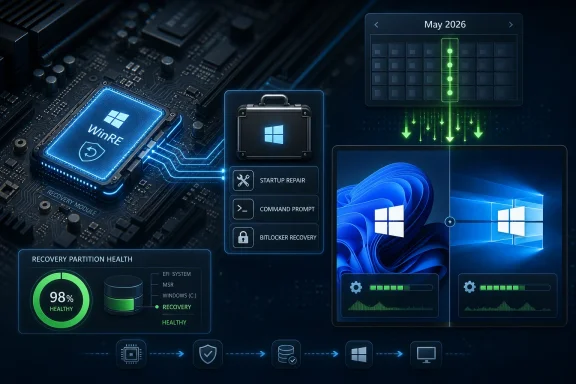 Microsoft Ships the Parachute Beside the Patch
The headline updates are KB5089593 and KB5087594, but they sit inside a broader May 2026 Dynamic Update set that spans Windows 11, Windows 10, and older supported server-era builds. KB5089593 targets Windows 11 24H2 and 25H2, and Microsoft says the WinRE version after installation should be 10.0.26100.8455. KB5087594 targets Windows 11 23H2, where WinRE should move to 10.0.22621.7077.There is also KB5089591 for Windows 11 version 26H1, bringing WinRE to 10.0.28000.2110. On the Windows 10 side, KB5087593 covers versions 21H2 and 22H2, KB5087592 covers Windows 10 version 1809 and Windows Server 2019, and KB5087590 covers Windows 10 version 1607 and Windows Server 2016. The unifying phrase in Microsoft’s notes is plain: these updates improve the Windows Recovery Environment.
That wording is deliberately unspecific, and that is typical for this category. Safe OS Dynamic Updates do not arrive with the fanfare of a Start menu redesign or a security advisory with a scary CVE count. They update the low-level setup and recovery environment Windows depends on when it is installing, upgrading, repairing, or rolling back.
Microsoft says the recovery and setup updates are downloaded and installed automatically through Windows Update. For consumers, that means they are unlikely to notice the packages unless they track update history or inspect the recovery image version. For deployment teams, it means the servicing stack is quietly changing underneath the same monthly cadence they already plan around.
Dynamic Update Is Boring Until It Saves the Machine
Dynamic Update exists because Windows setup is not a single file-copy operation. It is a staged negotiation among the currently installed OS, the incoming image, the boot environment, drivers, language resources, optional capabilities, and whatever firmware and partition layout the device inherited from its manufacturer or its last administrator. When that negotiation fails, the user sees a percentage stuck on screen and then a rollback. The admin sees lost time, angry tickets, and logs that may point deep into servicing internals.The Safe OS portion matters because it operates in the preinstallation and recovery context, away from the full running Windows environment. That is where Windows can apply changes, recover from failed upgrades, repair boot paths, and present recovery tools when the primary OS is damaged. WinRE is also where BitLocker recovery workflows, reset options, startup repair, command prompt access, and image recovery experiences often meet the real world.
Dynamic Updates also help preserve language packs and Features on Demand during upgrades. That matters more than it sounds. Windows images are no longer just an OS plus drivers; they are regionalized, feature-sliced, policy-shaped builds that may include optional components needed by line-of-business apps, accessibility setups, legacy automation, or compatibility workflows.
VBScript is a useful example because Microsoft has been moving it into the Features on Demand model on modern Windows 11 releases. That kind of modularization gives Microsoft more control over legacy components, but it also makes upgrades more sensitive to whether optional payloads are properly retained. A deployment that drops a required FOD is not merely untidy; it can break scripts, installers, or old-but-still-essential business processes.
The Recovery Partition Has Become a Servicing Dependency
For years, many users treated the recovery partition as wasted space. Power users deleted it to simplify disk layouts. OEMs sized it with just enough room for the image they shipped. Dual-booters, imaging tools, and cloning utilities sometimes left it in strange positions or squeezed it between partitions that later proved awkward to resize.Modern Windows servicing has made that old casual attitude risky. Recovery components are now active participants in the update chain, especially when Microsoft has to service WinRE for security, compatibility, or upgrade reliability reasons. If the recovery partition is too small, stale, disabled, or malformed, monthly servicing can expose the problem long after the original disk layout decision was made.
This is the hidden story behind many update failures. A cumulative update may get blamed because it is the visible package, but the failure can originate in assumptions about EFI space, recovery image state, boot files, or the ability to stage payloads into protected partitions. Windows Update is not just patching files in C:\Windows; it is coordinating a multi-part boot and recovery ecosystem.
That is why Safe OS Dynamic Updates should be read as infrastructure maintenance. Microsoft is not asking users to celebrate a new WinRE build number. It is trying to keep the emergency lane open before the traffic jam starts.
Patch Tuesday’s Failure Modes Make Recovery Work More Important
The May 2026 Windows 11 cumulative update, KB5089549, has been reported and acknowledged as problematic for some systems, particularly where installation fails and rolls back. Reports have described errors including 0x800f0922 and related Windows Update failures, with Microsoft moving to mitigate at least some of the issue through server-side measures and workarounds. Even if the affected population is limited, the pattern is familiar enough to make administrators cautious.This is where recovery updates and cumulative updates meet in practice. A monthly security patch that installs cleanly on most systems can still strand a minority of machines in repair loops, rollback attempts, or BitLocker prompts. The health of WinRE then becomes more than a theoretical comfort; it becomes the difference between remote remediation and a desk-side visit.
Microsoft’s recent update history has repeatedly shown how boot, BitLocker, Secure Boot, and recovery plumbing can collide with ordinary monthly servicing. When updates touch boot files, certificate trust, or recovery components, the risk profile changes. The affected user may not understand which package caused the problem, and frankly should not have to. The machine either recovers cleanly or it does not.
That makes the May Dynamic Update set feel less like an accessory release and more like an admission of dependency. Windows cannot be serviced at modern scale unless its recovery environment keeps pace with the main OS.
Windows 10 Still Gets the Safety Net, Even as the Clock Runs Down
The inclusion of Windows 10 is notable because the platform is deep into its final mainstream chapter. Windows 10 version 22H2 remains the endpoint for most consumer and business Windows 10 devices, and the operating system’s regular support timeline is nearing its end. Yet Microsoft is still shipping recovery updates for Windows 10 21H2 and 22H2, along with older long-term and server-aligned branches.That is not generosity; it is necessity. Millions of Windows 10 devices remain in production, and many of them are exactly the kind of machines where recovery reliability matters most: older PCs, specialized endpoints, industrial systems, educational fleets, medical-adjacent devices, and small-business hardware that will not all move to Windows 11 on Microsoft’s preferred schedule.
The Windows 10 packages show how broad the servicing burden remains. KB5087593 brings WinRE for Windows 10 21H2 and 22H2 to 10.0.19041.7290. KB5087592 moves Windows 10 1809 and Windows Server 2019 to 10.0.17763.8751. KB5087590 moves Windows 10 1607 and Windows Server 2016 to 10.0.14393.9138.
Those numbers are not exciting, but they are operationally useful. Admins responsible for compliance, recovery testing, and image validation can verify whether the intended WinRE version landed. In environments where devices are imaged offline, staged through task sequences, or serviced in maintenance windows, that verification step is often the difference between assumed readiness and real readiness.
The Setup Updates Matter Even When the Recovery Updates Get the Attention
The Neowin report notes that both recovery and setup updates were released for Windows 11 and Windows 10. That distinction matters because Dynamic Update is not only about what happens after disaster. It is also about how Windows gets from one version to another without losing drivers, language content, optional capabilities, or setup fixes that Microsoft has learned it needs after the original media was created.This is why the updated Media Creation Tool belongs in the same conversation. Installation media is never as frozen as it looks. Microsoft can refresh setup components, compatibility data, and Dynamic Update content so that a USB installer or in-place upgrade path has a better chance of succeeding on hardware and configurations that were not fully accounted for when the base image shipped.
For home users, the practical message is simple: if you are creating Windows installation media in May 2026, use the current tool rather than an old ISO you downloaded months ago. For administrators, the message is more pointed: do not treat deployment media as a museum artifact. If your images predate the latest setup and recovery fixes, you may be debugging problems Microsoft has already attempted to route around.
This is especially relevant for Windows 11 24H2 and 25H2 because those releases share a servicing neighborhood but may not share every deployment assumption across hardware, enablement, and policy states. The Dynamic Update channel gives Microsoft a way to adjust the runway without forcing every fix to appear as a conventional cumulative update.
Automatic Delivery Reduces Friction and Hides the Change
Microsoft’s decision to deliver these packages automatically through Windows Update is sensible, but it also creates the familiar transparency problem. Users get better recovery components without making a decision, which is good. Administrators get another set of moving parts to account for, which is unavoidable.The best case is invisible success. A device receives the Safe OS Dynamic Update, its recovery image version advances, future servicing behaves better, and nobody files a ticket. The worst case is harder to diagnose: a device with a constrained recovery partition or unusual boot layout may encounter update behavior that looks unrelated to the small Dynamic Update package that preceded it.
That does not mean Microsoft should stop automatic delivery. Manual recovery servicing at consumer scale would be a fantasy. But it does mean Microsoft should continue improving the clarity of update history, WinRE health checks, and failure messages around recovery partition space and boot-environment servicing.
The Windows ecosystem is too diverse for silence to be mistaken for simplicity. Automatic servicing is the right default, but automatic servicing with vague failure modes is where confidence leaks away.
Enterprise IT Should Treat WinRE as a Managed Component
For enterprise administrators, the lesson is not to panic over KB5089593 or KB5087594. The lesson is to stop treating WinRE as a passive leftover from installation. It should be inventoried, versioned, tested, and included in deployment validation.That means checking whether WinRE is enabled, whether the recovery partition has sufficient free space, whether the correct image is registered, and whether BitLocker recovery workflows are documented before a monthly patch forces the issue. It also means validating custom images after Dynamic Update injection rather than assuming that a successful deployment equals a recoverable deployment.
The same logic applies to help desks and MSPs. When a Windows 11 update fails repeatedly, it is tempting to focus only on the visible cumulative update. But persistent failures around the reboot phase, rollback behavior, or recovery prompts should trigger a look at EFI space, WinRE state, disk layout, and servicing logs.
Microsoft’s modern Windows servicing model rewards fleets that are boring in the best sense: standard partition layouts, current media, supported drivers, predictable language and FOD baselines, and recovery partitions that were not starved to save a few hundred megabytes. The more “clever” the image, the more expensive it becomes when the servicing stack assumes the conventional path exists.
The WinRE Version Numbers Are the Admin Breadcrumbs
The concrete value in Microsoft’s notes is the target WinRE version after each update. Those build numbers are the breadcrumb trail administrators can use to determine whether the package actually did its job. They are also a reminder that “installed” and “effective” are not always the same thing when recovery images are involved.A device may report update success while still deserving verification if it belongs to a sensitive fleet. That is particularly true for machines using BitLocker, remote-only endpoints, kiosks, lab machines, or systems that cannot easily be reimaged. In those cases, recovery is not an afterthought; it is part of the service-level agreement.
The same is true for Windows 10 devices approaching lifecycle decisions. Organizations planning extended support, hardware replacement, or staged migration to Windows 11 should not let recovery hygiene fall off the checklist simply because the OS is old. The more constrained the migration timeline becomes, the more valuable a working recovery path is.
Microsoft’s Dynamic Update cadence can feel obscure because it lacks the drama of a feature release. But in a large environment, the quiet update that keeps 2,000 laptops recoverable may matter more than the visible patch that changes a File Explorer behavior.
The Practical Read on Microsoft’s May Recovery Push
The May 2026 Safe OS Dynamic Updates are not a reason to delay all patching, but they are a reason to widen the patching conversation beyond the cumulative update headline. Recovery, setup, and Dynamic Update packages are now part of the monthly risk surface and the monthly safety net.- Windows 11 24H2 and 25H2 systems receiving KB5089593 should show WinRE version 10.0.26100.8455 after the update is applied.
- Windows 11 23H2 systems receiving KB5087594 should show WinRE version 10.0.22621.7077 after installation.
- Windows 11 version 26H1 has its own Safe OS Dynamic Update, KB5089591, with WinRE version 10.0.28000.2110.
- Windows 10 remains in scope, with separate Safe OS Dynamic Updates for 21H2 and 22H2, 1809 and Server 2019, and 1607 and Server 2016.
- Administrators should validate recovery partition health and WinRE status before assuming that a successful cumulative update means a machine is recoverable.
- Anyone creating fresh install media should use the updated Media Creation Tool rather than relying on stale deployment media.
Microsoft’s May 2026 Dynamic Updates will pass unnoticed on most PCs, which is precisely the point. But the quietest Windows updates often reveal the most about the platform’s real dependencies: boot partitions sized years ago, recovery images users never open, optional components businesses forgot they needed, and setup code that has to anticipate all of it. If Microsoft wants Windows 11 and the remaining Windows 10 estate to keep absorbing monthly change without turning every Patch Tuesday into a support gamble, WinRE cannot be treated as the spare tire in the trunk anymore. It has to be maintained like part of the engine.
Source: Neowin Microsoft released Windows 11 KB5089593, KB5087594 updates for OS recovery
