Windows 11 Leads Steam Hardware Survey as Linux Gains with Steam Deck

  • Thread Author
Windows 11 now runs on roughly two‑thirds of active Steam gaming PCs, and the number has done more than stir headlines — it has reignited a familiar online fight: stay on Windows, or jump ship to Linux and SteamOS.

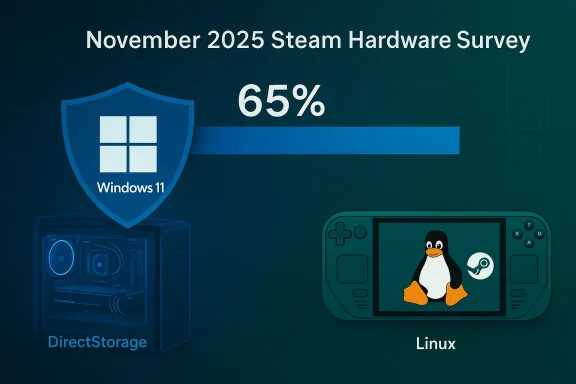
November 2025 Steam Hardware Survey: Windows 11 at 65% with DirectStorage, Linux device shown.Background / Overview​

Valve’s monthly Steam Hardware & Software Survey is the clearest publicly available thermometer for the PC‑gaming ecosystem: it samples consenting Steam clients and reports OS breakdowns, GPUs, RAM, display resolutions and other telemetry that matters directly to game developers, driver teams and anti‑cheat vendors. Because participation is voluntary and Steam’s audience skews toward enthusiastic, often new‑hardware buyers, the survey is a trend indicator for the gaming market — not a literal census of every desktop in the world.
Across autumn and early winter 2025 the survey recorded a decisive internal shift: Windows 11 climbed to the majority inside Steam’s sample, while Linux continued its slow, steady climb that is largely attributable to Valve’s handheld and SteamOS ecosystem. Those movements are small in absolute percentage terms but represent millions of active gamers, and therefore real product‑planning consequences for platform owners and publishers.

The numbers you should know — precise, dated, and why they matter​

  • November 2025 (Steam snapshot): Windows 11 (64‑bit) — 65.59%, Windows 10 (64‑bit) — 29.06%, Linux — 3.20%. This is the month where Windows 11 rounded into the “two‑thirds” zone on many headlines.
  • December 2025: the survey showed continued movement in many reports; several outlets tracked a December bump as Windows 11 rose further while Linux hovered around 3% in aggregate. Different Steam subpages and independent write‑ups published slightly varying snapshots during the holiday buying window, but the directional story — Windows 11 consolidating major share while Linux posts modest growth — is consistent.
Why this matters: the Steam dataset over‑indexes toward people who buy new hardware and who care about performance, making it a primary reference point for developers deciding which OS versions and driver stacks to prioritize for testing. In other words, a few percentage points on Steam can translate into millions of real users and millions of dollars of testing and support work.

How we got here: policy, hardware, and timing​

Several converging forces explain why Windows 11’s share rose quickly inside Steam’s sample:
  • End of support for Windows 10. Microsoft set October 14, 2025 as the end of mainstream security and feature updates for Windows 10, creating a scheduling pressure for users, IT managers and vendors. That calendar created a clear migration vector for many gamers either to upgrade their existing installation or to acquire new hardware that ships with Windows 11.
  • Holiday device churn. Late‑year OEM refresh cycles and holiday promotions put many Windows‑11‑shipped laptops and hand‑held form factors into gamers’ hands, accelerating visible adoption in December snapshots.
  • Platform features that matter to gamers. Windows 11’s feature set — notably DirectStorage and OS scheduler enhancements that benefit high‑core CPUs — provided tangible talking points for performance‑minded buyers and reviewers, nudging some upgrade decisions. While these features are not universal game changers for every configuration, their marketing and performance narratives matter inside the gamer community.
Together, those factors make the migration both policy‑driven and economically rational for many users: some chose to upgrade an old machine’s firmware, others accepted a new Windows‑11 prebuilt during holiday shopping, and a third cohort explored alternatives (see below).

Linux on Steam: real growth, limited scale, and the indie debate​

Linux’s share on Steam remains modest in absolute terms — around 3% in the late‑2025 snapshots — but the trend is notable because it marks a sustained, multi‑month increase from fractions of a percent a few years earlier. That growth is concentrated in a few places:
  • Steam Deck and SteamOS variants. The Steam Deck and the SteamOS ecosystem remain the most visible driver of Linux’s gains because they put a Proton‑enabled, Linux‑first gaming environment into consumers’ hands without requiring a desktop install. Valve’s own SteamOS builds and the Deck’s user base are visible inside the Linux slice of Steam’s data.
  • Proton and runtime improvements. Valve’s Proton compatibility layer has steadily improved compatibility for many Windows games on Linux, reducing friction for non‑trivial titles and making Linux a practical choice for more players. Community trackers such as ProtonDB and ecosystem analysis repeatedly show improving compatibility for popular titles.
  • Fragmentation and friction remain real. Despite improvements, anti‑cheat systems and vendor driver support (especially on NVIDIA GPUs) remain the most frequently cited blockers to broad Linux adoption among gamers. These technical limits are frequently raised in community threads and are still a practical reason publishers test and certify primarily on Windows.
Linux’s growth is therefore meaningful for early signals but not yet disruptive to Windows’ dominance; it is an accelerating niche with very real wins (handhelds, specific titles) and persistent obstacles (anti‑cheat, driver parity).

Community reaction: the chat is all about Linux, but be careful with quotes​

The public conversation that followed the two‑thirds headline — tweets, forum threads, and comment sections — fell into predictable camps:
  • A vocal minority declared they would “never adopt Windows 11” or promised to “hold on to Windows 10 until 2032,” citing stability, familiarity or resistance to Microsoft’s update cadence.
  • Another contingent celebrated the rise of Windows 11 as inevitable and necessary for modern gaming features.
  • Linux supporters framed the moment as an on‑ramp to their cause: some said they were waiting for SteamOS to mature further or that Proton now runs particular popular titles without trouble.
  • Detractors countered with practical concerns: anti‑cheat incompatibilities, NVIDIA driver gaps, and the fragmentation of Linux distributions.
It’s important to flag that many of these reactions are anecdotal social media posts. They reflect sentiment and cultural alignment more than statistical reality — they are valuable for tone but not for extrapolation without additional evidence. Reporters should treat specific user quotes as reported reactions and not as representative samples.

Technical reality check: anti‑cheat, drivers and the testing burden​

For developers and anti‑cheat vendors, a migration like this creates two simultaneous stresses:
  • A shrinking but still‑large tail of Windows 10. With roughly a third of Steam’s sample still on Windows 10 in many snapshots, major publishers cannot instantly drop legacy testing. That imposes cost.
  • An expanding set of test targets. Linux gains — and an increasing number of handheld and ARM‑adjacent devices — expand the matrix of compatibility scenarios required for confident launches. Anti‑cheat middleware is the clearest technical pinch point: while Proton and runtime tools have improved, many anti‑cheat solutions were designed around Windows kernel‑level hooks and have either been slow to adapt or required developer workarounds. The upshot: publishers must allocate engineering effort to ensure parity, or accept a subset of users becoming unsupported.
On the graphics driver front, the situation is nuanced. NVIDIA historically prioritized Windows drivers and took longer to match feature parity on Linux compared with AMD; consequently, many gamers still report smoother day‑one driver support on Windows. Some vendors have publicly extended Windows 10 driver support to soften migration shocks for users on older hardware, which further complicates the incentive calculus.

Practical guidance for gamers: upgrade, hold, or experiment?​

If you’re reading the numbers and wondering what to do with your rig, here’s a practical checklist.
  • Check support and risk.
  • Confirm whether your current Windows 10 installation is covered by Microsoft’s Extended Security Updates (ESU) or similar vendor support. If you rely on third‑party software that will stop being patched, plan accordingly.
  • Validate hardware compatibility.
  • Use Microsoft’s own PC Health Check or OEM guidance to confirm TPM, Secure Boot and CPU requirements before attempting an upgrade. Upgrading firmware and BIOS can sometimes address one‑click blockers.
  • Backup and prepare a rollback plan.
  • Always create a full image backup and export activation keys (where applicable) before attempting major OS upgrades. This reduces risk if a specific game, plugin or peripheral misbehaves after upgrade.
  • Check game and anti‑cheat compatibility.
  • For competitive or anti‑cheat‑protected titles, verify vendor and publisher compatibility notes. If you plan to try Linux/SteamOS, consult ProtonDB and the game’s support pages for practical compatibility reports.
  • Consider a staged approach.
  • If you need Windows for some titles and want to experiment with Linux, maintain a dual‑boot or secondary drive approach. For handheld or secondary devices, SteamOS is a low‑friction trial option.

Strengths, weaknesses and the corporate angle​

Windows’ strength in gaming is structural: broad driver support, mature anti‑cheat integration, and a vast archive of titles built to Windows APIs. Microsoft benefits from economies of scale in driver partnerships and from the monolithic market position that makes Windows the default interoperability target for many publishers. These realities explain why Windows still totals well over 90% of Steam’s sample across versions.
But there are tradeoffs and risks:
  • User experience friction. A persistent set of gamers report that Windows 11’s update cadence, UI changes, and telemetry/ads can feel intrusive. Those complaints fuel the cultural desire to explore alternatives even where those alternatives are harder to maintain.
  • Hardware exclusion. Windows 11’s higher minimum platform requirements intentionally raise the security baseline, yet that choice excludes some otherwise‑serviceable machines unless users buy new hardware or work through firmware hacks.
  • Fragmentation risk for developers. Supporting Windows 10, Windows 11, Linux (multiple distributions) and emerging handheld systems increases testing matrices and operational cost at the exact time user expectation for day‑one stability is increasing.
From Microsoft’s standpoint, the headline numbers are a net positive: higher Windows 11 share helps justify investments in Windows‑specific gaming innovations and reduces the incremental support cost of older Windows versions. From the publisher’s standpoint, however, a significant Windows‑10 tail plus a growing Linux/handheld niche forces careful triage of engineering effort.

The Steam Deck, handhelds and why form factor matters​

One underappreciated element in the platform mix is the role of new hardware form factors — specifically handheld gaming PCs and Valve’s own Deck. These devices make Linux‑first platforms visible and comfortable for gamers who might otherwise never install a desktop distro. The Deck’s presence amplifies Proton’s impact because Valve ships and supports a complete runtime stack that hides much of the complexity. That’s why a meaningful portion of the Linux share on Steam traces back to SteamOS and handheld activity rather than a mass desktop migration.
In short: hardware that ships preconfigured with a Linux gaming stack lowers the behavioral friction far more than documentation and community guides ever could.

Where this goes next — three plausible scenarios​

  • Continued consolidation on Windows 11.
  • With Windows 10 out of mainstream support and OEM refresh cycles ongoing, Windows 11 will likely continue to soak up the majority of Steam installs, especially in the midrange laptop market where gaming hardware refreshes are common. This is the low‑friction, incumbent advantage scenario.
  • Slow, steady Linux growth focused on handhelds and niche desktops.
  • If Proton compatibility and anti‑cheat solutions continue to improve — and if Valve and partners keep shipping attractive handheld hardware — Linux’s share could climb steadily without displacing Windows’ dominance. This is the “gradual diversification” path.
  • Sudden bifurcation driven by middleware.
  • A faster shift could happen if major anti‑cheat vendors fully embraced cross‑platform solutions or if a significant title or publisher prioritized Linux/SteamOS at launch. Conversely, if anti‑cheat support stays fragmented, Linux’s growth will remain handicapped despite technical compatibility improvements.
All three scenarios are plausible; the short‑term winner is likely to be the platform that reduces friction for buyers while leaving publishers comfortable with their testing and monetization strategies.

What publishers and toolmakers should do now​

  • Prioritize telemetry and telemetry‑backed decisions. Steam’s survey is a gaming sample that matters — track it month‑to‑month and correlate with store telemetry and crash reports to know where to invest testing resources.
  • Engage anti‑cheat partners proactively. Work with middleware to validate cross‑platform hooks and offer Linux‑friendly paths where possible, or be explicit with players about supported environments.
  • Maintain a pragmatic compatibility matrix. Offer an explicit support policy for Windows 10 holdouts while signaling planned deprecation timelines; communicate clearly about Proton compatibility for Linux users.

Final takeaways​

  • The headline is accurate: Windows 11 reached majority share on Steam’s survey (about two‑thirds in late‑2025 snapshots), a milestone driven by Windows 10’s end‑of‑support, holiday hardware churn, and the incremental value proposition of Windows‑specific gaming features.
  • Linux’s presence is small but meaningful: it’s growing, primarily powered by Steam Deck and Proton improvements, but it is not yet a mass threat to Windows’ dominance because of anti‑cheat and driver support hurdles.
  • The conversation in chatrooms and social media is as much about identity and control as it is about compatibility: grievances about forced updates, telemetry and UI changes push some users toward alternatives, while many others prefer the path of least resistance — upgrading to a supported Windows. Treat social media sentiment as color, not census.
The Steam Hardware Survey is a crucial barometer for the PC‑gaming ecosystem. Its monthly movements do not merely reflect aesthetic preferences; they shape testing roadmaps, player support policies and the economics of middleware. For gamers and developers alike, the practical rule is simple: watch the numbers, but validate your decisions against the games and configurations that actually matter to you.

Source: happygamer.com Windows 11 Now Powers Two-Thirds of Steam Gamers, But The Chat Is All About Linux | Happy Gamer
 

Windows on PC is quietly being rebuilt into a platform that looks, feels, and behaves like a purpose‑built gaming system — but not by ripping out its general‑purpose DNA. Instead, Microsoft and its partners are stitching together a set of cross‑stack engineering changes that aim to eliminate the friction that has long made PC gaming feel uneven: long first‑run shader compiles, noisy background processes, inconsistent handheld and Arm experiences, and the raw thermal limits of portable hardware. What you play on in five years will still be Windows, but the pathway from power‑on to play will be far more predictable, faster, and tuned for sustained responsiveness. view
The PC gaming stack has always been a series of compromises: enormous choice and openness in exchange for fragmentation and occasional rough edges. Over the past two years Microsoft has moved from adding isolated features (Auto HDR, DirectStorage, Game Mode) to coordinating system‑level fixes aimed specifically at smoothing the player experience. That shift has two practical manifestations today: a new set of runtime and distribution tools for shaders and a controller‑first, Full Screen Experience (FSE) shell that reduces desktop interference on handhelds and other devices. These efforts are designed to make Windows behave more like a console where it matters — the moment you press “Play.”
This article lays out the technical pillars of that change, contrasts two plausible futures (a separate “Windows Gaming Edition” vs. a modular gaming mode inside standard Windows), explains what developers and gamers should expect, and flags the biggest risks that could derail the promise.

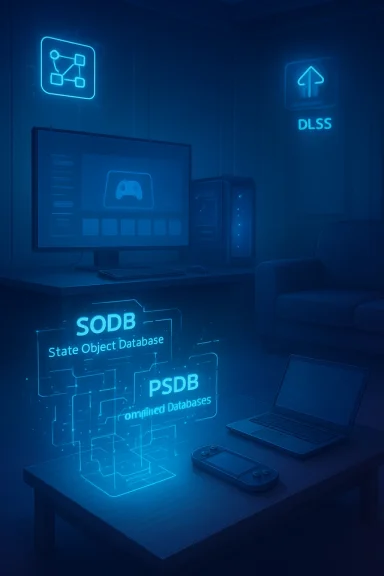
Blue neon-lit home office featuring holographic database schematics and gaming gear.The tech pillars that will define Windows gaming in five years​

1. Advanced Shader Delivery: ending the age of “first‑run” stutter​

One of the most persistent annoyances on PC is the long pause or stutter the first few times a new scene or effect is encountered, caused by on‑device just‑in‑time (JIT) shader compilation. Microsoft’s answer is Advanced Shader Delivery (ASD): tooling, runtime APIs, and a distribution model that allows games (or the stores that ship them) to deliver precompiled shader databases that match the player’s GPU and driver. The Agility SDK that added ASD — released as AgilitySDK 1.618 on September 25, 2025 — includes the authoring and registration tools needed to create and install those shader bundles.
How it works in practice:
  • Developers or automated compilation services build a State Object Database (SODB) during development.
  • Stores or installers create Precompiled Shader Databases (PSDBs) tailored to common GPU/driver combinations.
  • On install, the game registers its SODB/PSDB with the D3D runtime so runtime shader requests are satisfied from the precompiled cache instead of invoking JIT compilers.
Early rollouts — notably on handheld reference devices such as the ROG Xbox Ally family in October 2025 — already show dramatically reduced first‑run load times and far fewer mid‑game hitching events when precompiled shaders are available. That payoff will grow as more storefronts, developers, and GPU vendors participate.

2. Xbox Full Screen Experience (FSE): a controller‑first gaming shell​

Microsoft’s Full Screen Experience began as a handheld‑first UX and is now being pushed to broader Windows form factors as a preview and opt‑in shell. FSE boots to a controller‑navigable home, minimizes desktop services, and gives the active game higher scheduling and power prioritization. Rolling out to Insiders and handheld devices in late 2025, FSE’s objective is straightforward: reduce the OS noise that steals cycles and battery from the active gaming session. Expect FSE to be the user‑facing entry point for the gaming runtime optimizations described in this article.

3. Automatic Super Resolution (Auto SR) and OS‑level AI upscalers​

Neural upscaling and frame‑generation tech have proven their value in boosting frame rates with tolerable visual tradeoffs. Microsoft shipped Automatic Super Resolution (Auto SR) as an OS feature for Copilot+ PCs running Snapdragon X‑series SoCs with an on‑device NPU. Auto SR lowers internal render resolution then uses neural upscaling to preserve visual fidelity while boosting framerate, and crucially it runs at the system level so it can be applied without per‑title integration. Expect Auto SR and similar OS‑level neural rendering to expand across NPU‑enabled platforms and potentially be offered as a system fallback for a wider set of devices.
At the same time, GPU vendors will push more capable neural rendering—NVIDIA’s DLSS family is moving rapidly (DLSS 4 introduced Multi Frame Generation and transformer‑based super resolution; DLSS 4.5 is a second‑generation transformer model with dynamic multi‑frame generation announced at CES 2026). These vendor solutions will coexist with OS‑level upscalers and will be part of the tradeoff landscape for quality versus latency.

4. Better Windows on Arm through Prism emulation​

Windows on Arm’s viability depends heavily on emulation quality. Microsoft’s Prism emulation engine has been extended to translate additional x86 instruction set features such as AVX/AVX2 and related extensions, which unlock compatibility for games and creative tools that depend on those CPU features. The Prism update rolled out to Windows 11 devices (24H2 and later) in late 2025, and it’s a practical step toward making Arm‑based handhelds and laptops run a far broader swath of PC titles. Expect continued refinement here — particularly around performance, driver support, and kernel‑mode compatibility.

5. DirectStorage and the I/O renaissance — still useful but incremental​

DirectStorage’s promise to dramatically reduce load times and CPU overhead is real, but adoption has been slower than early marketing suggested. Microsoft continues to evolve DirectStorage (1.3 and newer refinements in 2025), and the API will be important for future I/O heavy scenarios like streaming huge environments and fast world swaps. That said, its practical benefits vary by title, and broad, programmatic adoption across engines takes time. DirectStorage will remain an important optimization but not the single game‑changer many hoped for overnight.

Two plausible futures: special edition vs. hybrid Windows​

Microsoft could take two broad paths over the next five years. Neither is hypothetical — they’re both being tested in previews today.

Option A — A dedicated “Windows Gaming Edition” (less likely)​

Imagine a purpose‑built Windows SKU that strips enterprise services, telemetry cruft, legacy compatibility, and boots directly to an Xbox‑style home shell. Pros:
  • Cleaner, lighter runtime with fewer background services.
  • Easier certification for anti‑cheat and low‑latency competitive play.
  • A more direct competitor to SteamOS for living‑room and handheld markets.
Cons:
  • Two codebases to support would increase update complexity and risk regressions.
  • Enterprise and legacy compatibility losses would fragment the install base.
  • OEM and partner support would be harder to coordinate.
This path would be the boldest step toward making Windows “a console that lets you do everything else,” but the operational cost is high.

Option B — A hybrid, modula“Gaming Mode” (more likely)​

A modular Windows — built on Microsoft’s CorePC ambitions — provides a dedicated runtime for gaming while keeping a single, maintainable codebase. That runtime could be activated by FSE or a system toggle and would:
  • Suspend or defer non‑essential services.
  • Use OS scheduling and power policies to prioritize the game process.
  • Wire in ASD, Auto SR, and other graphics stack enhancements automatically.
  • Provide a certified anti‑cheat environment and predictable driver expectations for competitive play.
This hybrid model gives Microsoft the benefits of a gaming‑first UX without sacrificing enterprise customers or introducing a new product line. The hybrid path is the pragmatic choice and aligns with the company’s current Insider‑led rollout strategy.

What this means for developers​

Developers should think beyond per‑title tricks and toward a platform‑aware pipeline.
  • Adopt Agility SDK and ASD workflows to collect SODBs and enable PSDB delivery for faster first‑run experiences.
  • Test and validate on FSE and handheld certification profiles to understand thermal and scheduling impacts.
  • Provide metadata and store integration points for PSDB distribution; coordinate with storefronts early.
  • Consider how to gracefully fallback when PSDBs are unavailable (e.g., new GPUs, driver updates).
  • For studios targeting handhelds or Arm devices, validate both native Arm builds and Prism emulation scenarios.
From a production standpoint, the immediate work is tooling: build shader collection pipelines, integrate offline compiler targets, and include PSDB lifecycle management in CI/CD so shader bundles are rebuilt alongside drivers and major engine updates. Microsoft’s AgilitySDK release provides the first versions of these tools; widespread benefits require ecosystem coordination across engine teams, publishers, and storefronts.

What this means for gamers​

If the engineering program succeeds, your next PC or handheld will feel more polished in these ways:
  • Much faster, less jarring first‑run launches for major titles that use PSDBs.
  • Better battery life and steadier clocks on handhelds thanks to FSE and smarter power policies.
  • Console‑like session behavior: boot to a controller‑first UI, resume game state quickly, and switch between games with minimal desktop intArm compatibility for many legacy titles thanks to Prism emulation improvements.
  • More choices for AI‑driven frame rate boosts: OS‑level upscaling for device‑wide coverage and vendor‑specific solutions like DLSS for the highest quality/lowest latency paths.
But expect variance: early benefits will be strongest on validated hardware and devices with PSDB support; older PCs and mismatched driver stacks will see less immediate improvement.

Key risks and friction points​

  • Anti‑cheat complexity. Many multiplayer titles rely on kernel‑level anti‑cheat systems that are fragile with emulation, driver changes, or telemetry modifications. If anti‑cheat vendors don’t embrace the new runtime models or provide Linux/Proton‑compatible options, competitive play on modified or Arm devices will remain risky.
  • Driver and OEM coordination. ASD depends on GPU vendors providing reliable offline compilers and maintaining ABI/driver stability. Driver regressions can undo gains quickly. Expect a period of accelerated driver churn and bug fixes as vendors adapt.
  • Fragmentation during rollout. Benefits concentrated on specific OEM devices or Insider channels will create a two‑tier experience unless stores and publishers rush to ship PSDBs broadly.
  • Update failure modes. If Microsoft were to create a separate gaming SKU, keeping it in sync with the main Windows branch could become an operational liability. This is a prime reason the hybrid, modular approach is safer.
  • Ecosystem adoption lag. Technologies like DirectStorage and ASD require developer time and store support. Real, cross‑title consistency will take years, not months.

Milestones to watch (next 12–36 months)​

  • Vendors and storefronts publishing PSDB workflows and adoption metrics (how many titles ship with PSDBs).
  • Broad FSE availability on laptops and desktops beyond handhelds (general availability in late 2025 was the start; watch for mass OEM toggles).
  • Prism emulation updates rolling to more devices and adding more instruction‑set coverage (AVX/AVX2 support shipped in late 2025).
  • Independent benchmarks that measure first‑run stutter reductions, frame‑time variance, and battery life before/after PSDB + FSE rollouts.
  • Anti‑cheat vendors publishing compatibility roadmaps for the new runtimes.

Practical advice — how to prepare now​

  • Join Insider channels if you want early access to FSE and ASD previews.
  • Keep GPU drivers and Windows updates current, but avoid aggressive driver betas if you need a stable competitive environment.
  • If you’re a developer, integrate Agility SDK and prepare shader capture/compilation pipelines now.
  • For gamers considering ARM handhelds: check the Prism compatibility notes and prefer devices with active vendor and Microsoft support.
  • For tournament organizers and enterprises: avoid early adoption for mission‑critical events until independent validation and vendor commitments are clear.
--atic, staged evolution — not a revolution
Microsoft’s 2025–2026 push is not a single silver bullet; it’s a practical, engineering‑first program that addresses the long tail of issues that make Windows gaming uneven. When the key pieces — Advanced Shader Delivery, Full Screen Experience, OS‑level AI upscaling, and improved Arm emulation — come together on validated hardware and through coordinated vendor updates, Windows will feel markedly more like a polished, console‑grade platform in the ways that matter to players.
That outcome depends on broad ecosystem coordination: game studios and engine teams must bake PSDB generation into their pipelines; storefronts must support distribution and installers must register databases correctly; GPU and SoC vendors must supply robust offline compilers and drivers that don’t regress; and anti‑cheat vendors must adapt to new runtime models without breaking competitive play. The work is heavy, but the engineering direction is right: fix the plumbing, not just the cosmetic UX.
If the program succeeds, five years from now Windows will still be the flexible, powerful OS it has always been — but with a much smoother path to play. If it falters, the improvements will still benefit a subset of validated hardware while leaving a long tail of PCs lagging behind. Either way, the future of Windows gaming will be determined by engineering discipline and ecosystem cooperation more than by marketing.

Windows gamers should watch the next year for expanding FSE availability, broader PSDB distribution across stores, and independent, reproducible benchmarks that measure first‑run stutter and battery improvements. Those are the metrics that will tell us whether Windows has truly bridged the gap between the openness of PC gaming and the predictability of consoles.

Source: Windows Central What will Windows gaming look like in five years? Here are my predictions.
 

Back
Top