

Microsoft’s u‑turn on legacy printer-driver support for Windows 11 is both a relief and a cautionary tale: relief because millions of home users and organizations can keep printing without an immediate scramble, and a cautionary tale because the policy update — and the way it was communicated — exposes real risks for IT planning, vendor relationships, and long‑term compatibility. Microsoft’s clarification makes one thing clear: printers that work on Windows 11 today should keep working, but hardware makers will face new limits on submitting legacy drivers to Windows Update. That change shifts responsibility onto vendors and IT teams to plan migrations sensibly, tighten printing security, and avoid being blindsided by future policy shifts.
Microsoft briefly published a Windows Roadmap update implying that Windows 11 would stop supporting legacy printer drivers — a headline that spread quickly because printer drivers are a notorious source of system instability and attack surface. The company later corrected the roadmap and told the press that the earlier entry was inaccurate. The official clarification said, in essence, that Windows 11 has not ended support for legacy printer drivers, and that printers that currently work will continue to do so. At the same time, Microsoft confirmed a policy shift effective January 15, 2026: legacy drivers submitted to Windows Hardware Quality Labs (WHQL) and published to Windows Update will be approved only on a case‑by‑case basis under the new End of Servicing Plan for Third‑Party Printer Drivers.
That mixed message — keep using existing drivers, but expect tighter vetting for new legacy driver submissions — is the practical takeaway. It’s also the source of uncertainty: if vendors can’t ship new legacy drivers easily via Windows Update, how will older hardware remain compatible with future Windows builds, and what does “case‑by‑case” actually mean for OEMs and enterprises?
Microsoft, vendors, and IT communities should adopt clearer practices:
Source: Windows Central Windows 11 is not ending support for legacy printer drivers after all
 Background: what happened and why it mattered
Microsoft briefly published a Windows Roadmap update implying that Windows 11 would stop supporting legacy printer drivers — a headline that spread quickly because printer drivers are a notorious source of system instability and attack surface. The company later corrected the roadmap and told the press that the earlier entry was inaccurate. The official clarification said, in essence, that Windows 11 has not ended support for legacy printer drivers, and that printers that currently work will continue to do so. At the same time, Microsoft confirmed a policy shift effective January 15, 2026: legacy drivers submitted to Windows Hardware Quality Labs (WHQL) and published to Windows Update will be approved only on a case‑by‑case basis under the new End of Servicing Plan for Third‑Party Printer Drivers.That mixed message — keep using existing drivers, but expect tighter vetting for new legacy driver submissions — is the practical takeaway. It’s also the source of uncertainty: if vendors can’t ship new legacy drivers easily via Windows Update, how will older hardware remain compatible with future Windows builds, and what does “case‑by‑case” actually mean for OEMs and enterprises?
Overview: printer driver models explained
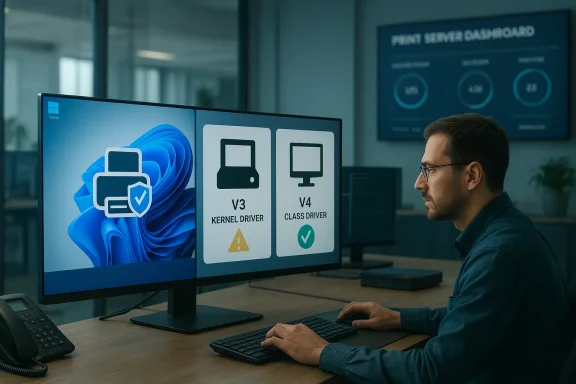
To understand the implications, it helps to be explicit about driver terminology and the models involved.V3 vs V4 drivers — what they are
- V3 drivers are the older, widely deployed Windows print drivers. Many of these are kernel‑mode or contain kernel components and are historically capable but also a frequent source of stability and security issues. They are the default for many legacy printers and multifunction devices.
- V4 drivers were introduced as a simplified, modern driver model intended to reduce complexity and improve deployment, automatically leveraging generic printing capabilities in Windows where possible. V4 drivers avoid kernel‑mode components when they can and are generally safer and easier to manage.
WHQL / Windows Update certification
Hardware vendors historically submit printer drivers to WHQL for testing and signing. Approved drivers can be distributed through Windows Update, simplifying deployment for end users and admins. Microsoft’s new direction limits approvals for legacy drivers going forward, meaning vendors will find it harder to get WHQL sign‑off for old driver architectures except under special conditions.Why Microsoft’s reversal matters
On the surface the clarification is good news: Microsoft is not cutting off existing drivers, which avoids an immediate consumer crisis. But the policy shift that restricts future WHQL approvals for legacy drivers creates a structural change with several downstream consequences.For home users
- Most consumer printers will continue to work with current Windows 11 builds. If your printer works today, you likely won’t need to act right away.
- New retail printers or refurbished devices that require legacy driver installs may become harder to offer via automatic Windows Update in the future, which could complicate plug‑and‑play experiences.
For IT teams and enterprises
- Organizations that rely on driver distribution via Windows Update or automatic provisioning will need to reassess procurement and deployment strategies for older hardware.
- Print servers, print management appliances, and enterprise workflows that depend on vendor‑supplied legacy drivers should be audited and tested against current and upcoming Windows builds.
- Large fleets with specialized multifunction devices (MFDs) or RIPs that use vendor‑specific filters may need vendor engagement and compatibility testing plans.
For hardware vendors
- Vendors now face stricter gates for submitting legacy drivers to WHQL/Windows Update. That will increase development and support costs, and push many vendors toward modernizing drivers or offering alternative deployment channels (e.g., vendor web downloads, dedicated management software, or cloud print solutions).
- Vendors that no longer publish updated legacy drivers to Windows Update risk being excluded from automated update channels, undermining out‑of‑the‑box compatibility for customers.
Technical and security implications
Printer drivers have been a historic source of privilege escalation and kernel vulnerabilities. Microsoft’s push away from legacy models is motivated by security and stability goals, but the near‑term effects are nuanced.Security benefits of moving away from legacy drivers
- Reduced kernel attack surface: Many legacy drivers include kernel‑level code; migrating to driver‑less or user‑mode drivers reduces the risk of kernel exploits.
- Better update and patch hygiene: Modern drivers and class drivers are simpler to maintain and patch centrally.
- Improved driver isolation: Windows supports spooler isolation and other mitigations, and the move to safer driver models increases the effectiveness of these features.
New security and operational risks
- Vendor lag: If vendors don’t provide modern drivers, organizations will run older, potentially vulnerable drivers indefinitely.
- Unsupported drivers in the wild: Home users with older printers may never get vendor updates; those drivers become an unmanaged attack surface.
- Operational brittleness: Critical environments that depend on specific driver behavior (color profiles, rasterization, finishing) may struggle to replicate those features with generic or modernized drivers.
What “approved on a case‑by‑case basis” likely means
Microsoft’s statement that legacy driver submissions will be reviewed on a case‑by‑case basis suggests a stricter approval rubric, not an outright ban. In practice, this probably translates to:- Higher bar for WHQL: Legacy drivers seeking WHQL signatures may face additional compatibility and security testing requirements.
- Focus on exceptional needs: Microsoft will prioritize approvals where alternative driver models cannot provide required functionality — for example, hardware that depends on proprietary filters for finishing features or embedded firmware interactions.
- Tiered support: Approvals may be granted for enterprise or ISV partners with clear justifications, while generic consumer submissions may be denied.
Practical guidance for IT administrators and power users
If you manage Windows devices or a fleet of printers, don’t assume “it’ll keep working forever.” Use the following pragmatic checklist to reduce operational risk and prepare for future changes.Immediate steps (first 30 days)
- Inventory printers and drivers. Identify all printers in your environment and record whether they use V3 or V4 drivers, whether they were installed from Windows Update or vendor packages, and which driver versions are in use.
- Prioritize critical workloads. Tag printers that are critical to business workflows (labeling, point‑of‑sale, production printing) and target them for compatibility testing.
- Back up driver packages. Export and archive existing driver packages and INF files used in production. Having local copies prevents surprises if a vendor stops distributing a legacy driver.
- Verify vendor roadmaps. Contact printer vendors and ask whether they plan to provide V4 or class drivers, and what support they offer for legacy drivers in future Windows versions.
Short to medium term (30–180 days)
- Implement or review print server architecture. Centralized print servers make it easier to control driver deployment and apply testing before rolling out to endpoints.
- Apply print security best practices: enable Print Spooler hardening features, use driver isolation where supported, and apply Point and Print restrictions via Group Policy to control driver installations.
- Test a pilot migration to class drivers or vendor V4 drivers for non‑critical printers to gauge changes in behavior and compatibility.
Long term (6–18 months)
- Build a migration plan toward modern drivers or alternative printing paths (see recommendations below).
- For environments with specialized needs (color management, finishing), work with vendors to obtain supported driver packages or consider replacing devices at end of life.
- Integrate print device lifecycle considerations into procurement processes: require vendor support plans and modern driver availability before purchase.
Migration strategies: options and tradeoffs
There is no single right answer for every environment. Below are proven strategies and the tradeoffs to consider.1. Move to vendor V4 drivers or class drivers
- Benefits: Better stability, lower attack surface, easier deployment through Windows Update where supported.
- Tradeoffs: Some advanced device features may be unavailable or implemented differently; requires vendor cooperation and testing.
2. Use print servers and driver centralization
- Benefits: You control the driver package, can stage and test updates, and reduce endpoint‑level variability.
- Tradeoffs: Adds infrastructure and administrative costs; single points of failure must be mitigated.
3. Adopt cloud or vendor print services
- Benefits: Solutions like managed print services or vendor cloud printing can abstract driver issues away from endpoints.
- Tradeoffs: Potential cost implications, data residency concerns, and reliance on vendor ecosystems.
4. Replace legacy hardware
- Benefits: Future‑proofing and improved performance/security.
- Tradeoffs: CapEx costs and procurement cycles; not always feasible for specialized industrial printers.
5. Use generic drivers or PostScript/PCL drivers
- Benefits: Generic drivers can cover basic printing and are often supported long‑term.
- Tradeoffs: Loss of advanced features (booklets, stapling, advanced finishing); may require workflow changes.
Security hardening recommendations for print infrastructure
Even with continued legacy support, apply layered security to minimize risk.- Enable print isolation and spooler hardening where available. Isolated spooler processes reduce the blast radius of a compromised driver.
- Apply Point and Print restrictions via Group Policy. Restrict driver installation to authorized servers and require administrator approval for new drivers.
- Keep print servers patched and minimized. Limit roles and installed components to essentials, and follow server hardening guidance.
- Use network segmentation for printers. Keep printers on a dedicated VLAN and restrict access to management interfaces.
- Monitor printing activity. Implement logging for print services and alerts for unusual behavior, like spikes in driver installations or print jobs.
What vendors should be doing now
Printer manufacturers and ISVs need to accelerate modernization and communication.- Publish clear driver roadmaps showing V4 driver availability, supported OS versions, and end‑of‑life plans for legacy drivers.
- Shift development to modern driver models and reduce kernel dependencies where feasible.
- Provide enterprise deployment packages and documentation for print server admins, including silent installers and offline driver bundles.
- Offer support guarantees for customers who depend on legacy drivers for critical workflows, and clarify criteria for case‑by‑case WHQL approvals.
Reading the tea leaves: potential future scenarios
Microsoft’s retraction buys time, but the Jan 15, 2026 policy about case‑by‑case approvals signals long‑term direction. Consider three plausible futures:- Managed transition (optimistic): Vendors comply, publish modern drivers, and the ecosystem shifts with minimal disruption. Windows Update continues to push modern drivers broadly.
- Fragmented support (middle): Critical vendors modernize, but a long tail of legacy devices lags. Enterprises face mixed outcomes, with some printers aging out of automated support.
- Hardline enforcement (pessimistic): Microsoft later tightens rules further, restricting legacy drivers more aggressively, forcing large‑scale hardware replacement or software workarounds.
How to check whether your environment is affected
Here’s a practical, step‑by‑step list for administrators to assess exposure.- Generate a printer inventory using your management tool (SCCM, Intune, print server logs, or third‑party inventory).
- For each printer, record:
- Driver INF name and version
- Driver model (V3 vs V4)
- Source of installation (Windows Update vs vendor package)
- Usage criticality and replacement cost
- Prioritize devices older than five years, devices with kernel‑mode drivers, and printers used in regulatory or production workflows.
- Test printing and features on a current Windows 11 build in a lab environment using sanitized data to validate behavior before production changes.
Quick tips for home users
- If your home printer is working, you probably don’t need to do anything immediate.
- Keep driver installers from vendor websites saved in case you need to reinstall.
- If your printer is essential and old, consider buying a modern model when replacement is required, especially for heavily used devices.
- Use built‑in Windows drivers where possible; they are often sufficient for basic printing and are easier to maintain.
Why communication matters — and how Microsoft could do better
This episode underscores the cost of ambiguous communications from platform vendors. A roadmap entry that suggests deprecation, even if corrected, triggers procurement freezes, support tickets, and panic in IT forums.Microsoft, vendors, and IT communities should adopt clearer practices:
- Announce policy changes with precise timelines, technical definitions, and migration guidance well in advance.
- Provide a public FAQ specifically addressing common concerns (e.g., “Will my existing printer stop working?”).
- Coordinate with major ISVs and OEMs to publish compatibility matrices and validated replacement timelines.
Final analysis and recommendations
Microsoft’s restatement that “Windows has not ended support for legacy printer drivers” is welcome short‑term news, but the broader trend is unmistakable: the Windows ecosystem is moving away from legacy, kernel‑level printing components. That’s good for stability and security in the long run, but it requires deliberate action today.- For IT leaders: Treat this as a driver modernization and procurement mandate. Inventory printers, engage vendors, and plan staged migrations with backups and pilots.
- For vendors: Accelerate delivery of V4 and class drivers, and provide enterprise migration support and offline driver packages.
- For home users: Keep your current printers and installers backed up, and prioritize replacement of heavily used devices when feasible.
- For the wider community: Demand clearer timelines and actionable guidance from platform vendors to avoid panic and to enable orderly migration paths.
Source: Windows Central Windows 11 is not ending support for legacy printer drivers after all
