
Windows 11’s long-running push toward Microsoft account sign-in may finally be approaching a softer landing. The latest reporting and internal signals suggest Microsoft is at least entertaining a more flexible setup path, one that would let users create a local account without resorting to hacks, bypass scripts, or installer modifications. That would not mean the end of Microsoft accounts on Windows; it would mean the company may finally stop making them feel like a gate you must pass through before using your own PC. For a platform that has spent years tightening the screws on first boot, even the possibility of a reversal is a meaningful shift.
For most of Windows history, signing in with a Microsoft account was optional, not mandatory. That changed gradually as Microsoft recast Windows from a standalone desktop operating system into a cloud-linked identity layer tied to OneDrive, Microsoft Store, backup, sync, and cross-device features. The idea was simple: make Windows more connected, more persistent, and more useful across devices. The practical result was more friction for users who just wanted to get to the desktop and get on with work.
Windows 11 accelerated that trend. On consumer editions, especially Home, the out-of-box experience increasingly nudged users toward online sign-in and a Microsoft account. Microsoft also began hardening the setup path against local-account workarounds, including changes in Insider builds that removed familiar escape hatches. In October 2025, the Dev Channel explicitly said it was removing known mechanisms for local-account creation in OOBE and requiring internet plus a Microsoft account to complete setup. That made the setup screen feel less like a neutral installation step and more like an onboarding funnel.
The backlash was predictable. Power users, IT admins, privacy-conscious buyers, and even casual consumers who simply preferred a local login kept sharing tutorials on how to bypass the requirement. The list of workarounds became its own ecosystem: command-line tricks, modified installers, and setup flows that exploited hidden behavior Microsoft had not designed for ordinary users. When people start building cottage industries around avoiding a default setting, it is usually a sign that the default has gone too far.
What makes the present moment different is that Microsoft does not appear entirely committed to the old rigidity anymore. The company has been reshaping Windows 11 setup through servicing and Insider updates, and support documentation shows that OOBE is now a living surface rather than a fixed ceremony. Microsoft has already acknowledged a broader effort to make setup quieter, smoother, and less cluttered. That creates an obvious opening for an account policy reset, even if the company never admits it in dramatic terms.
There is also an external force at work: regulation. In Europe, the Digital Markets Act has already forced Microsoft to adjust Windows in ways that expand user choice, including more flexible defaults and the ability to remove more built-in components in regulated regions. That does not automatically mandate a local-account-first Windows everywhere, but it does establish the principle that gatekeepers cannot always force a single path when alternatives are technically and commercially viable. The broader message is unmistakable: platform choice is becoming harder to suppress.
Microsoft has reasons for preferring the account model. It improves account recovery, makes OneDrive onboarding easier, supports Windows Backup, and helps the company keep users tied to services like the Store and Copilot-linked experiences. Those are real business and product benefits. But benefits on Microsoft’s side do not erase the user’s sense of ownership on the other side of the screen. A brand-new PC should feel like it belongs to the person who bought it, not to a cloud identity they are still being asked to create.
This is why the workaround culture matters. When people routinely teach each other how to bypass an official flow, the official flow has already lost legitimacy. Microsoft can keep closing loopholes, and it has been doing exactly that, but each closure adds to the impression that the company is defending coercion rather than designing for flexibility. That is a dangerous optics problem for a platform that still markets itself as open and adaptable.
Microsoft may see local-account advocates as a niche. In reality, they shape the narrative around Windows for everyone else. They are the people most likely to compare setup behavior across operating systems, most likely to notice coercive defaults, and most likely to call out inconsistency between Microsoft’s messaging and its product behavior. When they say the company has gone too far, the comment often lands well beyond the enthusiast bubble.
A local-account option fits that pattern perfectly. It is not an exotic feature. It is a return to something Windows already supported and still technically supports through unsupported methods. Regulators do not need to invent a new technical standard to make the case; they only need to ask why a policy that users can already bypass should not be exposed honestly in the product. That is the sort of argument that becomes hard to defend in a market built around choice language.
That matters because regional rollout is often where policy becomes product. If a cleaner local-account path works in regulated markets, it becomes harder to justify why the same flow should remain hidden or unsupported elsewhere. The logic of consistency would eventually push the company toward a broader release, even if only after a long testing period.
In that sense, regulation and user backlash may be pulling Microsoft toward the same answer. The company does not have to love a local-account option to implement one. It only has to decide that the cost of forcing account sign-in is now higher than the benefit. Judging from the current tone of Windows 11 changes, that calculation may already be underway.
This is also why Microsoft’s crackdown has a paradoxical effect. Every time the company removes a workaround, it reminds users that the workaround mattered. That can create the impression of a company more interested in blocking exits than in building a better default. In a mature operating system market, that is usually not the story you want people telling about your platform.
Microsoft could continue to treat these methods as nuisances to be eliminated. But that would ignore the signal they send. A better reading is that the company has been using enforcement where it should have been using persuasion. A clear local-account choice would not reduce Windows’ capabilities; it would reduce the need for users to behave like undocumented testers just to get through setup.
A supported local-account path would be less flashy than a new AI feature, but it might generate more goodwill. It would turn a recurring source of irritation into a solved problem. In platform terms, that is the kind of win that pays out for years because it changes the emotional baseline of ownership.
That model makes product sense. It allows Microsoft to keep promoting the ecosystem while lowering the barrier for people who do not want to commit on day one. It also lets the company position the account as a convenience layer rather than a mandatory requirement. In a market where people are increasingly sensitive to lock-in, that distinction is powerful.
That is also why a policy shift could arrive faster than many expect. Because setup is now updated through servicing and preview channels, Microsoft does not need to wait for a dramatic Windows version jump to make the change. If the company wants to test local-account access in Insider builds, it can do so. If it wants to expand it later, the path is already there.
Enterprise environments already have alternative identity paths through Entra, domain join, and managed provisioning. That means Microsoft can relax consumer friction without undermining business onboarding. In fact, clearer separation between managed and personal setup could make Windows feel more coherent. The company does not need one identity model for every user; it needs the right model for each scenario.
Ownership is the deeper issue. A local account does more than keep a device offline. It reinforces the feeling that the machine belongs to the user, not to an ecosystem provider. In a world where so many products are becoming services, that feeling has real value. It is the difference between a computer you use and a computer that appears to be using you.
This is especially relevant for shared PCs, family devices, and small-business environments where a local or domain-based identity is often the cleaner answer. Those users are not trying to reject Microsoft’s ecosystem entirely. They are trying to keep the machine’s identity model aligned with the way they actually use the machine. That is a perfectly reasonable expectation, and one Windows has not always respected.
That is why even a small change in setup policy would matter. It would signal that Microsoft is willing to treat user preference as a design input, not just a support complication. Once that message lands, it can influence how people judge other Windows decisions, from Copilot placement to update behavior to the overall feel of the operating system.
That is why account coercion is not a small issue. When Windows feels more forceful than its rivals on something as basic as setup, it gives competitors an easy rhetorical win. Apple can say its ecosystem is integrated without making the first boot feel like a compliance form. Linux can say it respects user control. Microsoft, by contrast, risks sounding like the company that wants the most from the user before giving the most back.
This is where Microsoft may be starting to understand the trade-off. A local-account option is not a concession to a fringe group; it is a way to make Windows feel less adversarial to the people who care the most about it. That can improve the brand without materially damaging the cloud strategy. In strategic terms, that is a very good bargain.
That tone shift matters because it signals a platform that is trying to recover from years of overreach. Microsoft may still want cloud adoption, but it appears more willing to ask for it with persuasion rather than pressure. If that is the direction of travel, the account requirement is one of the most visible places where the change should show up first.
The upside is larger than it first appears. If Microsoft gets the balance right, it can keep the account-driven benefits for users who want them while removing the sense of coercion for everyone else. That could improve sentiment among enthusiasts, make enterprise separation cleaner, and lower the need for unsupported bypasses. In a product category where goodwill compounds slowly, that is a very valuable outcome.
Another risk is confusion. If Microsoft creates a setup matrix that is different by region, edition, or account type without explaining it clearly, the result could be more support burden rather than less. Clarity will matter as much as policy. A poorly communicated middle ground could frustrate consumers, confuse IT teams, and muddy Microsoft’s security messaging all at once.
The upside is that Microsoft appears to have time to do this carefully. The downside is that care can turn into drift. A slow, deliberate policy shift is sensible; an endless review cycle is not. The difference between the two will determine whether this becomes a goodwill moment or another Windows promise that never quite lands.
It is also possible that Microsoft settles on a compromise: Microsoft account recommended, local account allowed, cloud services presented later as enhancements rather than prerequisites. That would be the most sustainable version of the change because it keeps the ecosystem appeal without insisting on it at the first moment of contact. In a world where Windows is increasingly judged by how it feels, not just what it can do, that may be the most strategic answer available.
Source: Republic World Windows PC Without a Microsoft Account? It May Soon Be a Reality
 Background
For most of Windows history, signing in with a Microsoft account was optional, not mandatory. That changed gradually as Microsoft recast Windows from a standalone desktop operating system into a cloud-linked identity layer tied to OneDrive, Microsoft Store, backup, sync, and cross-device features. The idea was simple: make Windows more connected, more persistent, and more useful across devices. The practical result was more friction for users who just wanted to get to the desktop and get on with work.Windows 11 accelerated that trend. On consumer editions, especially Home, the out-of-box experience increasingly nudged users toward online sign-in and a Microsoft account. Microsoft also began hardening the setup path against local-account workarounds, including changes in Insider builds that removed familiar escape hatches. In October 2025, the Dev Channel explicitly said it was removing known mechanisms for local-account creation in OOBE and requiring internet plus a Microsoft account to complete setup. That made the setup screen feel less like a neutral installation step and more like an onboarding funnel.
The backlash was predictable. Power users, IT admins, privacy-conscious buyers, and even casual consumers who simply preferred a local login kept sharing tutorials on how to bypass the requirement. The list of workarounds became its own ecosystem: command-line tricks, modified installers, and setup flows that exploited hidden behavior Microsoft had not designed for ordinary users. When people start building cottage industries around avoiding a default setting, it is usually a sign that the default has gone too far.
What makes the present moment different is that Microsoft does not appear entirely committed to the old rigidity anymore. The company has been reshaping Windows 11 setup through servicing and Insider updates, and support documentation shows that OOBE is now a living surface rather than a fixed ceremony. Microsoft has already acknowledged a broader effort to make setup quieter, smoother, and less cluttered. That creates an obvious opening for an account policy reset, even if the company never admits it in dramatic terms.
There is also an external force at work: regulation. In Europe, the Digital Markets Act has already forced Microsoft to adjust Windows in ways that expand user choice, including more flexible defaults and the ability to remove more built-in components in regulated regions. That does not automatically mandate a local-account-first Windows everywhere, but it does establish the principle that gatekeepers cannot always force a single path when alternatives are technically and commercially viable. The broader message is unmistakable: platform choice is becoming harder to suppress.
Why the Microsoft Account Requirement Became a Flashpoint
The Microsoft account requirement is not controversial because users hate cloud services. It is controversial because the timing feels coercive. People are generally willing to consider Microsoft’s ecosystem benefits, but they do not want to be forced into them before they have even named the machine or reached the desktop. That psychological difference matters more than it might seem. A voluntary sign-in feels like a convenience; a mandatory one feels like a contract.Microsoft has reasons for preferring the account model. It improves account recovery, makes OneDrive onboarding easier, supports Windows Backup, and helps the company keep users tied to services like the Store and Copilot-linked experiences. Those are real business and product benefits. But benefits on Microsoft’s side do not erase the user’s sense of ownership on the other side of the screen. A brand-new PC should feel like it belongs to the person who bought it, not to a cloud identity they are still being asked to create.
The emotional cost of setup friction
First impressions in tech are sticky. If the first thing a user sees after unboxing a PC is a hard requirement to authenticate into a Microsoft ecosystem, the machine may feel less like a device and more like a service endpoint. That feeling can linger long after setup is over. It is not just a UX issue; it is a trust issue, and trust is one of the few platform assets that becomes more valuable as hardware becomes more interchangeable.This is why the workaround culture matters. When people routinely teach each other how to bypass an official flow, the official flow has already lost legitimacy. Microsoft can keep closing loopholes, and it has been doing exactly that, but each closure adds to the impression that the company is defending coercion rather than designing for flexibility. That is a dangerous optics problem for a platform that still markets itself as open and adaptable.
- Users do not object to Microsoft services by default; they object to being forced to enroll too early.
- A mandatory account flow turns setup into a loyalty test.
- Workarounds are a signal that the official experience is misaligned with user expectations.
- The emotional impact of first boot is often more important than the technical features that come later.
- A visible choice is usually worth more than a hidden escape hatch.
Why power users pushed back first
Power users tend to be the first to notice when a product begins constraining them in small but meaningful ways. They are also the first to document the escape routes. That makes them important, because their complaints spill into forums, YouTube, Reddit-style tutorials, and eventually mainstream coverage. A small annoyance for enthusiasts can become a reputational problem for the whole platform.Microsoft may see local-account advocates as a niche. In reality, they shape the narrative around Windows for everyone else. They are the people most likely to compare setup behavior across operating systems, most likely to notice coercive defaults, and most likely to call out inconsistency between Microsoft’s messaging and its product behavior. When they say the company has gone too far, the comment often lands well beyond the enthusiast bubble.
The Regulatory Pressure Microsoft Cannot Ignore
The Digital Markets Act is not about one Windows toggle. It is about a broader regulatory philosophy: if a platform has gatekeeper power, it should not force users into a single identity, browser, or service path when reasonable alternatives exist. Microsoft has already been compelled to make Windows in the EU feel more flexible in areas such as default app control and built-in app behavior. That matters because it shows regulators are willing to challenge Microsoft’s instinct to bundle and steer.A local-account option fits that pattern perfectly. It is not an exotic feature. It is a return to something Windows already supported and still technically supports through unsupported methods. Regulators do not need to invent a new technical standard to make the case; they only need to ask why a policy that users can already bypass should not be exposed honestly in the product. That is the sort of argument that becomes hard to defend in a market built around choice language.
Europe as the proving ground
When big platform companies adjust behavior under regulatory pressure, they often start in Europe and then adapt the rest of the world later. Microsoft has already done this with several Windows-related choice and consent changes in EEA markets. If the company decides to soften the Microsoft account requirement, Europe is the most plausible place for the first clean, official version of the feature. That would allow Microsoft to satisfy regional obligations without immediately rewriting its global consumer strategy.That matters because regional rollout is often where policy becomes product. If a cleaner local-account path works in regulated markets, it becomes harder to justify why the same flow should remain hidden or unsupported elsewhere. The logic of consistency would eventually push the company toward a broader release, even if only after a long testing period.
- European regulators are already reshaping Windows defaults.
- Choice-based compliance is easier to defend than universal coercion.
- A regional local-account option could become the template for a wider rollout.
- Microsoft’s setup flow is now flexible enough to be changed by policy, not just major releases.
- The DMA makes “Microsoft account or nothing” harder to justify over time.
Why Microsoft may prefer a softer compromise
The smartest move for Microsoft is not to abandon Microsoft accounts. It is to reposition them. A softer setup flow would let the company present Microsoft accounts as a value-add for users who want sync, backup, password recovery, and service continuity, while allowing others to skip cloud enrollment at first boot. That is a far more defensible story than a blanket requirement. It preserves the ecosystem without making it the price of admission.In that sense, regulation and user backlash may be pulling Microsoft toward the same answer. The company does not have to love a local-account option to implement one. It only has to decide that the cost of forcing account sign-in is now higher than the benefit. Judging from the current tone of Windows 11 changes, that calculation may already be underway.
The Workaround Economy Proves Demand Exists
There is a telling fact in this story: users have spent years inventing ways around the Microsoft account requirement, and those workarounds are still widely discussed. Rufus modifications, setup command tricks, hidden local-account paths, and network-disconnect methods all exist for one reason—people want to install Windows without being forced into a cloud identity. If demand were weak, the workaround ecosystem would have died out long ago.This is also why Microsoft’s crackdown has a paradoxical effect. Every time the company removes a workaround, it reminds users that the workaround mattered. That can create the impression of a company more interested in blocking exits than in building a better default. In a mature operating system market, that is usually not the story you want people telling about your platform.
What workarounds reveal about product-market fit
The existence of hacks is not just a technical detail. It is evidence of product-market mismatch. Users are not asking for a radical new feature; they are asking for a normal installation path that respects their preferred identity model. When a large number of users go looking for a way around a default, the default has become the exception in spirit, even if it remains the rule in code.Microsoft could continue to treat these methods as nuisances to be eliminated. But that would ignore the signal they send. A better reading is that the company has been using enforcement where it should have been using persuasion. A clear local-account choice would not reduce Windows’ capabilities; it would reduce the need for users to behave like undocumented testers just to get through setup.
- Workarounds are a demand signal, not just a support problem.
- The more Microsoft closes loopholes, the more the policy itself stands out.
- Users want an honest choice, not hidden complexity.
- The current setup flow has encouraged a mini cottage industry of bypasses.
- A supported option would simplify support and reduce community friction.
Why bypass culture is expensive for Microsoft
There is a cost to every unofficial bypass Microsoft forces users to learn. It complicates support, creates uncertainty about what is safe, and encourages a kind of adversarial relationship with setup. More importantly, it normalizes the idea that Windows onboarding is something to defeat rather than complete. That is not a healthy long-term posture for a platform that wants to feel dependable and modern.A supported local-account path would be less flashy than a new AI feature, but it might generate more goodwill. It would turn a recurring source of irritation into a solved problem. In platform terms, that is the kind of win that pays out for years because it changes the emotional baseline of ownership.
What a Local-Account Future Could Actually Look Like
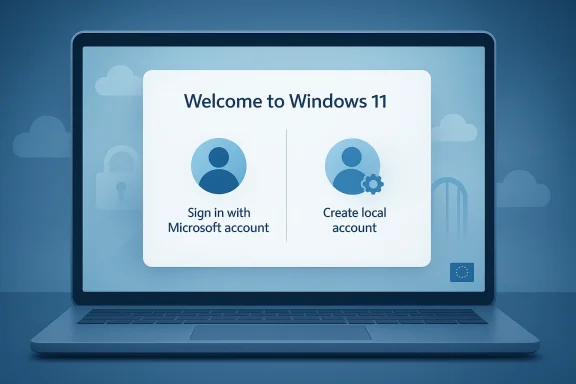
The most realistic version of this future is not Windows dropping Microsoft accounts. It is Windows giving users a visible, legitimate choice during setup. One path would sign in with a Microsoft account and enable sync, Store access, OneDrive, and other cloud features. The other would create a local account immediately, with cloud enrollment available later if the user wants it. That would be a compromise, not a surrender.That model makes product sense. It allows Microsoft to keep promoting the ecosystem while lowering the barrier for people who do not want to commit on day one. It also lets the company position the account as a convenience layer rather than a mandatory requirement. In a market where people are increasingly sensitive to lock-in, that distinction is powerful.
The setup flow would need to change, not just one screen
A real local-account option would require more than a single checkbox. Microsoft would need to make sure language selection, keyboard layout, privacy prompts, device naming, and update checks all work cleanly without assuming cloud sign-in. The company has already been iterating on OOBE as a modular, serviceable experience, which makes this more feasible than it would have been a few years ago. The plumbing is already being redesigned; the question is how far Microsoft is willing to let it go.That is also why a policy shift could arrive faster than many expect. Because setup is now updated through servicing and preview channels, Microsoft does not need to wait for a dramatic Windows version jump to make the change. If the company wants to test local-account access in Insider builds, it can do so. If it wants to expand it later, the path is already there.
- A real option would need to be obvious, not hidden behind special steps.
- The flow would need to remain coherent for both cloud and local paths.
- Later cloud enrollment would have to be easy and non-punitive.
- Microsoft would need to update support docs and onboarding language.
- The best version is choice-first, not account-first.
Consumer and enterprise are not the same problem
It is important not to collapse consumer and enterprise onboarding into one debate. In enterprise, identity is about device management, policy enforcement, compliance, and fleet control. In consumer Windows, identity is about convenience, retention, and service monetization. Those are different goals, even if they share similar technical infrastructure.Enterprise environments already have alternative identity paths through Entra, domain join, and managed provisioning. That means Microsoft can relax consumer friction without undermining business onboarding. In fact, clearer separation between managed and personal setup could make Windows feel more coherent. The company does not need one identity model for every user; it needs the right model for each scenario.
Why This Matters for Privacy and Ownership
The privacy argument is straightforward, but it is often understated. Some users do not object to Microsoft services in principle; they simply do not want to attach a cloud identity to a brand-new PC before they have decided what kind of machine it will be. That is not a radical stance. It is the same basic idea behind deferring permission prompts, not over-sharing data, and keeping personal ownership separate from platform enrollment.Ownership is the deeper issue. A local account does more than keep a device offline. It reinforces the feeling that the machine belongs to the user, not to an ecosystem provider. In a world where so many products are becoming services, that feeling has real value. It is the difference between a computer you use and a computer that appears to be using you.
Privacy as a product feature
Microsoft has spent years trying to reframe itself as a trusted steward of user data. If that is the goal, then giving users a more respectful first-boot choice would be a natural move. Privacy is not just about settings buried in menus; it is also about the tone of the first interaction. A setup flow that assumes choice earns more trust than one that assumes surrender.This is especially relevant for shared PCs, family devices, and small-business environments where a local or domain-based identity is often the cleaner answer. Those users are not trying to reject Microsoft’s ecosystem entirely. They are trying to keep the machine’s identity model aligned with the way they actually use the machine. That is a perfectly reasonable expectation, and one Windows has not always respected.
- Privacy starts at first boot, not in Settings.
- Local accounts signal a clearer boundary between device and cloud.
- Shared and managed PCs often need simpler identity choices.
- Respectful setup can improve perceived trust even if the end-state is unchanged.
- Ownership is emotional as much as technical.
Why this is bigger than a checkbox
The local-account debate is ultimately about what kind of operating system Windows wants to be in 2026 and beyond. Is it a cloud service delivery surface with a desktop interface, or a flexible platform that can support cloud features without requiring them up front? Microsoft has spent years leaning toward the first answer. User frustration and regulatory pressure are pushing it back toward the second.That is why even a small change in setup policy would matter. It would signal that Microsoft is willing to treat user preference as a design input, not just a support complication. Once that message lands, it can influence how people judge other Windows decisions, from Copilot placement to update behavior to the overall feel of the operating system.
The Competitive Angle Microsoft Cannot Afford to Miss
Windows does not compete on features alone. It competes on temperament. macOS sells consistency, Linux sells control, and ChromeOS sells cloud-first simplicity without pretending to be something else. Windows has historically won because it could be the most adaptable mainstream desktop. Anything that makes the platform feel more prescriptive risks weakening that advantage.That is why account coercion is not a small issue. When Windows feels more forceful than its rivals on something as basic as setup, it gives competitors an easy rhetorical win. Apple can say its ecosystem is integrated without making the first boot feel like a compliance form. Linux can say it respects user control. Microsoft, by contrast, risks sounding like the company that wants the most from the user before giving the most back.
Enthusiast goodwill has market consequences
Windows enthusiasts are not the entire market, but they are an influential market. They publish tutorials, build PCs, advise family and coworkers, and shape buying decisions in small but meaningful ways. If they keep saying Windows 11 setup is too coercive, that perception bleeds into mainstream opinion. The reputation cost is broader than the number of people actually using the workaround.This is where Microsoft may be starting to understand the trade-off. A local-account option is not a concession to a fringe group; it is a way to make Windows feel less adversarial to the people who care the most about it. That can improve the brand without materially damaging the cloud strategy. In strategic terms, that is a very good bargain.
- Enthusiast sentiment shapes broader Windows perception.
- Rival platforms benefit when Windows looks prescriptive.
- Choice is a competitive feature, not just a privacy feature.
- A softer setup flow could improve word-of-mouth.
- Microsoft’s cloud ecosystem is stronger when it is opt-in, not enforced.
Why Microsoft may be shifting its tone already
There is a broader pattern here. Microsoft has recently been dialing back some of the more intrusive aspects of Windows 11, from unnecessary prompts to certain Copilot exposures and noisy defaults. That suggests the company is at least open to a gentler product philosophy. If so, local-account flexibility would fit the same playbook: fewer surprises, fewer forced surfaces, and more respect for the user’s timeline.That tone shift matters because it signals a platform that is trying to recover from years of overreach. Microsoft may still want cloud adoption, but it appears more willing to ask for it with persuasion rather than pressure. If that is the direction of travel, the account requirement is one of the most visible places where the change should show up first.
Strengths and Opportunities
Microsoft has a genuine opportunity to turn a long-standing complaint into a trust-building move. A visible local-account option would reduce frustration, simplify onboarding for offline or managed scenarios, and show that the company can respond to user pain without abandoning its ecosystem strategy. It would also align with the quieter, more restrained tone the company has been trying to project across Windows 11.The upside is larger than it first appears. If Microsoft gets the balance right, it can keep the account-driven benefits for users who want them while removing the sense of coercion for everyone else. That could improve sentiment among enthusiasts, make enterprise separation cleaner, and lower the need for unsupported bypasses. In a product category where goodwill compounds slowly, that is a very valuable outcome.
- Reduces one of Windows 11’s most persistent complaints.
- Makes setup feel more respectful and less manipulative.
- Lowers dependence on hacks and unsupported workarounds.
- Improves Microsoft’s narrative around choice and control.
- Preserves cloud features for users who still want them.
- Could strengthen trust with privacy-conscious buyers.
- Fits the broader Windows 11 direction toward calmer defaults.
Risks and Concerns
The biggest risk is a half-measure. If Microsoft changes the wording but not the substance, users will notice immediately, and skepticism will harden. A cosmetic compromise would not solve the underlying trust issue; it would likely make the company look even more defensive. Users are very good at spotting when a choice is real and when it is merely decorative.Another risk is confusion. If Microsoft creates a setup matrix that is different by region, edition, or account type without explaining it clearly, the result could be more support burden rather than less. Clarity will matter as much as policy. A poorly communicated middle ground could frustrate consumers, confuse IT teams, and muddy Microsoft’s security messaging all at once.
- Half-measures could worsen user skepticism.
- Confusing region- or edition-based rules may create support headaches.
- Microsoft could worry about weakening cloud-service attachment.
- Security messaging may become harder to explain.
- Enterprise and consumer paths could be mixed in ways that increase friction.
- Overpromising could damage credibility if the change is delayed.
- A hidden compromise would not repair the sense of coercion.
The reputational risk of saying the right thing too late
There is also a timing problem. If Microsoft signals openness but delays execution for too long, the company may end up validating the criticism without solving it. That is especially risky in the Windows ecosystem, where enthusiasts remember specifics and spread them quickly. The more visible the internal sympathy becomes, the more disappointing a non-change would feel.The upside is that Microsoft appears to have time to do this carefully. The downside is that care can turn into drift. A slow, deliberate policy shift is sensible; an endless review cycle is not. The difference between the two will determine whether this becomes a goodwill moment or another Windows promise that never quite lands.
Looking Ahead
The most likely near-term outcome is not a dramatic public reversal but a gradual easing. Microsoft has already shown that it can reshape Windows setup through servicing and Insider changes, so if the company decides to restore a local-account path, it will probably appear first in preview flows or region-specific variants before becoming broadly visible. That staged rollout would let Microsoft test the politics and the plumbing at the same time.It is also possible that Microsoft settles on a compromise: Microsoft account recommended, local account allowed, cloud services presented later as enhancements rather than prerequisites. That would be the most sustainable version of the change because it keeps the ecosystem appeal without insisting on it at the first moment of contact. In a world where Windows is increasingly judged by how it feels, not just what it can do, that may be the most strategic answer available.
- Watch for Insider builds that surface a clear local-account option.
- Watch for support documents that stop assuming Microsoft account sign-in at setup.
- Watch for region-specific OOBE changes, especially in Europe.
- Watch for Microsoft to frame account sign-in as recommended rather than required.
- Watch for further comments from visible Microsoft leaders on setup flexibility.
Source: Republic World Windows PC Without a Microsoft Account? It May Soon Be a Reality
Last edited:
