

Microsoft’s latest Windows performance push, discussed in Paul Thurrott’s May 15 mailbag and now surfacing in preview builds, centers on faster Windows 11 app launches, a less web-heavy Start experience, and a broader reckoning with Microsoft’s long, messy dependence on cross-platform app frameworks. The easy headline is “native apps are back.” The more interesting story is that Microsoft is trying to make Windows feel immediate again without pretending the last decade of web-first development can simply be unwound.
That distinction matters because Windows users are not really asking for a framework manifesto. They are asking why the Start menu, Search, Settings, Outlook, Teams, widgets, shell surfaces, and bundled apps so often feel like they are negotiating with the operating system instead of being part of it. Microsoft’s challenge is not to win a religious war between WinUI, WebView, React Native, Electron, and the web. It is to make the platform feel like one coherent machine again.
The renewed noise around “native apps” did not come from a clean Microsoft decree declaring HTML, JavaScript, and WebView banished from Windows. It emerged from a combination of internal performance work, public comments from Microsoft-adjacent voices, and a Windows community that has spent years watching flagship Microsoft experiences become slower, heavier, and less predictable.
That is why the phrase has landed so powerfully. “Native” has become shorthand for a bigger grievance: Windows increasingly feels like a host for competing runtime environments rather than a product with a single design and performance philosophy. When a Start panel stutters, a context menu hesitates, or a settings page redraws like a webpage, users rarely care which framework is responsible. They simply experience it as Windows being Windows.
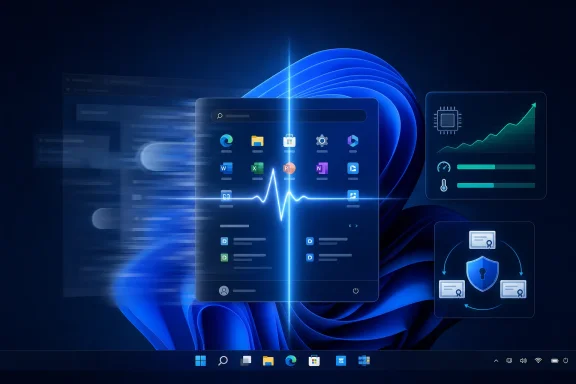
The specific claim now circulating is narrower. Microsoft appears to be removing or reducing web-based components in performance-sensitive parts of Windows 11, including pieces of the Start experience, while also working on system-level launch acceleration through a feature called Low Latency Profile. That is not the same thing as Microsoft going “all native” across the company.
It is closer to an admission that some Windows surfaces were built with the wrong trade-offs. Web technologies made sense for speed of development, shared code, experimentation, remote content, and cross-platform parity. But the shell is not a marketing page, and the Start menu is not a SaaS dashboard. It is the front door of the PC.
That is why reports of Microsoft moving parts of Start away from web-based code have received outsized attention. Start is not just a launcher. It is the user’s first daily performance benchmark. If it feels slow, the whole operating system feels slow.
The controversy over Recommended content sharpened that perception. Microsoft has spent years trying to make Windows more personalized, cloud-connected, and commercially useful, but many users see those additions as latency with a business model. A launcher that waits on recommendation logic or renders with web-layer overhead is going to irritate the exact people who know what a clean shell can feel like.
The irony is that Microsoft already knows this. Windows became dominant partly because it made commodity PCs feel usable enough for everyone. A slow Start menu violates that old bargain. The operating system can be packed with AI, cloud sync, developer features, virtualization, gaming support, and security hardening, but if the primary launcher feels mushy, the emotional verdict is immediate.
Modern operating systems already manage processors aggressively. They boost, idle, park, schedule, and prioritize constantly. A short burst of CPU frequency during an app launch is not inherently scandalous. If the machine is going to do the work anyway, doing it promptly while the user is waiting can be better than spreading the pain across a longer, more annoying delay.
The concern is not the mechanism. The concern is whether Microsoft uses it as a substitute for architectural cleanup. A latency profile can make a heavy app feel lighter, but it cannot make a fragmented platform coherent. It can reduce the time users spend noticing the problem, but it does not automatically remove the problem.
Still, perception is part of performance. A PC that responds instantly to intent feels more powerful than one that technically completes the same task a second later. The classic Windows complaint has rarely been that the operating system cannot do enough. It is that the operating system too often pauses at moments when the user expects direct control.
Office is the cleanest example. Microsoft 365 lives on Windows, macOS, the web, iOS, iPadOS, and Android. Its add-in model, collaboration surfaces, and cloud-connected features benefit from shared web technologies. The new Outlook may be widely disliked among traditional Windows users, but the strategic reason for its existence is obvious: Microsoft wants one Outlook architecture that behaves consistently across platforms and can be updated like a service.
Copilot strengthens that incentive. AI experiences are not local dialog boxes bolted onto a static OS. They are service-backed, rapidly changing, identity-bound interfaces that Microsoft wants everywhere. From that perspective, web technologies are not a lazy choice. They are the natural language of Microsoft’s current business model.
But an operating system is not a SaaS suite. The more Windows absorbs service surfaces, the more it inherits service-style latency, dependency, and churn. That is the central conflict Microsoft now has to manage: the company wants Windows to be a cloud endpoint, an AI canvas, a developer workstation, a gaming platform, and a secure enterprise client. Users still want it to behave like a fast local computer.
Developers have lived through too many Windows UI transitions. Win32, MFC, WinForms, WPF, Silverlight, UWP, WinUI, Electron, Progressive Web Apps, and various cross-platform abstractions have all taken turns being the future. Each pivot left behind codebases, documentation gaps, migration pain, and a quiet lesson: do not bet your business too heavily on Microsoft’s next client-app story unless you have to.
That history matters because “just make it native” is easy for users to say and hard for Microsoft to operationalize. Windows itself contains decades of code. Microsoft’s first-party apps are maintained by different teams with different incentives. The company’s cross-platform businesses often have more revenue gravity than the Windows shell team.
WinUI may be the right answer for some new Windows components, especially where tight integration and visual consistency matter. But it is not a universal solvent. If Microsoft wants developers to build rich Windows-first apps again, it needs more than a framework. It needs a stable, trusted, well-documented, performant platform story that does not look disposable in five years.
Microsoft does not have that leverage on the Windows desktop. Windows remains vast, but the center of gravity for many application categories moved elsewhere long ago. Consumer apps went mobile. Business workflows went to browsers. Developer tools went cross-platform. Communication apps became services. Games stayed native where performance demanded it, but even there the launcher, store, overlay, and social layers often rely on web technology.
That leaves Windows in an uncomfortable position. It is still essential, but often as the environment in which other platforms and services run. A new startup building a productivity tool is unlikely to begin with a native Windows app unless its target users demand deep OS integration. It will build for the web first, then wrap, adapt, or extend as necessary.
This is why Microsoft’s own behavior matters so much. If Microsoft will not treat Windows as worthy of first-class native experiences, why would outside developers? But if Microsoft pretends the whole ecosystem can be dragged back to Windows-native purity, it will be arguing with the market rather than shaping it.
Xbox Dashboard performance has long been a sore point. Even when the underlying hardware is powerful, the interface can feel less direct than the games it launches. That gap is especially damaging on a console, where the entire experience is supposed to feel appliance-like. Users do not want to think about frameworks while holding a controller on the couch. They want the UI to move at the speed of intent.
Here, web technology has fewer excuses. Cross-platform reuse still has value, especially for store pages, media content, subscriptions, and promotional surfaces. But navigation, library management, capture tools, settings, and core shell behavior should be ruthlessly optimized. The console UI is not a place to amortize engineering convenience at the cost of responsiveness.
Microsoft has spent years explaining Xbox as a platform that spans console, PC, cloud, and subscription. That strategy may be commercially coherent, but the console itself still has to feel excellent. If Windows is the place where Microsoft can compromise between local and web, Xbox should be the place where it remembers that performance is a feature, not a benchmark slide.
The affected Microsoft Secure Boot certificates date back to the early UEFI Secure Boot era. Microsoft has been preparing updates that move systems toward newer certificate authorities, with rollout through Windows Update and, in some cases, OEM firmware channels. Supported Windows 10, Windows 11, and Windows Server versions are included in the guidance, which is important because many organizations will still be running Windows 10 under Extended Security Updates after mainstream support ends.
This is exactly the kind of change that can be invisible until it is not. On a well-supported modern PC, the update path may be uneventful. On older hardware, custom images, managed fleets, dual-boot systems, embedded devices, or machines with stale firmware, it could become another reminder that “Windows Update will handle it” is a hope, not a plan.
Microsoft’s language that unupdated systems may continue working “for some time” is doing a lot of work. It suggests there is no immediate June 2026 apocalypse for every PC. It also signals that the old trust chain cannot be treated as permanent infrastructure. For sysadmins, that means inventory now, not panic later.
The Secure Boot certificate update therefore cannot be treated as a Windows 11-only concern. Microsoft’s own support matrix includes Windows 10 22H2 and several long-term servicing releases. That is the right call, because using certificate expiration as a de facto upgrade cudgel would be reckless and politically disastrous.
Still, the overlap between Windows 10 end-of-support timelines and Secure Boot certificate rotation is bound to create suspicion. Microsoft has spent years telling users that unsupported Windows is unsafe while also struggling to convince them that Windows 11 is a necessary upgrade. Any boot-chain issue that appears near the end of Windows 10’s life will be interpreted through that lens, whether Microsoft intends it or not.
For IT departments, the practical answer is dull but necessary. Track Secure Boot state, firmware age, OEM guidance, Windows update compliance, and hardware eligibility together. A Windows 10 ESU plan that ignores firmware and boot trust is not a complete support plan. It is an operating-system patch plan sitting on top of unknown platform security.
That distinction matters in the performance debate. Microsoft can benchmark app launches, shell flyouts, and framework startup times in controlled test environments. Reviewers can record before-and-after videos in preview builds. Those are useful signals. But Windows perception is formed on messy real machines: OEM utilities, aging SSDs, antivirus hooks, driver stacks, cloud sync clients, corporate agents, browser extensions, and years of accumulated update history.
A Low Latency Profile that looks dramatic in a clean test may still help those machines. In fact, it might help them more. But the reverse is also possible: background software, power plans, thermals, and firmware behavior could blunt the benefit or introduce inconsistency.
That is why the “native apps” debate cannot be separated from the broader Windows maintenance problem. Users do not experience frameworks in isolation. They experience a platform ecosystem. A native Start menu running on a poorly tuned, agent-heavy corporate laptop can still feel bad. A web-based app on a fast machine with smart caching can feel fine. Architecture matters, but so does the whole stack.
Arm changes the performance conversation because it makes responsiveness and efficiency feel inseparable. A good Arm laptop is not impressive merely because it runs benchmarks well. It is impressive because it wakes quickly, stays cool, lasts long, and makes everyday actions feel light. That is exactly where Windows has often trailed macOS.
If Microsoft wants Arm PCs to be more than a niche, it cannot let Windows shell latency waste the hardware story. Users who buy thin, quiet, long-lasting machines will be less forgiving of Start menu hesitation, app-launch drag, or bloated background surfaces. The promise of Arm is not just compatibility with x86 expectations. It is a chance to reset what a Windows laptop feels like.
That reset will not happen if first-party Windows experiences remain a patchwork of runtimes and service surfaces. It also will not happen if Microsoft treats native code as nostalgia rather than a practical tool. The right answer is not to reject web technologies. It is to reserve them for places where their advantages outweigh their costs.
That future does not require every Microsoft app to be rewritten as a pure native Windows application. It requires Microsoft to apply a stricter test: is this surface latency-sensitive, resource-sensitive, offline-relevant, security-critical, or central to the identity of the platform? If the answer is yes, native or near-native implementation should be the default assumption.
For everything else, web technology can remain useful. Account pages, news feeds, add-in galleries, commerce surfaces, shared collaboration canvases, and AI service panels may reasonably use web layers. The problem begins when those layers creep into places where users expect the OS to behave like local machinery.
This is the nuance that often gets lost in community arguments. Native is not a virtue by itself. Web is not a sin by itself. The sin is using a technology because it is convenient for Microsoft and then making users pay the latency bill every day.
That is a dangerous reputation for a company now asking Windows users to accept more AI integration, more cloud identity, more security requirements, more hardware constraints, and more background intelligence. The operating system cannot become more ambitious while feeling less immediate. If Copilot-era Windows is going to work, the foundation has to feel fast.
The community’s skepticism is therefore rational. Users have seen Microsoft announce performance pushes before. They have seen File Explorer improved, broken, reworked, and improved again. They have seen native apps replaced by web apps, web apps defended as modern, and then web components quietly removed from performance-sensitive paths.
But skepticism should not obscure progress. If Microsoft is finally treating shell latency as a first-order product problem, that is good news. If it is willing to move web code out of places where it does not belong, that is better news. If Low Latency Profile makes everyday Windows feel faster on existing hardware, users should welcome the result while still demanding deeper cleanup.
For enthusiasts, the temptation will be to reduce the story to “native apps won.” For admins, the temptation will be to file Low Latency Profile under user-experience noise while focusing on Secure Boot certificate rotation. Both instincts miss the common thread. Microsoft is being forced to confront the cost of abstraction, whether that abstraction lives in the UI stack or the boot trust chain.
The Windows platform is at its best when it hides complexity without denying it exists. That is the bar Microsoft has to clear now. Performance improvements must not become thermal gimmicks. Certificate rotation must not become a support cliff. Framework choices must not become another decade of half-finished transitions.
Source: Thurrott.com Ask Paul: May 15 ️
️
That distinction matters because Windows users are not really asking for a framework manifesto. They are asking why the Start menu, Search, Settings, Outlook, Teams, widgets, shell surfaces, and bundled apps so often feel like they are negotiating with the operating system instead of being part of it. Microsoft’s challenge is not to win a religious war between WinUI, WebView, React Native, Electron, and the web. It is to make the platform feel like one coherent machine again.
 Microsoft’s Native-App Revival Is Really a Latency Confession
The renewed noise around “native apps” did not come from a clean Microsoft decree declaring HTML, JavaScript, and WebView banished from Windows. It emerged from a combination of internal performance work, public comments from Microsoft-adjacent voices, and a Windows community that has spent years watching flagship Microsoft experiences become slower, heavier, and less predictable.That is why the phrase has landed so powerfully. “Native” has become shorthand for a bigger grievance: Windows increasingly feels like a host for competing runtime environments rather than a product with a single design and performance philosophy. When a Start panel stutters, a context menu hesitates, or a settings page redraws like a webpage, users rarely care which framework is responsible. They simply experience it as Windows being Windows.
The specific claim now circulating is narrower. Microsoft appears to be removing or reducing web-based components in performance-sensitive parts of Windows 11, including pieces of the Start experience, while also working on system-level launch acceleration through a feature called Low Latency Profile. That is not the same thing as Microsoft going “all native” across the company.
It is closer to an admission that some Windows surfaces were built with the wrong trade-offs. Web technologies made sense for speed of development, shared code, experimentation, remote content, and cross-platform parity. But the shell is not a marketing page, and the Start menu is not a SaaS dashboard. It is the front door of the PC.
The Start Menu Became a Symbol Because It Should Have Been Boring
The Start menu should be one of the least technically interesting parts of Windows. It should open instantly, show apps reliably, search quickly, and get out of the way. Instead, in Windows 11, it has become a symbol of Microsoft’s tendency to over-compose the operating system from services, feeds, recommendations, account prompts, and engagement surfaces.That is why reports of Microsoft moving parts of Start away from web-based code have received outsized attention. Start is not just a launcher. It is the user’s first daily performance benchmark. If it feels slow, the whole operating system feels slow.
The controversy over Recommended content sharpened that perception. Microsoft has spent years trying to make Windows more personalized, cloud-connected, and commercially useful, but many users see those additions as latency with a business model. A launcher that waits on recommendation logic or renders with web-layer overhead is going to irritate the exact people who know what a clean shell can feel like.
The irony is that Microsoft already knows this. Windows became dominant partly because it made commodity PCs feel usable enough for everyone. A slow Start menu violates that old bargain. The operating system can be packed with AI, cloud sync, developer features, virtualization, gaming support, and security hardening, but if the primary launcher feels mushy, the emotional verdict is immediate.
Low Latency Profile Is a Shortcut, but Not Necessarily a Cheat
The second half of the story is Microsoft’s Low Latency Profile, a Windows 11 feature expected to briefly raise CPU performance during user-visible actions such as launching apps or opening shell surfaces. Critics have described it as a bandage: instead of making Windows leaner, Microsoft is leaning harder on the processor. That criticism is understandable, but it is also too neat.Modern operating systems already manage processors aggressively. They boost, idle, park, schedule, and prioritize constantly. A short burst of CPU frequency during an app launch is not inherently scandalous. If the machine is going to do the work anyway, doing it promptly while the user is waiting can be better than spreading the pain across a longer, more annoying delay.
The concern is not the mechanism. The concern is whether Microsoft uses it as a substitute for architectural cleanup. A latency profile can make a heavy app feel lighter, but it cannot make a fragmented platform coherent. It can reduce the time users spend noticing the problem, but it does not automatically remove the problem.
Still, perception is part of performance. A PC that responds instantly to intent feels more powerful than one that technically completes the same task a second later. The classic Windows complaint has rarely been that the operating system cannot do enough. It is that the operating system too often pauses at moments when the user expects direct control.
Web Technology Was Not the Villain; It Was the Bargain
It is tempting to turn this into a morality play: native good, web bad. That is emotionally satisfying and technically incomplete. Microsoft did not adopt web technologies across Windows and Office because its engineers forgot how to write native code. It did so because the company’s product strategy demanded surfaces that could move faster than Windows itself.Office is the cleanest example. Microsoft 365 lives on Windows, macOS, the web, iOS, iPadOS, and Android. Its add-in model, collaboration surfaces, and cloud-connected features benefit from shared web technologies. The new Outlook may be widely disliked among traditional Windows users, but the strategic reason for its existence is obvious: Microsoft wants one Outlook architecture that behaves consistently across platforms and can be updated like a service.
Copilot strengthens that incentive. AI experiences are not local dialog boxes bolted onto a static OS. They are service-backed, rapidly changing, identity-bound interfaces that Microsoft wants everywhere. From that perspective, web technologies are not a lazy choice. They are the natural language of Microsoft’s current business model.
But an operating system is not a SaaS suite. The more Windows absorbs service surfaces, the more it inherits service-style latency, dependency, and churn. That is the central conflict Microsoft now has to manage: the company wants Windows to be a cloud endpoint, an AI canvas, a developer workstation, a gaming platform, and a secure enterprise client. Users still want it to behave like a fast local computer.
WinUI Is Not a Magic Wand
If Microsoft decides a Windows surface should be native, the next question is awkward: native in what? For modern Windows development, the answer often points toward Windows App SDK and WinUI 3. That stack is supposed to represent the current native application path for Windows desktop development, but it has never achieved the gravitational pull Microsoft needs it to have.Developers have lived through too many Windows UI transitions. Win32, MFC, WinForms, WPF, Silverlight, UWP, WinUI, Electron, Progressive Web Apps, and various cross-platform abstractions have all taken turns being the future. Each pivot left behind codebases, documentation gaps, migration pain, and a quiet lesson: do not bet your business too heavily on Microsoft’s next client-app story unless you have to.
That history matters because “just make it native” is easy for users to say and hard for Microsoft to operationalize. Windows itself contains decades of code. Microsoft’s first-party apps are maintained by different teams with different incentives. The company’s cross-platform businesses often have more revenue gravity than the Windows shell team.
WinUI may be the right answer for some new Windows components, especially where tight integration and visual consistency matter. But it is not a universal solvent. If Microsoft wants developers to build rich Windows-first apps again, it needs more than a framework. It needs a stable, trusted, well-documented, performant platform story that does not look disposable in five years.
Apple Can Demand Native Because Apple Owns the Whole Room
The comparison with Apple is unavoidable and also misleading. Apple can pressure developers toward native frameworks because it controls the hardware, operating systems, app stores, developer culture, and customer expectations. Native Apple development is not merely a technical choice; it is the cost of admission to a lucrative ecosystem.Microsoft does not have that leverage on the Windows desktop. Windows remains vast, but the center of gravity for many application categories moved elsewhere long ago. Consumer apps went mobile. Business workflows went to browsers. Developer tools went cross-platform. Communication apps became services. Games stayed native where performance demanded it, but even there the launcher, store, overlay, and social layers often rely on web technology.
That leaves Windows in an uncomfortable position. It is still essential, but often as the environment in which other platforms and services run. A new startup building a productivity tool is unlikely to begin with a native Windows app unless its target users demand deep OS integration. It will build for the web first, then wrap, adapt, or extend as necessary.
This is why Microsoft’s own behavior matters so much. If Microsoft will not treat Windows as worthy of first-class native experiences, why would outside developers? But if Microsoft pretends the whole ecosystem can be dragged back to Windows-native purity, it will be arguing with the market rather than shaping it.
Xbox Shows Where the Native Argument Gets Stronger
The Xbox angle is more than a side note. If there is any Microsoft platform where the case for native, resource-efficient interface code should be overwhelming, it is the console. A living-room device exists under tighter performance, memory, input, and attention constraints than a general-purpose PC.Xbox Dashboard performance has long been a sore point. Even when the underlying hardware is powerful, the interface can feel less direct than the games it launches. That gap is especially damaging on a console, where the entire experience is supposed to feel appliance-like. Users do not want to think about frameworks while holding a controller on the couch. They want the UI to move at the speed of intent.
Here, web technology has fewer excuses. Cross-platform reuse still has value, especially for store pages, media content, subscriptions, and promotional surfaces. But navigation, library management, capture tools, settings, and core shell behavior should be ruthlessly optimized. The console UI is not a place to amortize engineering convenience at the cost of responsiveness.
Microsoft has spent years explaining Xbox as a platform that spans console, PC, cloud, and subscription. That strategy may be commercially coherent, but the console itself still has to feel excellent. If Windows is the place where Microsoft can compromise between local and web, Xbox should be the place where it remembers that performance is a feature, not a benchmark slide.
Secure Boot’s Certificate Cliff Is the Other Kind of Performance Problem
The Thurrott mailbag also touches a less glamorous but arguably more consequential issue: Secure Boot certificates that begin expiring in 2026. This is not about whether Windows feels fast. It is about whether the trust chain beneath Windows remains current enough to keep receiving updates, booting securely, and coexisting with newer firmware and operating system requirements.The affected Microsoft Secure Boot certificates date back to the early UEFI Secure Boot era. Microsoft has been preparing updates that move systems toward newer certificate authorities, with rollout through Windows Update and, in some cases, OEM firmware channels. Supported Windows 10, Windows 11, and Windows Server versions are included in the guidance, which is important because many organizations will still be running Windows 10 under Extended Security Updates after mainstream support ends.
This is exactly the kind of change that can be invisible until it is not. On a well-supported modern PC, the update path may be uneventful. On older hardware, custom images, managed fleets, dual-boot systems, embedded devices, or machines with stale firmware, it could become another reminder that “Windows Update will handle it” is a hope, not a plan.
Microsoft’s language that unupdated systems may continue working “for some time” is doing a lot of work. It suggests there is no immediate June 2026 apocalypse for every PC. It also signals that the old trust chain cannot be treated as permanent infrastructure. For sysadmins, that means inventory now, not panic later.
Windows 10 Is Not Escaping the Trust-Chain Problem
The Windows 10 question is especially sensitive because the operating system is already in its long goodbye. Consumers get a limited extension path, enterprises can pay for longer support, and many organizations will keep Windows 10 alive because hardware refresh cycles, application dependencies, and budget reality do not obey Microsoft’s preferred migration calendar.The Secure Boot certificate update therefore cannot be treated as a Windows 11-only concern. Microsoft’s own support matrix includes Windows 10 22H2 and several long-term servicing releases. That is the right call, because using certificate expiration as a de facto upgrade cudgel would be reckless and politically disastrous.
Still, the overlap between Windows 10 end-of-support timelines and Secure Boot certificate rotation is bound to create suspicion. Microsoft has spent years telling users that unsupported Windows is unsafe while also struggling to convince them that Windows 11 is a necessary upgrade. Any boot-chain issue that appears near the end of Windows 10’s life will be interpreted through that lens, whether Microsoft intends it or not.
For IT departments, the practical answer is dull but necessary. Track Secure Boot state, firmware age, OEM guidance, Windows update compliance, and hardware eligibility together. A Windows 10 ESU plan that ignores firmware and boot trust is not a complete support plan. It is an operating-system patch plan sitting on top of unknown platform security.
Virtual Machines Remain the Clean Room, Not the Real Room
The mailbag’s detour into virtual machines is a useful reminder of another Windows truth: controlled environments are indispensable, but they do not always represent the lived PC experience. VMs are perfect for rollback, screenshots, setup testing, and repeatable experiments. They are less perfect for judging how Windows feels on actual hardware.That distinction matters in the performance debate. Microsoft can benchmark app launches, shell flyouts, and framework startup times in controlled test environments. Reviewers can record before-and-after videos in preview builds. Those are useful signals. But Windows perception is formed on messy real machines: OEM utilities, aging SSDs, antivirus hooks, driver stacks, cloud sync clients, corporate agents, browser extensions, and years of accumulated update history.
A Low Latency Profile that looks dramatic in a clean test may still help those machines. In fact, it might help them more. But the reverse is also possible: background software, power plans, thermals, and firmware behavior could blunt the benefit or introduce inconsistency.
That is why the “native apps” debate cannot be separated from the broader Windows maintenance problem. Users do not experience frameworks in isolation. They experience a platform ecosystem. A native Start menu running on a poorly tuned, agent-heavy corporate laptop can still feel bad. A web-based app on a fast machine with smart caching can feel fine. Architecture matters, but so does the whole stack.
Arm PCs Raise the Stakes for Responsiveness
Windows on Arm sits in the background of this discussion like an unspoken challenge. Qualcomm’s Snapdragon X machines gave Microsoft its strongest Windows-on-Arm story yet, with excellent battery life and performance that finally made the platform feel credible to mainstream users. More Arm silicon from Qualcomm and possibly Nvidia only increases the pressure.Arm changes the performance conversation because it makes responsiveness and efficiency feel inseparable. A good Arm laptop is not impressive merely because it runs benchmarks well. It is impressive because it wakes quickly, stays cool, lasts long, and makes everyday actions feel light. That is exactly where Windows has often trailed macOS.
If Microsoft wants Arm PCs to be more than a niche, it cannot let Windows shell latency waste the hardware story. Users who buy thin, quiet, long-lasting machines will be less forgiving of Start menu hesitation, app-launch drag, or bloated background surfaces. The promise of Arm is not just compatibility with x86 expectations. It is a chance to reset what a Windows laptop feels like.
That reset will not happen if first-party Windows experiences remain a patchwork of runtimes and service surfaces. It also will not happen if Microsoft treats native code as nostalgia rather than a practical tool. The right answer is not to reject web technologies. It is to reserve them for places where their advantages outweigh their costs.
The Real Standard Is Not Native, but Appropriate
The best version of Microsoft’s current performance push would be boring in the right way. Start opens instantly. Search responds predictably. Settings does not feel like a web app pretending to be Control Panel’s successor. File Explorer keeps improving. Outlook becomes less of a cautionary tale. Xbox navigation stops reminding users that the console is also a content storefront.That future does not require every Microsoft app to be rewritten as a pure native Windows application. It requires Microsoft to apply a stricter test: is this surface latency-sensitive, resource-sensitive, offline-relevant, security-critical, or central to the identity of the platform? If the answer is yes, native or near-native implementation should be the default assumption.
For everything else, web technology can remain useful. Account pages, news feeds, add-in galleries, commerce surfaces, shared collaboration canvases, and AI service panels may reasonably use web layers. The problem begins when those layers creep into places where users expect the OS to behave like local machinery.
This is the nuance that often gets lost in community arguments. Native is not a virtue by itself. Web is not a sin by itself. The sin is using a technology because it is convenient for Microsoft and then making users pay the latency bill every day.
The May 2026 Windows Bet Is Smaller Than the Slogan and Bigger Than the Patch
The concrete developments around Windows 11 performance are easy to summarize, but their meaning is larger than any one build. Microsoft is trying to repair a trust problem that accumulated through years of sluggish shell surfaces, inconsistent first-party apps, and framework churn. Users have learned to expect that Microsoft’s client experiences will be strategic before they are delightful.That is a dangerous reputation for a company now asking Windows users to accept more AI integration, more cloud identity, more security requirements, more hardware constraints, and more background intelligence. The operating system cannot become more ambitious while feeling less immediate. If Copilot-era Windows is going to work, the foundation has to feel fast.
The community’s skepticism is therefore rational. Users have seen Microsoft announce performance pushes before. They have seen File Explorer improved, broken, reworked, and improved again. They have seen native apps replaced by web apps, web apps defended as modern, and then web components quietly removed from performance-sensitive paths.
But skepticism should not obscure progress. If Microsoft is finally treating shell latency as a first-order product problem, that is good news. If it is willing to move web code out of places where it does not belong, that is better news. If Low Latency Profile makes everyday Windows feel faster on existing hardware, users should welcome the result while still demanding deeper cleanup.
The Practical Windows User Should Watch the Edges
The next few months will show whether Microsoft’s performance push is a cosmetic polish pass or the beginning of a more disciplined Windows era. The most important signals will not be the loudest ones. They will appear in the edges: older PCs, managed fleets, battery-powered laptops, Arm machines, Xbox dashboards, and devices that have lived through years of upgrades.For enthusiasts, the temptation will be to reduce the story to “native apps won.” For admins, the temptation will be to file Low Latency Profile under user-experience noise while focusing on Secure Boot certificate rotation. Both instincts miss the common thread. Microsoft is being forced to confront the cost of abstraction, whether that abstraction lives in the UI stack or the boot trust chain.
The Windows platform is at its best when it hides complexity without denying it exists. That is the bar Microsoft has to clear now. Performance improvements must not become thermal gimmicks. Certificate rotation must not become a support cliff. Framework choices must not become another decade of half-finished transitions.
The Week’s Windows Signal Is Hiding in the Trade-Offs
This is the part Windows users, admins, and developers should carry forward as the updates arrive:- Microsoft’s current “native apps” moment is better understood as a performance correction than a company-wide ban on web technologies.
- Low Latency Profile may be a legitimate responsiveness improvement, but it should complement architectural cleanup rather than replace it.
- The Start menu matters disproportionately because users treat it as a daily referendum on whether Windows feels local, fast, and under control.
- Secure Boot certificate updates deserve attention now, especially on older PCs, managed systems, servers, and Windows 10 machines headed for extended support.
- Windows on Arm raises the pressure on Microsoft to make the operating system feel efficient, not merely compatible.
- The healthiest Microsoft strategy is not “all native” or “all web,” but a stricter rule that performance-critical platform surfaces must be built with latency as a primary requirement.
Source: Thurrott.com Ask Paul: May 15
️