

Dave Plummer — the veteran engineer who wrote Windows’ Task Manager and shipped the NT port of Space Cadet Pinball — has a blunt prescription for Windows 11: stop the feature treadmill, stop embedding more AI into the shell, and run a single, concentrated stability-and-security cycle the way Microsoft did after the Blaster worm with Windows XP Service Pack 2. That call for an “XP SP2 moment” has rekindled a long-running debate about product priorities, QA, telemetry and the trade-offs between rapid innovation and platform dependability. The argument lands against a backdrop of recurring preview-update regressions (from invisible lock‑screen controls to orphaned Task Manager processes) that have made many power users and IT pros ask the same question: can Microsoft pause outward-facing novelty long enough to fix the basics?
Windows XP Service Pack 2 is still shorthand for a decisive engineering pivot. After high-profile worms and exploit activity in 2003, Microsoft reorganized priorities and shipped an unusually large, security-first update that hardened defaults and reshaped how consumer Windows handled networking and browser risk. SP2 turned the Windows firewall on by default, shipped the Windows Security Center to make the system’s protection state visible, and added a raft of networking and browser hardening measures — actions that fundamentally changed the OS’ default security posture and restored purchaser confidence over time. Wired’s contemporary coverage and historical summaries capture the move as a programmatic response to a crisis rather than a routine patch wave. The technical catalyst for that pivot was the Blaster (MSBlast / LovSan) worm in August 2003, a fast‑spreading exploit that dramatically exposed how deeply insecure always‑online PCs could be when default settings were permissive and users had no central way to see or manage protections. The Blaster outbreak and its variants prompted emergency patching, public warnings, and a shift in Microsoft’s engineering focus that culminated in the SP2 program. That historic context is the lens Plummer uses: sometimes a platform-level problem demands a platform-level halt to feature work.
This plan echoes the SP2 era and maps those lessons into modern telemetry, CI/CD and on‑device AI realities.
Whether Microsoft will answer that call is another matter. Corporate strategy, hardware partnerships, and market positioning all push toward continued AI integration. But if the company truly cares about the long‑term health of the Windows platform, a short, disciplined, and transparent stabilization program — executed with the seriousness of XP SP2 but using modern telemetry and rollout tooling — would be one of the most defensible investments it could make in Windows 11’s future.
Source: Windows Latest Windows 11 needs its own Windows XP SP2 moment without AI or bloat, says former Microsoft dev who created Task Manager
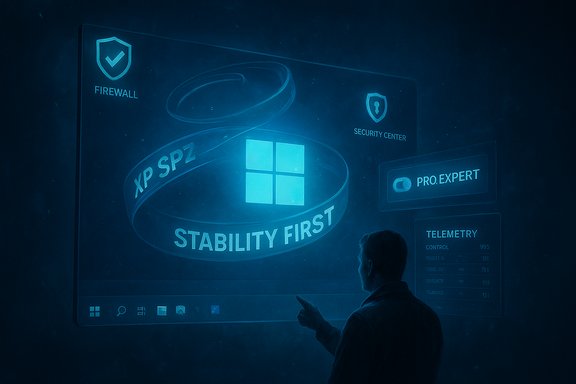 Background: why XP SP2 matters as an analogy
Windows XP Service Pack 2 is still shorthand for a decisive engineering pivot. After high-profile worms and exploit activity in 2003, Microsoft reorganized priorities and shipped an unusually large, security-first update that hardened defaults and reshaped how consumer Windows handled networking and browser risk. SP2 turned the Windows firewall on by default, shipped the Windows Security Center to make the system’s protection state visible, and added a raft of networking and browser hardening measures — actions that fundamentally changed the OS’ default security posture and restored purchaser confidence over time. Wired’s contemporary coverage and historical summaries capture the move as a programmatic response to a crisis rather than a routine patch wave. The technical catalyst for that pivot was the Blaster (MSBlast / LovSan) worm in August 2003, a fast‑spreading exploit that dramatically exposed how deeply insecure always‑online PCs could be when default settings were permissive and users had no central way to see or manage protections. The Blaster outbreak and its variants prompted emergency patching, public warnings, and a shift in Microsoft’s engineering focus that culminated in the SP2 program. That historic context is the lens Plummer uses: sometimes a platform-level problem demands a platform-level halt to feature work. What Plummer actually proposed — and why it matters
Dave Plummer’s voice carries weight: he’s the engineer often credited with Task Manager, ZIP‑folders support, and the Space Cadet Pinball port that many Windows users remember fondly. His prescription is deliberately narrow and tactical:- Declare a one‑release feature freeze across consumer-facing, UI, and AI surface features.
- Prioritize security, stability, and performance fixes driven by telemetry and real‑world failure modes.
- Expand QA and soak testing, bring back more conservative rollout and rollback mechanisms, and give enterprises and power users clearer control over which features and agents run.
- Surface a “Pro/Expert” mode (a discoverable toggle) that respects explicit user choices, removes promotions/ads and unsolicited nudges, and trims telemetry and background agents for users who want a deterministic OS experience.
The immediate evidence: why the call resonates today
The demand for an SP2‑style pause didn’t come from nowhere. In the last year Windows 11 has seen a string of preview and cumulative updates that introduced usability and reliability regressions for many users: the lock‑screen password icon becoming invisible after the August 2025 non‑security preview (KB5064081), cumulative updates that unexpectedly push some devices into BitLocker recovery, and a preview package that left multiple Task Manager processes running after you closed the UI. These incidents are small in isolation but compound into an erosion of the platform’s predictability. Microsoft documented the invisible password‑icon regression in its release‑health notes and advised a hover‑and‑click workaround while fixes advance — an acknowledgement that the bug is cosmetic in one sense (the credential path still works) but harmful to discoverability and accessibility in practice. At the same time, users are seeing more on‑device AI, Copilot integrations and agentic features layered into the shell. For many mainstream customers those features are compelling; for many power users and admins they represent additional background services, UX variance, and potential new failure modes. That tension — novelty versus reliability — underpins Plummer’s plea.Anatomy of an “XP SP2 moment” for Windows 11
Plummer and many analysts describe the SP2 concept as more than a list of fixes; it’s an organizational commitment and a visible product signal. If Microsoft were to attempt this today, the program would have several distinct elements:1) Executive feature freeze and public roadmap commitment
A clear, time‑boxed announcement that new UI/AI features will be deferred for the release window. Public accountability matters: a short, visible freeze forces trade-offs and aligns PMs, engineering, and partners.2) Telemetry‑driven prioritization
Use real‑world telemetry to build a ranked “stability backlog” (crashes, hangs, driver failures, regressions that regress authentication or sign‑in, and performance regressions on low‑end hardware). Prioritize high‑impact issues first.3) Cross‑team Q/A and extended soak
Longer soak windows, expanded automation across device variety and driver sets, more aggressive staged rollouts (and rollback policies) for OEM and enterprise images.4) Consumer‑facing controls and visible improvements
Improve opt‑outs: make AI features opt-in by default for those who prefer a minimal system; ship a first‑class Pro/Expert mode that removes promotions and web fallbacks; centralize telemetry controls and show what’s leaving the box in user‑readable form.5) Measurable release claims
Ship a release with verifiable claims: “X% fewer explorer.exe hangs,” “Y% lower system idle memory,” or “Z% fewer sign‑in failures.” Visibility restores trust more effectively than vague promises.This plan echoes the SP2 era and maps those lessons into modern telemetry, CI/CD and on‑device AI realities.
Strengths of the SP2‑style approach
- Restores trust quickly: a single, focused release with visible, measurable wins can improve enterprise adoption and reduce helpdesk load.
- Reduces technical debt: a deliberate period of housekeeping can eliminate classes of intermittent failures that compound across releases.
- Clarifies user choice: a Pro/Expert profile and better telemetry controls respond to long‑standing user demands for control and predictability.
- Aligns product and operations: forcing PMs to trade feature velocity for platform health ties product strategy to durable user value rather than marketing sizzle.
Risks and hard realities Microsoft must weigh
- Business and partner pressure: Microsoft’s broader corporate strategy ties Windows innovation to AI and to hardware partners (Copilot+ PCs, NPUs). Pausing feature work risks marketing momentum, partner roadmaps and near‑term revenue narratives.
- Scope and coordination: Windows runs on an immense matrix of OEM drivers, ISV software, and regional variants. Delivering deep, cross‑component stability requires massive coordination and may surface incompatible third‑party code that is costly to remediate.
- Perception and timelines: A feature freeze that drags on or fails to deliver measurable improvements could be seen as stagnation rather than disciplined repair.
- Opportunity cost: Bug‑fix cycles do not produce headline features that attract consumers; they produce platform reliability that pays off over years — a painful trade in a quarterly-driven world.
- Implementation complexity: Some stability problems require architectural refactors (rendering stacks, WinUI/Win32 harmonization, driver model interactions) that cannot be fixed in a single servicing window.
Case study: recent regressions that fuel the argument
Invisible password icon after KB5064081
After the August 2025 non‑security preview (KB5064081), some Windows 11 devices saw the password icon disappear from the lock screen’s Sign‑in options when multiple sign‑in methods are enabled. Microsoft documented this in Known Issue notes and provided a workaround: hover over the empty target where the icon should be to reveal the clickable region and select it to type your password. The bug demonstrates how a visual regression can degrade accessibility even when the authentication path remains functional. Microsoft’s official KB pages and multiple outlets reported and reproduced the problem.Task Manager “ghost” processes after KB5067036
An optional October 28, 2025 preview (KB5067036) shipped a set of UI changes — and community and independent testers began reproducing a regression where closing Task Manager with the window’s Close (X) button sometimes left the underlying taskmgr.exe running. Reopening Task Manager created another instance, so repeated open/close cycles accumulated orphaned processes. The symptom has been reproduced by multiple community test groups and reported across independent outlets and forums; investigations point to a teardown or lifecycle regression in Task Manager after changes to its process‑grouping logic. This is a particularly painful example because Task Manager is a first‑line troubleshooting tool; when it becomes the problem, confidence in the system’s fundamentals erodes. Note that vendor acknowledgement and remediation timelines vary by case; some of these regressions were documented in community telemetry and in Microsoft’s release-health notes while others were still under investigation when first reported. Treat some early agency/acknowledgement claims as provisional until Microsoft posts an explicit KB known‑issue entry or patch.BitLocker recovery prompts and other update fallout
There have been incidents where updates triggered BitLocker recovery screens for some users — a high‑friction event. While many such problems are environmental (firmware updates, driver or Secure Boot interactions), they show how servicing changes can have outsized user impact when sign‑in and encryption surfaces are affected. These events underscore the need for conservative preview staging, robust telemetry that detects rising recovery rates, and rollback procedures that reduce endpoint risk.What Microsoft could do — practical, implementable steps
- Declare a limited feature freeze, publicly and time‑boxed. Even a 6–9 month window signals priorities to partners and customers.
- Create a measured “stability backlog” exposed to the public. Publish a short list of measurable goals (crash reduction, memory and boot‑time gains) that users can verify.
- Introduce a first‑class Pro/Expert mode. Make it discoverable during OOBE (setup) and treat it as a durable system profile: no promotions, no web fallbacks, local-first search, telemetry at minimal levels, and clear controls for background agents.
- Raise the bar for preview updates on production rings. Expand controlled rollouts with easier reverts for in‑field devices, and require explicit rollouts for updates touching auth, storage and core shell components.
- Invest in driver and third‑party compatibility sweeps. Work with OEMs aggressively in the stability window to vet drivers and firmware that interact with security and performance subsystems.
- Deliver a telemetry “privacy ledger.” Show users precisely what telemetry leaves the device when a feature is enabled; make it auditable and human-readable.
- Commit to measurable post‑release reporting. After the stabilization release, publish metrics showing improvement and the remaining backlog.
What users and IT should do now
- Defer optional preview updates on production machines. Preview packages are valuable for testing, but they can introduce regressions that haven’t matured across diverse hardware. If you use preview builds for testing, isolate them in lab rings.
- Monitor Windows Release Health and KB notes before mass deployment. Microsoft posts Known Issues and mitigation steps; those pages should be part of any rollout checklist.
- Use robust rollback and recovery plans for fleets: create system images, and verify BitLocker and recovery workflows before broad rollout.
- Enable Windows Hello or multiple sign‑in methods where feasible; some UI regressions affect the discoverability of certain sign‑in paths, but the underlying auth mechanisms often remain functional.
- Audit and prune third‑party shell extensions and heavy shell‑integrated utilities that increase surface area for regressions. Tools like ShellExView can help identify costly extensions.
Balanced assessment: strengths, limitations and the political economics of fixes
Plummer’s argument is compelling because it’s both simple and engineering‑sane: a focused stability cycle can reduce technical debt, rebuild trust, and create a safer baseline for future features. Historically, SP2 did much of that for XP; the analogy is valid in spirit. However, real differences separate 2004 from 2025:- Modern Windows is not just an OS kernel and shell; it’s an entangled software‑as‑service platform linked to cloud identity, Microsoft 365 services, on‑device model runtimes, and partner silicon strategies. Pausing feature work affects multi‑billion‑dollar partner investments and marketing pipelines.
- Many of the issues today are architecture-level (rendering stacks, WinUI/Win32 integration, telemetry agents) and may require multi‑release engineering commitments rather than a single “stabilize now” sprint.
- Product leadership must balance short‑term stability against long‑term competitiveness: hardware vendors and customers are being sold on AI capabilities; removing that narrative entirely risks ceding innovation ground in an increasingly competitive client ecosystem.
Conclusion — is an XP SP2 moment realistic?
An “XP SP2 moment” for Windows 11 is technically possible and would likely deliver real benefits: better stability, clearer UX opt‑outs, and a restoration of trust for power users and enterprises. The obstacles are not primarily engineering — they’re strategic and organizational. Microsoft must weigh partner commitments, AI investments, and quarterly narratives against the practical long‑term value of a dependable desktop platform. Dave Plummer’s plea is less a demand to stop innovating forever than a call to pause strategically and repair the bedrock beneath feature work. Given the cadence of recent regressions and the cumulative user friction they create, that call deserves more than a soundbite — it deserves a considered product plan with measurable goals, clear consumer opt‑outs, and a commitment to rebuilding confidence before piling on more novelty.Whether Microsoft will answer that call is another matter. Corporate strategy, hardware partnerships, and market positioning all push toward continued AI integration. But if the company truly cares about the long‑term health of the Windows platform, a short, disciplined, and transparent stabilization program — executed with the seriousness of XP SP2 but using modern telemetry and rollout tooling — would be one of the most defensible investments it could make in Windows 11’s future.
Source: Windows Latest Windows 11 needs its own Windows XP SP2 moment without AI or bloat, says former Microsoft dev who created Task Manager
