

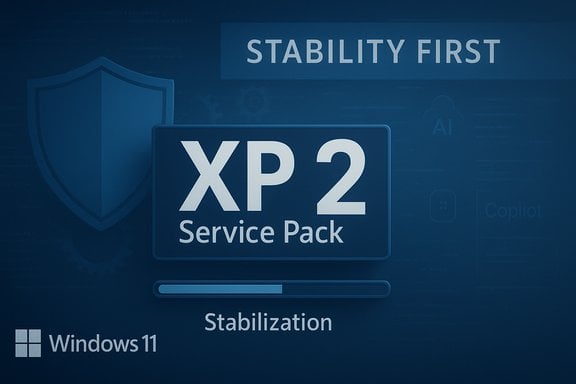
Dave Plummer — the veteran Windows engineer behind the Task Manager and several core components — has urged Microsoft to stop chasing flashy features and instead deliver a Windows 11 update with the focus and seriousness of Windows XP Service Pack 2: a single, sweeping release that prioritizes security, stability, compatibility, and performance over new user-facing bells and whistles.
Windows XP Service Pack 2 (XPSP2) is widely remembered as a pivotal, corrective moment in Microsoft's history. Released after the Blaster worm and a run of severe security incidents, XPSP2 pulled development time away from new features and invested it in hardening the operating system: the firewall was reworked, Wi‑Fi security moved to WPA from WEP, and the system-wide security posture improved markedly. That pivot stabilized Windows XP and restored confidence in the platform.
Fast forward to Windows 11, and the platform faces a different but analogous inflection point. Microsoft has poured energy into integrating generative AI across the operating system — baking AI helpers into Paint and Notepad, promoting Copilot as a central experience, and exploring an "agentic" OS where background intelligent agents assist users proactively. At the same time, Windows 11's rollout and update cadence have produced regressions and performance hits for many users, fueling frustration and hesitancy to upgrade from Windows 10. The combination of aggressive feature rollout, significant platform complexity, and real-world quality regressions has prompted calls from prominent ex‑engineers for a focused, stabilization-first update.
A successful stabilization strategy must therefore be bifurcated:
For Microsoft, the decision is strategic: continue rapid AI feature integration at the risk of further regressions, or accept a temporary slowdown to restore stability, security, and broad-based confidence. The choice will shape Windows' relevance and reputation for years to come.
Source: TechSpot Ex-Windows developer, Task Manager creator says Windows 11 needs an XP Service Pack 2 moment
 Background
Windows XP Service Pack 2 (XPSP2) is widely remembered as a pivotal, corrective moment in Microsoft's history. Released after the Blaster worm and a run of severe security incidents, XPSP2 pulled development time away from new features and invested it in hardening the operating system: the firewall was reworked, Wi‑Fi security moved to WPA from WEP, and the system-wide security posture improved markedly. That pivot stabilized Windows XP and restored confidence in the platform.Fast forward to Windows 11, and the platform faces a different but analogous inflection point. Microsoft has poured energy into integrating generative AI across the operating system — baking AI helpers into Paint and Notepad, promoting Copilot as a central experience, and exploring an "agentic" OS where background intelligent agents assist users proactively. At the same time, Windows 11's rollout and update cadence have produced regressions and performance hits for many users, fueling frustration and hesitancy to upgrade from Windows 10. The combination of aggressive feature rollout, significant platform complexity, and real-world quality regressions has prompted calls from prominent ex‑engineers for a focused, stabilization-first update.
Why an "XPSP2 moment" for Windows 11 matters
The proposition to emulate XPSP2 is not nostalgia — it’s a practical argument grounded in platform stewardship. There are four interlocking reasons why a stability-first release makes sense now:- Trust reclamation. Repeated regressions from updates erode user trust. An explicit, high-visibility stability push signals that reliability is a company priority.
- Security hardening. AI features broaden the attack surface: local models, cloud connectors, and new system services increase complexity and potential vulnerabilities.
- Performance & compatibility. A substantial portion of devices still run older hardware or Windows 10; striking the right balance of backward compatibility and efficient resource use is essential for mass adoption.
- Ecosystem health. ISVs, OEMs, and enterprise admins need a predictable platform. A stabilization program reduces support costs and fragmentation.
What caused the current push toward AI-first Windows?
Microsoft's motivations are straightforward: AI is reshaping user expectations and competitive dynamics. Google, Apple, and OpenAI (among others) have baked AI into search, productivity, and creativity apps. To remain relevant, Microsoft has integrated generative capabilities into:- Core apps (e.g., Paint, Notepad).
- The system assistant (Copilot) as a central UX element.
- Developer tools and services that enable "agentic" behaviors.
The concrete problems fueling calls for a pause
A series of high-impact issues following Windows 11 updates has made many users and administrators uneasy. These real-world problems fall into a few categories:- Functional regressions: updates that break media playback, compatibility with certain hardware, or specific system tools.
- Recovery and repair failures: patches that briefly impaired the Windows Recovery Environment for some users, complicating recovery from system failures.
- Performance regressions: increased sluggishness in key components such as File Explorer and boot performance on certain hardware configurations.
- Telemetry and privacy concerns: more connections to cloud services and background AI processes create new questions about data residency, telemetry opt-in, and user control.
What would a Windows 11 "Service Pack 2" look like today?
If Microsoft accepted the premise and designed a modern XPSP2-style release, the update would emphasize foundational changes rather than user-facing features. Key pillars would include:1. Security hardening across multiple layers
- Strengthen local and network security posture for AI components.
- Audit and patch vulnerabilities introduced by newly added services and drivers.
- Harden privilege boundaries between AI services, user processes, and kernel components.
2. Update reliability and rollback improvements
- Expand rollback reliability for problematic updates and improve offline recovery when Windows Recovery Environment is unreachable.
- Make update staging smarter with automatic pause-on-error to prevent widespread regressions.
- Offer a "stability mode" toggle for consumers and admins that delays the non-critical feature updates.
3. Performance optimization and resource governance
- Tighten CPU, memory, and GPU governance for background AI processes to avoid interfering with foreground tasks.
- Reduce File Explorer and shell latency through targeted profiling and code-path pruning.
- Optimize boot and resume paths to offset resource costs of new components.
4. Compatibility and testing
- Increase compatibility testing matrices for older hardware still in wide use, aiming to reduce deployment blockers for enterprises.
- Partner with OEMs and ISVs to broaden pre-release test coverage, especially for drivers and storage firmware.
5. Accessibility and localization fixes
- Ensure AI features meet accessibility standards and don't regress assistive technologies.
- Expand language coverage and local behavior for AI models used in tightly regulated regions.
6. Privacy, telemetry, and user control
- Rework consent flows for AI telemetry and make default settings privacy-preserving.
- Provide clear, discoverable controls to opt-out of AI features and background model updates.
Practical roadmap: staged, measurable steps
A practical XPSP2-style roadmap needs concrete milestones and measurable outcomes. A suggested phased plan:- Stability triage (0–3 months). Pause non-critical UI features; divert engineering to triage top post‑update regressions and create a prioritized bug list.
- Baseline performance sprint (3–6 months). Fix regressions in File Explorer, boot/resume, and recovery. Publish measurable targets (e.g., 10% reduction in Explorer latency).
- Security & hardening wave (6–9 months). Complete threat model reviews for AI services, patch vulnerabilities, and publish improved security baselines for enterprises.
- Compatibility and driver assurance (9–12 months). Rollout extended compatibility testing and provide updated driver certification guidance to OEMs.
- Quality-of-life and rollout mechanism (12+ months). Reintroduce new features behind robust flags, with a high-assurance staged rollout for a broad Canary/Beta/Production test funnel.
Balancing innovation with stability: product governance changes
To avoid repeating the cycle of rushed features and significant regressions, governance changes are needed:- Feature gating by risk profile. High-risk components (system services, update stack, recovery environment) must have a longer incubation and stricter rollout rules than low-risk UIs.
- Stricter canary and ring testing. Expand the scale and representativeness of test rings, including a more diverse set of hardware and enterprise configurations.
- External audits. Invite third-party audits for critical areas of AI and security to catch systemic issues independent teams may miss.
- Clear communication channels. When regressions occur, provide timely and transparent status updates and workarounds for affected users and administrators.
Risks and trade-offs of a stabilization-first approach
Pivoting to a stabilization-first release carries real costs and trade-offs:- Competitive pressure. Slowing feature deployment could concede marketing advantages to rivals shipping visible AI capabilities.
- Revenue and perception. The market often rewards new features that attract headlines; a stabilization push is less glamorous for partners and consumers.
- Resource reallocation. Large engineering shifts are costly and may delay other strategic projects, including cloud and services integrations.
- User impatience. Some users want AI features now; delaying those could frustrate the early adopter cohort.
Why enterprise and consumer signals both matter
Enterprise customers emphasize total cost of ownership, predictable deployments, and compatibility. For them, a stabilized Windows 11 with fewer regressions reduces support tickets and herd-migration concerns. Conversely, consumers and enthusiasts often seek new features — especially AI features promising productivity gains or novelty.A successful stabilization strategy must therefore be bifurcated:
- Offer a conservative, well-tested baseline for enterprises and cautious consumers.
- Continue an optional, feature-rich path for enthusiasts and developers who opt into rapid-release channels.
Technical challenges unique to AI integration
Modern AI brings unique engineering challenges that didn’t exist during the XP era:- Model lifecycle management. Models must be updated, validated, and sometimes retrained — a continuous process requiring secure distribution and backward compatibility.
- On-device vs. cloud trade-offs. Running models locally improves privacy and latency but increases hardware requirements and testing complexity; cloud models reduce device diversity but raise privacy and connectivity concerns.
- Data flows and privacy. Determining what data is sent to cloud services, how it’s stored, and how it’s used demands rigorous policies and transparent controls.
- Observability. AI systems can fail in subtle ways; improved observability and telemetry are essential to diagnose behavior and prevent silent regressions.
What success would look like
A truly successful XPSP2-style effort for Windows 11 would deliver a measurable improvement in user and admin experience:- Lowered update failure and rollback rates.
- Clear reductions in known regressions and improved recovery capabilities.
- Documented performance improvements on common workloads and hardware profiles.
- Strengthened security posture with fewer exploited vulnerabilities in the wild.
- Higher enterprise deployment confidence and faster upgrade rates from Windows 10.
- Transparent controls and documentation for AI features, enabling better privacy and compliance.
Recommendations for Microsoft — a succinct checklist
- Pause non-critical UI feature rollouts for a defined stabilization window.
- Prioritize fixes to the update stack and recovery environment.
- Implement strict resource governance for background AI agents.
- Expand compatibility testing to include older hardware used at scale.
- Publish privacy-first telemetery plans for AI features and make defaults opt-in.
- Offer an enterprise-friendly "stability-first" release channel with guaranteed SLAs.
- Increase transparency: publish status pages, regression trackers, and remediation timelines.
The broader lesson for modern OS vendors
The XPSP2 lesson is timeless: when a platform’s trust is shaken, regaining confidence often requires painful focus on fundamentals. Modern OS vendors cannot rely on continuous feature arms races alone. Users and enterprises increasingly value reliability, privacy, and predictable behavior — and when those are threatened, a concentrated engineering effort to shore up the foundation can be the most strategic move of all.For Microsoft, the decision is strategic: continue rapid AI feature integration at the risk of further regressions, or accept a temporary slowdown to restore stability, security, and broad-based confidence. The choice will shape Windows' relevance and reputation for years to come.
Conclusion
The call for an "XPSP2 moment" from a veteran Windows engineer is a stark, actionable critique: ship fewer flashy features and instead invest in the unseen but essential work that makes an operating system dependable. In an era where AI complicates the platform stack and user expectations are higher than ever, the case for a disciplined, metrics-driven stabilization release is compelling. Prioritizing security, reliability, and performance now will pay dividends in user trust and enterprise adoption later — and it may be the most pragmatic way to ensure Windows 11 remains a platform people can rely on.Source: TechSpot Ex-Windows developer, Task Manager creator says Windows 11 needs an XP Service Pack 2 moment
